-
-
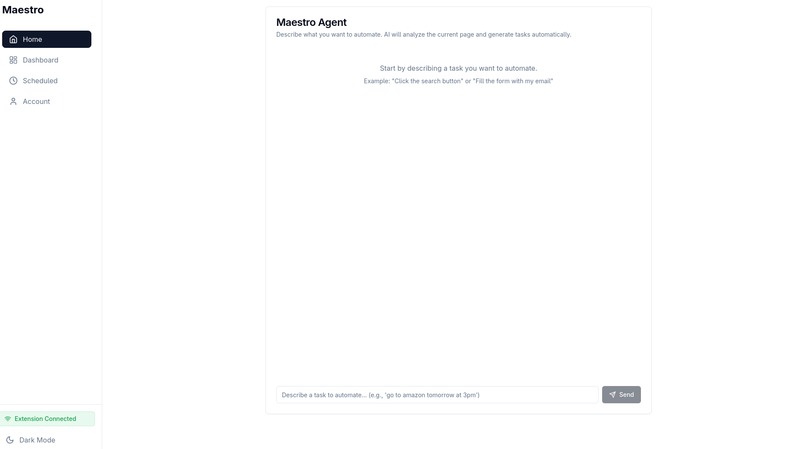
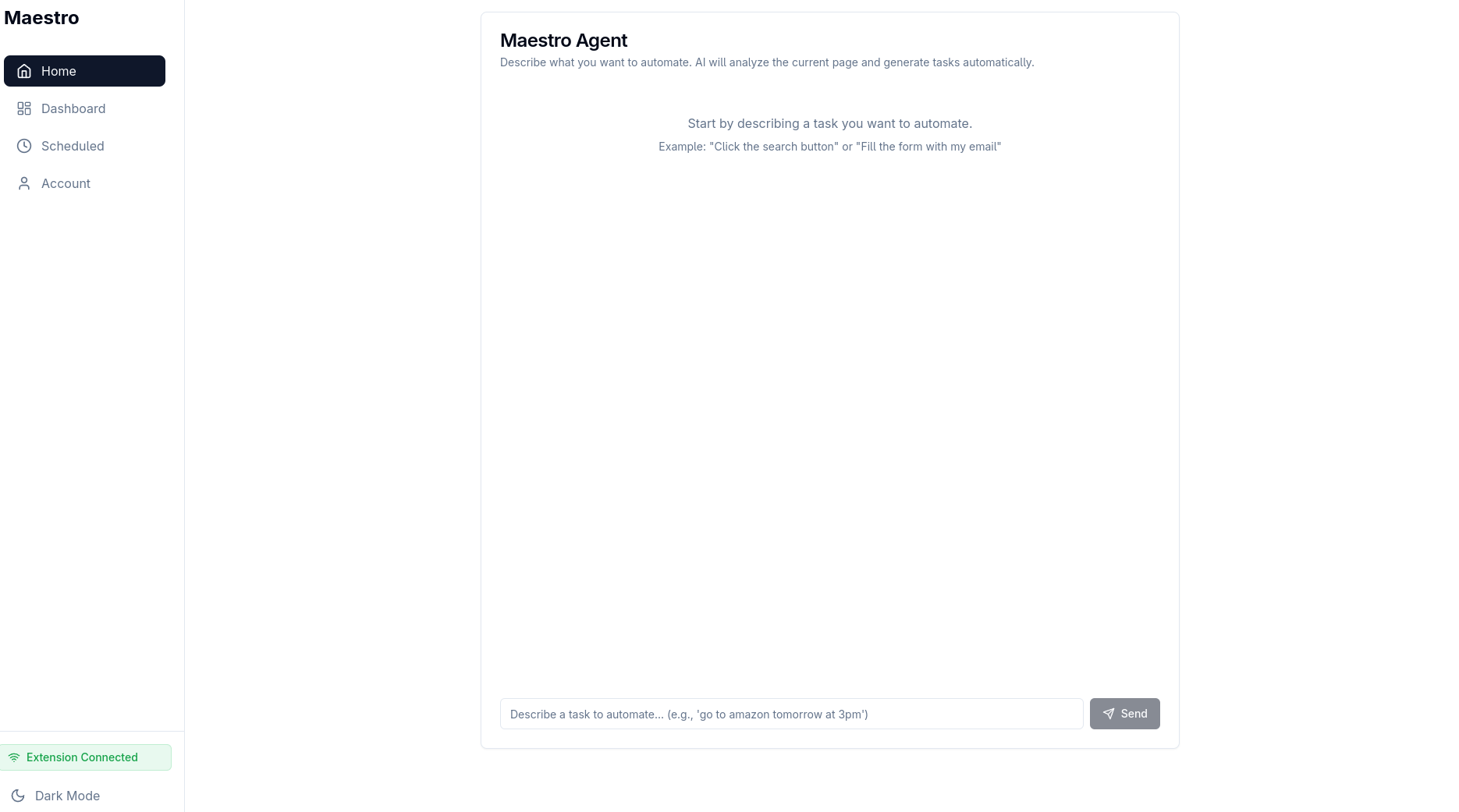
Landing Page
-
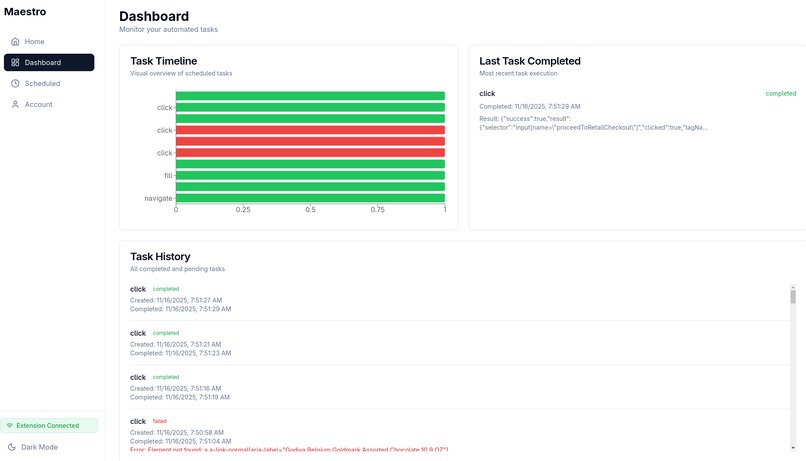
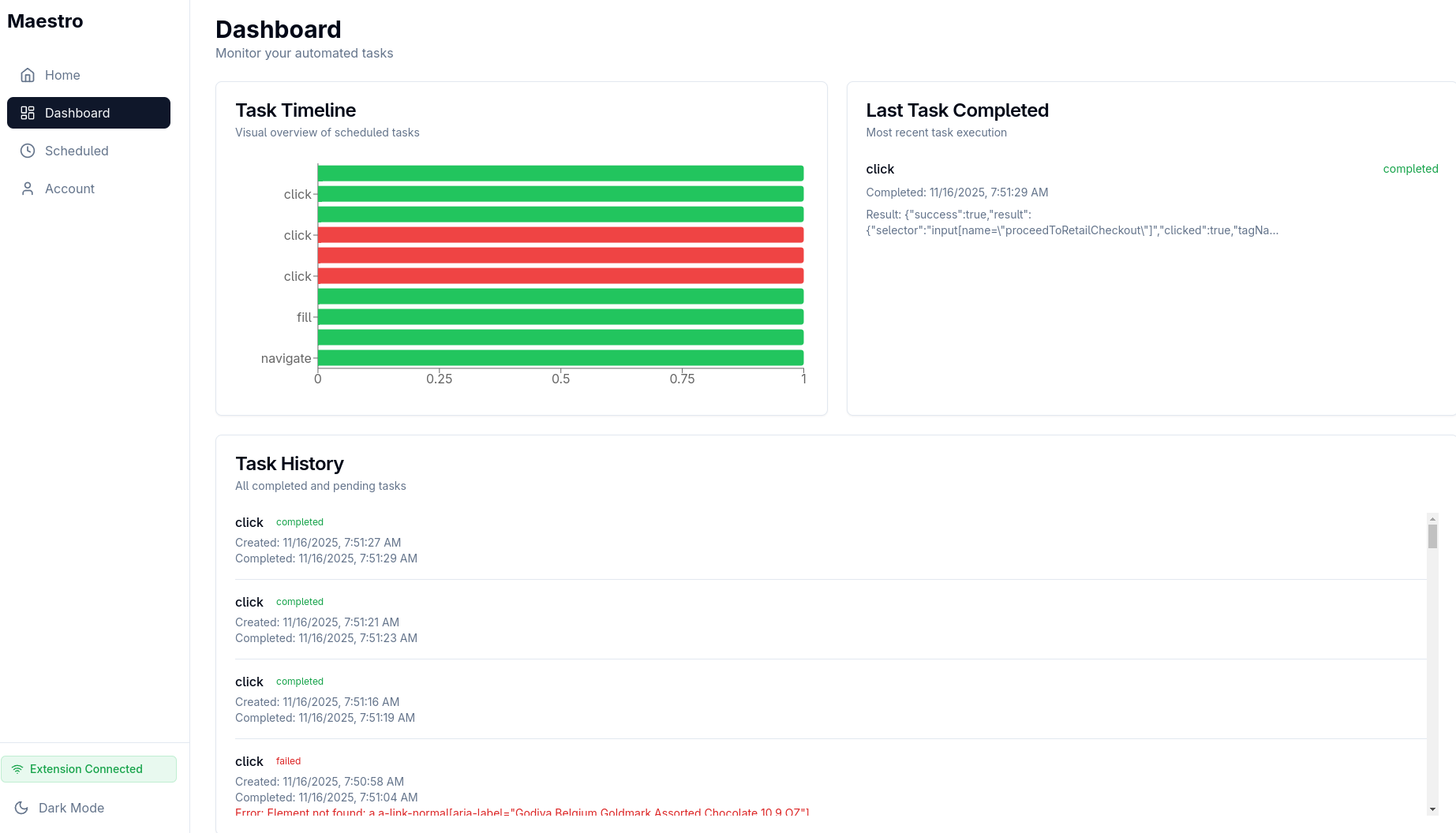
Sick dashboard to show your Maestro autonomous browsing stats
-
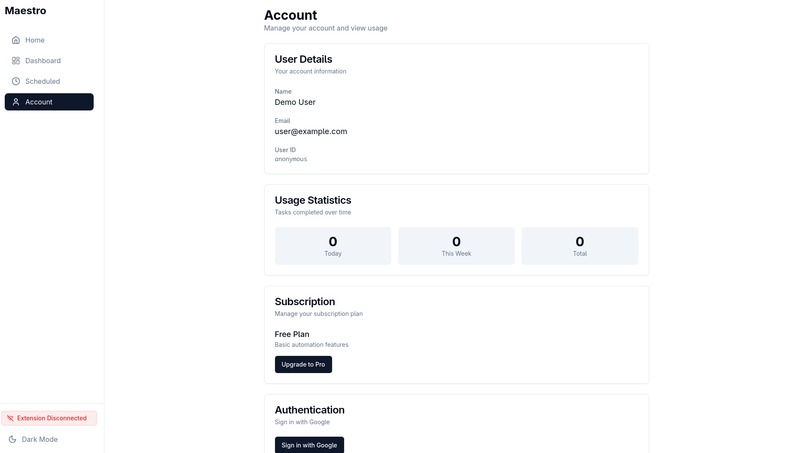
Account billing to use tokens!
-
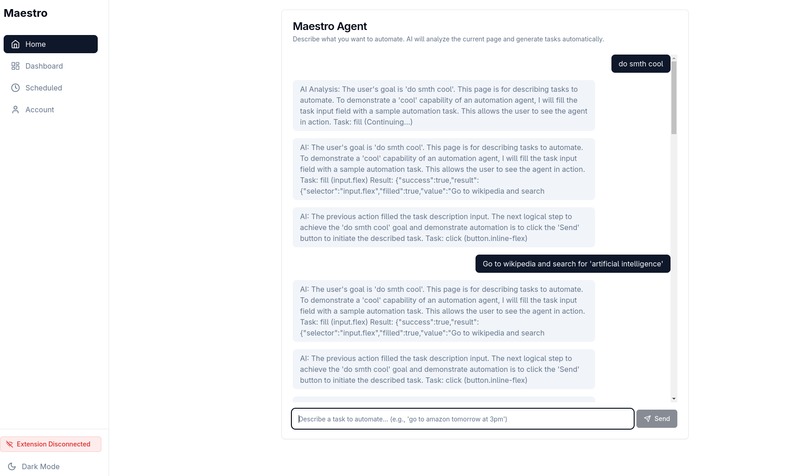
Something cool done on its own!
-
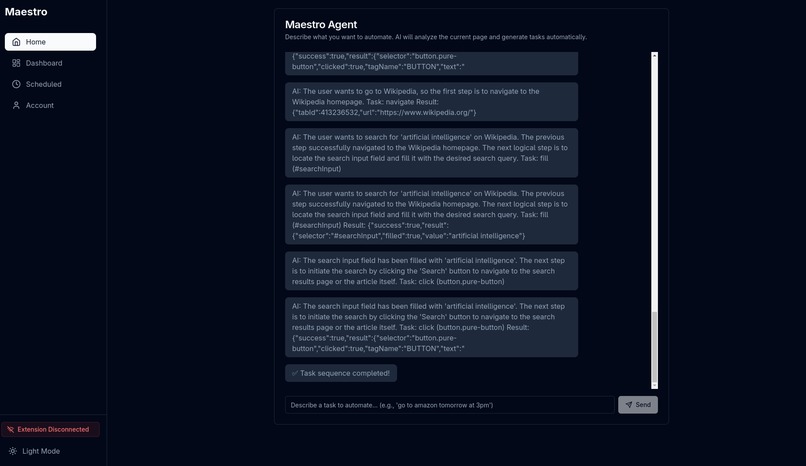
Dark Mode!!!!
-
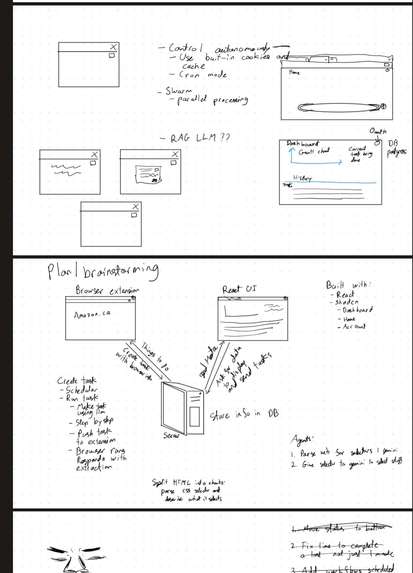
Planning



Inspiration
The need for people to manage their daily and upcoming tasks better. Our extension ensures a quick and efficient procedure with minimal need for user interaction which benefits users with conditions like carpal tunnel or any mobility problems related to typing.
What it does
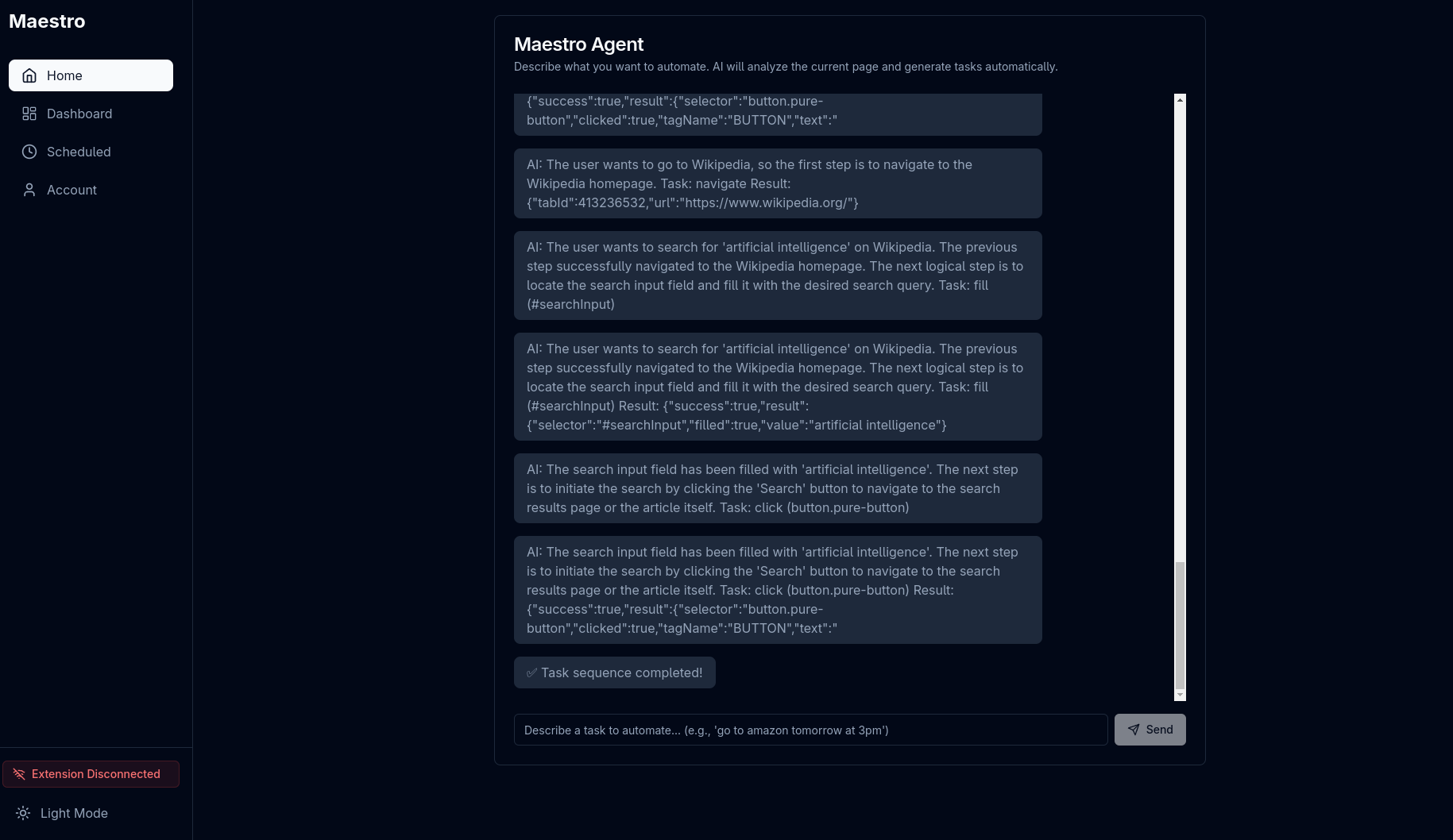
Maestro is an agentic browser orchestrator extension that allows users to enter prompts and schedule prompts using natural language. We implemented our own custom parts of an agentic LLM framework to orchestrate the browser. Maestro also has its own dashboard with a Gantt chart and task history.
- User enters a prompt (to do now or scheduled for a date & time) --- Buy chocolate from Amazon at 2pm
- Adds the task on the Gantt chart according to scheduling or immediate request
- Opens the web page --- Amazon
- Interacts with the web page based on what the prompt asked for --- Writes "chocolate" in Amazon's search bar, searches, selects an item, adds the item to the shopping cart, purchase (if credit card information is given or already provided)
- Logs the prompt in "Task History"
How we built it
Maestro is built with a Chrome extension, a Node.js/Express backend, and a React (shadcn/ui) frontend. User prompts are sent to Gemini, which turns them into step-by-step browser actions. The extension executes those actions and streams page data back through a WebSocket so the AI can decide the next move.
We use chrono-node and a background scheduler for time-based tasks, and SQLite to store sessions, schedules, and history. The React dashboard shows task progress, schedules, and extension status in real time.
In short: AI interprets the task, the extension performs it, and the system manages scheduling, state, and monitoring.
Challenges we ran into
- Controlling a browser through an extension and providing the necessary info to an LLM
- Using CSS selectors to optimize selection of elements on the screen
- Implementing components of an Agentic LLM framework components in Javascripts from scratch
- Getting past context limit limitations of our LLM
- Use zero-shot learning to better our prompts for LLM to browser
- Forcing the output of LLM to JSON
- Isolating the Gantt chart components of the code
- Making an extension with WebSockets properly connect for easy 2 way communication
Accomplishments that we're proud of
- Completion of all tasks given by the prompt to Maestro
- Scheduling tasks/prompts
- Beautiful UI/UX
- Great navigation system for scheduling
- Implementation of our very own custom parts of an LLM framework
- Controlling a broswer through an extension and providing the necessary info to an LLM
What we learned
- Controlling browsers using extensions
- Adding scheduled workflow of tasks
- Having a blind server LLM run based on purely selectors and LLM inference
- How to make a styled UI
- How to make a Gantt chart
- How to make buttons to control function with calendars and time
What's next for Maestro
- More complex tasks that require image detection
- Improved prompting
- Concurrency of tasks
- Integrate the advanced Gantt chart
- Defeat comet
Built With
- css
- dom
- gemini
- javascript
- llm
- node.js
- react
- sql
- tailwind
- websockets


Log in or sign up for Devpost to join the conversation.