-
-
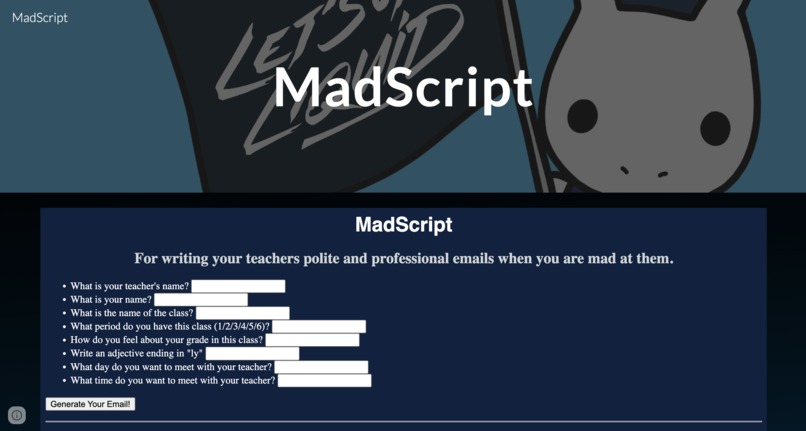
Main page of MadScripts
-
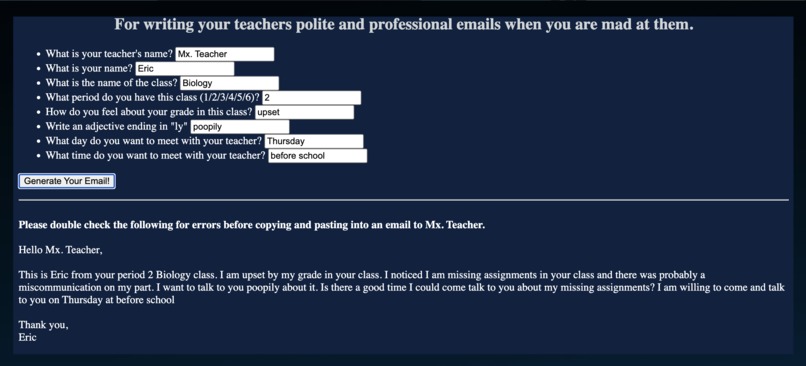
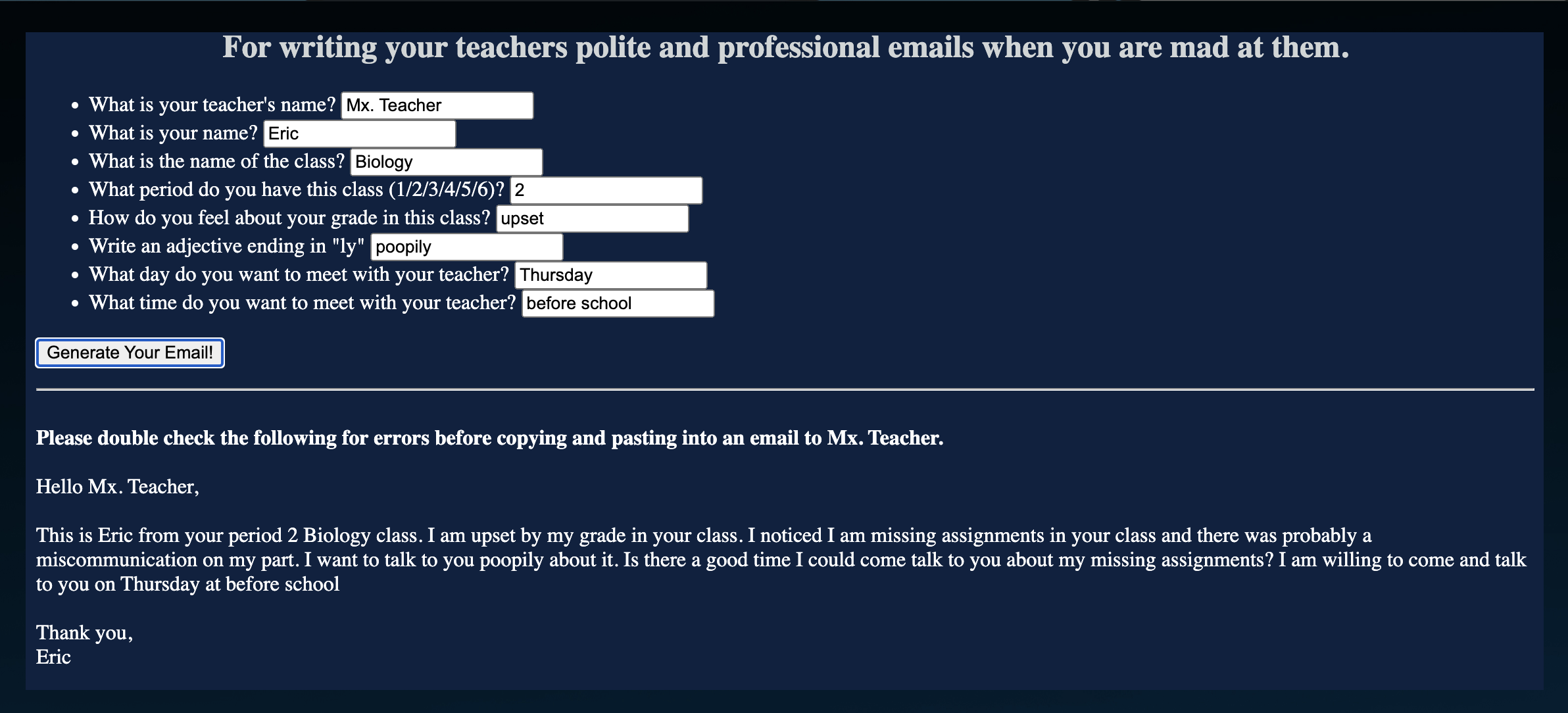
Filled out MadScript ready to email to the teacher!

I was unable to create a video due to being at school from 7:30-5:30 for the past two days. Please check out MadScripts here! https://sites.google.com/view/liquidhacks
Inspiration
By day I am a high school biology teacher but by night I like to learn coding for fun! Unfortunately that means when I wake up, I get spammed by angry emails from my students wondering why they have the grade they do in my class. I realized if I am going to be spammed with email from teenagers, I would prefer the emails to be polite, coherent, and useful.
For students who are Spanish speakers (non-native speakers), they can struggle with sometimes writing out full sentences and coherent emails. This can make it intimidating for them to communicate with their teachers. By providing the fill in the blank options like MadScript, this provides students with the scaffolding to reach out to their teachers.
What it does
MadScripts is a play on the fill-in-the-blank game Mad Libs. Students can use this tool to draft a polite email to their teachers, while also expressing how they feel about their grade in any particular class. After filling out the form, students press a button to generate a paragraph stating their complaints for them to copy and paste into an email to their teacher.
Being embeddable code, teachers can easily implement it for their own students onto their personal teacher websites. It can be embed onto Google Sites and other web hosting services that allow HTML. This application can be shared to provide a resource for scaffolding emails for students to their teachers. The background and text colors can be easily edited by users by just changing the hex color codes for each section.
How we built it
I wanted this tool to be easily accessible for teachers to incorporate into their website. I found a tutorial on Khan Academy for a Mad Libs form with JavaScript, and edited the code to better suit the needs of multiple paragraphs. I used a combination of JavaScript and HTML to create a function that can be embedded into any site that allows embedding of HTML. The example application provided is embedded into a Google Site by using the provided embed option in Google Sites. I included CSS to change the styling of the font in the headers and form, which can be easily changed by the end user.
Challenges we ran into
Being a beginner programmer, it was really challenging to incorporate line breaks into JavaScript as we originally wanted to. A large part of professionalism in emails is incorporating white space for readability, which is something that I want my students to learn when they send me emails. Eventually we circumvented this challenge by introducing breaks on the inner HTML portion, instead of attempting to break the line in the JavaScript function itself. We wanted to be able to change the font from Google's default font, but found it challenging to stylize the font in an open-source fashion.
Accomplishments that we're proud of
I am really proud of being able to incorporate HTML into Google Sites. I also was able to explore the Liquid+ website, and used Chrome Development tools to find the colors and font used by the Liquid+ developers for inspiration on the project. While we were unable to incorporate the exact font used, we used a similar sans-serif font for the title. It was really exciting being able to incorporate different colors in different parts of code!
What we learned
This was the first time tackling a hackathon on my own. In past hackathons I have relied on others to complete the coding for me while I provided narrative and art so this felt like a step up for me. I was able to take a JavaScript tutorial, and make it into my own. I was able to integrate JavaScript with HTML and make it a user accessible webpage. Before, we tried to use different websites to host it, before realizing we could use HTML and embed into Google Sites.
What's next for MadScripts
I hope to further provide support for my students by having different types of emails for different situations. I think it would also be valuable to have a subject line for students to copy and paste in using the student's initials, class period, and a generic email subject.


Log in or sign up for Devpost to join the conversation.