
Madrasa Québec
One-line summary
Madrasa Québec is a bilingual learning platform that helps families organize home learning, helps adults prepare better activities, and gives students patient, step-by-step support without replacing the human educator.
Inspiration
Families who learn at home or through small community groups often have to combine several disconnected tools: calendars, worksheets, messaging, progress tracking, and local education requirements. Adults spend their limited time preparing activities and answering the same questions, while students can get stuck between sessions.
We wanted to build a platform that supports the whole learning loop: the parent plans, the adult reviews, the student practices, and the community stays connected. The product is designed for Québec families and is bilingual from the start, while remaining flexible enough for different family structures, languages, and learning styles.
What it does
Madrasa Québec combines four experiences in one place:
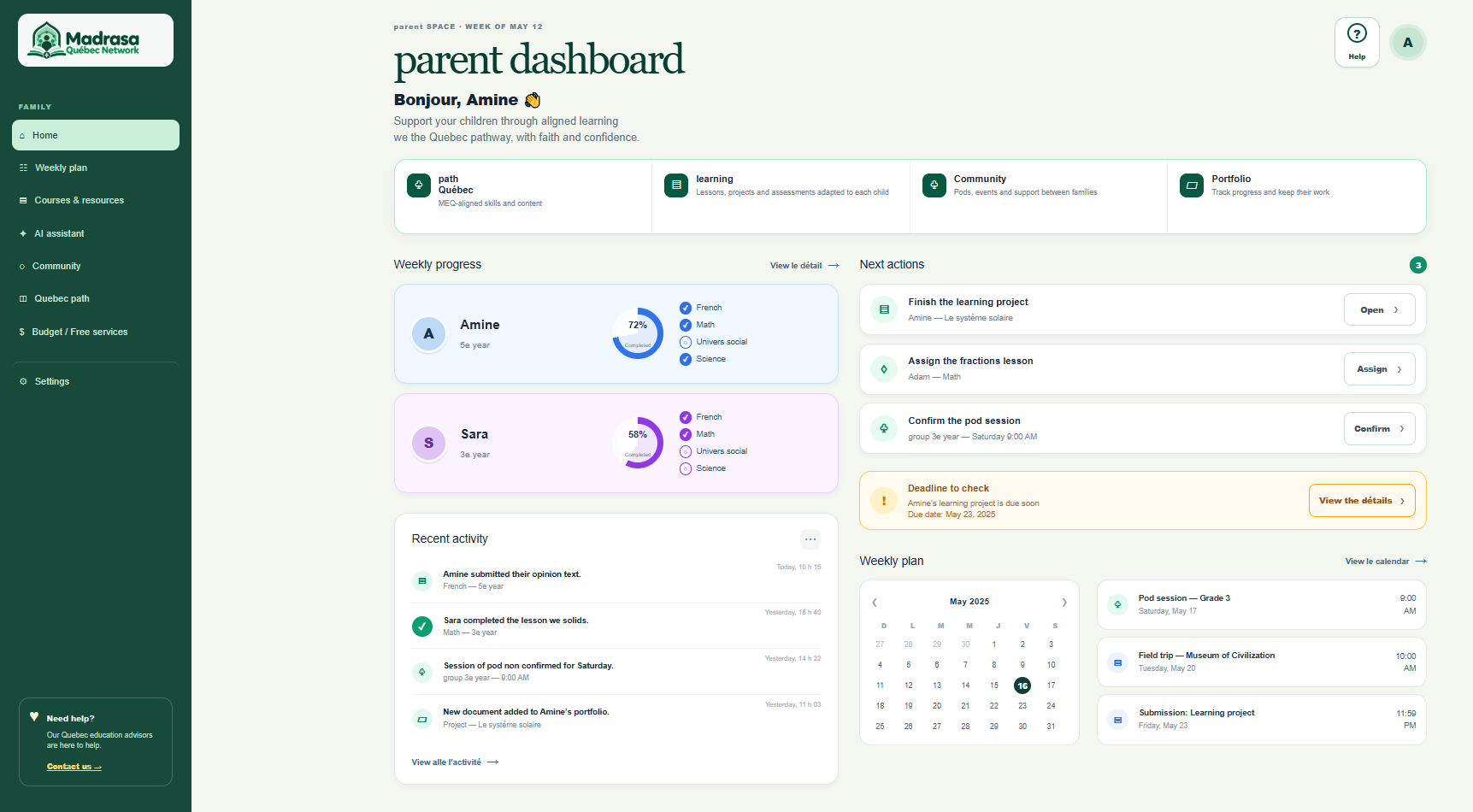
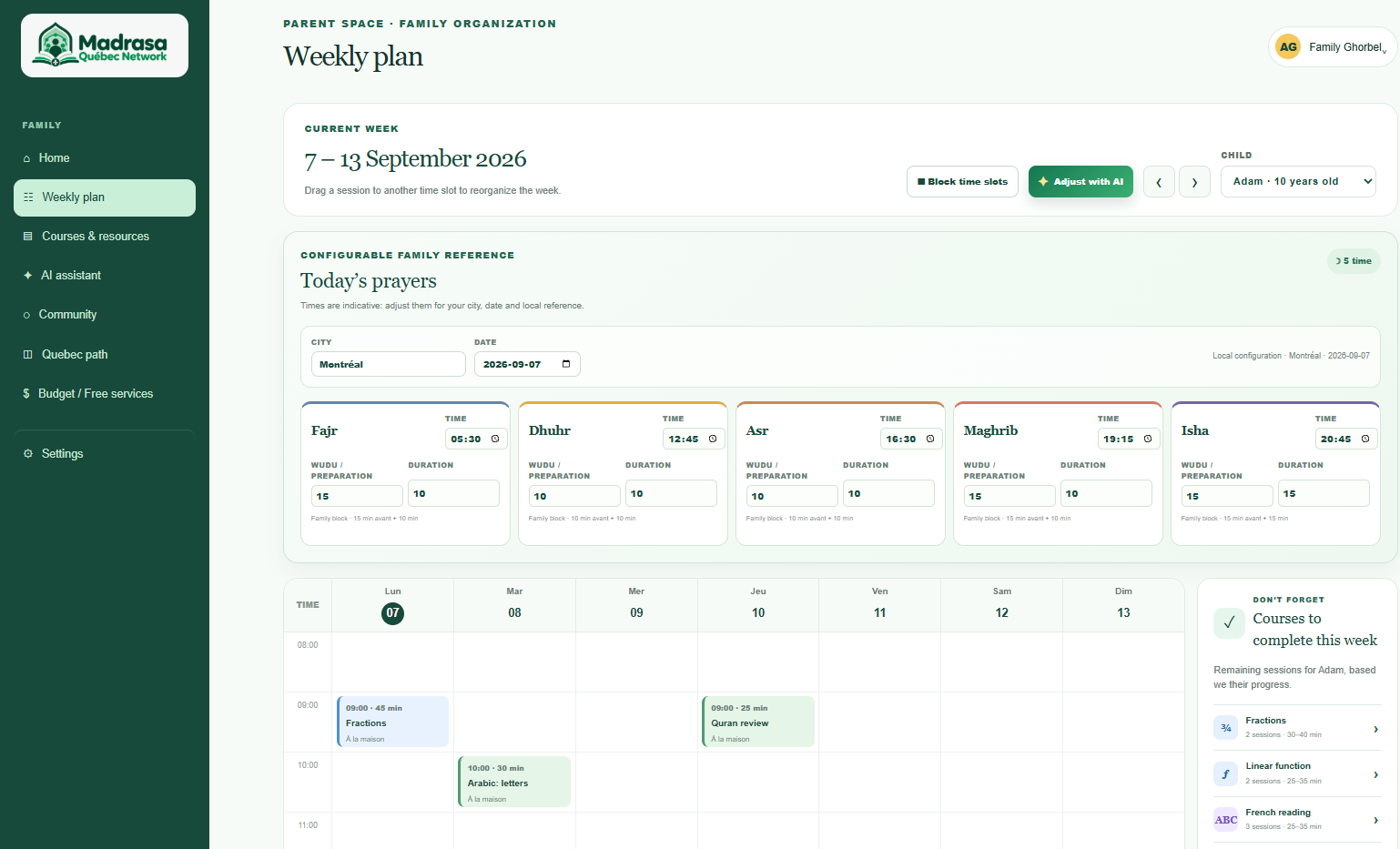
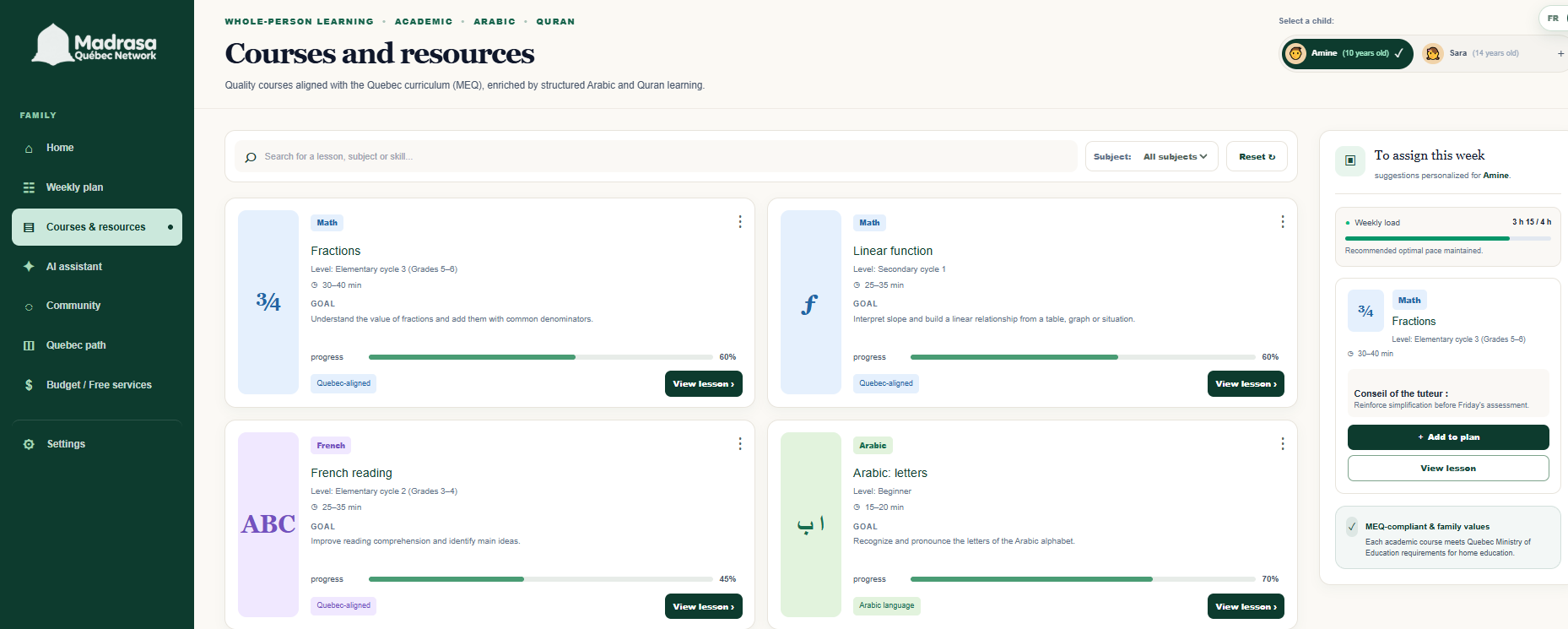
- Parent dashboard: organize children, courses, weekly plans, progress, and family tasks.
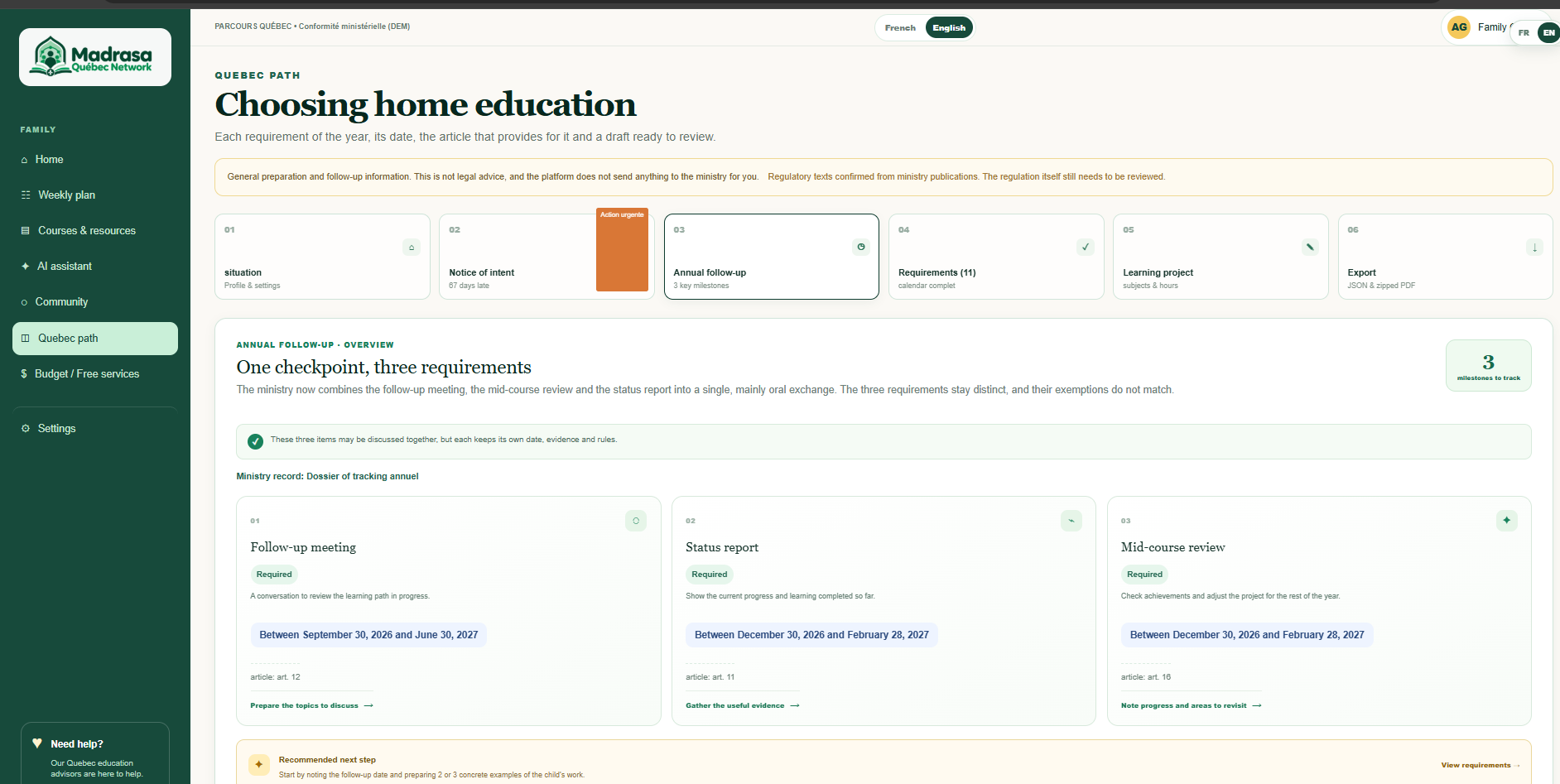
- Québec pathway: view a structured timeline of education-related steps, missing information, deadlines, source anchors, and exportable drafts. The platform does not submit anything and does not claim to certify compliance; parents remain responsible for verification and submission.
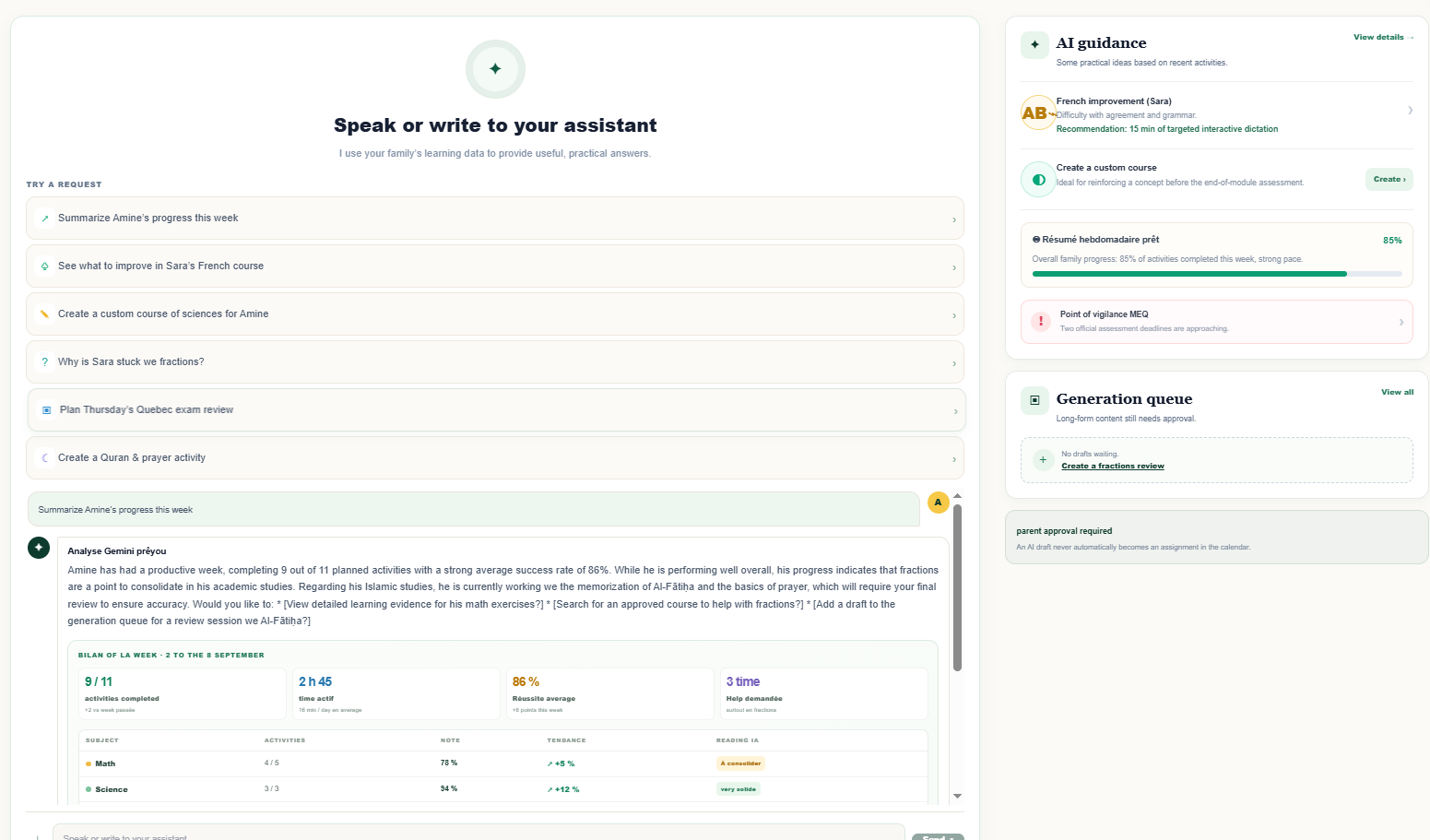
- Adult assistant: describe a learning activity or homework set, choose the level, topic, objectives, difficulty, duration, and adaptations, then send the request to a generation queue. A human must review and approve the draft before it reaches a student.
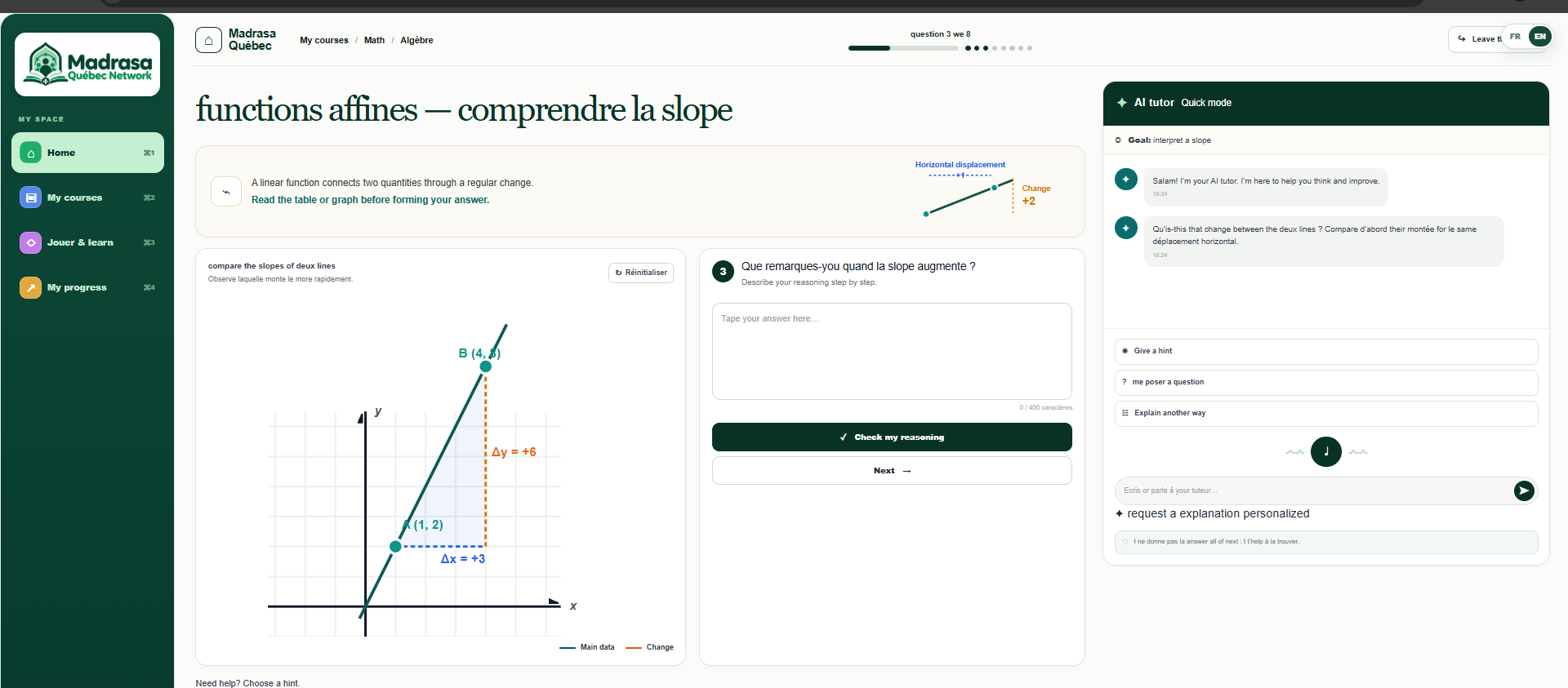
- Student tutor: students can ask questions by text or voice and receive graduated help: a guiding question, a first hint, a second hint, an example, and only then a solution when the activity permits it. The system is designed to guide thinking instead of immediately giving away the answer.
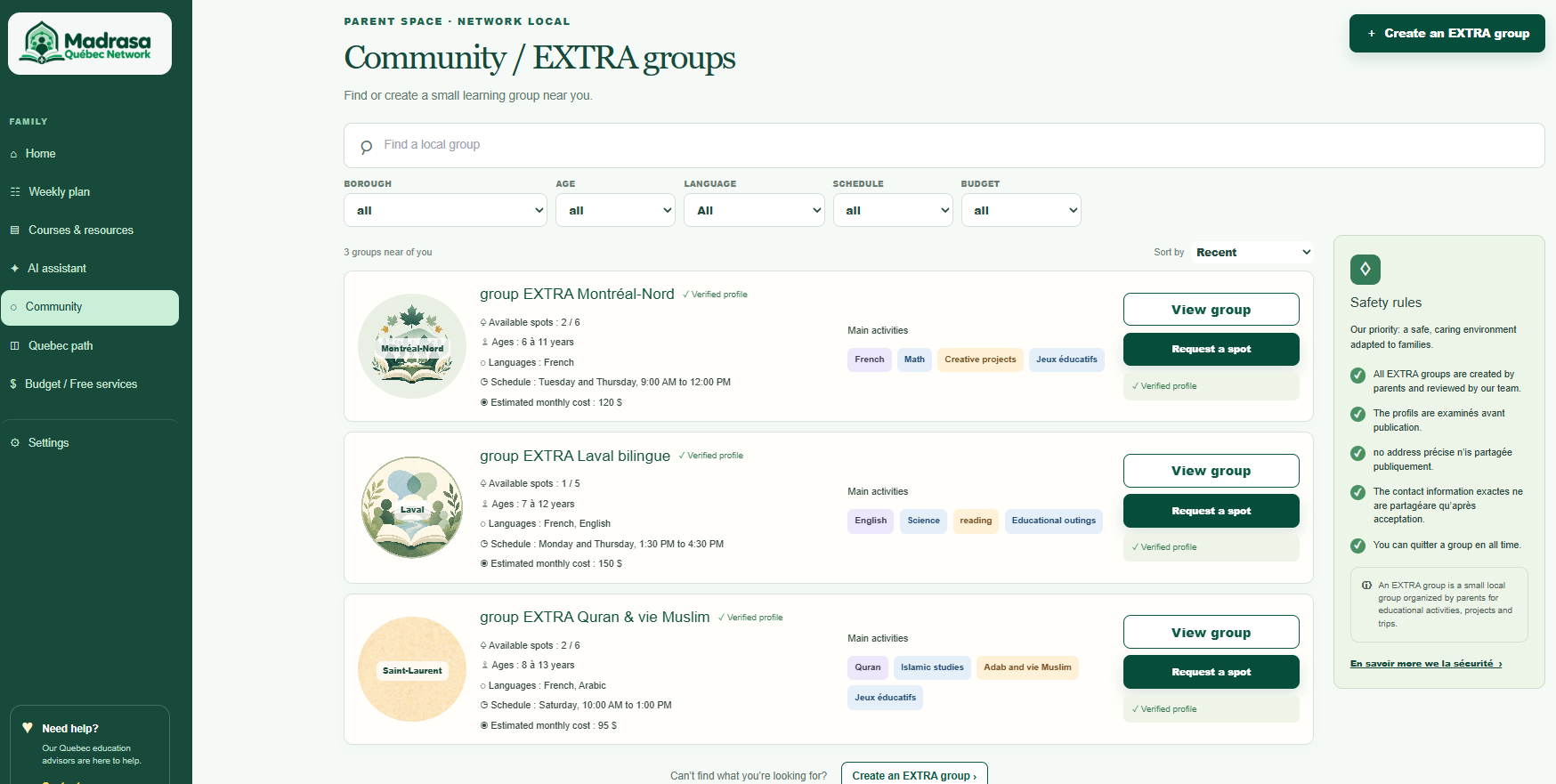
The prototype also includes bilingual course pages, a younger-student experience, community pods, a prayer calendar, and mosque-facing service concepts.
Why it is different
Our central principle is AI should multiply adult attention, not replace adult trust.
The adult stays in control of generated material. The student sees a controlled hint ladder instead of an unrestricted answer generator. Gemini is used to assist the adult, while the parent or educator remains the final decision-maker.
Main systems we built
Parent system
The parent experience gives families one place to manage their learning journey:
- family dashboard with children, activities, progress, and priorities;
- course and weekly-plan organization;
- Québec pathway with milestones, reminders, deadlines, missing information, and source references;
- parent assistant for preparing homework and learning activities;
- review and approval workflow before content is shared with a student;
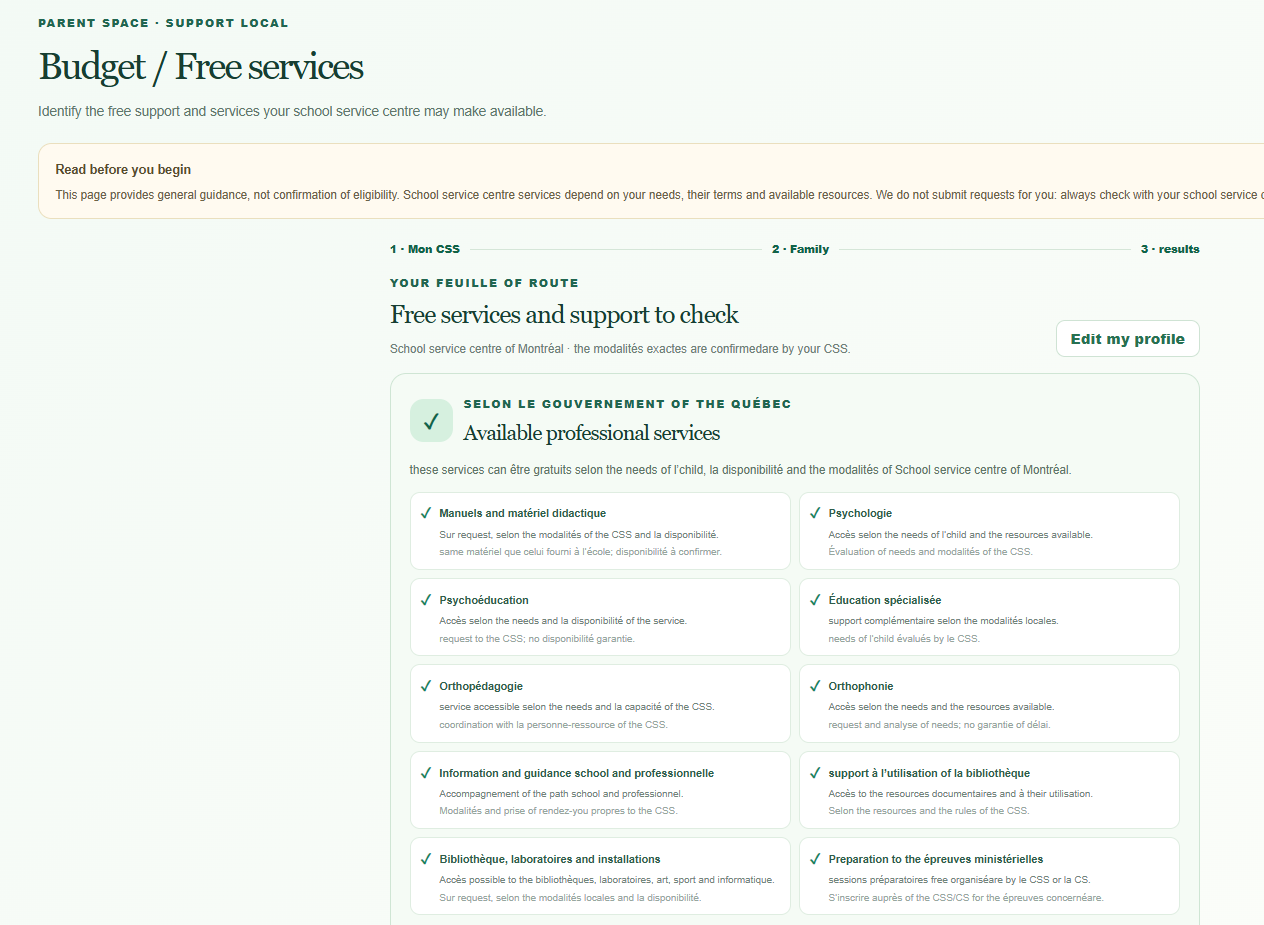
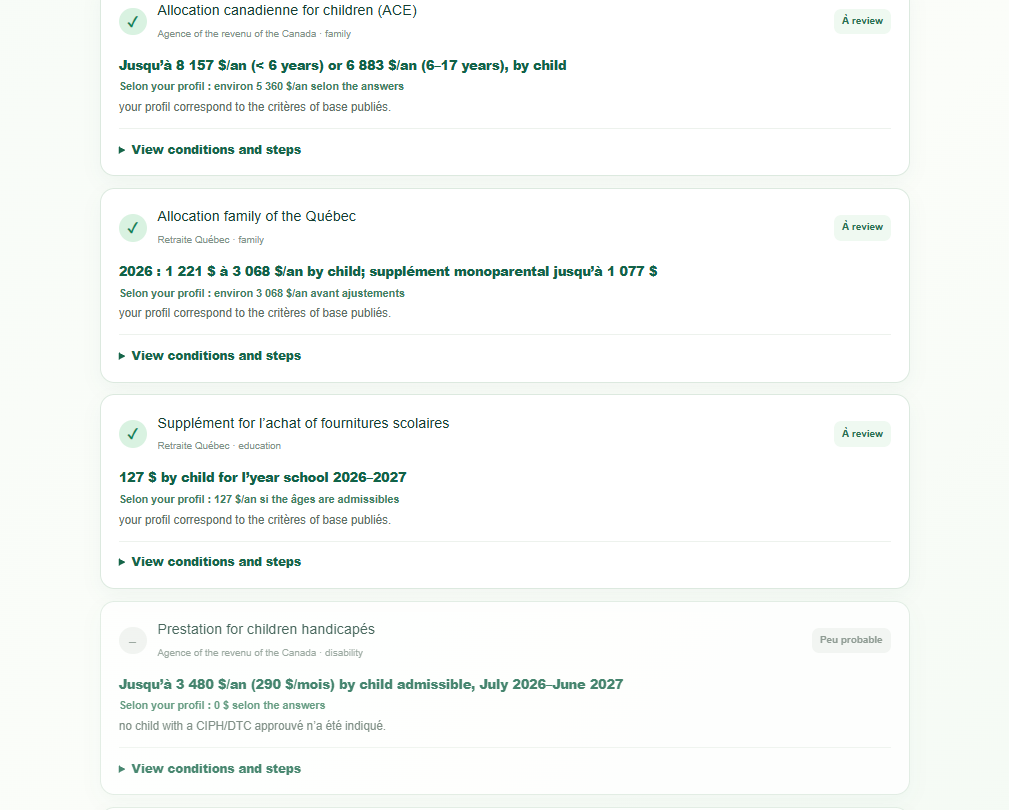
- family support tools, community discovery, prayer calendar, and financial-aid information.
AI assistant for parents
The parent AI assistant uses the Google Cloud Gemini API to turn a parent's request into a structured learning activity. The parent can specify the subject, grade level, topic, objectives, number of questions, difficulty, duration, adaptations, and instructions.
The assistant is designed as a preparation tool, not an autonomous teacher. Generated work is returned as a draft, with its learning objectives and review information, and the parent or educator remains responsible for approving it before publication.
Student learning system
The student interface is organized around the lesson rather than around a chat window. Students can read the activity, submit their thinking, ask for help, and follow their progress without losing sight of the original objective.
The homework system supports structured activities, learning objectives, guided feedback, progress states, and parent-approved assignments. The tutor does not immediately reveal the answer. It follows a progressive support ladder:
- guiding question;
- first hint;
- second hint;
- worked example;
- solution when the activity allows it.
Young student interface
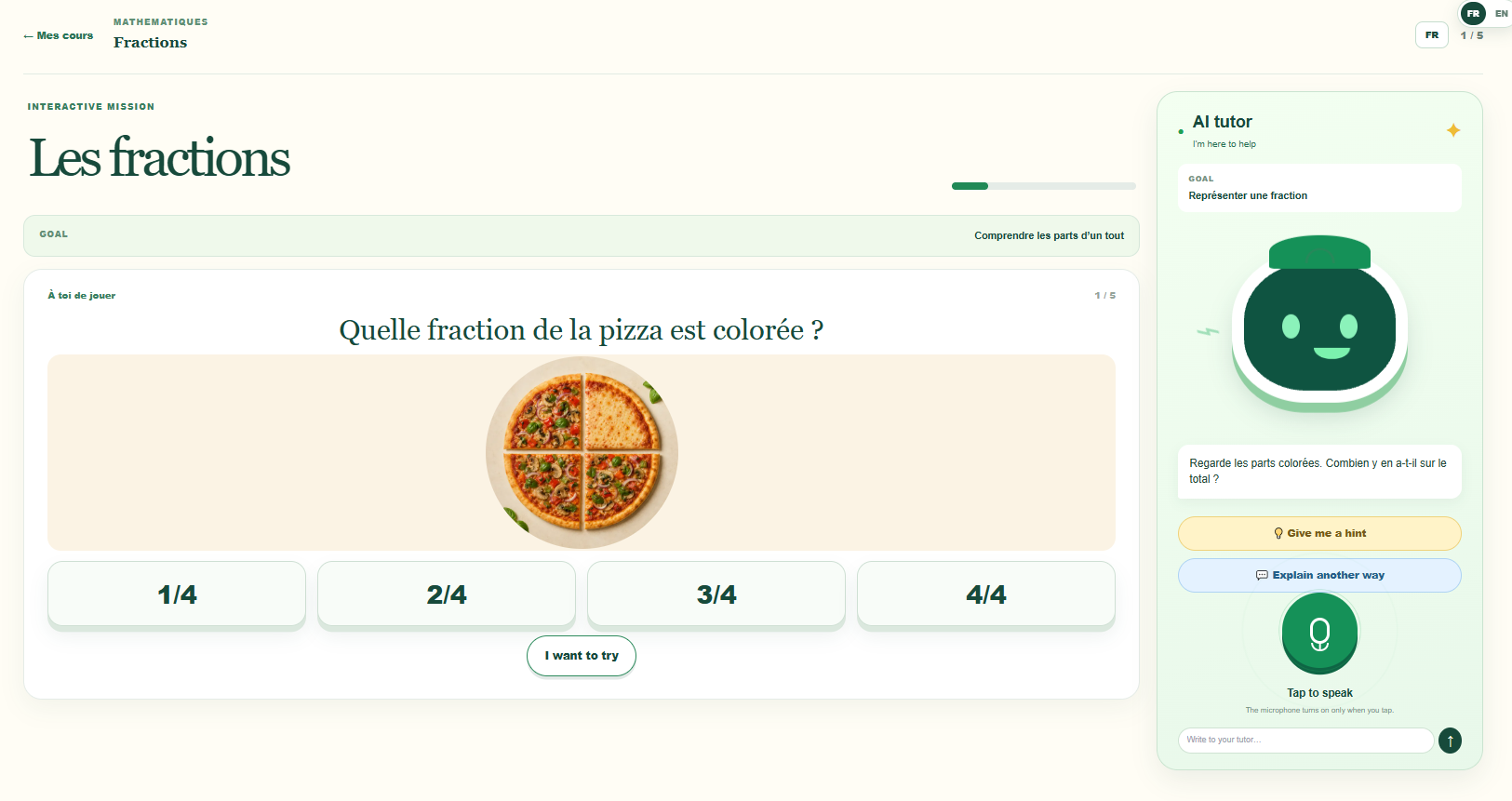
The younger-student experience uses simpler navigation, larger visual elements, shorter instructions, playful activities, and age-appropriate learning flows. It includes dedicated spaces for practice, progression, games, Arabic letters, Qur'an memorization, and foundational mathematics such as fractions.
How we built it
We built the prototype with:
- Next.js 14 and React 18
- TypeScript
- Tailwind CSS
- Google Cloud Platform
- Google Cloud Gemini API
The most important architectural decision was to keep the product workflows explicit and testable. AI generation is represented as a queued job with review states. Tutor support is represented as a finite hint ladder. Québec requirements are represented as structured data with dates, source anchors, and jurisdiction tags instead of being hidden in scattered UI logic.
What we built during the hackathon
The working product demonstrates:
- A parent opening the dashboard and reviewing a Québec pathway.
- An adult creating a homework-generation request with the parent AI assistant.
- Gemini producing a structured draft with learning objectives and review information.
- The adult reviewing and approving the draft before publication.
- A student opening a lesson on fractions or functions.
- The student asking the tutor for help and moving through the hint ladder.
- The same core experience in French and English.
Challenges we ran into
The hardest challenge was deciding what the AI should not do. It should not publish unreviewed work, make a regulatory decision, or hand a student the answer before the learning process has been respected. Those constraints shaped the data model and the API boundaries.
We also had to separate a useful Québec workflow from legal advice. The prototype surfaces reminders, dates, and source references as an organizational aid. It deliberately leaves verification and submission to the family and clearly labels the limits of the product.
Finally, we had to make a convincing bilingual experience without duplicating business logic. The domain rules are shared, while labels, help text, formatting, and page content are localized.
Accomplishments we are proud of
- A complete parent-to-student workflow connecting planning, generation, approval, and learning.
- A human approval gate between AI-generated content and the child.
- A progressive tutor hint ladder that supports learning instead of simply giving answers.
- Structured Québec pathway data with explainable dates and source anchors.
- French and English support across the core learning and compliance experiences.
What we learned
The most valuable product is not simply an AI tutor. Families need coordination: a clear plan, useful activities, visibility into progress, and confidence that an adult remains responsible for important decisions.
We also learned that transparency makes a prototype stronger. Showing what is implemented, what is simulated, and what still needs validation gives families and judges a more accurate picture of the product.
What's next
- Test the workflows with Québec families, tutors, and community organizations.
- Validate all Québec regulatory references with qualified counsel before real-world use.
- Add authentication, persistent storage, audit logs, and production privacy controls.
- Measure actual tutor usage and learning outcomes in a small pilot.
- Complete the live voice experience and collaborative small-group classroom.
- Improve accessibility and finish language switching across every page.
Built with
Next.js · React · TypeScript · Tailwind CSS · Google Cloud Platform · Gemini API
Disclaimer
Madrasa Québec is an educational prototype. Its Québec pathway is an organizational aid, not legal advice, legal representation, or a certification of compliance. Families must verify current requirements with the appropriate official sources and qualified professionals.
Built With
- gemini-api
- google-cloud-speech-to-text
- node.js
- postgresql
- typescript


Log in or sign up for Devpost to join the conversation.