-
-
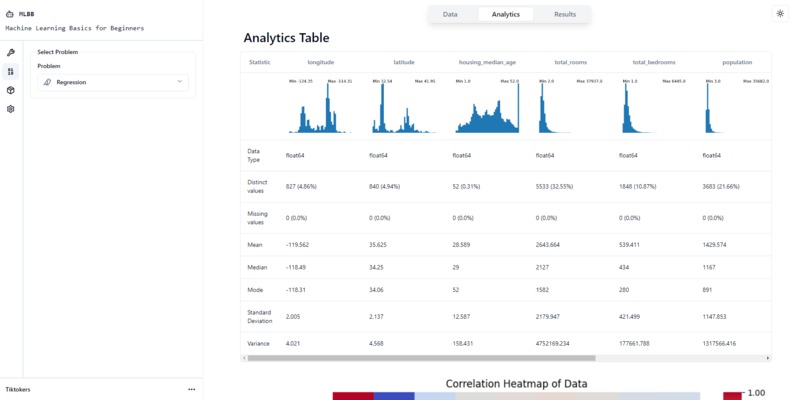
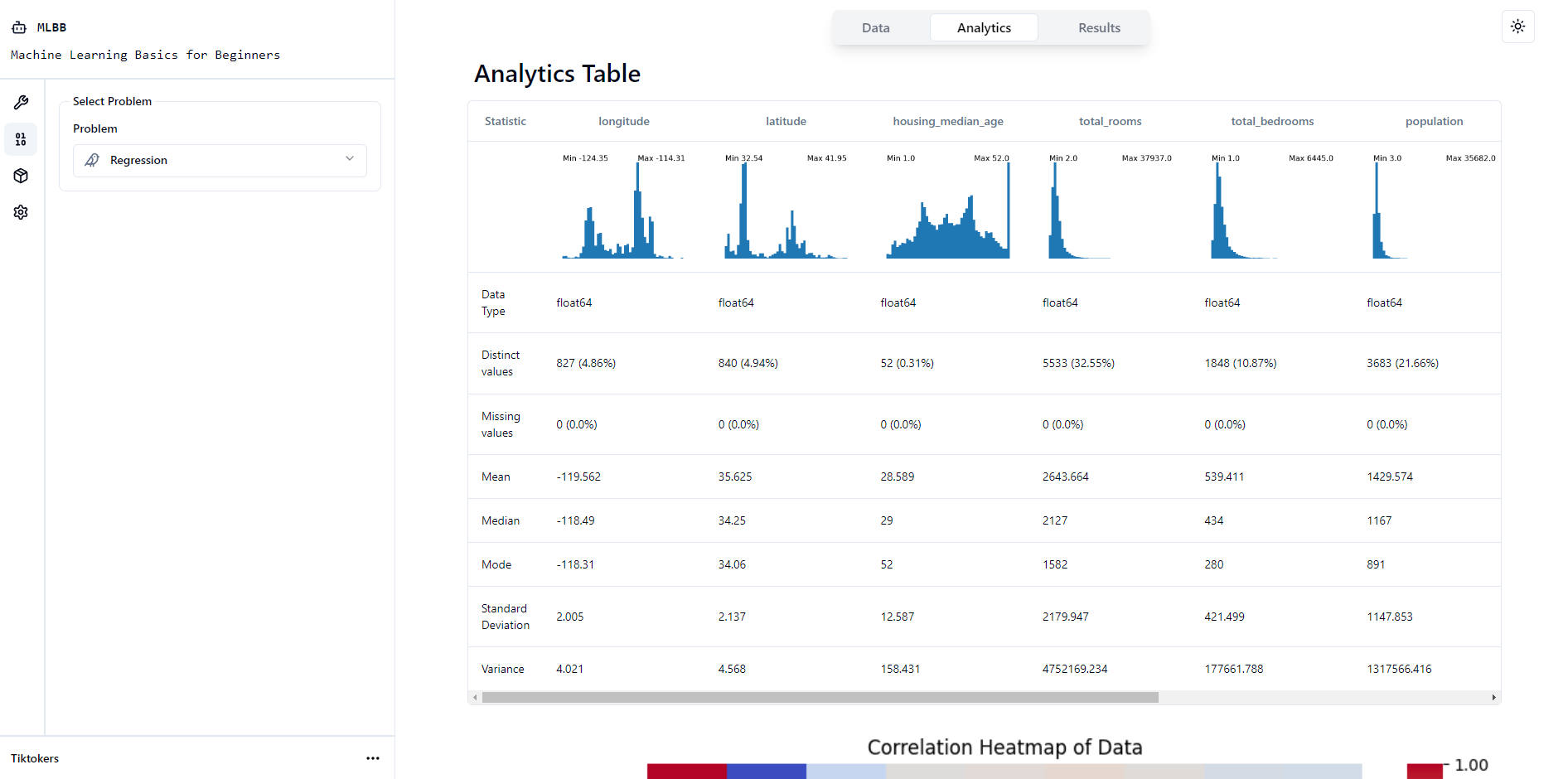
Analytics Table
-
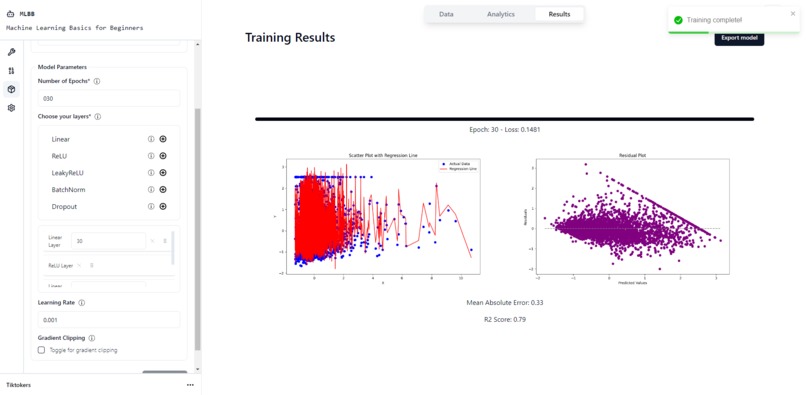
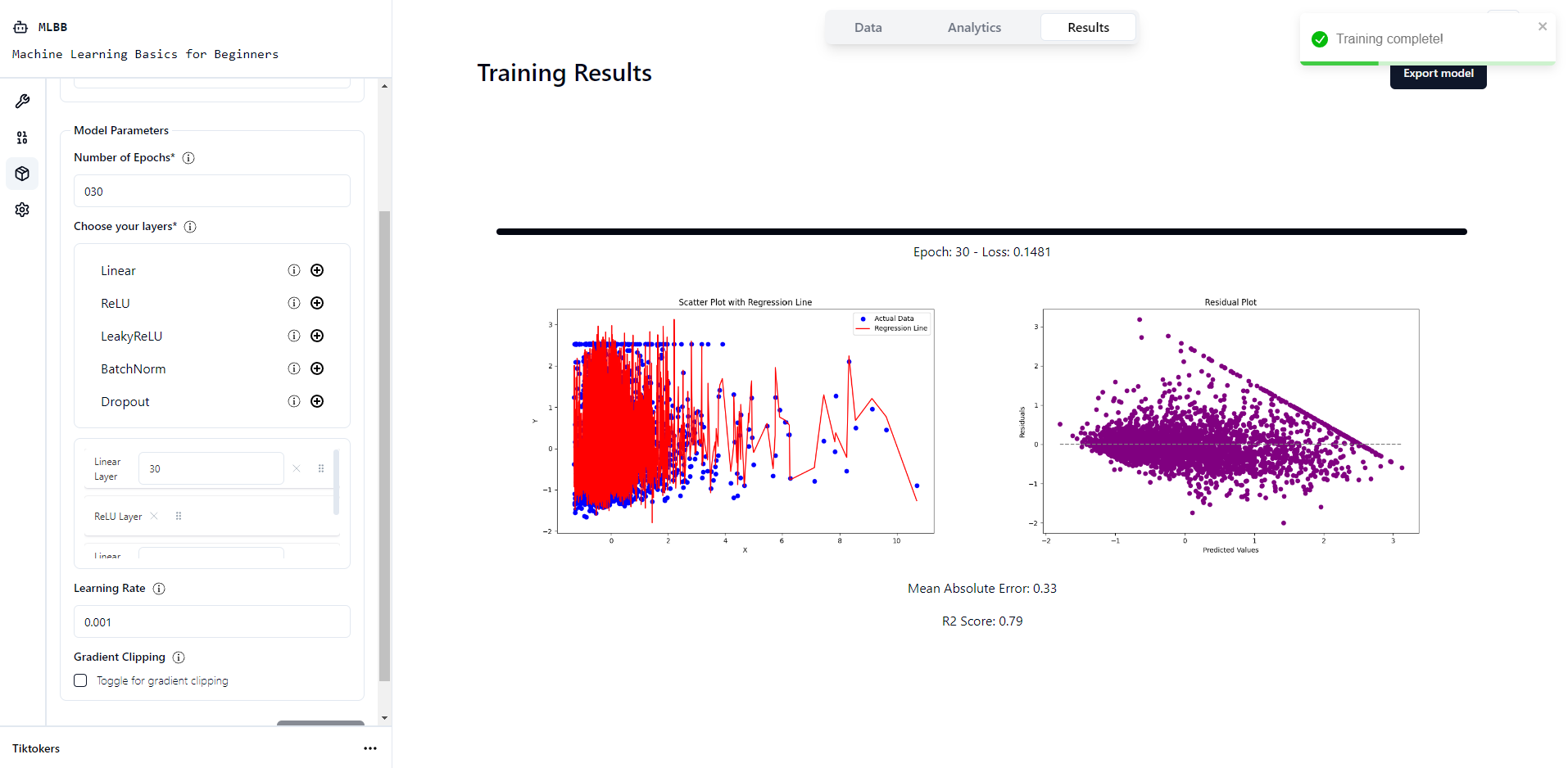
Training Model + Results Visualisation
-
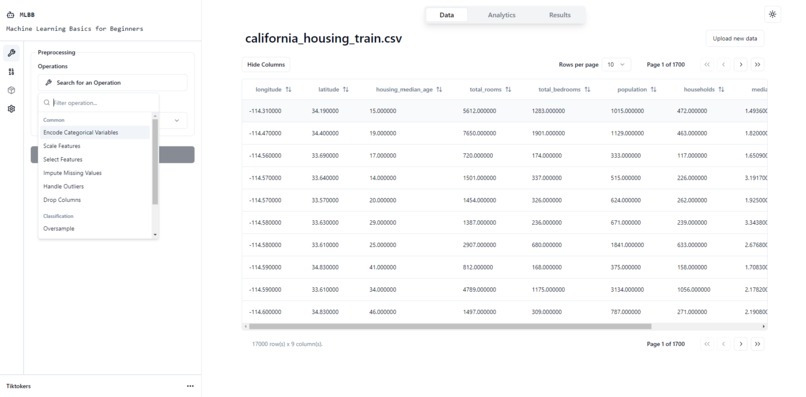
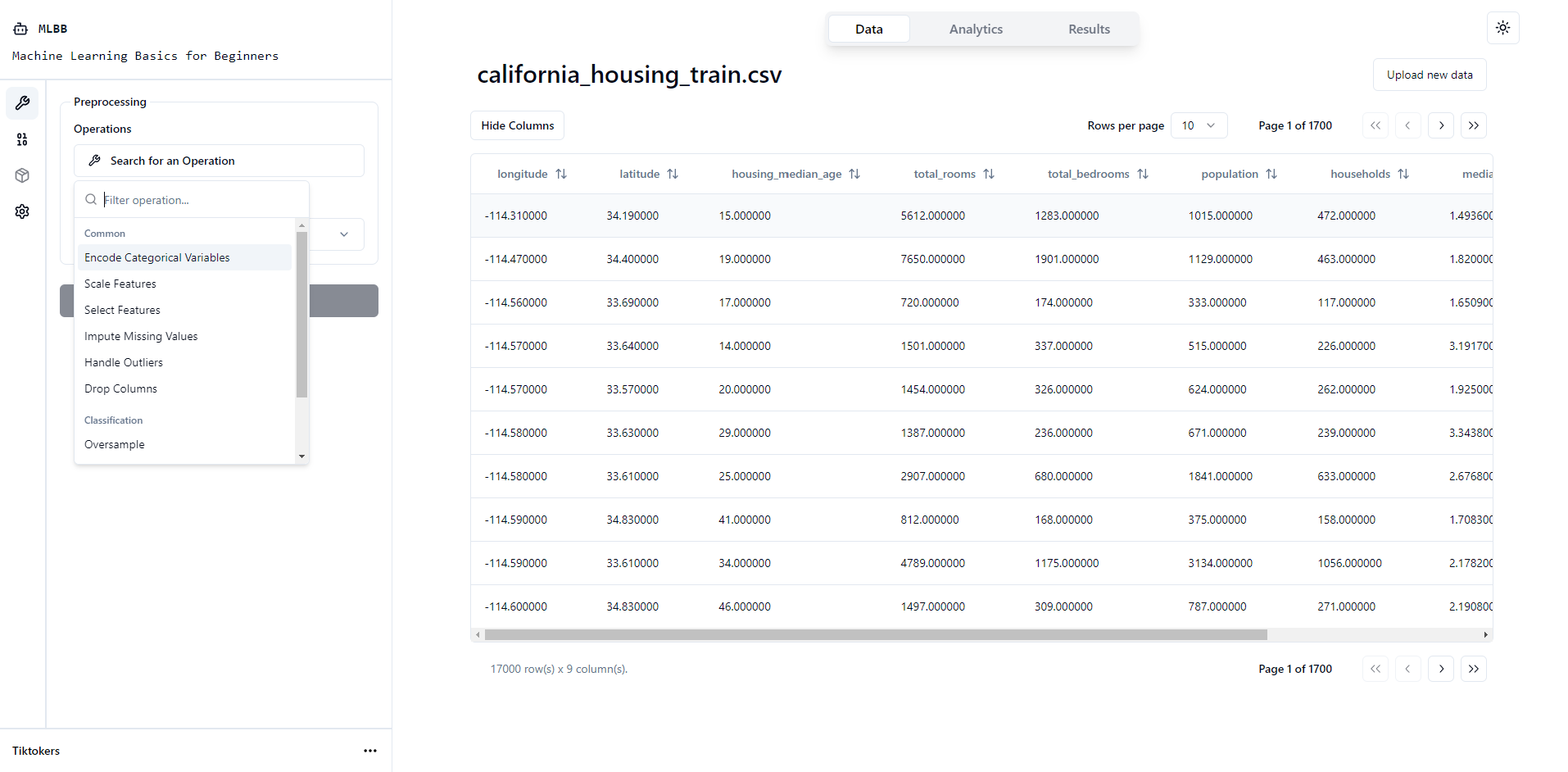
Data Table + Preprocessing
-
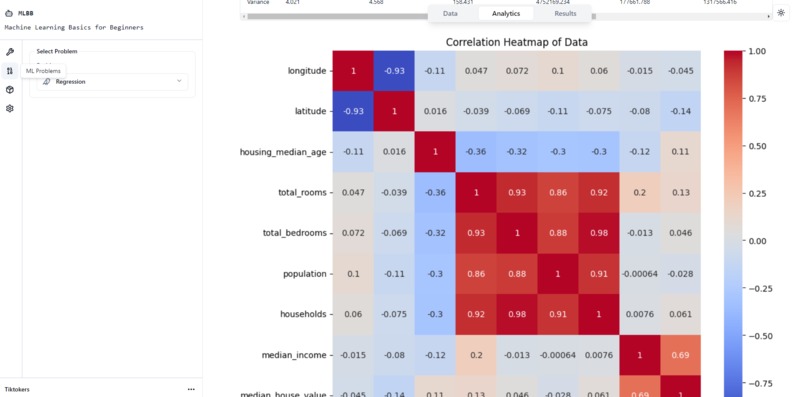
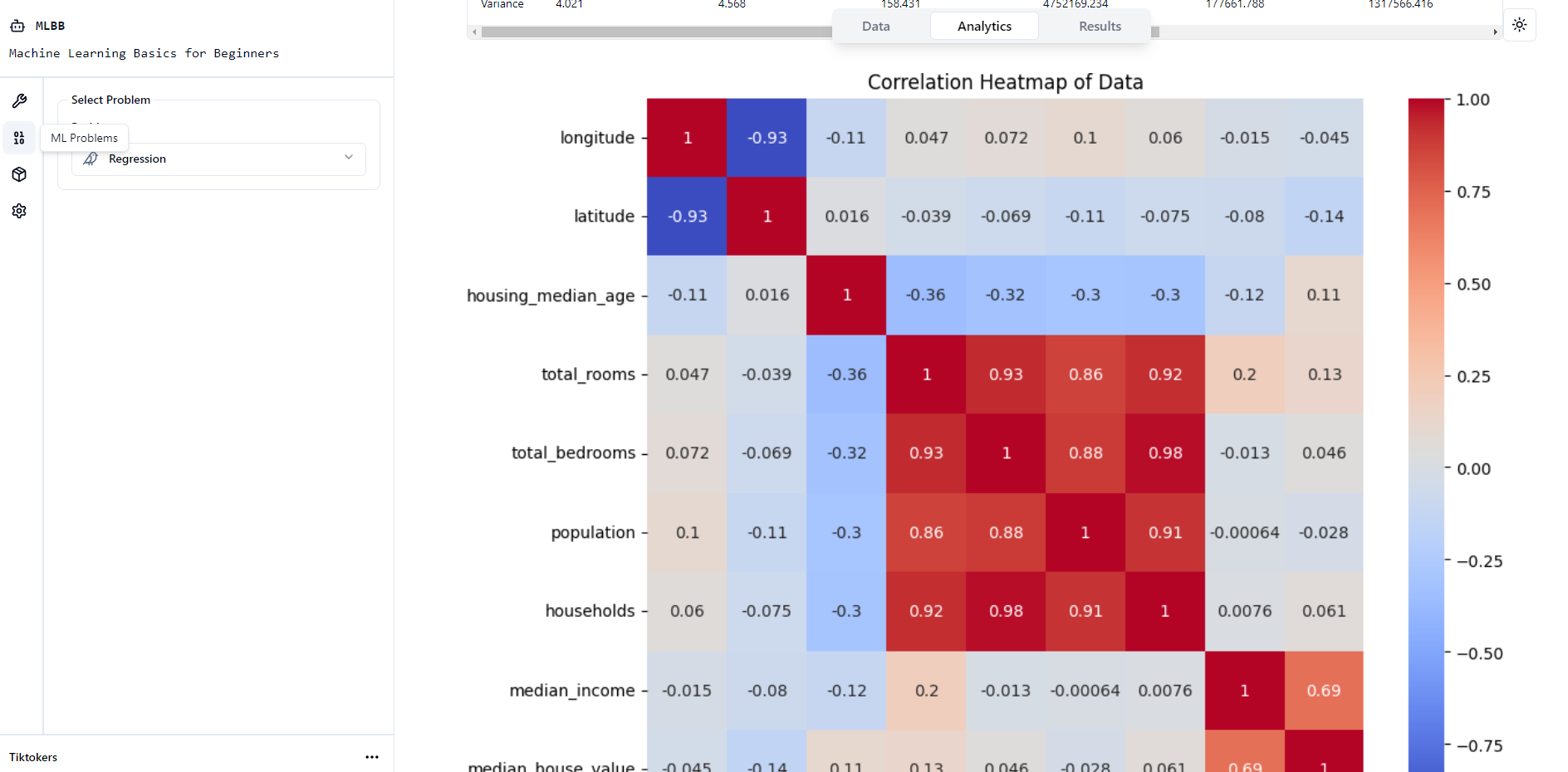
Heatmap Visualisation
-
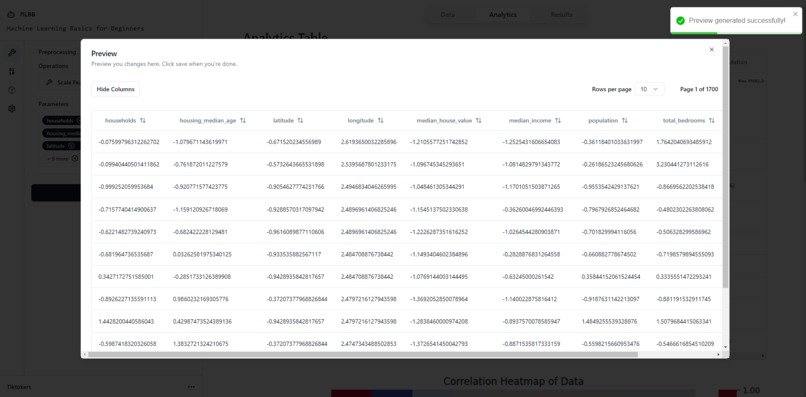
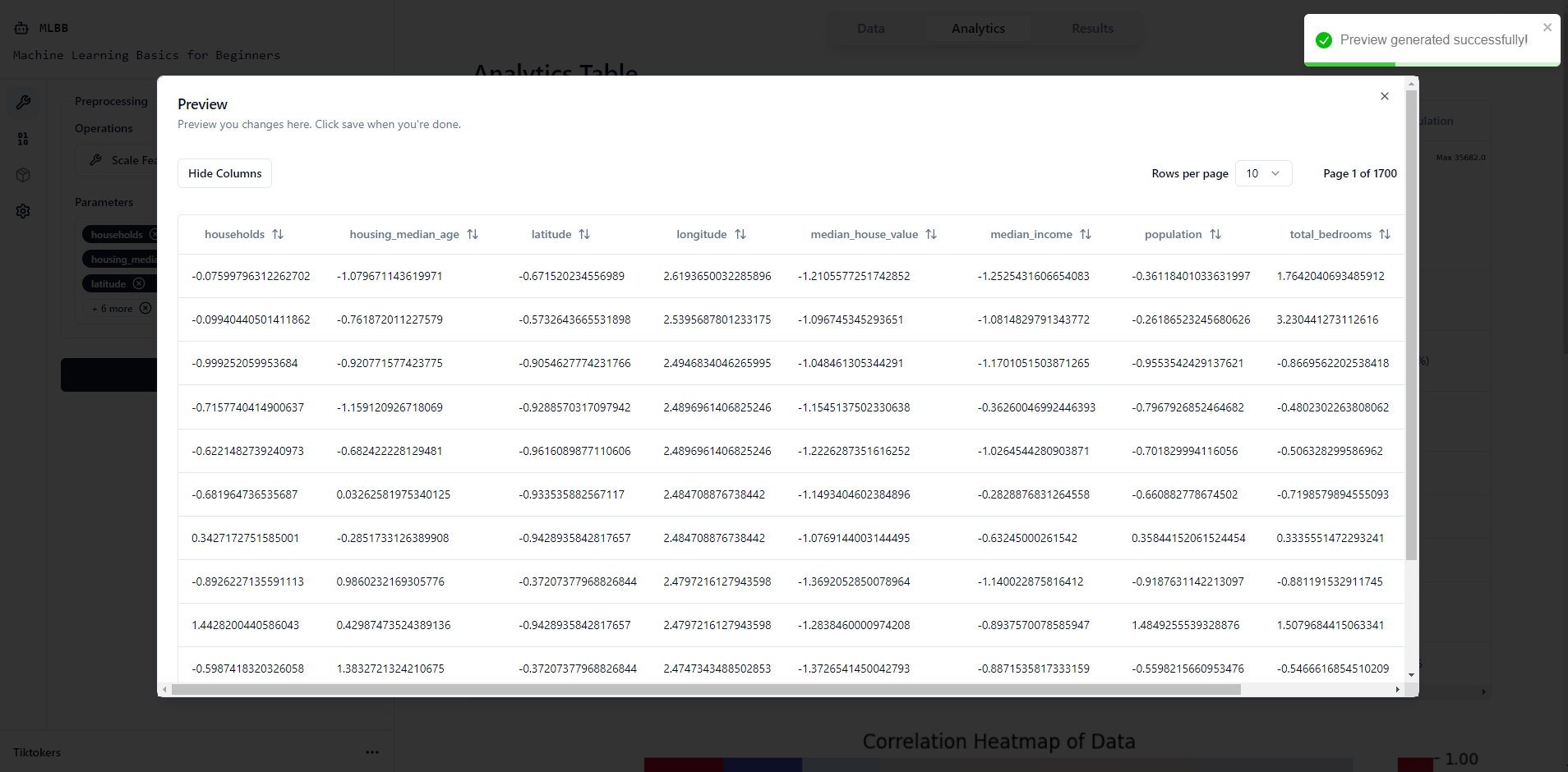
Preview Modal
Inspiration
Background Three of us just finished completing a module on AI in NUS, where our finals consisted of approaching a ML problem and then doing data exploration, preprocessing before finally training a model and then evaluating the metrics of that model.
The Spark We thought that it would be really interesting if we could somehow turn this ML pipeline into a website that allows everyday individuals (who have no ML / programming experience) to try their hands at ML. So we sought out to provide an easy and intuitive user experience to give people a taste of the ML pipeline from data preprocessing to training models without needing to write a single line of code.
We hope that this would perhaps get more interested in the ML scene and use this platform as a stepping stone into the wonderful and interesting world of Machine Learning.
What it does
MLBB is a platform for learning and implementing machine learning infrastructure. It aims to give users an easy interface to learn more about ML problems through trial and error. We included basics from the ML pipeline including data preprocessing, model training and results visualisation.
Data Preprocessing
Currently our platform supports 9 preprocessing operations: Encoding, Imputing, Scaling, Selecting Features, Handling Outliers, Dropping Columns, Oversampling, Undersampling and SMOTE.
Analytics Table
Our platform includes an Analytics Table that provides comprehensive information about the dataset including a histogram reflecting the data, data type, distinct values, missing values, mean, median, mode, standard deviation and variance.
Model Training
So far we have implemented 3 different types of models: Classification neural networks using CrossEntropyLoss, Regression neural networks using MSELoss and KMeans Clustering. We intend on integrating more models in the future along with more flexibility in terms of choosing different optimizers etc. The NN layers that are currently present are Linear, ReLU, LeakyReLU, BatchNorm and Dropout. The learning rate can be adjusted and gradient clipping is also toggleable.
Results Visualisation
Lastly, we have the results visualisation. Websockets are used to provide real-time updates to the model training progress. This is to allow users to know that their models are being trained rather than being left in the unknown. At the end, a confusion matrix and accuracy will be displayed for classification problems while R2 Score and MAE is used for Regression problems.
How we built it
Our projects had 2 main parts to it, with one directory handling all the frontend code and another directory handling all the backend code. For the frontend, we used typescript and react to handle the user interface. As for the backend, we used python and flask to create a server, and used pytorch and scikit-learn to create adjustable models for users to use. To send data between our frontend and backend, we created and connected API endpoints, as well as utilised sockets for data that changes rapidly in our backend. To collaborate, we used github to access a shared repository.
Challenges we ran into
One of the biggest challenges we faced was doing repeated and conflicting work with one another. As the project size was not very big, there were many times where we ended up working on the same parts and had to keep discussing how we wanted to move forward with the project. It also led to quite a number of bottlenecks where we would have to wait for one another before we could proceed with our own work.
Accomplishments that we're proud of
We're proud of achieving a lot of things given that we started quite late into the competition at only 2 weeks ago. We achieved a lot of the basic infrastructure that we set out to do by successfully creating a working user-friendly platform that simplifies the machine learning pipeline.
We are also proud of the real-time monitoring and updates using WebSockets. That was something we were all unfamiliar with but something that we knew had to be done. (Our school course platform froze the website and everyone was clueless as to whether the model is running oops...)
What we learned
We learnt a lot from this. I felt that we gained a deeper understanding of the ML models and a greater appreciation of the pipeline when we were trying to debug a million pandas dataframe problems + input shape issues.
We also learnt a lot about prioritisation given that we had a very tight timeline and had to essentially choose the most relevant and most necessary features to implement first.
What's next for Machine Learning Basics for Beginners (MLBB)
Next, we intend to provide more models to use especially integrating more models from sklearn like RandomForest etc.
We want to integrate more advanced analytics like perhaps more data visualisation tools and graphs that can be used to visualise the decision boundary for certain problems.
Lastly we also want to integrate more comprehensive learning modules and tutorials so that people will not only gain a chance to gain hands on experience with the pipeline but also learn some theory behind the way the models work like how stochastic gradient descent works vs how Adam optimiser works.
Disclaimer
Due to financial constraints, our current server plan is limited. If the link does not display the message API Service is Active. Welcome to MLBB!, it has likely ran out of memory... so please contact us via telegram at @respirayson so that we can restart the service. Thank you!
Built With
- flask
- python
- react
- render
- shadcn
- socket.io
- typescript
- vercel


Log in or sign up for Devpost to join the conversation.