-
-
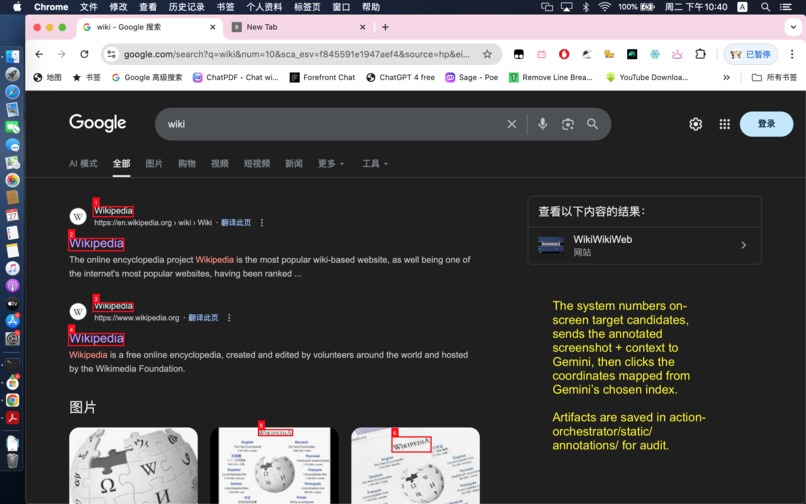
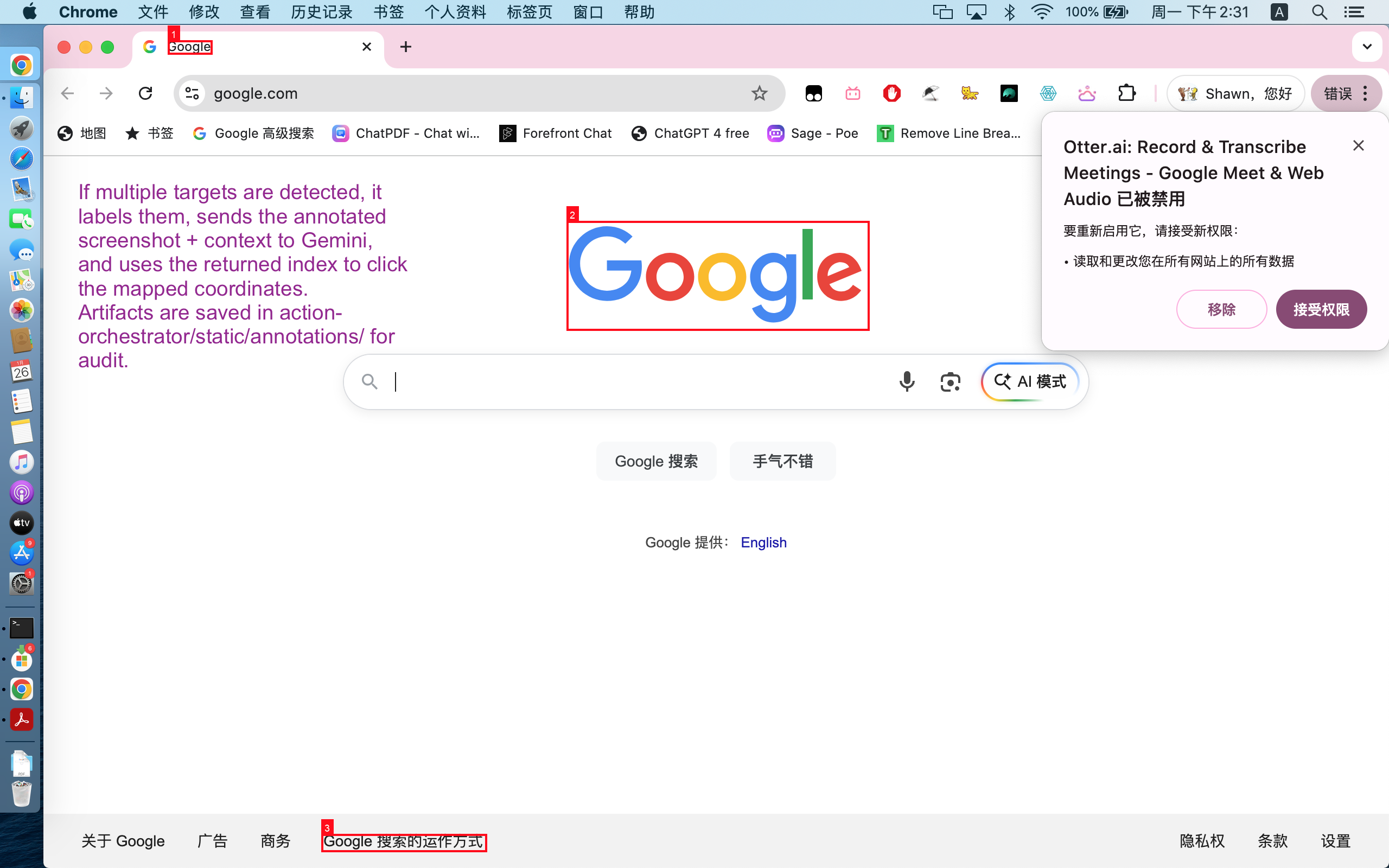
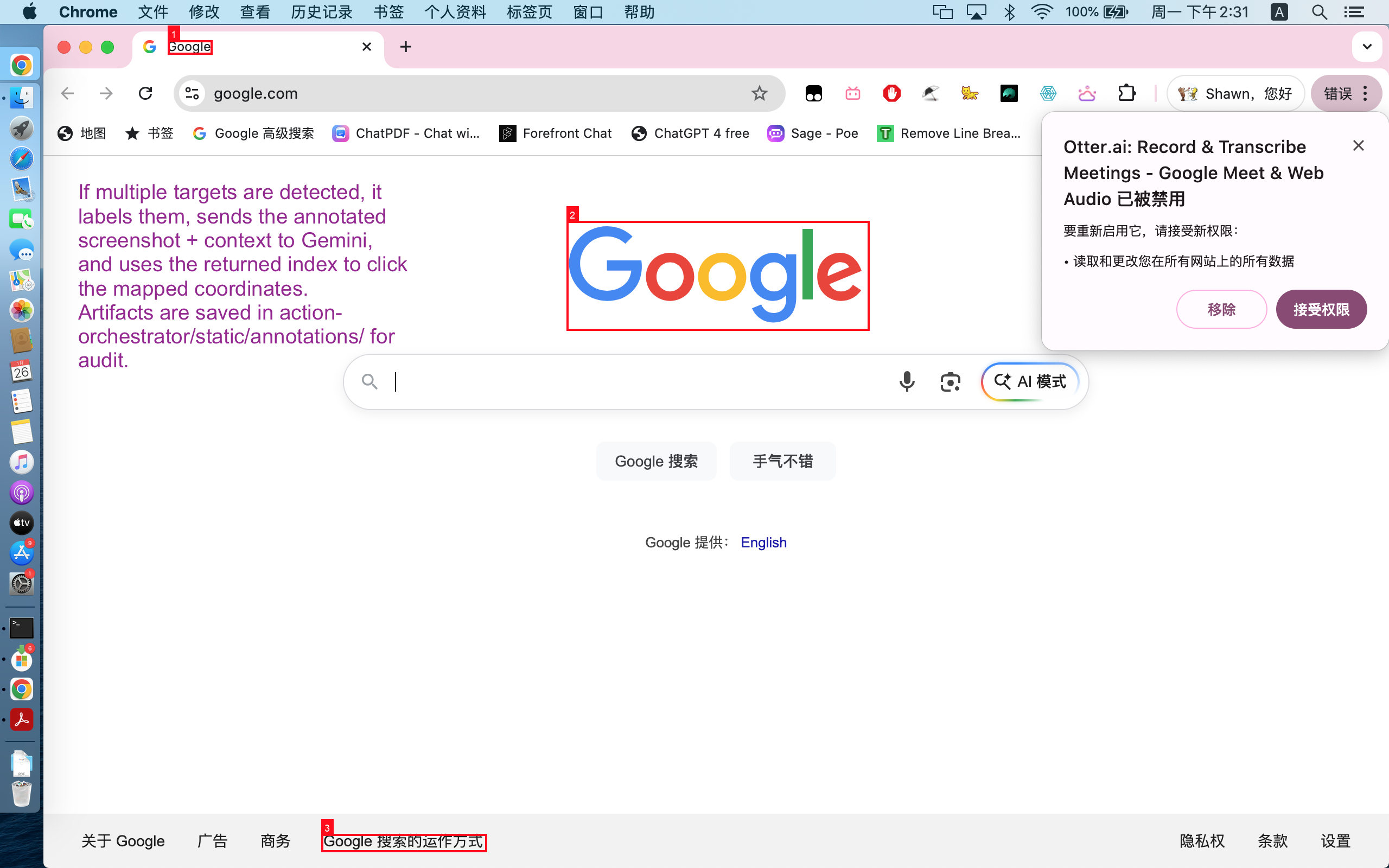
auto-detects on-screen target candidates-1
-
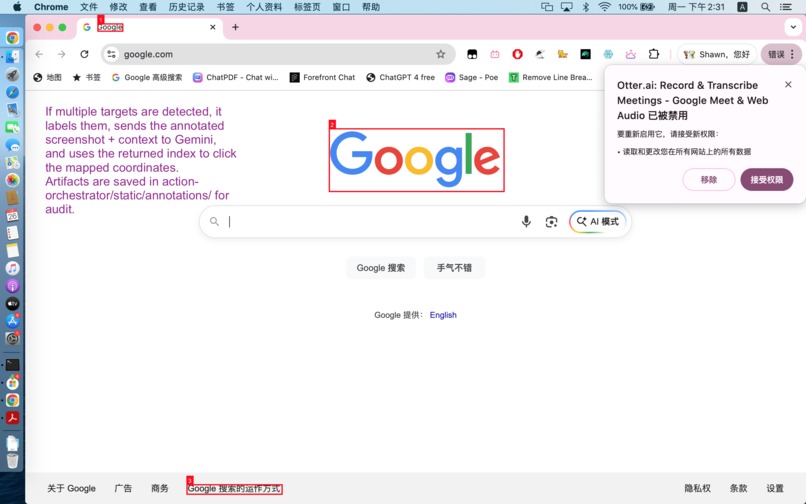
auto-detects on-screen target candidates-2
-
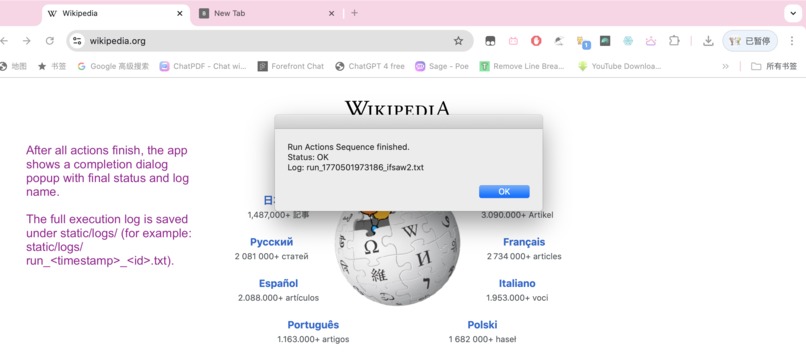
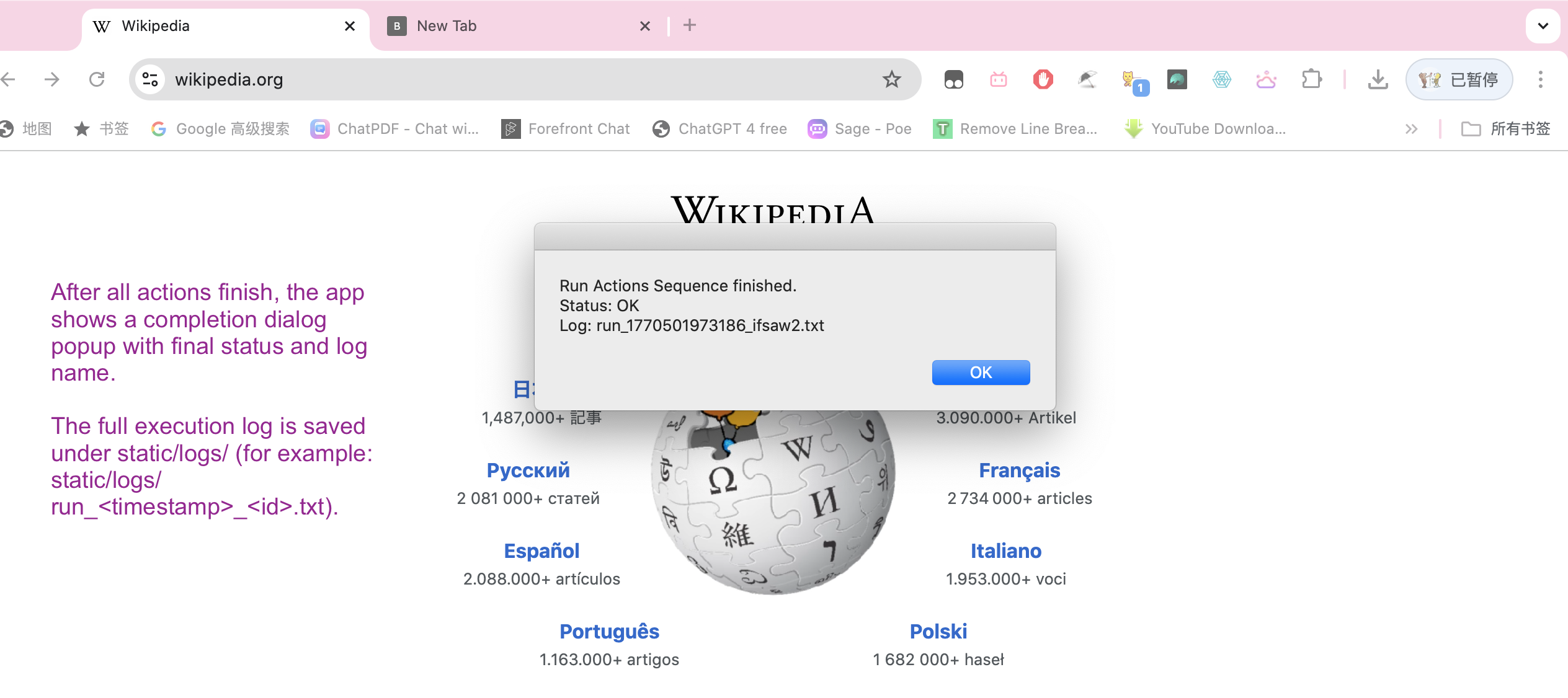
ActionFinishScreenShot
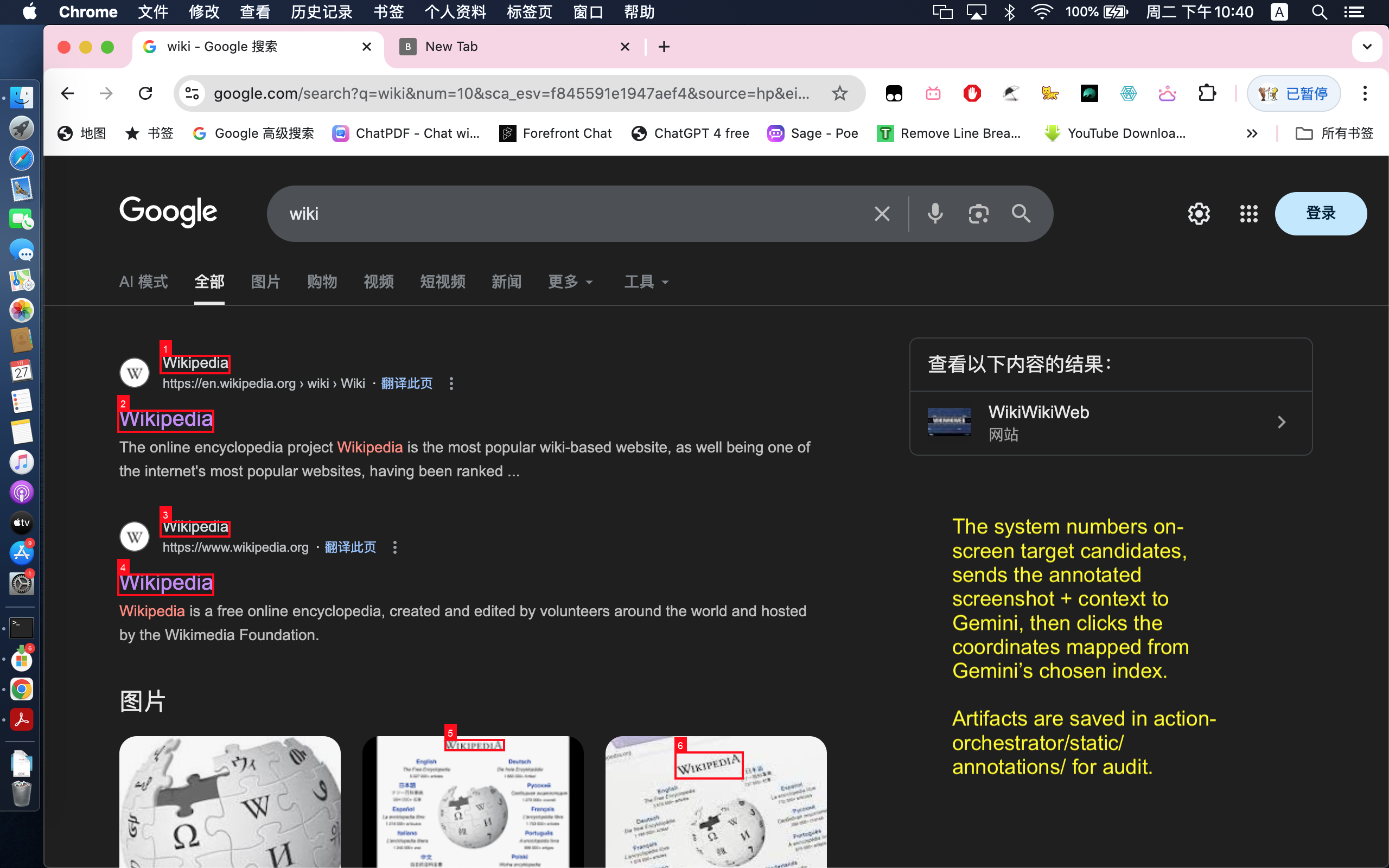
About the Project
Inspiration
This project started from a practical pain point: most AI assistants can describe what to do, but they do not reliably do it on a real desktop.
We wanted to move from static chat to action execution: a system that takes a natural-language goal, converts it into structured steps, runs those steps on macOS, and recovers when UI state is ambiguous.
We were especially inspired by the shift from prompt-only demos to orchestration systems.
The goal was not just "generate text," but "plan, act, verify, and continue."
This project is explicitly built for the following vision:
- Action Era: move from static chat to real task execution.
- Orchestrator: coordinate planning, tool calls, execution, and recovery as one system.
- Autonomous Testing Loops: verify each step with artifacts and retry logic instead of one-shot prompting.
- Browser-based Verification: produce screenshot/log evidence for what happened on screen.
What it does
Mac Action Orchestrator is a local-first agent workflow for desktop automation (currently focused on Google Chrome).
Main capabilities:
- Takes natural-language tasks from the UI.
- Uses Gemini to generate structured action batches.
- Executes actions locally through AppleScript/JXA.
- Captures run artifacts (screenshots and logs).
- Uses OCR + visual grounding for click decisions.
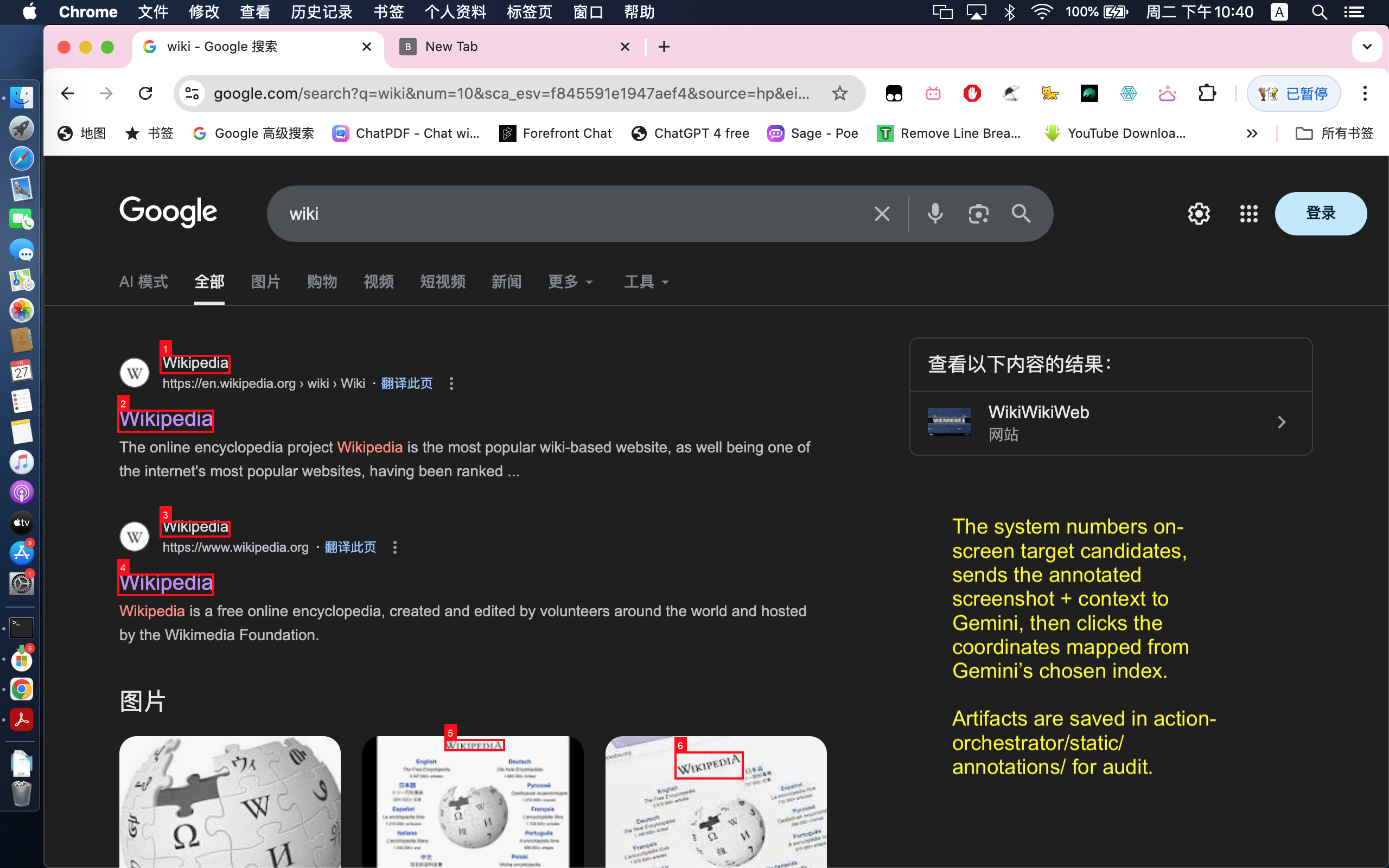
- Handles ambiguity with candidate annotation and re-selection.
- Supports recovery loops (
plan_again) for uncertain states.
How we built it
We built a local-first orchestration stack with FastAPI as the control layer and a browser UI for operator input.
Google AI Studio utilization
We used Google AI Studio as an early-stage practical development surface:
- Used the Build tab to rapidly prototype prompt structures and tool-calling behaviors before integrating them into code.
- Used iterative prompt engineering in AI Studio to stabilize planner outputs (action schema, argument strictness, and error wording).
This made our development cycle tighter: prototype quickly in AI Studio, then harden in the orchestrator runtime.
Gemini API features we used
models.generate_contentfor planning and decision calls.- Function Calling via
tools+function_declarationsto force structured outputs. - Custom function schemas for:
- action planning (
batcheswith typed actions), - click coordinate selection (
set_click_coordinates), - candidate index selection (
choose_number), - occlusion recovery mode selection.
- action planning (
- Multimodal input using
types.Part.from_text(...)+types.Part.from_bytes(..., mime_type="image/png"). - Multi-source context composition in one request, combining:
- planner instructions (
planner_system_prompt), - user task prompt,
- live screenshot image bytes,
- optional OCR-derived/interaction context passed through prompts.
- planner instructions (
- Multi-image capable request assembly (
for path in image_paths) when needed. types.GenerateContentConfig+types.Toolto bind allowed callable tools per request.- Parsing
function_call.argsfrom model responses and validating arguments before execution. - Gemini API key auth through
google-genai, with key rotation handled in our API key pool.
Core flow:
- User enters API keys and a natural-language task prompt.
- Gemini generates structured action batches (
open_url,type_text,shortcut,click_at,plan_again). - The executor runs actions on macOS through AppleScript/JXA.
- The system captures screenshots and logs after critical steps.
- For visual targets, OCR extracts on-screen tokens and candidate bounding boxes.
- If the target is ambiguous, the system annotates candidates and asks Gemini to choose the best click target.
This lets the project handle both deterministic steps (keyboard/navigation) and uncertain visual steps (which item to click).
Challenges we ran into
The biggest challenge was click reliability in real UI environments:
- The same target text can appear multiple times on one page.
- Dynamic pages can shift content between planning and clicking.
- A "correct" click depends on spatial intent (for example, bottom-most visible result), not just string match.
- Popups and overlays can occlude intended click targets.
We addressed this by layering safeguards:
- fresh screenshot before OCR-based clicks,
- token-level candidate extraction,
- candidate disambiguation with annotated targets,
- occlusion-aware recovery when overlays/popups block intended targets,
- fallback loops (
plan_again) when the page state is not ready.
Accomplishments that we're proud of
- Built a full plan-and-act loop instead of a prompt-only wrapper.
- Achieved robust click behavior with OCR + candidate disambiguation.
- Added recovery paths for occlusion and uncertain UI states.
- Kept the system local-first for safer and more stable hackathon demos.
- Produced clear execution artifacts (logs + screenshots) for verification.
What we learned
We learned that robust agent behavior is less about one perfect prompt and more about execution architecture.
A useful mental model is:
$$ \text{Reliability} \approx \text{Plan Quality} \times \text{Execution Determinism} \times \text{State Verification} $$
If any factor is weak, end-to-end success drops quickly.
In practice, verification (screenshots + OCR + disambiguation) was the highest-leverage improvement.
We also learned to treat failure handling as a first-class design goal:
- detect uncertainty early,
- surface context through logs and artifacts,
- re-plan using updated state instead of guessing.
That design choice made the system much more resilient for real browser tasks.
What's next for Mac Action Orchestrator
- Expand beyond Chrome to broader desktop app support.
- Add stronger long-horizon task memory and state continuity.
- Improve visual grounding with richer spatial reasoning over multi-step screens.
- Introduce automated validation loops for each planned step.
- Make recovery policies more adaptive based on failure patterns.
Future potential: The Marathon Agent
Our current orchestrator already runs multi-step autonomous loops with verification and recovery. The next milestone is extending this foundation into a Marathon Agent-aligned system for multi-hour or multi-day tasks:
- Persist task state across long sessions with durable checkpoints and resumable execution.
- Use richer self-correction loops to detect drift, recover, and continue without constant human intervention.
- Introduce adaptive thinking depth by task phase (fast local decisions vs. deeper re-planning when failures accumulate).
- Maintain continuity over long tool-call chains, so the agent can handle end-to-end objectives instead of isolated commands.
This is where the orchestrator architecture becomes most valuable: reliable continuity, verification, and correction at long time horizons.
Built With
- appkit
- applescript
- chrome
- css
- fastapi
- foundationdb
- google-genai-(gemini-api)
- html
- javascript-for-automation-(jxa)
- jinja
- macos-system-events
- macos-vision-framework
- osascript
- pillow
- pydantic
- python
- screencapture
- uvicorn


Log in or sign up for Devpost to join the conversation.