-
-

LyricSearch, an AI Powered Chrome Extension to Find the Lyrics and their Meanings of All Your Favorite Songs!
-
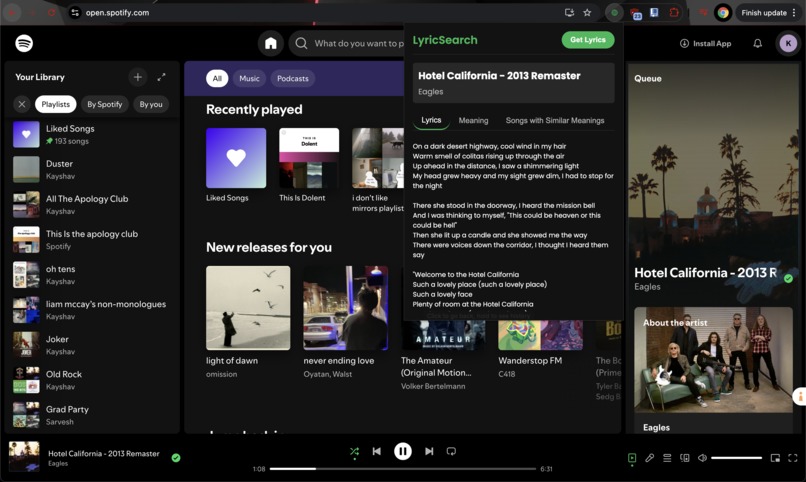
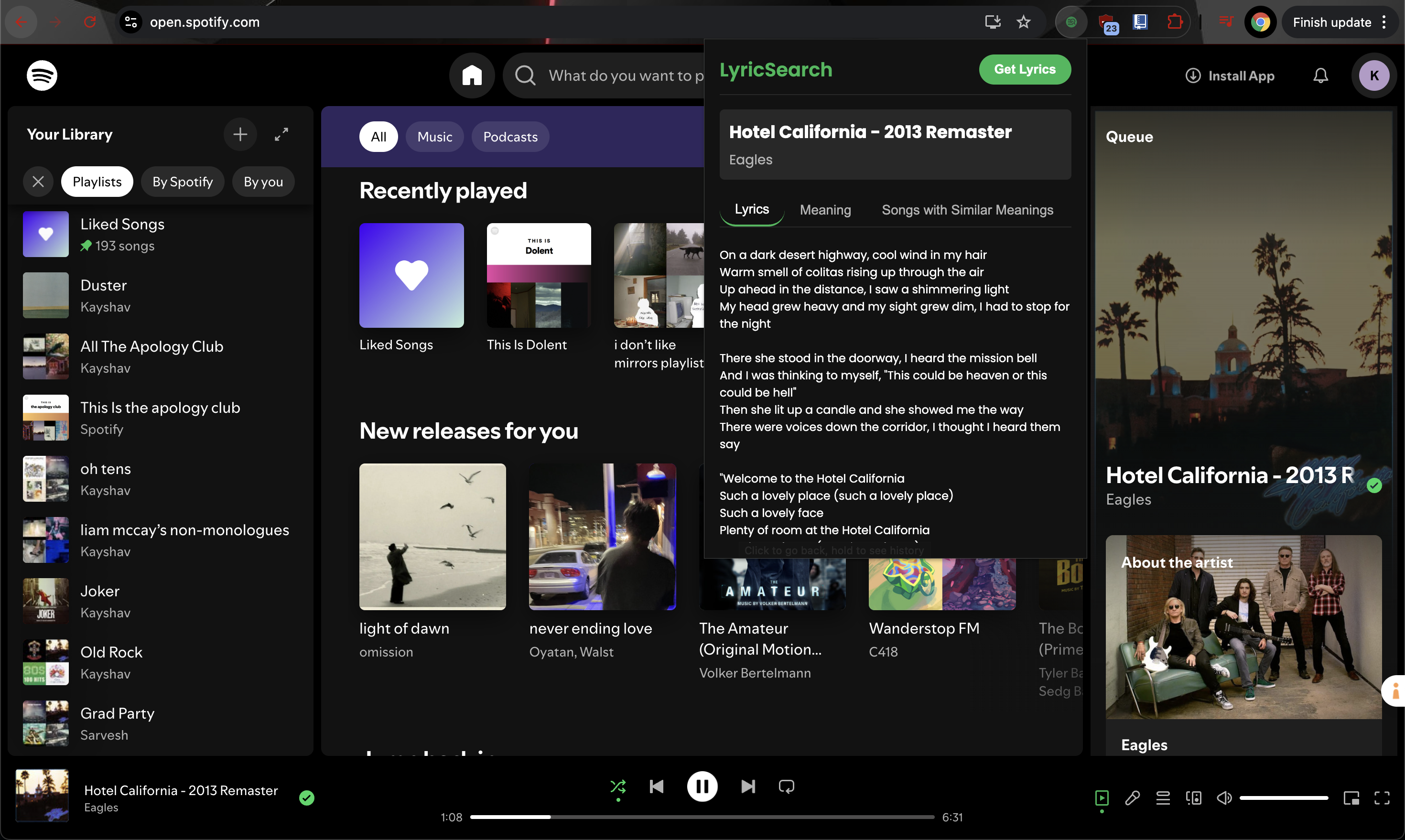
Automatic AI-Powered Lyrics Finder through Perplexity Web Search Features
-
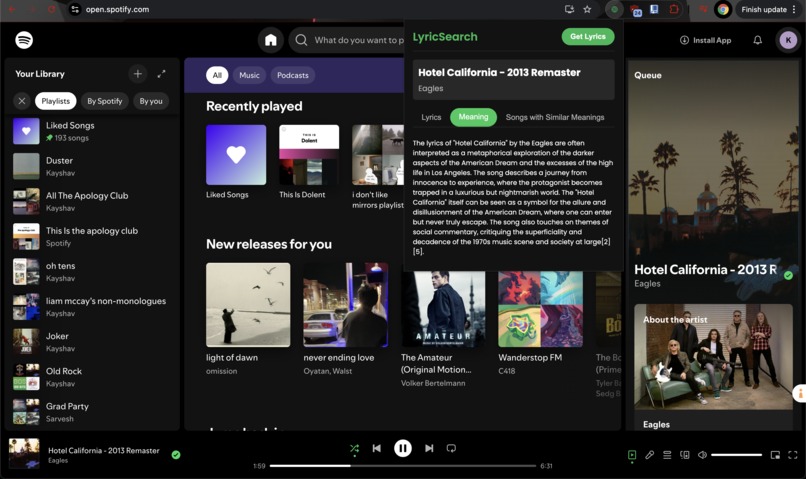
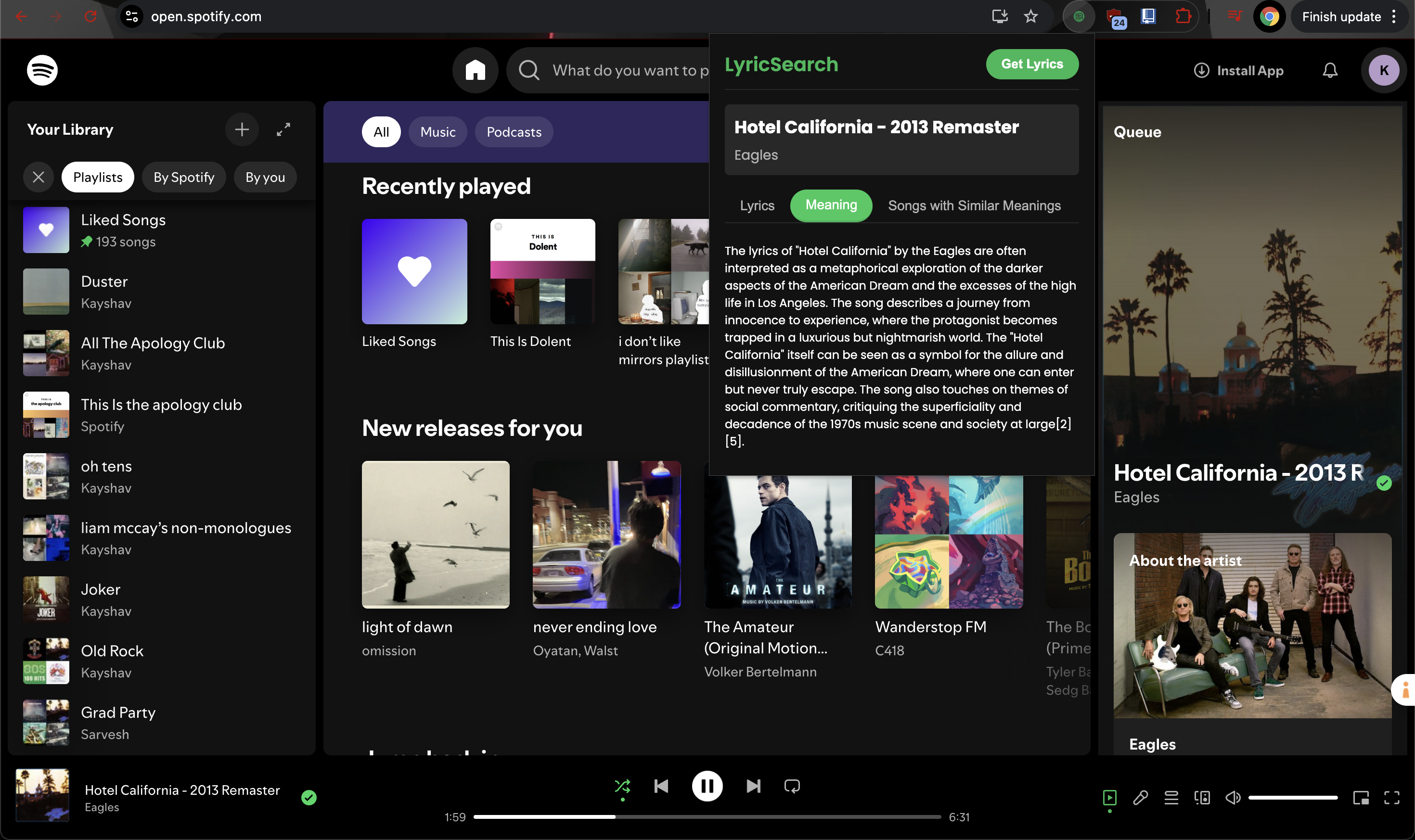
AI-Powered Song Lyrics Meaning and Analysis Through a Combination of Web Search and Gemini 2.0 Flash
-
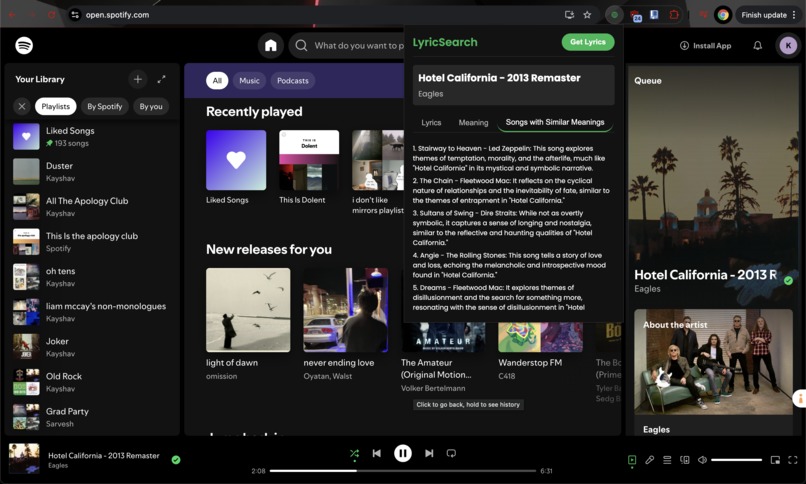
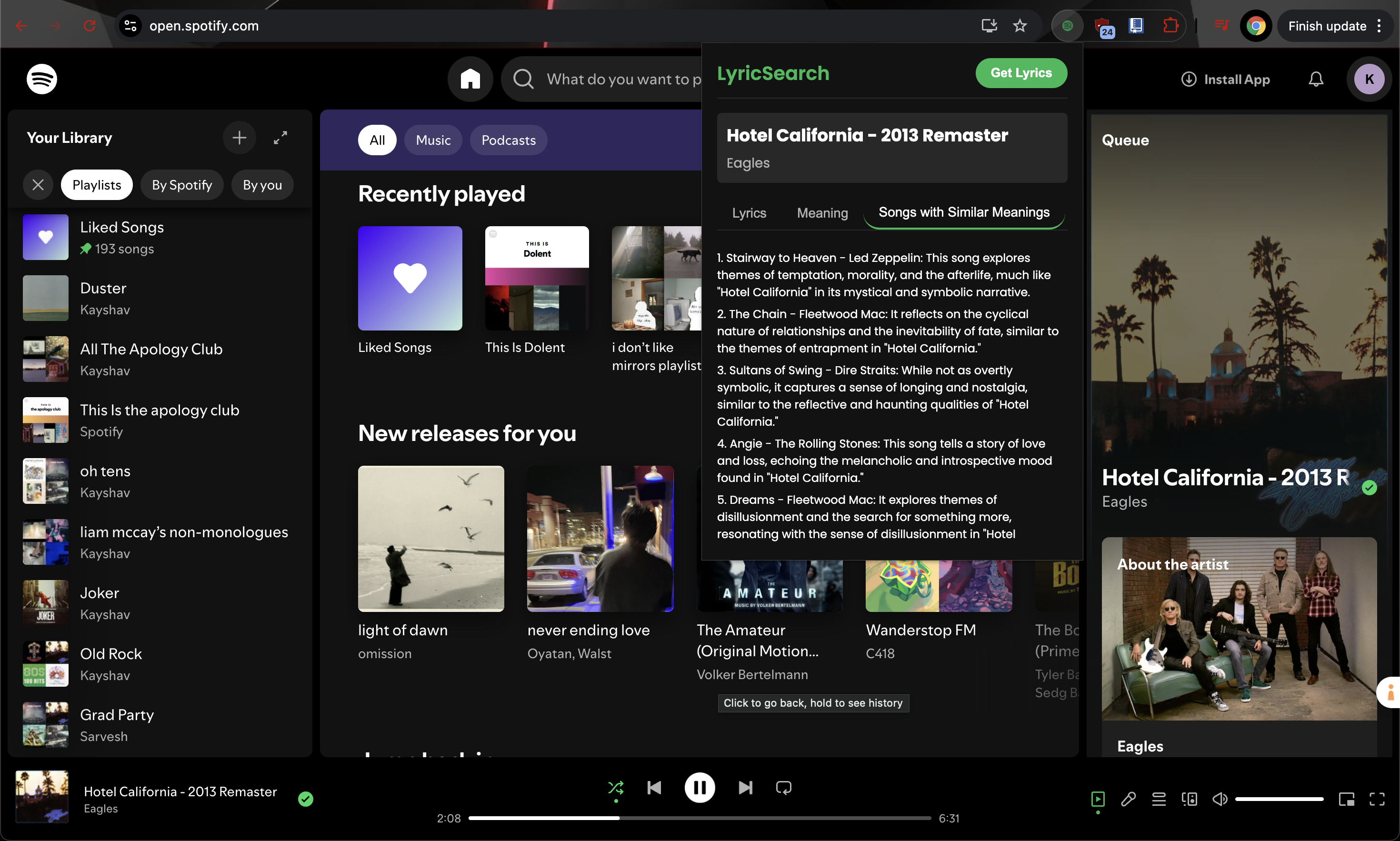
Song Recommendations Based on Lyrics Similarity and Song Theme Rather than Genre, Powered by Perplexity Web Search
-
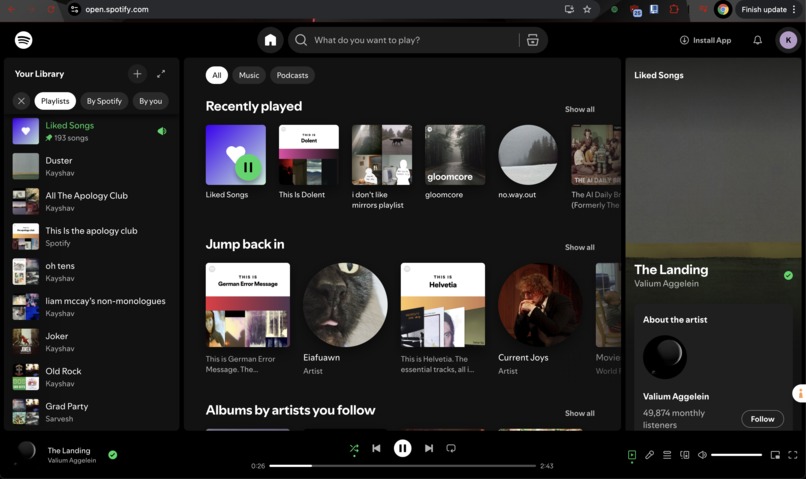
Embedded Within Chrome as a Convenient Browser Extension, Ready in the Extension Bar When not In Use
-
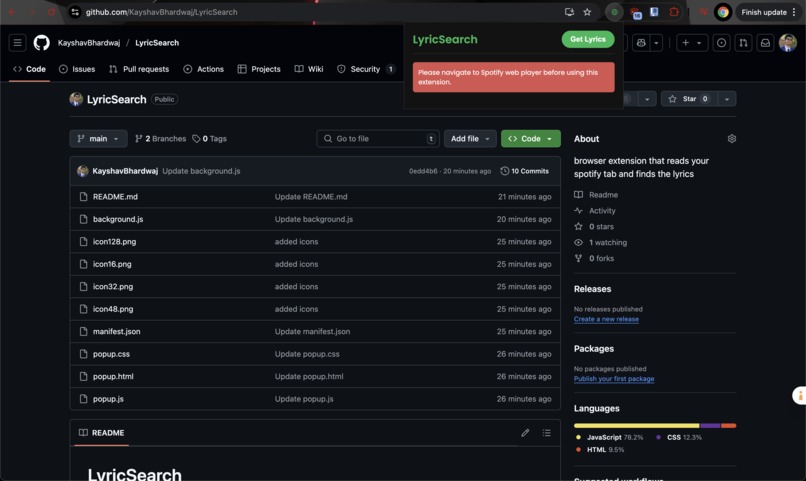
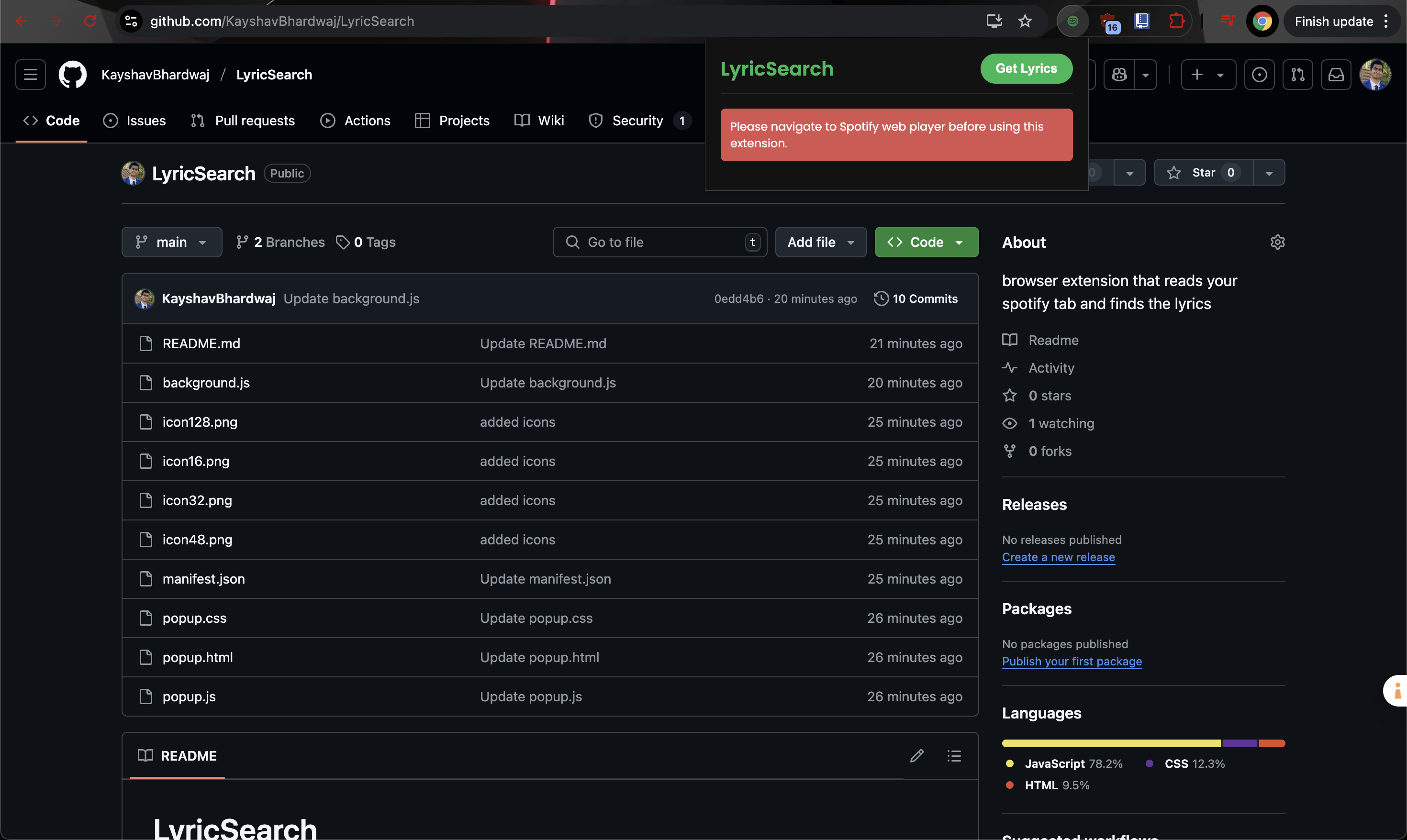
Handles Edge Cases and User Error, Such as Usage Outside of Spotify Tabs

Inspiration
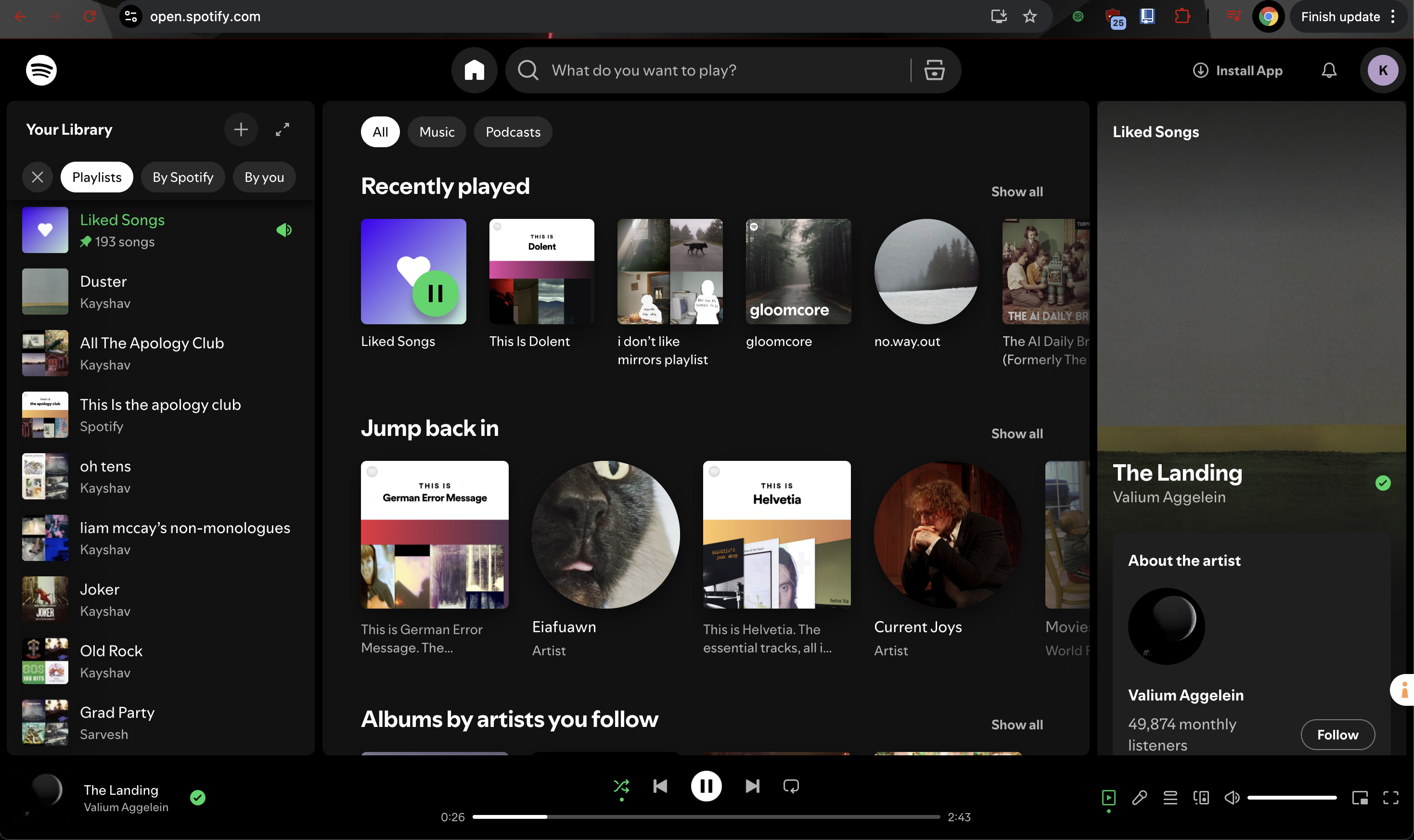
I'm a heavy Spotify user, but I constantly encounter missing lyrics, especially for less mainstream artists or recent releases. This leads to time-consuming online searches through many webpages before finding the correct lyrics. And even then, the lyrics can be difficult to interpret due to their complexity and hidden meanings. Recognizing this challenge, I've realized the potential of AI to analyze and explain song lyrics, providing deeper insights and enriching my listening experience.
What it does
LyricSearch is a Chrome extension that enhances your Spotify experience by automatically providing lyrics, meanings, and similar song recommendations through a small unintrusive widget. With a single click ("Get Lyrics"), LyricSearch uses computer vision to identify the song currently playing on the Spotify web app, and use AI-powered internet search to find said song's lyrics. It then analyzes the lyrics, offering in-depth interpretations of oftentimes cryptic lyrics, and suggesting songs with similar lyrical themes, going beyond simple genre or artist-based recommendations.
How I built it
I built it entirely through JavaScript, HTML, and CSS for the browser extension. I used Gemini 2.0 Flash for the screen-reading computer vision model, and Perplexity Sonar for the web search capabilities in finding the lyrics, finding or analyzing the lyrics' meaning itself, and finding lyrically similar songs.
Challenges I ran into
One of the primary challenges I faced was selecting the appropriate AI model for web searching proved complex. Given the numerous options with varying strengths in speed, reliability, and web access, I conducted a thorough evaluation of at least five models. This led to the selection of Gemini 2.0 Flash, leveraging its speed and multi-modal capabilities, and Perplexity Sonar, chosen for its speed, cost-effectiveness, and efficient internet search functionality.
Accomplishments that we're proud of
This was my first experience developing a browser extension, and I completed it independently under a tight deadline. I'm proud of the quality achieved and excited to apply the knowledge and skills gained to future projects.
What we learned
Through this project, I gained valuable experience in developing Chrome browser extensions, a skill I had not previously possessed. I also learned how to effectively integrate APIs within a CSS/HTML/JavaScript environment.
What's next for LyricSearch
My future plans for LyricSearch include expanding compatibility to other music platforms such as YouTube Music and Amazon Music. I also intend to enhance the web searching capabilities, as Perplexity's Sonar model currently presents limitations. Longer-term goals involve expanding browser support beyond Chrome and developing a dedicated iOS app or widget.
Built With
- claude
- css
- gemini
- html
- javascript
- perplexity


Log in or sign up for Devpost to join the conversation.