-
-
cover
-
openoffice-under-explorer
-
chrome-under-explorer
Inspiration
Security teams test their detection pipelines against "normal" user activity, but most activity generators are obvious bots: apps spawned by python.exe, perfectly regular keystrokes, clicks on fixed coordinates, fixed sleeps. On a Sysmon-monitored host that stands out in seconds. We wanted a synthetic human whose process tree and event logs look like a real office worker's, not a script's.
What it does
Our agent runs for 15 minutes on the organizer-provided Windows VM (Proxmox, Sysmon installed) and behaves like an employee at a desk, mixing three kinds of work:
- Web browsing: opens Chrome from the Start menu, types one of 10 designated URLs (Apple, Coursera, AP News, AWS, Dell and others) into the address bar, checks the window title to confirm the page loaded, then reads it in irregular scroll bursts. Between bursts it sometimes looks for a real hyperlink, clicks it with a curved mouse movement, reads the new page, sometimes goes back, and sometimes stops early. Finally it closes the tab.
- OpenOffice Writer: launches Writer, types a weekly-report email draft line by line (recipient, subject, greeting, body, sign-off), saves it as
.odtand quits. - OpenOffice Calc: launches Calc, fills a quarterly sales table cell by cell with Tab / Enter, saves it as
.odsand quits.
The scheduler guarantees that Writer and Calc each run once per session, in random order, on every third task or as soon as less than four minutes remain. Every other slot is a browsing task drawn from a shuffled pool of sites, with short random rests in between, so no two runs look the same.
How we built it
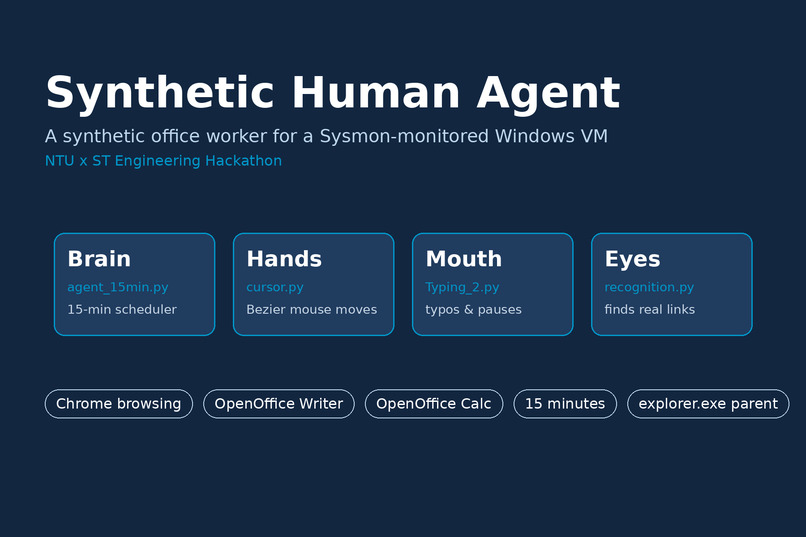
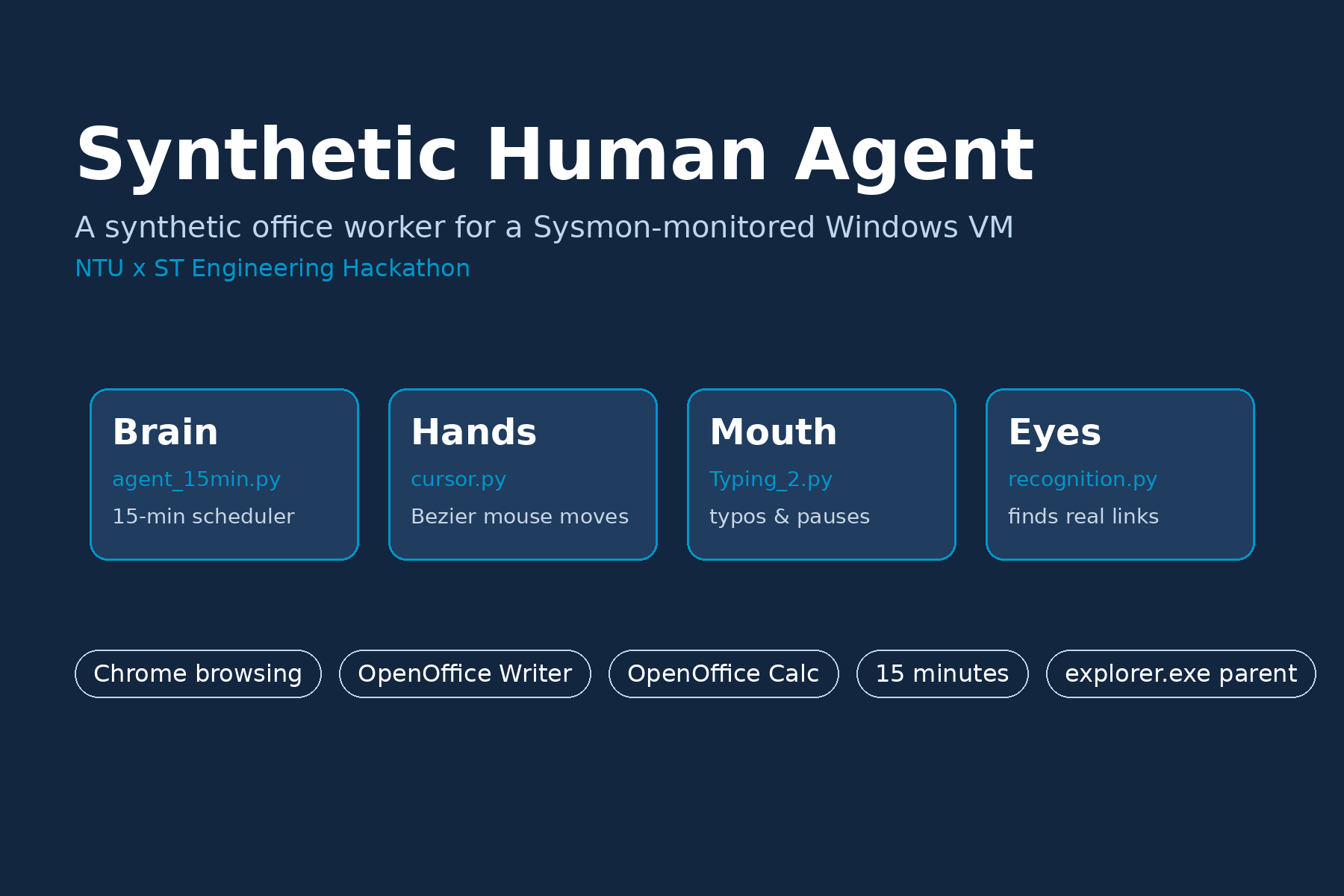
We split the agent into four parts:
- Brain (
agent_15min.py): the 15-minute scheduler, the three tasks, a page-validity check and a final clean-up when time is up. - Hands (
cursor.py): a true cubic Bézier mouse path that bows to one side, slow-fast-slow easing, Fitts-style timing (farther targets take longer), roughly 20% overshoot-and-correct moves, sub-pixel tremor, and click points a few pixels off centre. - Mouth (
Typing_2.py): 0.06-0.25 s between keystrokes, a 5% chance per letter of a typo corrected with Backspace, short "thinking" pauses and occasional long 2-5 second pauses. - Eyes (
recognition.py): walks Chrome's UI Automation accessibility tree to find real hyperlinks with their true on-screen positions, keeps only those inside the page content area and prefers links with descriptive text. Template matching (OpenCV) and OCR (Tesseract) are available as extra strategies.
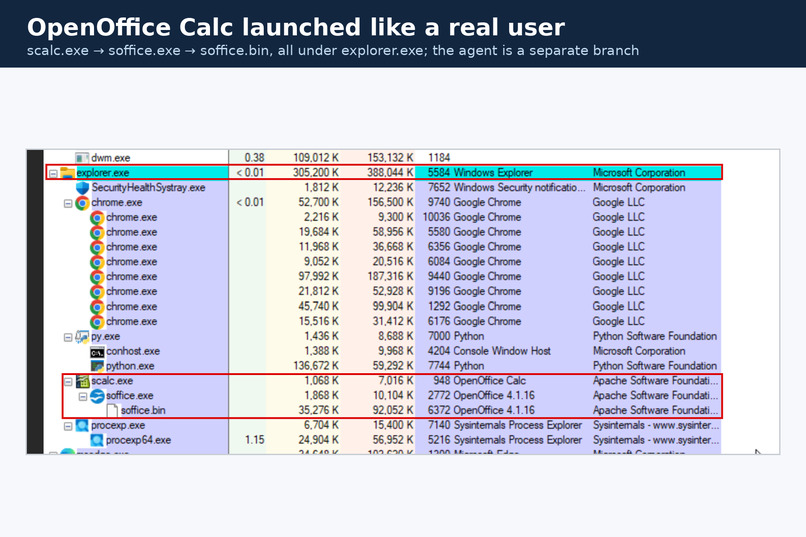
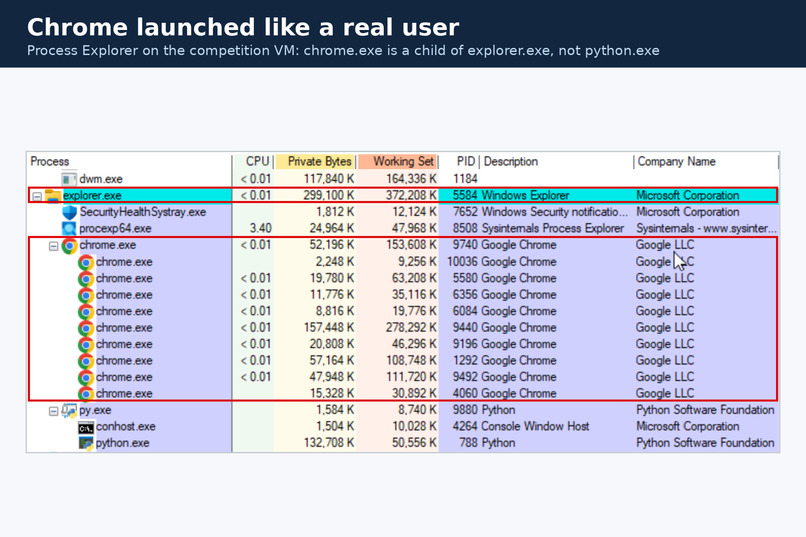
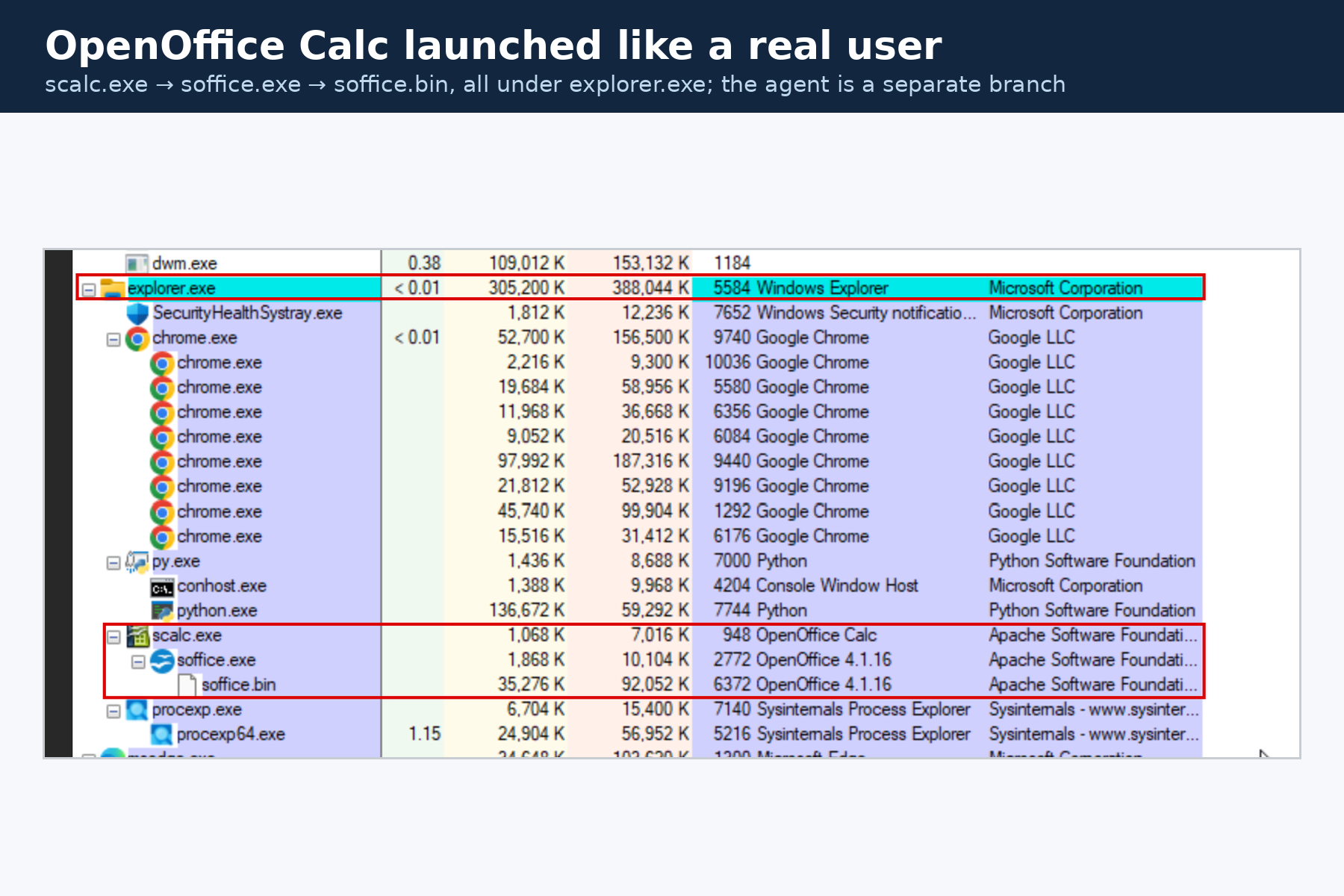
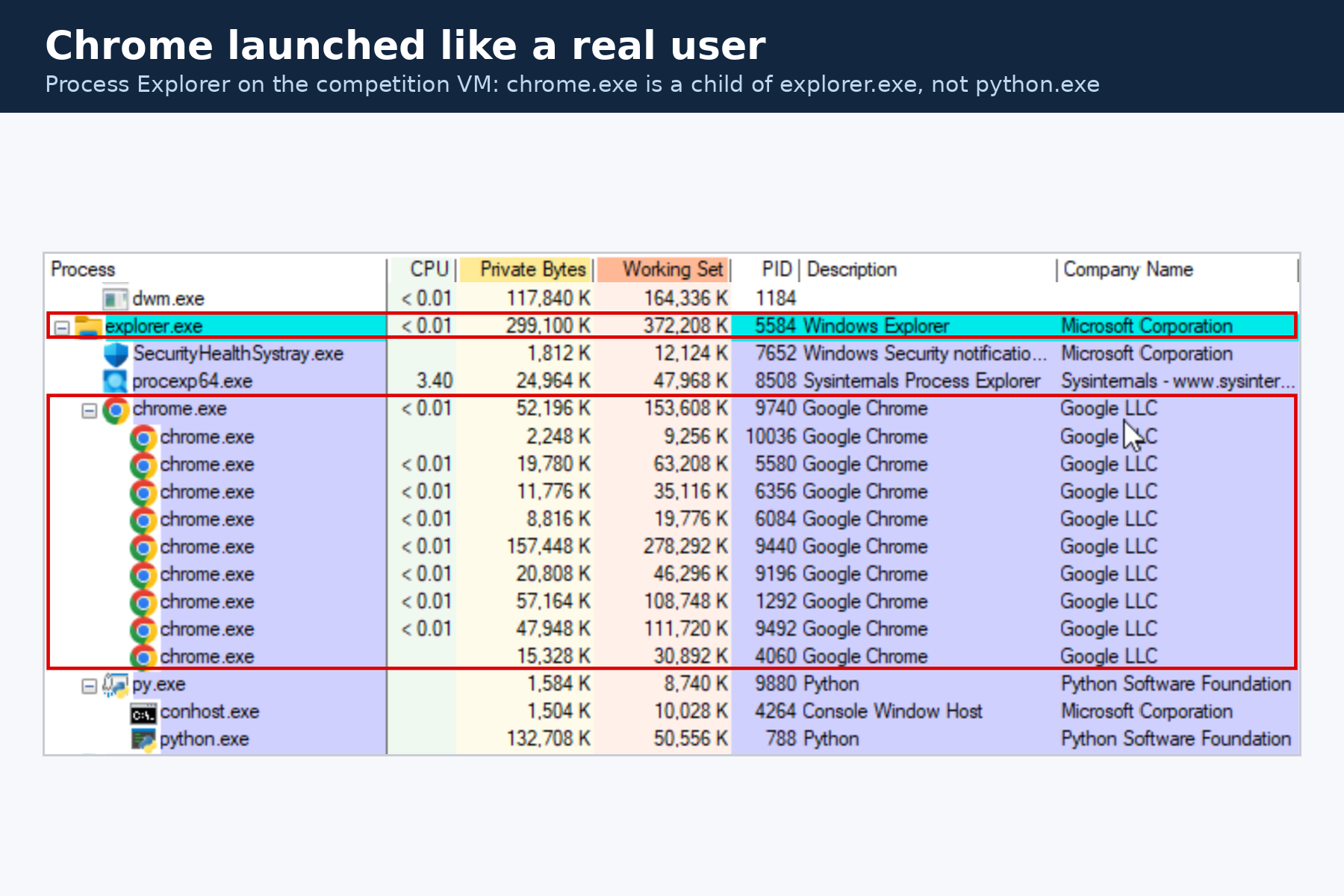
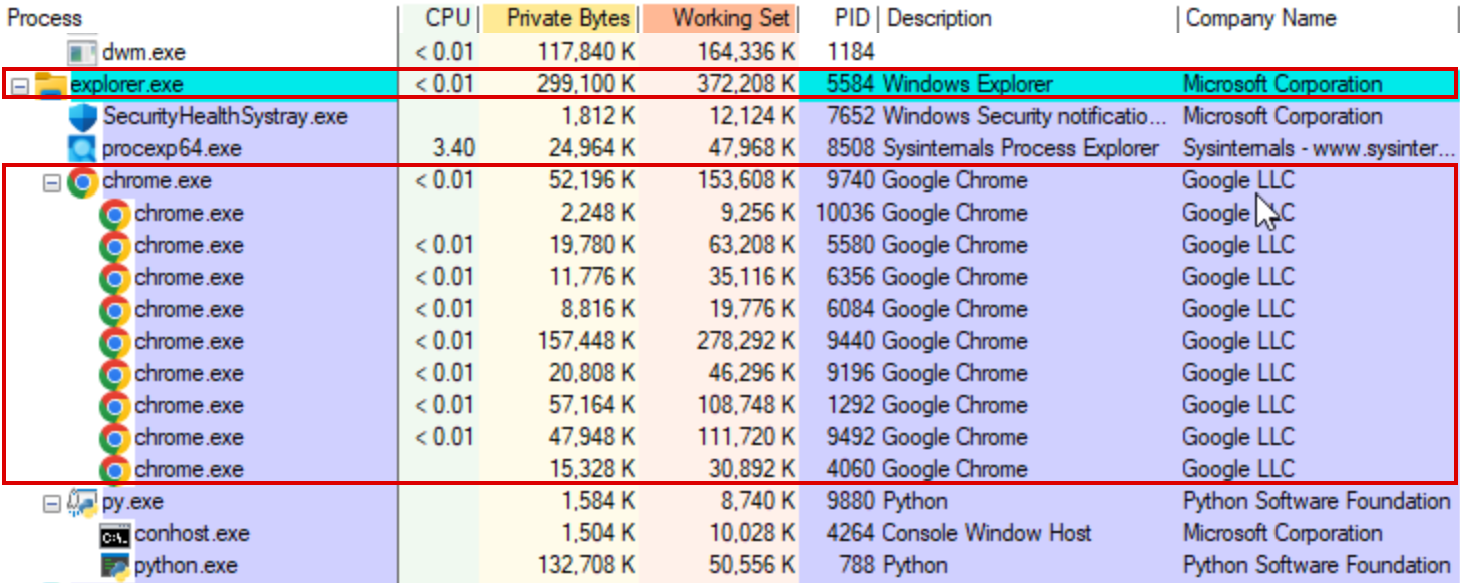
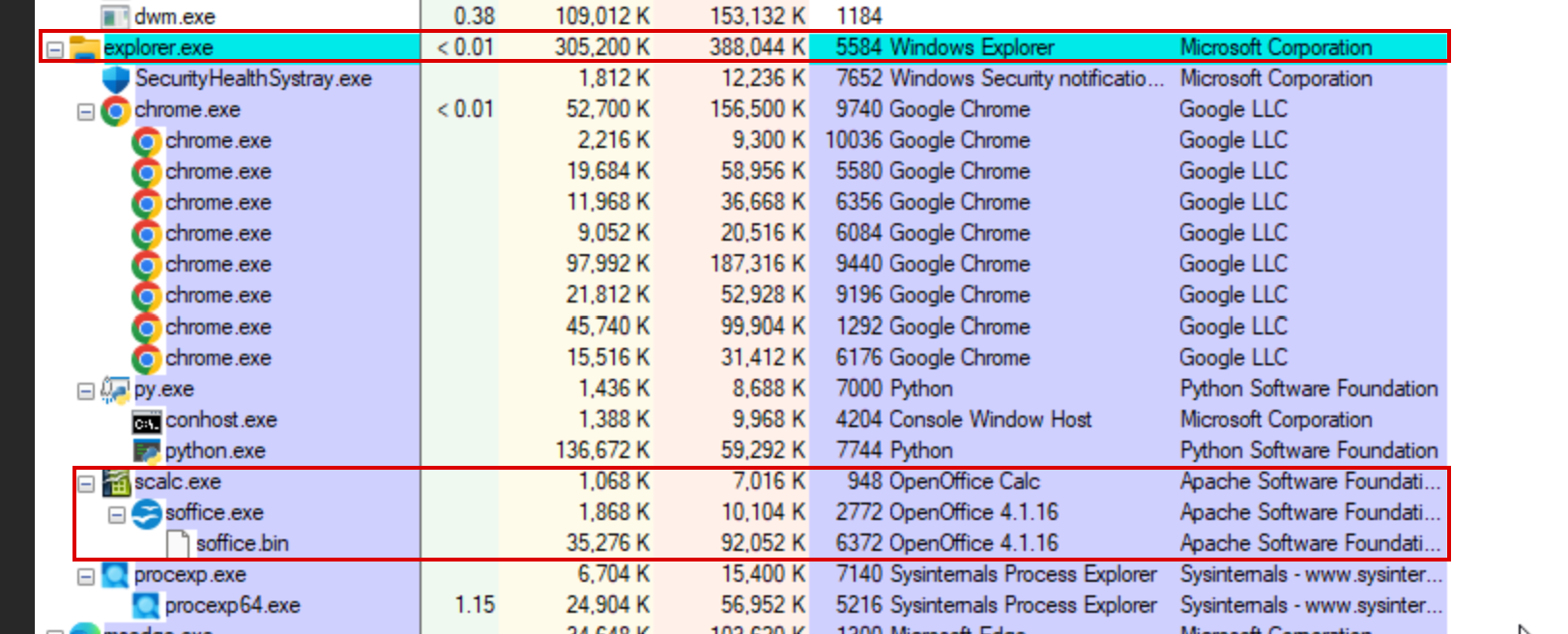
For process authenticity, every app is opened the way a person opens it: press the Windows key, type the app name, press Enter. The Windows shell, not our Python process, starts the app. We confirmed this on the competition VM in Process Explorer: chrome.exe and OpenOffice (scalc.exe → soffice.exe → soffice.bin) sit directly under explorer.exe, while the agent runs as a separate py.exe → python.exe branch with nothing underneath it.
Everything is plain Python + pyautogui. The agent spends most of its time sleeping between actions, so its own CPU use stays near zero.
Challenges we ran into
- The VM environment. The VM is reached only through a browser console (Proxmox noVNC), Microsoft Office could not be installed because of a Microsoft account wall, and installing packages was limited. We moved the office tasks to Apache OpenOffice and kept dependencies minimal.
- Process lineage. Our first launch attempts (
subprocess,os.startfile, ShellExecute) all made the new app a child ofpython.exe, an instant tell in Sysmon. We tested each method in Process Explorer and switched to launching through the Start menu like a real user. - Blind clicking. The first browsing prototype clicked random screen coordinates and hit ads, navigation bars and close buttons. Accessibility-tree link detection made clicks both safer and more human.
- Pages that don't load. Network access on the VM is not guaranteed, so the agent reads the window title after every navigation and goes back when it sees an error page instead of acting on it.
- Keystrokes going to the wrong place. A stray Enter or "y" after saving could land in the wrong window. We reworked the save-and-quit sequence so it only sends Ctrl+S, the file name and Ctrl+Q, with no extra keys.
- Merging four people's modules. Typing, cursor, recognition and the main loop were written separately with different function names and import layouts. Unifying the interfaces so the main script really used every module took real integration work.
Accomplishments that we're proud of
- Verified on the competition VM: every app the agent opens is a child of
explorer.exe, exactly like a human launch. - Mouse motion that is genuinely curved and variable-speed, with overshoot and correction, rather than straight-line teleports.
- A 15-minute run with no fixed intervals anywhere that always leaves real artefacts behind: a saved
.odtemail draft and a saved.odsspreadsheet.
What we learned
- Detection engines look at lineage first: who the parent process is matters more than what the child does.
- "Human-like" means believable distributions: bounded jitter, bursts, pauses and mistakes. Uniform randomness is not enough.
- Always verify on the real target machine. Several assumptions that held on our laptops were wrong on the VM.
What's next
- Offline browsing with locally hosted pages, so the browsing task works the same with or without network access.
- Confirm every task's result on screen (page actually changed, file actually saved) and retry or skip on failure.
- More applications (file explorer navigation, PDF reading, calendar) and longer multi-app workflows.
- Learn timing distributions from recorded real-user sessions and compare runs against a human Sysmon baseline automatically.

Log in or sign up for Devpost to join the conversation.