-
-
App icon
-
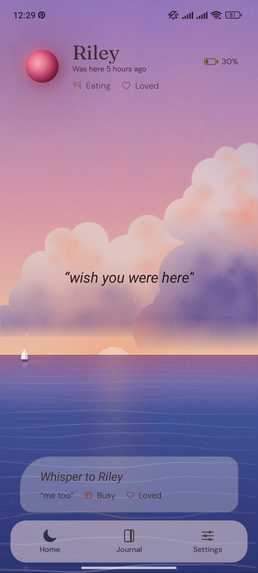
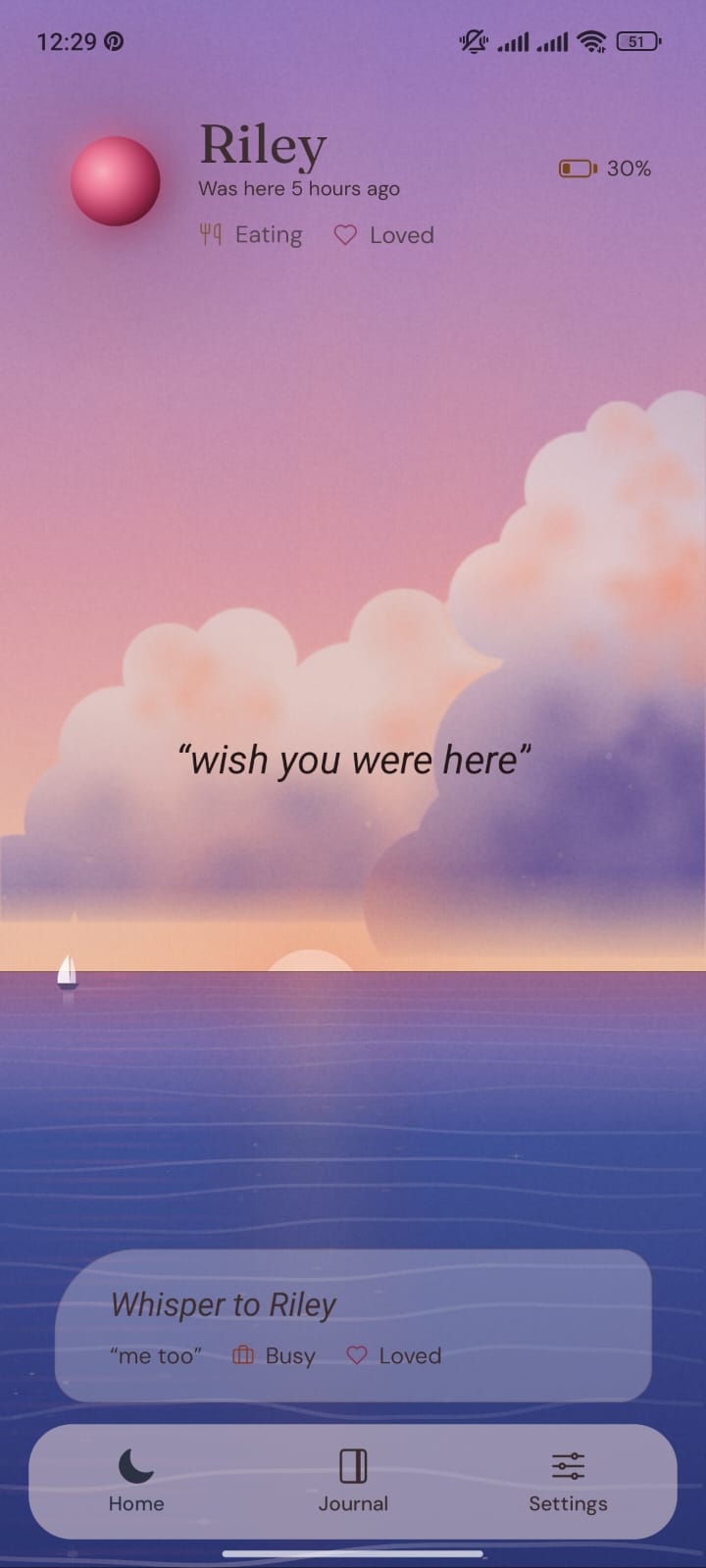
Scene: a warm dusk on the open ocean
-
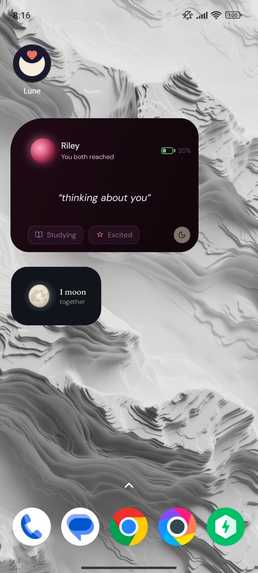
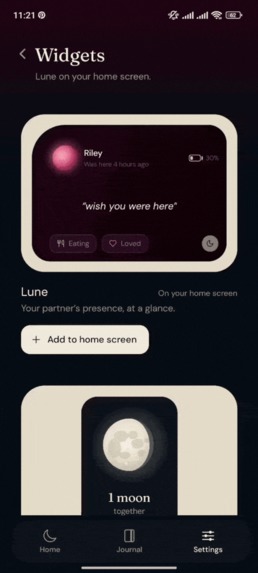
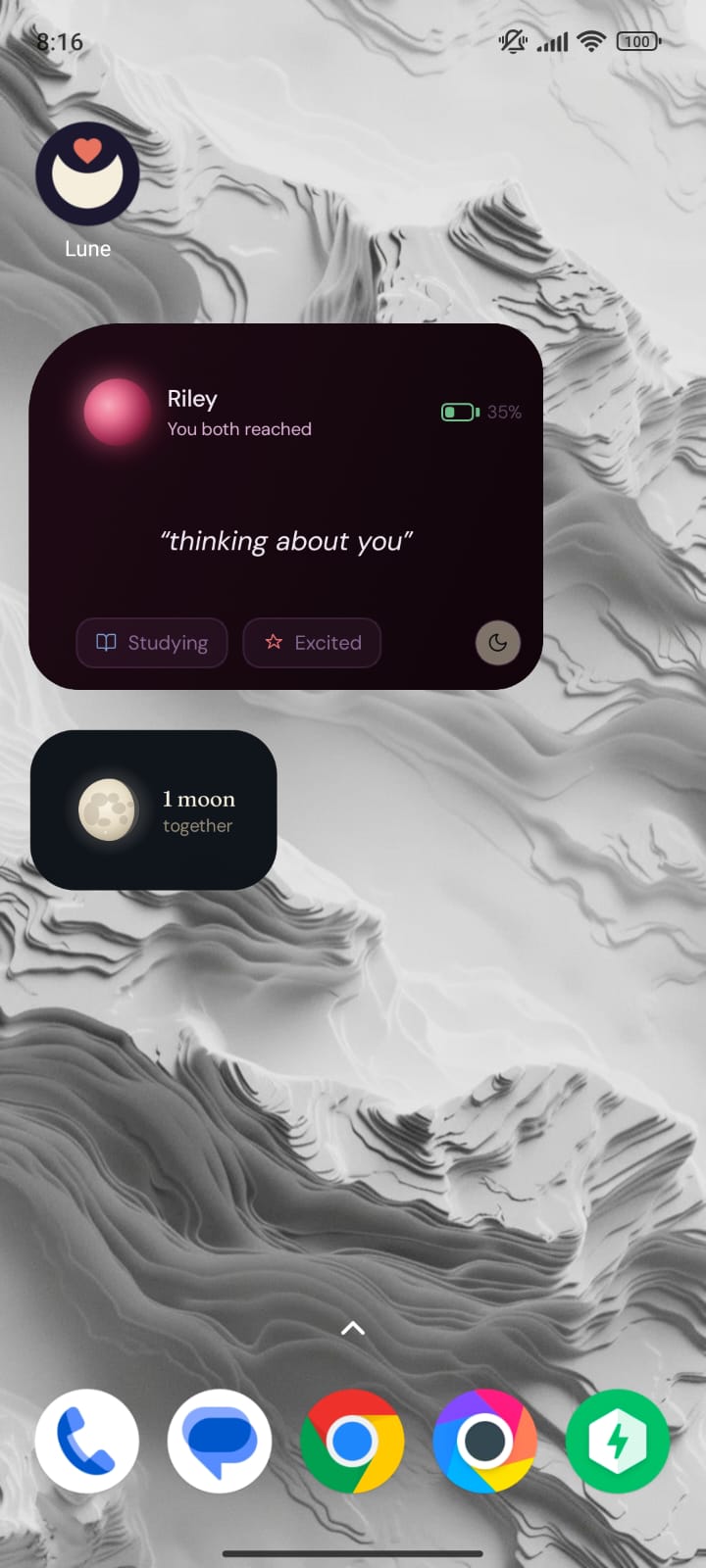
Two home-screen widgets: your partner's whisper, status, mood and battery, and the number of full moons you've shared
-
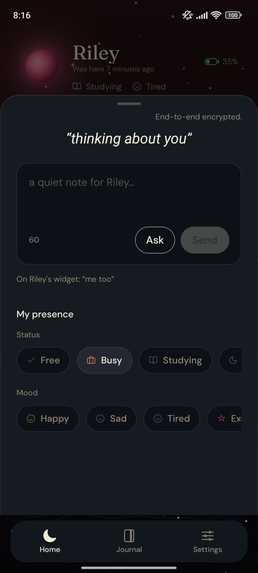
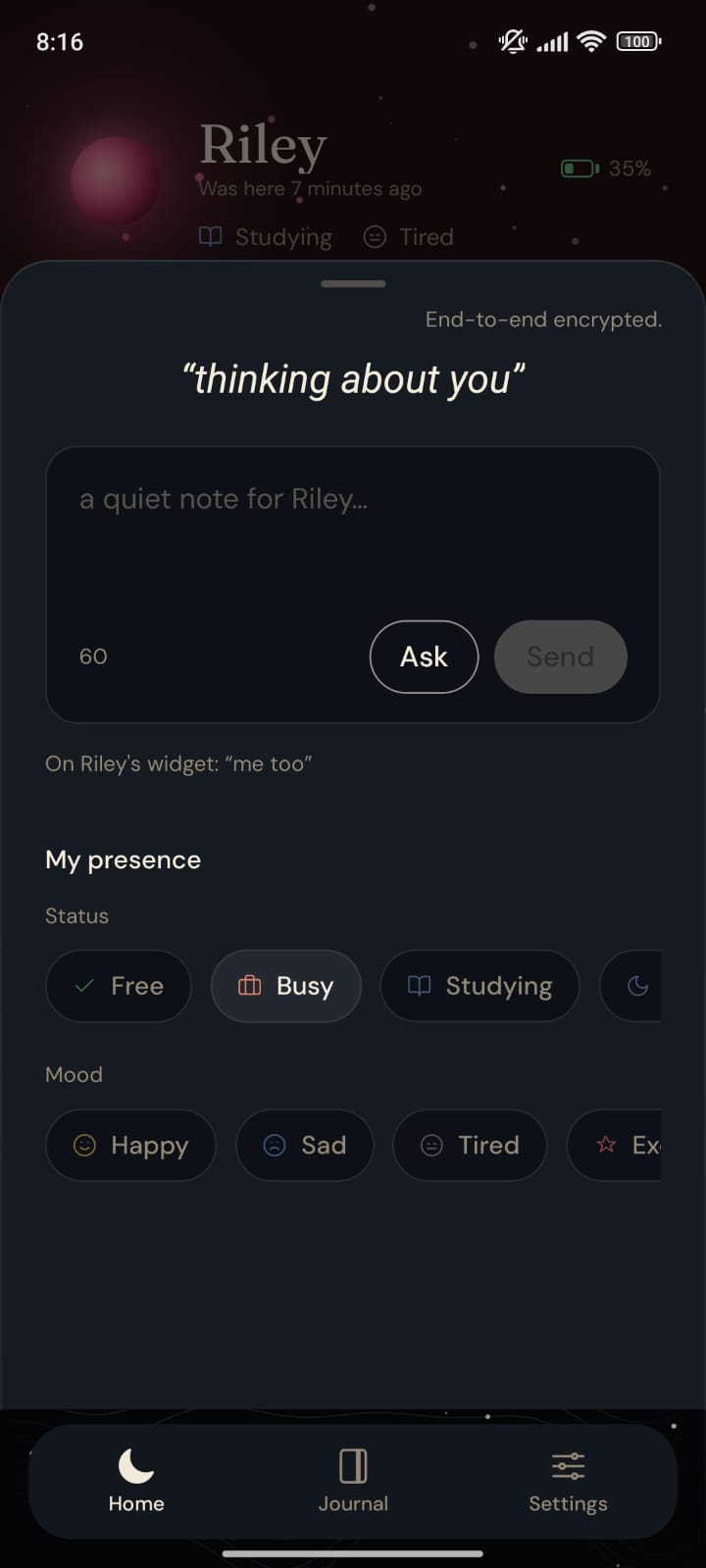
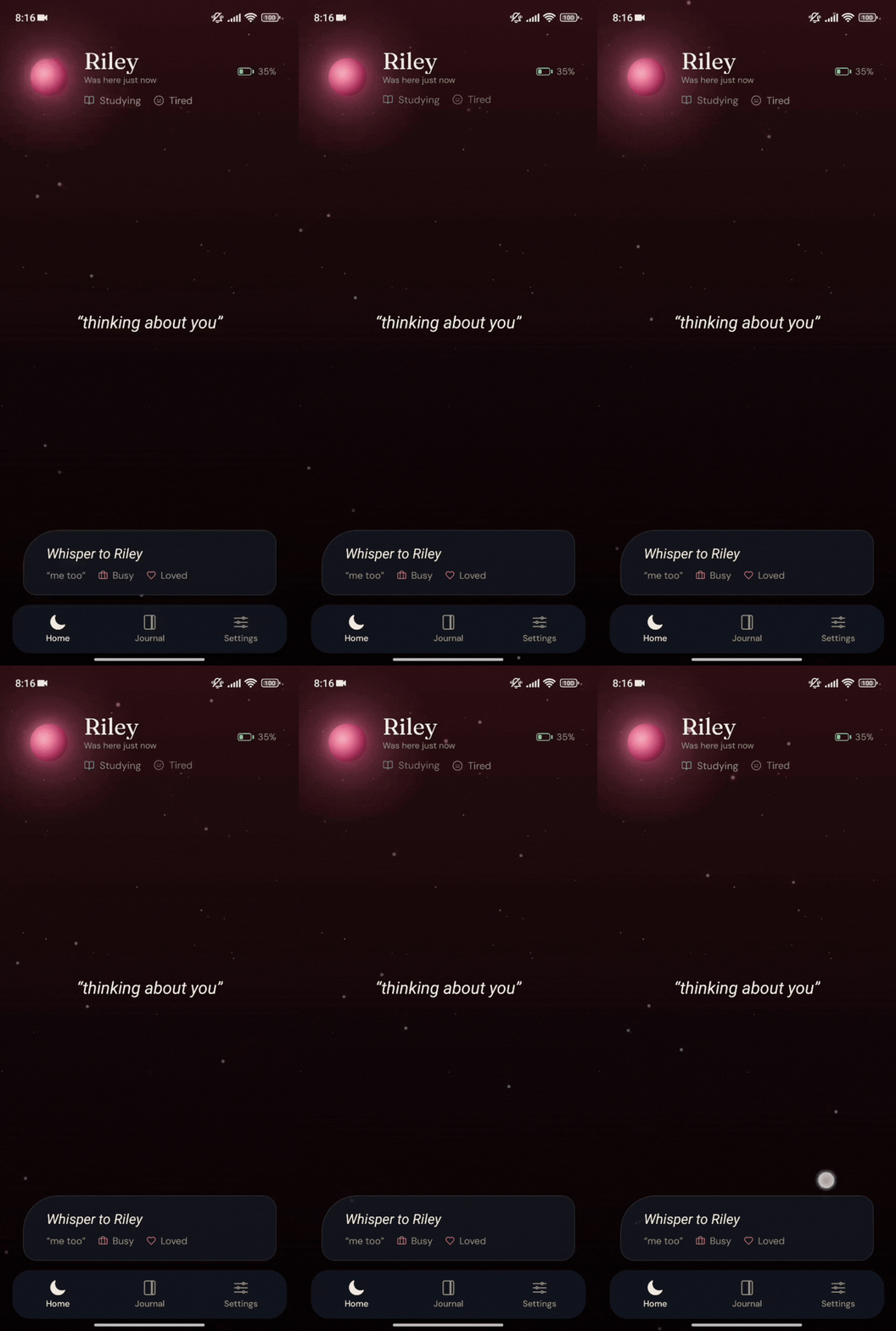
Write a whisper or ask your partner for one, and set your status and mood
-
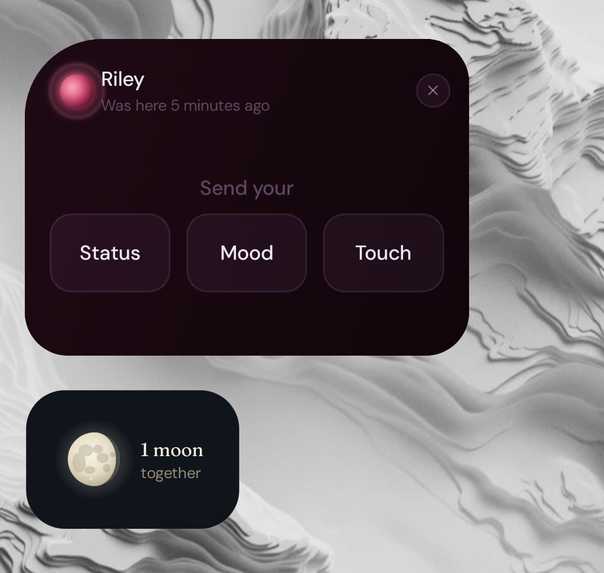
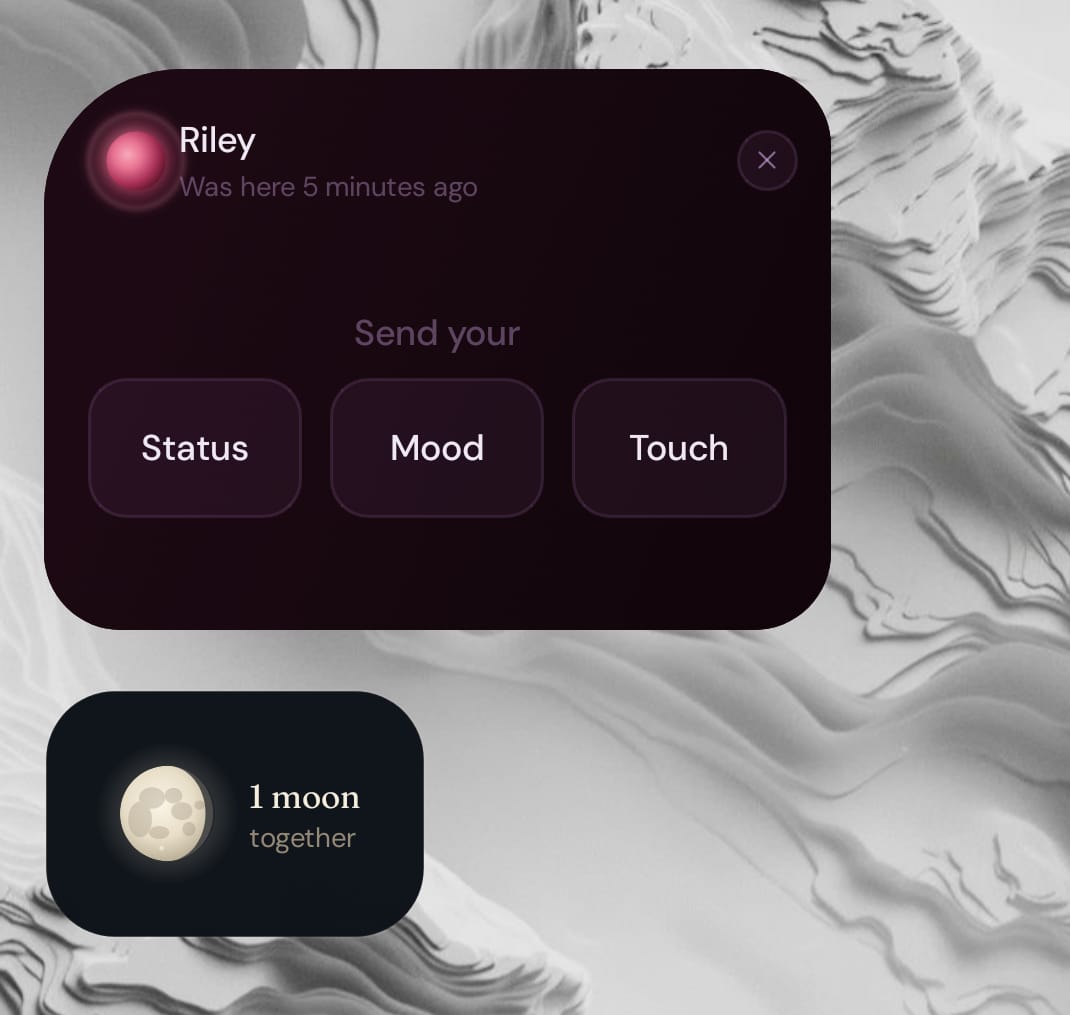
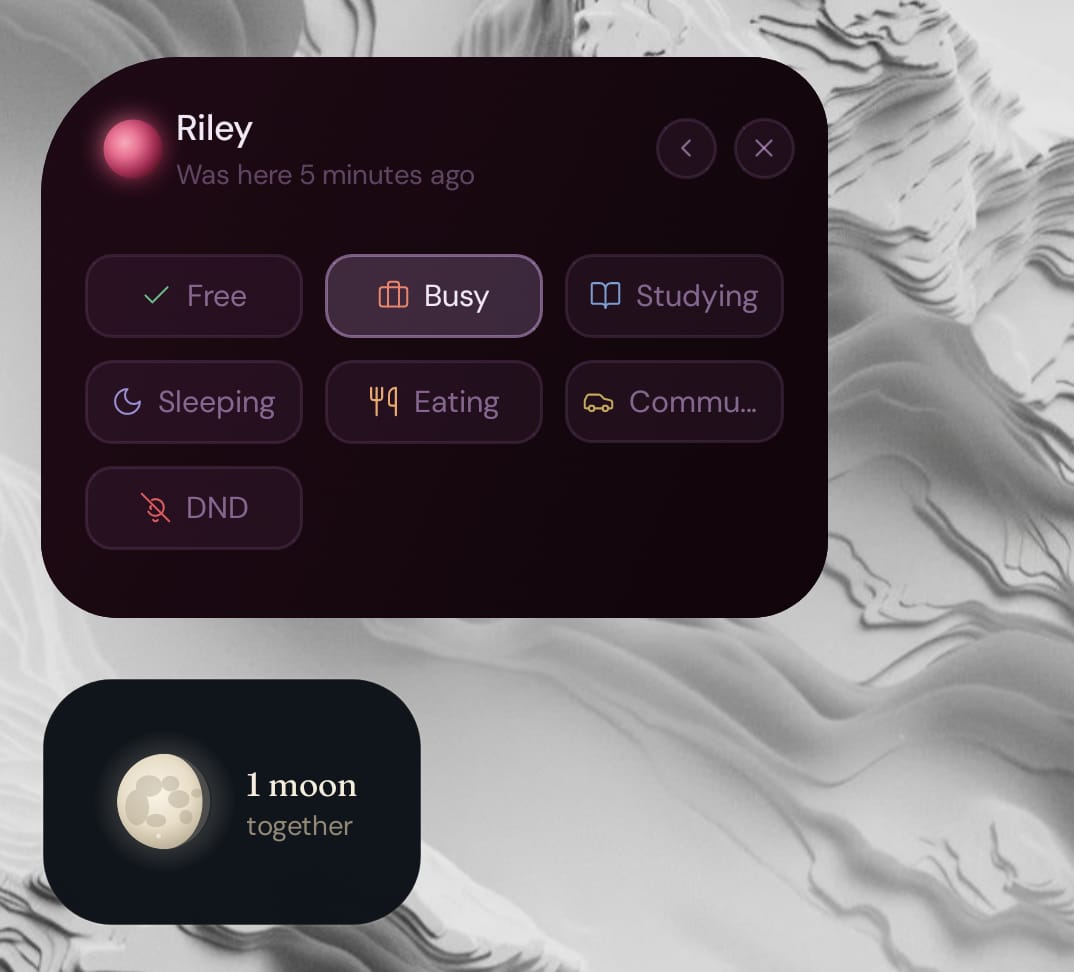
Send status or mood, or touch your partner, directly from the widget. No need to open the app.
-
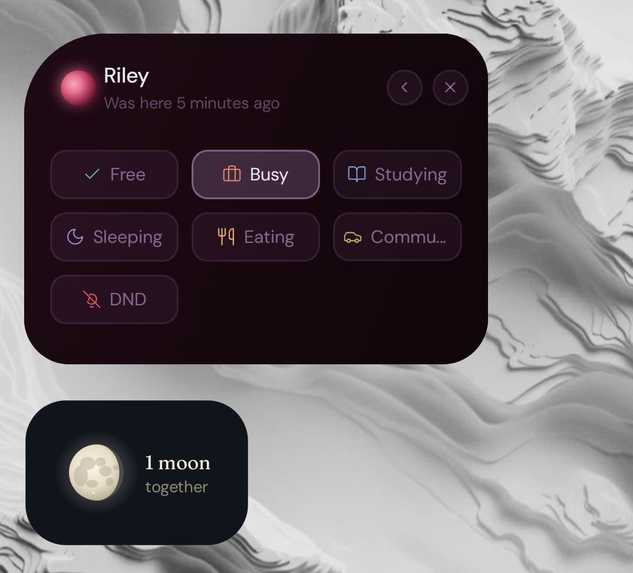
Pick your status right from the widget
-
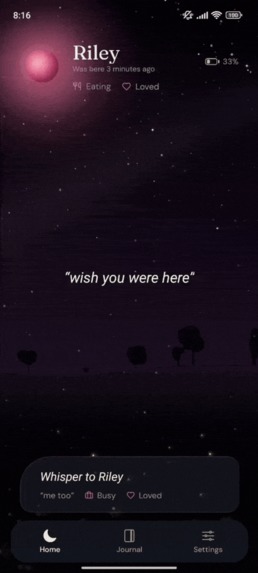 GIF
GIF
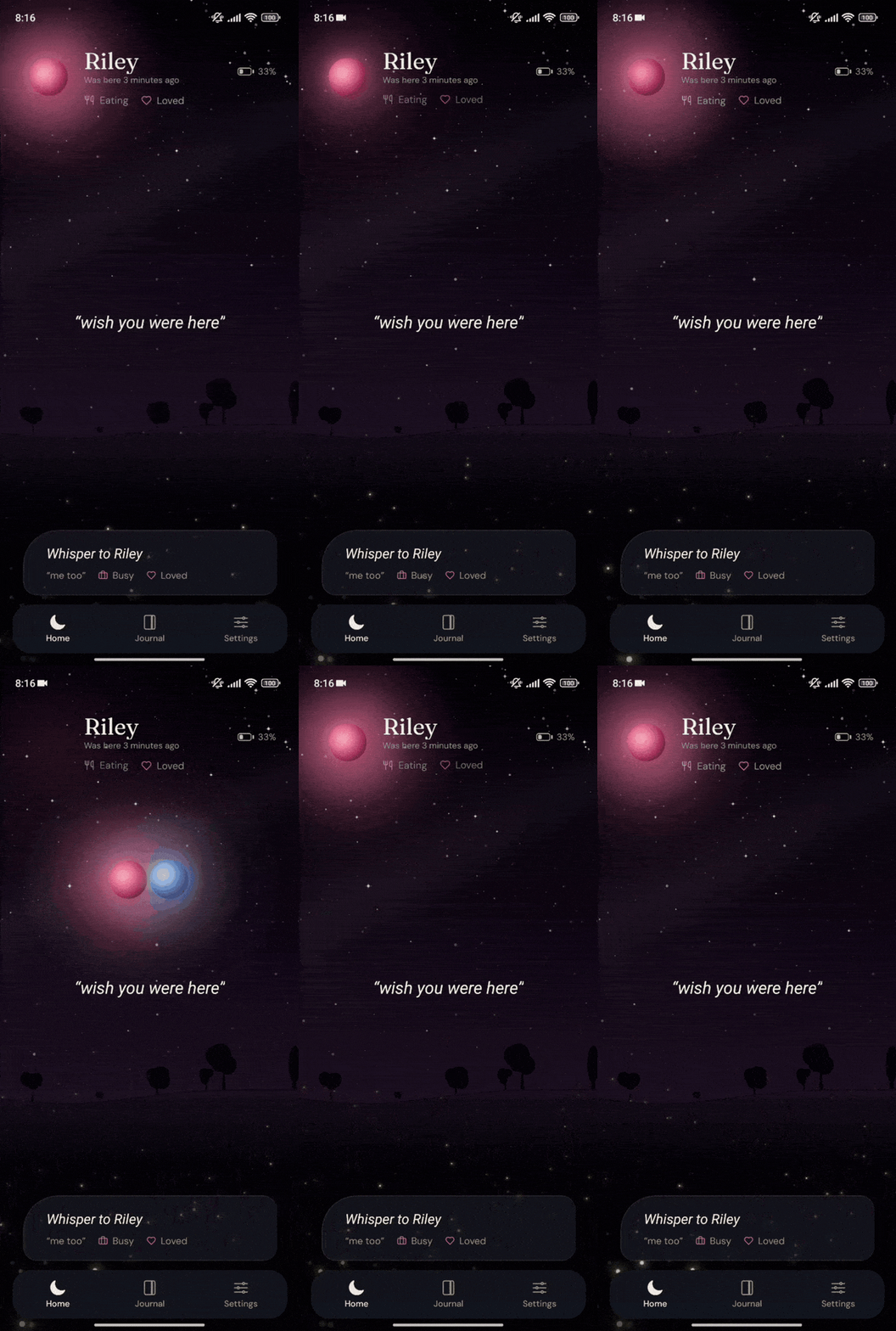
Touch each other within 60 seconds and your moons meet
-
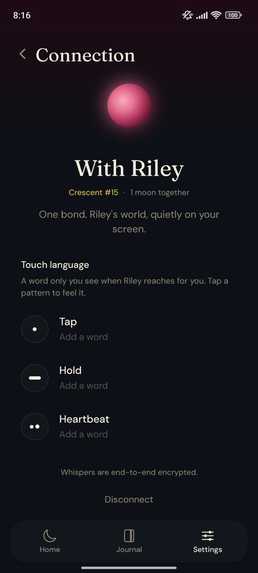
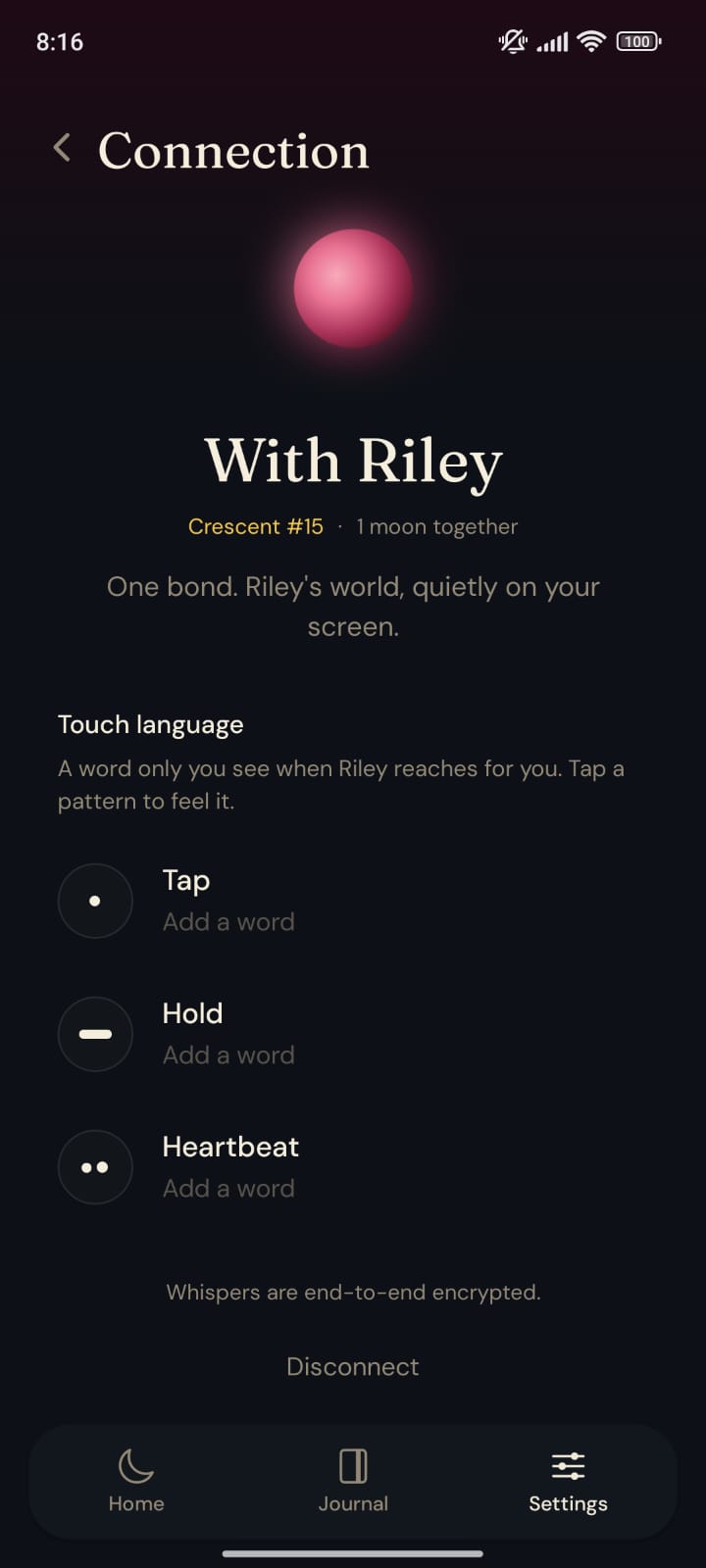
Set touch patterns and what they mean, and choose the date your full-moon count starts from
-
 GIF
GIF
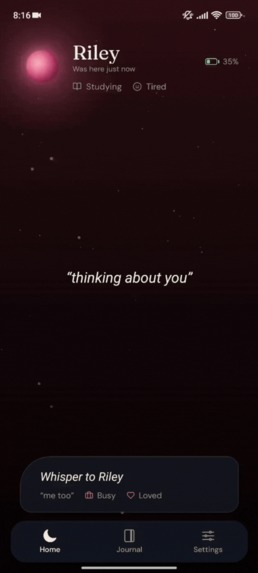
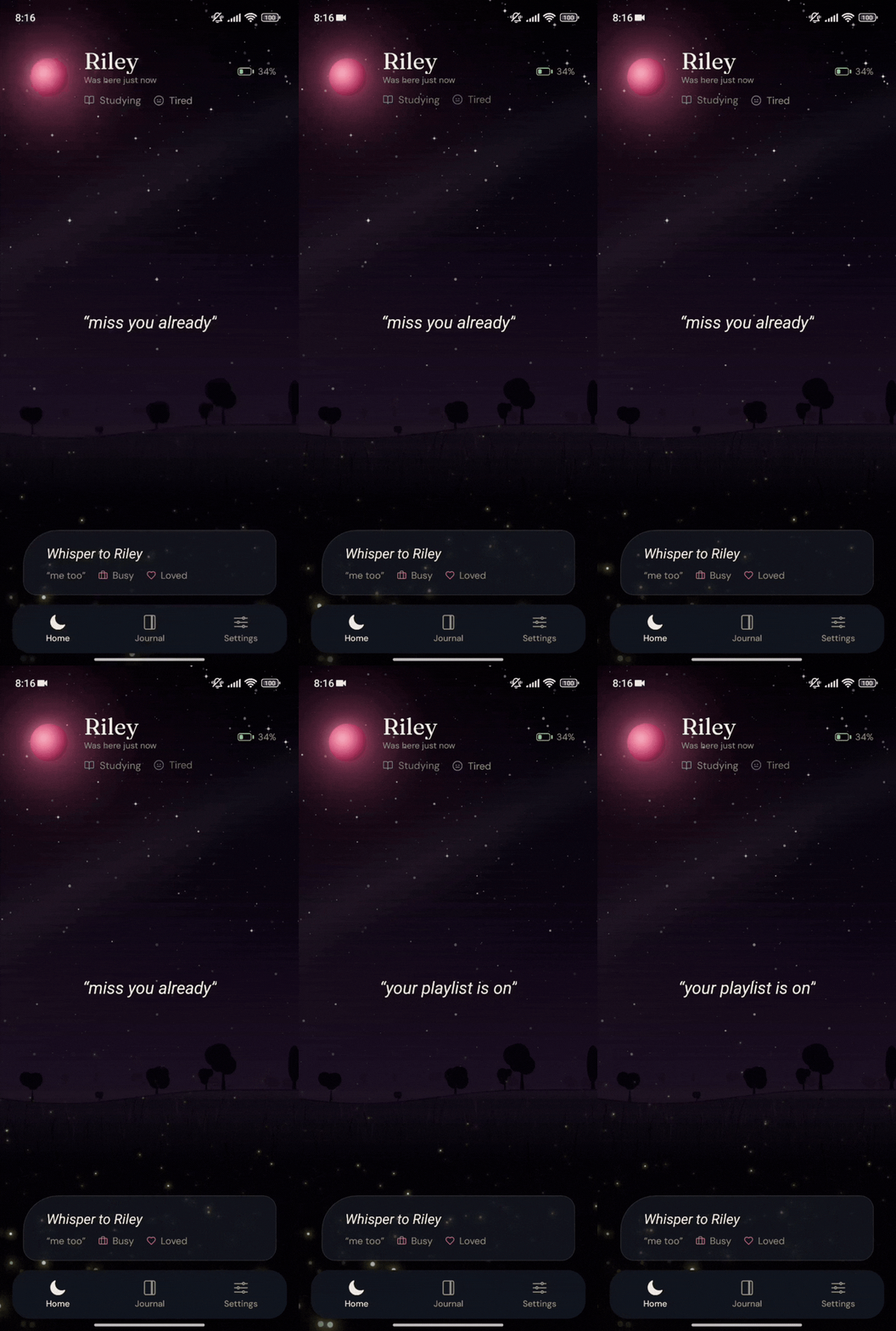
Scene: a moonlit night sky full of stars
-
 GIF
GIF
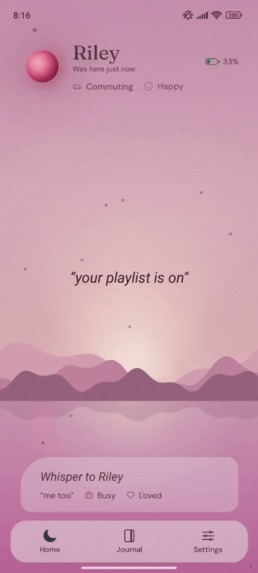
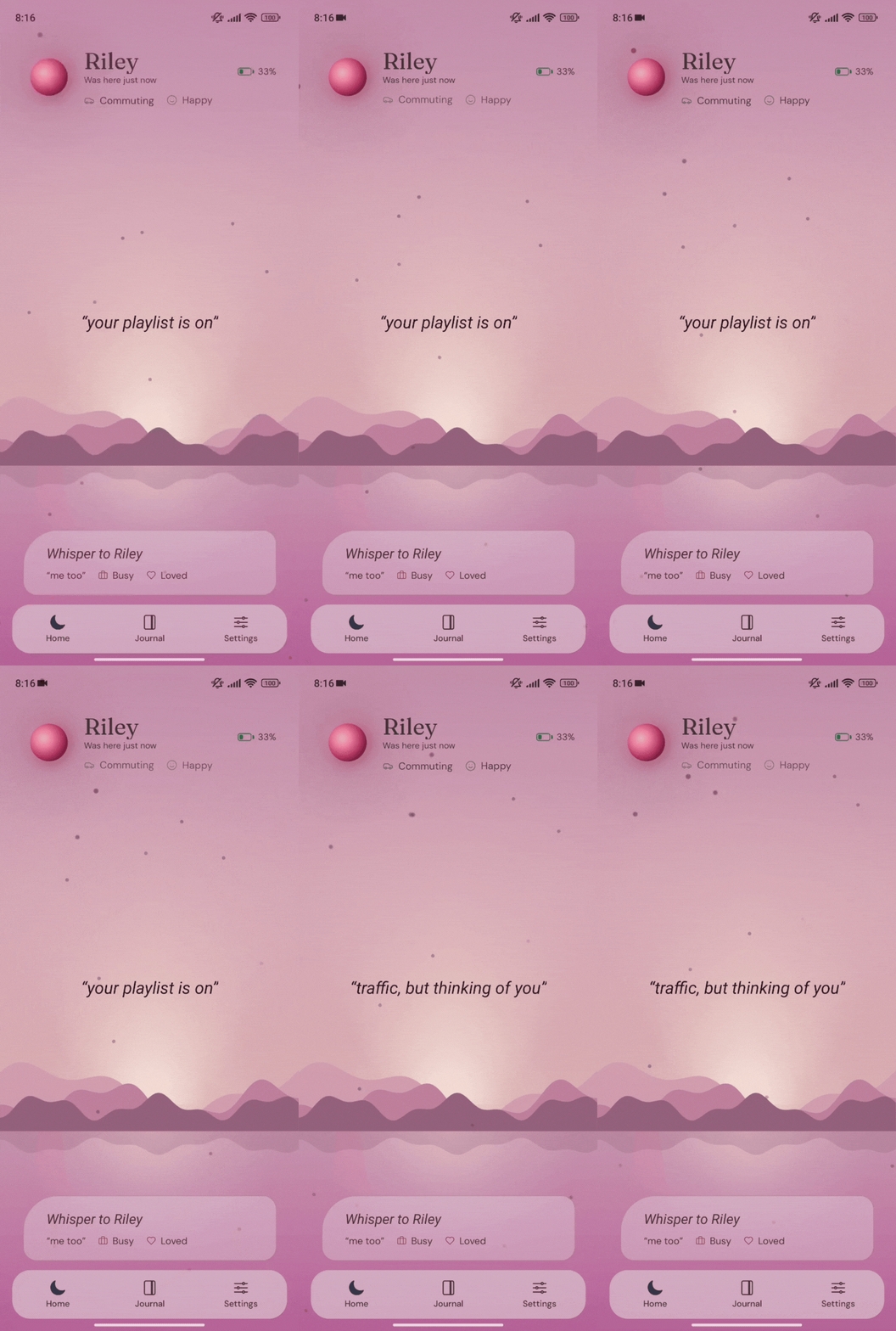
Scene: dusk on a lake beside a mountain range
-
 GIF
GIF
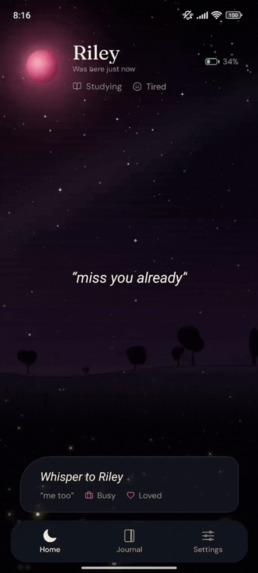
Scene: a calm meadow full of fireflies
-
 GIF
GIF
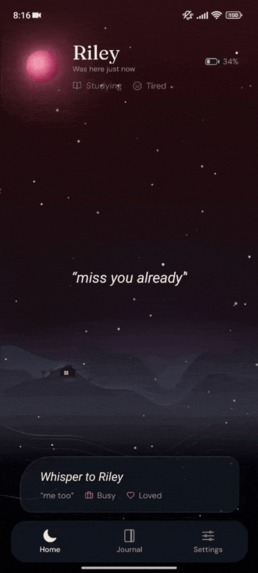
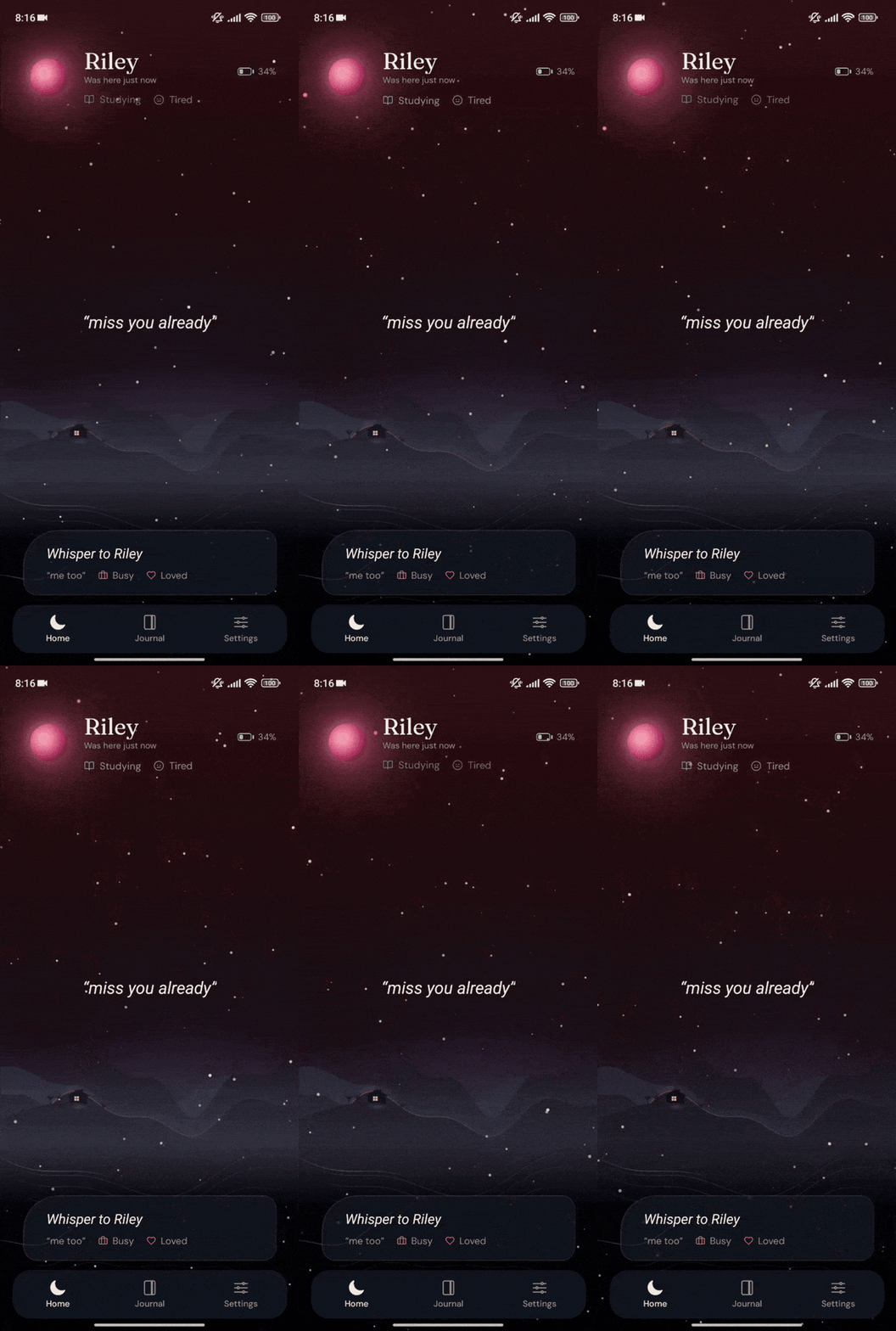
Scene: a warm house in snowy mountains
-
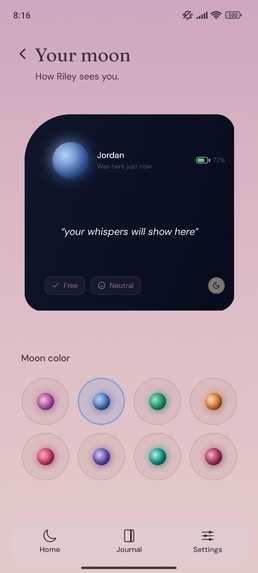
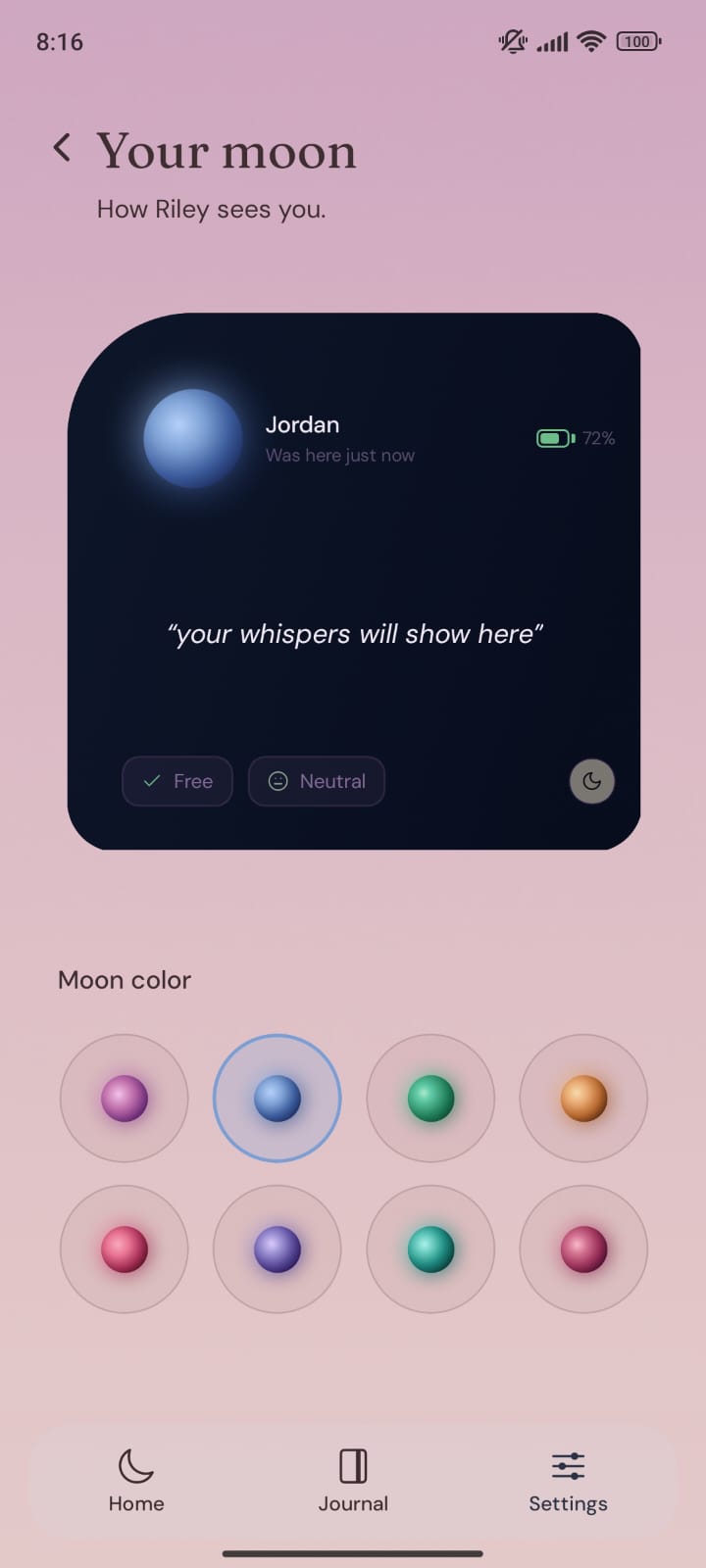
Choose how your moon looks on your partner's phone
-
 GIF
GIF
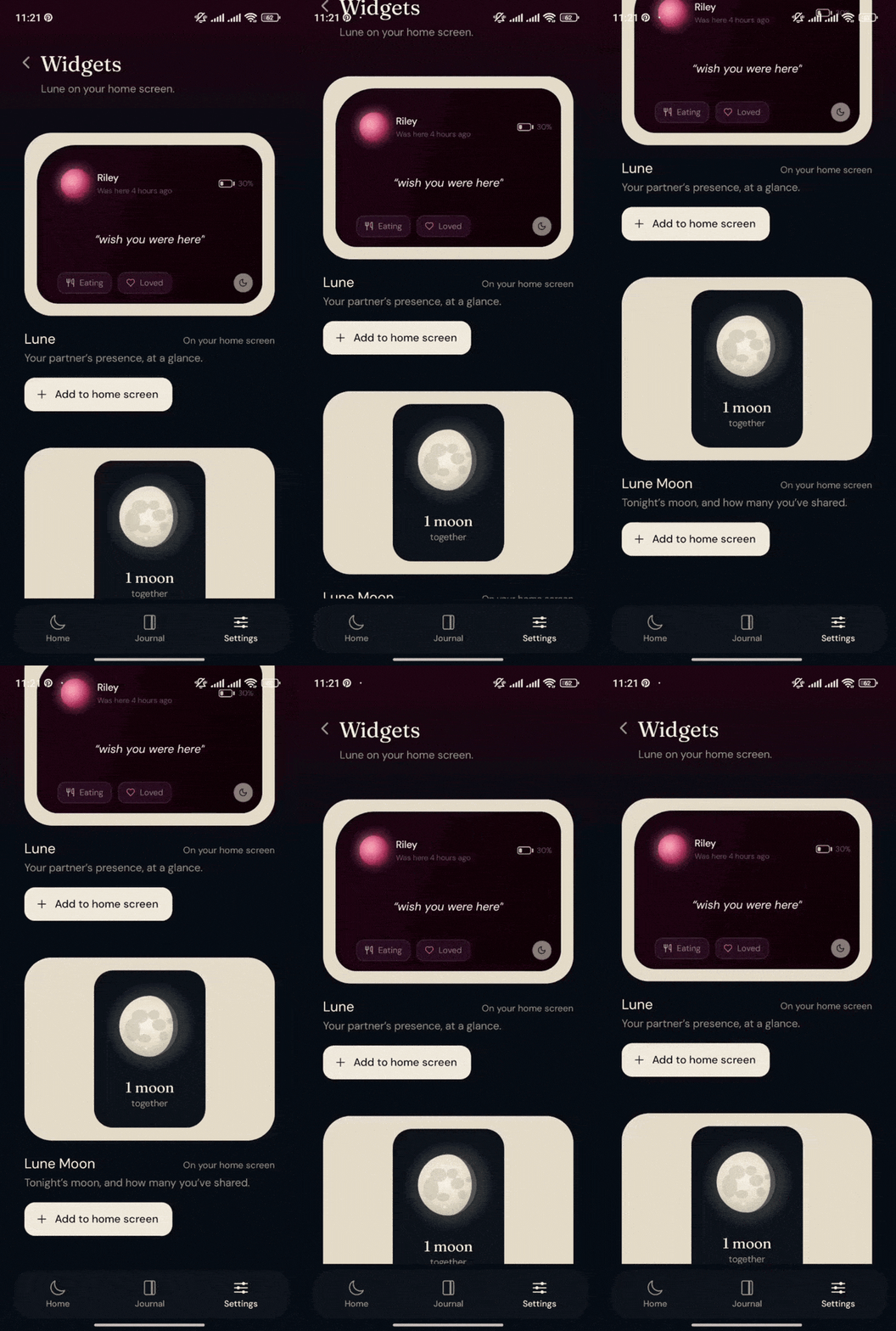
Add Lune's widgets to your home screen right from the app
-
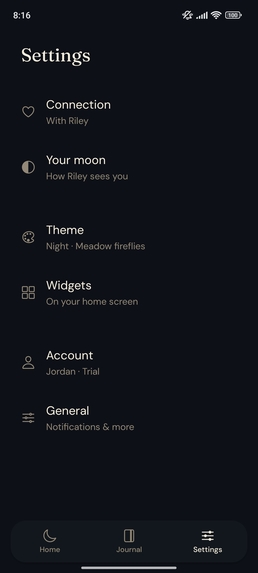
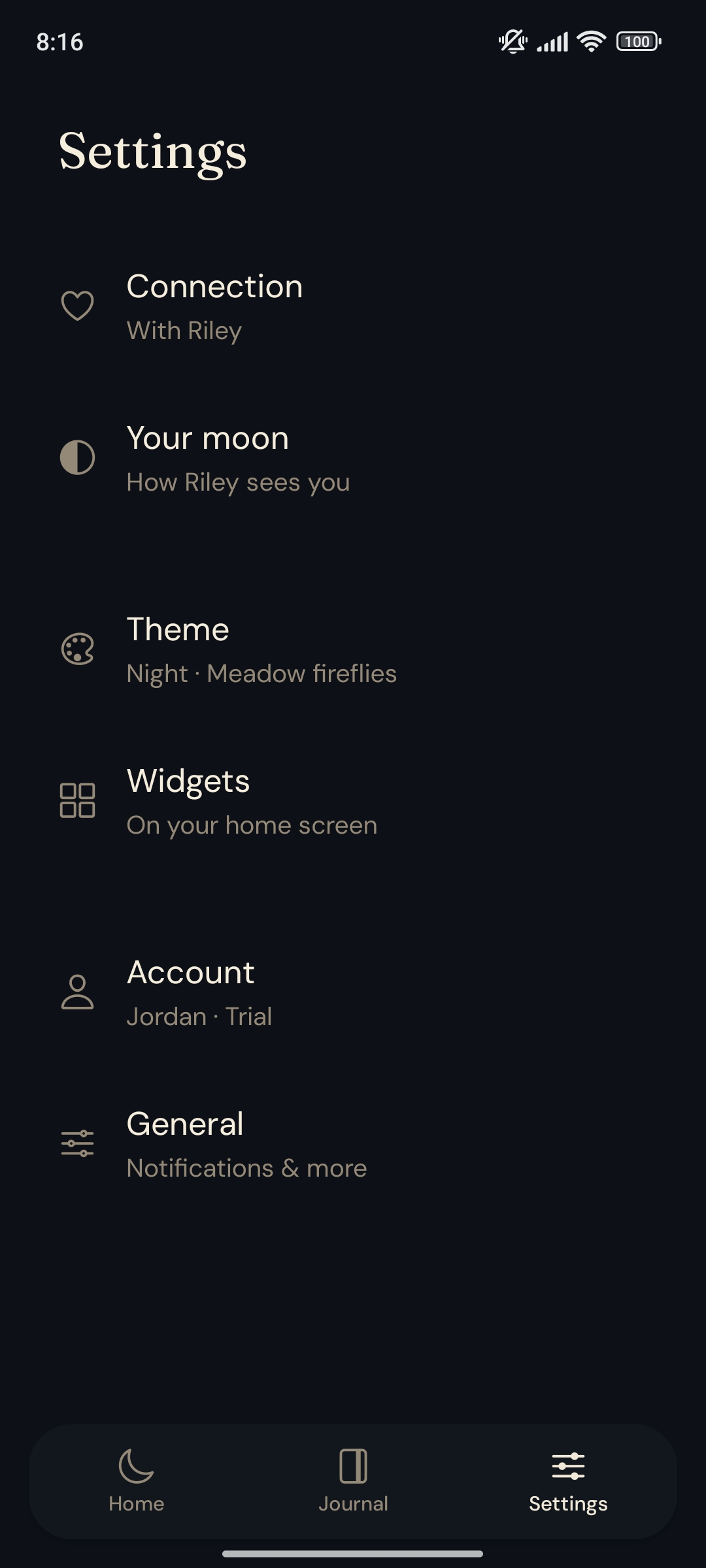
Settings: themes and scenes, widgets and your account
How it started
One morning I woke up from a bad dream and had an anxiety attack. I needed to call someone I love, but at that hour it wasn't practical. That moment pushed me to finally write down an idea I'd been carrying for a while: an app for couples.
People have fallen in love countless times, and almost all of them have felt the pain of being apart, divided by distance at some point in their stories. Romantics used to write letters and poems to express their feelings. Those have been replaced by calls and chat apps, which is good, but we can't always call or chat in our busy lives.
What if we want to express our little feelings without starting a call, or sending a text that makes our partner feel they have to reply? What if they could just feel it? What if we could just 'whisper' our feelings? In Lune, we can do just that.
Love is beautiful, and the app built to express it should be too. I've tried, and I'll keep trying, to make Lune as beautiful and ambient as I can. I chose the Moon as its theme, because when we look at the moon, we all feel its calm presence, no matter where we are on the globe. So in Lune, the moon represents your partner, ever-present and ever-beautiful.
But it has to be useful too. Here's how Lune helps couples, and how I plan to make it more useful over time.
What Lune does
- Whisper: A whisper is a short message of up to 60 characters. It appears in a home-screen widget and stays there until you send a new one, so your partner can see it whenever they have a moment. No need to start a chat. Whispers are end-to-end encrypted. You can also ask your partner for a whisper, a gentle reminder that you'd love to hear from them.
- Status and mood: Share what you're doing and how you're feeling, so you each get a sense of how the other's day is going.
- Battery: See each other's battery level.
- Scenes: The app's home screen is a scene of a natural landscape or a quiet room, where you can spend time together exchanging whispers. Each theme has its own set of scenes, and I'll keep adding more.
- Touches: Touch the moon (orb) on the home screen to send your partner one of three distinct touch patterns, and decide together what each one means. When you send a touch, the orb glows on your partner's home screen and on their widget. If you both touch within 60 seconds of each other, a cute animation plays.
- Widgets:
- The first widget combines whisper, status, mood and battery, so you can feel your partner's presence at a glance. It's interactive too: you can set your status or mood, or send a touch, right from the widget without opening the app.
- The second widget counts the full moons you've shared together. The count is calculated with Jean Meeus's astronomical algorithm for lunar phases, not estimated. The moon on the widget also roughly mirrors the actual phase in your sky, in both hemispheres.
How the subscription works
Lune has a 7-day free trial with no payment details required. The trial starts only after you pair with your partner, so you don't burn through it while waiting for them to join.
After the trial, only one of you needs to subscribe. When one of you does, RevenueCat notifies Lune's server through a webhook, and the server grants Pro to both of you for as long as either partner has an active subscription.
How I built it
I built Lune with the help of AI coding tools, Cursor and Claude Code, but every feature and design decision is mine. I've tried to make Lune as robust, smooth and secure as possible, and I personally reviewed the critical parts: end-to-end encryption and payments.
- Lune is a React Native app built with Expo.
- Supabase stores the data and delivers updates between partners in real time.
- The widgets are built with the react-native-android-widget library.
- Skia by Shopify draws the scenes and animations.
- RevenueCat handles the shared subscription.
Challenges I ran into
The biggest challenge was making the widgets look good and behave reliably across Android phones and tablets. The layout kept breaking on tablets, and fixing it broke something else, the widgets update automatically through silent FCM pushes whenever a new whisper or status arrives, and those updates stopped working. The widgets took more iterations than anything else in the app.
The other thing I didn't expect was how hard marketing would be. This is my first serious mobile app, so I'm learning as I go and celebrating small wins along the way. I engage with early users as much as I can, and their feedback has shaped the app. The Touch feature, for example, came from a user's request.
Accomplishments that I'm proud of
I'm proud that Lune exists, and that early users have responded warmly to it. I shared key moments of the journey on X (Twitter) as Build in Public posts, and that in itself gave me a confidence in my own product that I wouldn't have found building it in isolation.
What I learned
- Native Android development, beyond what React Native handles for you
- How Android widgets work, and how they update in the background
- How Play Store billing works, and the role RevenueCat plays in trials and entitlements
- UI and UX fundamentals, learned by designing Lune's scenes and widgets
- How to talk to early users and turn their feedback into features
What's next for Lune
I want to make whispers more meaningful and statuses more accurate:
- Whispers are currently saved in a Journal, but older, thoughtfully written ones get buried. You'll be able to label and organize them, and old whispers will resurface at the right moments. You'll also be able to send sealed whispers that open at a specific time.
- You'll be able to set a timer on your status, so it always shows your partner what you're actually doing.
- Your partner's real-time weather will appear in your scene. If it's raining where they are, it'll rain on your home screen too.
- And an important one: bringing Lune to the App Store.
Built With
- android
- claude-code
- cursor
- deno
- expo.io
- firebase
- google-play
- java
- kotlin
- noble
- postgresql
- react-native
- react-native-android-widget
- react-reanimated
- revenuecat
- skia
- supabase
- typescript

Log in or sign up for Devpost to join the conversation.