-
-
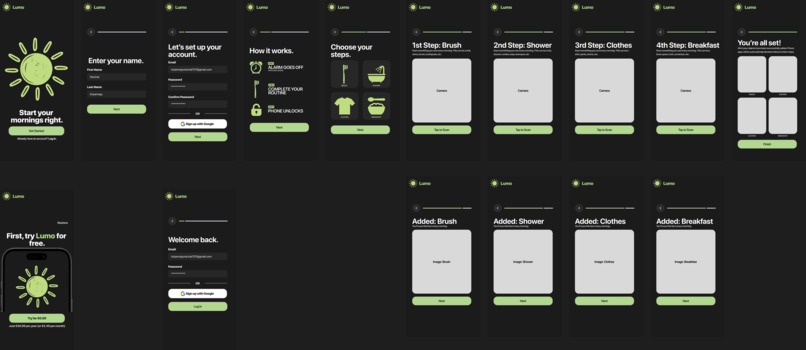
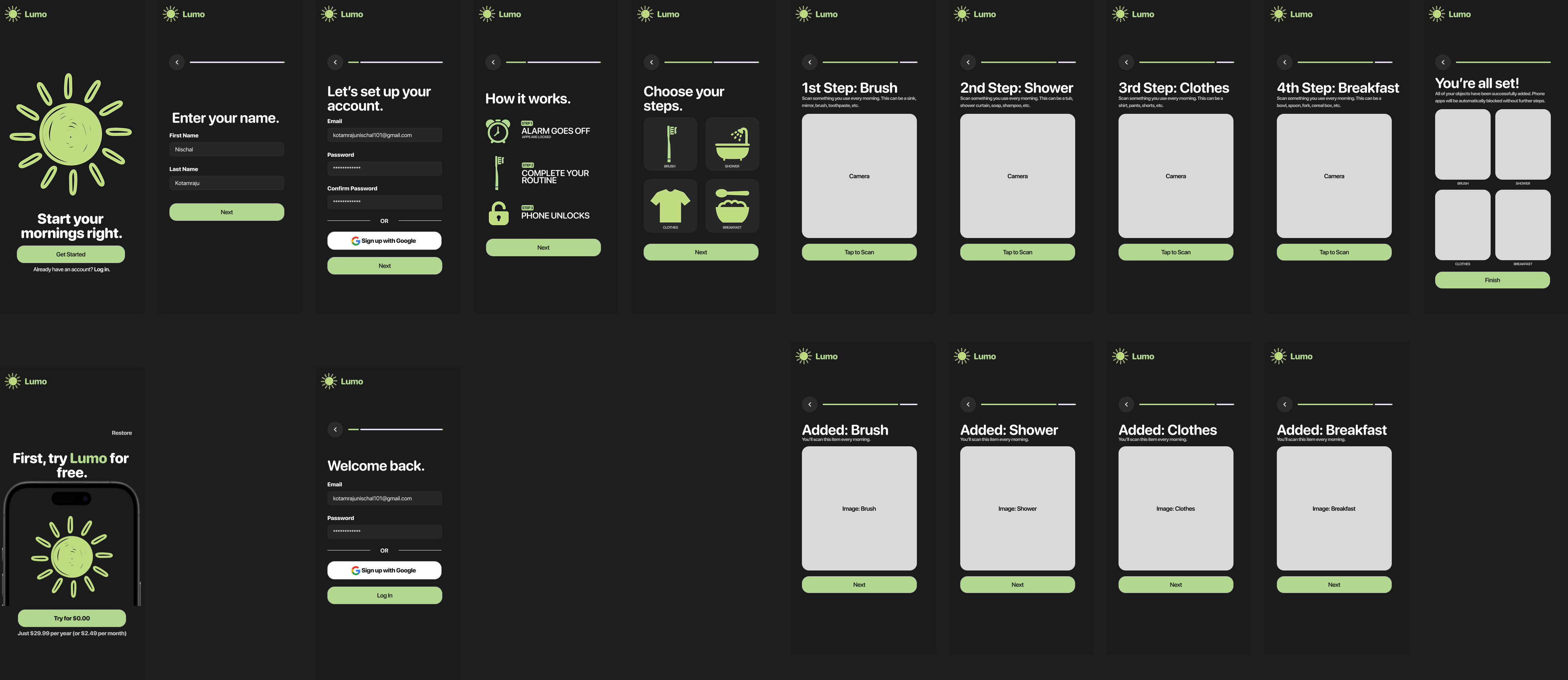
Welcome Screens
-
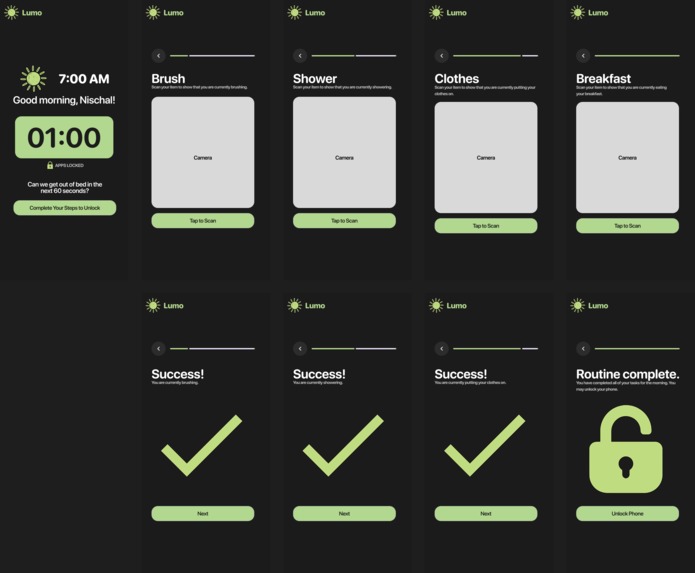
Lock Screens (Morning Routine)
-
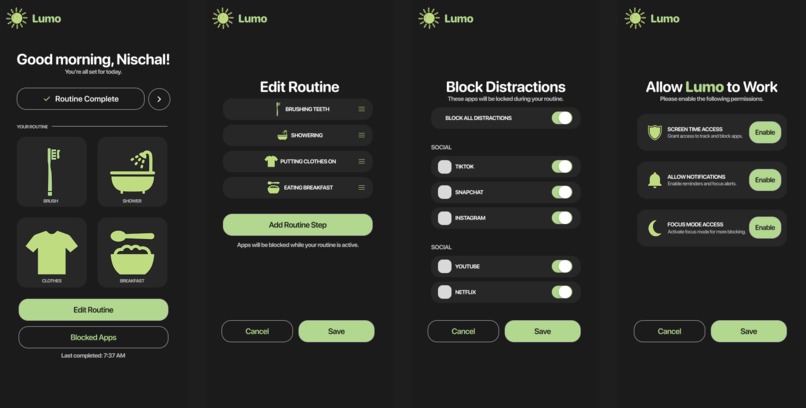
App Dashboard Screens
Project Name
Lumo
Brief Description
Lumo is a way for students and employees to get out of bed in under 60 seconds and stay off their phone until they’ve actually completed their morning routine.
Problem Statement & Target Users
I hate my mornings. I'm talking about me having to wake up at 6 AM, running off of less than six hours of sleep because I had to prepare for my Calc test during the night. That's the reason why the hardest part of my mornings is the ability to wake up without snoozing my alarm. What's worse is that even if I do wake up, I spend too much time brushing my teeth, showering, picking my clothes, and eating my breakfast, and they all stem from the same issue: I'm always distracted on my phone. I keep looking at my phone when I'm brushing, I set my phone on the bed next to my clothes to watch some TikToks, and the same thing can be said, in particular, for when I'm eating my breakfast.
Target Users:
- People with early schedules
- People who struggle with snoozing alarms
- People who get distracted on their phone easily
Solution Overview & Key Features
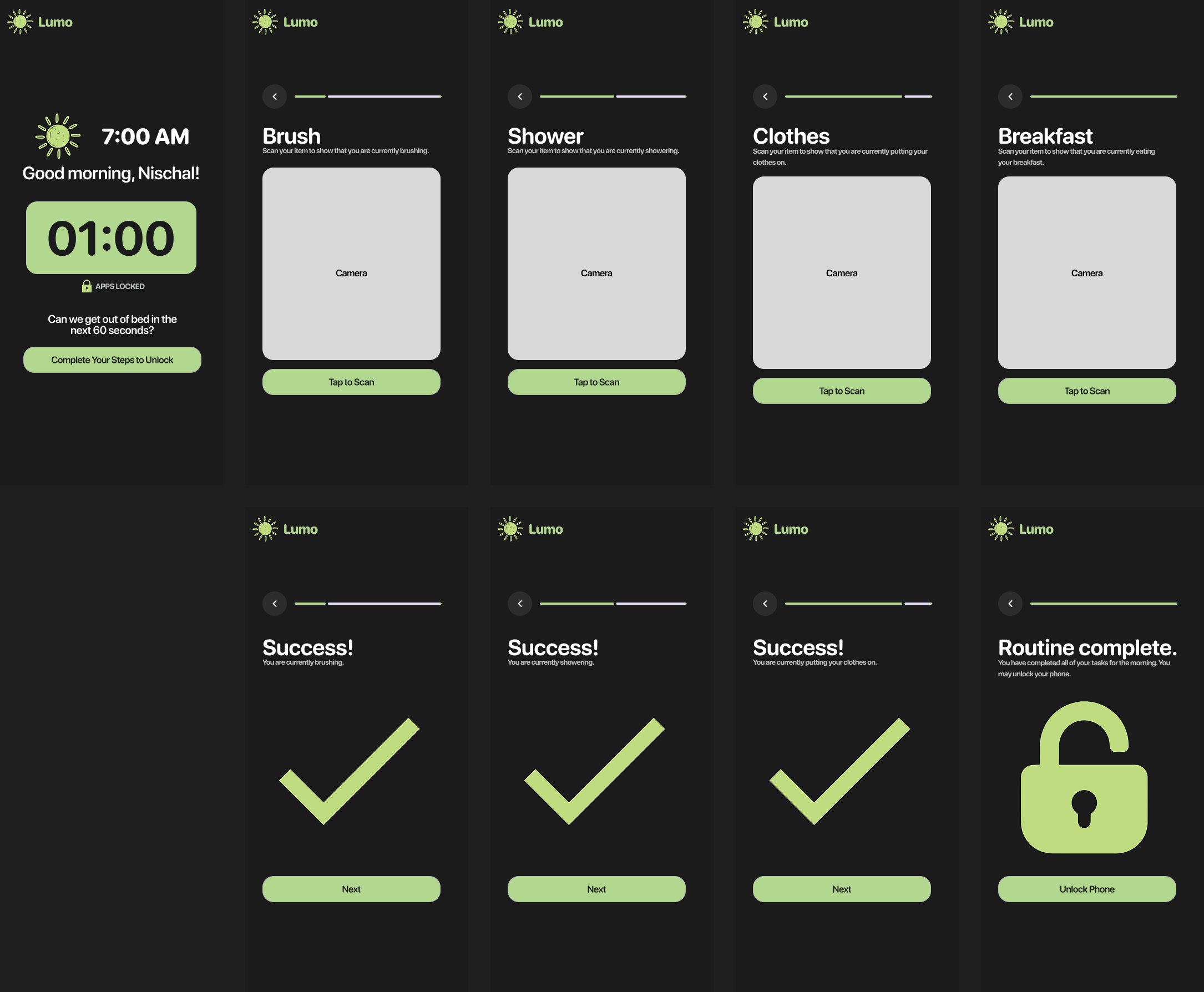
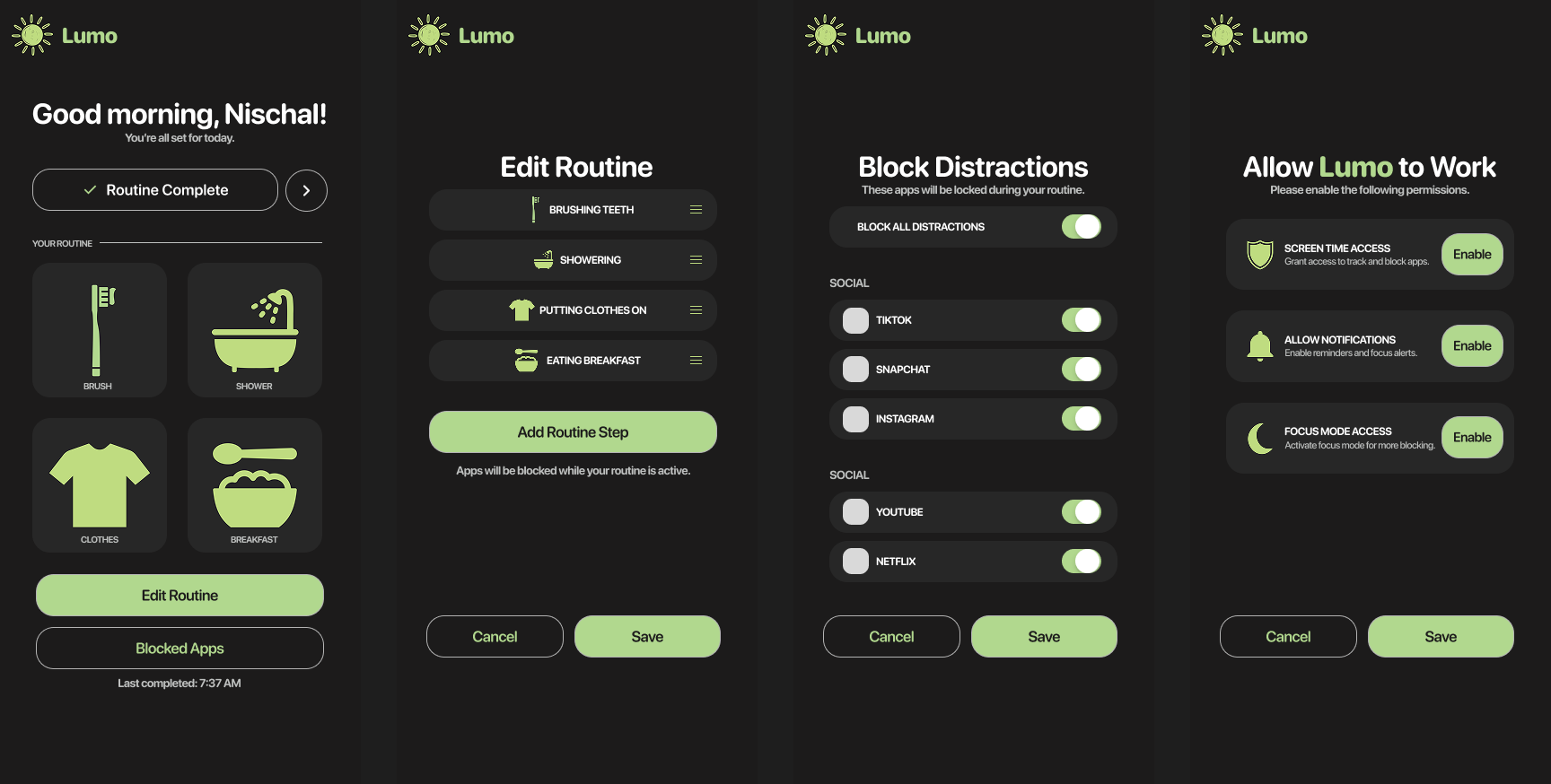
Lumo is a way for students and employees to make their morning more productive by forcing users to wake up on time without snoozing alarms and restricting phone use until after their morning routine is finished. Every morning, an alarm will go off on the user's phone. The user will have 60 seconds to get out of their bed and start their morning routine. If the user does not get out of bed within 60 seconds, the phone will stay locked and the user will not be able to use any phone apps until after the morning routine has been finished. To verify that the user did legitimately make their morning productive, there will be a series of checkpoints that the user will complete. Every checkpoint (brushing, showering, picking clothes, and eating breakfast) will require an object to be scanned by the phone to mark the completion of each step of the routine. For example, for the brushing checkpoint, the user could scan their sink, brush, toothpaste, etc. The same idea also applies for the other checkpoints listed. Once all checkpoints have been verified, the user will be able to access their phone for the day. In the event that the user may have to use the phone for an emergency, a parent or friend can remotely unlock the user's phone from their own phone.
Built With
- figma

Log in or sign up for Devpost to join the conversation.