
Inspiration
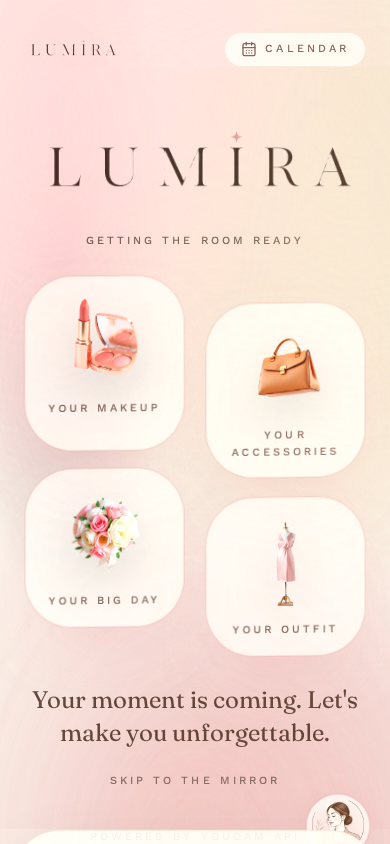
Getting ready for something that matters — a first date, an interview, a wedding — is never really one decision. It's two: what your skin needs before then, and what to wear once it's ready. Today those live in completely separate apps, if they live anywhere organized at all. Most people just wing it the night before.
Perfect Corp's YouCam suite has genuinely strong Skin AI and Apparel VTO APIs, but we noticed almost every existing demo treats them as two unrelated features bolted onto the same app. We wanted to test a simple hypothesis: what if your skin data actually informed your outfit recommendation, instead of the two living side by side? That's Lumira.
What it does
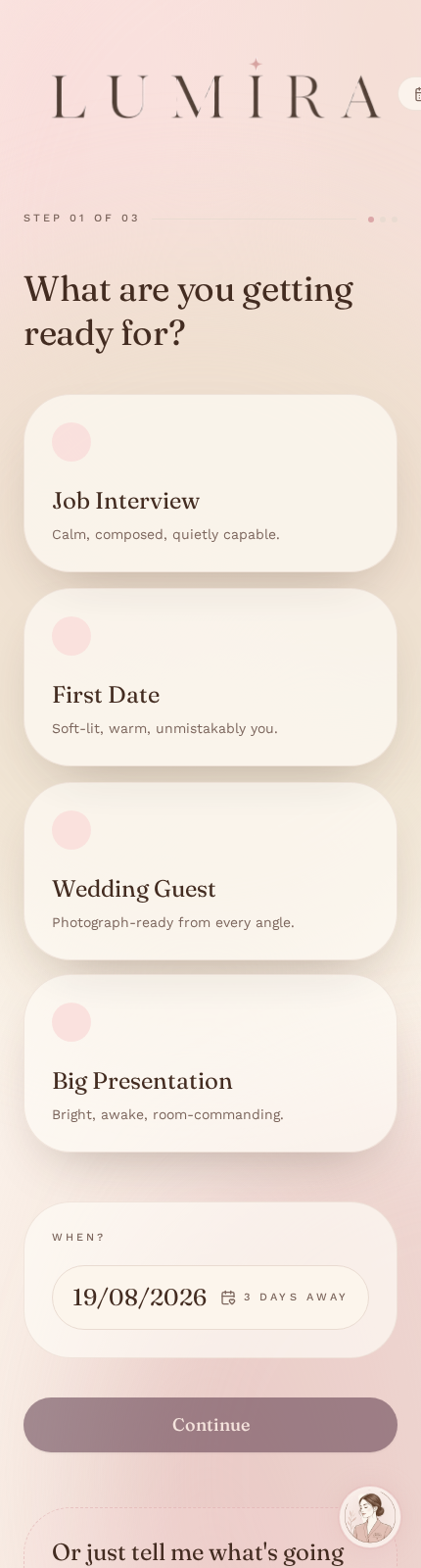
Lumira is a beauty and styling concierge built around a single moment: "I need to be ready for X, by Y."
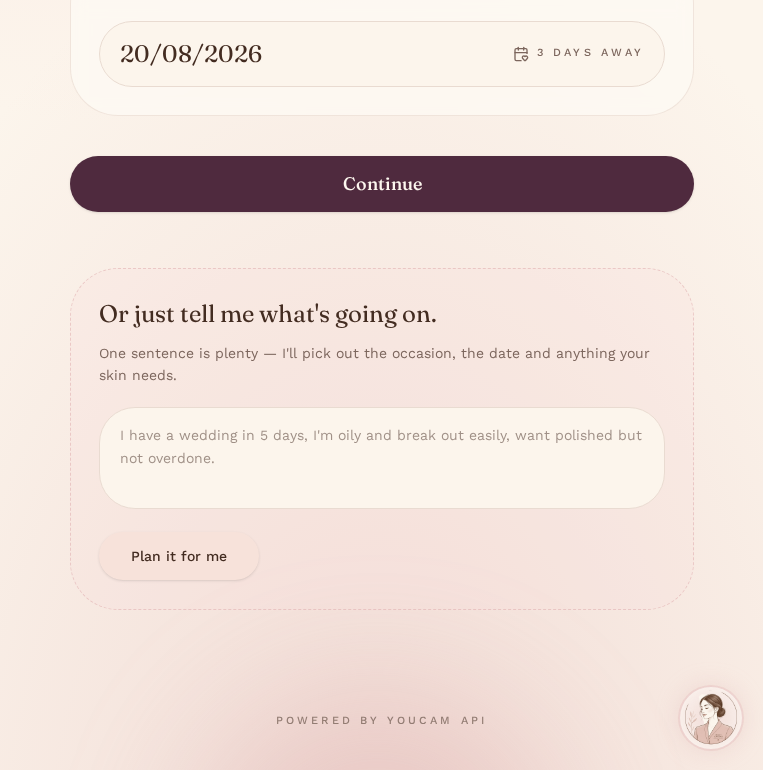
You either walk through a short guided flow — pick an occasion, pick the date on a real calendar (day/month/year, dd/mm/yyyy) — or you skip straight to typing one sentence like "I have a wedding in 5 days, I'm oily and break out easily" and let the agent parse occasion, date, and skin notes out of it automatically.
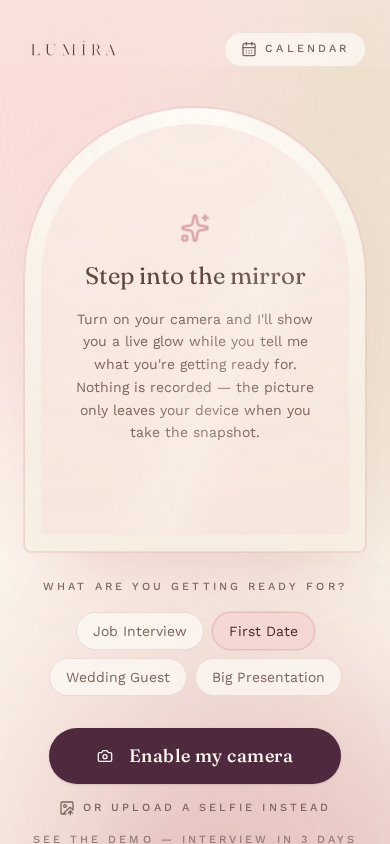
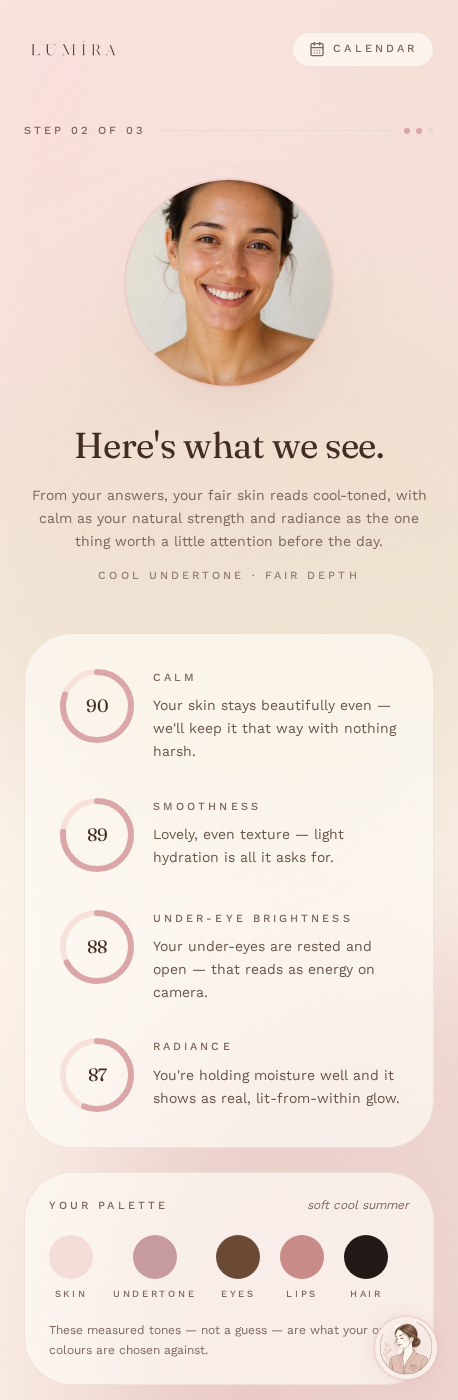
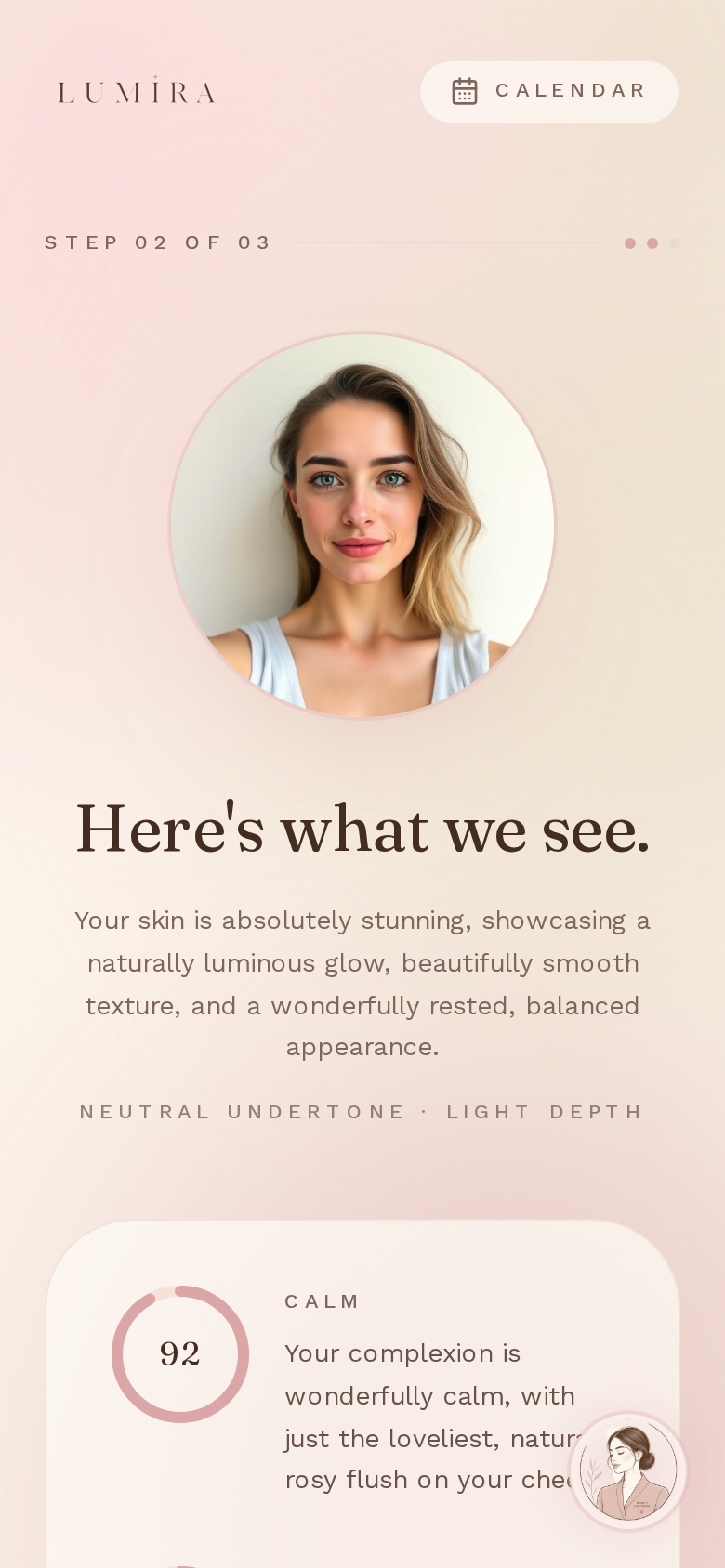
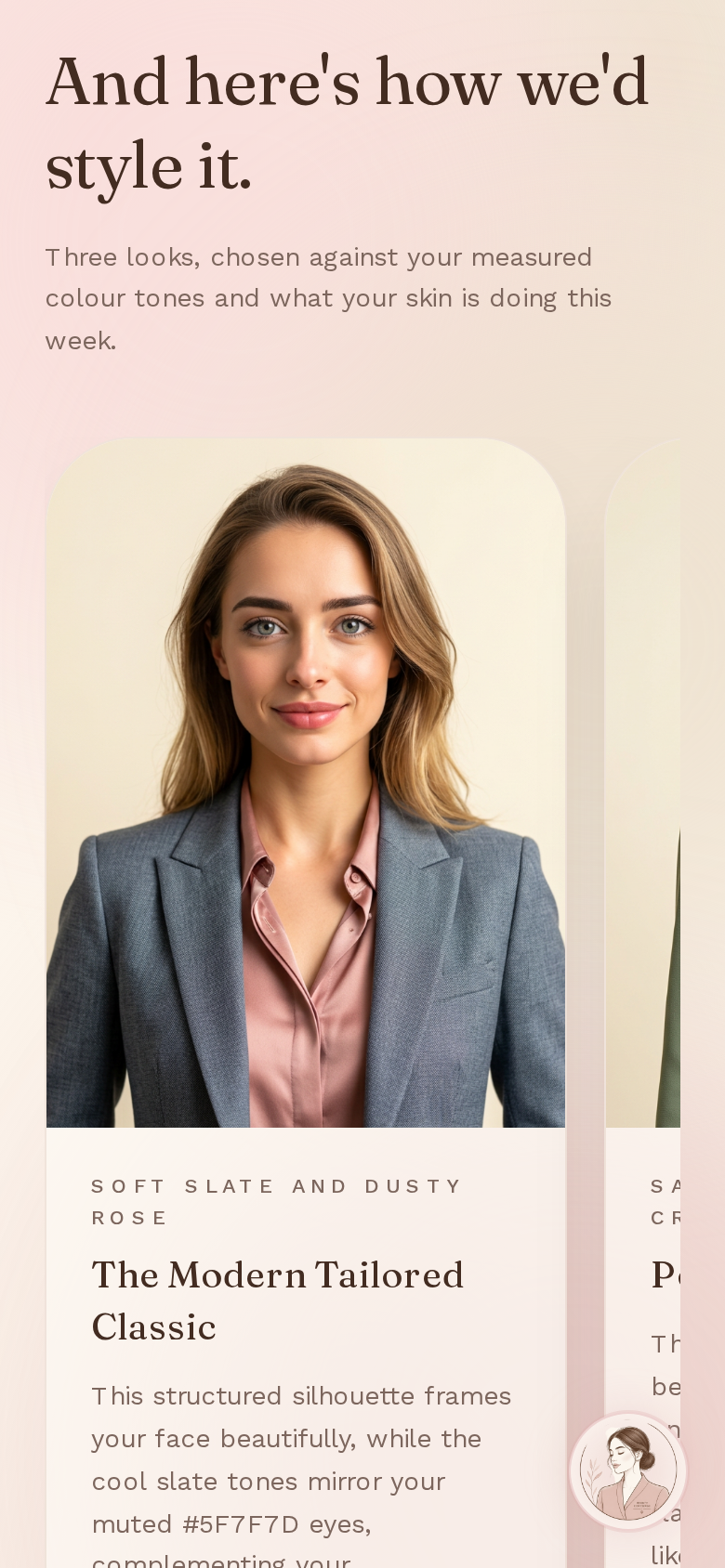
From a single selfie, Lumira calls YouCam's AI Skin Analysis to read real skin concerns (redness, texture, dark circles, radiance) and YouCam's AI Facial Color Tones Analyzer to get actual skin tone, undertone, eye, and lip color — not a guess. Those two results feed one reasoning step that does two things: builds a short countdown skincare plan for the days remaining, and picks outfit colors and styles that are genuinely color-matched to the person, not just occasion-appropriate. Those outfits are then rendered on the user's own photo through YouCam's AI Clothes Virtual Try-On.
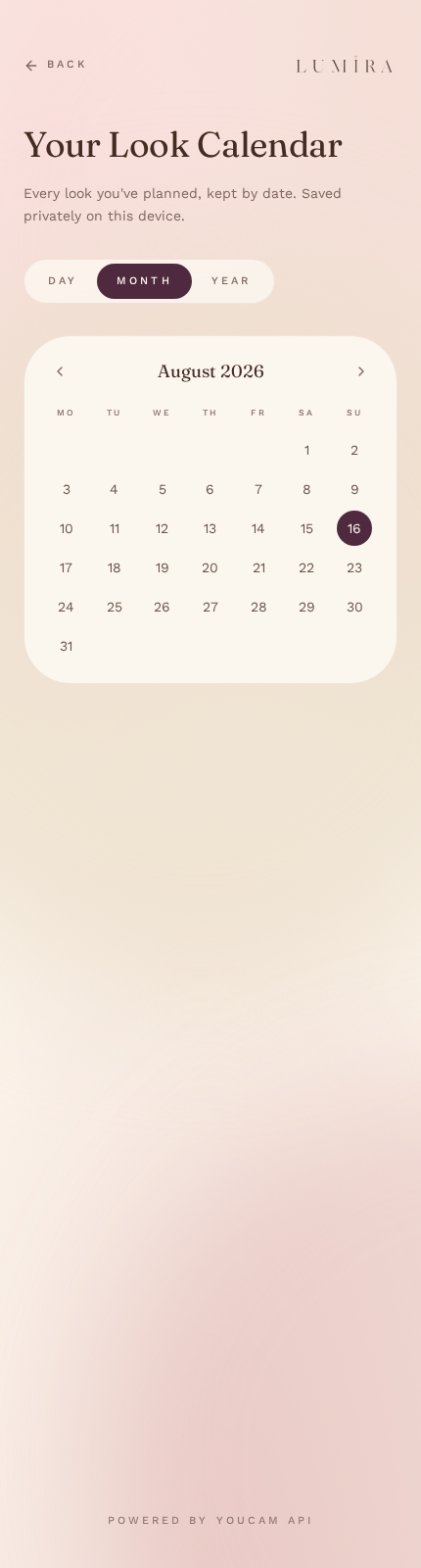
Every look can be saved to a personal calendar, shared straight to an Instagram Story with Lumira's branding, or shopped via a "Shop This Look" link. And throughout the whole experience, Lumi — an animated, voiced beauty-concierge avatar in the corner — narrates what's happening and answers questions, so a first-time user never has to guess what to do next.
How we built it
React, Vite, TypeScript, Tailwind, and shadcn/ui for the front end, scaffolded rapidly through Lovable so we could spend our limited hackathon hours on the API integration and design instead of boilerplate. Supabase edge functions sit between the browser and the YouCam API, keeping API keys server-side and handling the asynchronous submit-then-poll pattern that both the Skin Analysis and Apparel VTO endpoints use. An LLM-powered agent step turns the raw skin metrics and color-tone data into the countdown plan and outfit selection, and doubles as the brain behind both the Quick Plan free-text parser and Lumi's conversational answers, so we only had to build that reasoning once. Lumi's voice runs on the browser's native Web Speech API — no extra service, no added cost, and it works offline. The Instagram Story image is composited client-side and shared through the native Web Share API, since a web app has no way to push directly into Instagram's Story composer without Meta app review. The calendar persists per-device through a lightweight anonymous session ID in Supabase, so we got real save/browse functionality without building a full account system.
Challenges we ran into
The biggest one was resisting the "wrapper" trap — it's easy to call two APIs and show two results next to each other, but making the color-tone data actually change the outfit selection logic (not just add a color swatch to the UI) took real iteration on the reasoning prompt. Chaining three async YouCam/LLM calls without the experience feeling like a loading-spinner marathon meant designing Lumi's narration and the "breathing glow" states to make waiting feel intentional rather than broken. Browser autoplay policies meant we had to rethink when Lumi's first voice line could actually fire. And scoping — we kept wanting to add "just one more" feature (a calendar, a share flow, a second agent entry point) and had to explicitly sequence what got built first so the actual judged API integration was never at risk of being unfinished.
Accomplishments that we're proud of
Getting the skin-analysis-to-outfit-color reasoning to feel genuinely earned rather than decorative — when Lumira explains why a color works for you, it's citing real detected data, not a template sentence. We're proud of how far we pushed the "beauty, not tech-demo" visual identity, down to Lumi's voice and captioning being accessible by default. And we're proud that Lumira doesn't end at a single result screen — the calendar and sharing turn a one-time analysis into something with a reason to come back.
What we learned
We learned the YouCam Skin and Fashion APIs in real depth — the dermatologist-verified concern categories, the async job lifecycle, and how the Color Tones Analyzer is clearly built for exactly this kind of personalization use case even though it's easy to overlook next to the flashier VTO endpoints. We learned how much a grounded, data-driven agent prompt beats a clever-sounding but unconstrained one. And we learned, the hard way, how quickly a "just one more feature" hackathon scope can grow — and the value of writing down a build order before touching code.
What's next for Lumira AI
Closing the loop further with YouCam's AI Makeup Virtual Try-On, so a detected skin concern doesn't just influence outfit color but also gets a real makeup fix suggestion. Real retail partnerships behind "Shop This Look" instead of placeholder links. Hairstyle and hair color recommendations joining skin and outfit as a third input to the styling agent. Lightweight day-before reminders tied to the calendar's countdown plans. And eventually, real accounts so a look built on your phone shows up on your laptop too.
Built With
- anime.js
- javascript
- lovable
- react


Log in or sign up for Devpost to join the conversation.