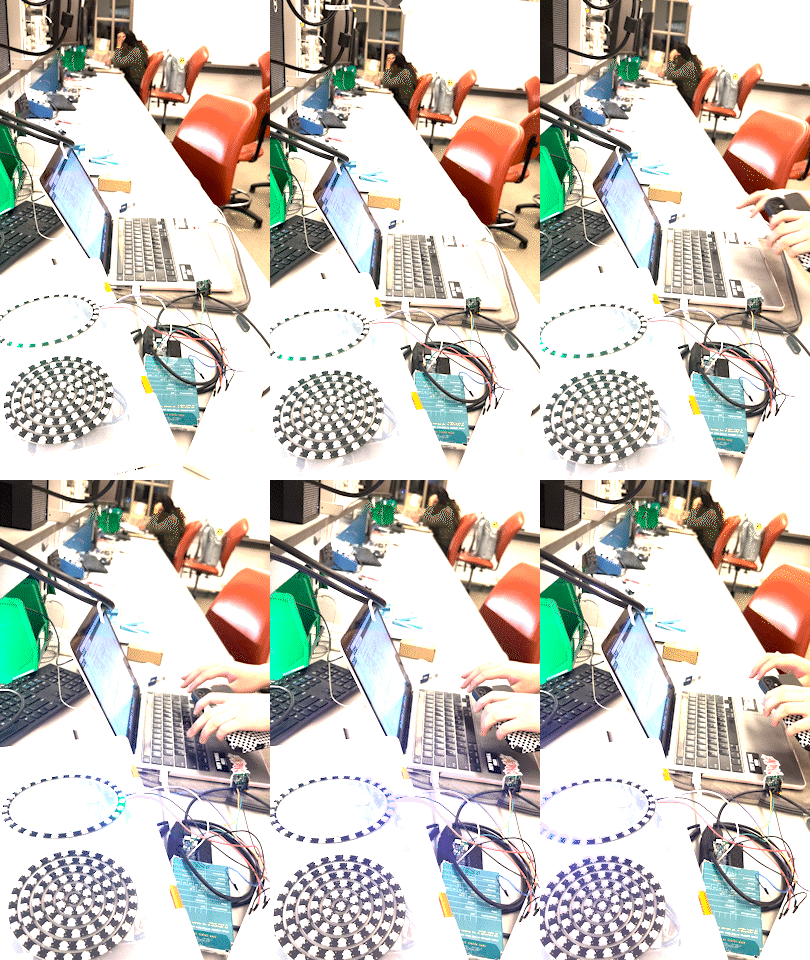
tbd
Our Design Process
The Luminaut design arose out of multiple iterations and goal shifts. Our original design idea was a motion-activated night light, but we determined that this product already exists in significant form. To create a more innovative and exciting product, we changed our idea to a tool that would help all of our lives as students: a productivity helper. The question of devising such a tool was quite broad, but by observing the range of sensors available to us, we were able to come up with quite a utile product.
Iterations
Initially, we created a motion-activated light circuit using LIR sensors. However, the accuracy of the sensors meant they were better suited for closer motion rather than farther motion. Additionally, we wanted to create a more innovative and creative product, which is why we pivoted to reimagining deskside productivity. This motivation guided the final design of Luminaut.
Challenges we ran into
We faced a lot of technical challenges when attempting to integrate Bluetooth and Blynk to our product. The ESP32 device we tried to use was full of issues -- despite switching out every individual part of the circuit and fully reinstalling all associated software, the device still refused to work properly. We eventually shifted to a different device, the WifiShield, before eventually settling on the Arduino Uno Wifi. This device worked great for our bluetooth integration (allowing users to change the ring brightness to preference), but our troubles were still not over. We then encountered a variety of difficulties with configuring the code to our desired specifications, namely on ensuring that we could manipulate and delay the lights without rupturing the connection with the Bluetooth device. After a late night in the Detkin Lab, we finally fixed the setup and got the product working.
What we learned
Through this project, we had an opportunity to hone a variety of skills, such as coding, system design, and soldering. As a team, we needed to combine our skills acquired from very different disciplines to complete our final product. We now feel more confident in our ability to build more complex circuits, solder, and integrate Bluetooth and IoT components with Arduino.
Technology description
LIR / Infrared sensors
Arduino Uno Bluetooth
Blynk IoT integration
WS2812 LED rings
What's next for Luminaut
By integrating all of the wiring into a compact piece, the Luminaut will be able to stand alone on one's desk and will be unobtrusive to the workplace. Further customizations through the Bluetooth-paired app (such as specific colorings and patterns) will allow the Luminaut to fit better to everyone's individual working styles.
Code sample
BLEDevice central = BLE.central(); // wait for a Bluetooth® Low Energy central

  if (central) {  // if a central is connected to the peripheral
    Serial.print("Connected to central: );

    Serial.println(central.address()); // print the central's BT address

    digitalWrite(LED_BUILTIN, HIGH); // turn on the LED to indicate the connection
    // while the central is connected:
    while (central.connected()) {
      long currentMillis = millis();

      if (currentMillis - previousMillis >= 200) {
        previousMillis = currentMillis;

        int randomValue = analogRead(A1);
        randomReading.writeValue(randomValue);

        if (switchChar.written()){ //|| digitalRead(pir_output) == HIGH) {
          FastLED.setBrightness(switchChar.value());
          if (millis() - cur < 2000){//digitalRead(pir_output) == HIGH) {
          //Serial.println("Motion!");
          //digitalWrite(ledPin, HIGH);
        ```''```
Built With
- arduino
- blynk

Log in or sign up for Devpost to join the conversation.