-
-
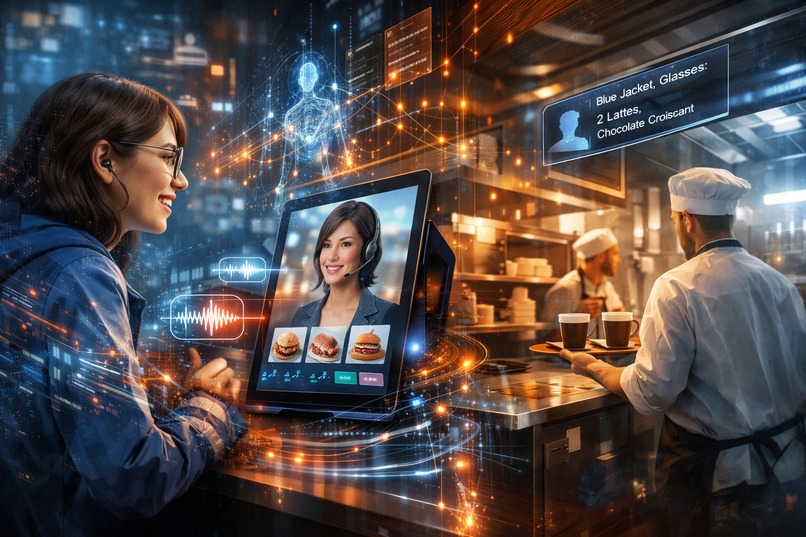
Lumina Live – A Real-Time AI Customer Service Agent
Lumina Live - Project Story
Inspiration
Picture this: You're in a crowded cafe. The line is long. When you finally reach the counter, the barista can barely hear you over the espresso machine. You order a latte with oat milk, but they hear "almond." Ten minutes later, someone shouts "Order for... John?" — but your name is James. You grab something, hope it's yours, and walk away wondering if this is really the best we can do.
Now imagine a different experience:
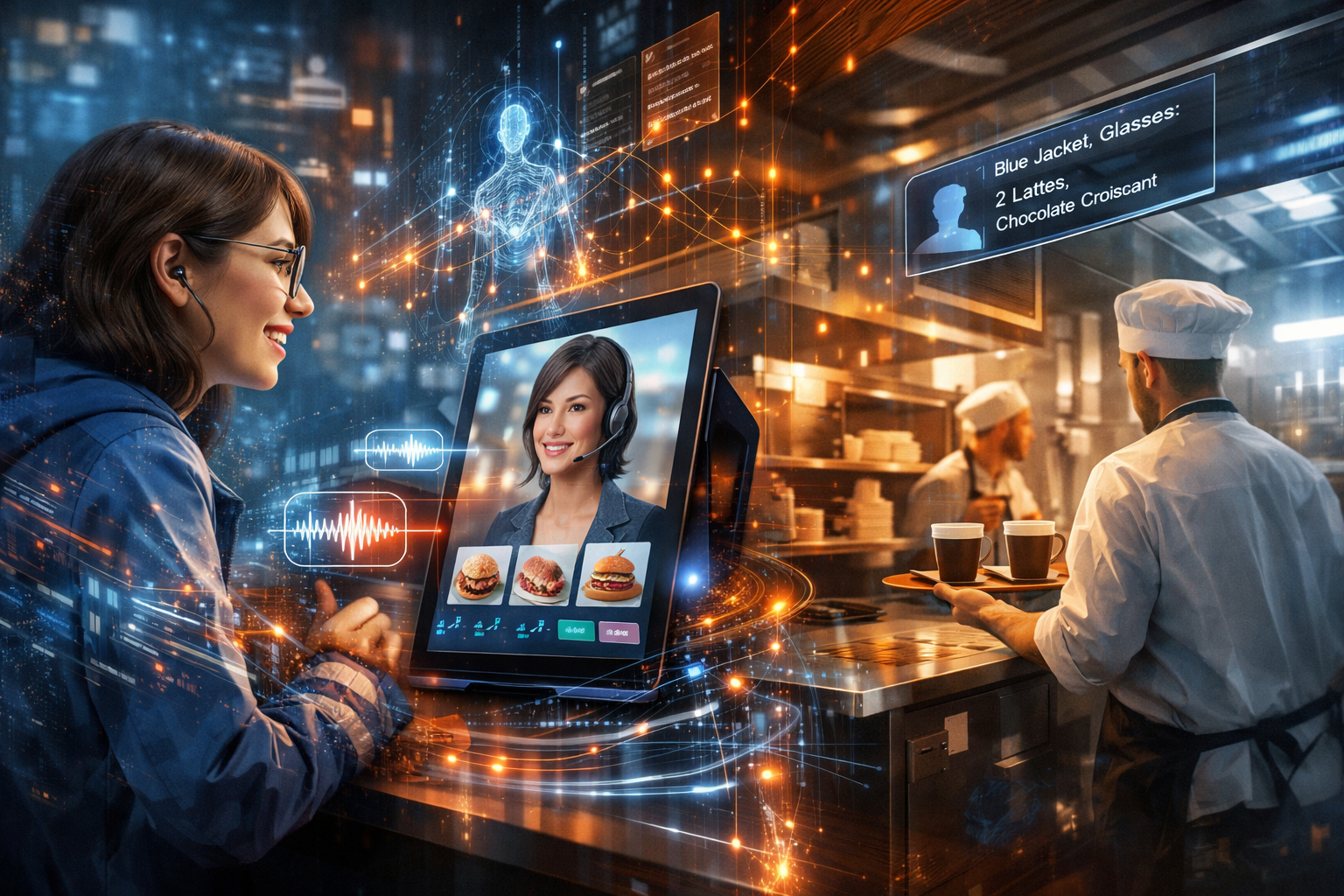
You walk up to a friendly screen. A warm voice greets you: "Hi there! I love the blue jacket — it really pops! What can I get you today?"
You just talk, naturally. "Can I get a latte? Oh, and what cakes do you have?"
The screen comes alive — showing you the cake selection as Kim, your AI assistant, describes each one. You don't touch anything. You just have a conversation.
When your order is ready, the barista doesn't shout into the void. They walk over to you — the person in the blue jacket — because they know exactly who ordered what.
That's Lumina Live. An AI that sees you, hears you, and connects the dots between your digital order and your physical self.
While this story happens in a cafe, the problem exists everywhere — restaurants, hotels, clinics, retail stores, and events.
Lumina Live is designed as a real-time AI service agent that can interact with customers naturally, understand multiple languages, and connect digital conversations to real-world actions.
Lumina Live bridges the gap between digital AI conversations and real-world human service.
What it does
Lumina Live introduces Kim, a real-time AI service agent that transforms how people interact with businesses — from cafes and restaurants to hotels, clinics, retail stores, and events.
The Experience
Step 1: Kim Sees You When you approach, Kim notices you arrive and greets you warmly. She might comment on something she observes — your cool sunglasses, your cozy sweater — making the interaction feel personal from the start.
Step 2: You Just Talk No menus to scroll. No buttons to tap. Just tell Kim what you want, naturally — in any language you’re comfortable with.
Whether it's English, Japanese, Mandarin, Spanish, or Korean, Kim understands and responds instantly, making the experience welcoming for both locals and international visitors.
- "I'd like something sweet but not too heavy"
- "What's good for someone who doesn't usually drink coffee?"
- "Actually, make that two — my friend wants one too"
Kim understands context, asks follow-up questions, and navigates the menu for you.
Step 3: Kim Handles Everything She shows you items, highlights recommendations, adds things to your cart, and even remembers your preferences. The whole time, you're just having a conversation.
Step 4: The Magic of Recognition Here's where it gets special: Kim remembers what you look like. When she sends your order to the kitchen, she includes a simple description: "Person wearing blue jacket, round glasses, sitting near the window."
No more shouting names. No more wrong orders grabbed. The staff simply walks to you.
For Everyone Involved
| Who | What They Experience |
|---|---|
| Customers | Natural conversation, zero confusion, personal attention |
| Staff | Clear orders, customer descriptions, fewer mistakes |
| Owners | Faster service, happier customers, memorable experience |
How we built it
We started with a question: What would the perfect ordering experience feel like?
Not faster. Not cheaper. But genuinely better — more human, despite being digital.
We mapped out the customer journey, from the moment someone approaches to the moment they receive their order. At each step, we asked: "What would a really great human assistant do here?"
A great assistant would:
- Notice when you arrive and greet you
- Listen to what you want, not just what you say
- Show you things visually while explaining them verbally
- Remember what you look like so they can find you later
- Handle changes gracefully ("Actually, make that decaf")
Then we built Kim to do exactly that.
We used Google's latest AI technology that can simultaneously see through a camera, listen through a microphone, speak naturally, and take actions on screen — all in real-time. Kim isn't playing back recordings or following a script. She's genuinely conversing with each customer, adapting to their needs moment by moment.
The kitchen display connects instantly, showing each order alongside a description of who ordered it. No more "Order 47!" — just "The order for the person in the green hoodie is ready."
Challenges we ran into
Making Conversation Feel Natural
The biggest challenge wasn't technical — it was emotional. How do you make talking to a screen feel comfortable rather than awkward?
We learned that visual feedback matters enormously. When Kim highlights items on screen as she talks about them, customers feel heard and understood. When there's a brief pause, a small animation shows Kim is thinking. These tiny details transformed the experience from "talking to a computer" to "talking with an assistant."
The Recognition Balance
We wanted Kim to recognize customers for practical reasons (finding them when orders are ready), but we had to be thoughtful about privacy and comfort.
We settled on a simple approach: Kim describes what she sees in the moment ("blue jacket, glasses") rather than identifying who someone is. It's temporary and contextual — like how a friend might say "the person in red" rather than using facial recognition databases.
Handling Real Conversation
Real people don't talk in perfect sentences. They interrupt themselves, change their minds, ask tangential questions, and sometimes just think out loud.
"I'll have a... wait, do you have oat milk? Oh you do? Great, then a latte with oat milk. Actually no, make it two. Wait — is your oat milk Oatly or something else?"
Teaching Kim to handle this gracefully — tracking the actual intent through all the meandering — was our biggest learning curve.
Accomplishments that we're proud of
Zero-Touch Ordering Actually Works
We tested with friends and family who had never seen the system. Every single person completed their order without touching the screen — and several said it felt more natural than ordering from a human cashier (who they often couldn't hear clearly anyway).
The "How Did You Know?" Moment
When staff walked directly to the right customer without calling out names, we saw genuine surprise and delight. One tester said: "Wait, how did they know it was me?" That's the moment we knew we'd created something special.
It Feels Warm, Not Cold
Technology often feels sterile. We were proud that people described Kim as "friendly," "helpful," and even "charming." One person said talking to Kim felt like "ordering from the nice barista who remembers your usual."
Real-Time, Every Time
Kim responds instantly. The kitchen sees orders immediately. Staff find customers right away. In a world of spinning loading wheels and "please wait," we built something that just flows.
What we learned
1. Seeing Changes Everything
Most AI assistants can hear you. Lumina Live can hear, see, understand context, and act in real time.
When AI shares the same visual context as a customer, interactions become natural — like talking to a human assistant who is standing right there with you.
2. Agency Creates Trust
When Kim just talked, customers listened. When Kim started doing — navigating screens, highlighting items, building carts — customers trusted her to handle things. The ability to take actions turned Kim from a voice interface into a genuine assistant.
3. Personality Isn't Fluff
We initially wrote Kim to be efficient and professional. It felt cold. When we gave her warmth, humor, and small moments of personality ("I'm a huge fan of our carrot cake, but I might be biased — I see it every day!"), engagement skyrocketed.
4. Bridging Digital Intelligence and Physical Service
The real innovation wasn't the AI conversation — it was connecting digital orders to physical humans through visual description. This "bridge" solved problems that pure-digital or pure-physical systems couldn't address alone.
What's next for Lumina Live
Near Future
Multilingual by Design — Kim can understand and respond in multiple languages, making services accessible to international customers without requiring staff translation.
Remembering Regulars — "Welcome back! Your usual oat latte?" For customers who opt in, Kim can remember preferences and make ordering even faster.
Dietary Guardian — Proactively mentioning allergens, suggesting alternatives, and making sure nobody accidentally orders something they shouldn't.
Bigger Picture
We see Lumina Live expanding far beyond cafes:
Healthcare — Patient check-in that's warm, accessible, and multilingual. "I see you're here for your 3pm appointment with Dr. Kim. Let me walk you through the check-in process."
Hotels — Lobby assistants that recognize returning guests, remember their preferences, and make check-in feel like coming home.
Retail — Shopping helpers that see what you're looking at, understand what you're trying to find, and guide you naturally through the store.
Events — Conference check-in that's fast, personal, and eliminates the dreaded registration line.
Anywhere humans interact with digital systems — that's where Kim (or her siblings) could help.
The Heart of It
At its core, Lumina Live exists because we believe technology should make human experiences more human, not less.
The best cafe isn't the one with the fastest ordering system. It's the one where someone greets you warmly, listens to what you actually want, and brings your order right to you — knowing exactly who you are.
We just gave that experience to everyone, every time.
Built with ☕ and 💜 for the Gemini Live Agent Challenge
Built With
- fastapi
- firebase-firestore
- framer-motion
- google-cloud-run
- google-gemini-api
- google-genai-sdk
- next.js-14
- tailwind-css
- websockets
- zustand

Log in or sign up for Devpost to join the conversation.