Inspiration
Reading a dense academic paper start to finish just to find one answer is slow, and most people doing real research — students, grad researchers, anyone working through a stack of PDFs for a literature review — end up skimming instead of actually engaging with the material. The obvious fix people reach for is pasting the paper into a chatbot, but that comes with two problems: the paper leaves your machine and goes to a third-party server, and the chatbot's citations are just as likely to be invented as real, since nothing is actually checking them against the source text.
Lumina AI started from wanting both of those problems solved at once — a research assistant that runs entirely on your own machine , and that doesn't just generate an answer but checks its own claims against the retrieved evidence before showing them to you.
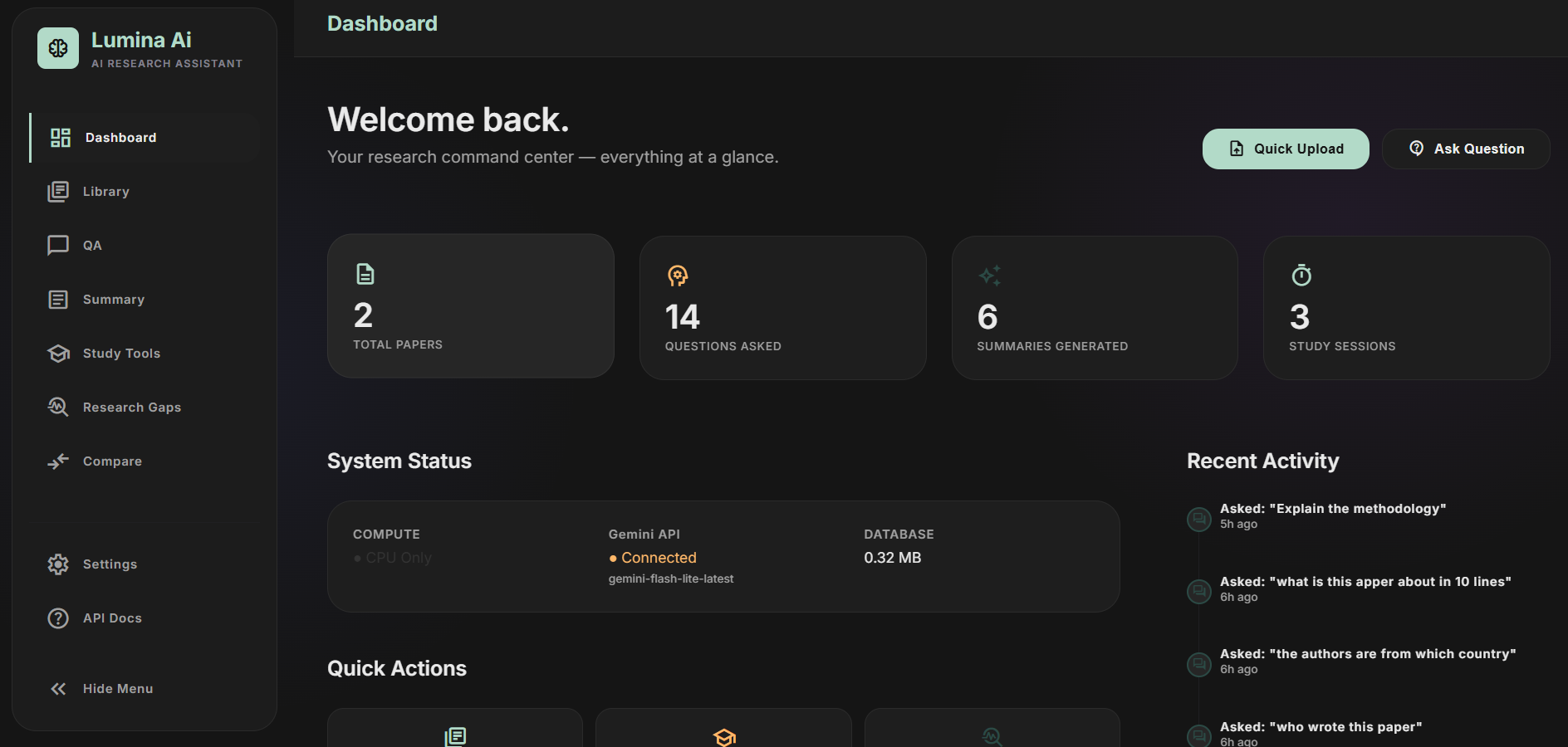
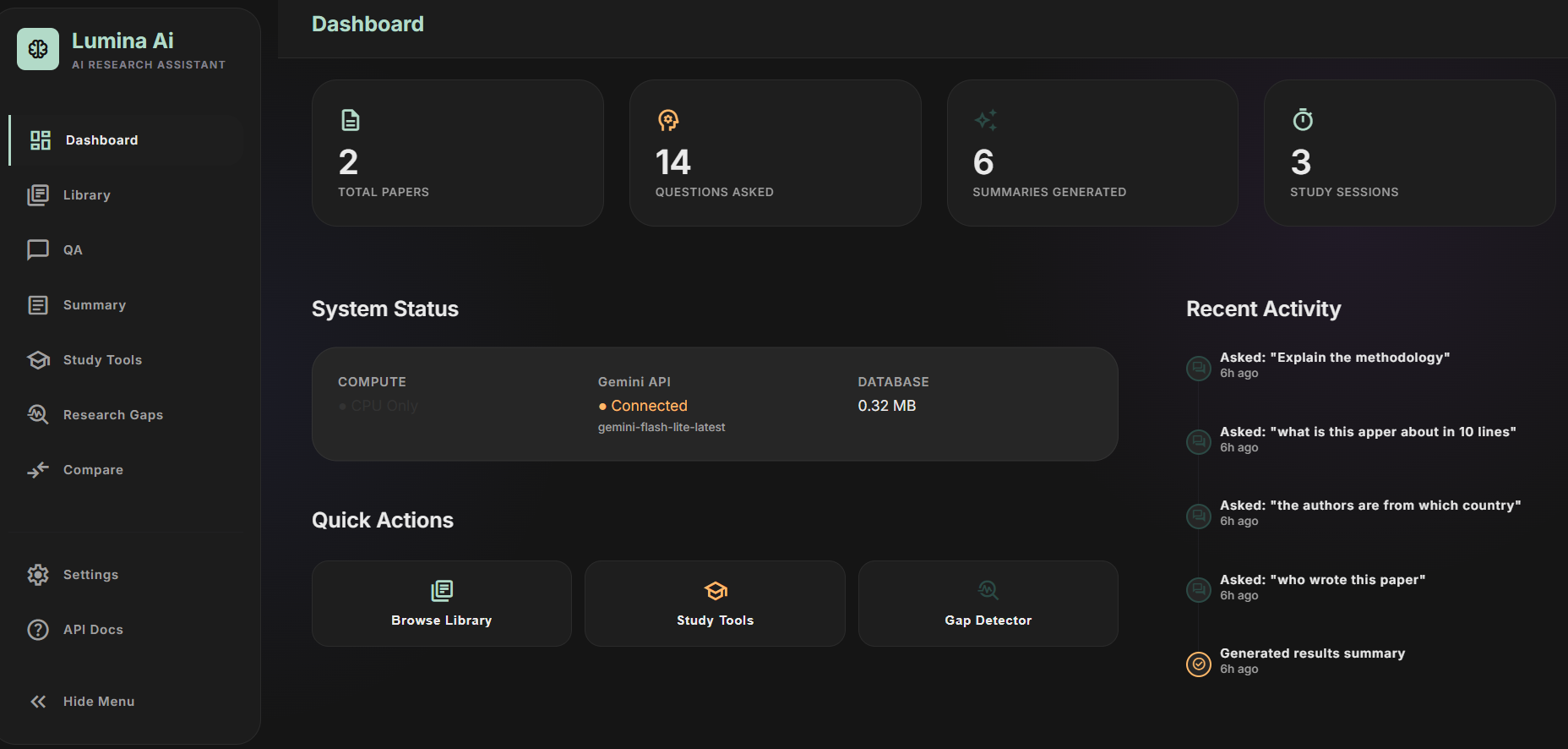
What it does
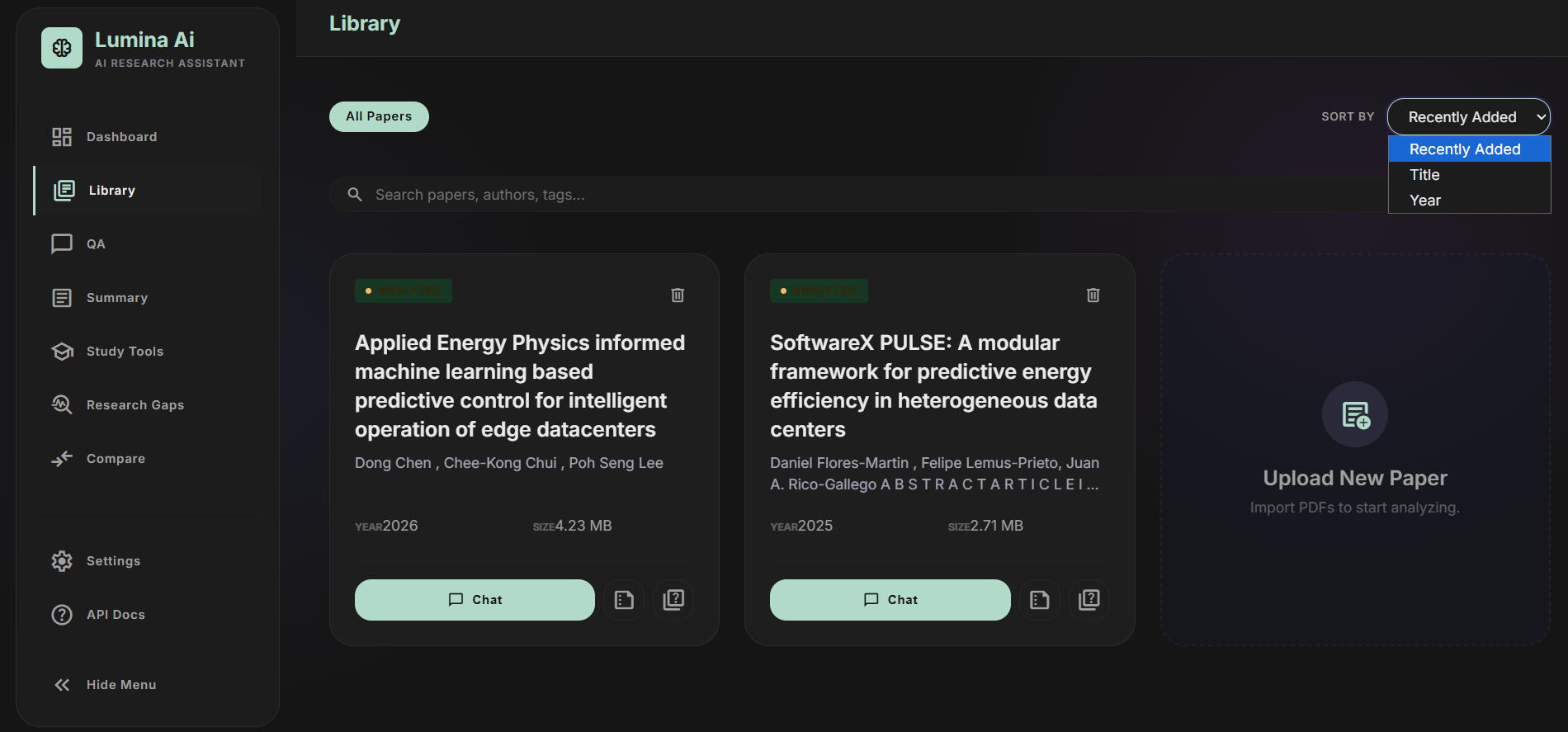
Lumina AI is a local web app for working with a personal library of research paper PDFs. You upload a paper, and a background pipeline extracts its text, tables, and metadata, splits it into chunks, and indexes those chunks into both a dense vector store and a keyword (BM25) index so it's ready to query within seconds of finishing.
From there, the core workflows are:
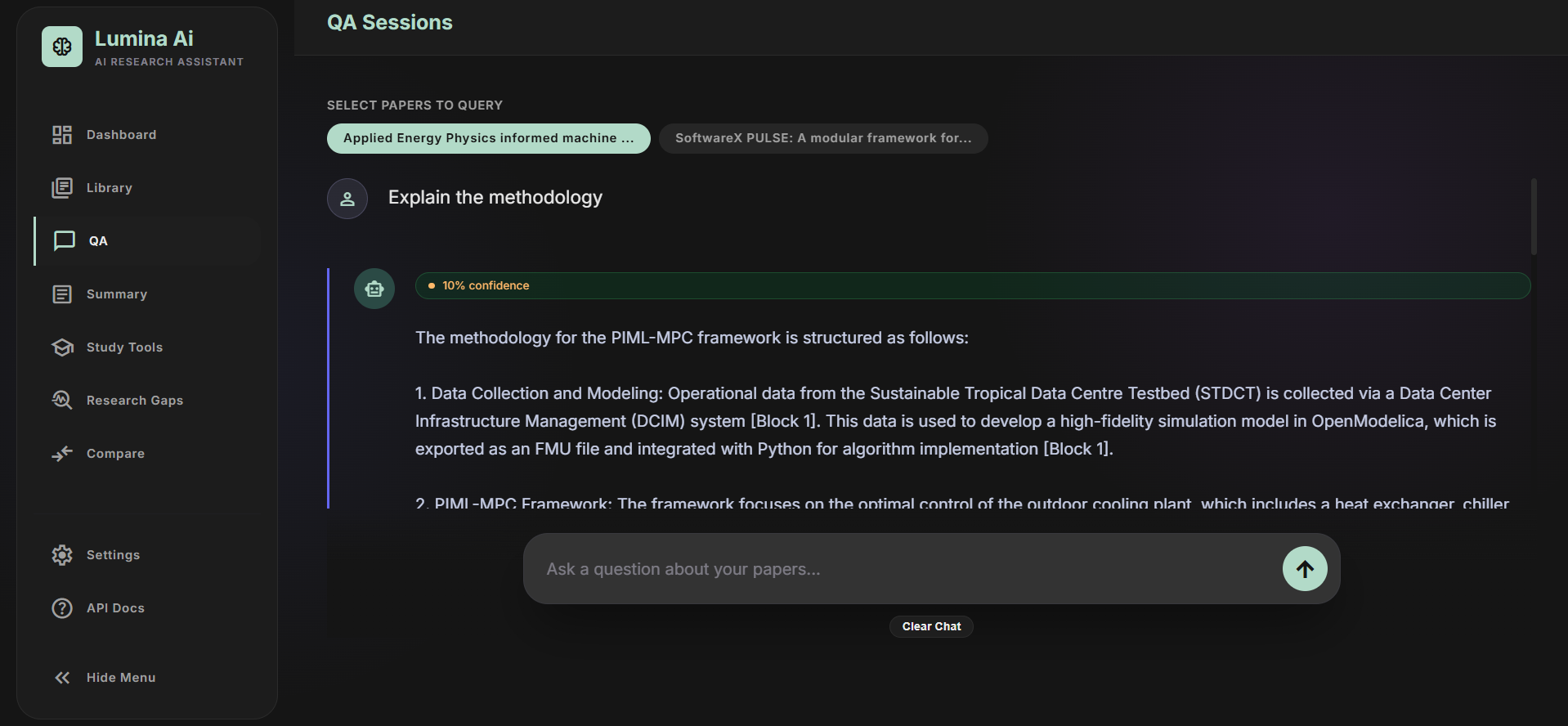
Question answering — ask a question about one paper or several at once. Retrieval runs hybrid (dense + sparse) with cross-encoder reranking, and the answer streams back over a WebSocket (or returns synchronously over REST) with inline citation markers tied to the exact page and section they came from.
Verification — every answer goes through a pipeline that decomposes it into individual factual claims, checks each one against the retrieved evidence using a natural-language-inference model, validates that citation markers actually point to real context blocks, and rolls all of that into a confidence and faithfulness score shown alongside the answer.
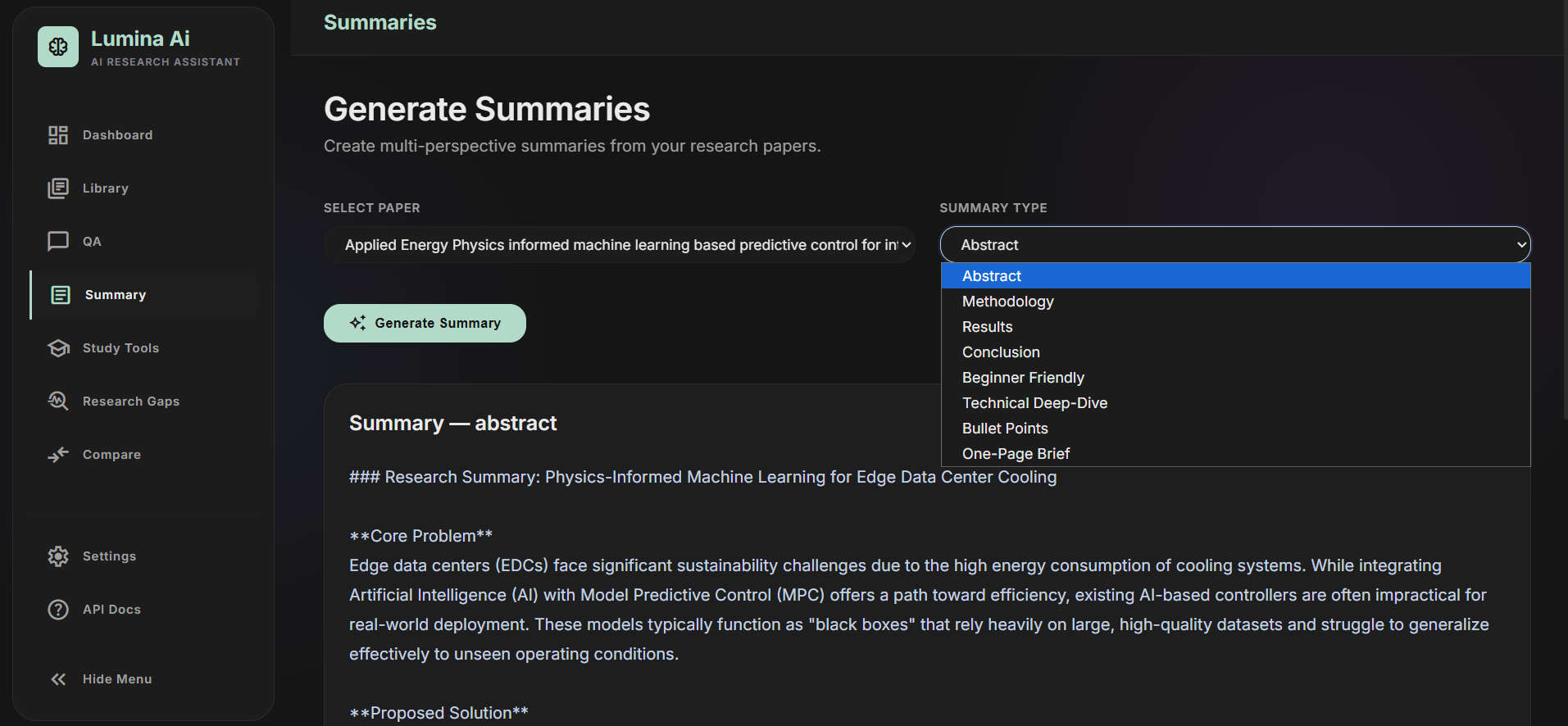
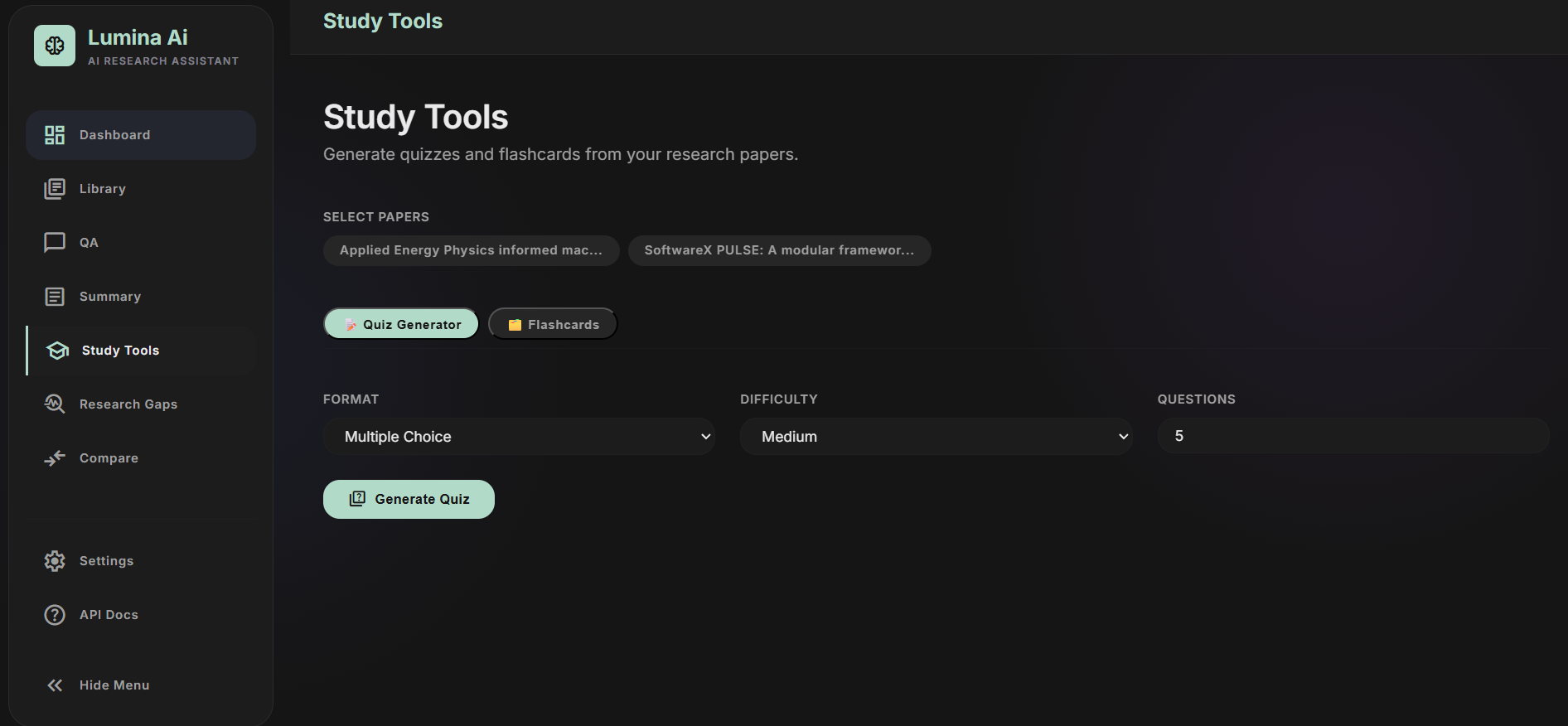
Summarization — eight distinct summary styles (abstract, methodology, results, conclusion, ELI5, technical, bulleted, one-page brief), cached per paper so repeat requests are instant. Study tools — auto-generated flashcards and quizzes (MCQ, true/false, short/long answer) at configurable difficulty.
Knowledge graph — papers, methods, datasets, and metrics extracted into a graph structure and rendered visually so you can see how a paper's contributions connect to entities across your library.
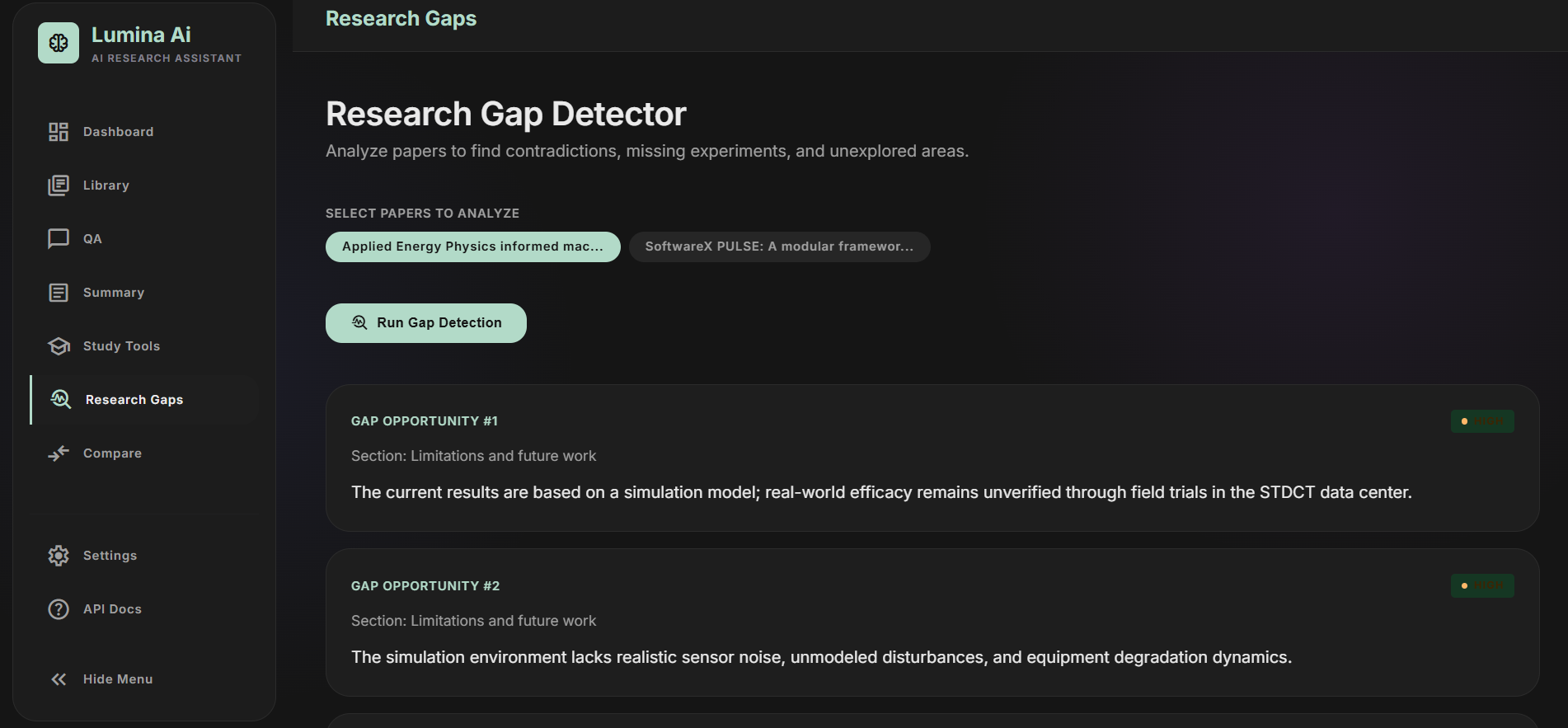
Research gap detection — an agent scans limitations, conclusions, and future-work sections across a corpus to surface what's missing or contradictory.
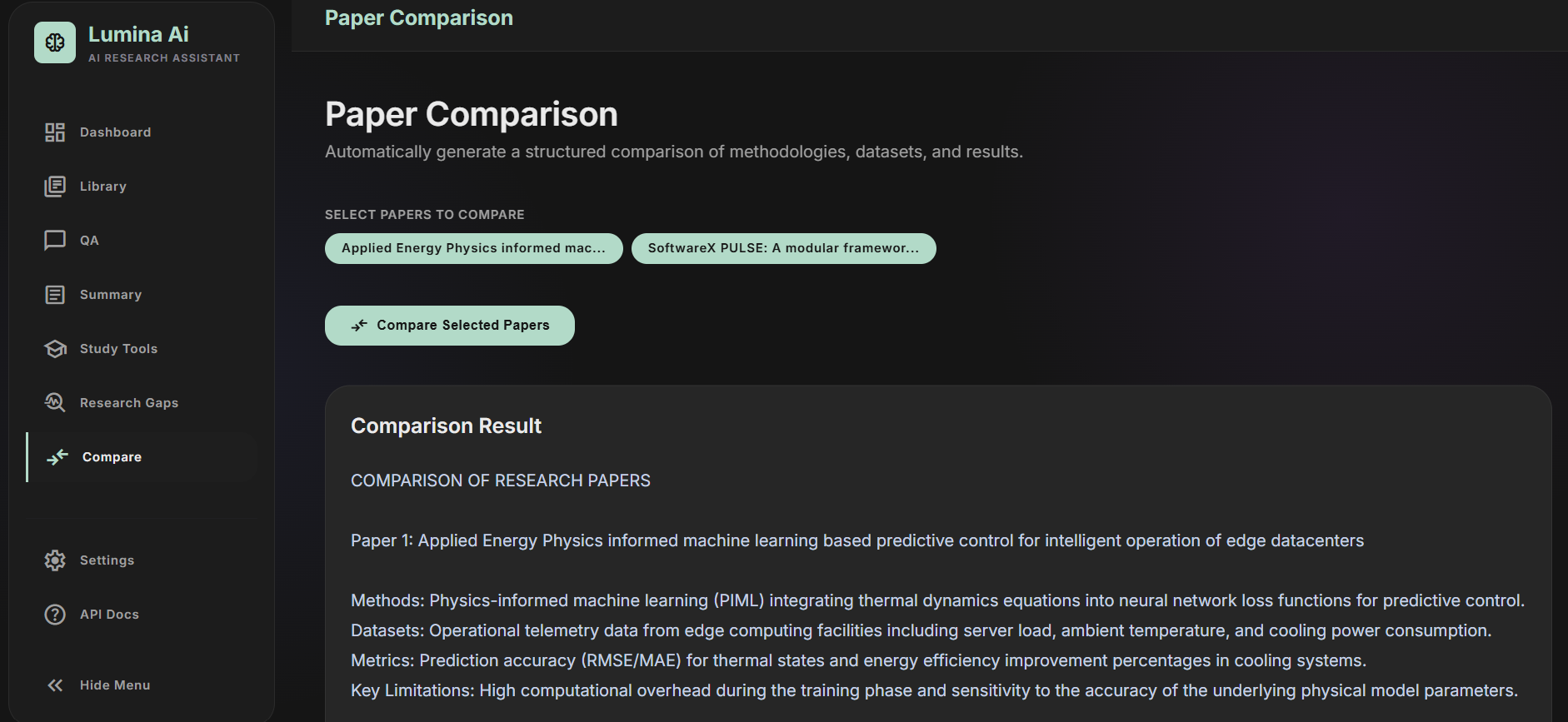
Paper comparison — a structured side-by-side comparison table synthesized from each paper's extracted methods, datasets, and metrics.
Underneath all of this, the LLM provider is swappable between Google Gemini and a fully local Ollama instance via a single config value, so the same app can run entirely offline. The frontend is a single-page app with a dashboard, library, and per-feature pages, built without any JS framework.
How we built it
The whole system is a single FastAPI process that serves both the JSON API and the static frontend, which keeps deployment to "one process, one port." The folder layout mirrors the pipeline: pipeline/ and rag/ handle **PDF **ingestion through retrieval, verification/ is a dedicated trust layer, knowledge/ builds the graph, agents/ holds task-specific LLM orchestration, models/ and services/ abstract away the LLM provider, and database/ and config/ handle persistence and settings.
PDF processing uses PyMuPDF for layout-aware text extraction, including a custom reading-order heuristic that detects two-column academic layouts by comparing each text block's width and center against the page midpoint. Title, authors, DOI, publication year, abstract, and keywords are pulled out with a mix of regex and font-size heuristics (the largest-font span on the first page is treated as the title, the next size band below it as authors). Tables are extracted separately with pdfplumber and serialized to Markdown for the LLM to read. Scanned pages fall back to Tesseract OCR when the text layer comes back too short, with the OCR path itself checking at import time whether the Tesseract binary is even available.
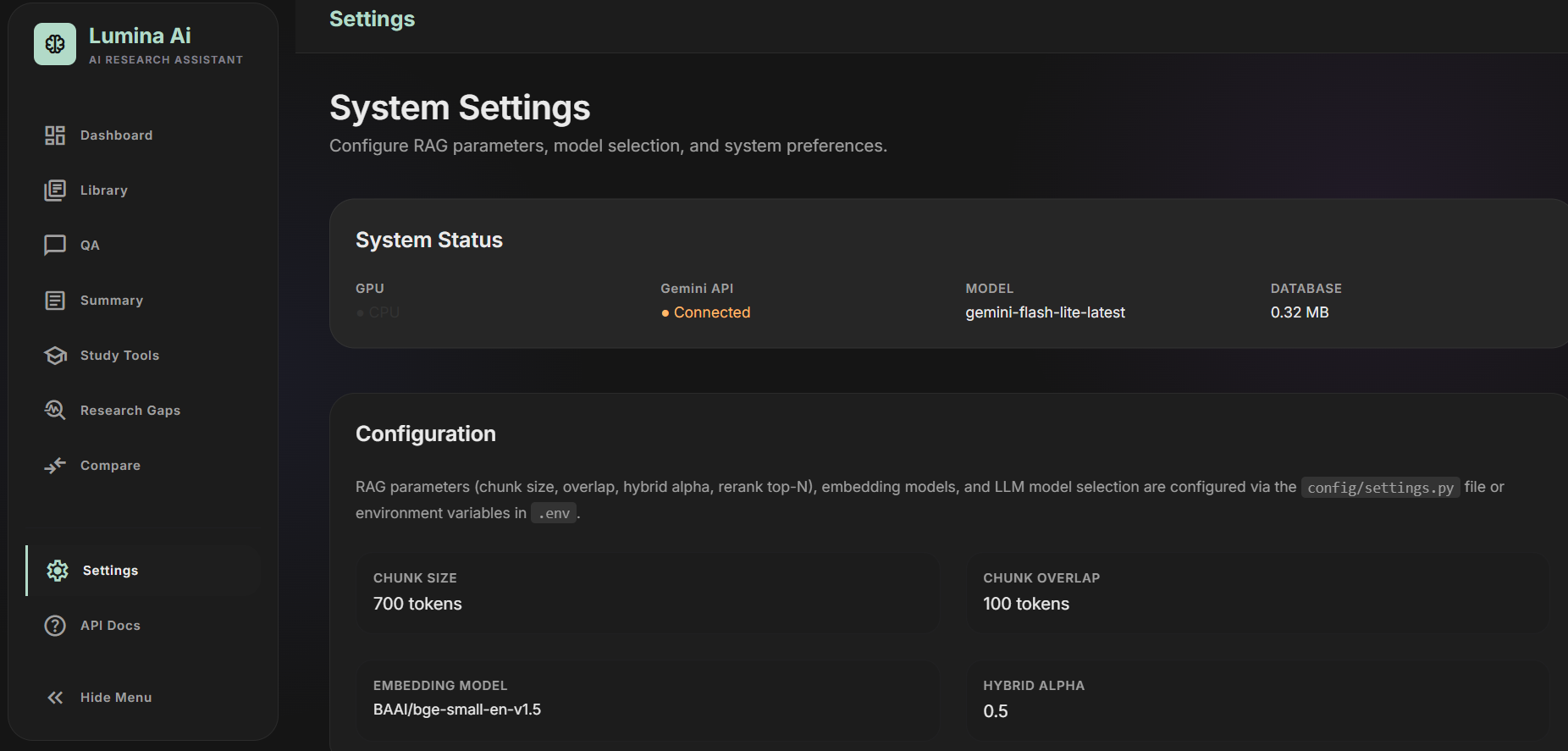
Chunking is a hierarchical, paragraph-based splitter with naive heading detection and a sliding-window fallback for oversized paragraphs. Embeddings come from sentence-transformers (BGE models by default), with a SQLite cache keyed by the SHA-256 hash of the text plus model name, so identical chunks across papers never get re-embedded. Vector storage is backend-agnostic — FAISS (IndexFlatIP over L2-normalized vectors) is the default, with ChromaDB as a drop-in alternative — and a rank_bm25 sparse index is built alongside it for every paper. At query time, dense and sparse results are merged with Reciprocal Rank Fusion and then re-scored by a cross-encoder reranker before being handed to the LLM, with the result passed through a token-budgeted compressor to avoid overflowing the context window.
LLM access goes through a single query_llm/stream_llm interface that dispatches to either services/gemini_client.py (the modern google-genai SDK, with explicit handling for 404/429/401/403 errors) or services/ollama_client.py (raw REST calls with NDJSON streaming), so every other module — QA, summarization, quiz generation, the verification pipeline, the knowledge extractor — is written against one interface regardless of which provider answers.
Verification runs a separate cross-encoder/nli-deberta-v3-small model to score entailment between each decomposed claim and the retrieved evidence, independent of whatever the generation model claimed about its own sources. The database is plain SQLite accessed through the standard library, with a hand-rolled migration runner that checks PRAGMA table_info before altering tables — no ORM, no migration framework, which keeps the whole thing dependency-free for a single-user local tool. Auth is a single shared access code compared with hmac.compare_digest and stored in an httponly cookie — not a multi-user account system, by design.
For deployment, there's a Dockerfile (Python 3.12-slim with Tesseract installed) and a docker-compose file that wires up an Ollama sidecar container, alongside plain uvicorn invocation and a pair of VBS scripts that let the whole thing run as a silent, console-free Windows application with PID tracking for start/stop. Tests use pytest and FastAPI's TestClient, covering PDF layout sorting, retrieval evaluation metrics, citation-accuracy scoring, and mocked agent intent classification.
Challenges we ran into
The layout problem came first: PyMuPDF returns text blocks in an order that interleaves left and right columns on typical two-column academic layouts, which garbles anything read top-to-bottom naively. The fix was a heuristic that treats full-width spanning blocks (titles, abstracts) as column-independent and otherwise splits blocks by which side of the page midpoint their center falls on, sorting each column independently before merging.
Trusting the LLM's own citations turned out to be the wrong approach entirely — a model asked to cite its sources will confidently attach a citation marker to a claim that isn't actually supported by the retrieved text. That's what pushed the verification pipeline to be a genuinely separate pass: decompose the answer into atomic claims, check each one against the evidence with an NLI model instead of asking the same LLM to grade itself, and regex-validate that citation markers in the final text actually correspond to a context block that was retrieved rather than a hallucinated index.
Retrieval accuracy was another iteration point — dense embedding search alone misses exact terminology (model names, dataset acronyms) that a paraphrase-based embedding doesn't capture well, while pure keyword search misses semantically related passages that use different wording. Hybrid retrieval with Reciprocal Rank Fusion, followed by a cross-encoder reranking pass, addressed both failure modes without picking one search strategy over the other.
Supporting two structurally different LLM backends — a cloud API with typed error codes and a local server that streams newline-delimited JSON — behind one shared interface took some care, especially keeping the WebSocket connection alive during streaming by yielding to the event loop between chunks instead of blocking on the generator. On the deployment side, pythonw.exe (used by the silent launcher) has no attached console, which meant sys.stdout is None and crashes a naive logging handler on its first emitted record — solved by guarding the console handler against a missing stream and routing real output through a hidden cmd.exe wrapper into a log file. OCR availability was a similar class of problem: Tesseract is an external binary the app can't assume is installed, so the OCR path checks its own availability at import time and silently falls back to whatever text layer already exists rather than failing the whole upload.
Accomplishments that we're proud of
The verification layer is the piece we'd point to first — most RAG projects stop at retrieval plus generation, but here every answer is decomposed into claims, independently checked against evidence with an NLI model, and scored for both citation accuracy and faithfulness before it reaches the user. That turns "confidence score" into something computed from actual signals rather than a number the LLM made up about itself.
We're also glad we built the provider and storage layers as genuinely swappable rather than hardcoded: switching the LLM between Gemini and a fully local Ollama instance, or the vector store between FAISS and ChromaDB, is a one-line config change because both sides were written against a shared interface from the start. The hybrid retrieval path (dense plus BM25, fused with RRF, then reranked) is real, not a simplified top-k cosine search dressed up to sound more sophisticated. The knowledge extraction pipeline pulling structured methods, datasets, metrics, and limitations out of unstructured PDF text — and reusing that same structured data across three separate features (the graph, paper comparison, and gap detection) — meant that work paid for itself more than once.
Because indexing, embedding, reranking, and NLI verification all run locally, a user's papers and questions never have to leave their machine except for the LLM call itself — and even that's optional with Ollama. And the app manages to feel like a real desktop application, with a silent VBS launcher that tracks its own process ID for clean shutdown, despite being a web app underneath. Failure handling throughout is graceful rather than fatal: a missing reranker, a missing OCR binary, or a quiz-generation response that isn't valid JSON all degrade to a sensible fallback instead of a 500 error.
What we learned
The biggest lesson was that RAG answer quality is overwhelmingly a retrieval problem before it's a prompting problem — the jump from single-method search to hybrid retrieval with reranking mattered more than any amount of prompt tuning on the QA template. Close behind that: a confidence score is only trustworthy if it's computed from a signal independent of the generation call itself, which is why the NLI verification step exists as a genuinely separate model rather than another LLM prompt asking "are you sure?"
Building the provider abstraction paid off in a way that wasn't obvious going in — needing Ollama support for a fully offline mode forced query_llm/stream_llm into clean, minimal interfaces early, which made every downstream feature (summarization, quiz generation, the verification pipeline) provider-agnostic almost by accident. We also confirmed that SQLite plus flat-file vector indexes is genuinely enough for a single-user RAG system at this scale — reaching for a hosted vector database wasn't necessary to get real hybrid retrieval working well.
Not everything landed exactly where it should have. The PlannerAgent — which classifies a query's intent into categories like QA, comparison, or gap detection — was built and unit-tested in isolation but isn't yet wired into the live QA or comparison endpoints, which was a good reminder that agent orchestration only really proves itself once it's actually making routing decisions in the request path, not just passing its own tests. We also kept the chunker deliberately simple — paragraph splitting with heading heuristics rather than a full document-structure parser — which was the right trade-off for handling inconsistent formatting across arXiv, IEEE, ACM, and Springer papers, but it's a trade-off we'd revisit if chunk quality becomes a bottleneck. Next time, we'd finish wiring the planner into live routing before building further features on top of it.
What's next for Lumina Ai:Your Local RAG-Powered Research & Study Assitant
The most natural next step is finishing what's already half-built: wiring the PlannerAgent's intent classification into the live QA path so a query like "compare these two papers" or "find the gaps in this literature" routes itself to the right agent, instead of requiring the user to navigate to a specific page first. In the same vein, the annotations table already exists in the database schema but has no API or UI on top of it yet — turning that into an actual highlighting and note-taking feature in the paper viewer is a clear, scoped extension rather than new architecture.
Beyond that:
Broader document support — uploads are currently restricted to PDF; Word documents, HTML, and EPUB are natural additions given the extraction pipeline is already modular.
Better entity resolution in the knowledge graph — cross-paper linking currently relies on exact string matches between entity names, which misses the same dataset or method referred to slightly differently across papers; embedding-based or LLM-assisted matching would fix that.
Multi-modal understanding — figures, charts, and diagrams are currently only reachable through OCR text, not actually interpreted as images.
Finer-grained citations — citations currently resolve to a page and section; anchoring them to the exact passage for direct navigation in a PDF viewer would close the loop between an answer and its source.
Optional cloud sync — the local-first SQLite and vector-index design is the right default, but an opt-in backup or sync path would help users who want their library available across more than one machine.
Lightweight collaboration — shared libraries or shared annotations for research groups, without giving up the option to run fully single-user and local.
Faster local inference — smaller or quantized models on the Ollama path, plus batched embedding generation during indexing, to cut down the wait on first upload.
A true desktop build — packaging the app so it doesn't require a Python environment at all, extending the idea already behind the current VBS launcher.
Additional LLM providers — the query_llm/stream_llm abstraction already exists specifically to make this easy, so adding an OpenAI-compatible or Anthropic connector is mostly a matter of writing one more client module.
Built With
- css3
- fastapi
- geminiapi
- html5
- javascript
- knowledgeextraction
- llm
- natural-language-processing
- ocr
- pdfprocessing
- pymupdf
- pytesseract
- python
- rag
- restapi
- sqlite
- unicorn
- vanillajs
- vectordatabase

Log in or sign up for Devpost to join the conversation.