-
-
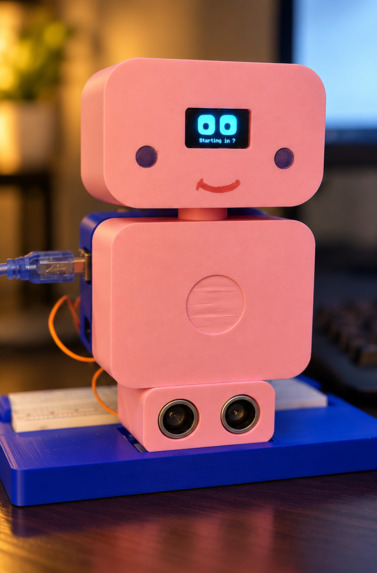
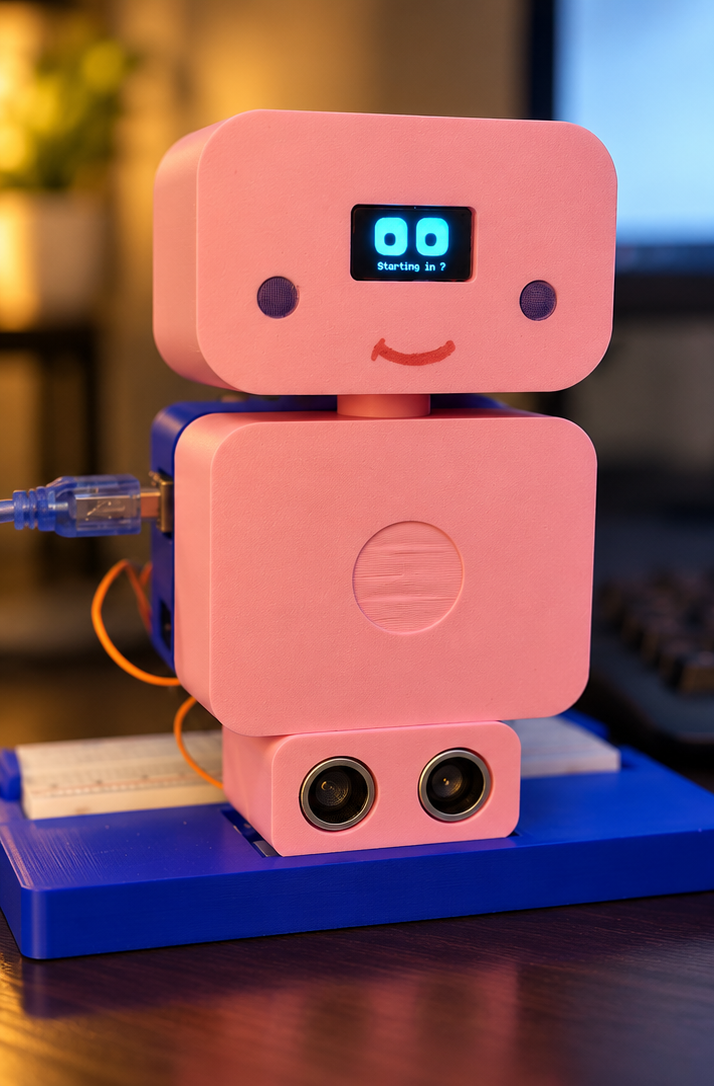
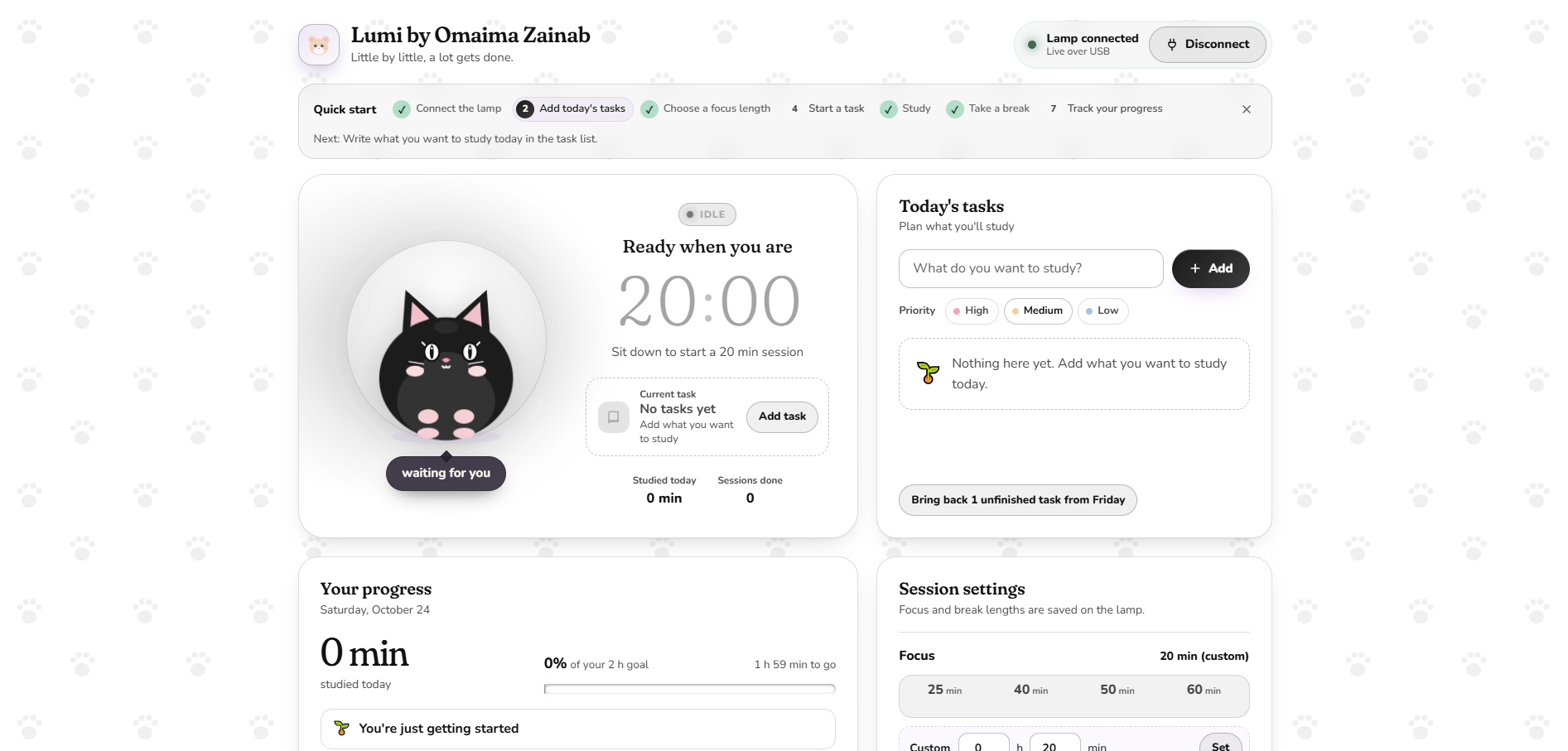
Lumi notices I've sat down and counts down to start my study session, no buttons needed.
-
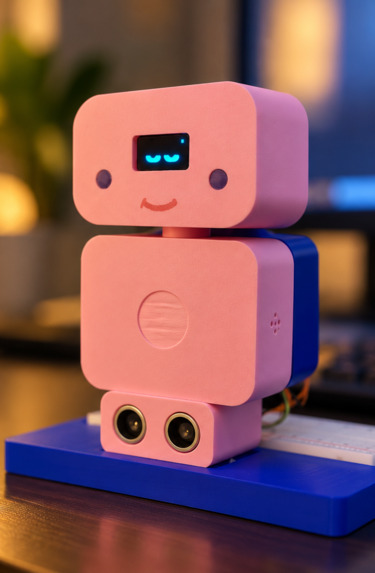
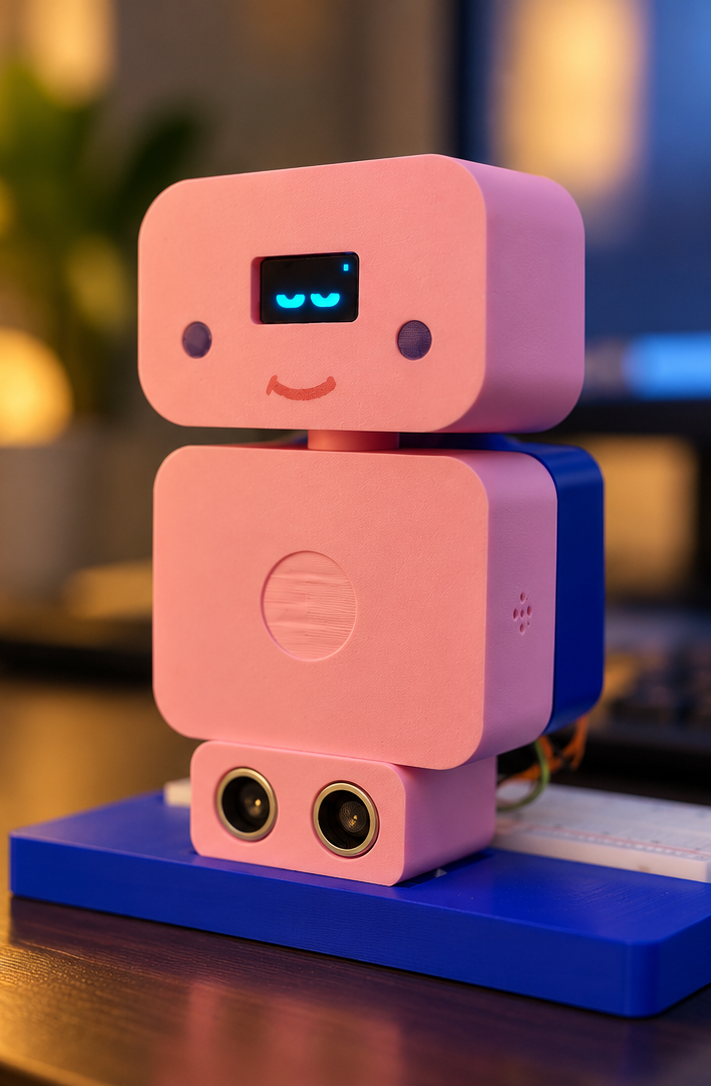
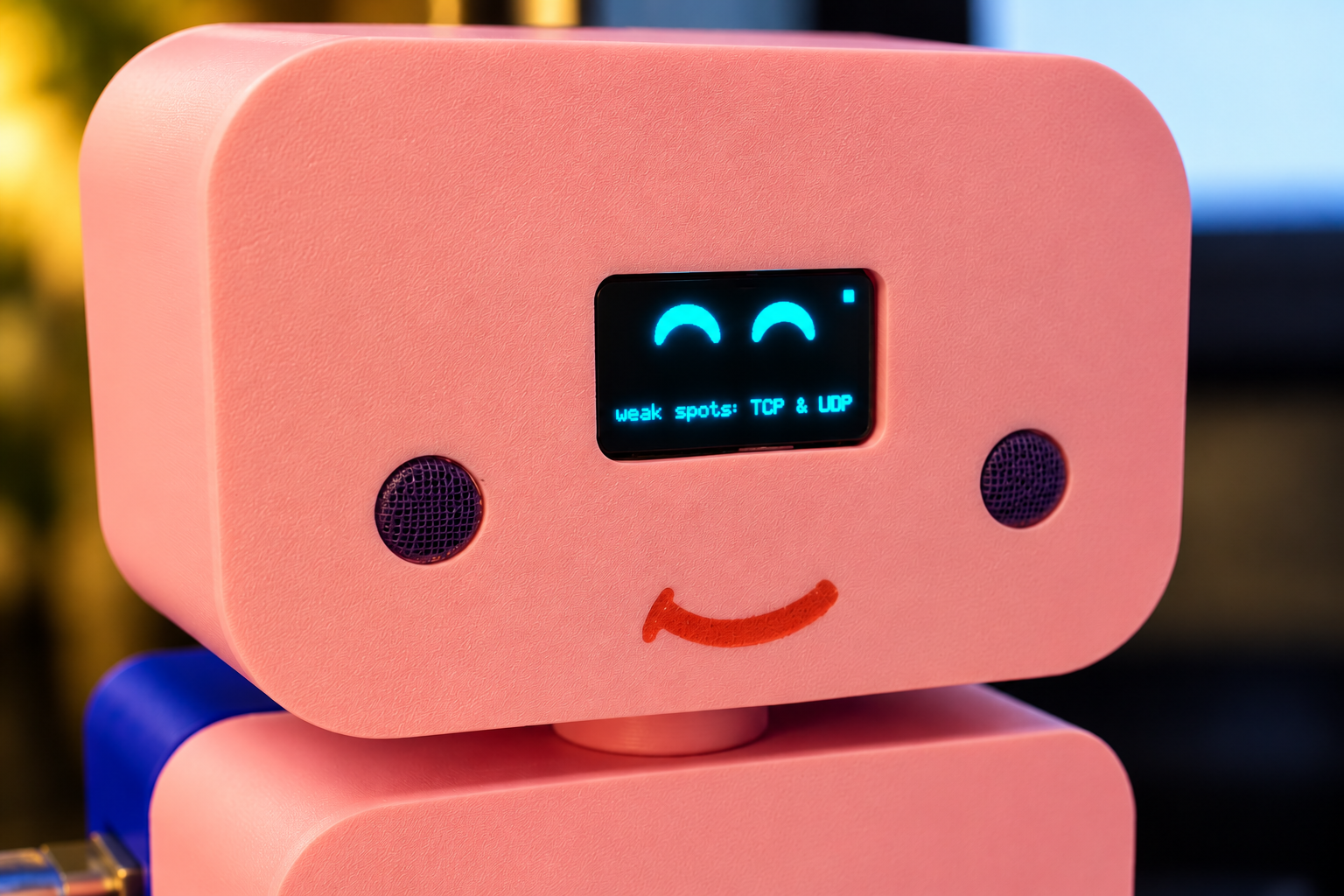
When nobody is at the desk, Lumi rests and waits. Its eyes blink, look around and change expressions.
-
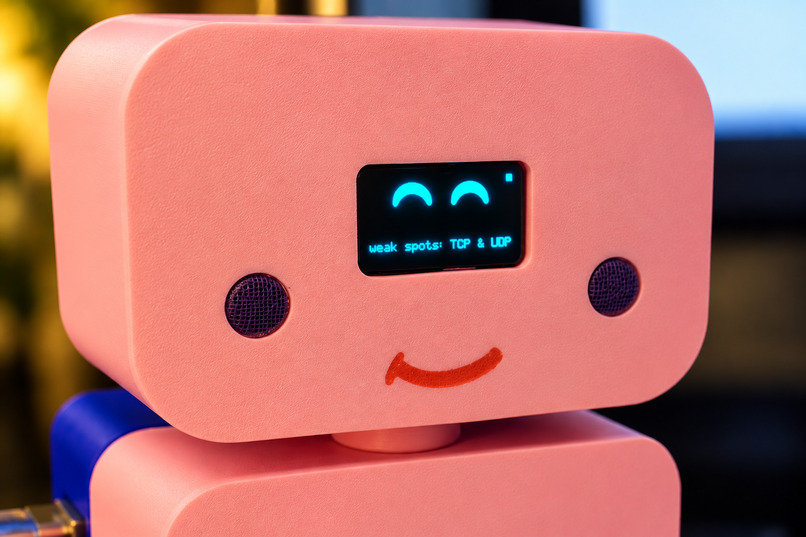
Topics I miss in the quiz become weak spots, shown right on Lumi's screen (here: TCP & UDP).
-
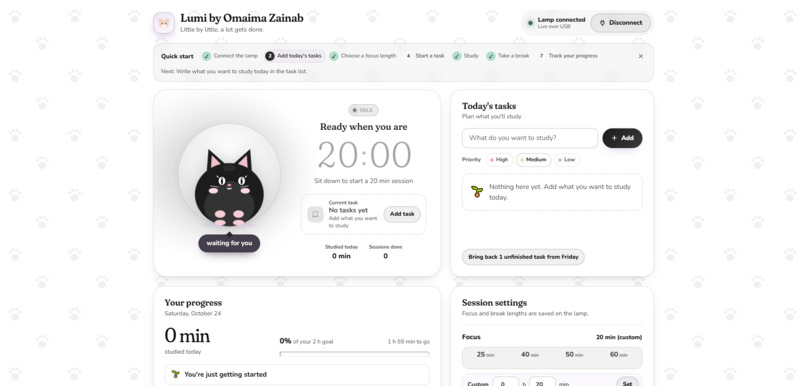
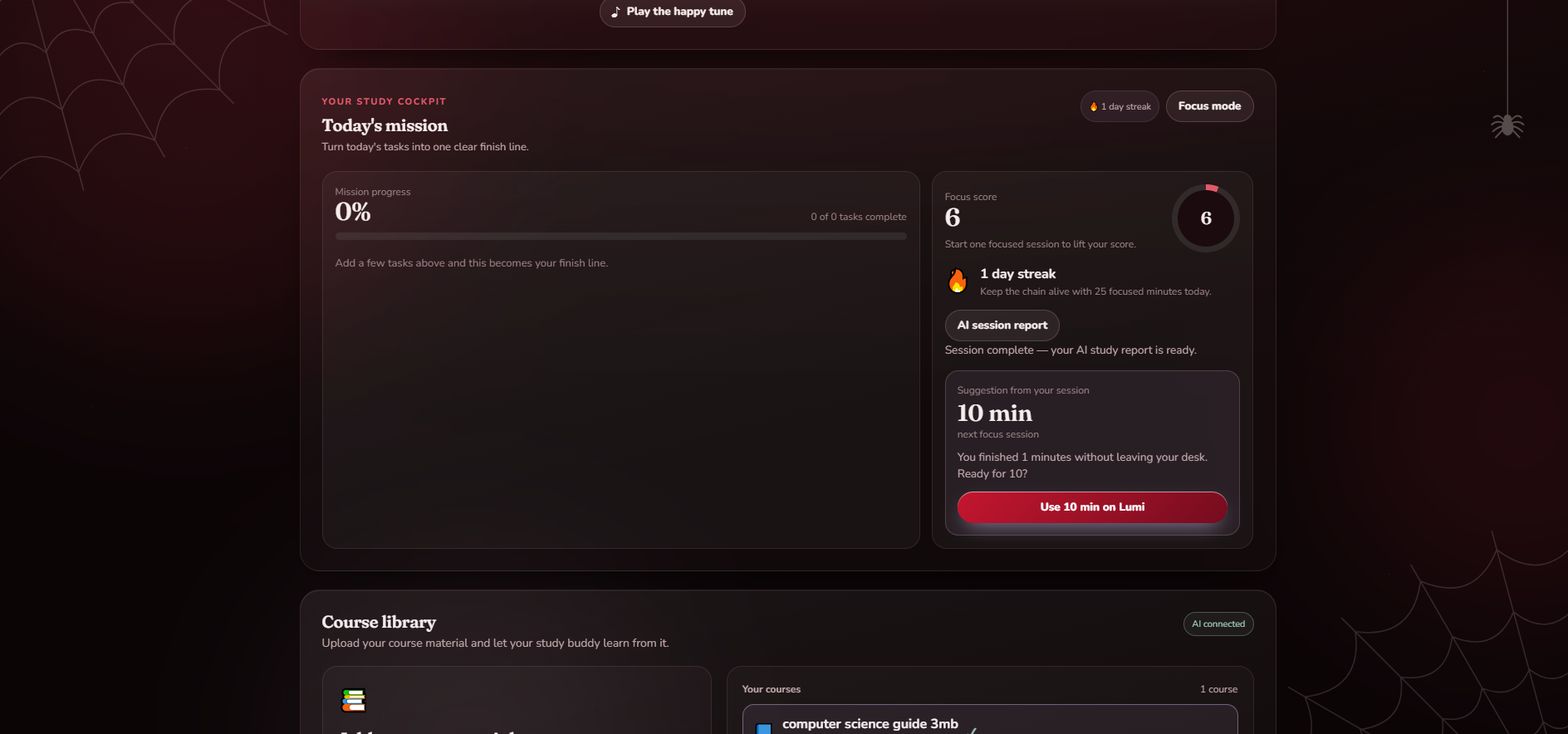
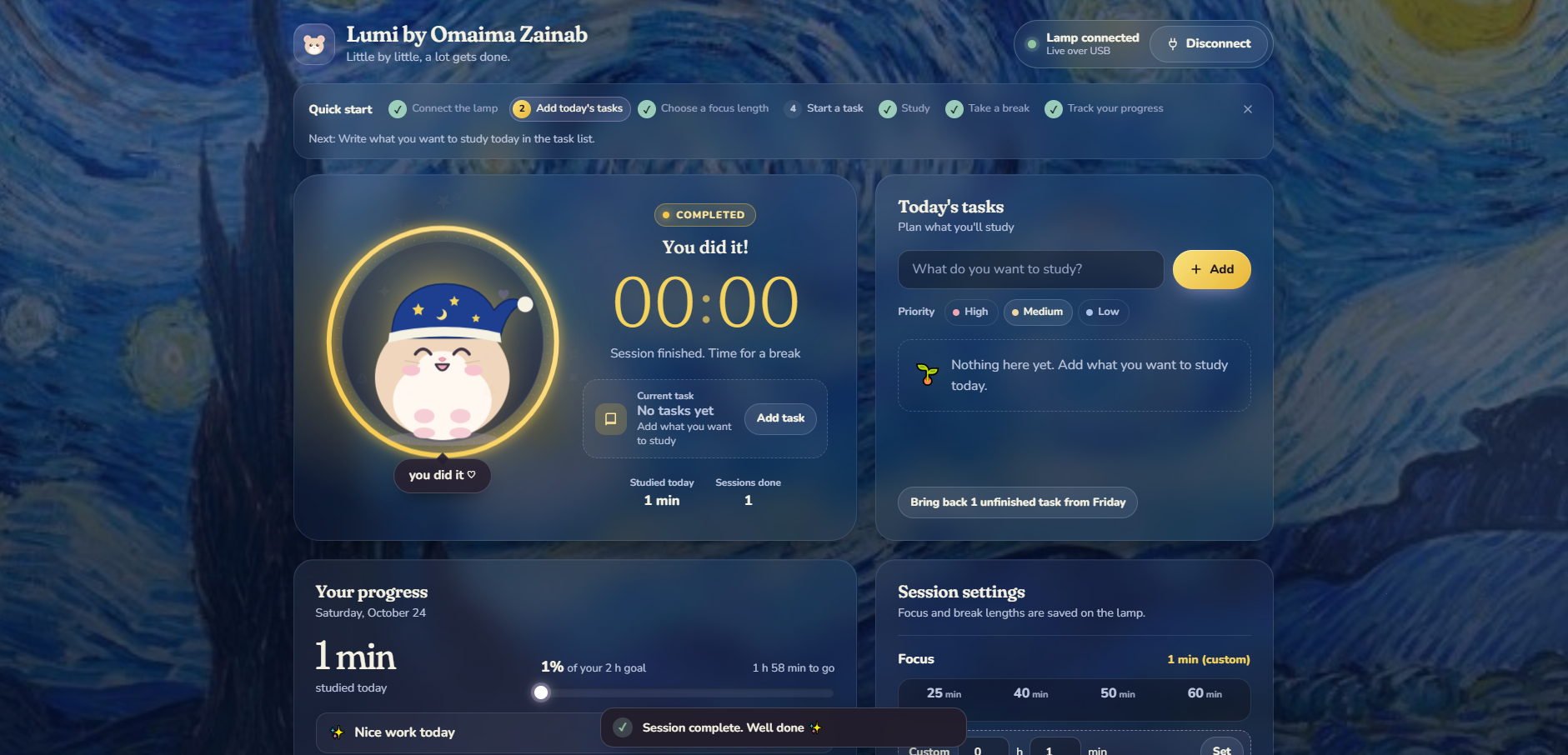
Ready when you are: sit down to start a 20-minute session. Themes like Cat, Starry Night and Crimson Web make the page my own.
-
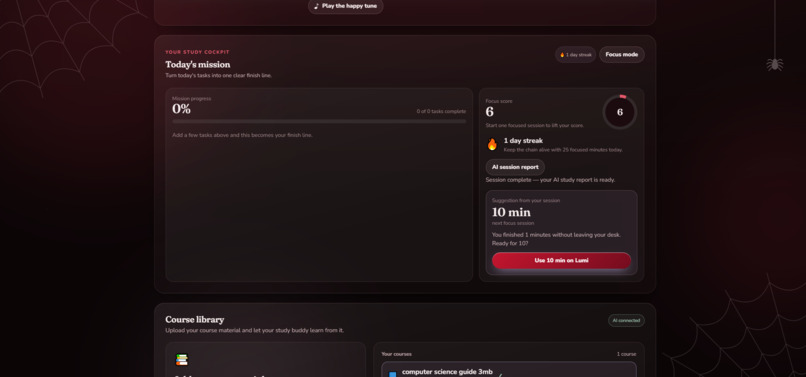
My study cockpit: today's mission, focus score, streak, and an AI session report that suggests my next session length.
-
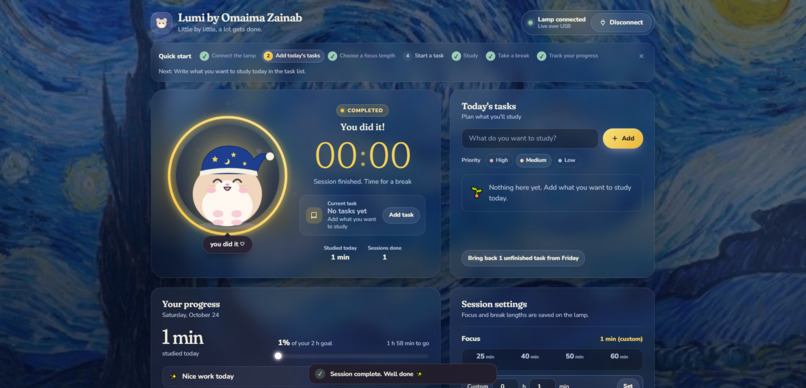
Session complete! At 00:00 Lumi plays a happy tune, and the page celebrates with a break reminder.
Inspiration
Whenever I studied, I forgot to start a timer, or forgot to stop it when I took a break, so I never had a real record of my study sessions. I wanted something that records my sessions for me. With Lumi, I just sit down at my desk and it starts recording. When I get up, it pauses. Then it helps me review what I studied with study plans and quizzes from my own notes.
Lumi is for students who study at a desk and want their study sessions recorded automatically, without pressing start and stop, plus an easy way to quiz themselves on their own notes.
What it does
- Lumi detects when I sit down within 40 cm for 5 seconds, greets me ("Hi Omaima!"), and starts my focus timer by itself.
- When I get up, the timer pauses straight away and Lumi says "Come back soon…". When I sit back down for 5 seconds, it carries on.
- Lumi keeps a total of my study sessions for the day and saves it even if the device loses power.
- Lumi's eyes blink, look around and change expressions during a session and when nobody is around.
- The web app connects to Lumi over USB and shows the same timer, today's study total, and my session settings.
- I can upload my study notes and write in a built-in notebook.
- The AI study buddy (Google Gemini) makes study plans from my notes and quizzes me with 5 questions, grading each answer and explaining the right one.
- Topics I get wrong become weak spots, shown right on Lumi's screen (for example, "weak spot: TCP & UDP"), and "Find my weak areas" gives me a short review plan.
- I can pick a theme (Lumi, Leopard, Cat and more) to make the page feel like my own.
How I built it
- Hardware: Arduino Uno, HC-SR04 ultrasonic distance sensor, 0.96" OLED display, buzzer, and push button, inside a pink robot-style case.
- Session recording: The Arduino detects when I'm at the desk and saves my daily total in EEPROM so it survives power loss.
- Web app: An HTML web page connects to Lumi through USB using Web Serial and mirrors the timer.
- AI study buddy: A Node.js server stores my notes and uses Google Gemini to write study plans, quiz questions, and grading from them.
- Development: I used the Devpost Learn skills, where the AI interviewed me and turned my answers into a scope, PRD, spec, and checklist. The key decisions were mine: switching to a distance sensor so walk-bys don't count, giving Lumi eyes with pupils and many expressions, a countdown I set myself, and a button to start a new day. Then we built it in small slices, and I tested each one before moving on.
Challenges I ran into
- Electronics: I was completely new to Arduino and electronics, so learning to wire the components and read sensor data was a challenge.
- Reliable detection: My first idea used a motion sensor, but it triggered when someone simply walked past. I switched to an ultrasonic distance sensor so Lumi only starts when I'm sitting at the desk.
- AI errors: During testing, I found that an AI error could end a quiz and lose my progress. I tested this by turning off Wi-Fi mid-quiz, found the bug, and fixed it so progress is preserved.
- AI limits: Gemini's free tier only allows a small number of requests a day, so I had to plan my testing and demo carefully to stay within it.
Accomplishments that I'm proud of
- Lumi works from start to finish: I sit down, the session starts, the eyes react, the quiz uses my own notes, and my weak spot shows up on Lumi's screen.
- I went from never touching an Arduino to building a working device in its own case, with a web app and an AI study buddy.
- Every feature was tested and checked off before moving on.
What I learned
- How to connect sensors, a screen, and a buzzer to an Arduino, and save data so it survives power loss.
- How a web page can talk to a device over USB.
- How to work with an AI agent: let it interview me, plan first, build in small pieces, and write down what "working" looks like so bugs are easy to catch.
What's next for Lumi
- Water reminders during long study sessions.
- Focus Lock mode: building on the current Focus mode, the page switches to a full-screen focus screen that hides distractions until the countdown reaches zero, with an emergency exit button for anything urgent.
- Move-and-stretch breaks: when the timer runs out, Lumi buzzes, its eyes change to an excited expression with a "Time to stretch!" message, and a notification on the computer suggests a short walk or stretch.
- Smart break check: during the break, the ultrasonic sensor checks whether I actually left the desk. If I'm still sitting there, Lumi gives a gentle reminder to get up.
Built With
- arduino
- c++
- claude
- eeprom
- google-gemini
- html
- javascript
- node.js
- oled
- sr04
- ultrasonic-sensor
- web-serial-api


Log in or sign up for Devpost to join the conversation.