-
-

Thumbnail
-
-
-
-
-

Lumi — A Privacy-First Desktop Assistant
Inspiration
My mother often sends me screenshots of hospital appointments, bank messages, forms, and deadlines. She can read the words, but sometimes she is unsure what is important or what she should do next. Because we may be in different places or time zones, she can end up waiting for me to respond.
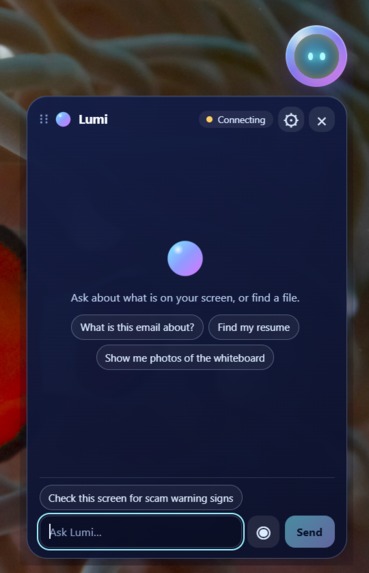
That inspired Lumi: a desktop assistant that can understand what is visible on the screen, explain what matters, and help with the next step—without taking control away from the user.
Lumi was built around one core principle:
The default action is nothing.
It can understand and suggest, but meaningful actions require explicit confirmation.
What Lumi Does
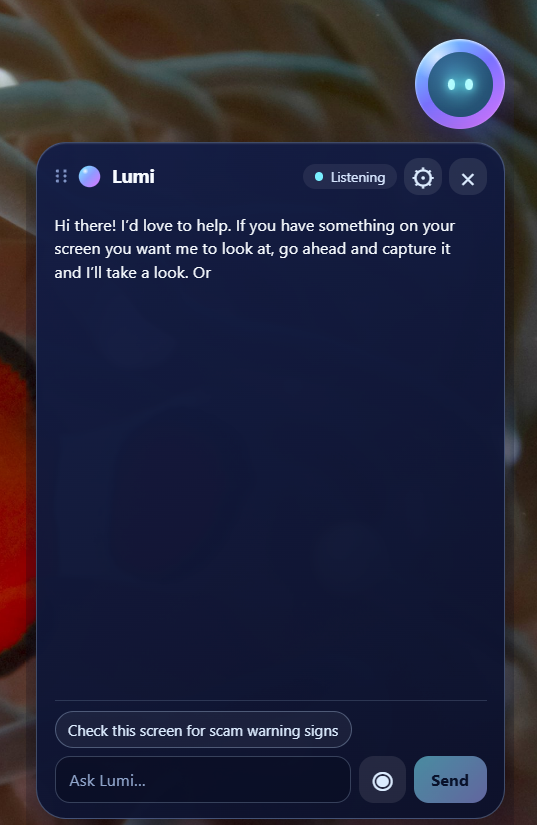
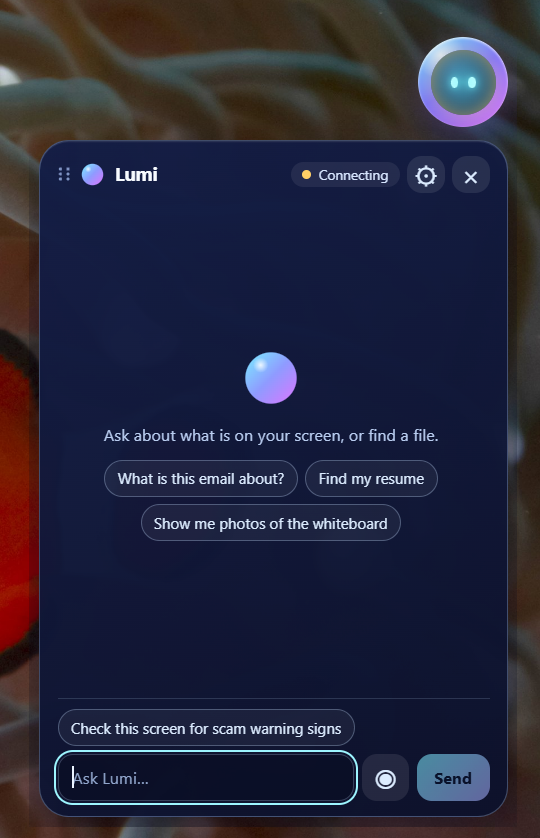
Lumi is a Windows desktop assistant built with Codex and GPT-5.6.
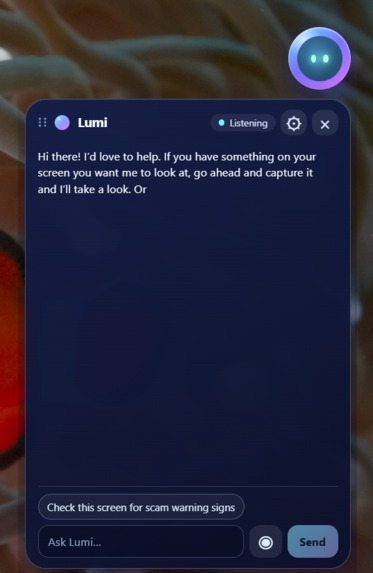
After the user approves a screen capture, GPT-5.6 can turn visible information into a short, actionable explanation. For example, Lumi can review a hospital appointment and highlight:
- the appointment date and time
- documents the patient should bring
- preparation instructions that are easy to miss
- the most useful next action
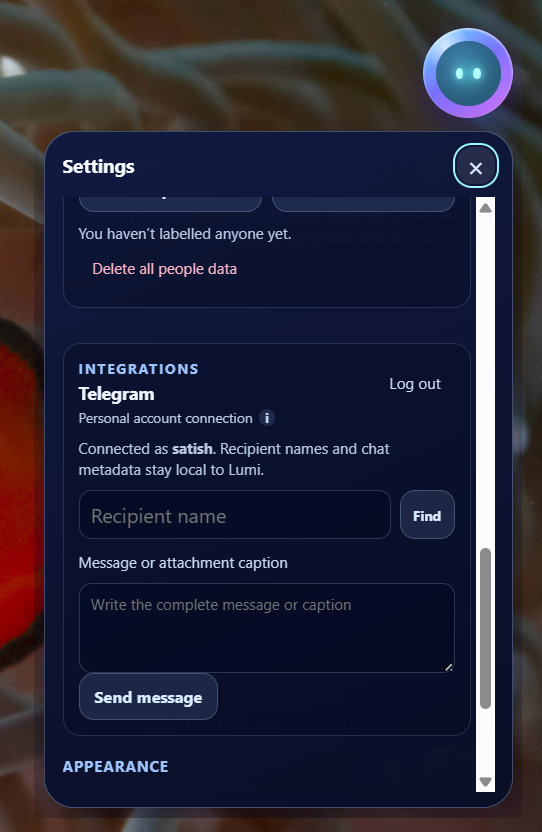
Lumi can then suggest creating a reminder. However, it does not create anything automatically. The user sees the exact proposed action and can approve or reject it. When an action is cancelled, nothing is changed, opened, or sent.
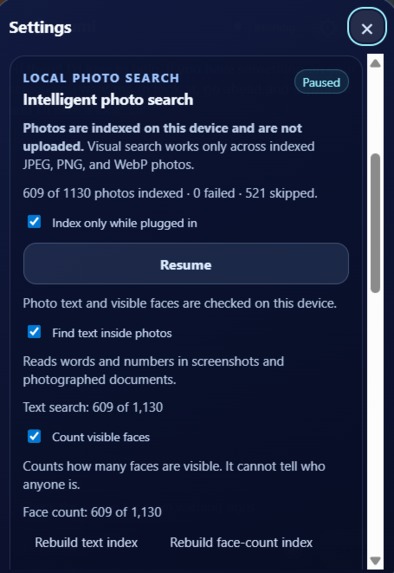
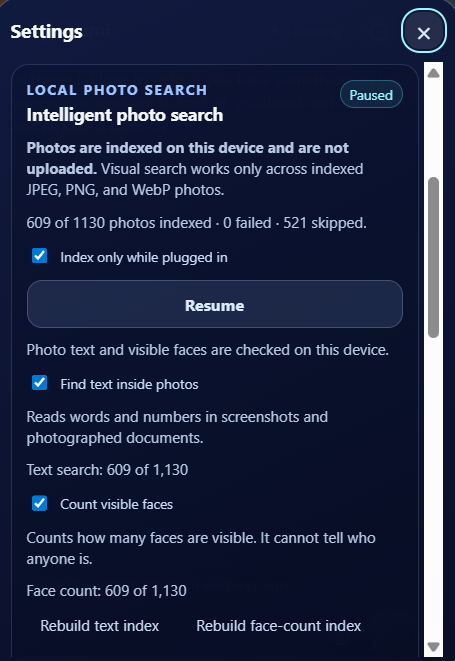
Lumi also supports local information retrieval. It can:
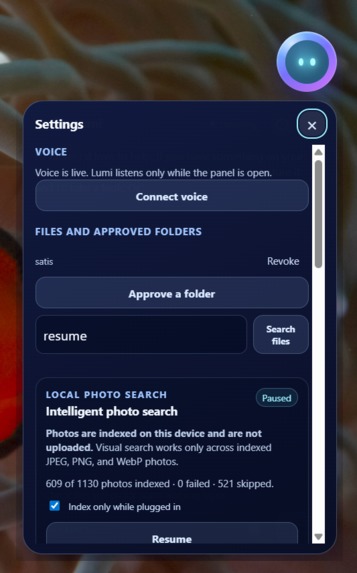
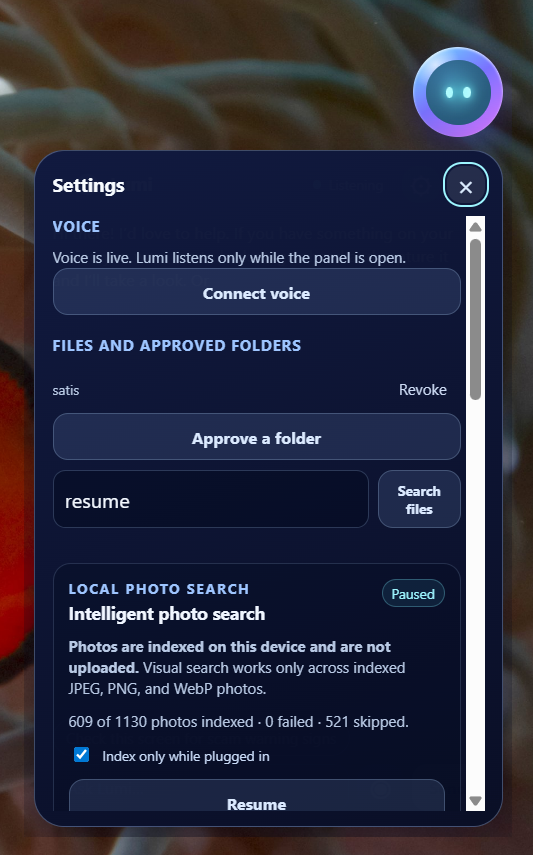
- search files and photos stored on the laptop
- recognize text inside screenshots
- search photos using visual meaning
- count visible faces
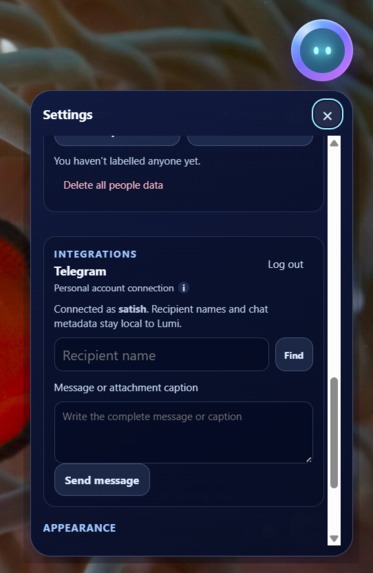
- match people that the user has explicitly labelled
These photo-processing features run locally on the device. Person matching is presented using cautious language such as “likely match” rather than pretending that face matching is certain.
Lumi can also review a visible email or message for possible scam warning signs. It looks for patterns such as urgency, suspicious links, requests for money or sensitive information, and pressure to act immediately. It provides a risk assessment and safer next steps, but it does not claim that a sender is definitely genuine or fraudulent.
How We Built It
Lumi is an Electron desktop application built with React, TypeScript, and Vite.
GPT-5.6 is used for approved screen reasoning and converting unstructured information into concise, practical guidance. Codex was used throughout development to help design, implement, test, debug, and refine the application.
The local intelligence layer includes:
- CLIP-based semantic photo search
- Tesseract-based text recognition
- YuNet-based visible-face detection
- SFace-based user-labelled person matching
- an encrypted local profile store for labelled people
The application separates local processing from cloud reasoning. Local photo indexing, OCR, visible-face counting, and labelled-person matching remain on the device. Screen or photo content is shared for external reasoning only after the user explicitly approves it.
The action system is also confirmation-driven. Lumi first prepares an action, shows the user exactly what will happen, and waits for approval before continuing.
Challenges
One of the biggest challenges was building an assistant that felt useful without becoming overconfident or intrusive.
We had to carefully design the permission flow so users could understand:
- what Lumi wanted to capture
- why it needed the information
- what action it was preparing
- what would happen if they cancelled
Another challenge was combining local AI models with GPT-5.6. Local models are useful for privacy-sensitive indexing and recognition, while GPT-5.6 is much stronger at understanding context and explaining what matters. Lumi needed a clear boundary between those two systems.
Face matching and scam analysis also required careful wording. Neither should be presented as absolute certainty. Lumi therefore communicates uncertainty and avoids claiming that it has verified a person or sender.
We also worked through desktop-specific challenges including screen capture permissions, local model setup, photo indexing, UI responsiveness, and keeping personal file paths and private information out of the demo.
What We Learned
The most important lesson was that trust cannot be added as a disclaimer at the end. It has to be part of the architecture.
A trustworthy assistant should:
- ask before accessing sensitive information
- explain proposed actions before executing them
- communicate uncertainty honestly
- keep suitable workloads on the device
- make cancellation a complete and reliable action
We also learned that local models and frontier models do not need to compete. They can work together: local models handle private indexing and recognition, while GPT-5.6 handles contextual understanding and clear explanations.
What's Next
The next steps for Lumi include:
- improving multilingual support for families
- expanding accessibility and voice interaction
- adding more safe, confirmation-based desktop actions
- improving local search result explanations
- creating a simple packaged installer
- giving users clearer controls over local data, models, and approved folders
Lumi is designed to help people understand what is in front of them and take the next step—while always leaving the final decision with the user.
Built With
- app
- assistant
- clip
- codex
- computer
- desktop
- electron
- gpt-5.6
- natural-language-processing
- node.js
- ocr
- onnx
- openai
- privacy
- react
- runtime
- sface
- tesseract
- typescript
- vite
- windows
- yunet


Log in or sign up for Devpost to join the conversation.