-
-
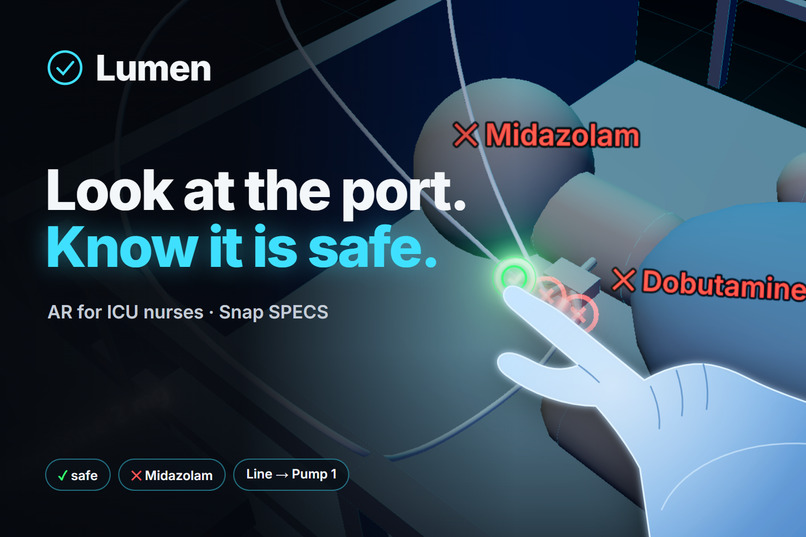
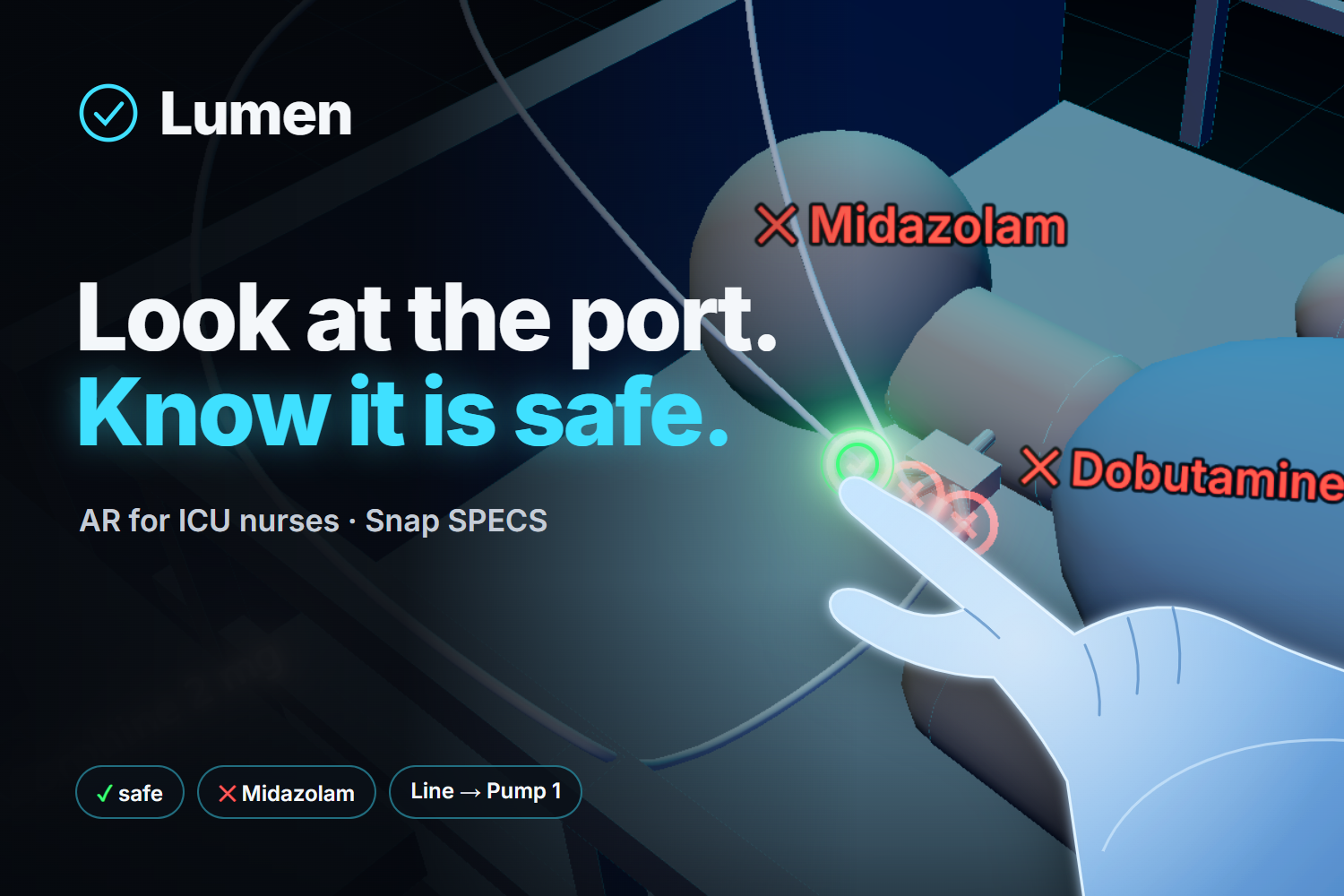
Lumen. Look at the port. Know it is safe.
-
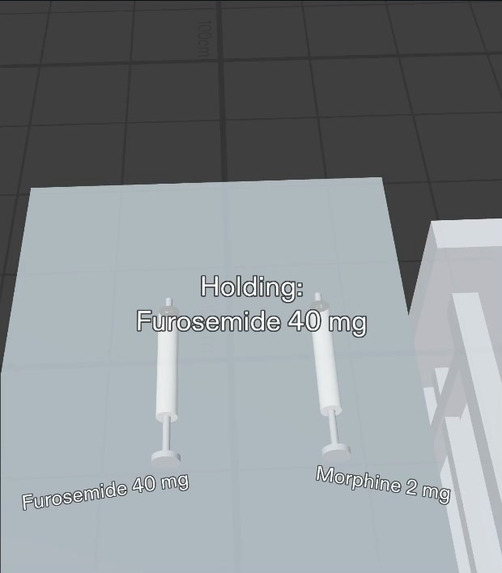
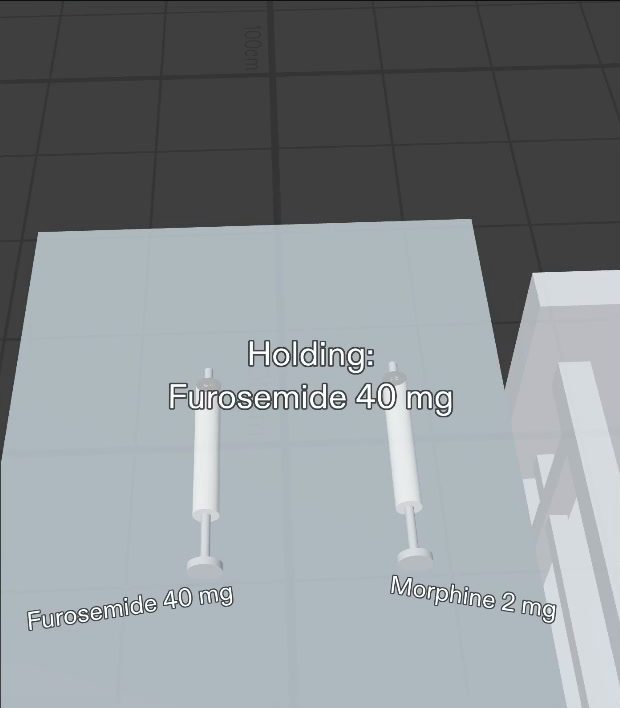
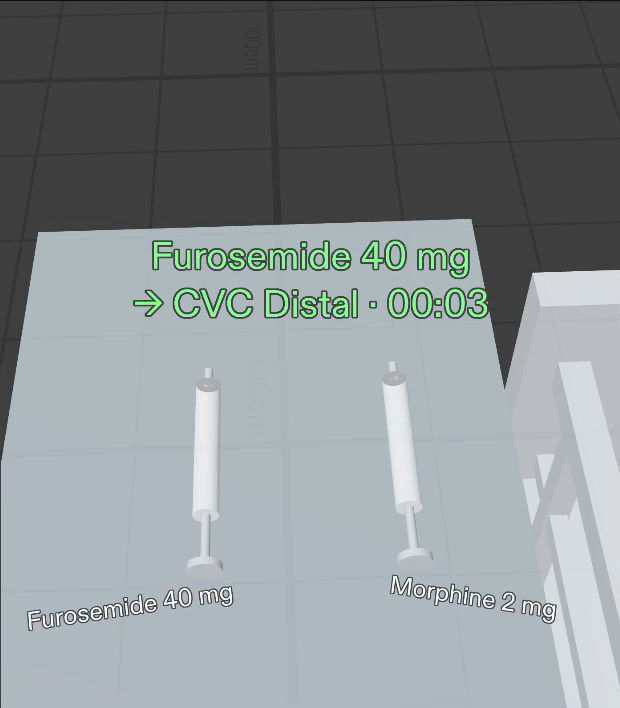
Pick up the syringe. Lumen shows the drug.
-
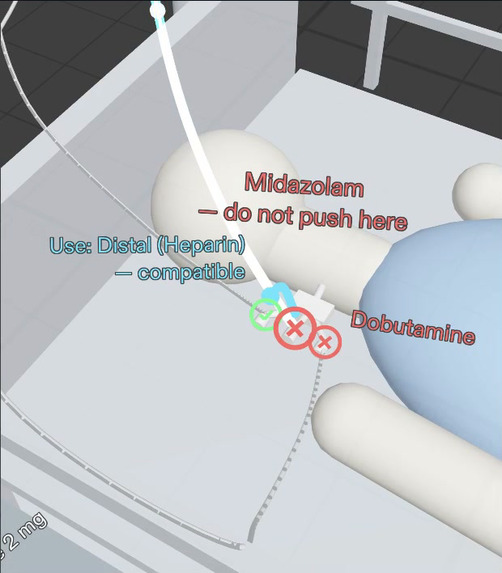
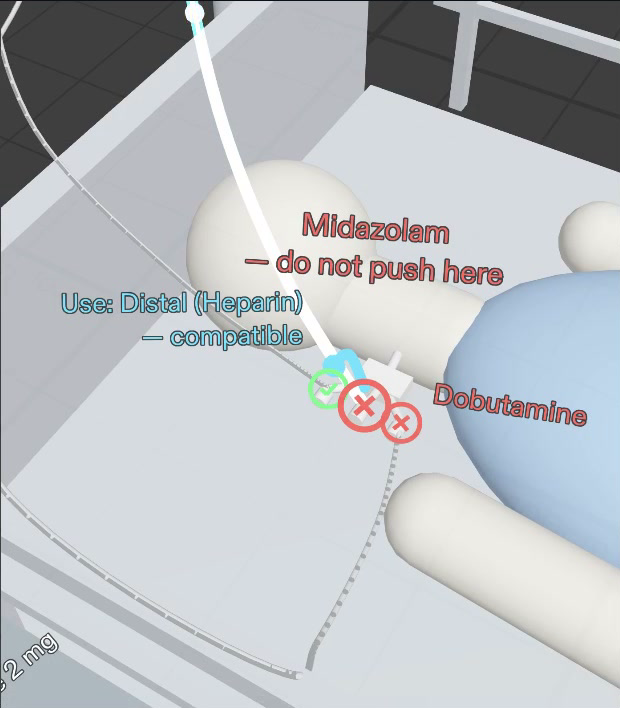
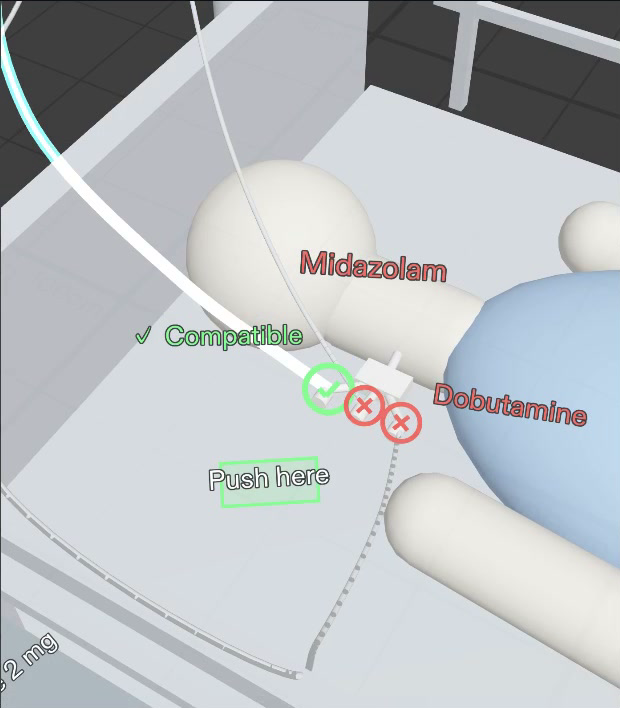
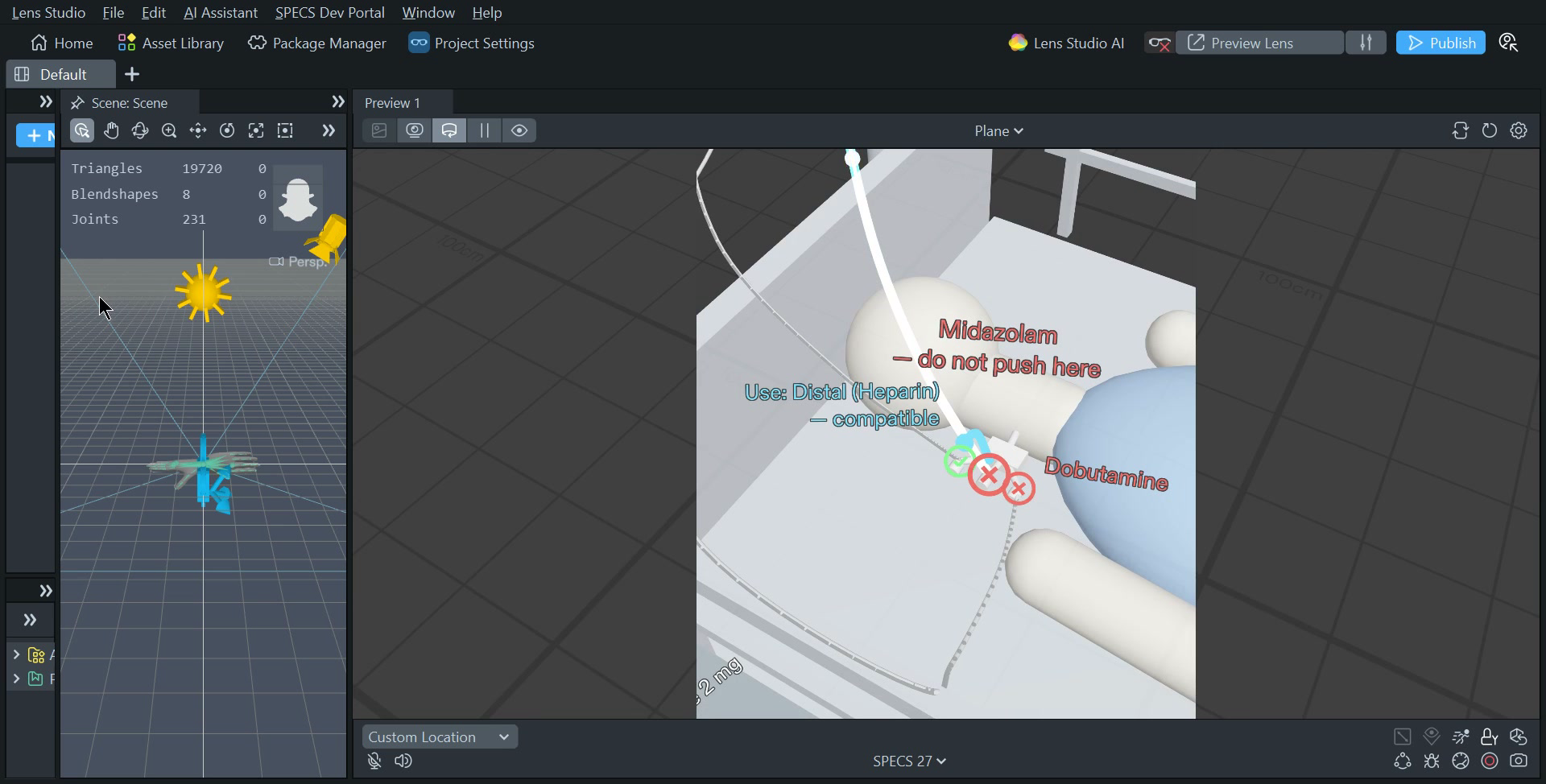
Red port: do not push here. The arrow shows the safe port.
-
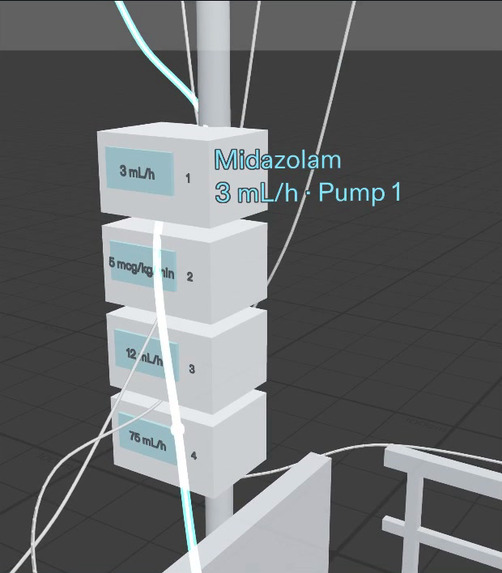
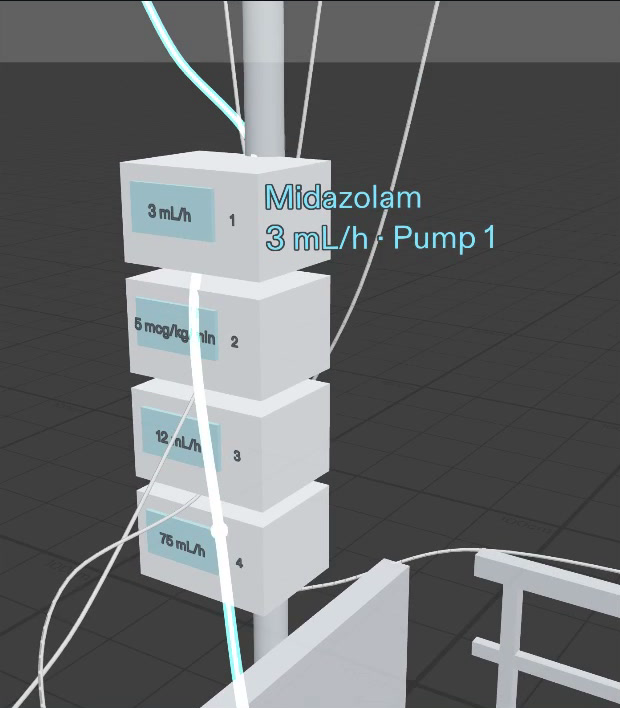
Pinch a port. Its line lights up to the pump.
-
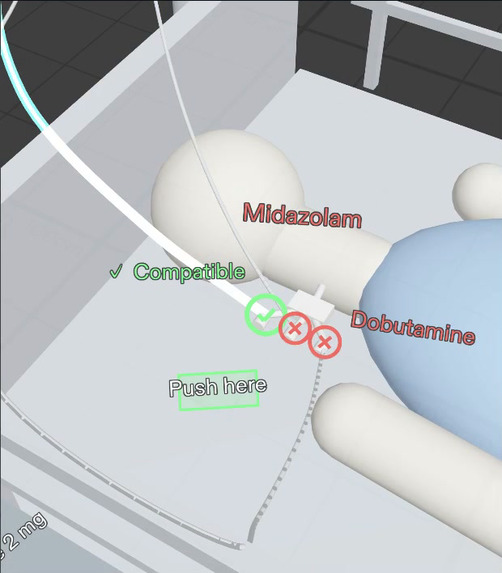
Safe port: Push here.
-
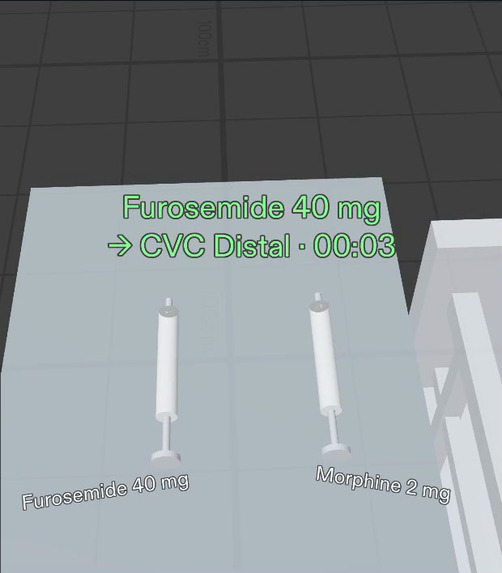
Pushed and logged. The Lens goes quiet.
-
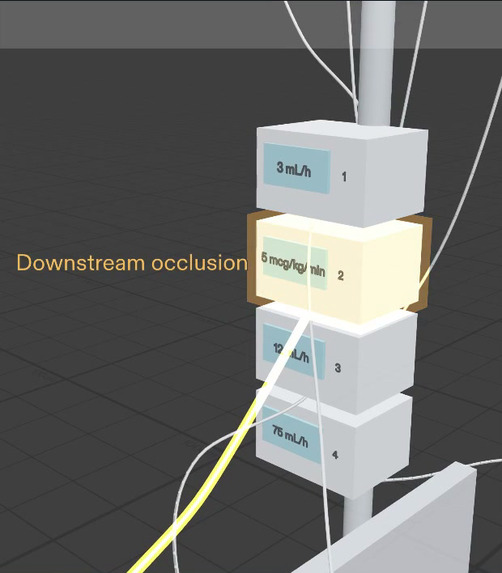
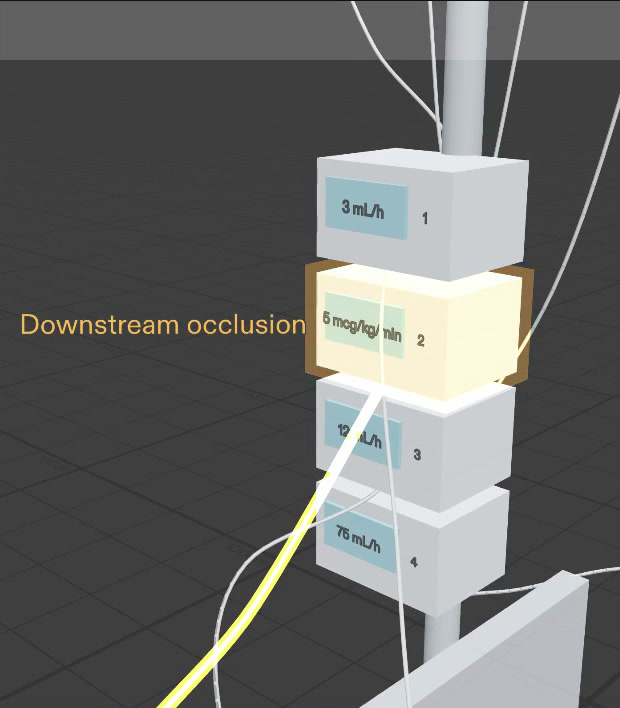
A pump alarms out of view. Lumen shows where.
-
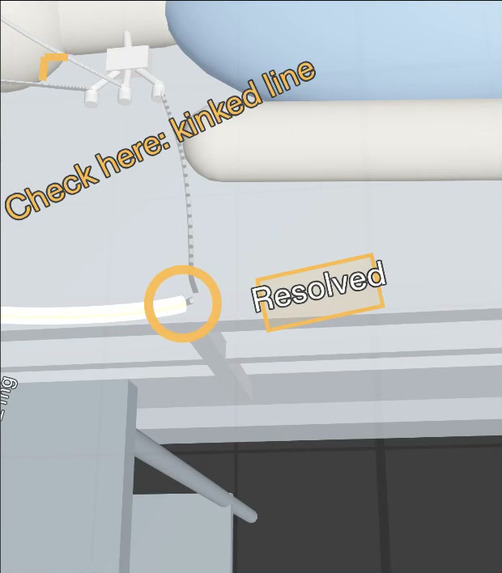
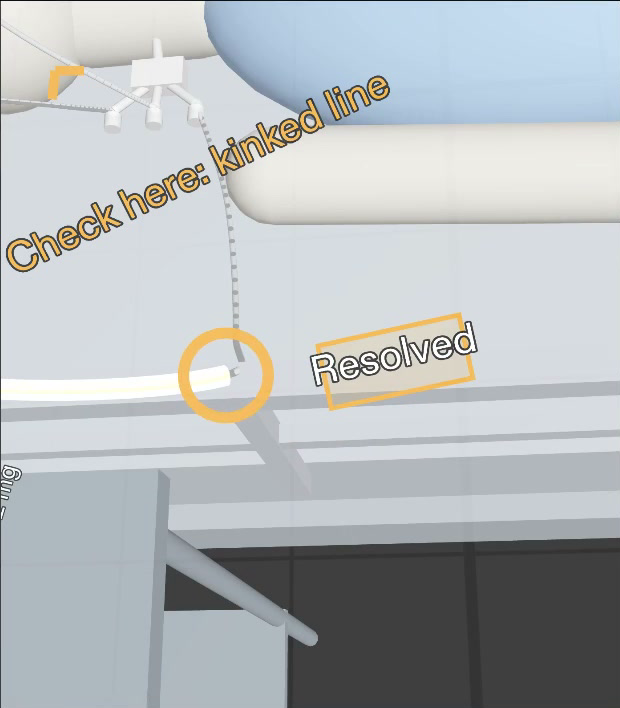
The line glows to the kink. One pinch clears it.
-
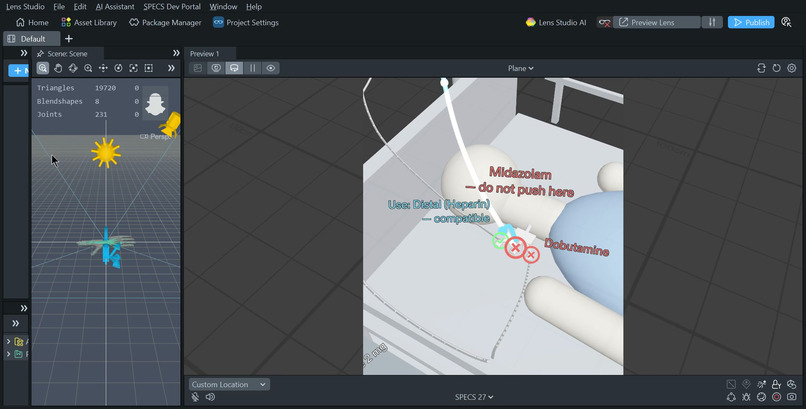
Lumen running in Lens Studio 5.24.1.
Inspiration
A nurse stands at an ICU bed. Her patient has four drugs, on four pumps, in four tubes, and the tubes cross and tangle. She holds a syringe of furosemide. Before she pushes it, she must know two things: which line is this, and is my drug safe with the drug that is already in it?
Today she traces each tube with gloved fingers. Then she checks a compatibility chart, often on a computer away from the bed. She does this many times in each shift. We wanted the answer to be on the port, where she already looks.
What it does
Lumen is a Lens for Snap SPECS. It stays quiet until the nurse needs it.
- Pick up a syringe. Lumen shows the drug: Holding: Furosemide 40 mg.
- Every port answers. A safe port shows a green ✓. An unsafe port shows a red ✕ and the reason, for example ✕ Midazolam.
- Pinch a port. Its tube lights up through the tangle, all the way to its pump: Midazolam · 3 mL/h · Pump 1.
- Pinch a red port. Lumen says do not push here and shows an arrow to the nearest safe port.
- Push here. On a safe port, one pinch confirms the push. Lumen writes a log line and goes quiet.
- An alarm she cannot see. When a pump behind her alarms, a chime and an arrow at the edge of her view turn her head. The line glows amber down to the kink. One pinch on Resolved clears it.
- Shift handoff. One pinch on the IV pole lights each line in turn, bag to pump to port.
Lumen never shows green for a drug pair it does not know. If no port is safe, it says No safe port — ask pharmacy.
Why it needs glasses
- It shares her view. She looks at a port, and Lumen answers about that port.
- It draws in the world. The answer is on the port. The light is on the real tube.
- It keeps her hands free. Her gloves stay on, the syringe stays in her hand, and her eyes stay on the patient.
How we built it
- Plan: we used the Devpost Learn
plan-lensskill. It interviewed us and wrote the design brief. - Build: Claude Code built the Lens with Snap's CLAD plugin and the Lens Studio MCP. It created the Lens Studio 5.24.1 SPECS project, connected the scene, set the materials, lights and sounds, and compiled it.
- One core: one TypeScript core holds the data, the compatibility rules, the state machine, the layout, the 3D meshes and the sounds. One Lens Studio component builds the full bedside from it when the Lens starts.
- Input: all input is a pinch, through the Spectacles Interaction Kit. Each port has a 6 cm target, so a gloved hand can hit it.
- Test: Snap's LEAF tests pinch the real targets in the Lens and check what the scene shows. All 10 scenarios pass in the Lens Studio preview. The same checks also run on every pull request, against the state machine and against a browser version of the Lens.
Challenges we ran into
- A 37° view. SPECS shows content in a small part of your view. We placed every label, the cart and the arrows so that each one fits and stays easy to read.
- Light on a clear display. On SPECS, black is transparent. We gave the text a dark outline. On the glasses the outline disappears, and in the preview it keeps each word sharp.
- Ports 4 cm apart. Three ports sit close together on the central line. Lumen selects the port nearest to the pinch, so the nurse always gets the port she aims at.
Accomplishments that we're proud of
- All 10 LEAF scenarios pass in the Lens Studio preview.
- The full workflow works from start to end: pick up, check, trace, redirect, push, alarm, handoff.
- The Lens is quiet by default. It shows faint dots at rest and the full answer when a syringe is in hand.
What we learned
- The hard part is to decide when the Lens must be quiet.
- An answer on the port is better than a panel in the air.
- Design for the real field of view, and test for it.
What's next for Lumen
- Read the syringe barcode with the SPECS camera.
- Follow the real tubes with computer vision.
- Get live data from the pumps and the patient record.
- Use a licensed IV compatibility database.
- Start a pilot with nurse educators in one ICU, in training and simulation first.
Built With
- clad
- claude-code
- github-actions
- leaf
- lens-studio
- lens-studio-mcp
- playwright
- snap-spectacles
- specs
- spectacles-interaction-kit
- three.js
- typescript

Log in or sign up for Devpost to join the conversation.