-
-
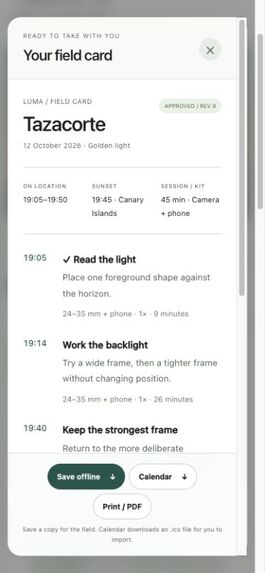
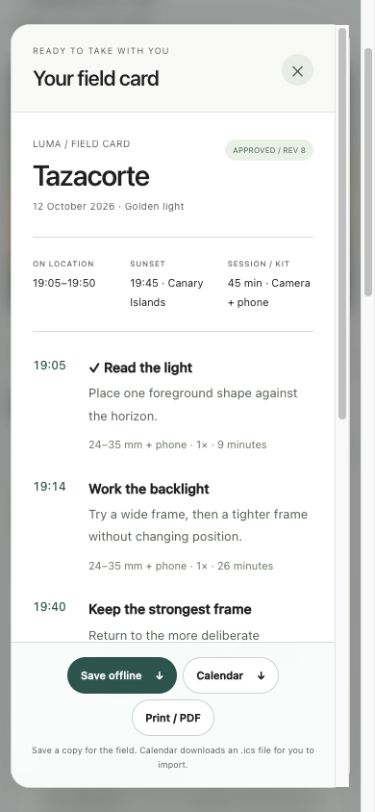
Offline field card: the approved plan and reported checklist progress, saved as an HTML snapshot.
-
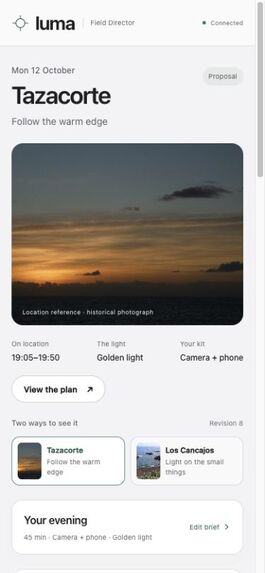
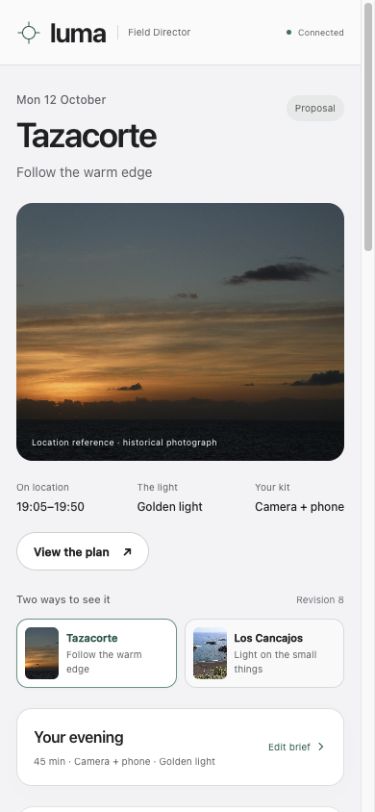
Mobile planning: the same brief, location references and review controls in a narrow layout.
-
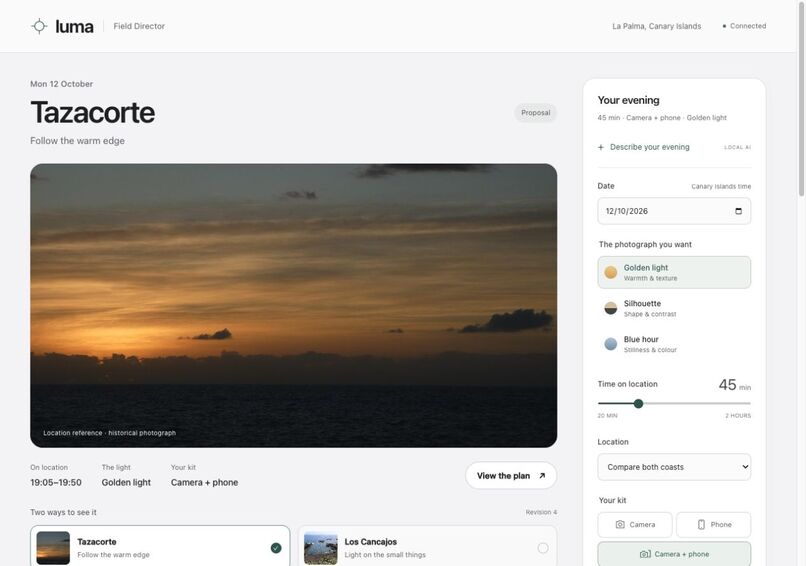
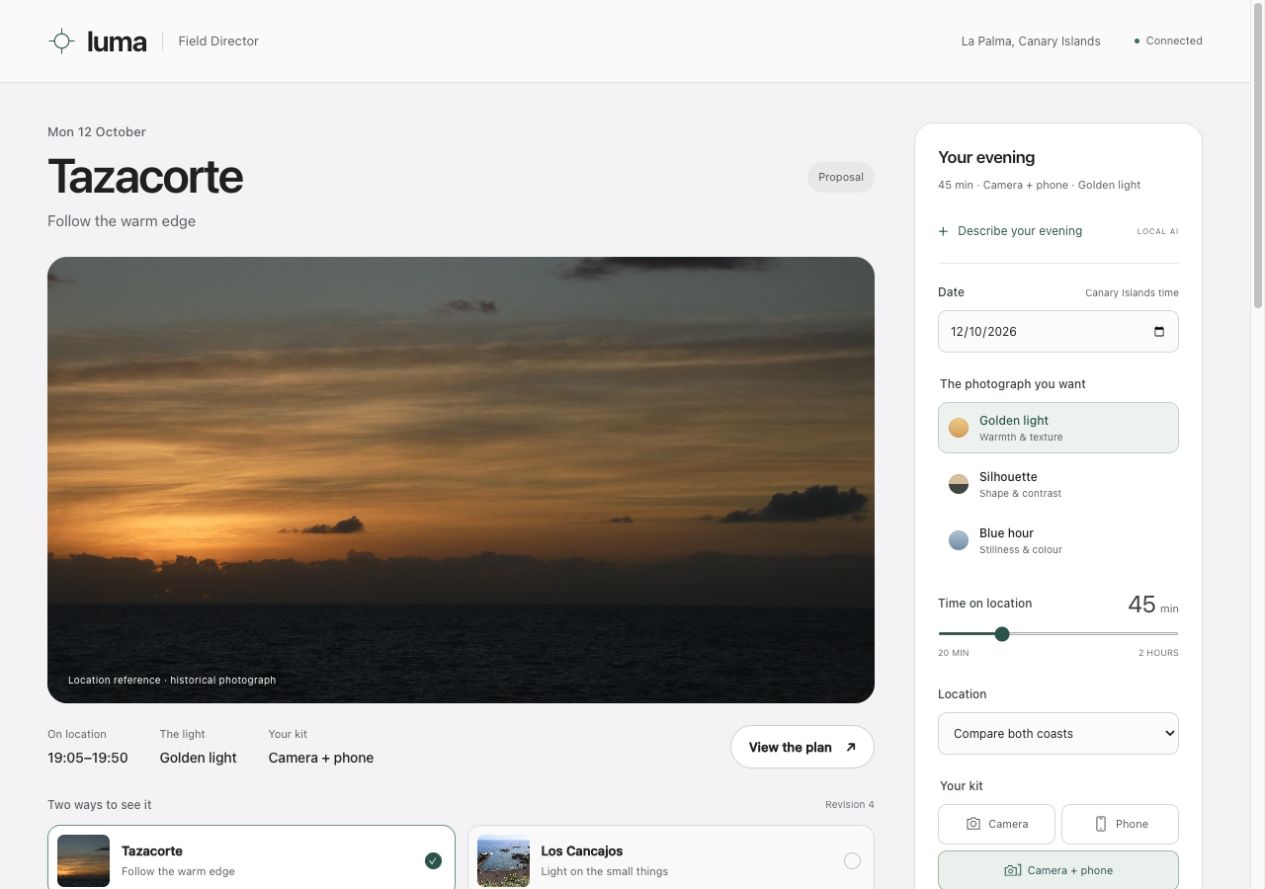
Desktop planning: compare coastal light studies, review the solar curve and approve a specific plan revision.
When the plan changes
A golden-hour outing with a camera and phone starts with a tripod in the kit. Apply the Wind scenario and Luma proposes a compact handheld setup with different camera guidance. The light window stays the same, but the earlier approval is put on hold. The photographer must review the differences and make a new decision.
That is the central idea of Luma: advice, approval and progress should belong to the same version of a plan. Changing the assumptions must not leave an old decision looking current.
From intention to an approved outing
Knowing the sunset time does not settle what to photograph. Luma turns a brief into two coastal studies on La Palma: direct evening light at Tazacorte, or reflected sky light at Los Cancajos. For each, a calculated light window supports a short sequence of frames, composition prompts, starting settings and a kit list. The time budget begins on location, excluding travel.
The photographer compares the alternatives, explores the solar curve and approves one revision. After a change, the interface puts earlier and proposed guidance together so the decision can be reconsidered. Approval is tied to that specific plan revision.
Packing checks and completed-frame marks belong to the accepted plan. They survive a reload and appear on its field card. They record the photographer's report, not automatic detection of a photograph. A new approval begins a fresh checklist. If another browser tab tries to overwrite progress it has not seen, the server rejects the write and the interface can recover the saved state.
The reviewed result can be downloaded as an HTML field card or a calendar snapshot for manual import. Later changes do not update those copies.
How it works
Built for the Alexa+ track, Luma's browser is a real MCP client. It initializes protocol 2025-11-25, discovers tools and calls a local server over Streamable HTTP. The official MCP TypeScript SDK supports the planning, approval and progress operations. Plan revisions and a separate checklist version protect against outdated writes.
An optional local Ollama model, qwen3-vl:8b, interprets written intent into an editable brief. The user previews and applies its suggestions before building a plan. The model cannot call tools, change the workspace or approve anything. SunCalc provides solar geometry; explicit rules produce the schedule and guidance. The complete manual workflow runs without a model or paid service after dependency installation. No Alexa device is connected, and Luma does not process voice.
What we verified
All 37 automated tests passed on Node.js 20.20.0, including in an independently extracted source package. An official SDK client exercised the MCP workflow. Browser checks covered real local-model interpretation, explicit approval, changed conditions, progress after reload and recovery from conflicting tabs. Mobile, narrow-panel and desktop layouts were checked.
The most important implementation lesson was to keep proposals, approval and reported progress separate. A fresh read before export checks whether the selected approval is still current. A model response arriving after the form changes is discarded rather than replacing newer input.
The demonstration combines recorded interaction, edited product views, the creator’s own narration and English captions. The continuous workflow starts from a manual brief; language-input views show a separate real session. Sample checks record rehearsal progress.
Scope and next step
Luma is a local prototype for two locations and three light intentions. Weather inputs are labelled scenarios; location photographs are historical references. Solar calculations assume an ideal horizon, without modelling terrain or clouds. Exposure guidance is a starting point, not a prediction of photographic quality.
The next step is a field trial to see whether the proposed sequence is understandable and practical. No measured user benefit or photographic outcome is claimed. Luma keeps the decision with the photographer, including the decision to change the plan.
Source and demonstration
The 112-second demonstration includes the creator’s narration, English captions and 48.48 seconds of continuous browser interaction at normal speed. Watch the demonstration.
Built With
- javascript
- mcp
- node.js
- ollama

Log in or sign up for Devpost to join the conversation.