-
-
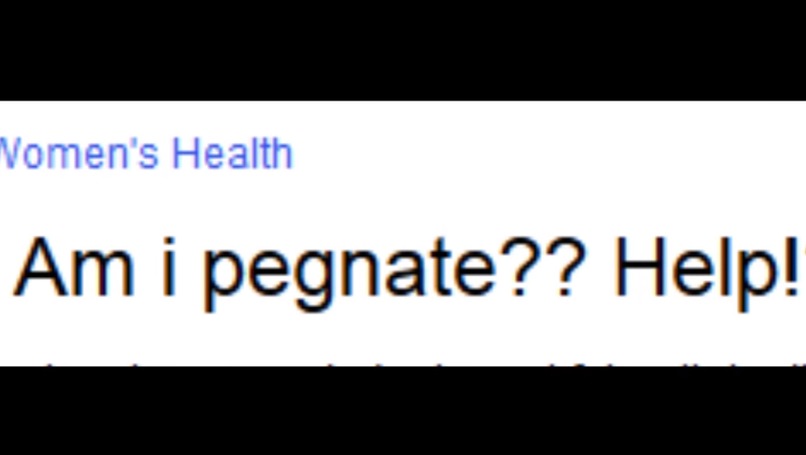
Women's Health Search
-
Cover
-
-
-

WebMedica

Inspiration 💡
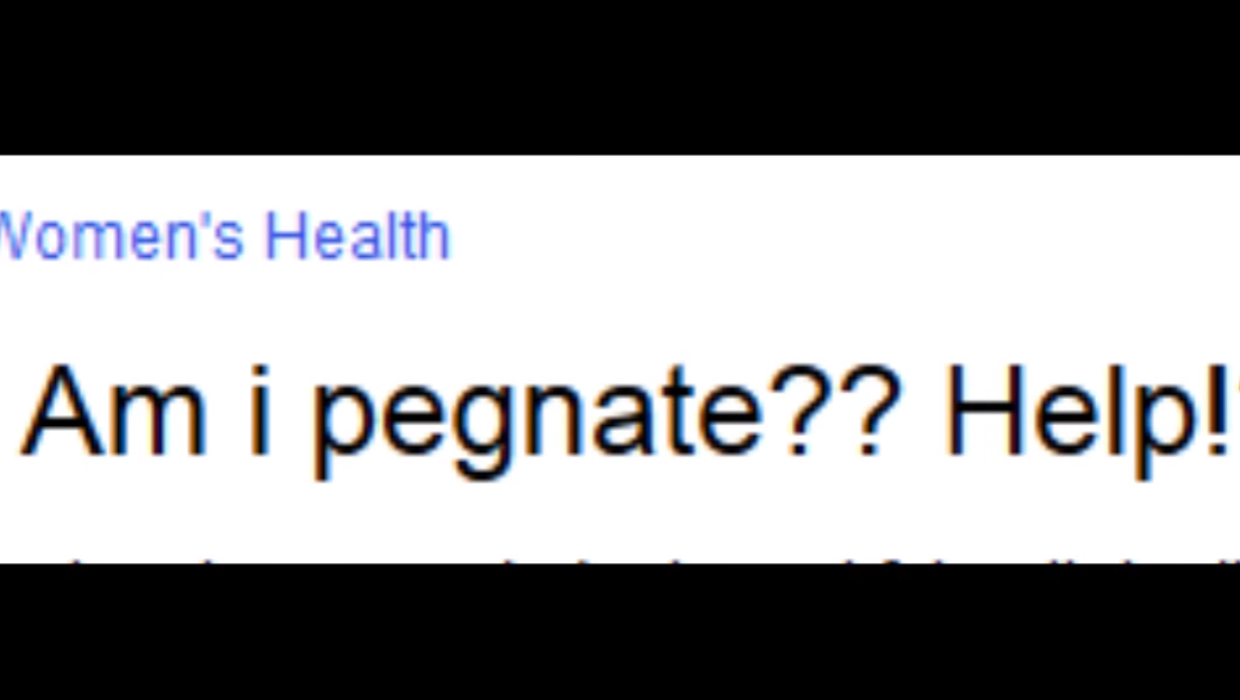
"how is prangent formed?"
"am I pregante/pragnent/pregenete??"
🤰🫄🫃
The internet has always been full of cursed medical questions—but for women, the stakes are higher.
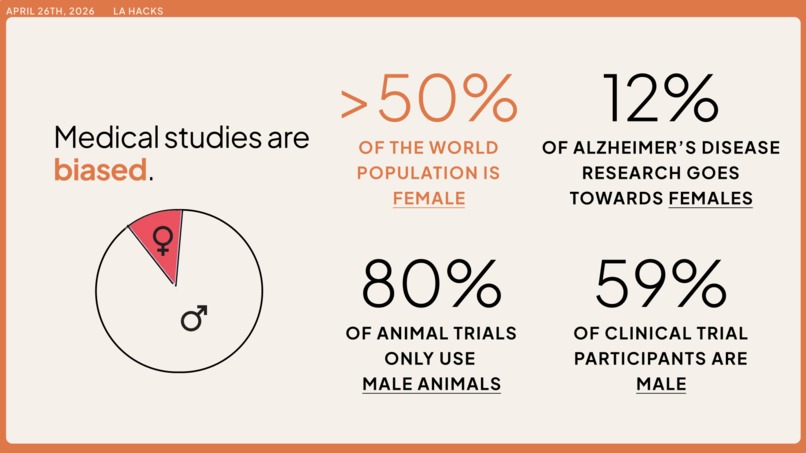
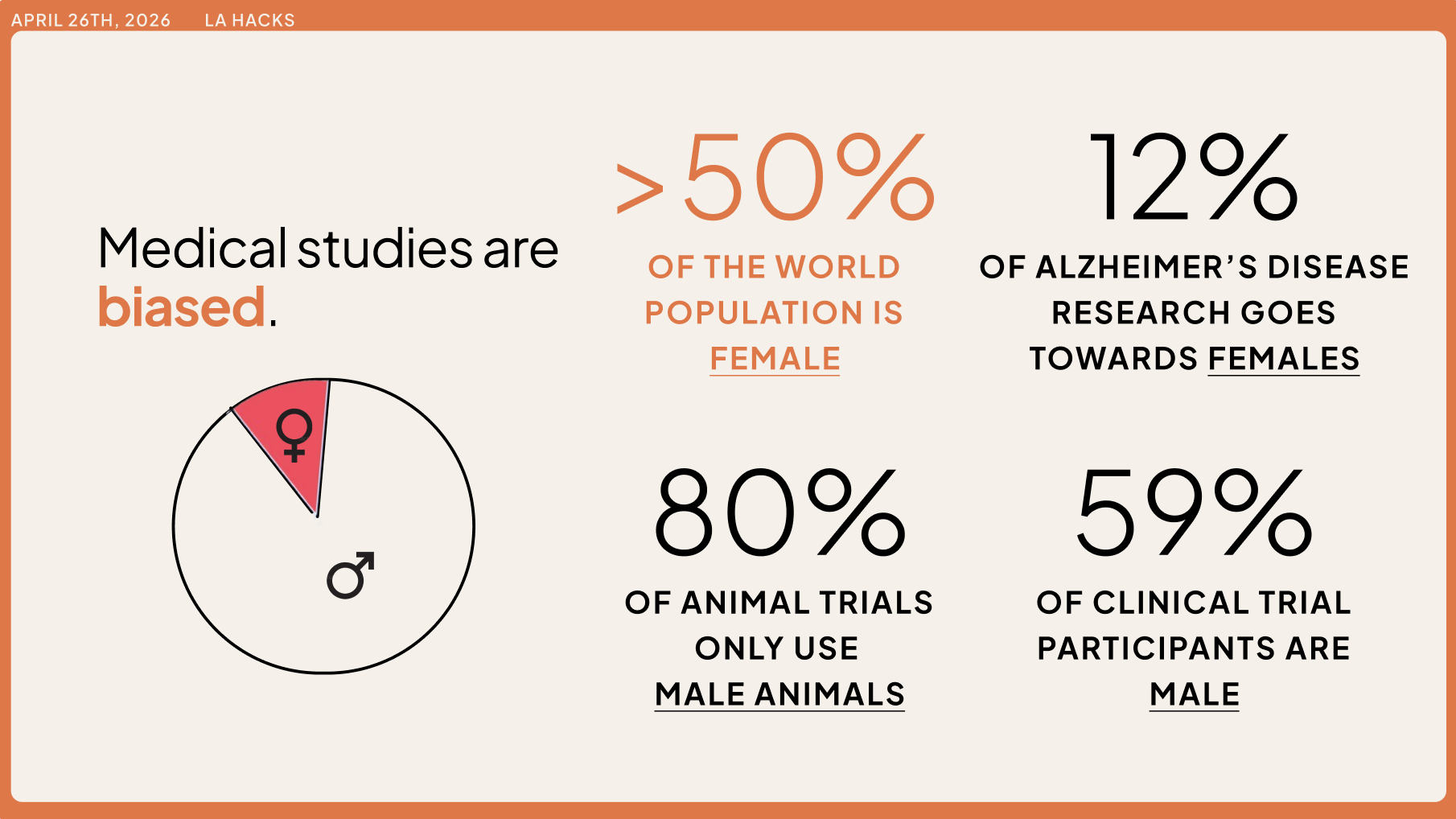
Women have been systematically left out of medicine. Across basic science, clinical trials, and guideline development, women are underrepresented, sex-disaggregated data is often missing, and “neutral” recommendations are quietly calibrated to male bodies. That gap turns into misdiagnoses, delayed treatment, and a constant burden on women to do their own research and self-advocate.
We wanted to build something for the women who are already deep in symptom rabbit holes at 2 a.m. reading studies, scanning forums, contemplating the rest of their lives if they actually are pregnant, and trying to decode if any of it actually applies to them. WebMedica was born from the belief that researching your health as a woman shouldn’t require a medical degree, hours of cross-referencing, or guesswork.
Our goal: to turn every health article into a personalized, women-specific brief that you can actually bring into the exam room.
What it does 🧠
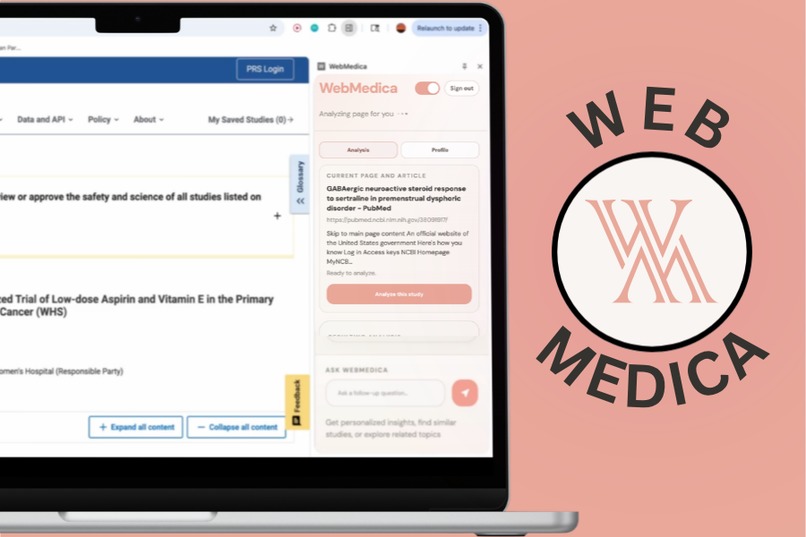
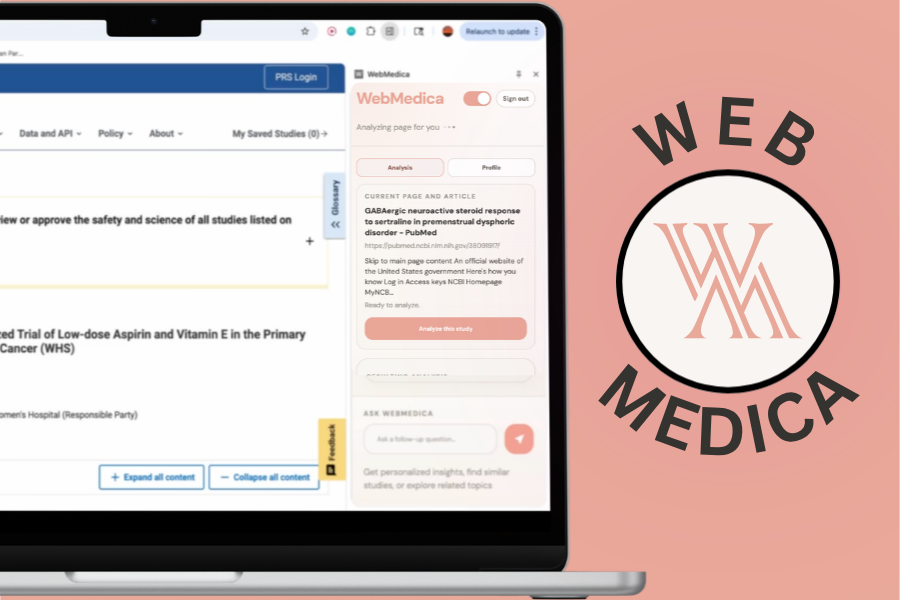
WebMedica is a Chrome extension that sits next to you while you browse health content, turning generic articles into personalized, women-centered insights in real time.
After a one-time setup, users create a private health profile that includes:
- Age range and life stage (e.g., menstruating, pregnant, menopausal)
- Existing conditions and family history
- Medications, lifestyle factors, and health goals
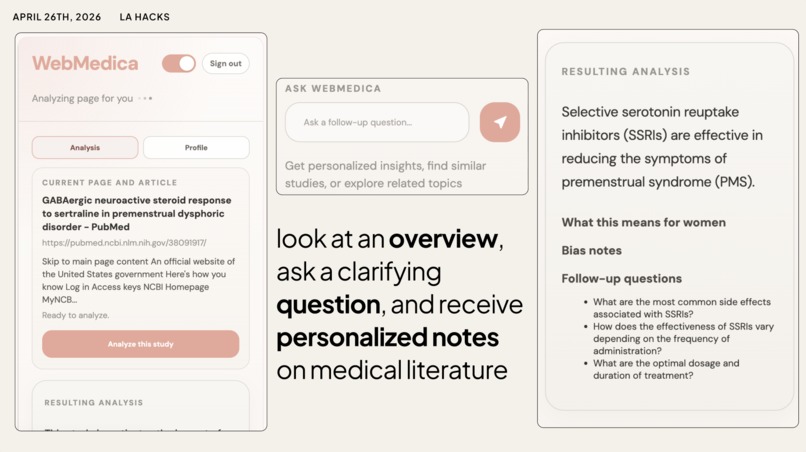
Once set up, WebMedica quietly analyzes the page you’re on, whether it's PubMed studies, health blogs, or guideline PDFs, and surfaces:
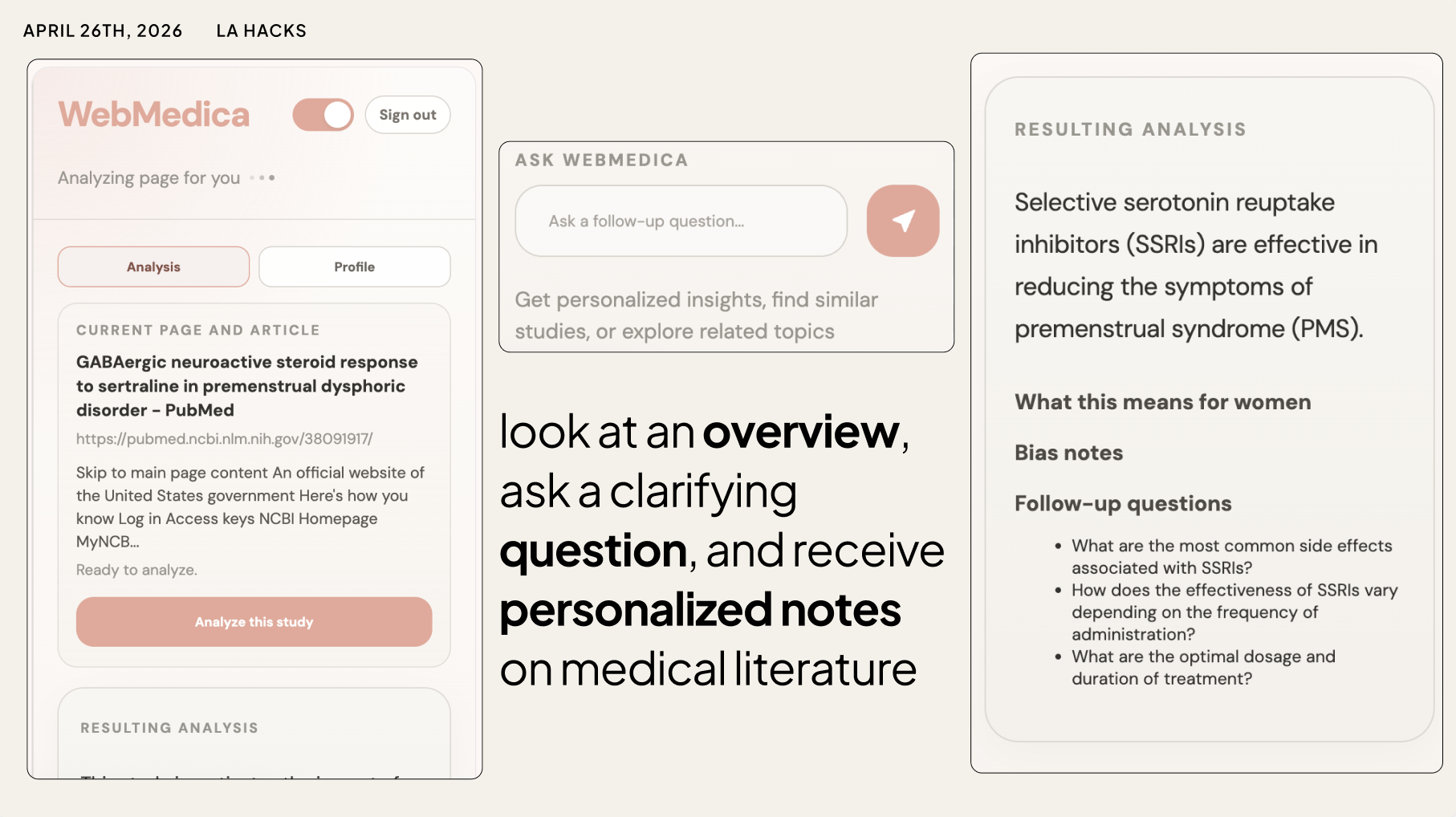
- A plain-language summary of what this study or article actually focuses on, with an emphasis on how it affects women.
- A “What this means for you” section that interprets key points through the lens of your profile (e.g., “women in your age group,” “people with your condition”).
- A bias check that flags potential issues like male-heavy study populations, missing sex breakdowns, or limitations that might make the findings less applicable to women.
- Suggested follow-up questions you can bring to your doctor, tailored to both the article and your profile.
The extension also includes a built-in chatbot that stays grounded in:
- Your health profile
- The current page’s content
So instead of generic answers, you get context-aware guidance like:
“Given your history of migraines and your current medication, here’s what this study suggests you might want to ask your neurologist.”
WebMedica doesn’t replace your doctor—it helps women walk into appointments with better questions, better context, and a clearer understanding of what they just read online.
How we built it 🛠️
We built WebMedica as a Chrome side panel extension so that it can live next to any page without hijacking the browsing experience.
Chrome Extension + React
- A React app powers the side panel UI, handling onboarding, profile setup, and the live article analysis view.
- Content scripts run on each tab, extract the main article text (or PubMed abstract), and send “page context” (URL, title, body text) to the side panel.
User profiling and local state
- We store the user’s health profile using the Chrome extension storage API, so they only fill it out once.
- That profile is injected into every AI call, allowing the same article to be interpreted differently for two different users.
Local AI with Gemma (via Ollama)
- We run the Gemma model locally using Ollama, which exposes a simple HTTP API on the user’s machine.
- A small Node/Express backend receives article text + user profile, crafts a prompt, and calls Gemma to:
- Summarize the article with a women’s-health focus
- Extract women-specific sections
- Identify possible bias and missing information
- Generate follow-up questions
Structured AI output
- We prompt Gemma to return strict JSON so the frontend can render sections like:
- “This study focuses on…”
- “What this means for women”
- “Bias notes”
- “Questions to ask your provider”
Real-time page integration
- As you navigate, the extension updates “Current page / Current article / Waiting for page context…” and lets you trigger an analysis at any time.
- This flow makes WebMedica feel like a research companion, not just another chat box.
PIPELINE: page or web search → content script → side panel → Gemma → structured, women-specific insights back in the UI.
Built With 🧰
- Chrome Extensions (Manifest V3, side panel, content scripts)
- React
- TypeScript
- Node.js + Express
- Ollama
- Gemma (LLM)
- HTML/CSS
- GitHub - github.com/LaurenMBell/lahacks
- Figma/Figma Make
- Vultr
Challenges we ran into ⚙️
Extracting meaningful content from arbitrary pages
- Not every health article lives neatly inside an
<article>tag. We had to experiment with different DOM strategies to capture the main text while avoiding navigation, ads, and sidebars. Balancing “works on most sites” with “doesn’t break the layout” took time.
Keeping AI grounded and structured
- Large language models love to hallucinate and ignore JSON instructions. Getting Gemma (via Ollama) to return consistently parseable JSON—with separate fields for summary, women-focused sections, bias notes, and questions—required several rounds of prompt engineering and defensive parsing.
Designing for trust, not diagnosis
- We wanted WebMedica to empower users without overstepping into “Dr. Google” territory. That meant carefully designing copy, warnings, and UX to reinforce that this is an educational tool, not a replacement for professional medical advice.
Performance & latency
- Running AI locally is powerful but can be slow, especially on long articles. We had to manage truncation, size limits, and UI states so that the tool feels responsive instead of freezing while the model thinks.
Accomplishments that we're proud of 🏆
Using Figma Make for our first full flow
- This was our very first time using Figma Make, and generating the first iterative designs were crucial for our development. It set the grounds for the rest of our project and helped us advance our engineering a lot.
Turning messy medical text into clear, women-specific insights
- We’re proud that WebMedica can take a dense, jargon-heavy study and output: “This study focuses on…” plus concrete statements about how it applies to women like the user reading it.
Bias-aware summaries by default
- Instead of treating “gender bias in medicine” as a separate topic, we baked bias checks into every analysis. If an article likely underrepresents women, the user sees it immediately.
A seamless Chrome experience
- WebMedica feels like a native part of the browsing experience. You don’t have to copy-paste URLs into a separate site or app; the insights show up right next to the article you’re already reading.
Local-first AI integration
- Using Gemma via Ollama allowed us to explore a more privacy-preserving, local-first architecture for sensitive health content, rather than shipping every word to a distant cloud.
What we learned 📚
Bias is everywhere—and often invisible
- Reading paper after paper made it clear how often women are underrepresented or not properly stratified in medical research. Encoding that awareness into a tool forces you to think critically about every “evidence-based” claim.
UX matters as much as model quality
- A good model isn’t enough. The way insights are grouped, labeled, and explained (especially for non-experts) completely changes whether users feel empowered or overwhelmed.
Chrome extensions are surprisingly powerful
- Side panels + content scripts give you a lot of leverage to build “overlay” intelligence on top of existing websites, without needing any integrations from those sites.
Prompting for structured outputs is an art
- Getting reliable JSON from a model took careful prompt design, clear schemas, and defensive coding on the backend.
What's next for WebMedica 🚀
More optimized performance
- We want to improve performance, making our AI analysis and chatbot response times faster, more detailed, and more accurate. We also plan to build a persistent research history feature, allowing WebMedica to retain and connect what you’ve read, drawing on a user’s full research context instead of a single page at a time.
Language complexity toggle
- We want to introduce a language complexity toggle so users can choose between everyday language, a middle ground, or full medical terminology depending on their needs. The medical‑jargon setting is designed for those who want to discuss their research with their doctor, making it easier to walk into an appointment with the right vocabulary.
Longer term integrations
- Longer term, we want to expand beyond women’s health to provide personalized health insights for people of all demographics, while keeping bias‑awareness at the core. We’re also excited about future integrations that help close the loop between online research and in‑clinic care, like securely sharing summaries or question lists with providers.
Built With
- canva
- chrome
- css
- express.js
- figma
- figmamake
- gemma
- git
- github
- html
- javascript
- node.js
- ollama
- postgresql
- react
- resend
- sql
- supabase
- typescript
- vite
- vultr


Log in or sign up for Devpost to join the conversation.