Inspiration
We've all been there — 20+ open tabs, each one with something “important” that we swear we’ll read later.
Students, researchers, and professionals often get lost while trying to manage massive amounts of online content.
The real problem isn’t finding information anymore — it’s making sense of it.
That’s what inspired us to create TAG+: an AI-powered assistant that transforms the overwhelming experience of tab overload into an organized, focused, and productive workflow.
What it does
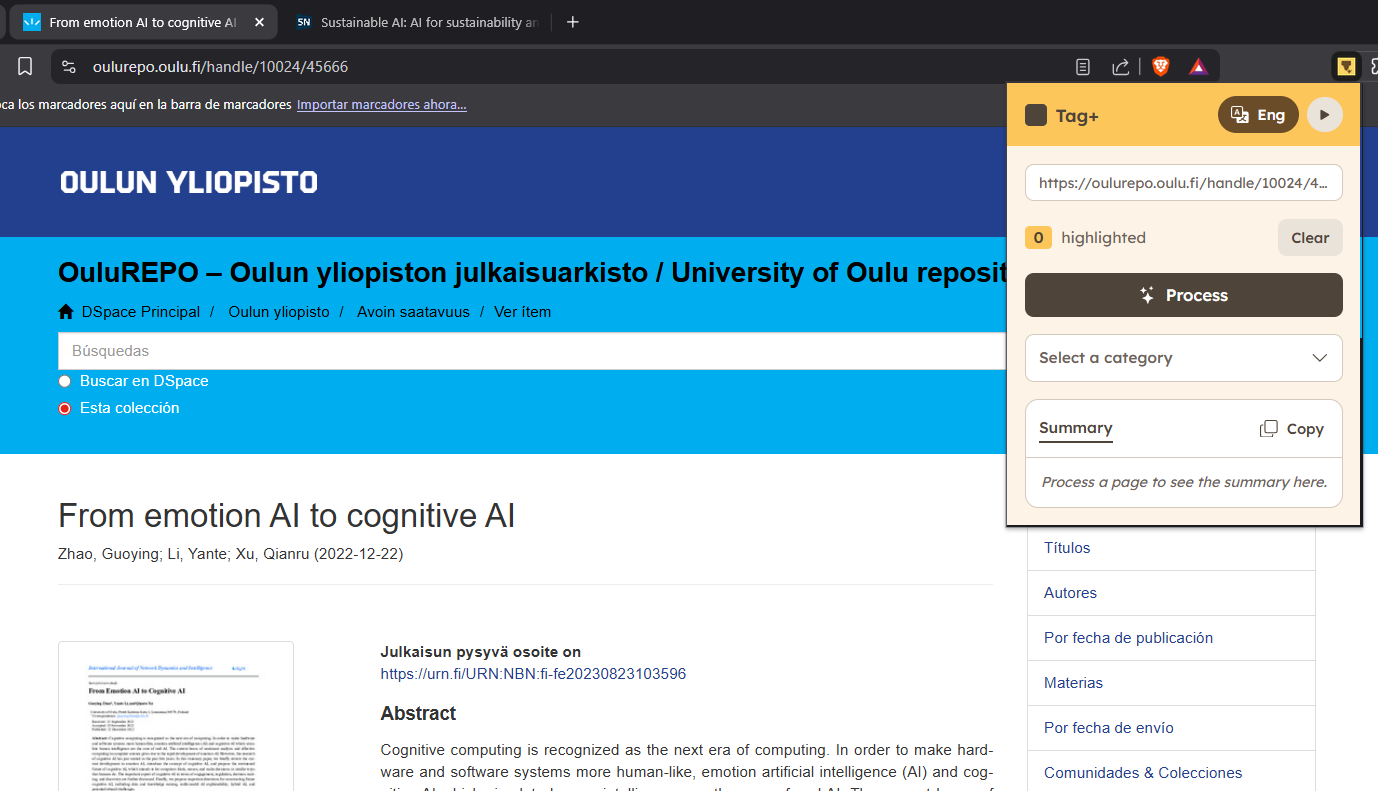
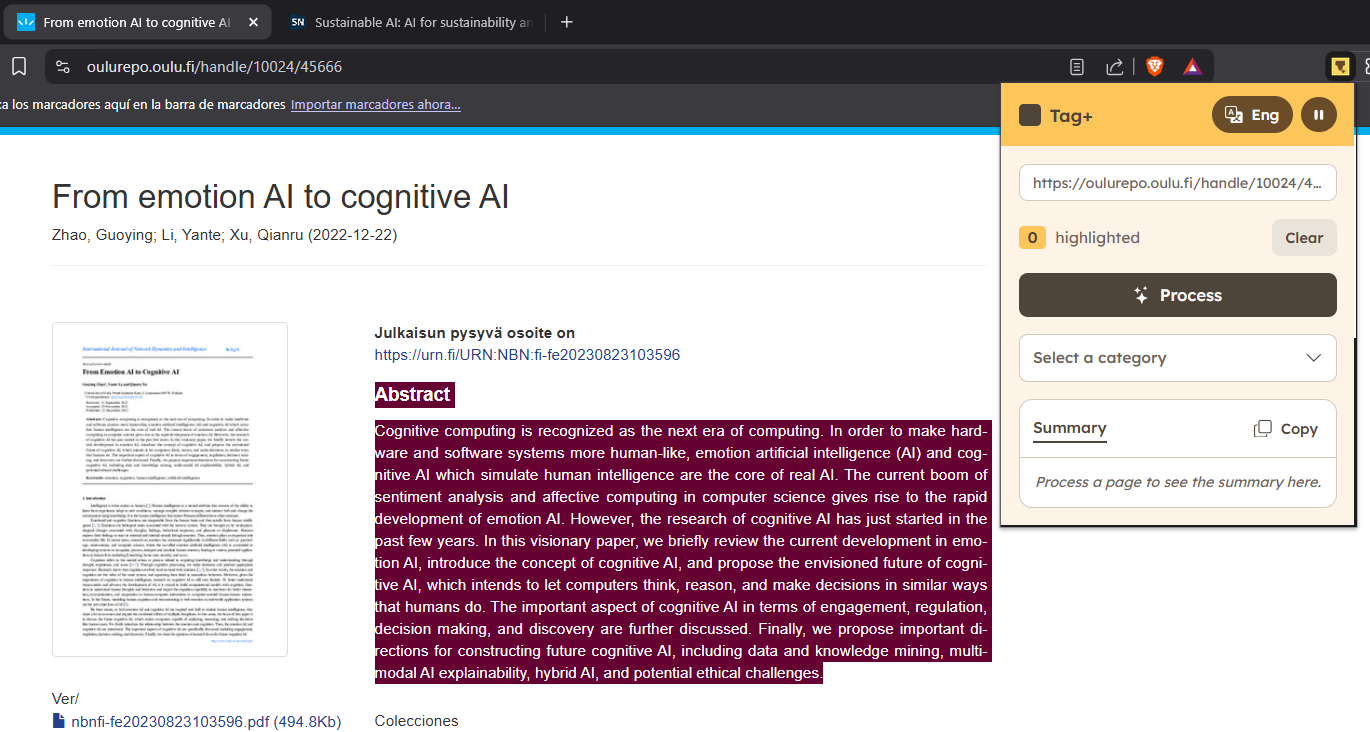
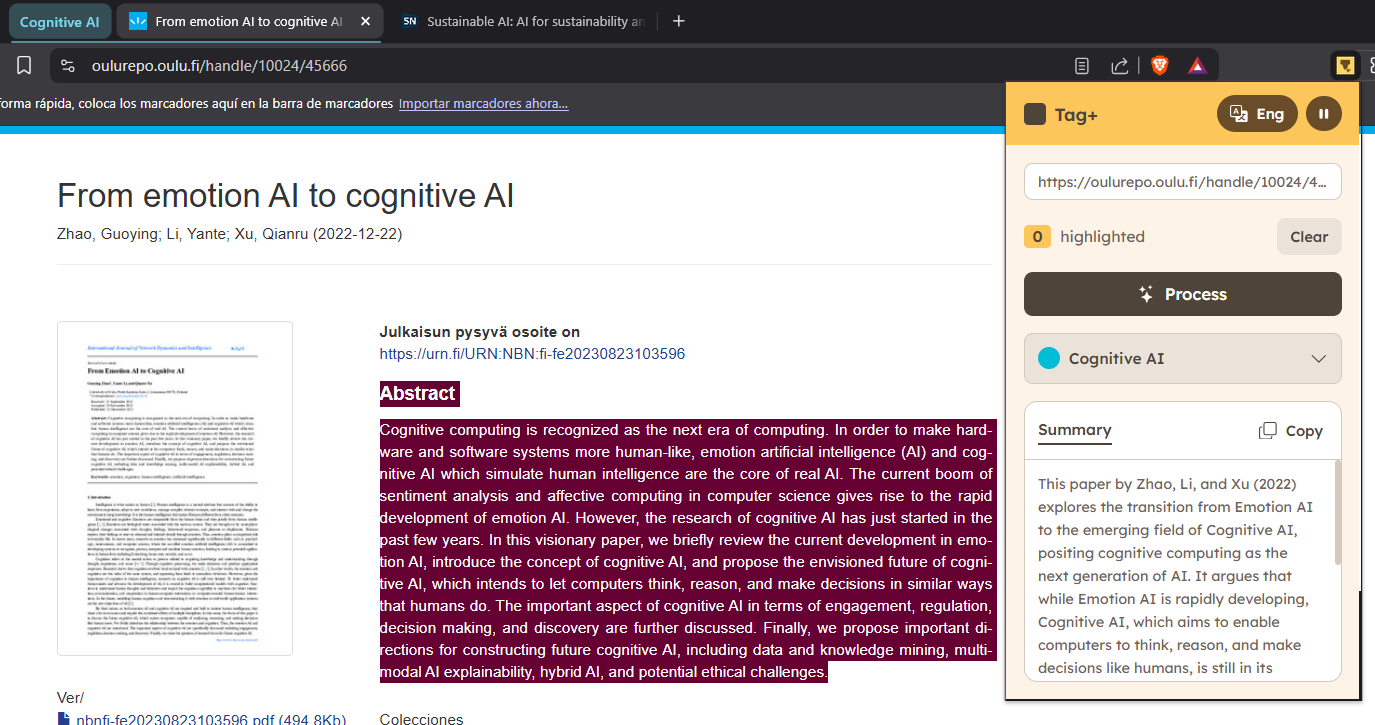
TAG+ is a smart Chrome extension that helps users manage information efficiently while browsing.
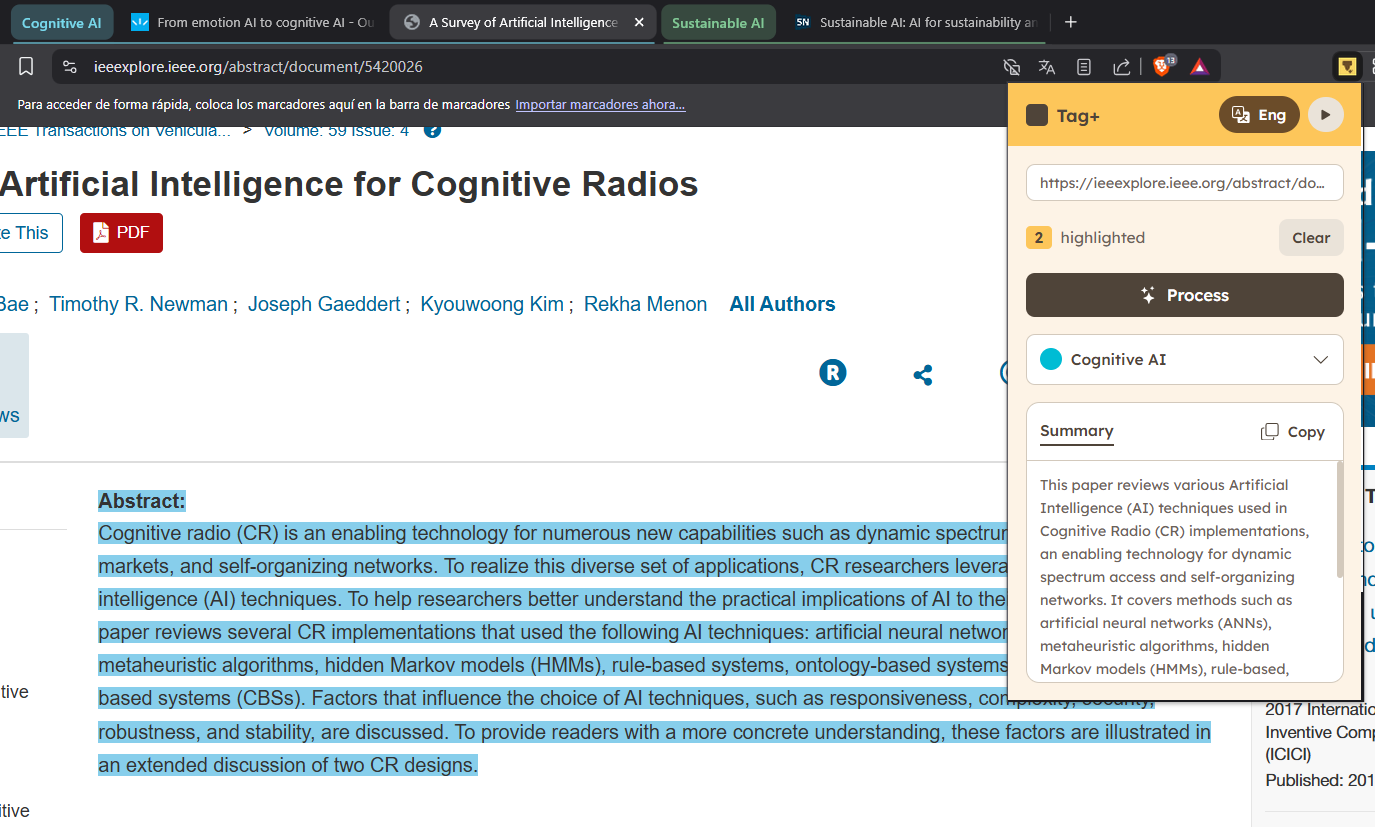
When a user highlights any text — for example, a paragraph from a research paper or a blog post — the extension uses Gemini AI to:
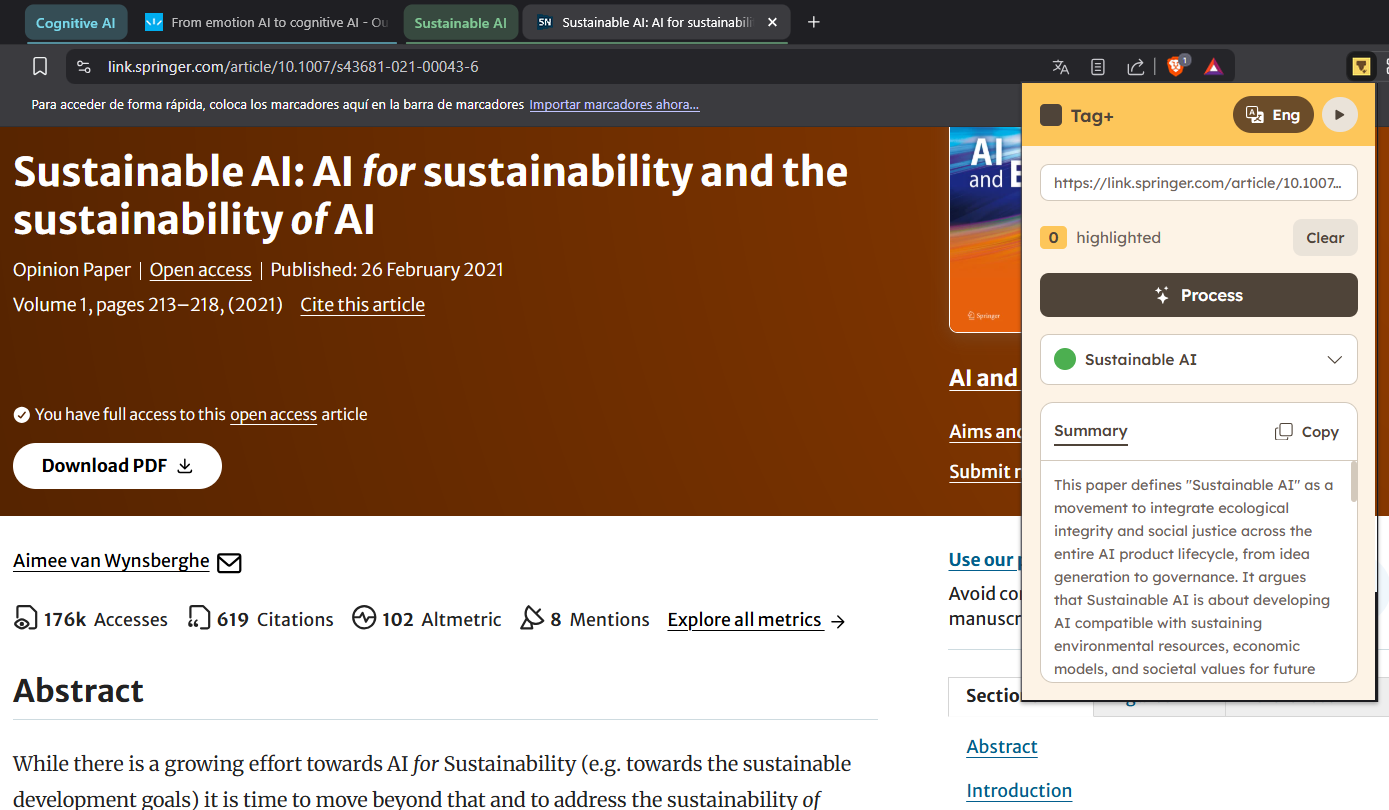
- Summarize the highlighted text and extract the key ideas.
- Categorize the content intelligently based on context.
- Automatically create or update Chrome Tab Groups with meaningful names and colors.
As a result, users can see their open tabs reorganized into clear thematic clusters — turning browsing chaos into structured knowledge.
In future versions, TAG+ will also analyze PDFs, YouTube videos, and multimodal content to provide a unified experience.
How we built it
We started by exploring the Chrome Extensions API and how to interact with the DOM to extract user highlights.
Then, we connected the extension with Firebase Functions, which act as the backend layer to process AI requests.
For intelligence, we used Gemini models to summarize and classify content semantically.
We also leveraged the Chrome Tabs API to dynamically create and manage tab groups according to the AI’s output.
The frontend was developed in JavaScript, focusing on simplicity and user experience.
We collaborated through GitHub and tested the extension in real browsing scenarios to validate usability and reliability.
Challenges we ran into
- Understanding the Chrome extension architecture and permissions model.
- Managing cross-origin communication between the extension and Firebase functions.
- Designing a smooth user interaction that feels instant and intuitive despite asynchronous AI calls.
- Handling contextual categorization when different tabs contain similar but subtly distinct topics.
Accomplishments that we're proud of
- Building a fully functional AI-integrated Chrome extension in a short timeframe.
- Seamlessly integrating Gemini AI with Firebase Functions for real-time summarization.
- Creating a meaningful UX that bridges productivity and cognitive assistance.
- Working as a team across design, AI, and frontend disciplines — and seeing everything come together.
What we learned
We learned how powerful (and tricky) it can be to combine browser technology with AI-driven context understanding.
We gained hands-on experience in:
- Chrome extension development
- AI API integration (Gemini + Firebase)
- Cross-domain collaboration between frontend and backend services
- Structuring an idea into a real prototype under hackathon time constraints
But most importantly, we learned that simplicity wins — the best AI tools don’t replace the user, they amplify their thinking.
What's next for Tag+
We plan to extend TAG+ to:
- Support PDFs and extract structured insights from them.
- Analyze YouTube transcripts to summarize videos.
- Allow users to generate reports or summaries of their categorized tabs.
- Integrate collaborative features so teams can share their knowledge structures.
Our vision is to build an intelligent reading assistant that thinks with you, not for you — turning everyday browsing into a process of active learning and discovery.
Built With
- css
- firebase-functions
- gemini
- html
- javascript
- langchain


Log in or sign up for Devpost to join the conversation.