-
-
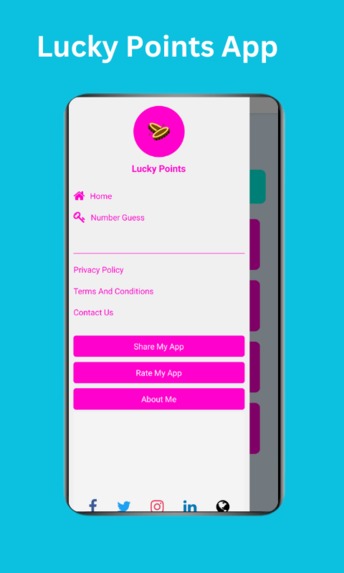
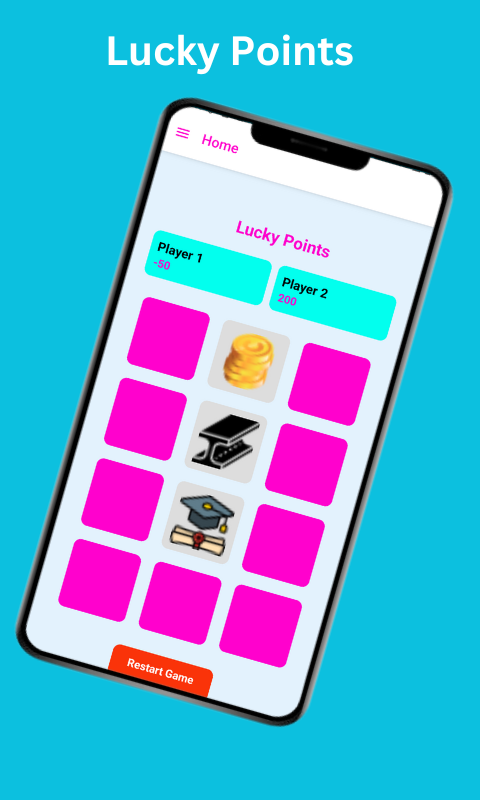
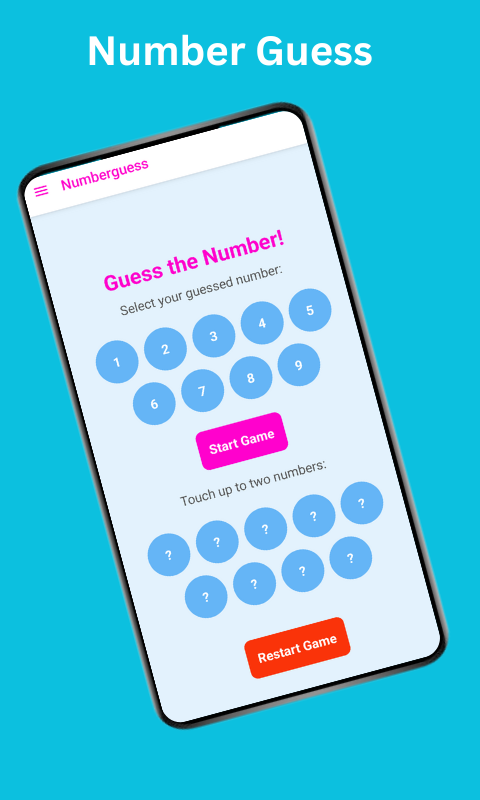
Lucky Points Game App: Guess Numbers - Home Page
-
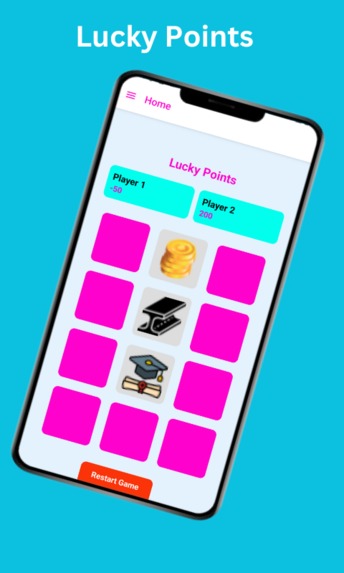
Lucky Points Game App: Guess Numbers - Lucky Points Game App
-
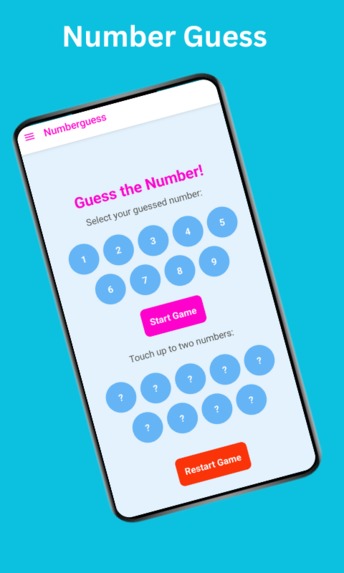
Lucky Points Game App: Guess Numbers - Guess Numbers
Introduction
Creating mobile applications can be an exciting and rewarding journey. I recently developed the "Lucky Points Game App: Guess Numbers". It is mainly for children and teenagers. Here are mainly two games one is scarce and gains points. Another is for guessing numbers between 1 and 9.
The lucky points game is called “Lucky Game”. A user can choose three buttons to gain points. There are negative points also available. The guessing numbers User can choose a number therefore choose the hidden button if it is correct and matches each other, the user will win otherwise he will fail to guess numbers.
It is a React Native Expo TypeScript project built using Vs Code, Amazon Q Developer Plugin, Expo, and Android Studio. Available on Amazon App Store.
Libraries Used in This Project
The "Lucky Points Game App" uses various libraries to enhance its functionality:
React Native: The core framework for building the app.
Expo: Simplified app development and testing.
TypeScript: Provided type safety and code clarity.
React Navigation: For managing the navigation between pages.
AWS SDK: To interact with AWS services.
Development Journey
Developing the app was a step-by-step process:
Planning: Designed the core features, including the "Lucky Points" button selection and the number guessing game.
Setting Up the Project: Used Expo CLI to initialize the React Native project and added TypeScript support.
Game Logic Implementation: Designed the "Lucky Points" feature, where users select three buttons to collect points. Negative points are available here. Added the number guessing game logic, allowing users to guess numbers between 1 and 9. If it match each other user will win otherwise fail.
UI/UX Design: Used React Native components and styled with custom stylesheets to ensure a user-friendly interface.
Testing: Used Expo Go for on-device testing and Q Developer Plugin for seamless deployment testing. Q Developer Plugin has also helped with error handling.
Publishing: Packaged and published the app to the Amazon App Store using the tools and guidelines provided by Amazon.
AWS Services That Helped Me Complete My Project
AWS services played a pivotal role in the development and deployment of the "Lucky Points Game App." These include:
Amazon S3: It helps me to store my website.
Q Developer Plugin: It helps me to suggest my code, error handling, and so on.
Amazon App Store: It helps me to publish my app.
AWS community: The AWS community helped me to market my app.
App development adventure and what I learned
Building this app was an enriching experience that combined creativity, and the power of AWS services. I hope my journey inspires you to embark on your own app development adventure!
What's next for "Lucky Points Game App: Guess Numbers" Future update:-
I’ll update the user interface and logic soon. Update all points and images that anybody is attracted to this game and have fun.
How to get the app?
Download Amazon App Store: link
Download my app from Amazon App Store: link
How to Use the code?
Download the code from here link
Open with VS Code and open the terminal
npm install -g expo-cli
npm install @react-navigation/drawer
npx expo install react-native-gesture-handler react-native-reanimated
Open the Android Studio and Emulator
Close the VS Code and open it again, open the terminal
npx expo start
Thank You
Built With
- amazon-web-services
- android-studio
- c51
- expo.io
- mazon-q
- react
- react-native
- s3
- typescript
- vscode

Log in or sign up for Devpost to join the conversation.