Inspiration
Reading should not depend on expensive software, specialist subscriptions, or a constant internet connection.
Many readers with dyslexia struggle with dense paragraphs, unfamiliar words, visual distractions, and limited access to personalized reading support. Most simple reading tools only change fonts, but accessible reading involves much more.
I wanted to build a free reading companion that makes text easier to navigate, understand, pronounce, and practice — without requiring an account, a subscription, or an internet connection.
That became Lucid Reading Studio.
What it does
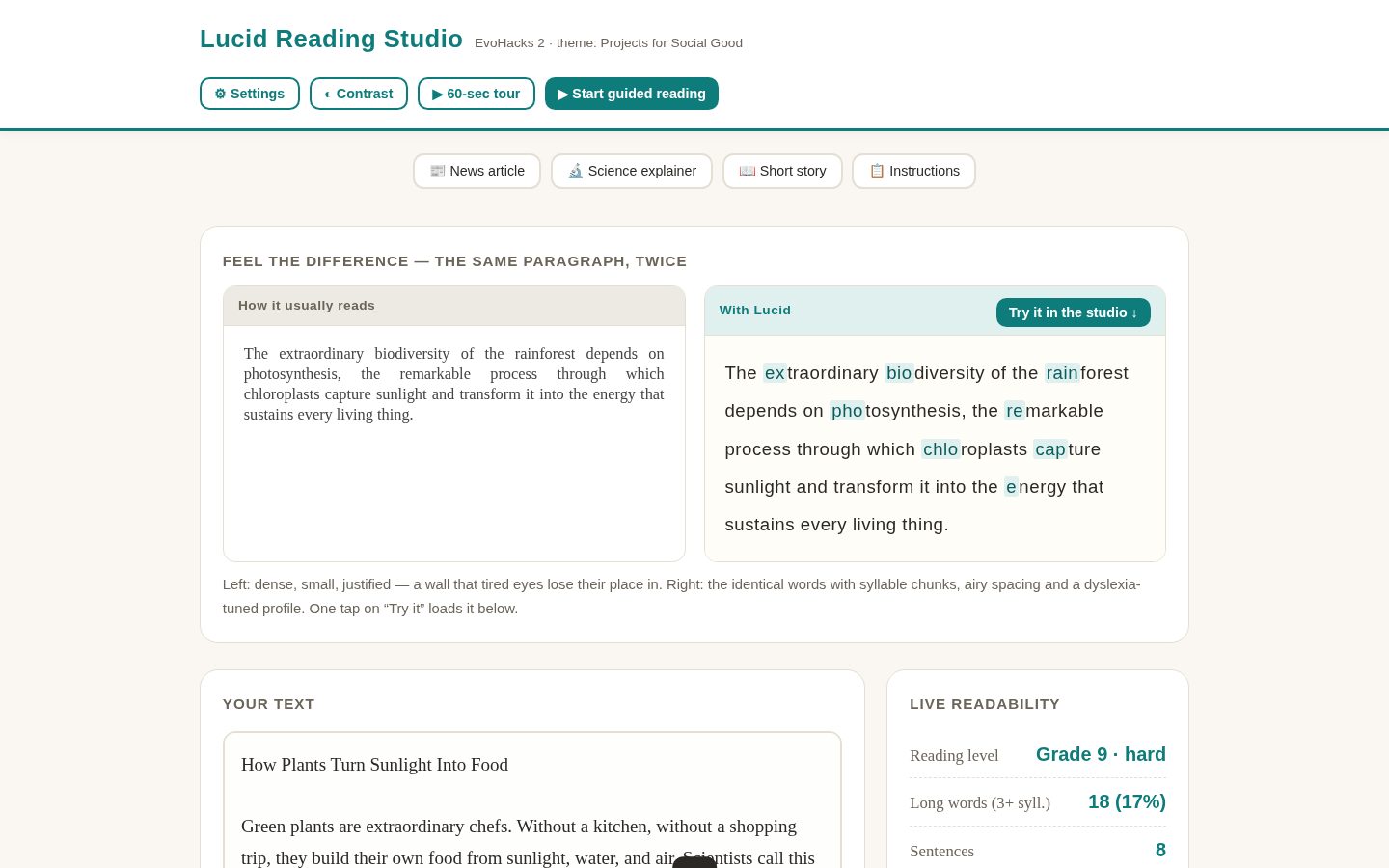
Lucid Reading Studio transforms ordinary text into an interactive, customizable reading environment.
Users can paste articles, homework, or other reading material and immediately access:
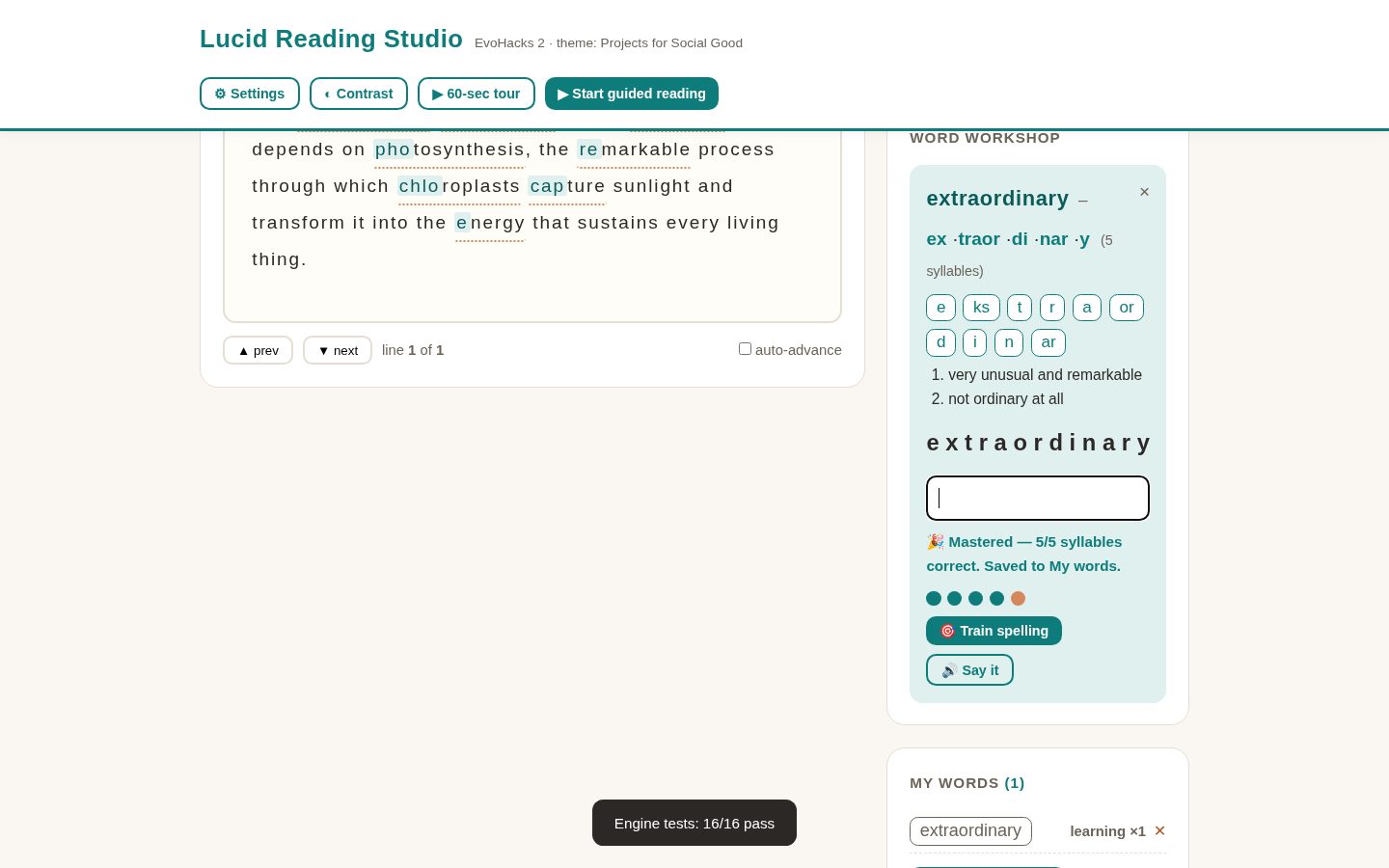
- Syllable guidance: Breaks longer words into more manageable chunks using a rule-based phonics engine.
- Reading focus tools: Sentence highlighting, adjustable spacing, focus-line navigation, and a fatigue-reduction veil.
- Read-aloud support: Browser-powered speech with word highlighting and timing fallbacks.
- Word Workshop: Explore syllables, pronunciation, simple definitions, and interactive spelling drills.
- Spaced review: Save practiced words and revisit them on a scheduled review cycle.
- Comprehension practice: Automatically generate offline fill-in-the-word exercises.
- Reading pace: Track reading sessions and words-per-minute history.
- Accessibility controls: Adjustable typography, high-contrast themes, and keyboard navigation.
- Offline functionality: Continue reading and practicing after the application has been cached or installed.
Reading history and progress stay on the user's device. Users can export their data or create a JSON backup.
There is no account requirement, paid service, or runtime LLM dependency.
How I built it
Lucid Reading Studio uses HTML5, CSS, and vanilla JavaScript, with zero application-framework dependencies.
Its core reading engine implements deterministic syllabification rules, including phonics patterns, onset-maximization logic, digraph protection, and curated exceptions.
The Web Speech API provides read-aloud functionality. Browser localStorage preserves word lists, spaced-review schedules, and reading progress.
A service worker and web manifest make the hosted application installable and available offline after its resources are cached.
The application was developed with AI coding assistance under my direction. The coding agent implemented the application and its tests, while I directed feature choices, priorities, and acceptance decisions. The product does not call an AI model when readers use it.
Challenges I ran into
English syllabification is difficult. Spelling and pronunciation don't always follow predictable rules.
I evaluated the syllabification engine against 8,892 words, using CMUdict phonetics and pyphen as comparison references. This revealed a systematic silent-e problem, prompting a targeted correction.
The documented syllable-count agreement with CMUdict improved from 75.4% to 81.4%.
Browser speech timing is inconsistent. Some browsers do not reliably report word boundaries during text-to-speech playback. The application therefore includes timed highlighting as a fallback.
Offline accessibility requires careful engineering. Reading progress, focus navigation, word drills, saved reviews, and application resources must remain functional without a backend.
Accomplishments
- Created a self-contained reading application with no runtime AI dependencies.
- Implemented syllable guidance, read-aloud support, and interactive spelling practice.
- Built persistent spaced reviews and comprehension exercises.
- Added reading-pace tracking, local progress history, and backup/restore.
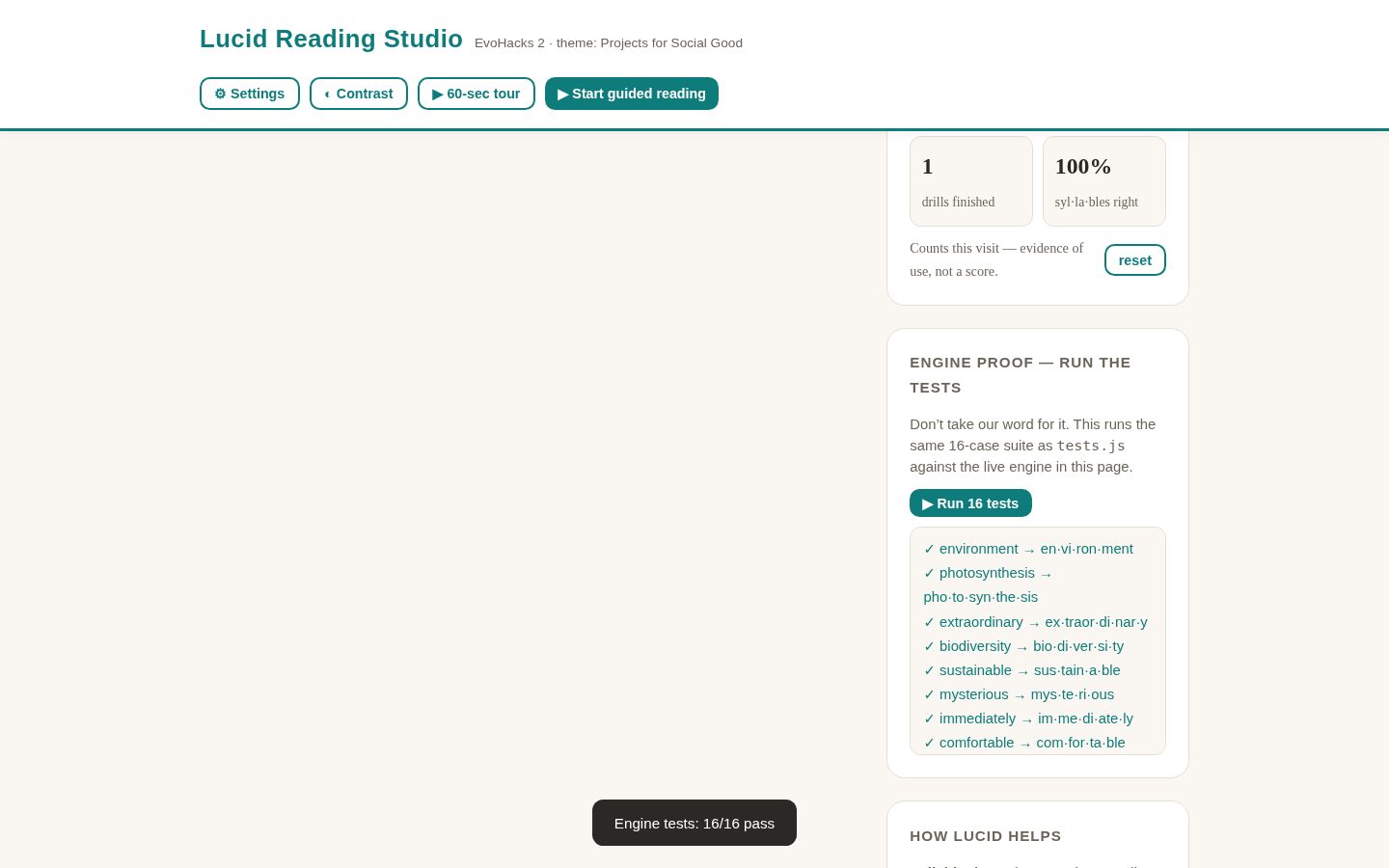
- Documented 16 passing syllabification tests.
- Audited 8,892 words and identified a real algorithmic defect.
- Added a guided product tour and offline PWA functionality.
- Published the source code and live application.
These tests measure engineering behavior, not clinical effectiveness or demonstrated improvements in dyslexic readers' learning outcomes.
What I learned
Accessibility is not just a font choice. Reading support involves reducing distractions, understanding unfamiliar words, supporting pronunciation, and letting readers control the pace and presentation of information.
I also learned the value of testing algorithms against examples they were not specifically designed to handle. A small passing unit-test suite is useful, but broader evaluation reveals important limitations.
What's next
I want to improve syllabification accuracy, expand the offline dictionary, introduce teacher-friendly progress exports, support more languages, and conduct usability testing with real readers.
The long-term goal is a genuinely accessible, free reading environment that remains available to learners regardless of their connectivity or financial circumstances.
Try Lucid Reading Studio
Live application: https://mir-ashiq.github.io/lucid-reading-studio/
Source code: https://github.com/mir-ashiq/lucid-reading-studio/
Video demonstration: https://youtu.be/ZTuYF2gHjzI
Built With
- accessibility
- css3
- education
- html5
- javascript
- localstorage
- offline-first
- phonics
- progressive-web-app
- service-worker
- web-speech-api
