-
-
home page
-
The standard quality of the text
Inspiration
Most reading material — textbooks, handouts, forms, articles — is typeset once, for one kind of reader. Around 1 in 5 people process text differently because of dyslexia, and millions more read with low vision, ADHD, or just plain screen fatigue. For them, dense unadjustable text turns a five-minute read into a thirty-minute struggle. The problem usually isn't the ideas on the page — it's the page itself. I wanted to fix the page, not the reader.
What it does
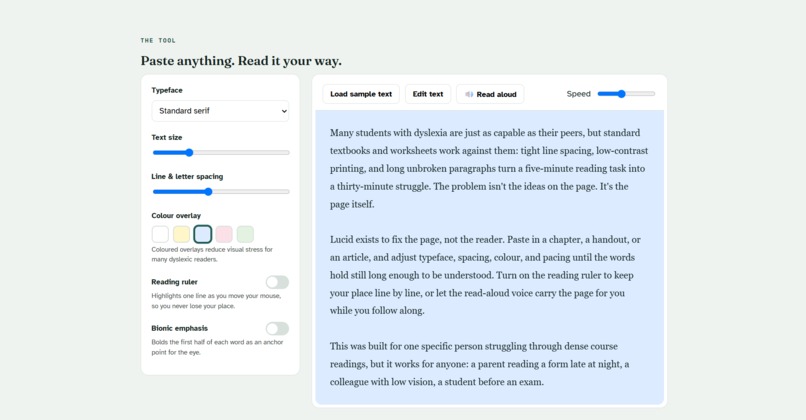
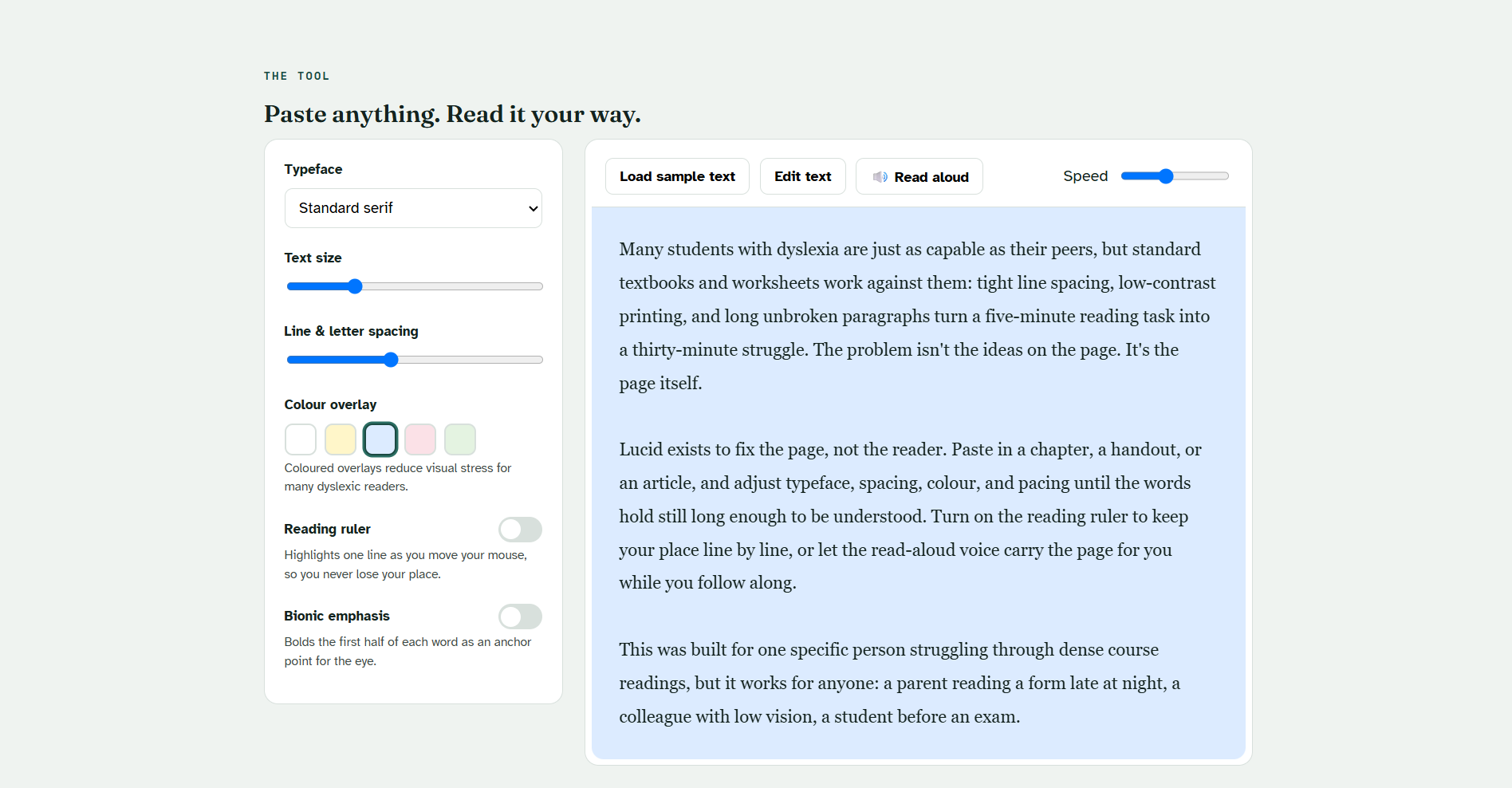
Lucid is a single, self-contained web app. You paste in any text and it becomes a live, adjustable reading surface. From there you can:
- Switch typeface, including Atkinson Hyperlegible, a font designed specifically for low-vision readers
- Adjust text size, line spacing, and letter spacing
- Apply coloured overlays (yellow, blue, rose, green) to reduce visual stress, a well-documented aid for dyslexic readers
- Turn on a reading ruler that highlights a line as your mouse moves down the page, so you never lose your place
- Enable bionic-reading emphasis, which bolds the leading half of each word as an anchor point for the eye
- Have the text read aloud, with adjustable speed, using the browser's built-in text-to-speech
Everything updates instantly, and nothing is uploaded anywhere — it all runs client-side, in the browser.
How I built it
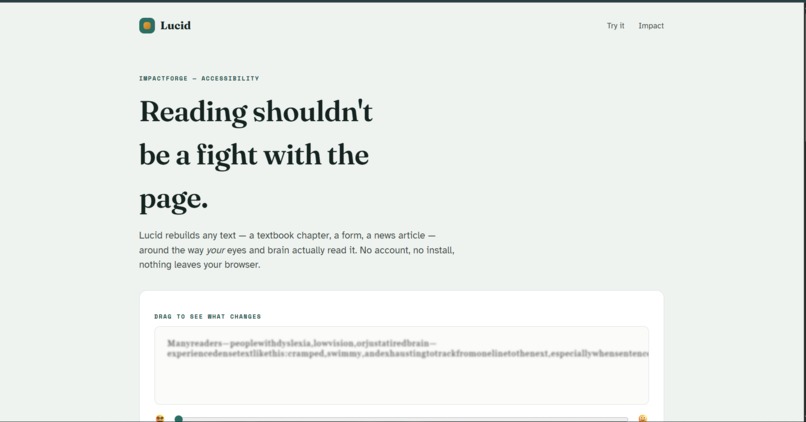
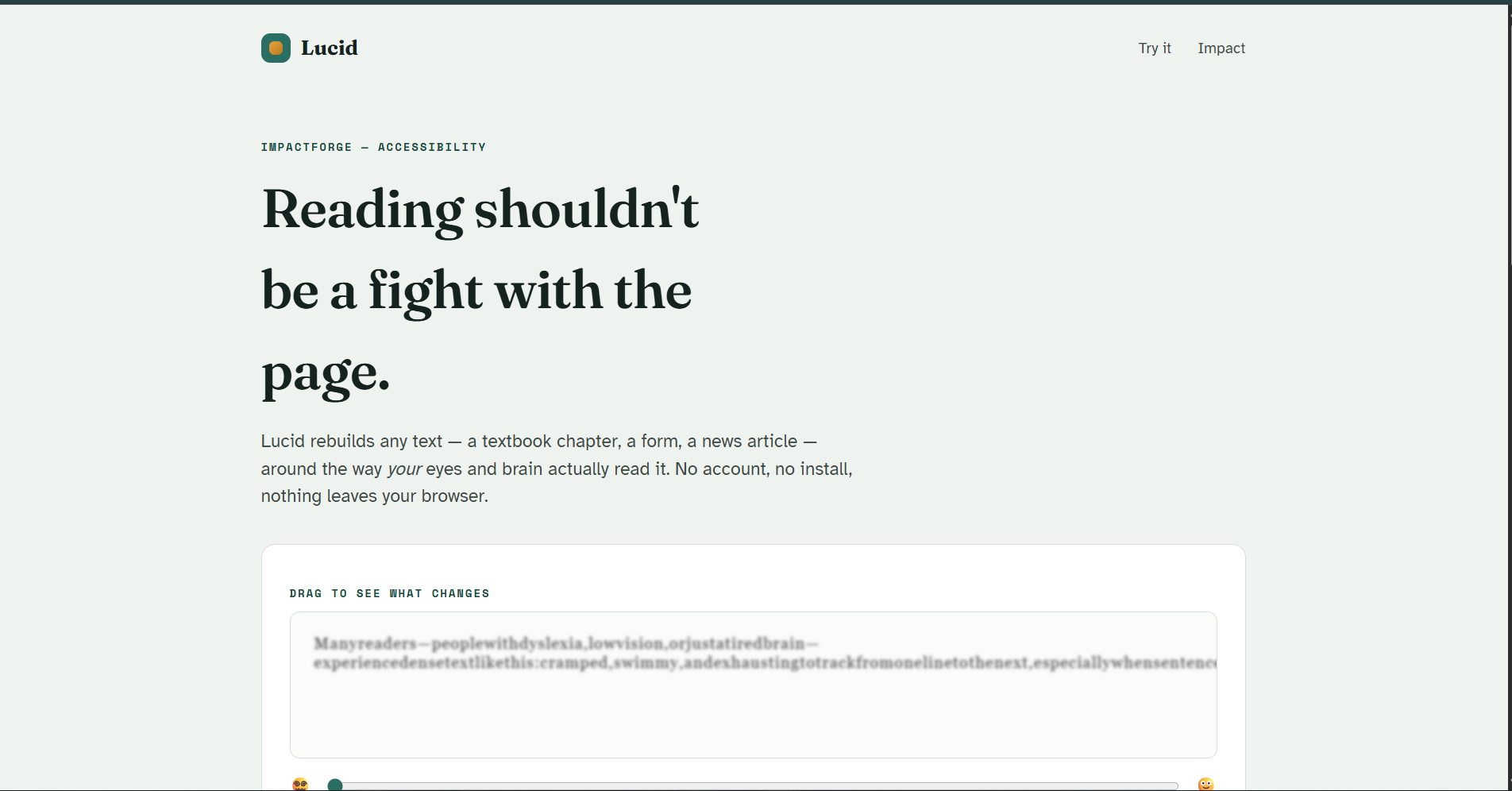
Vanilla HTML, CSS, and JavaScript — no frameworks, no backend, no build step. The read-aloud feature uses the Web Speech API (SpeechSynthesis). Typography comes from Google Fonts (Atkinson Hyperlegible, Fraunces, Space Mono). The landing page opens with a live "before/after" slider that morphs a cramped paragraph into a clear one, so the problem and the fix are visible in the first five seconds.
Challenges I ran into
Getting the reading ruler to track the mouse smoothly without interfering with text selection took some tuning. I also had to be careful that every control — font, spacing, overlay, ruler, bionic mode — worked together without visual conflicts, since a real reader might stack several settings at once.
Accomplishments that I'm proud of
Building a tool that's genuinely usable in under a minute, with zero setup, and that visually demonstrates why it matters before asking anyone to read a feature list.
What I learned
How much of accessible reading design comes down to spacing and colour rather than content itself, and how effective simple browser APIs (like SpeechSynthesis) can be for real accessibility gains without any external service.
What's next for Lucid
Saving a reader's preferred settings, support for uploading PDFs and images (with OCR) directly instead of pasting text, and a browser extension version that can reformat any webpage in place.

Log in or sign up for Devpost to join the conversation.