-
-
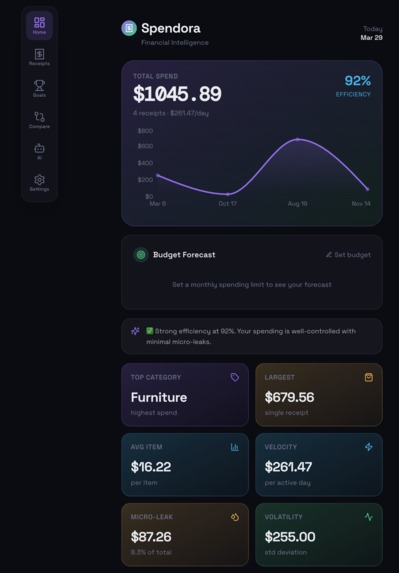
Main Dashboard
-
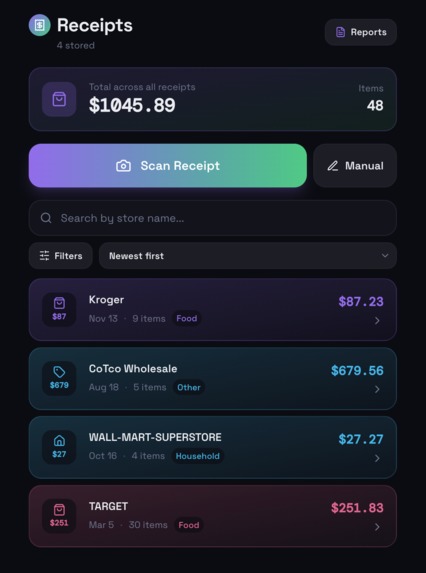
Receipt Overview
-
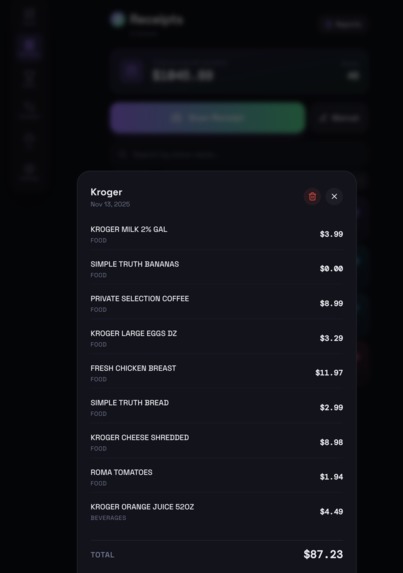
Receipt OCR Scanner
-
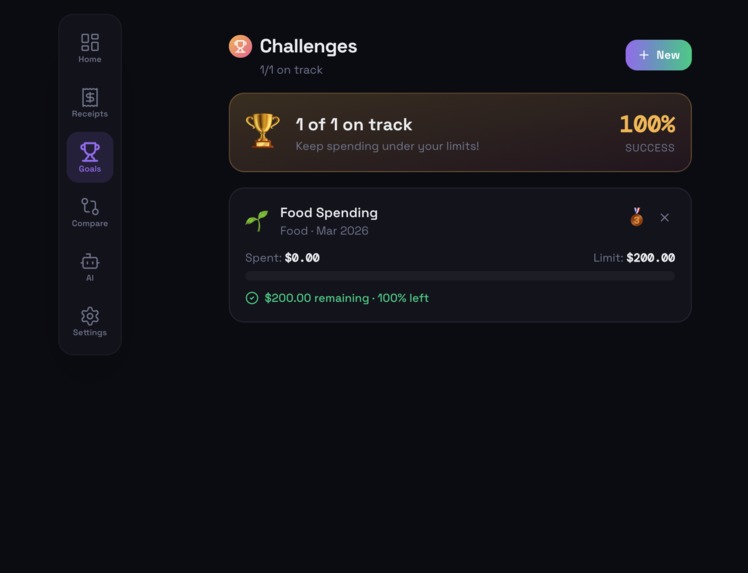
Challenges
-
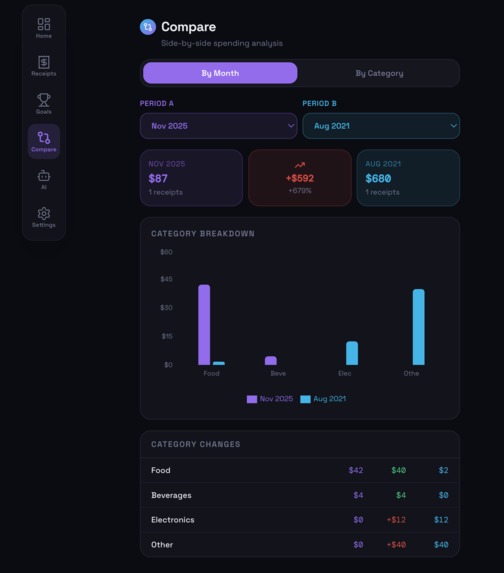
Compare Tool
-
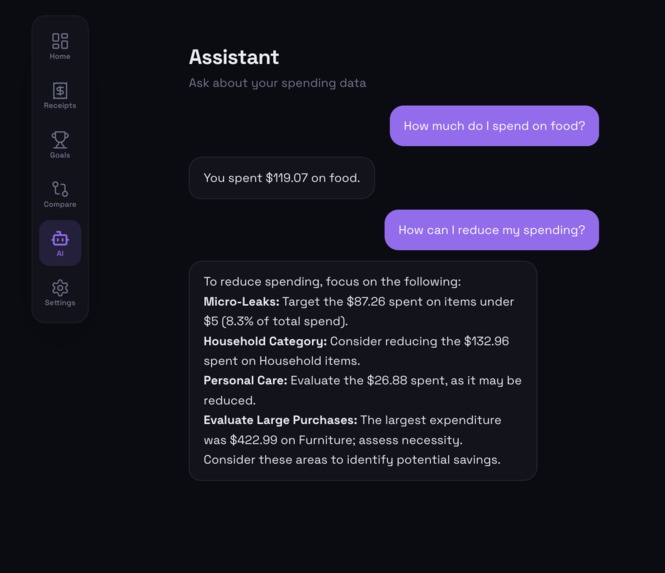
AI Assistant
-
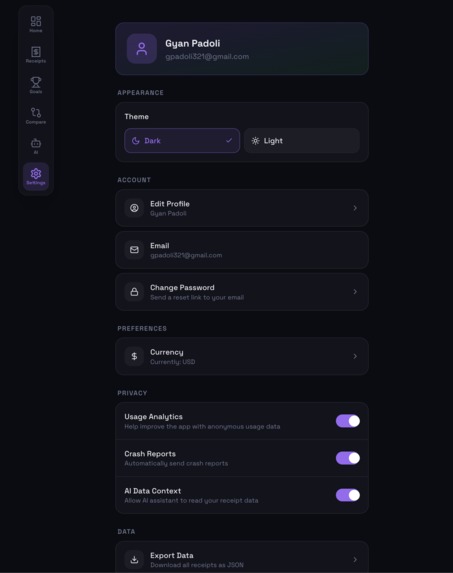
Settings
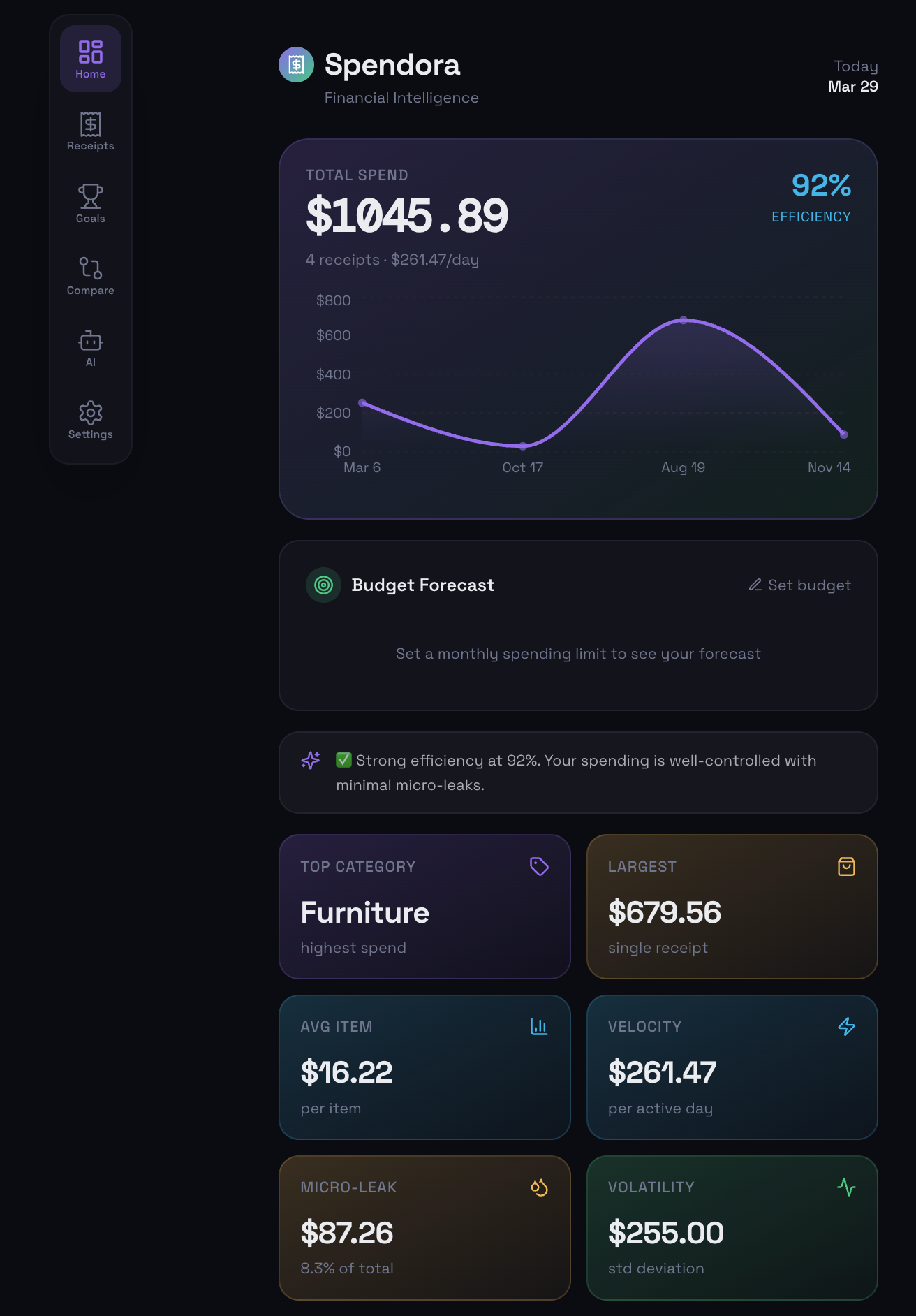
Spendora
Inspiration
Many individuals engage in frequent financial transactions but lack a clear understanding of their spending behavior. Existing budgeting tools often rely on manual input or provide high-level summaries that fail to deliver meaningful insights.
Spendora was developed to bridge this gap by automatically capturing real-world transaction data and transforming it into structured, quantitative financial insights.
Overview
Spendora is a personal finance analytics application that converts everyday transactions into measurable insights. By combining receipt scanning, data processing, and intelligent analysis, the platform enables users to understand their spending patterns with clarity and precision.
Key Features
📊 Dashboard
- Total spend overview with a live 30-day spending chart
- Efficiency score measuring spending discipline on a 0–100 scale
- Budget forecast to compare current spending against projected monthly totals
- AI-powered insight banner based on real user data
- Six core metric cards:
- Top Category
- Largest Purchase
- Average Item Price
- Spend Velocity
- Micro-Leak
- Volatility
Each metric is interactive and expands into a detailed explanation
- Top Category
- Category distribution with a dynamic visual breakdown
- Recurring expenses tracker for subscriptions and fixed costs
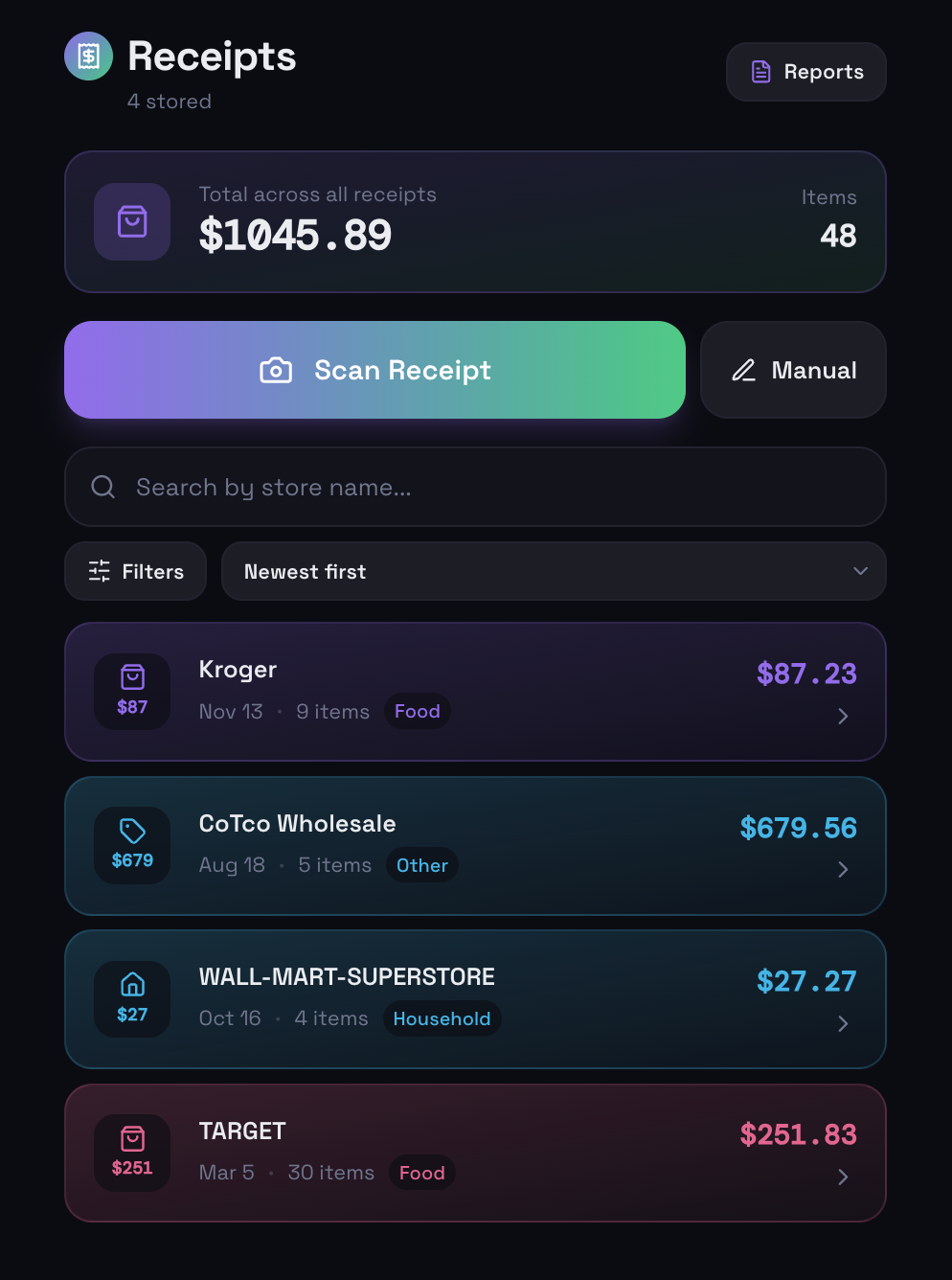
🧾 Receipts
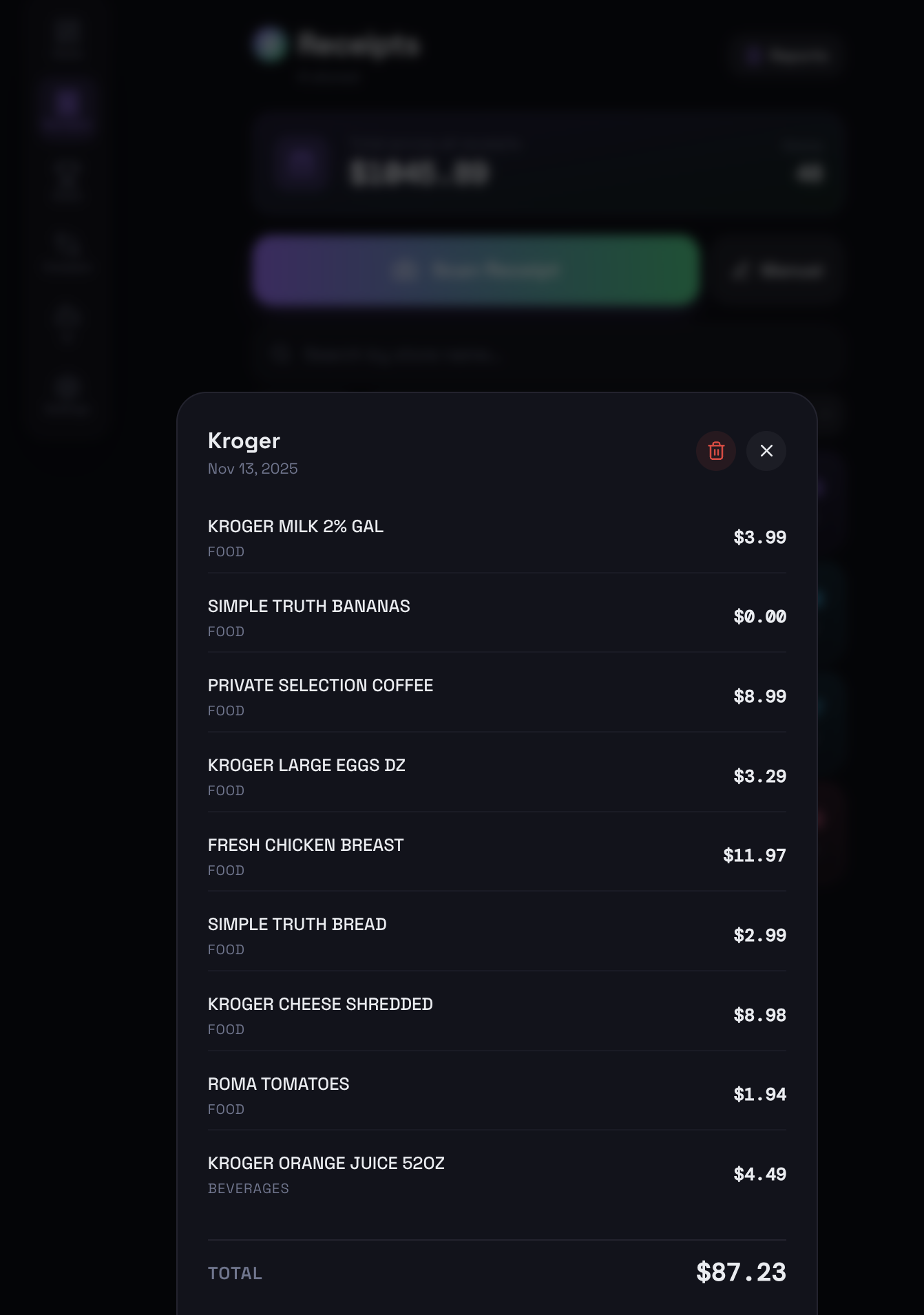
- AI-powered receipt scanning to extract items, prices, and categories automatically
- Manual entry with itemized input support
- Search and filter by store, category, or date range
- Sorting by newest, oldest, highest, or lowest spend
- Receipt deletion from detailed view
- Monthly report generation with export options (PDF or CSV)
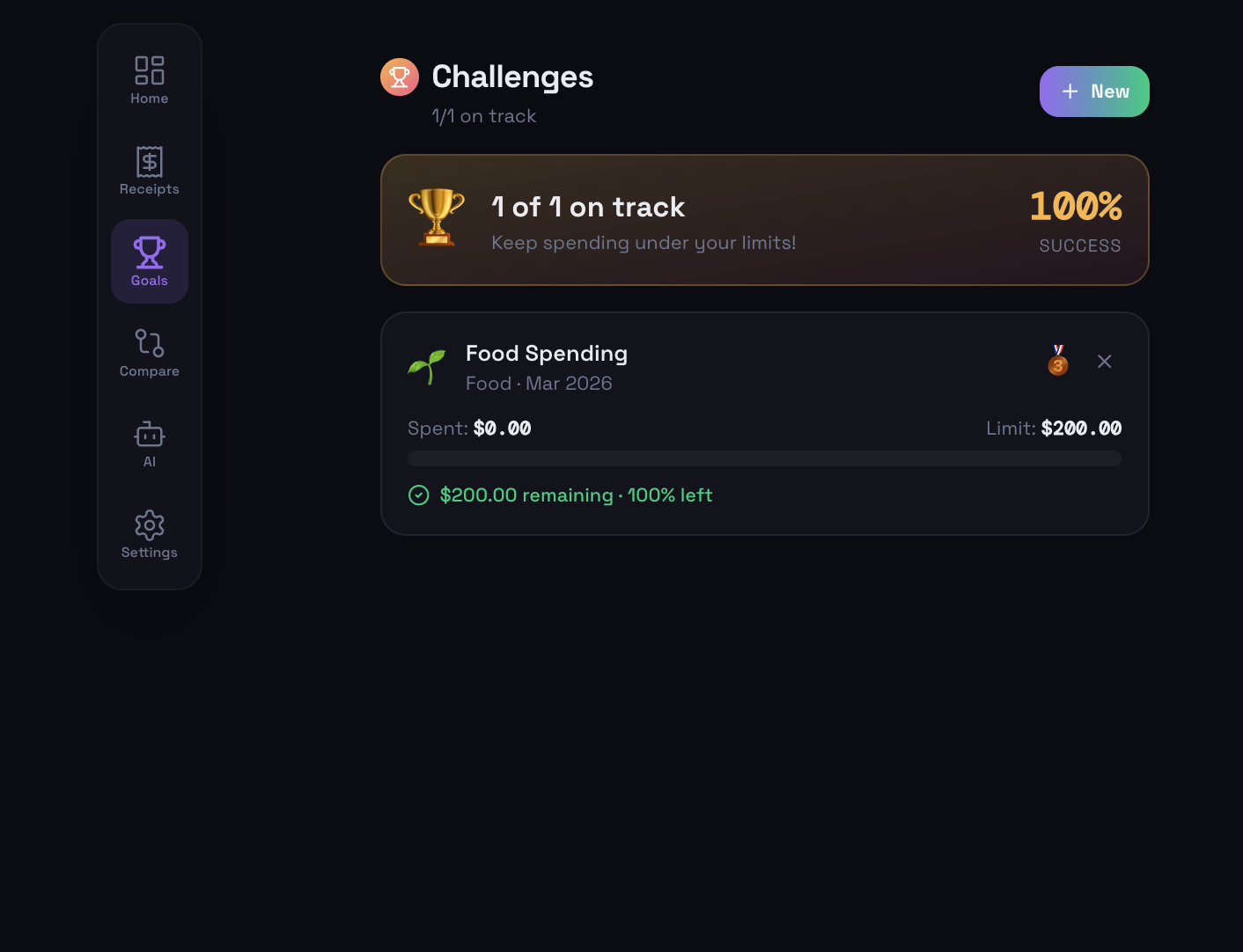
🏆 Goals (Savings Challenges)
- Create category-specific spending limits
- Real-time progress tracking with visual indicators
- Status feedback:
- Under budget
- Over budget
- Under budget
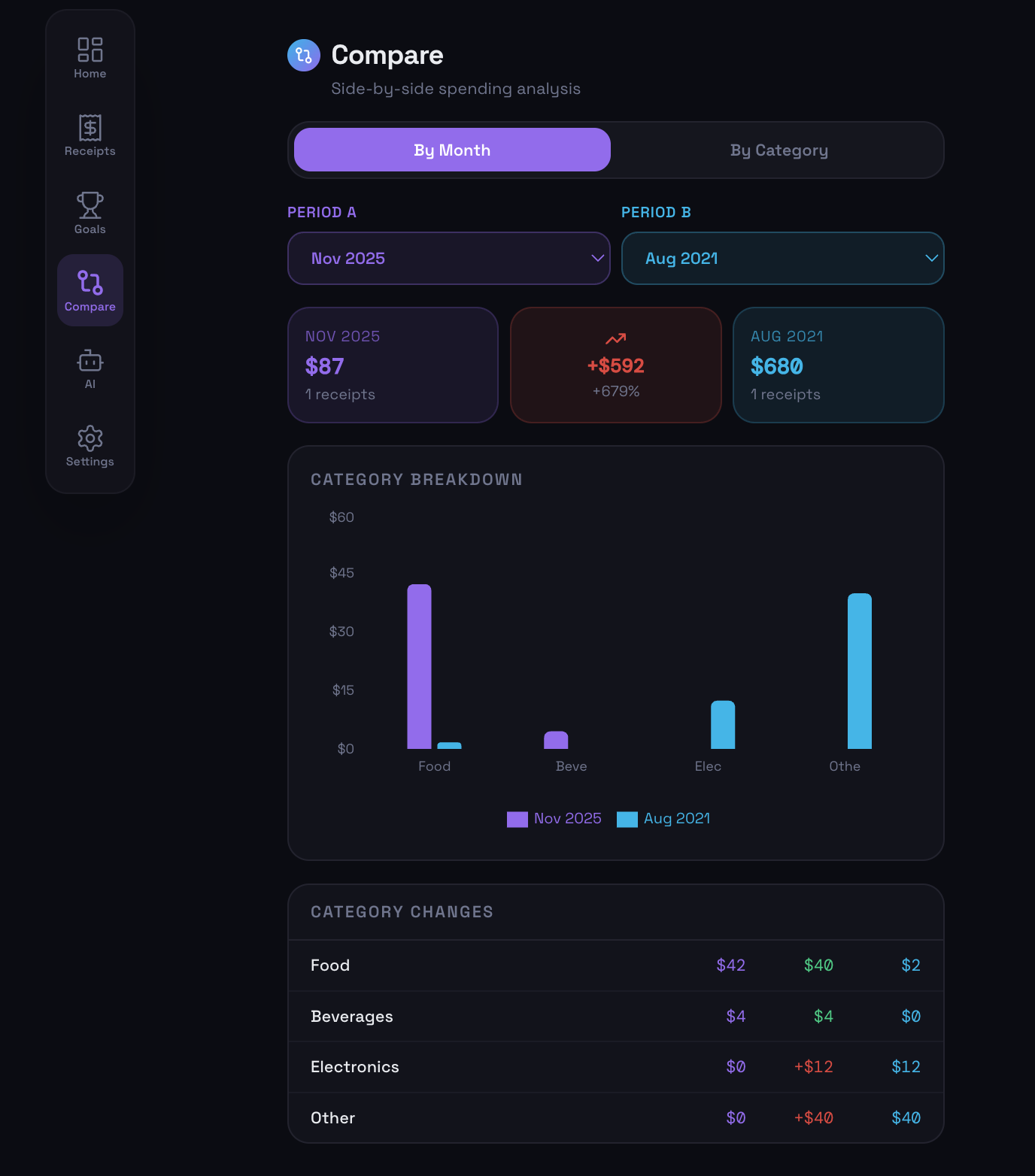
📈 Compare
- Month-over-month comparison with side-by-side analysis
- Category-level deep dive across different time periods
- Bar chart visualization with absolute and percentage changes
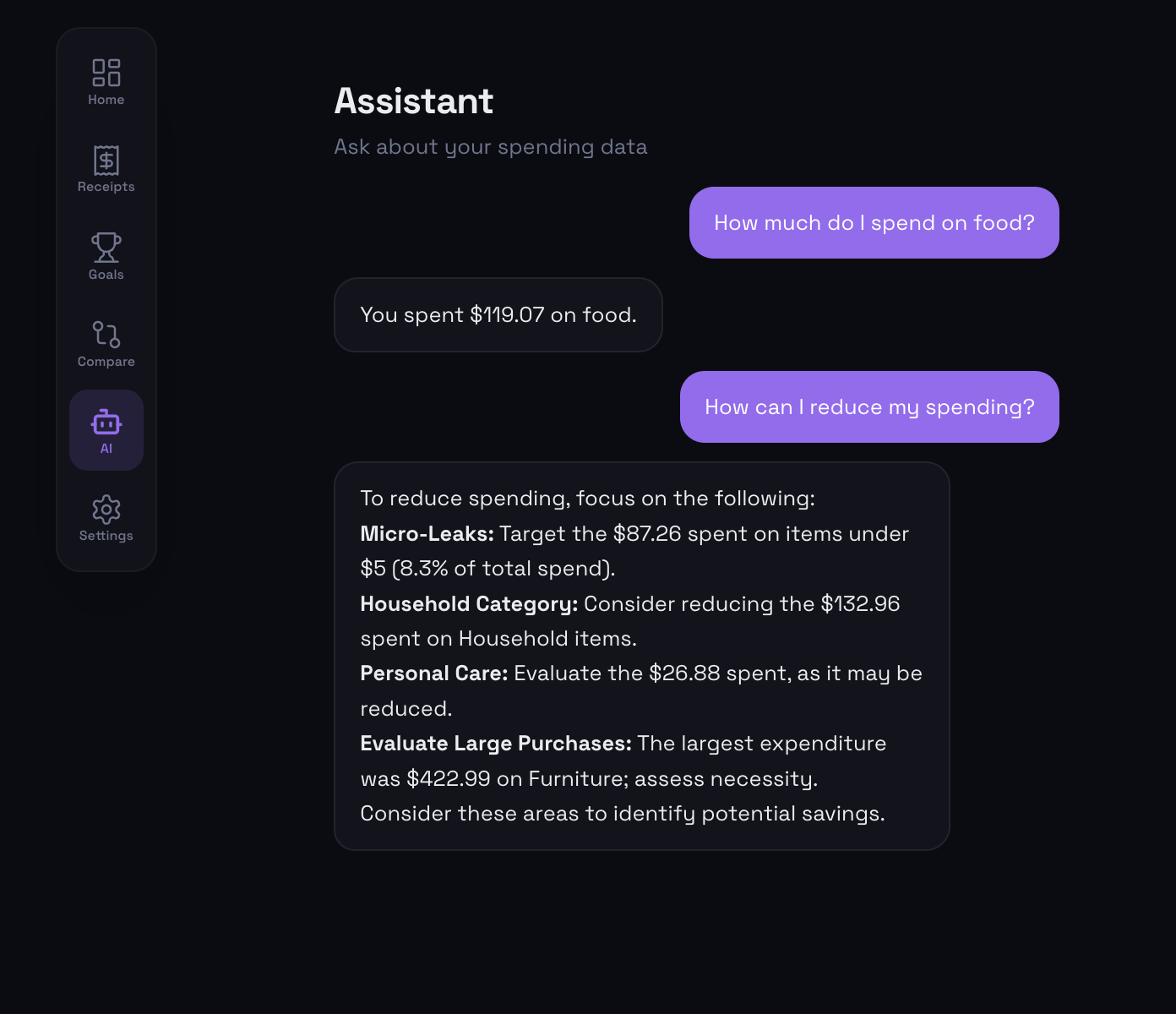
🤖 AI Assistant
- Chat interface connected to real user transaction data
- Supports queries such as:
- spending by category
- highest spending day
- average spending behavior
- spending by category
- Provides concise, data-driven responses based on actual usage
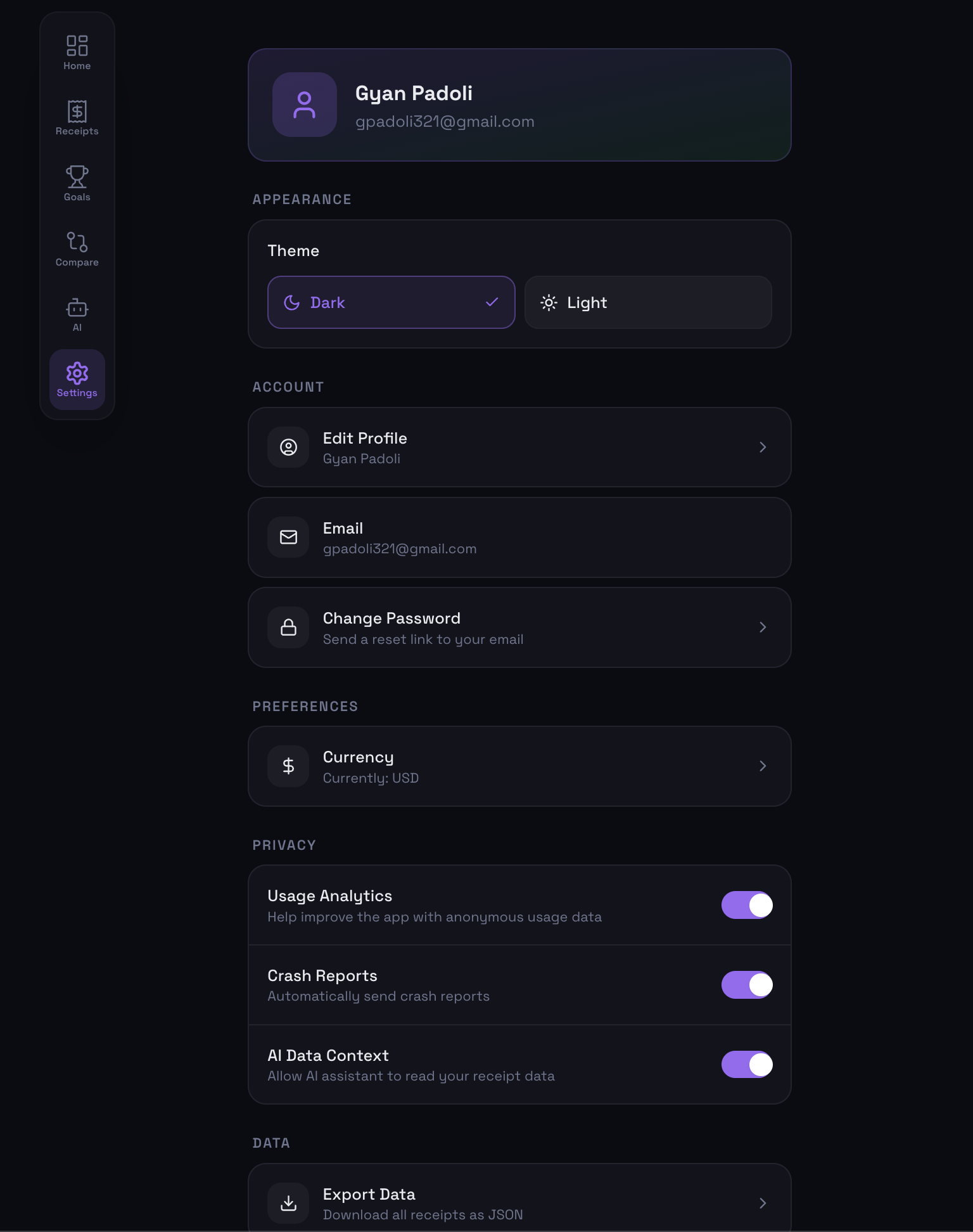
⚙️ Settings
- Theme selection (dark/light)
- Currency configuration (USD, EUR, GBP, etc.)
- Profile customization
- Data export (JSON)
- Full data reset functionality
- Privacy controls for analytics, crash reporting, and AI usage
System Design
Spendora operates through a structured data pipeline:
- Capture receipt images
- Extract raw text using OCR
- Convert unstructured text into structured data using AI
- Compute financial metrics locally
- Present results through an interactive interface
Core Calculations
Total Spend: $$ \text{Total} = \sum_{i=1}^{n} p_i $$
Average Item Price: $$ \text{Average} = \frac{\sum_{i=1}^{n} p_i}{n} $$
Micro-Leak: $$ \text{MicroLeak} = \sum_{p_i < t} p_i $$
Category Distribution: $$ \text{Category \%} = \frac{\text{Category Spend}}{\text{Total Spend}} \times 100 $$
Development Experience
The development of Spendora involved integrating OCR, AI-based data structuring, and local computation into a cohesive system. Emphasis was placed on building a responsive, data-driven interface while maintaining performance and clarity.
Challenges
Key challenges included handling inconsistent receipt formats, ensuring reliable data extraction, and balancing analytical depth with usability. Maintaining a seamless user experience across the full pipeline—from data capture to visualization—required careful system design.
Conclusion
Spendora is built on the principle that financial clarity should be derived directly from real-world behavior. By transforming everyday transactions into structured data and actionable insights, the platform enables users to better understand and manage their finances.

Log in or sign up for Devpost to join the conversation.