Try it: lotteryclock.app · Code: github.com/impactvelocity/lotteryclock
Inspiration
In the early 2000s I was always late for school, because I always hit snooze.
One day I tripped over my alarm clock's cord while cleaning my room and unplugged it. I plugged it back in without knowing how long it had been off. The next morning the alarm went off and my hand stopped halfway to the snooze button. Was the time right? Had it been off for 5 minutes or 20? Was I already late?
I didn't know, so I got up. I was on time that day and for the next few, until I worked out the offset and fixed the clock.
In 2012 I built a first iPhone version, designed like a slot machine. It never launched. Kiroween's Resurrection category was the excuse I needed to dig it back up.
What it does
LotteryClock is an alarm clock that gambles with your morning.
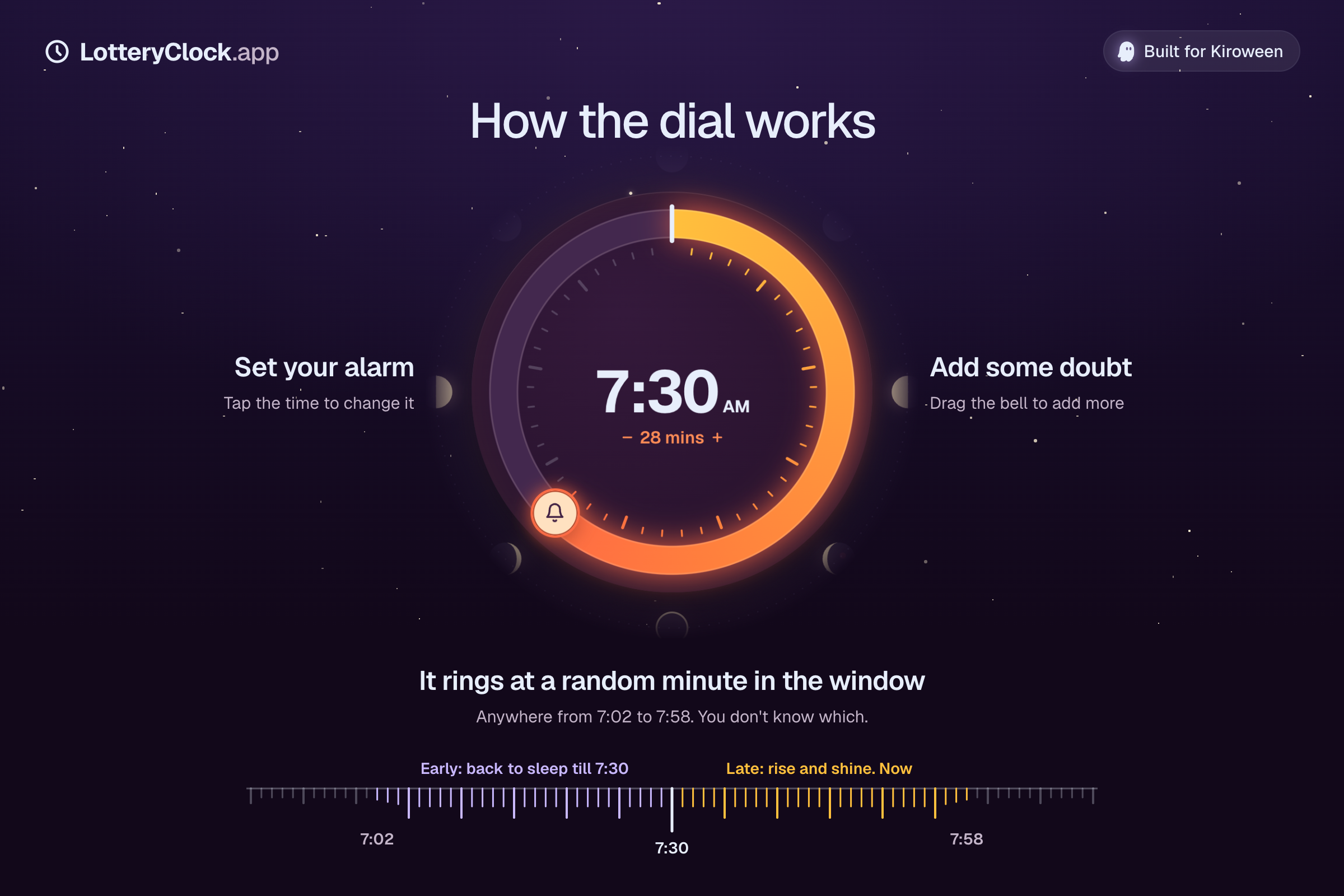
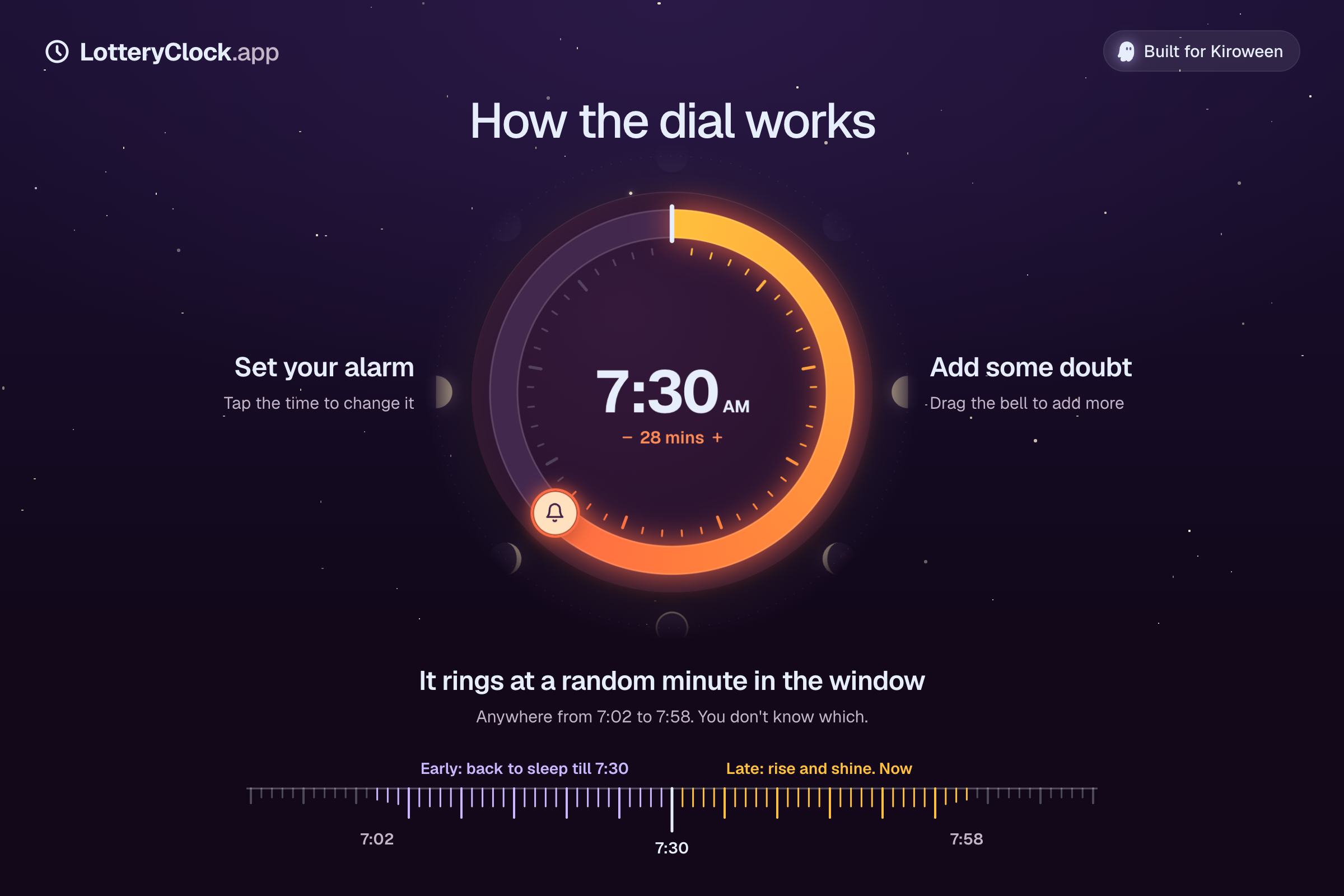
You set the time you want to be up, say 7:30. Then you add doubt. Drag the bell round the dial, and the alarm can ring anywhere up to that many minutes either side of 7:30. With 15 minutes of doubt it rings at a random moment between 7:15 and 7:45. The phone knows which minute. You don't.
- If it rings early, you can snooze, and the snooze ends at 7:30.
- If it rings late, there's no snooze. Up you get.
Either way you have to open your eyes and check, and by then you're most of the way out of bed. That's the unplugged clock from 2002, on purpose.
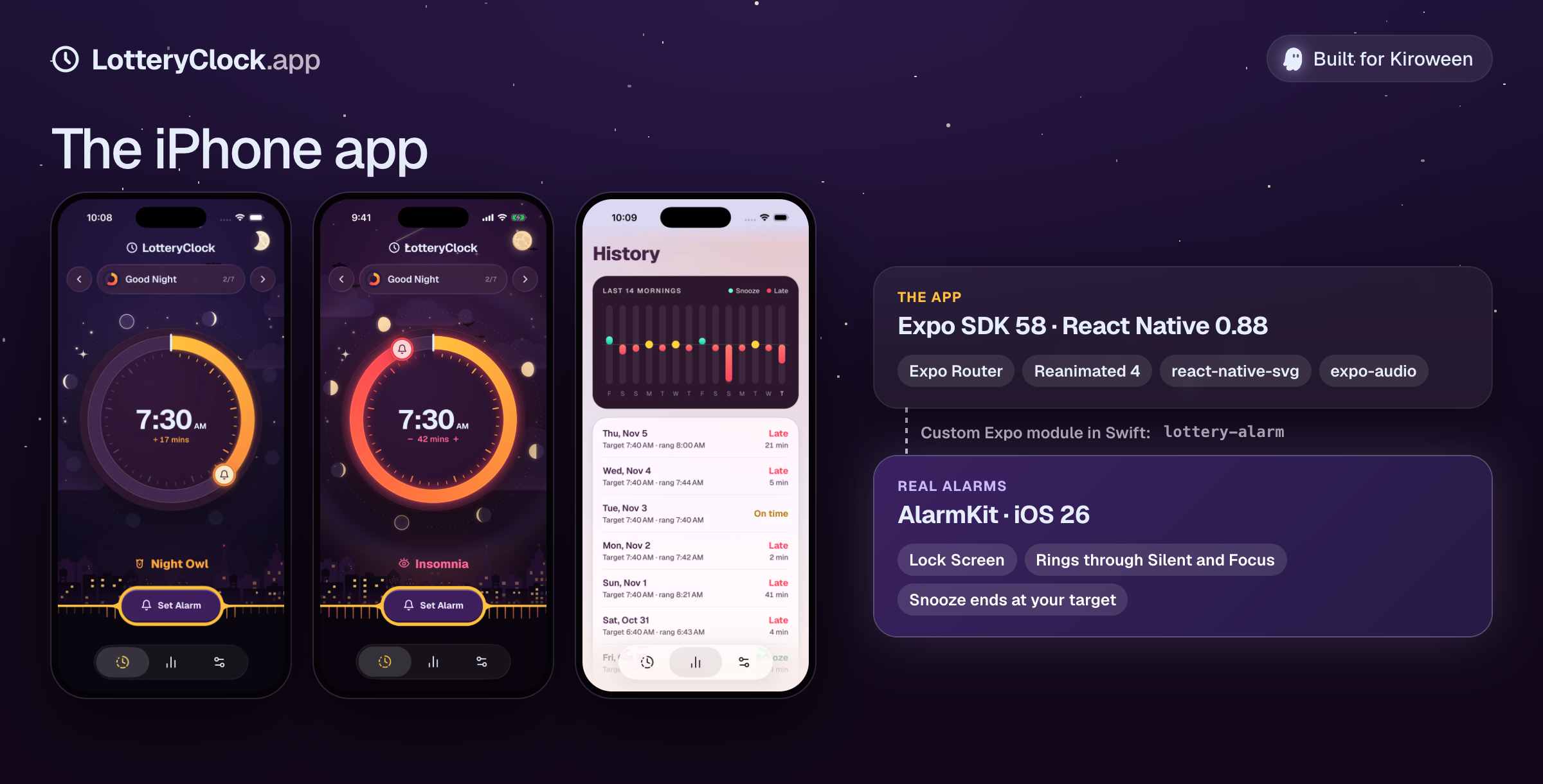
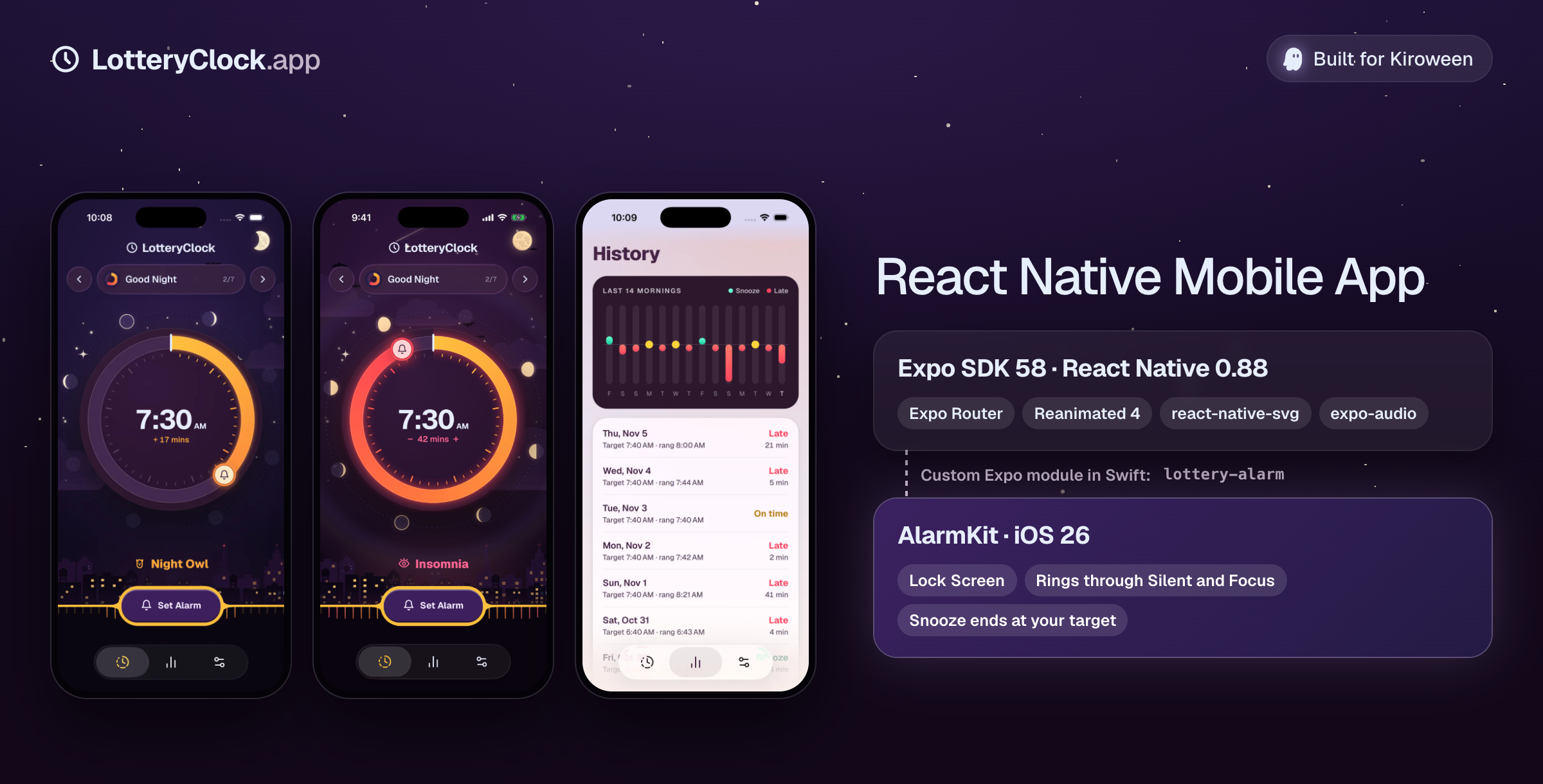
The iPhone app sets real alarms that show up on the Lock Screen and ring through Silent mode and Focus. The website lets you play the whole thing in the browser, minus the real alarm.
The dial
The heart of LotteryClock is one control: the dial where you choose how much doubt you want.
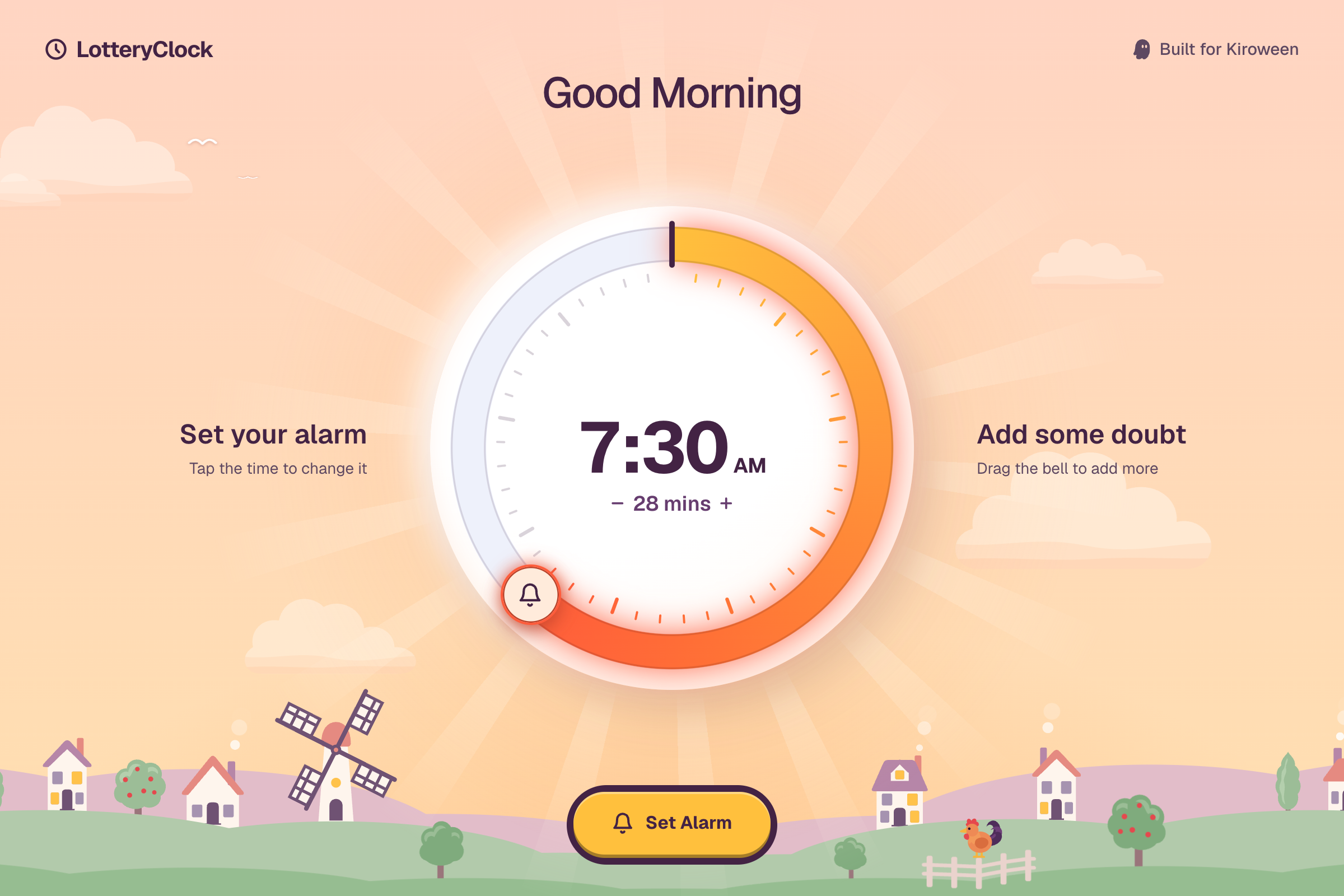
One full turn of the dial is 45 minutes. You drag a bell round the ring, and the arc behind it runs from calm to hot as you go. Each minute ticks, and the tick climbs in pitch as the doubt grows. The dial clicks to a stop at 0 and at 45. The time in the middle is a button, so tapping it changes your target.
Under the dial, a timeline shows the same window as minutes either side of your target. The ticks inside the window light up and grow, so you can see the morning you're betting with.
A number of minutes doesn't mean much on its own, so I split the dial into six tiers: none, 1 to 11, 12 to 23, 24 to 35, 36 to 44, and the full 45. Each tier gets a name, and the name is how you feel the risk. In Good Morning they go from "Play it safe" to "Feeling lucky" to "Pure chaos" to "All in". In Poker they go Check, Small blind, Call, Raise, Re-raise, All in.
Then you tap Set Alarm. The button latches down, the target time blinks ("Alarm set… or is it?"), and the dice roll. Later, when you open the app after the alarm, a bedside clock rolls and lands on the minute it really rang.
A few details make it feel right:
- The theme changes as you move through the doubt range. Every tier changes the scene around the dial, which makes turning it up fun.
- The theme has animations and win and lose states. Each one moves on its own, and reacts in its own way when the alarm rings early or late.
- Subtle music and sound add to the game feel. The tick climbs in pitch as the doubt grows, and each theme has its own sound for the roll.
The costumes
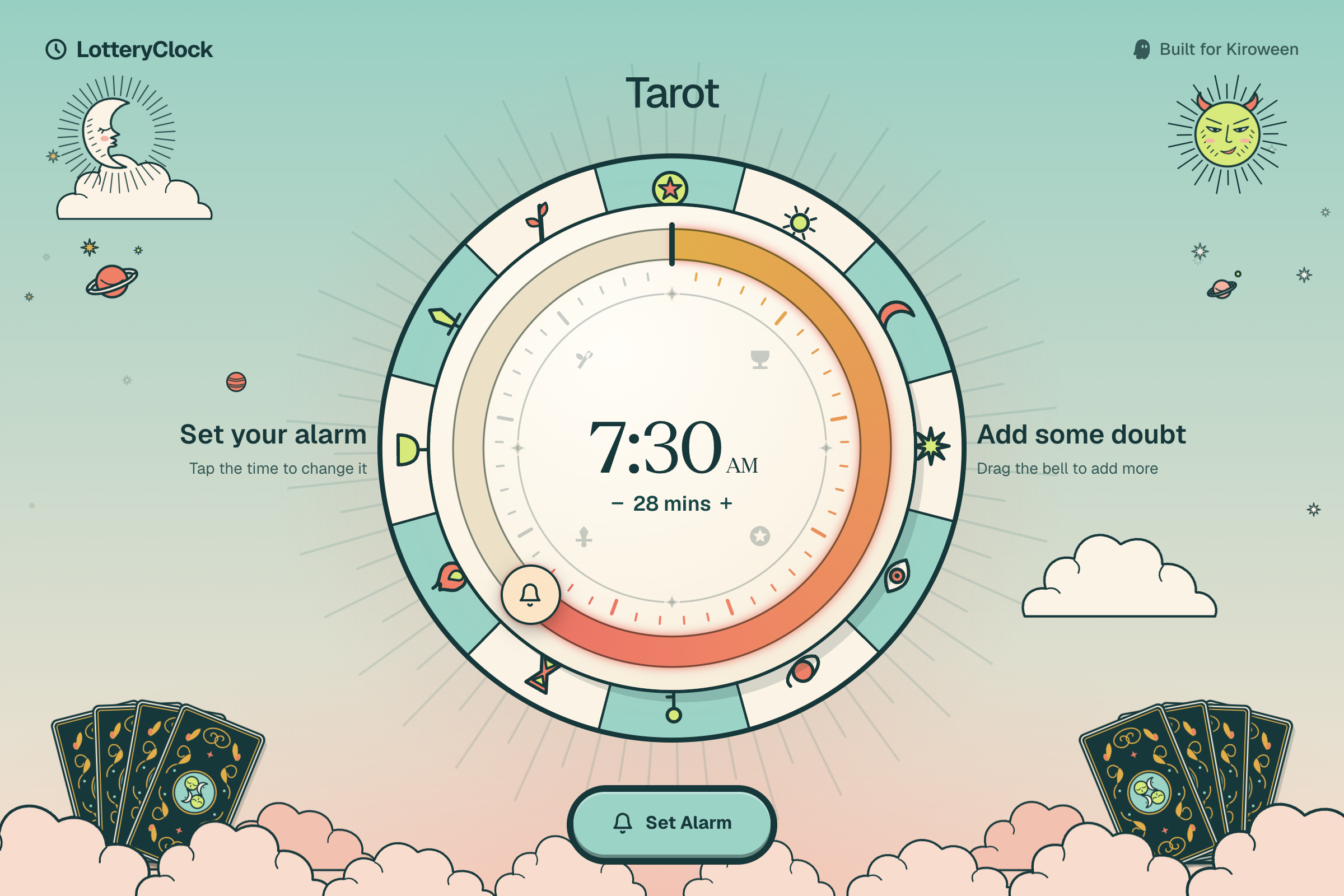
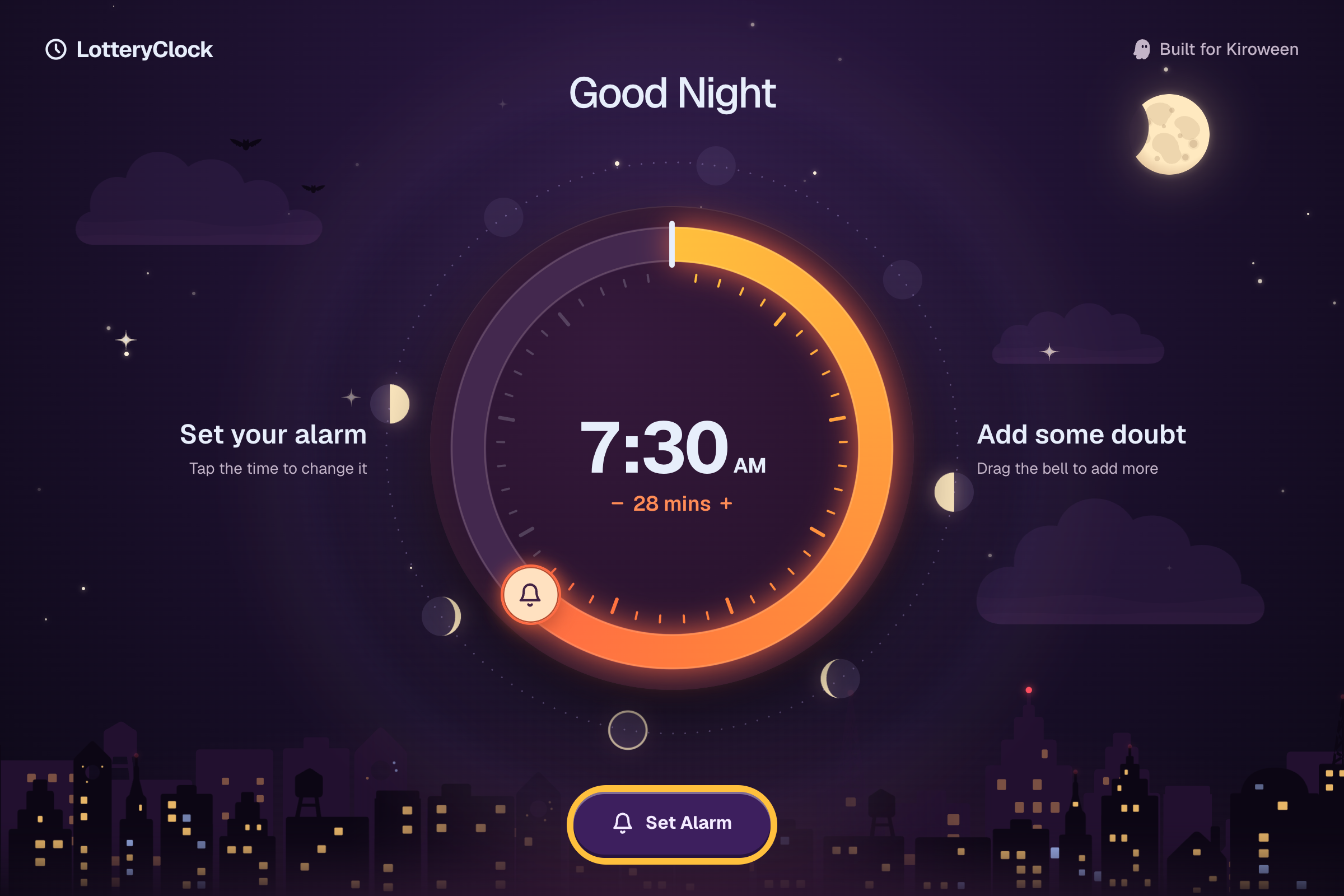
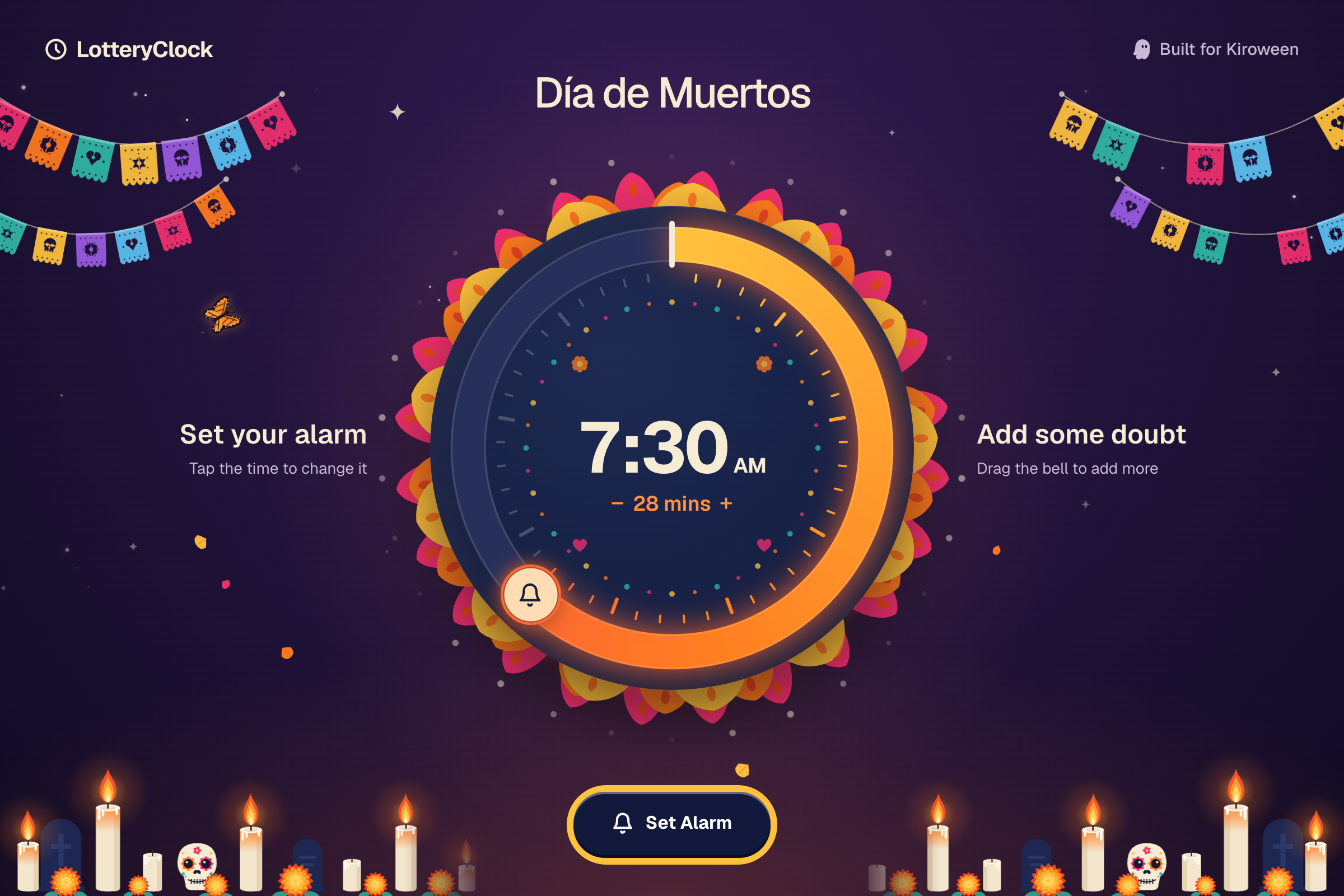
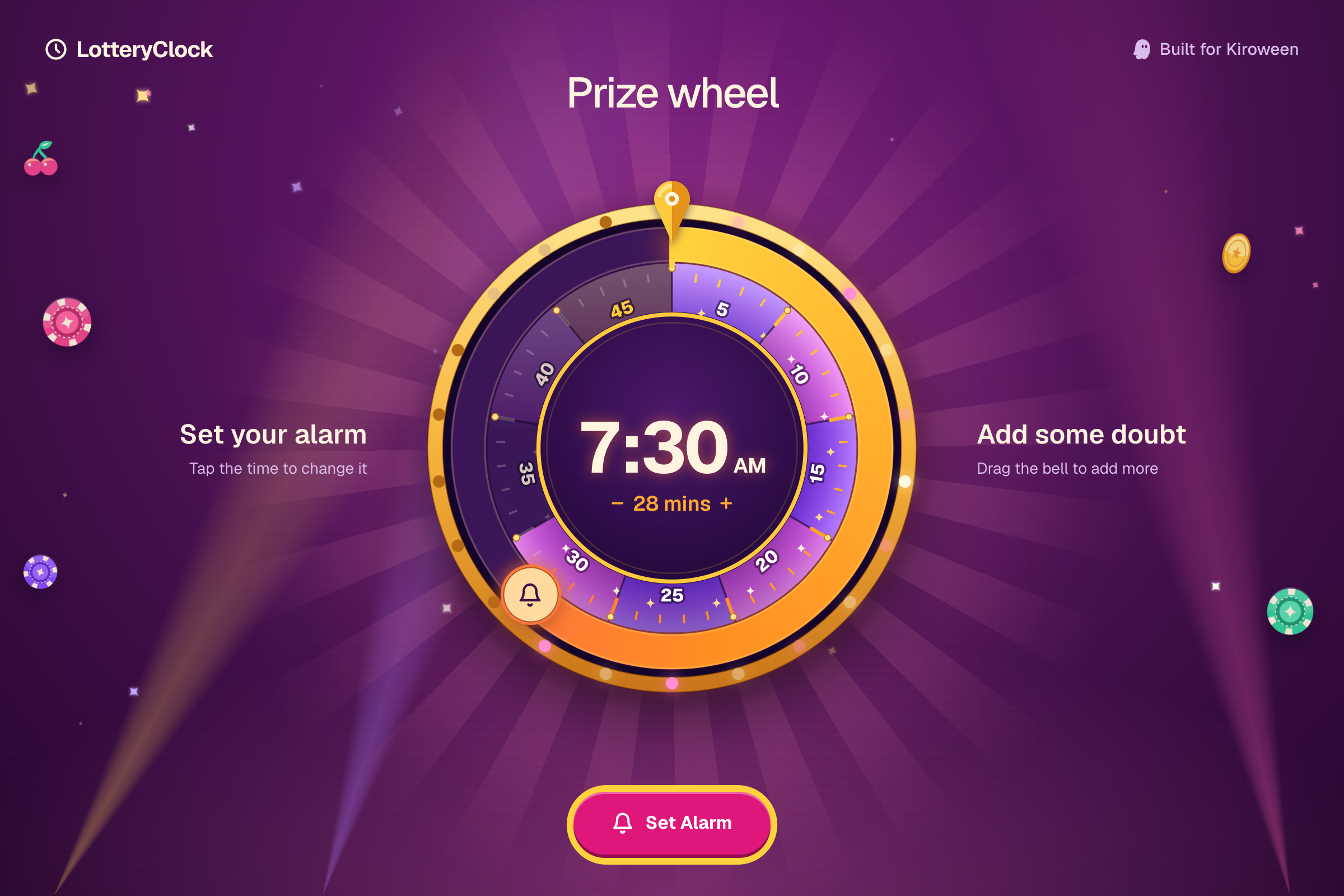
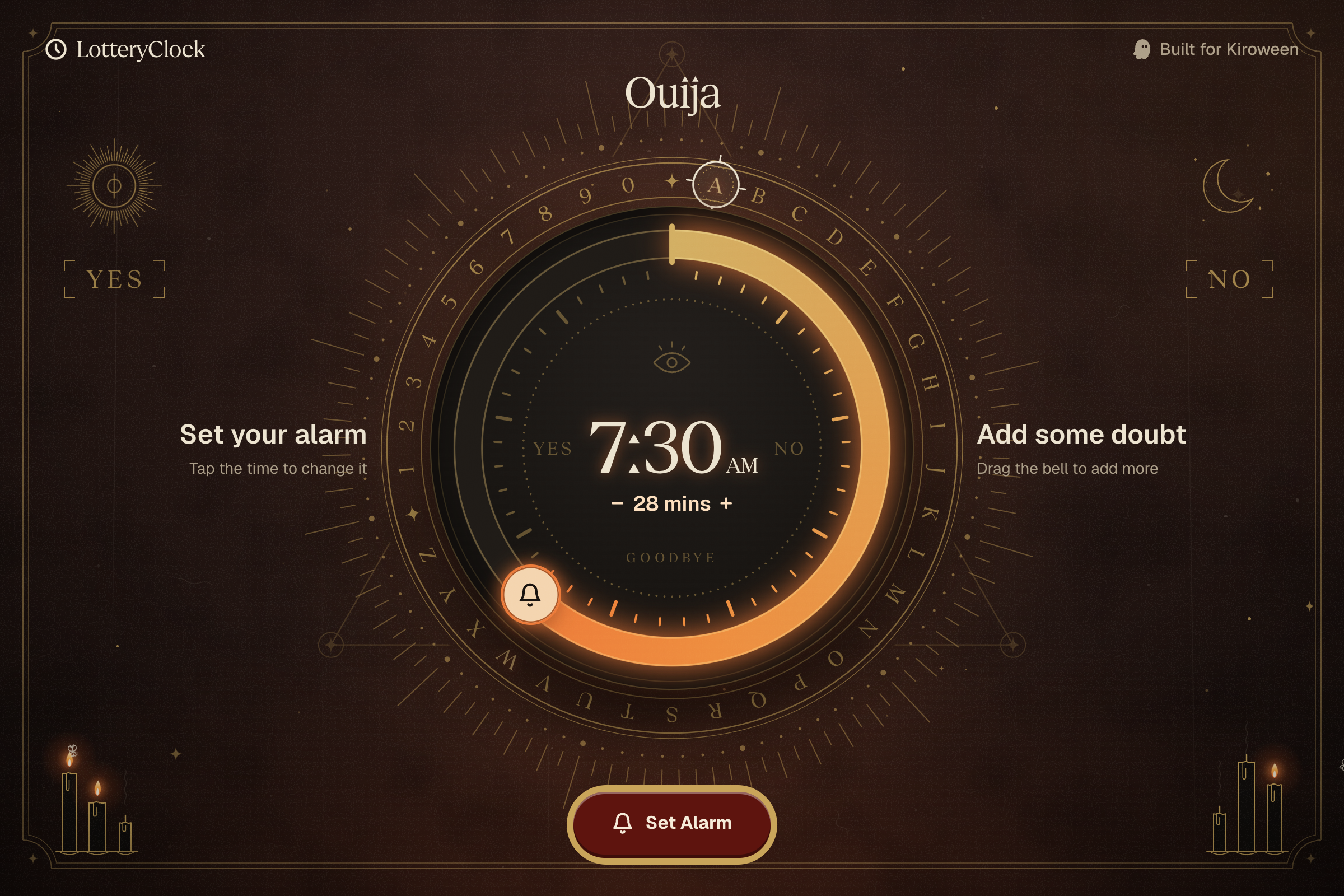
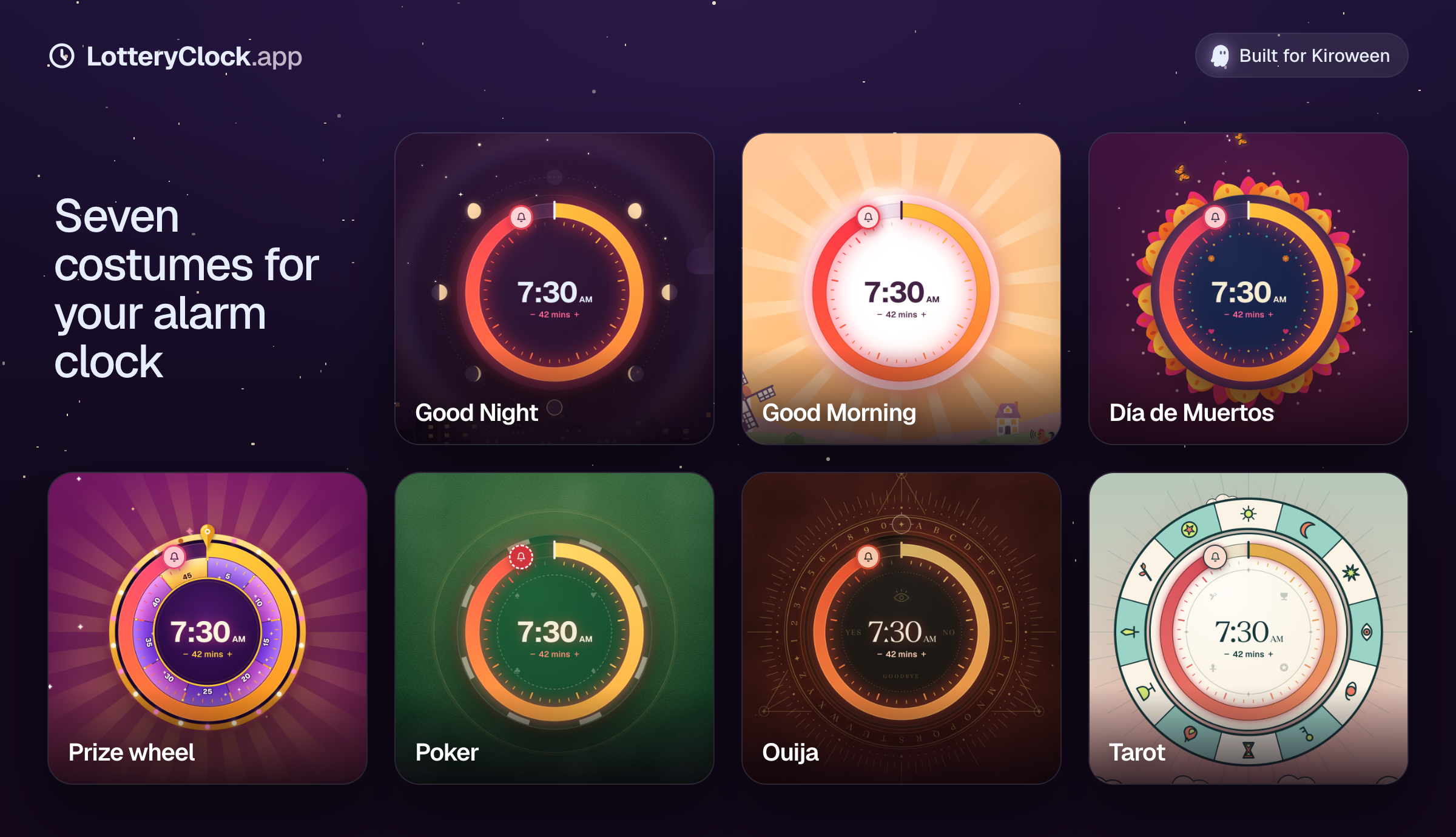
The themes are LotteryClock's costumes for the Costume Contest track. It's the same dial and the same alarm in seven looks: Good Morning, Good Night, Día de Muertos, Prize wheel, Poker, Ouija and Tarot.
A costume isn't only a colour swap. Each one has:
- A scene that reacts to the dial. Every tier changes something in the world behind it.
- Its own dial. The ring, the handle and an ornament layer change with the theme.
- Its own voice. Tier names, the line while it rolls, and the win and loss lines are all written for that theme.
- Its own sounds and type. Ouija's headline is set in a Geist Serif cut where every dot is a little triangle.
How a few of them play with the dial:
- Good Morning is a sunrise over a village. With no doubt it's pre-dawn and the village is asleep. Turn the dial and the stars fade, the first lights come on, chimneys start smoking and birds arrive. At the full 45 the sky blazes and the rooster crows.
- Good Night is a city that gets more restless. The moon fills out, windows flick on and bats come out. At the top it's "Full moon madness", with shooting stars. A snooze puts the city back to bed. A late alarm brings the dawn up behind the skyline.
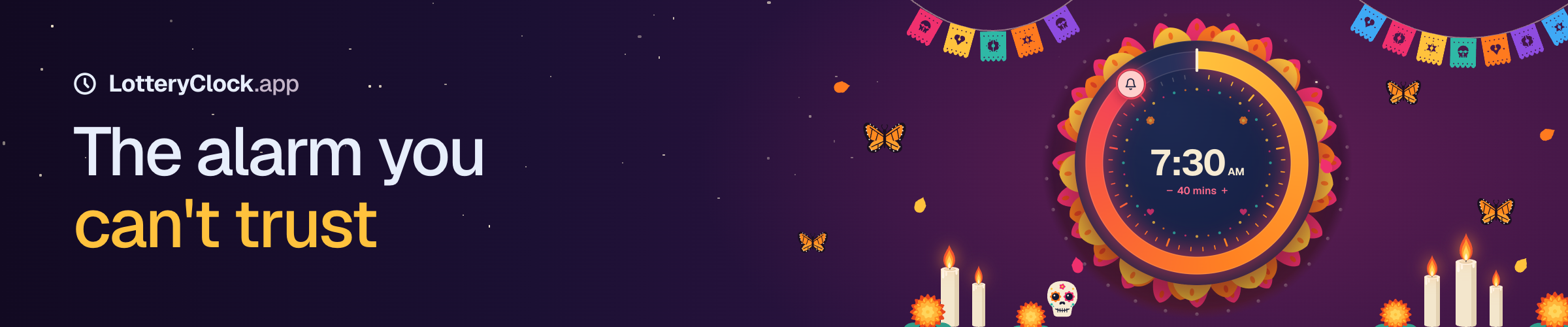
- Día de Muertos turns the dial into a sugar skull, with a ring of dots, flowers and hearts. More candles light on the ofrenda, marigold petals fall and monarchs arrive. A calavera beside the tier name changes face at every tier. Snooze and it says "Rest in peace till 7:30". Late and it says "Rise from the dead. Now".
- Prize wheel turns the dial into the wheel itself. Its wedges light up as the doubt grows, and spotlights, chips and coins fill the game-show floor behind it. A snooze is a payout. A late alarm is "Bankrupt", and the lights drop.
- Poker turns the dial into a giant chip on green felt. Chip stacks grow as you raise. Setting the alarm pushes your bets into the pot, and the roll deals the board. A snooze bursts the pot back at you with pocket aces. A late alarm topples your stacks with 7-2 offsuit, the worst hand in poker. Right on time splits the pot.
- Ouija puts a letter ring round the dial. The candles light one by one as the doubt grows, and the planchette spells HUSH, then SOON, then WAKE UP, then NO REST. A snooze lights YES under the sun. A late alarm lights NO under the moon, and the flames flare.
- Tarot puts the four suits inside the dial and a wheel of fortune behind it. The tiers are cards, from Temperance to The Tower to The Fool at the full 45. Early is "Upright". Late is "Reversed".
How I built it
Design first, on the web. Every costume started on the website, which is Next.js 16 with React 19, Tailwind 4 and Motion. That's where I worked out the dial, the scenes, the reveal and the copy. The small sounds (the dial tick, the latch, the beeps) are synthesized in code with Web Audio, so the tick can follow the dial.
Art from prompt docs. For each theme I wrote a doc describing the scene tier by tier, a shared style block, and a prompt for every piece of art. I generated the SVGs with OpenAI's GPT image model, cleaned them up and inlined them as React, so each piece can be recoloured and animated by the dial. The longer musical sounds (the roll, the jackpot, each theme's draw) came from Suno.
Then native on iPhone. The app is Expo SDK 58 and React Native 0.88, with Expo Router, Reanimated 4 and react-native-svg. The web themes are the source of truth. Two scripts copy them into the app: one generates the theme definitions, and the other turns the web's SVG art into strings the app can draw. Each scene is then redrawn natively against a shared contract, which says what the core dial draws and what each costume adds under or over the minute ticks. The site and the app look the same without me maintaining two sets of art.
Real alarms. These use Apple's AlarmKit, which is new in iOS 26. I wrote a small Expo module in Swift (lottery-alarm) to talk to it.
I designed and wrote it in the Kiro IDE, mainly with Opus 5.5.
Challenges I ran into
Making doubt feel like something. "15 minutes" is just a number. It took the tiers, the names, the scene changing behind the dial and the rising tick before turning the dial felt like raising a bet.
Seven costumes, one dial. Each theme wanted to change the dial itself: a sugar skull, a prize wheel, a poker chip, a letter ring. The core dial had to stay the same control in every one, so I split it into layers. The core draws the ring, the arc, the ticks, the time and the bell. A costume can only add ornaments under or over the ticks.
A dial on a phone. A big round control in the middle of a scrolling page catches every thumb that passes over it. Limiting drags to the bell on touch screens fixed it, without losing tap-to-jump on the ring.
Not spoiling the result. A different alarm sound for early and late would tell you the answer before you look at the phone, which defeats the whole idea. Every alarm plays the same sound, and the result only shows on screen.
Real alarms on iOS. Until iOS 26, a third-party app could only use local notifications, which can't ring through the silent switch. AlarmKit fixes that, but it locks an alarm's title, buttons and snooze when you schedule it, not when it rings. That turned out to fit. The app already knows the offset at that point, so an early alarm gets a snooze that ends at your target, and a late one gets no snooze button at all.
Accomplishments that I'm proud of
- The dial. One gesture sets the doubt, and everything on screen answers it.
- Seven full costumes, each with its own scene, dial ornament, tier names, result lines and sounds.
- One set of themes and art feeds both the website and the native app.
- It sets real alarms that ring on a locked phone on silent, with a snooze that ends at your target.
- The idea finally shipped, 14 years after the first attempt.
What I learned
- A risk setting needs a feeling attached. Naming the tiers and changing the scene explains the dial without any instructions.
- Keeping the web as the one source for every costume means a change only has to happen once, and the app picks it up from a script.
- Designing for the platform's limits can help. AlarmKit fixing everything at schedule time sounded like a problem and ended up being the simplest design.
What's next for LotteryClock.app
- The App Store. Turn the iPhone app into a real release, where the 2012 version never made it.
- Android, so it isn't iPhone only.
- A physical LotteryClock, built on a Raspberry Pi, so it's a real bedside alarm clock again.
Built With
- alarmkit
- expo.io
- ios
- kiro
- kiro-ide
- kiroween
- react-native