📞 Lost & Found Caller — CALL-E
The Problem
Losing something in a mall, airport, or public place is frustrating enough. Finding the lost-and-found department and repeatedly calling different places makes the process even harder.
We wanted to solve a simple question:
What if you could tell an AI what you lost, and the AI could make the phone call for you?
That idea became Lost & Found Caller, an AI-powered lost-and-found assistant built with CALL-E.
💡 What Inspired Us
We were inspired by a very ordinary real-world problem: when people lose something, the first step is often a phone call.
But making these calls can be repetitive:
- Explain what was lost
- Explain where and when it was lost
- Ask whether the item was found
- Describe the item in enough detail
- Repeat the same information if contacting multiple locations
We realized that this is exactly the kind of task where a voice AI agent can be useful.
Instead of building another chatbot that simply answers questions, we wanted to build something that could take action in the real world.
🚀 What We Built
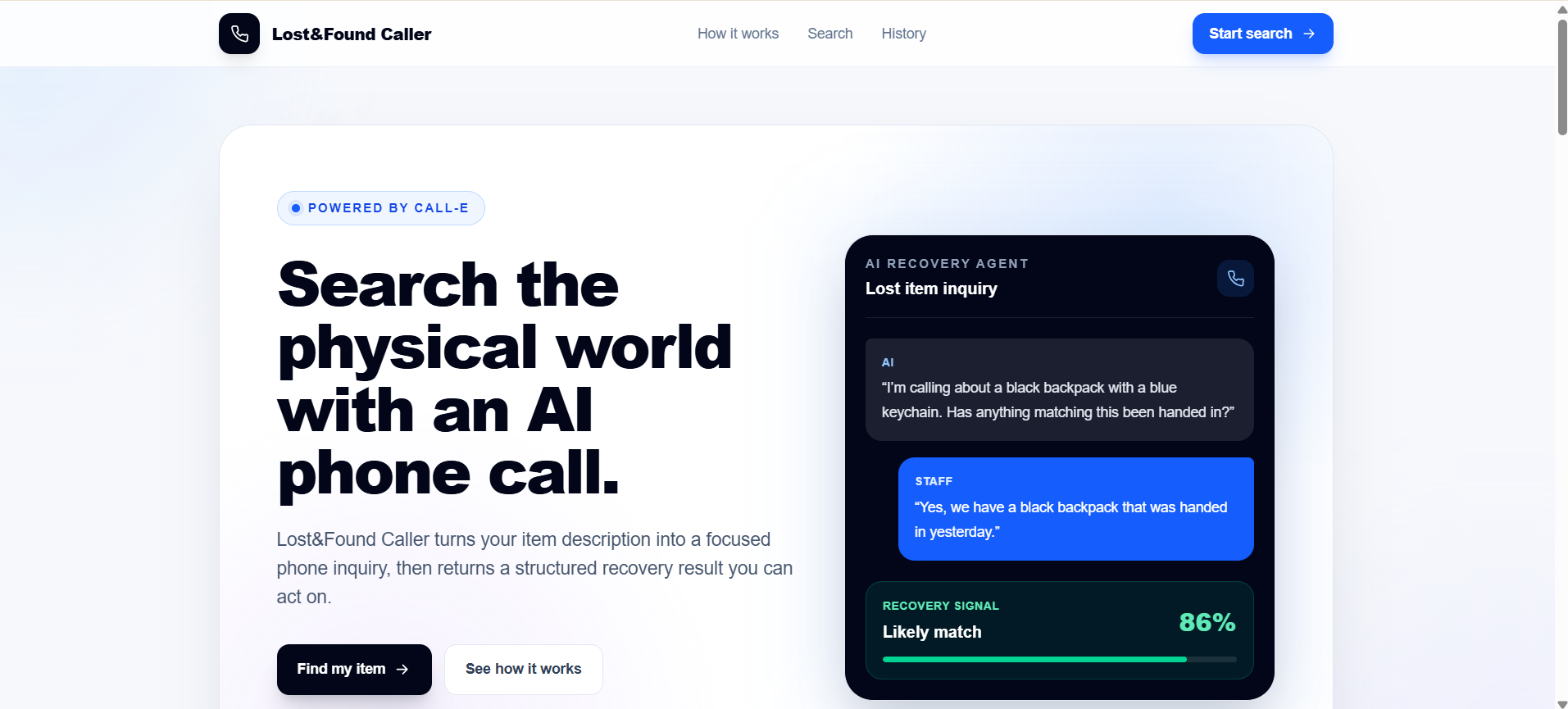
Lost & Found Caller lets a user provide information about their missing item and the location where they think they lost it.
The application then prepares the information needed for the call and uses CALL-E to communicate with the lost-and-found department.
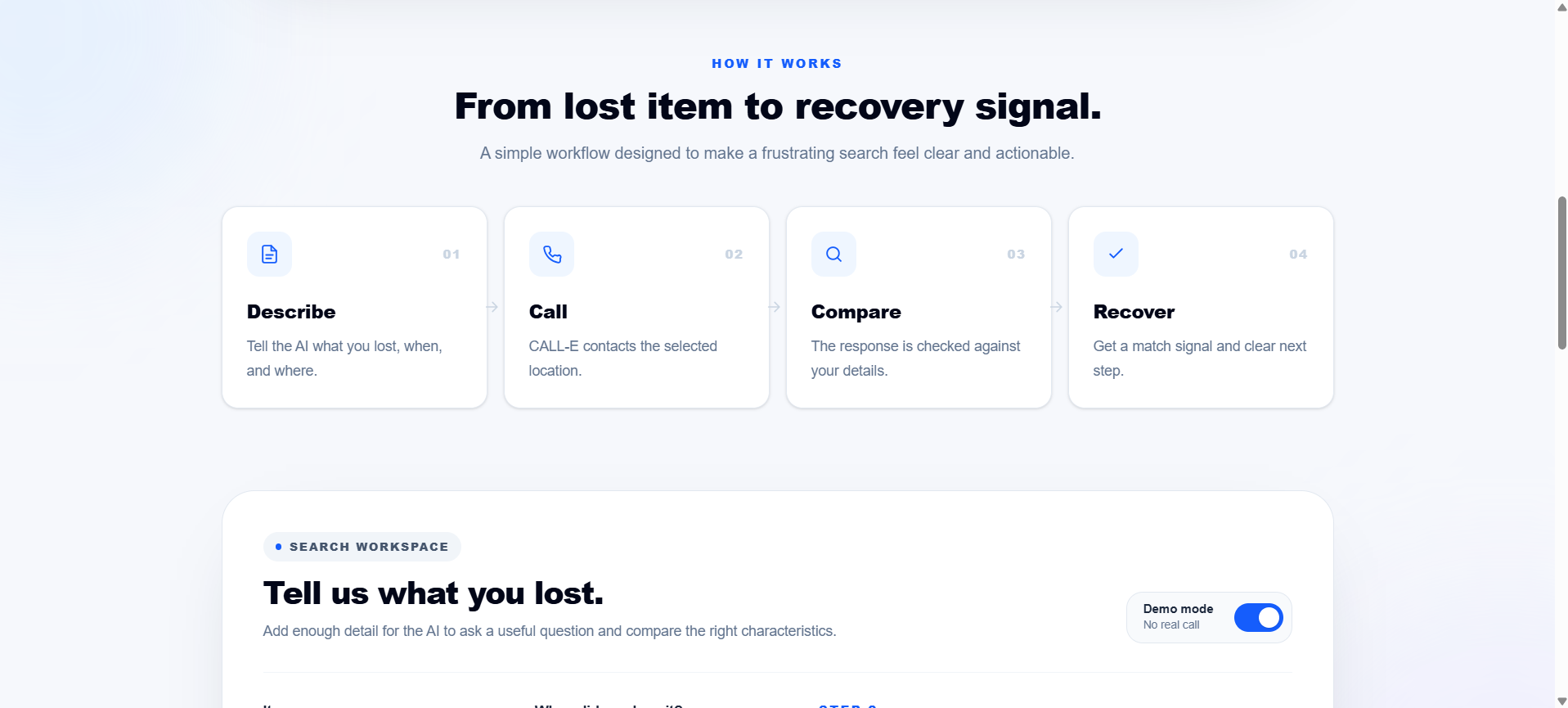
The basic workflow is:
Describe → Call → Compare → Recover
The user doesn't have to manually make the call or repeatedly explain the situation.
CALL-E handles the conversation and brings the result back to the user.
⚙️ How It Works
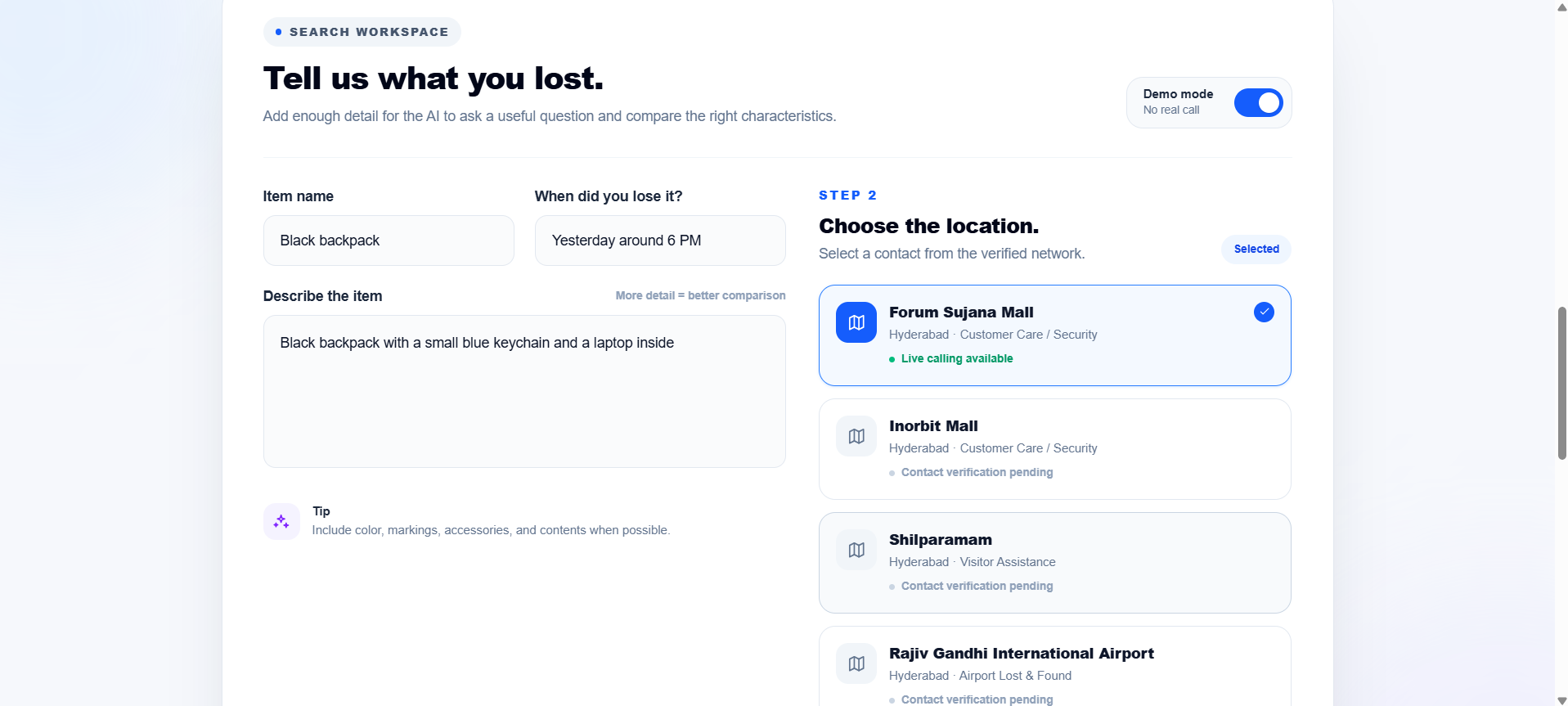
1. Describe the lost item
The user enters information such as:
- What they lost
- When they lost it
- A description of the item
- Where they lost it
2. Select the location
The user chooses the relevant lost-and-found location.
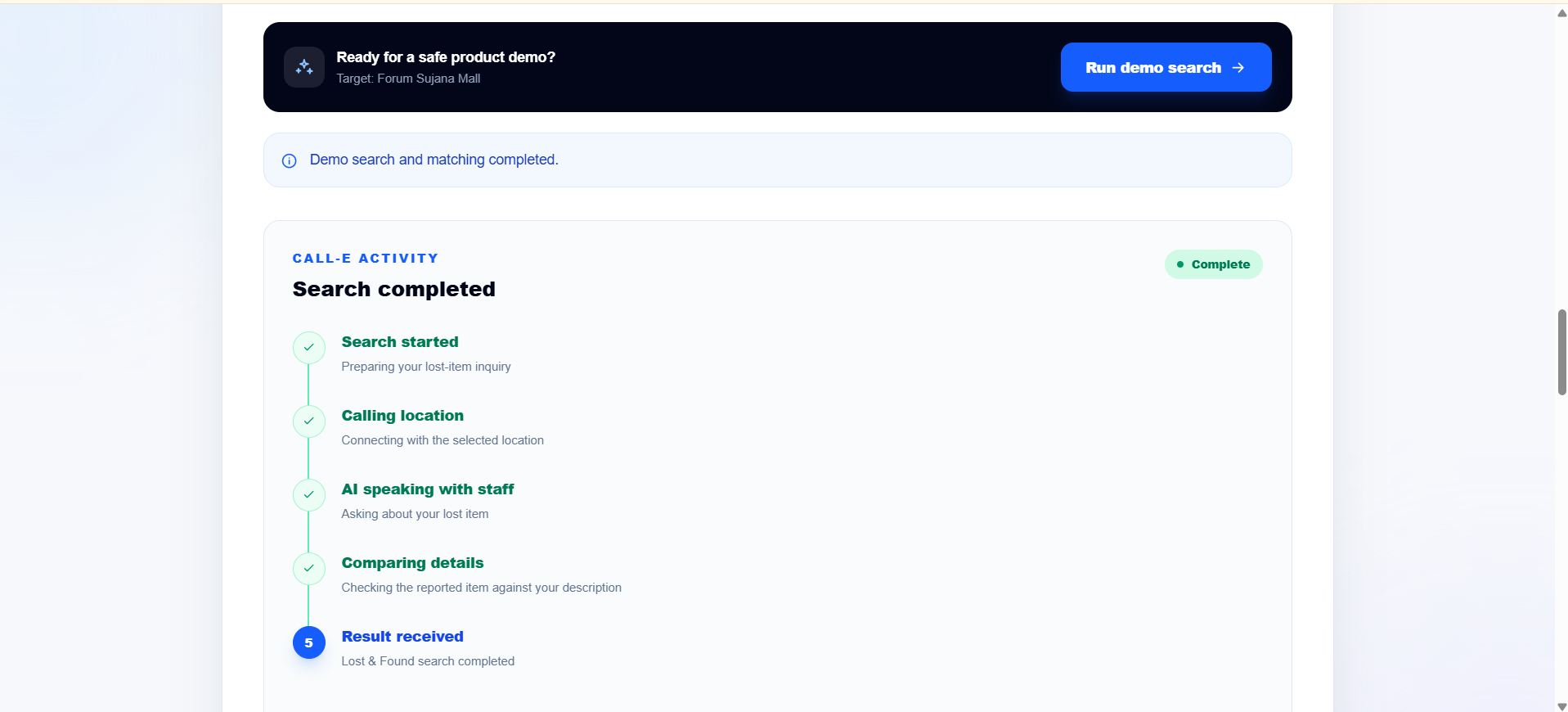
3. CALL-E makes the call
The application sends the relevant information into the calling workflow.
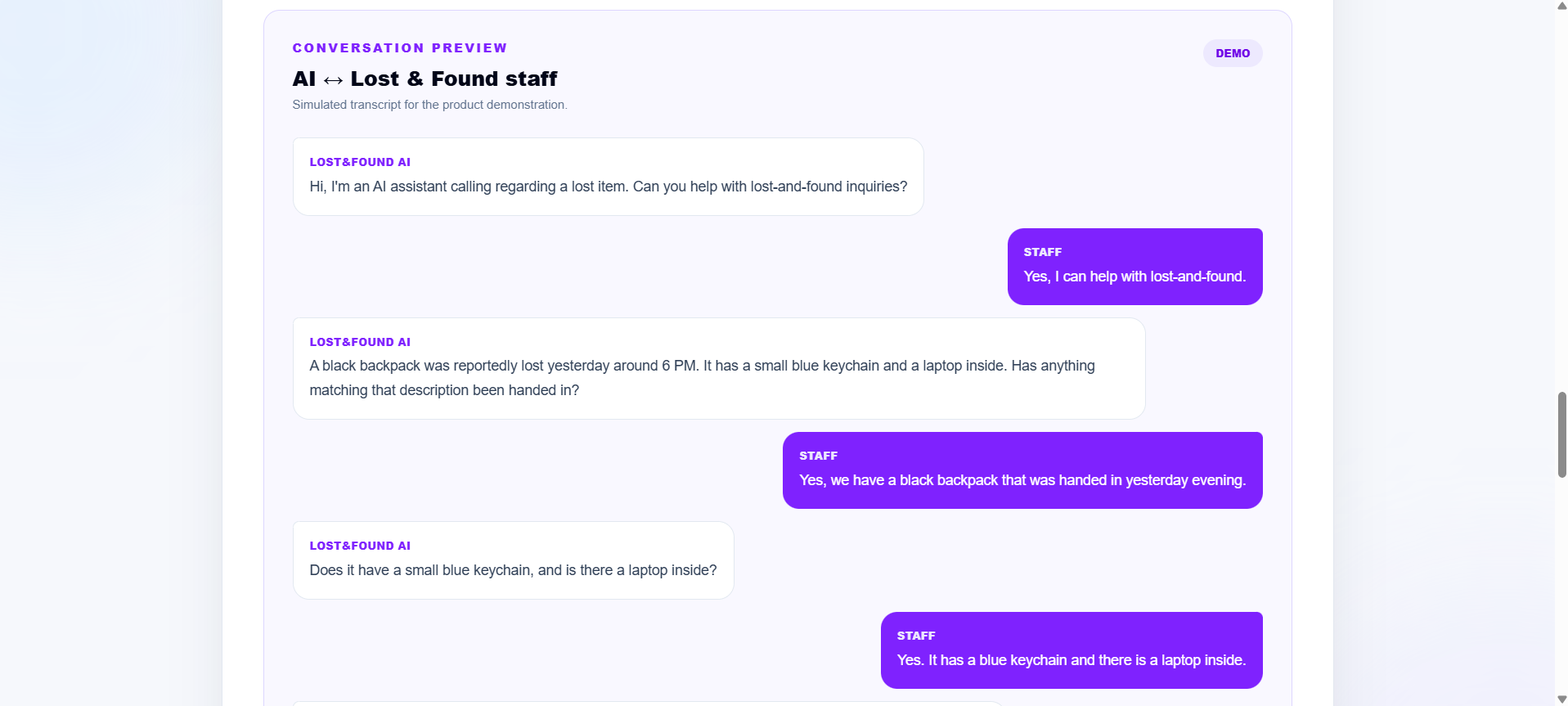
CALL-E communicates with the lost-and-found department using a natural voice conversation.
Instead of simply generating text, the agent can actually make the phone interaction on the user's behalf.
4. Get a recovery signal
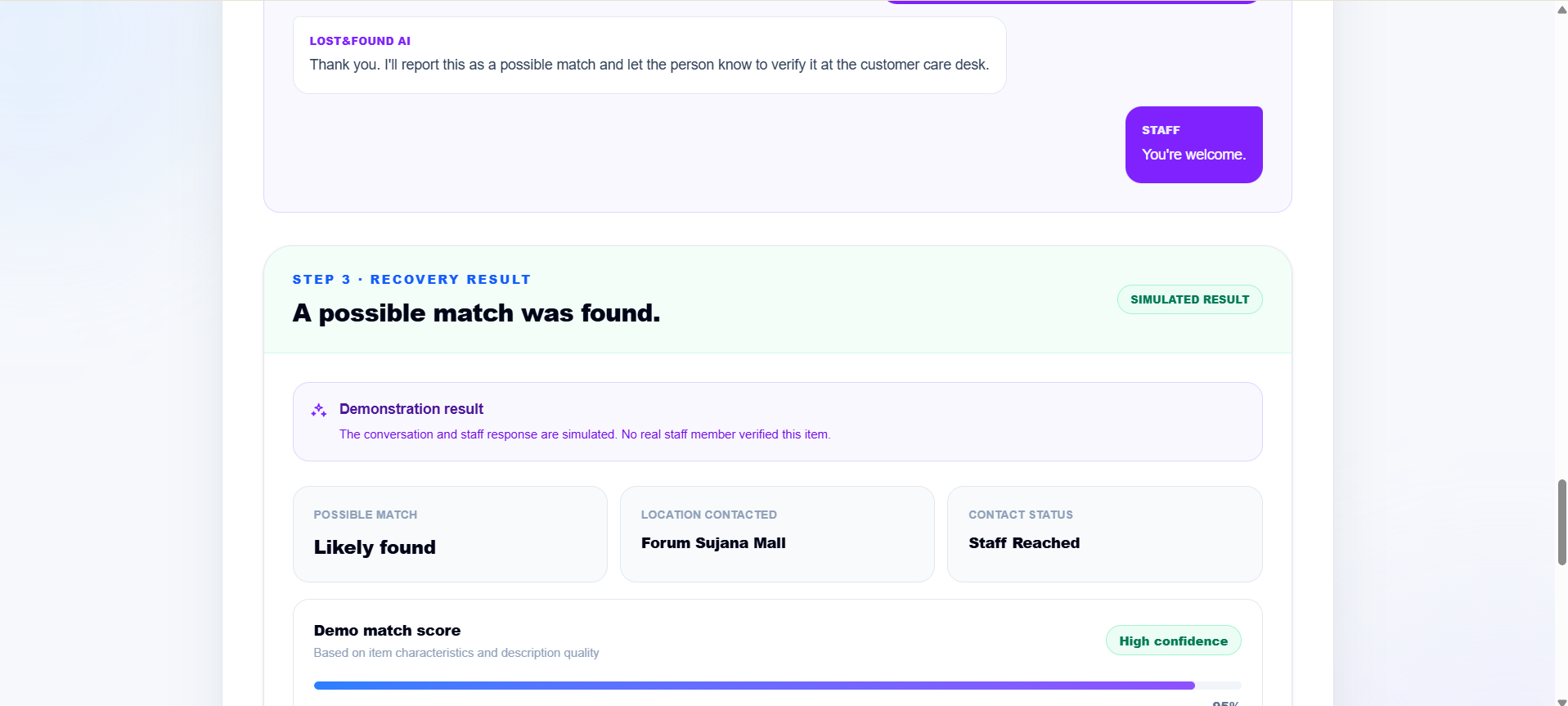
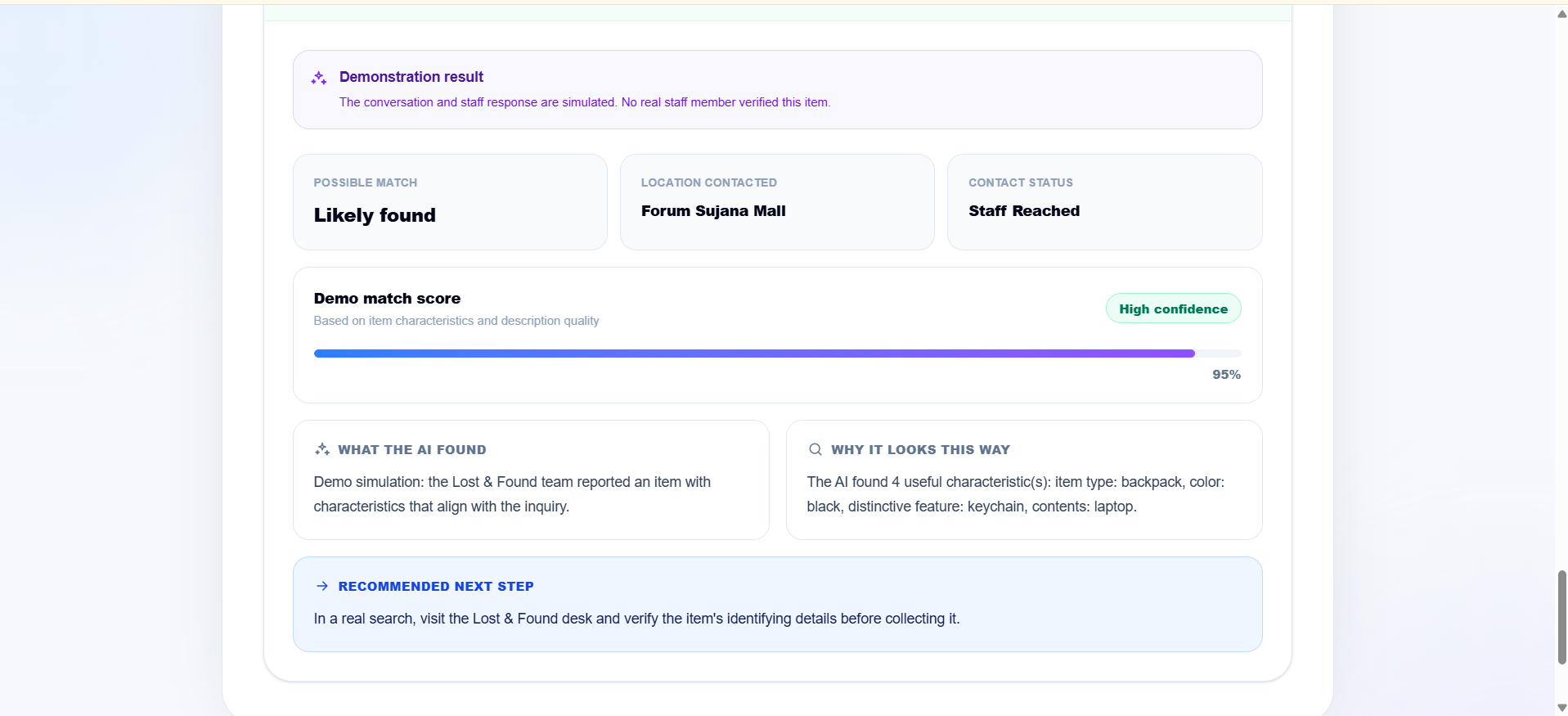
The conversation is converted into a useful result for the user, such as:
- Likely Match
- No Match
- Uncertain
This turns a long phone conversation into a simple, actionable result.
🧠 Why CALL-E?
The key idea behind our project is that AI should not only answer — it should be able to act.
A traditional chatbot could tell a user:
"You should call the mall's lost-and-found department."
Our application takes the next step.
CALL-E actually makes the call.
That difference is what makes this project useful beyond a simple conversational interface.
🛠️ How We Built It
The application was built as a web application with a simple user interface for collecting lost-item information and initiating the calling workflow.
The main components are:
- Frontend: Next.js / React
- Voice AI: CALL-E
- API routes: Next.js server-side API routes
- Deployment: Vercel
- Real phone interaction: CALL-E calling workflow
We also designed the application so that the user experience remains simple: the user provides the information once, and the agent handles the communication.
🔥 The Real-World Demo
The most important part of our demo is the real CALL-E call.
We first demonstrate the application and its simulated workflow.
Then we use the same information to initiate a real call.
This demonstrates the core idea of the project:
The AI isn't just responding on a screen — it is communicating with the real world.
🧩 Challenges We Faced
One of the biggest challenges was connecting a simple web interface with a workflow that involves an actual phone call.
We had to think carefully about:
- How to collect the right information from the user
- How to pass that information into the calling workflow
- How to structure the call so the agent asks useful questions
- How to turn a natural conversation into a simple result
- How to handle situations where the lost-and-found department cannot confirm an item
Another challenge was making the experience feel like a real product rather than just an API demonstration.
We wanted the user journey to be extremely simple:
Enter the details → Let CALL-E call → Receive the result.
📚 What We Learned
Building this project taught us that voice AI becomes especially powerful when it is connected to a real task.
We learned how to:
- Design an AI workflow around a real-world problem
- Integrate a voice agent into a web application
- Structure information for an AI phone conversation
- Handle asynchronous calling workflows
- Build a simple interface around a complex backend process
- Think about AI as an agent that performs actions, rather than only a system that generates responses
Most importantly, we learned that a good AI application doesn't necessarily need to be complicated.
Sometimes the best use of AI is to remove one frustrating step from a person's everyday life.
🌎 What's Next?
Lost & Found Caller is just one example of what this type of AI agent can do.
The same architecture could eventually be extended to other tasks such as:
- Calling businesses about forgotten items
- Checking appointment availability
- Following up on service requests
- Calling customer-support departments
- Making routine information calls
Our goal is to explore how voice agents can handle the repetitive phone interactions that people don't want to make themselves.
Lost something?
Let CALL-E make the call. 📞
Built With
- agents
- ai
- application
- call-e
- next.js
- react
- typescript
- versel
- voice
- web


Log in or sign up for Devpost to join the conversation.