Inspiration
I built LossLens to help people reflect on spending through a simple emotional lens: not just how much they spend, but how much they regret it. The idea came from the everyday experience of buying something that felt good in the moment and then regretting it later — I wanted a lightweight tool that makes that regret explicit, summarizes where regret concentrates, and gives practical AI-powered reflections so users can make better decisions.
What it does
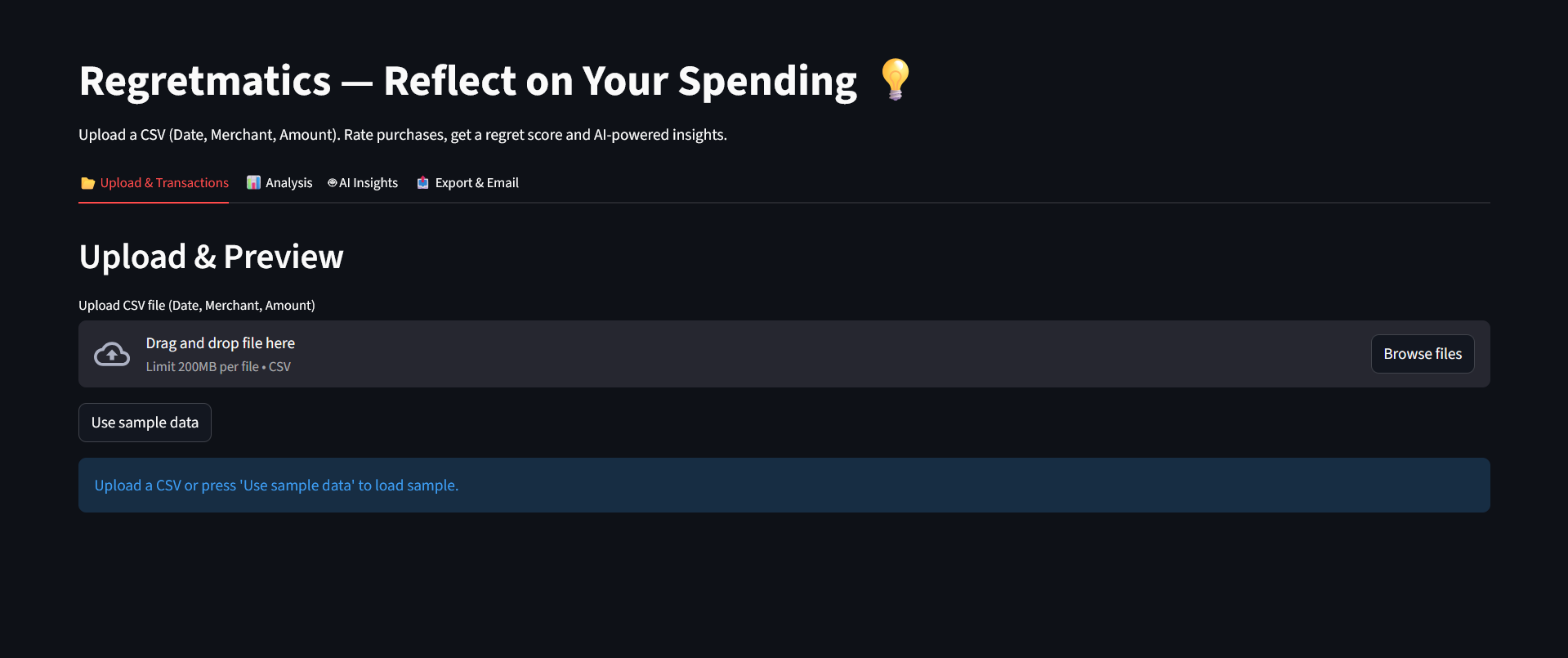
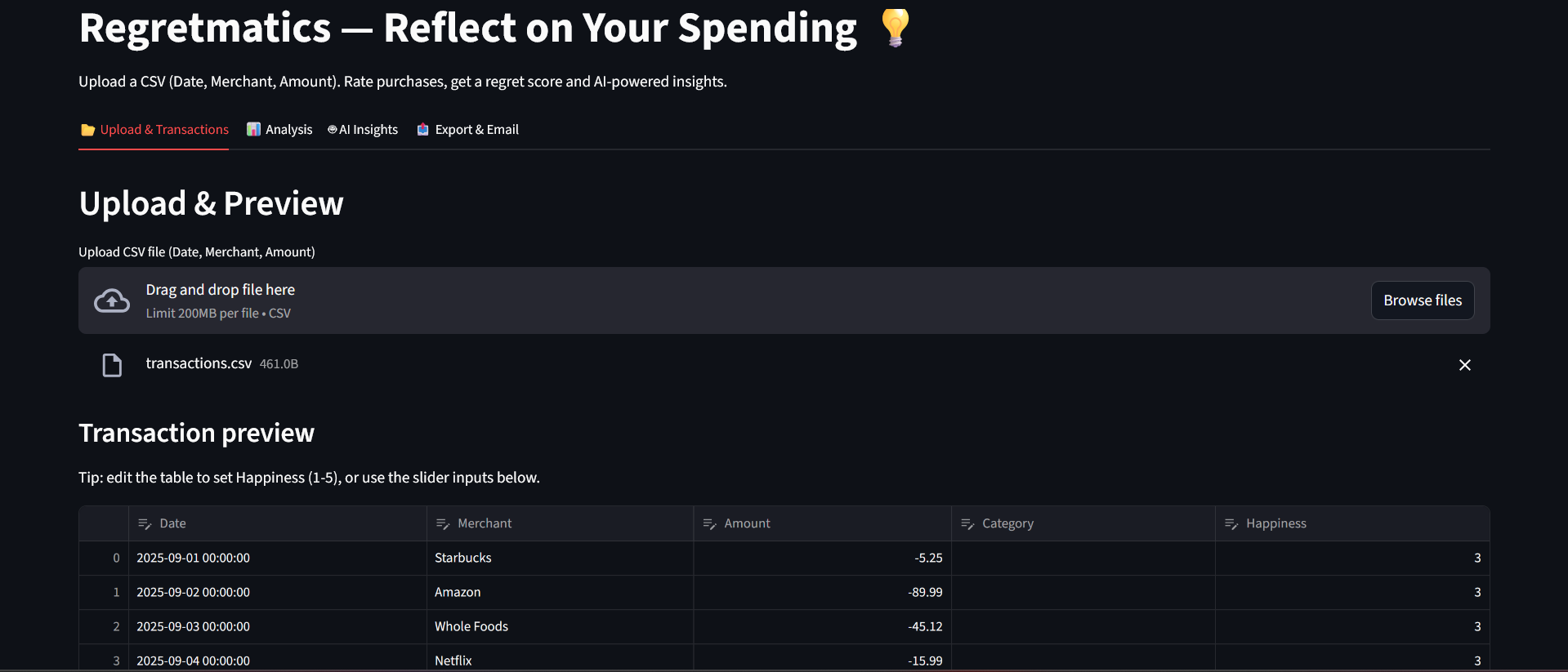
Lets users upload a CSV of transactions (Date, Merchant, Amount), previews and lets them edit rows in-place (Happiness 1–5).
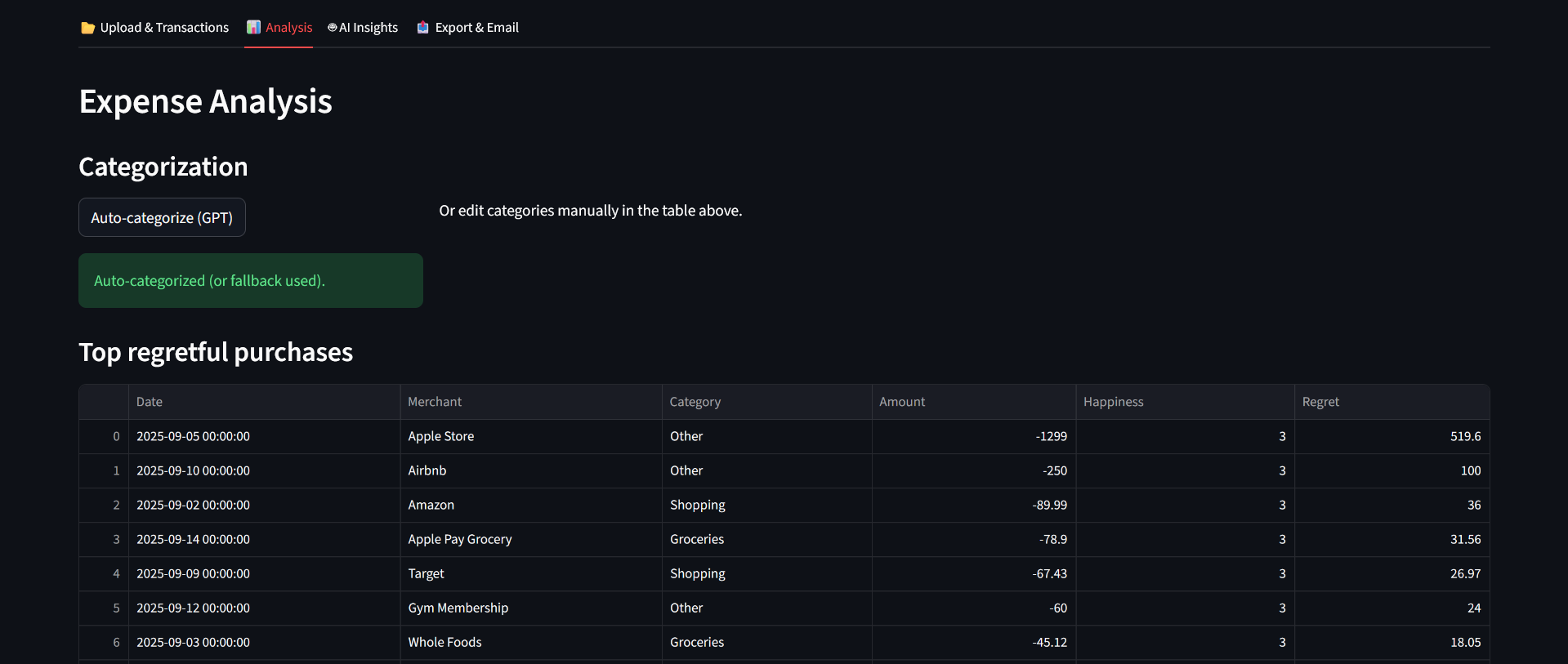
Auto-categorizes merchant names with GPT (if enabled & API key present), falling back to a keyword heuristic when GPT is unavailable or errors occur.
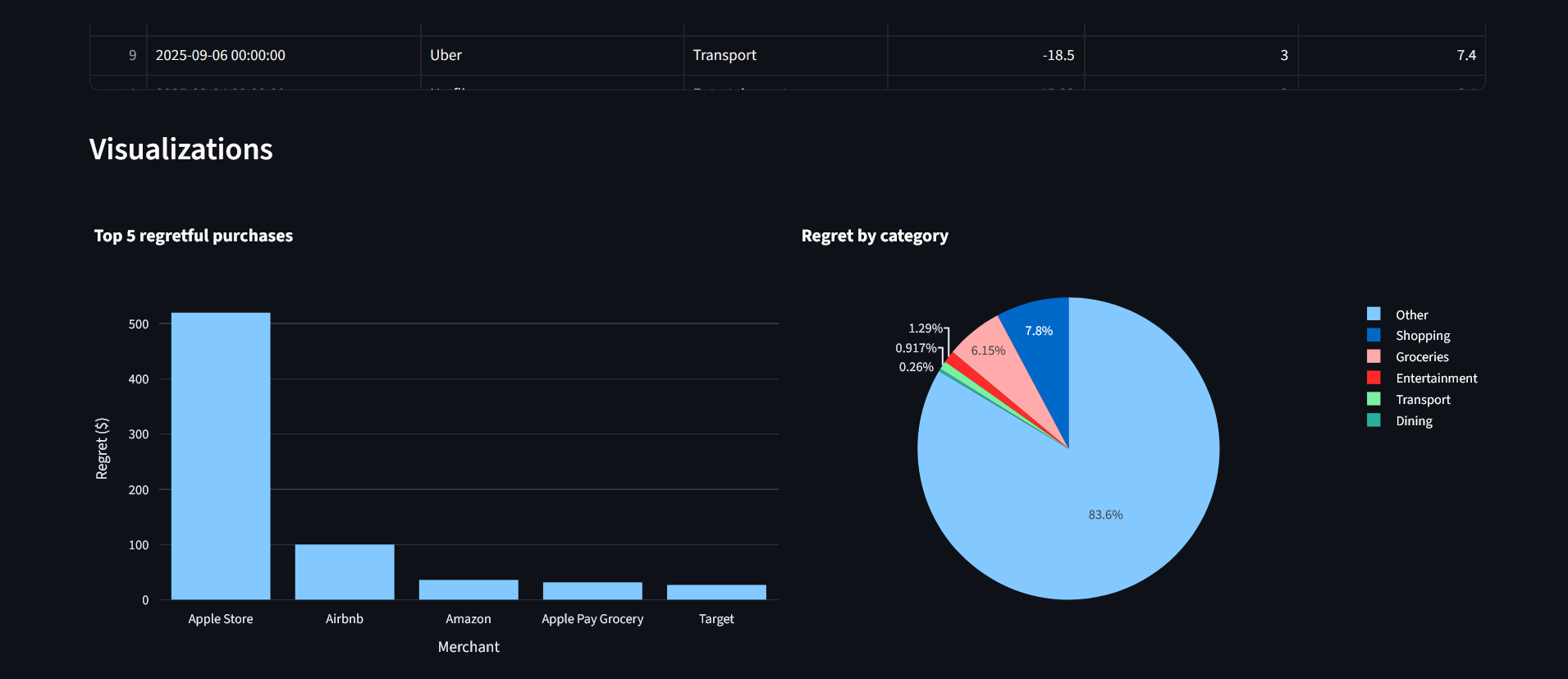
Computes a Regret Score per transaction using a transparent formula, and displays ranked tables and charts. The app uses the exact formula implemented in the code:
Regret=Amount×(1−(Happiness/5))
How we built it
Front end / orchestration
Single-page Streamlit app (app.py) drives upload → edit → analysis → export flow. The app reads CSVs, normalizes column names, coerces types, and adds Category/Happiness placeholders if missing. It uses st.data_editor when available for inline edits and falls back to st.dataframe.
Categorization
utils/categorize_gpt.py exposes categorize_transactions(df, use_gpt):
If use_gpt and OPENAI_API_KEY exist it builds a single prompt that asks GPT to return a JSON array mapping merchants → category, then applies that mapping to transactions. If parsing fails it falls back to a small rule-based keyword map (FALLBACK_KEYWORDS).
Insights
utils/generate_insight.py handles "summary" and "advice" modes. When GPT is enabled it composes structured text (category totals + top purchases) and calls openai.ChatCompletion.create to get a 3–4 sentence human summary or 2–3 actionable tips. If the GPT call fails, it returns a deterministic local summary/advice.
Visuals
utils/charting.py implements top5_regret_bar and pie_regret_by_category using Plotly Express. These functions are small and focused on making clear visuals of top regret and category aggregates.
Predictive modeling & hotspots
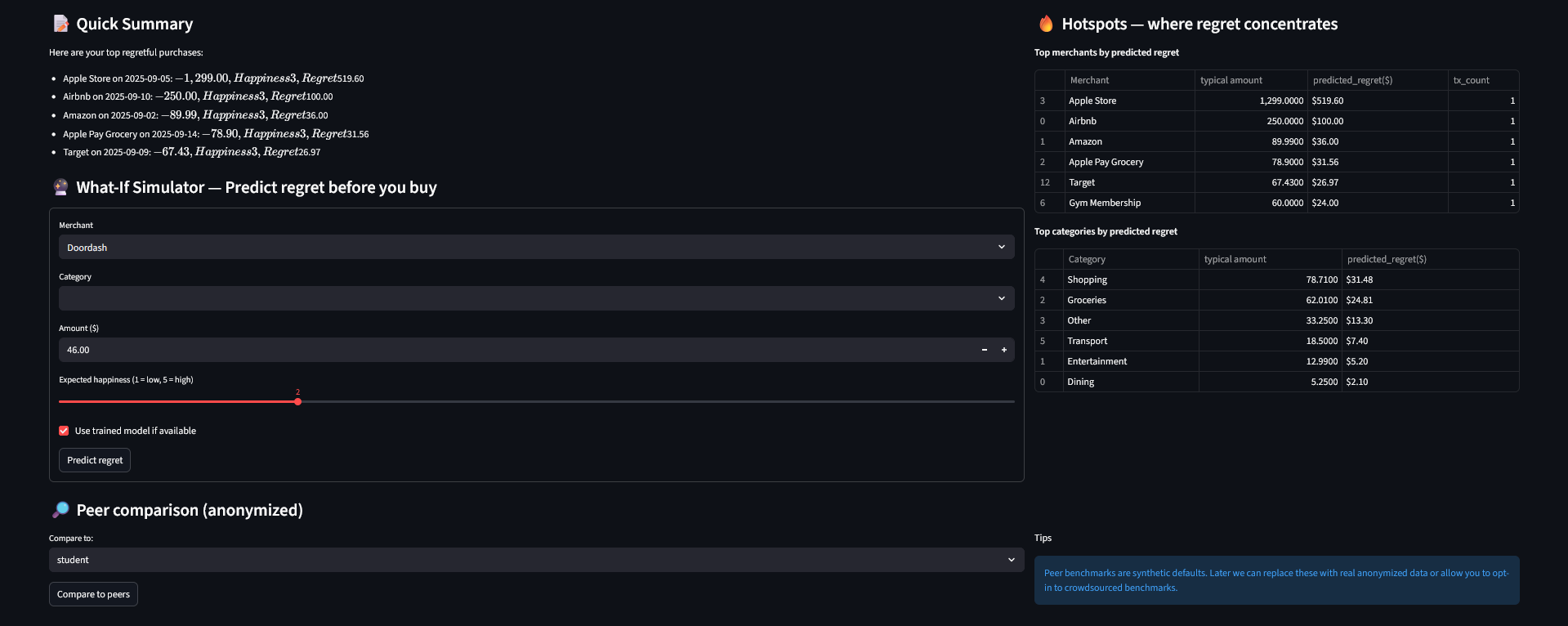
utils/regret_predictor.py constructs a modeling pipeline (preprocessing with StandardScaler + OneHotEncoder, then RandomForestRegressor). It:
Prepares features (Amount, Happiness, Category, Merchant, day_of_week, month).
Performs quick cross-validated MAE and fits the pipeline if there are at least min_samples rows (default 30).
Offers a heuristic predictor that uses merchant/category-level historical regret ratios when a model is unavailable.
There is also a simpler utils/predict_regret.py that implements a lightweight LinearRegression approach and the simple heuristic formula; the app currently imports/regards the richer pipeline in regret_predictor.py.
Peer comparison
utils/peer_benchmarks.py provides synthetic peer profiles and a compare_to_peer_profile routine that computes average monthly spend + regret ratio per category and returns both a DataFrame and short human-readable sentences. (utils/peer_compare.py is an alternate/older implementation present in the repo.)
Export & share
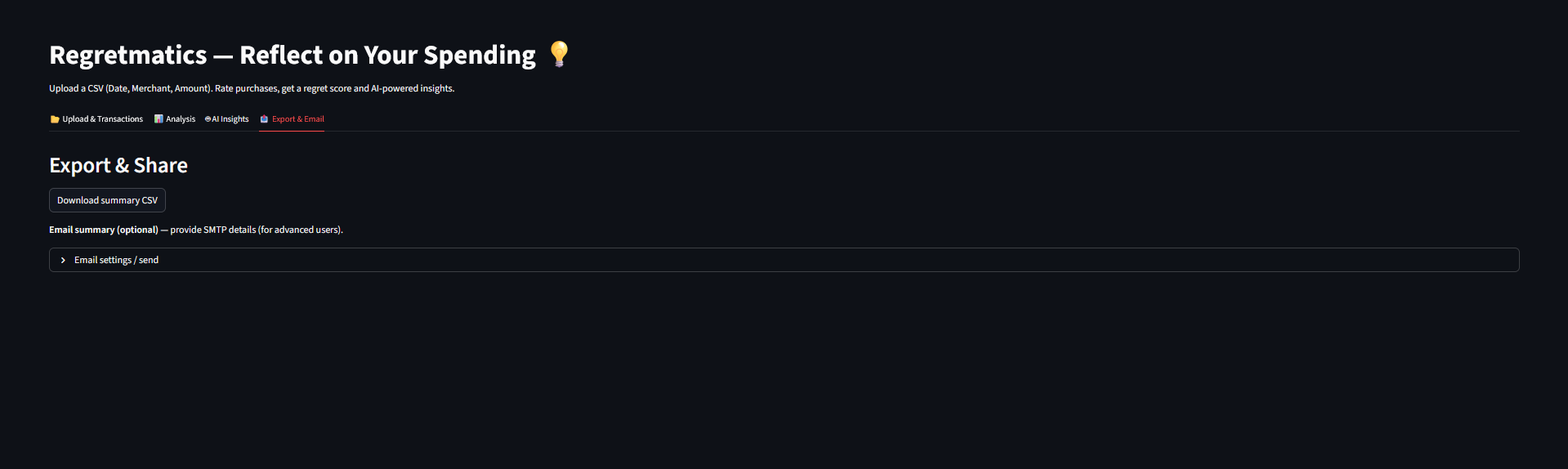
The app builds a CSV (df_sorted.to_csv) for download and optionally sends it via SMTP using smtplib + email.message.EmailMessage. The SMTP feature expects the user to provide host/port/credentials in the UI.
Challenges we ran into
API dependency and robustness
The GPT categorization expects a JSON array reply and uses a regex extraction re.search(r"([.*])", text, flags=re.S) to parse it — this is brittle if the model adds commentary or formatting. The code gracefully falls back to the heuristic map on any failure, but responses can fail for many reasons (rate limits, invalid API key, model changes).
Insufficient data for ML
The RandomForest pipeline (train_regret_model) requires a minimum number of samples (e.g., 30) to train. If there isn’t enough history we fall back to heuristics. This protects model quality but reduces personalization early on.
CSV heterogeneity
Users upload CSVs with different column names, currencies, and formats. load_transactions standardizes columns and strips non-numeric chars from Amount, but there are still potential edge cases (multiple currencies, inconsistent date formats).
Multiple overlapping modules
The repo contains both predict_regret.py (linear-regression based) and regret_predictor.py (full pipeline). This is useful for experimentation but can confuse maintenance and importing.
Privacy & shipping data
The app currently does not persist data server-side (Streamlit session runtime), but the email export requires user SMTP credentials which should be handled carefully (app warns users but no secure vaulting is implemented)
Accomplishments that we're proud of
A full end-to-end pipeline (upload → edit → auto-categorize → visualize → AI summary → model-based what-if) implemented in a single Streamlit page.
Two robust fallback strategies so the app remains useful offline: (1) rule-based categorization. (2) local summary/advice.
A pragmatic hybrid approach to prediction: an ML pipeline when there’s enough data and a merchant/category ratio heuristic otherwise. This balances personalization and reliability.
What we learned
Small, transparent formulas (like the regret score) are powerful UX affordances — users can easily understand and trust them.
Generative models are great for human-friendly language, but they must be wrapped with strong validation, parsing, and fallbacks because output formats can vary.
Feature engineering matters: adding merchant/category/time features materially improves predictive power when enough data exists. The repo shows this in the richer pipeline (regret_predictor.py).
What's next for Regretmatics
Persist user history (opt-in) with secure storage and user accounts so models can get more training data across sessions. Add anonymized opt-in aggregation for real peer benchmarks.
Add currency handling, multi-currency conversion, and better date parsing.
Add caching for GPT outputs (so categorization for the same merchant is stored) and add rate limit handling.
Add richer visualizations (time-series regret over months) and custom categories.
Built With
- openai-python-sdk
- pandas
- plotly
- python
- python-dotenv
- scikit-learn
- standard-library
- streamlit


Log in or sign up for Devpost to join the conversation.