Inspiration
This project was inspired by Visualizing the Loss Landscape of Neural Nets, a NeurIPS 2018 paper. The paper describes a method for visualizing loss landscapes, which are graphs that reveal the error of neural network predictions as a function of their parameters. These visualizations are useful for understanding how the neural network is learning during the training process, and provides insight into the generalization of these models. These 3D surface plots are really cool to view on plotting libraries / 3D modeling software, but I've always wished I could move around and view the shape of the meshes in real life.
What it does
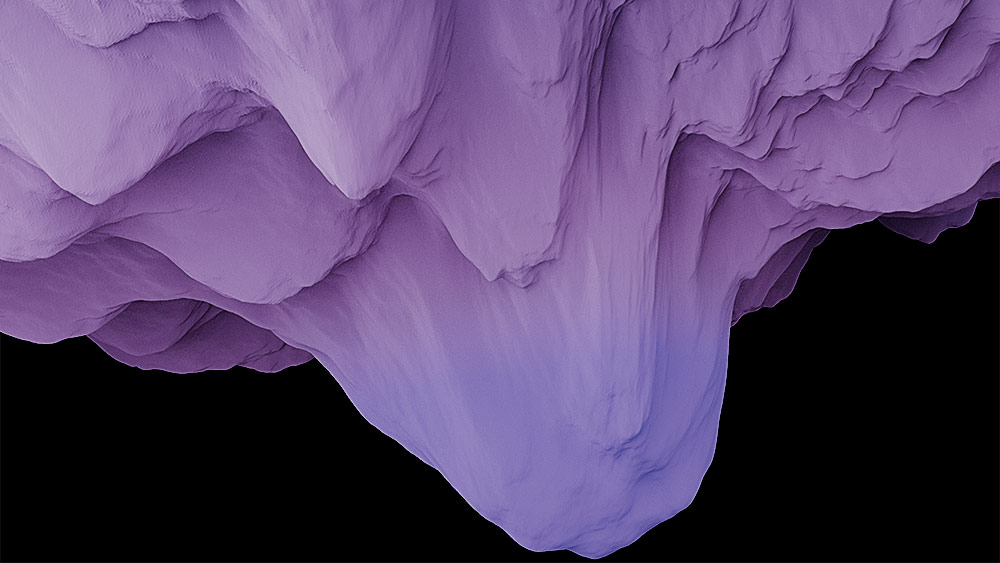
This project directly applies the Visualizing the Loss Landscape of Neural Nets paper by rendering these loss landscapes using the Snap Spectacles. With wearable tech and smart glasses like the Snap Spectacles, we can finally have an immersive experience in AR to better visualize the shapes of these 3D surface plots, and have visibility into more fine-grain or precise details. The differences that the paper finds when comparing how different model architectures lead to different loss surfaces and optimization trajectories can be clearly seen when viewing through the Snap Spectacles.
How we built it
The loss-landscape repo provides code to generate .vtp files for the 3D loss surface plots of a few neural net models. Lens Studio only allows for 3D object imports from .fbx, .obj, and .gltf file formats, so we convert the .vtp files to .obj files using PyVista, a 3D plotting Python library. Then, we import these loss surface meshes into Lens Studio as assets, and customize the arrangement of the camera, change scaling and positioning of the mesh, enable surface detection, and apply material to the mesh for the color gradient. And with some sync'ing to the Spectacles, we have a working lens!
Challenges we ran into
There were many challenges on the AR development side, as this was our first time working with AR. One notable challenge was shading. Shading the mesh was not an easy task, but we found a hacky solution that uses the Twist material, disabling its animation, and warping the mesh slightly, which gives our desired color gradient effect. We also began fine-tuning some LLMs (ie. Llama 3), but didn't have enough time to generate the 3D surface plots for the loss landscape.
Accomplishments that we're proud of
Considering that this was our first time building with AR, we felt immediate wins even when we created our first barebones version of our lens. In only a few hours, we were able to get our Snap Spectacles set up and a lens with our desired outcome.
What we learned
Developing the Spectacles on Lens Studio was very pleasant. The software provides an UI similar to Premiere Pro where you import and configure assets on the left, with your simulated scene on the right, making the development process quite intuitive for us (and probably other content creators as well). We learned a lot on the different types of 3D modeling software out there and gained exposure to how shaders work with a hint of OpenGL.
What's next for Loss Landscapes
Although we have working code to generate the 3D surface plots given some model, we're hoping there's a way to automate the setup of the assets in Lens Studio. We're also hoping to continue fine-tuning some LLMs such as Llama 3 and diffusion models like FLUX.1-dev to see how the loss surfaces may have changed for newer models compared to the traditional models (ie. DenseNet, ResNet, and VGG) presented in the paper.
Acknowledgements
[1] thumbnail modified from here
[2] loss-landscape repo


Log in or sign up for Devpost to join the conversation.