💡 Inspiration
Live stream engagement usually peaks and dies within seconds: a quick poll closes, a channel-point alert chimes, and the moment is lost. We wanted to give streaming communities something enduring—a living fictional universe co-created by chat and the broadcaster across multiple streams.
What if a raid wasn't just numbers on a screen, but a fleet of travellers arriving from another broadcaster's realm? What if every active viewer's ideas could be credited as part of permanent canon lore? That question led to LoreDrop: an interactive worldbuilding engine built natively into Twitch chat, requiring zero viewer installations and zero friction.
🎮 What It Does
LoreDrop connects directly to a streamer's Twitch channel and OBS broadcast:
- In-Chat Participation (
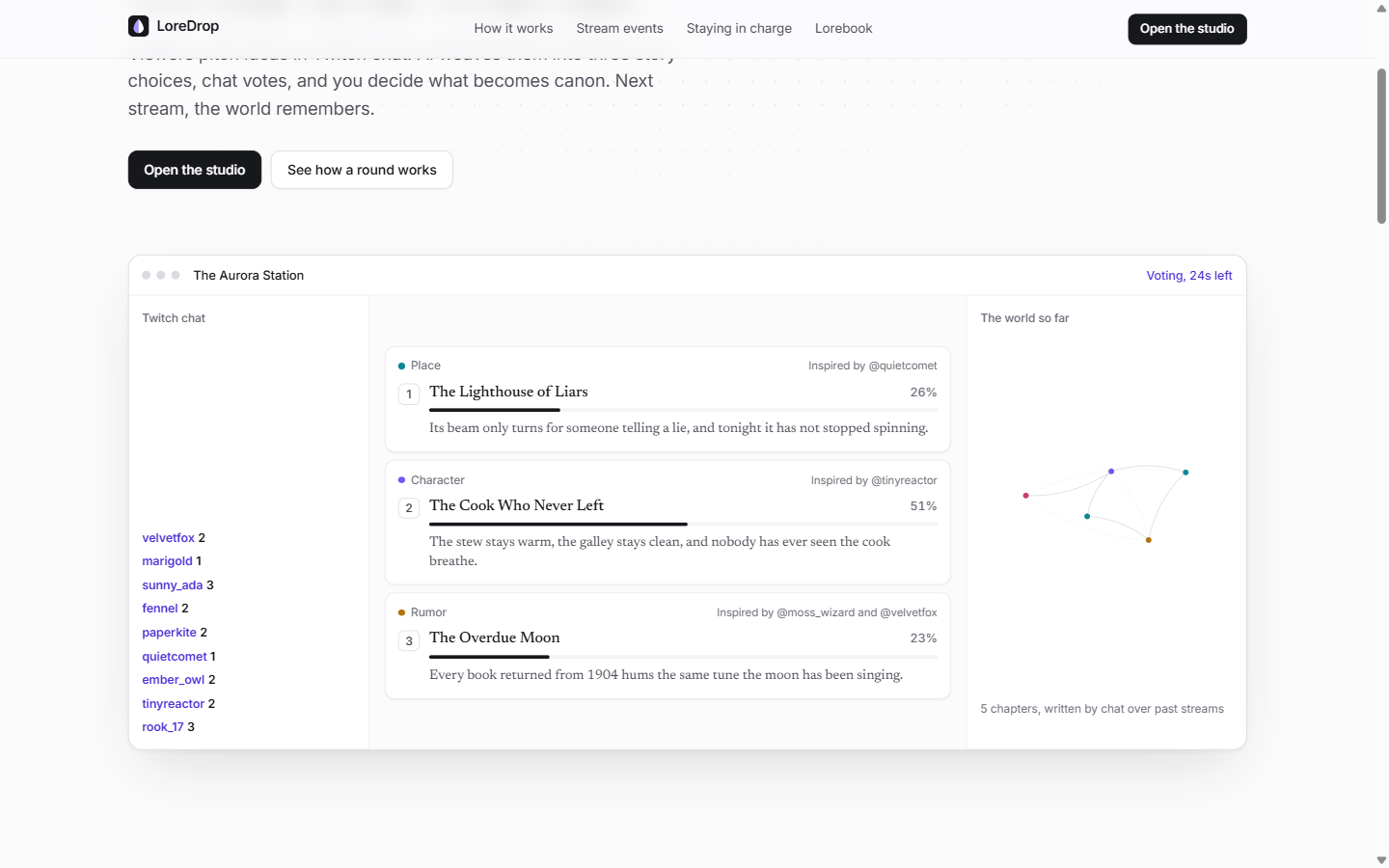
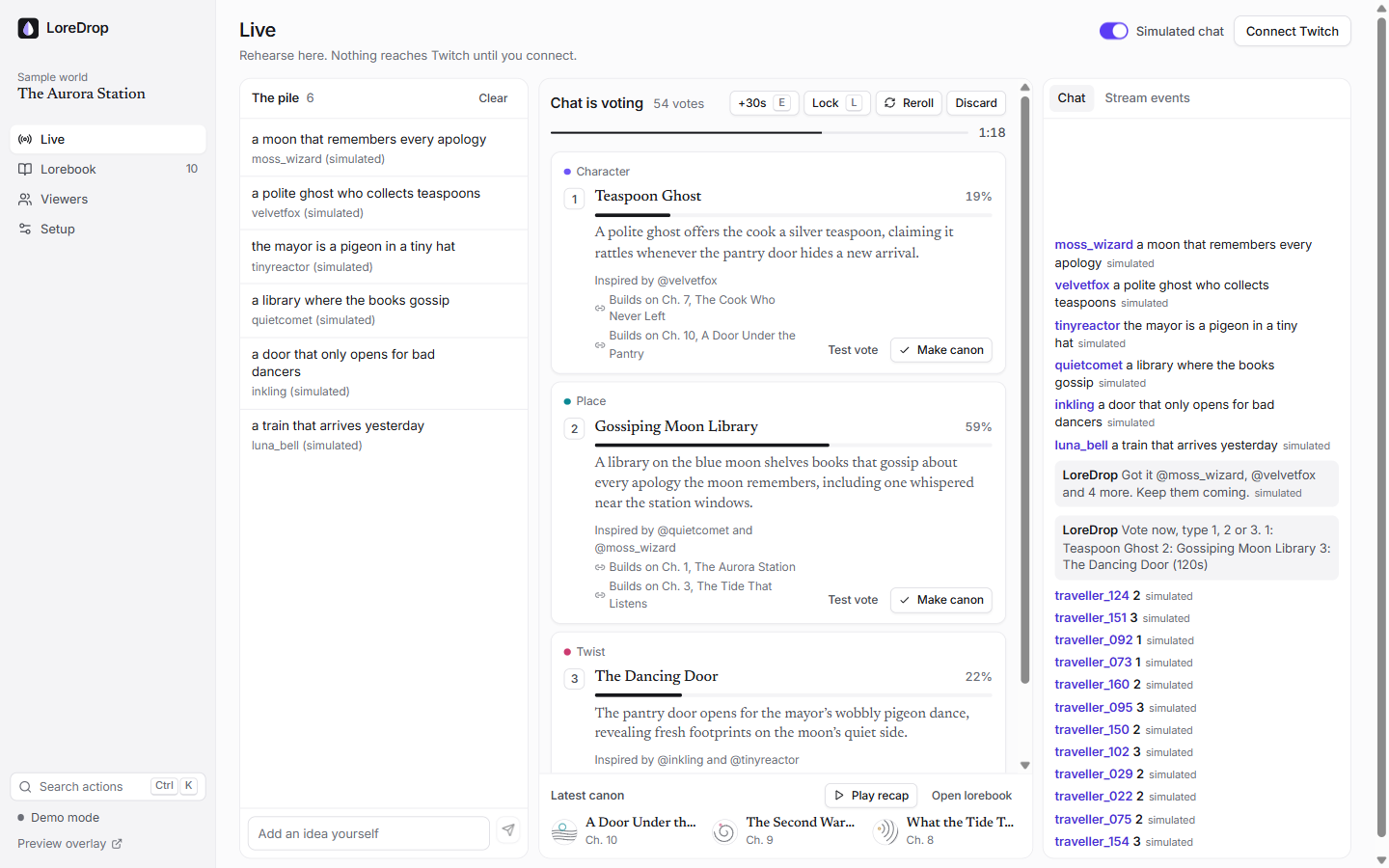
!idea,!vote,!lore): Viewers submit story pitches directly in Twitch chat using!idea <text>. Chat members vote by simply typing1,2, or3. They can inspect previous chapters with!lore, catch up with!recap, and check their community rank with!rank. - AI Narrative Weaving: An AI engine reads the community's idea pool and recent world history, synthesizing three distinct story cards with generated titles, summaries, and full attribution to the viewers who inspired them.
- Stream Events as Canon: Real Twitch events automatically transform into story milestones:
- Raids $\rightarrow$ A fleet of travellers arrives from the raider's world.
- Cheers (100+ bits) $\rightarrow$ A benefactor deposits gold into the realm's coffers.
- Subs & Follows $\rightarrow$ New travellers sign the realm's guestbook or swear oaths.
- Category Changes $\rightarrow$ The party ventures into unexplored territory.
- Streamer Sovereignty & Moderation: Nothing enters the lore until the streamer approves it (
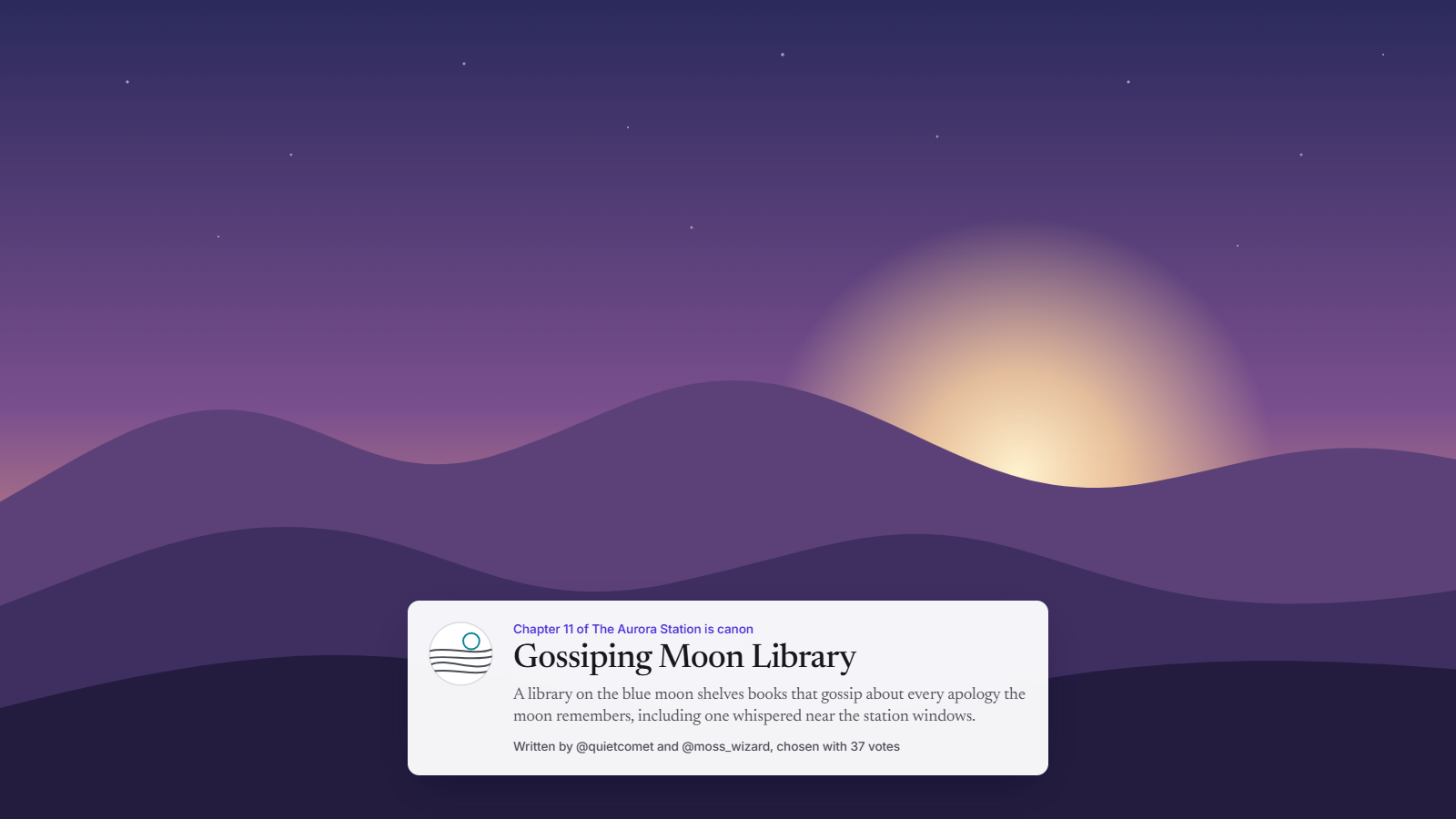
Shift + 1/2/3in the studio or!canonin chat). All ideas pass through automated OpenAI moderation and custom word blocklists to keep broadcasts safe and brand-friendly. - Dynamic OBS Overlay & Public World Hub: A 1080p transparent browser source renders live voting races and dramatic drop-and-ripple canon reveals on stream, while a public constellation map and world page let viewers explore their lore between streams.
- Instant Offline / Zero-Setup Mode: Includes a simulated chat engine and local fallback generator so anyone can test the full loop without entering API keys or Twitch credentials.
🛠️ How I Built It with Codex
The entire project was architected and built using OpenAI Codex
- Ideation & Requirements: Starting from the hackathon brief, Codex drafted the product and technical specifications, architecting the state machine between Twitch EventSub, the round engine, and overlay rendering.
- Resilient Backend: Codex engineered the Node.js backend (
server/), implementing:- A resilient Twitch EventSub WebSocket client featuring a keepalive watchdog, automatic backoff, and transparent
session_reconnectfailover. - Rate-limited Twitch Helix chat dispatch with batched acknowledgments.
- Atomic file persistence per channel under
data/worlds/. - Throttled Server-Sent Events (SSE) streaming real-time state snapshots to the studio and OBS overlay.
- A resilient Twitch EventSub WebSocket client featuring a keepalive watchdog, automatic backoff, and transparent
- Frontend & Broadcast UI: Built a clean, responsive React and TypeScript frontend with Tailwind CSS, including the Studio dashboard, OBS transparent overlay, and constellation world map.
- Rigorous Offline Testing: Codex constructed a 64-test acceptance suite utilizing local mock servers for EventSub, Helix, and OpenAI, ensuring all failure modes and fallbacks function reliably even without an internet connection.
🚧 Challenges I Ran Into
- Twitch EventSub Connection Handover: Twitch EventSub WebSockets require handling
session_reconnectmessages gracefully without dropping in-flight chat events or duplicating state. Codex implemented a handover system that establishes the new connection before terminating the old one. - Low Latency vs. AI Generation: Waiting 10+ seconds for a story round slows down a live broadcast. We optimized prompts using strict JSON schemas and implemented local fallback generators to ensure that if an API call stutters, the broadcast never freezes.
- Ensuring Broadcast Safety: Live chat can be unpredictable. We integrated multi-tier safety checks—holding URLs, running OpenAI moderation checks, and filtering custom blocklists before content reaches the generation pipeline or the stream overlay.
🏆 Accomplishments That I'm Proud Of
- Zero-Friction for Viewers: Viewers do not have to register, install an extension, or leave Twitch. They interact natively through the chat they already use.
- The "Drop-and-Ripple" Reveal: Designing the transparent OBS overlay that stays invisible during normal gameplay, smoothly animating cards during a vote, and delivering a satisfying visual reveal when canon is made.
- Resilient Architecture: Over 60 automated unit/integration tests running against local mocks, guaranteeing stability during live streams.
📚 What I Learned
- How to effectively harness OpenAI Codex for end-to-end full-stack development, from architectural design to test-driven refactoring and state machine optimization.
- Deep mastery of the modern Twitch EventSub WebSocket protocol and rate-limiting patterns with Twitch Helix APIs.
- Designing broadcast-grade overlays that maintain high performance (60fps CSS animations) without consuming CPU cycles needed for game rendering.
🚀 What's Next for LoreDrop
- Cross-Channel Lore Raids: Allowing raiding channels to bring artifacts and characters from their world into the host's realm.
- Twitch Extensions & Channel Points: Giving viewers the ability to spend Channel Points to boost their ideas or guarantee a spot in the vote.
- Hosted Multi-Tenant Cloud: Offering LoreDrop as a hosted one-click service for Twitch streamers with automatic cloud saves and public community lore pages.
🧪 Try It Out
You can run the entire platform locally with zero configuration: https://github.com/rohanjain1648/Lore-Drop
# 1. Install dependencies
pnpm install

# 2. Build the project
pnpm build

# 3. Start the server
pnpm start
- Open
http://localhost:3000/studioin your browser. - Toggle Simulated chat to see virtual viewers submit ideas.
- Press G to generate three story choices.
- Open the OBS preview at
http://localhost:3000/overlay?preview=1to watch the live voting race. - Press Shift + 1, 2 or 3 to establish canon!
Built With
- node.js
- openai-api
- openai-codex
- react
- server-sent
- tailwind-css
- twitch-eventsub
- twitch-helix-api
- typescript
- websockets


Log in or sign up for Devpost to join the conversation.