-
-
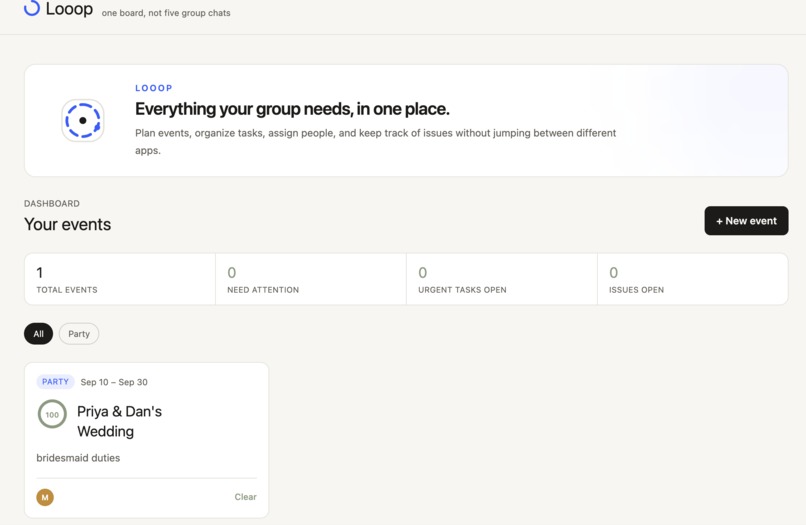
Looop Event Dashboard
-
-
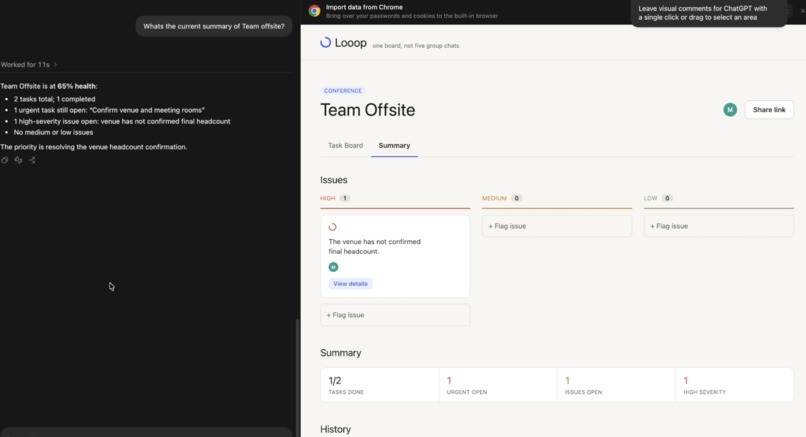
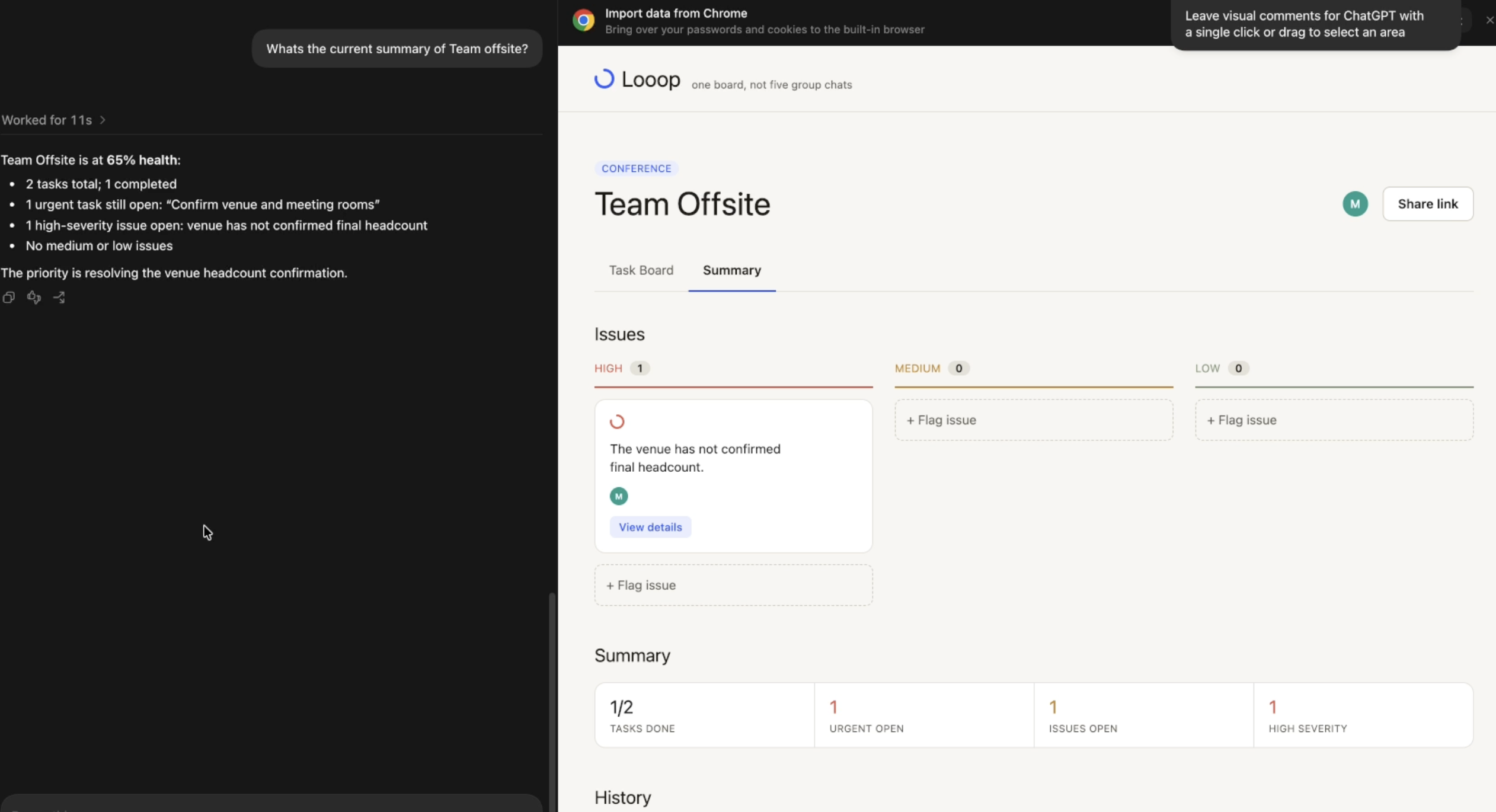
WebMCP allowing agent to summarise event
Inspiration
Group chats are often the main go-to for communication when planning for events and projects. However, the actual plan and flow of logistics often end up buried under jokes, photographs, and various digresses from conversation. As such, this results in confusion and frustration with messages like "Did anyone see my message about xxx?" or "At what stage are we for this plan?" or "Sorry, what are my responsibilities for today again?". This is where WebMCP fits the use case well. By allowing AI agents to interact directly with structured web interfaces, WebMCP can help agents read the latest plan, understand assigned responsibilities, and take actions on the board without relying on noisy chat history. This creates a shared and structured source of truth that both people and AI agents can easily understand and act upon.
What it does
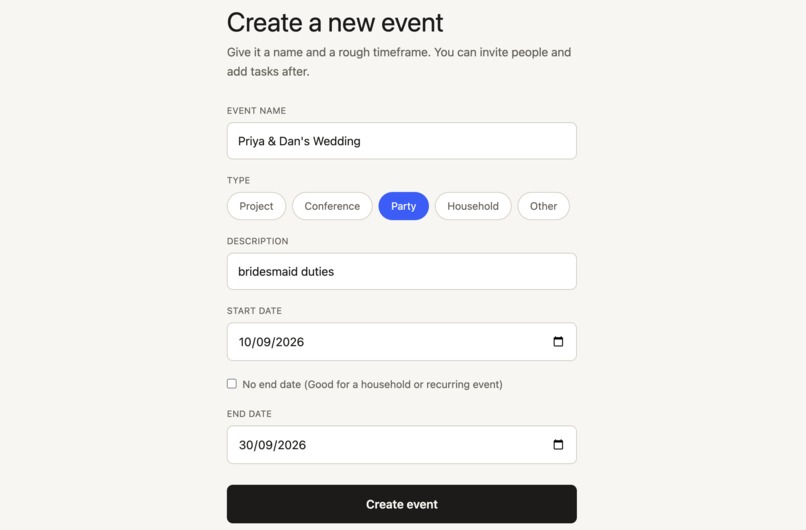
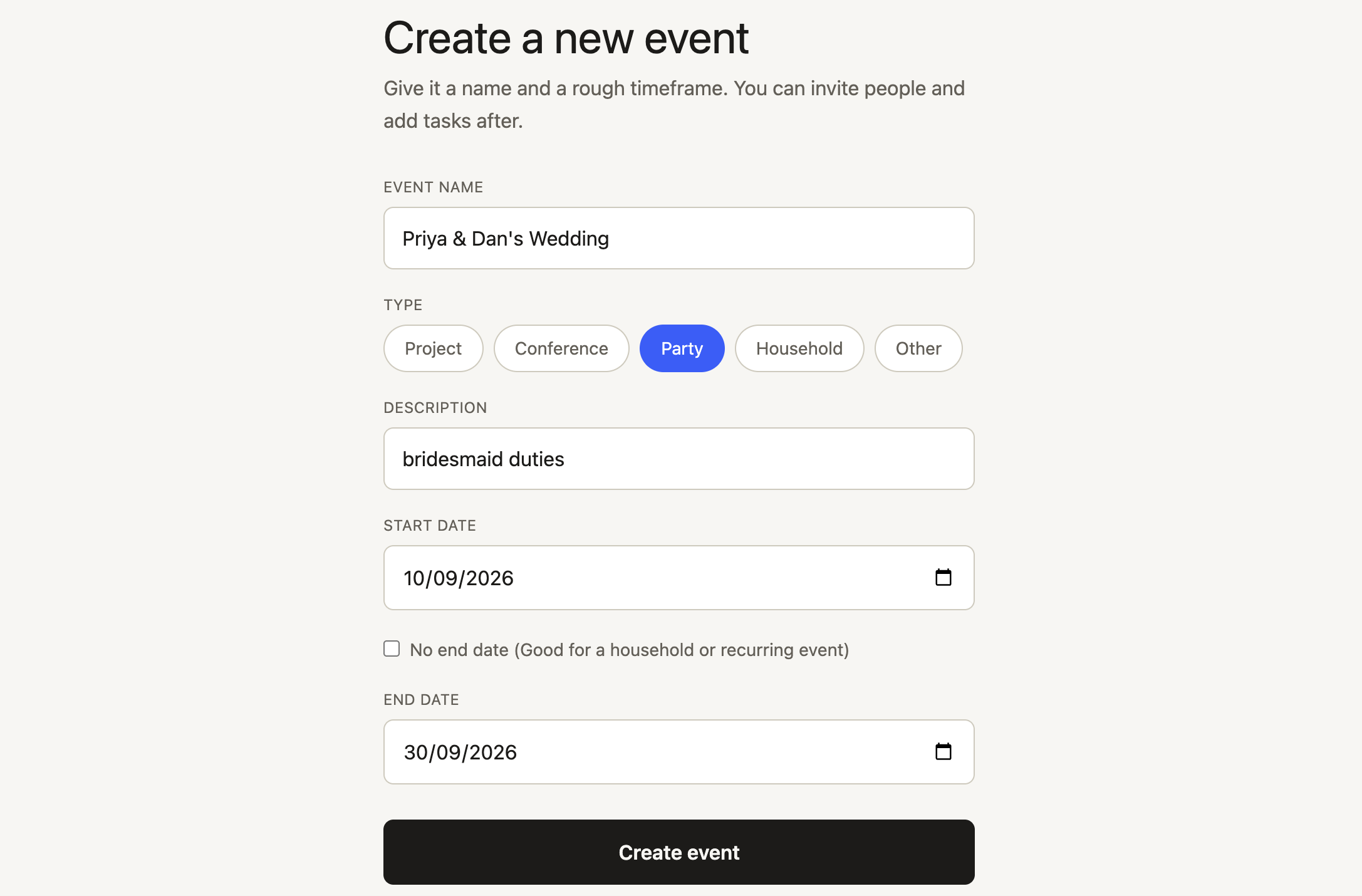
Looop gives every event (wedding party, offsite, household chore chart) one shared board, which includes tasks grouped by urgency, flagged issues for attention, day-by-day timeline and a computed event health score. The core actions on the board such as creating and editing tasks, flagging and resolving issues, are exposed as MCP tools. Users can simply ask their agent "What tasks are still open on the wedding board?" or "Add an urgent task for the caterer" or "Flag that the venue has not confirmed headcount". The agent can even act as a collaborator, proposing concrete next steps for a stuck task or open issue, as well as starter tasks for event based on its title and description, and providing a concise summary of the event history.
How we built it
The frontend is hosted on Vercel and backend on Render. The frontend of Looop was built with React and Typescript on the frontend, Tailwind for UI styling. It has a Go backend on Chi with MongoDB for storage. The WebMCP layer lives on the frontend with document.modelContext.registerTool() covering full CRUD on events, its tasks and issues plus status actions like complete_task and resolve_issue and multiple tools that let the agent write suggestions and catch the user up on the event progress.
Challenges we ran into
The gap between UI implementation and connecting with the rest of the pipeline also turned out to be a challenge. The frontend was first built against mock data which expedited the design process, but the process of wiring every page to the backend surfaced a long list of real bugs. These included route prefixes that did not match between frontend and backend, and a field name mismatch that silently dropped task notes. This also affected the WebMCP testing in ChatGPT's in-app browser, since the underlying API calls had to work reliably before I could register tools that depended on them during execution. I also learnt to budget more time for WebMCP edge cases, such as incomplete requests and ambiguous inputs, rather than focusing only on the ideal tool flow.
Accomplishments that we're proud of
Getting the full loop working with an agent in ChatGPT's browser calling a real tool, hitting the hosted Go backend and writing to the database, and having that change show up on the board was the largest accomplishment. I was happy for not just settling for CRUD as the whole product and registering tools such as get_event_summary computing a genuine health score instead of just listing rows, and suggest_task_completion/suggest_issue_resolution letting the agent contribute reasoning to the board, not just data entry was also one of the main goals achieved.
What we learned
The main concept here was implementing MCP hands-on to create a functional project and learning the concept from scratch. One of the biggest concepts learnt was the difference between MCP and WebMCP, particularly that WebMCP tools are registered directly on the frontend through the browser rather than being exposed from a backend MCP server. A lot of learning also came from testing the tools repeatedly and handling edge cases. I had to check that every tool was callable, that fields and routes matched correctly across the codebases and that incomplete requests were handled gracefully. For example, creating a task without an assignee meant deciding how the tool should respond or whether it could fall back to the current user, while ambiguous member names required additional resolution. Thus, I learnt that thorough testing is essential when building agent-facing tools.
What's next for Looop
In the near future, Looop could move towards real authentication and user accounts, replacing the current localStorage-based placeholder identity with secure accounts that persist across devices. We also see potential in richer integrations, connecting Looop with calendars and other tools that people already use for event planning, making it easier to keep everything in sync without having to switch between different platforms. Based on user feedback, more WebMCP tools could be registered on Looop to efficiently serve real-world purposes for collaborative event planning.
Built With
- go
- mongodb
- openai
- react
- typescript
- vite
- webmcp

Log in or sign up for Devpost to join the conversation.