LoomPad — Devpost submission copy
Track: Dev Tooling. Tagline: One brain for every coding agent — with a key you can press and talk to.
About the project
Inspiration
We were switching between Claude Code, Codex, OpenCode and Grok all day — and every
switch meant re-explaining the same context. Each of these coding agents (we call
them ADEs — Agentic Development Environments) keeps its memory in its own
files: CLAUDE.md, AGENTS.md, its own history. None of them can read the
others'. Switch tools and the project gets amnesia.
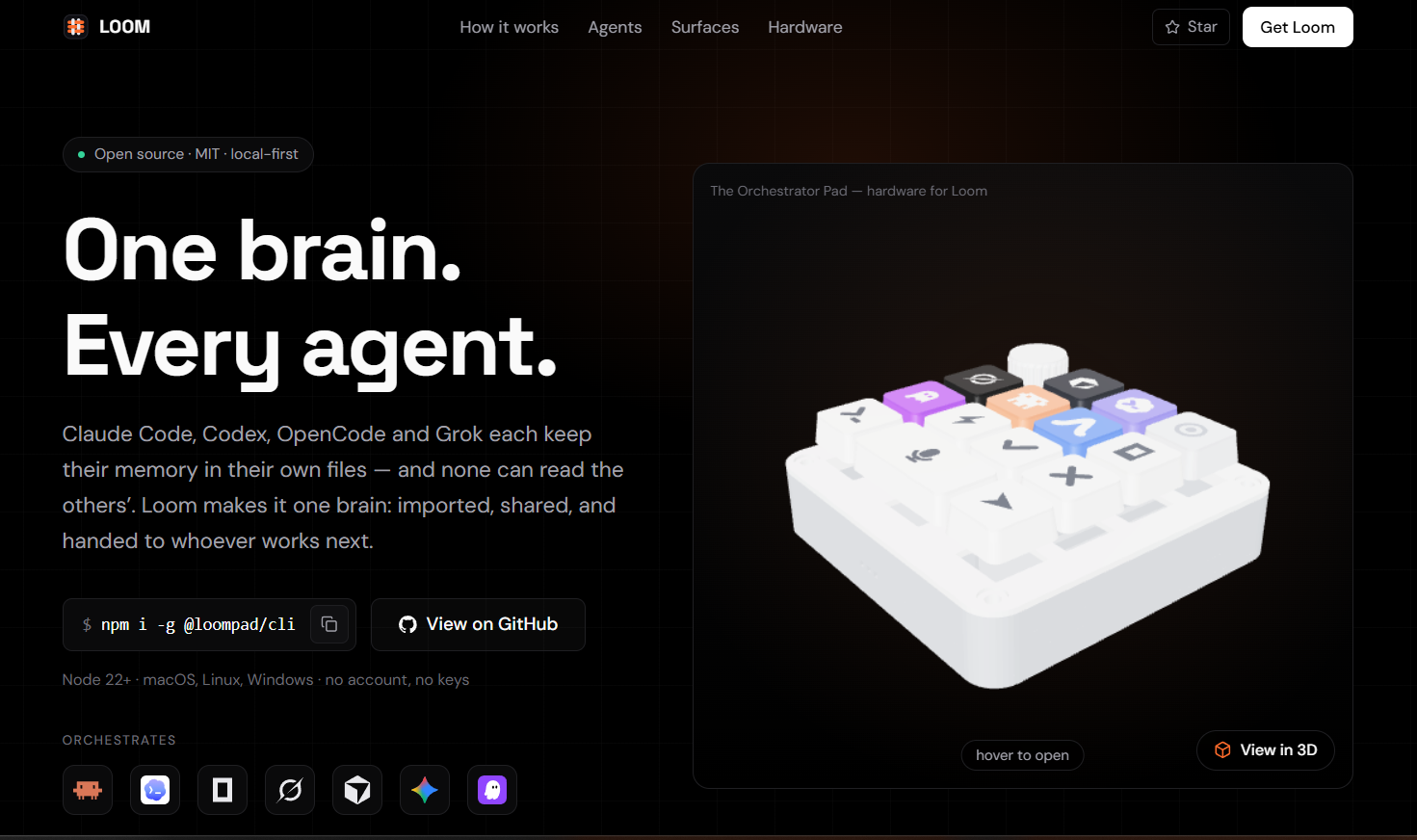
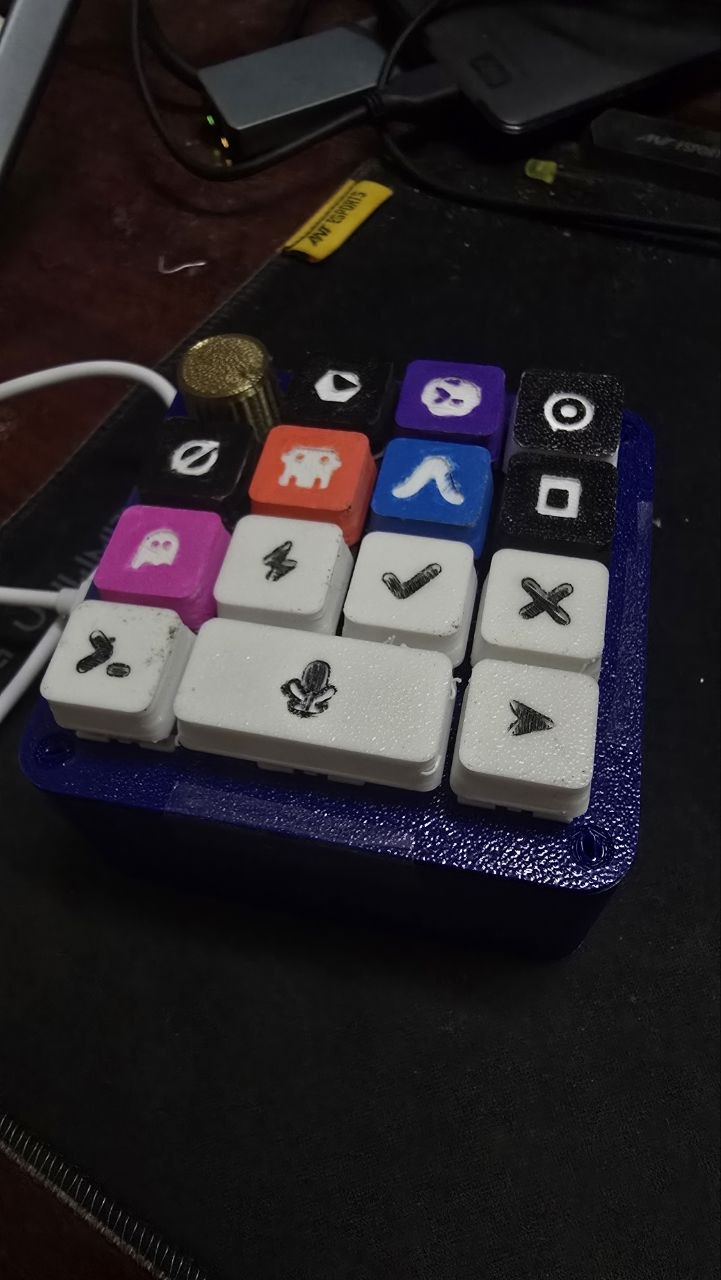
So we wanted two things. First, one brain — a single shared memory every ADE reads from and writes to. Second, a way to switch agents as physically as it feels in your head: not alt-tabbing through terminals, but pressing a key and talking. That second idea became a real piece of hardware — the Orchestrator Pad (LoomPad).
What it does
Loom is a local-first orchestrator that gives every coding agent one shared brain and one shared thread.
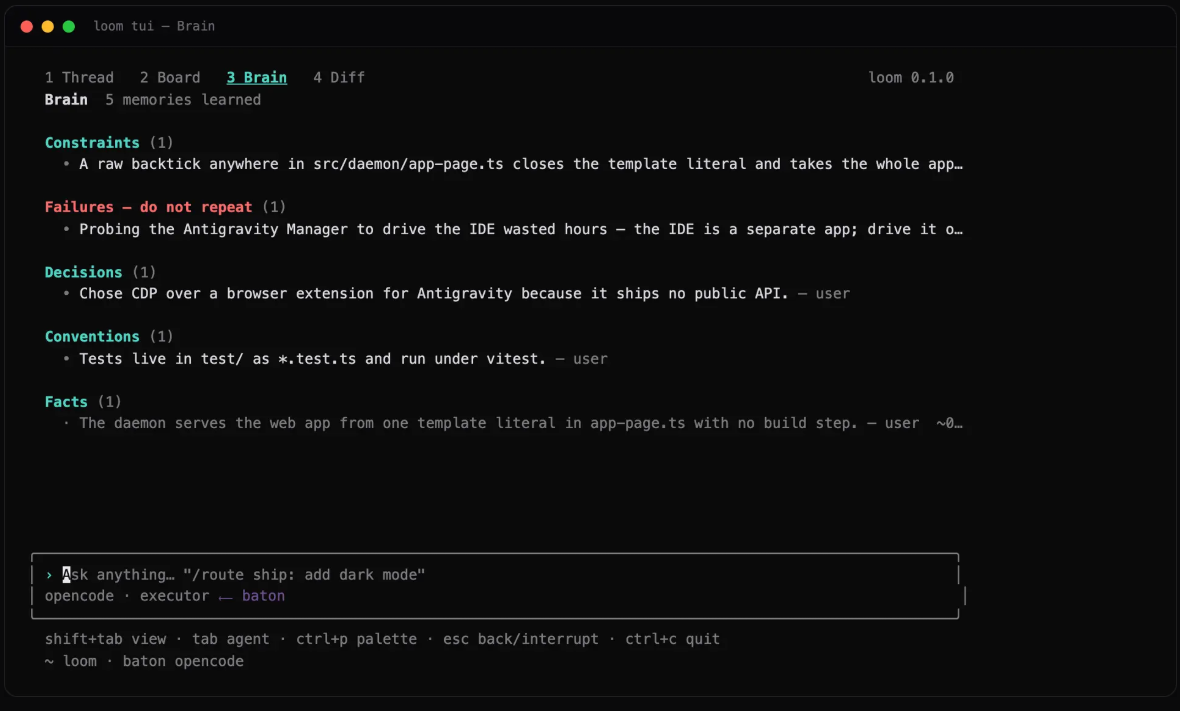
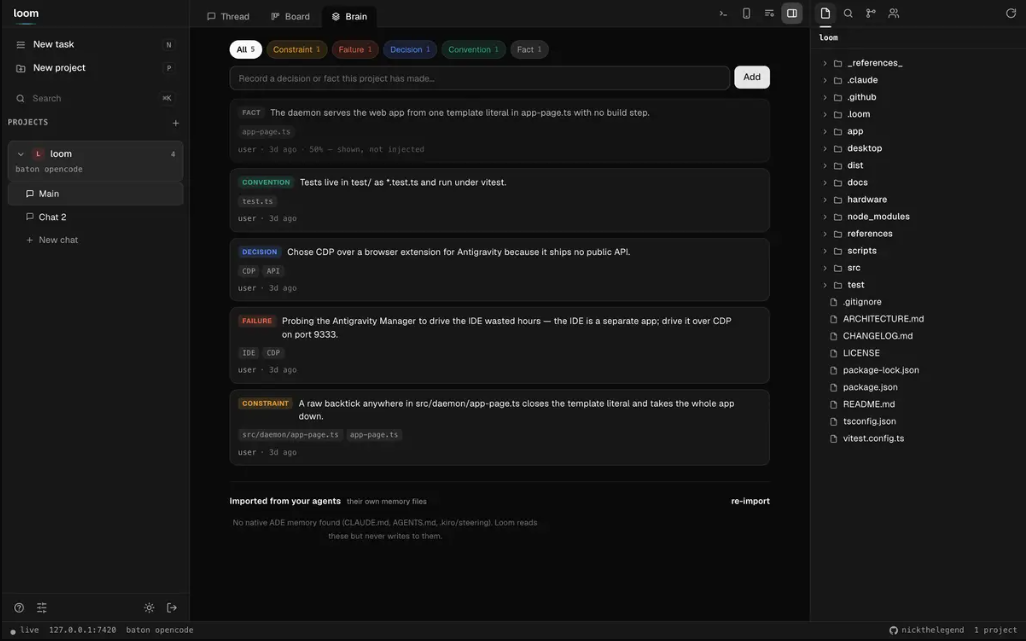
- One brain. Loom imports each ADE's native memory into shared memory units (mem0-style), then hands that brain to whoever works next — so Codex remembers what Claude Code just learned.
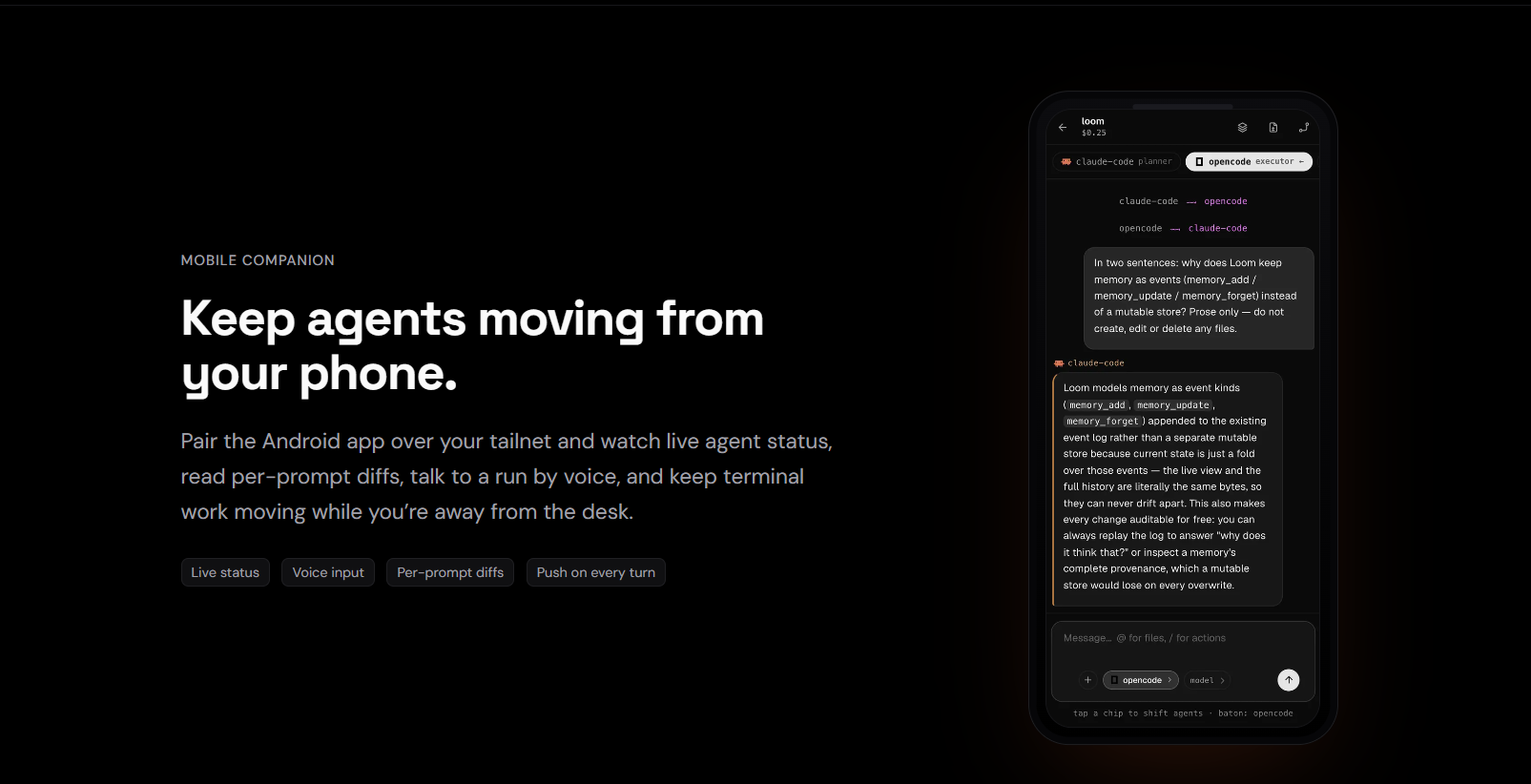
- Real handoffs. Agents pass a visible baton in a shared thread. You can watch Claude Code hand off to OpenCode mid-task, with full context, in one line.
- Every surface. The same daemon powers a CLI (
loom), a tabbed TUI (Thread · Board · Brain · Diff), a web GUI / PWA, an Electron desktop app, and a mobile app — all paired to the same live thread. - Six ADEs today: Claude Code, Codex, OpenCode, Grok Code, Antigravity, Kiro.
LoomPad (the Orchestrator Pad) is the hardware companion — an ESP32-S3 voice macropad. Press a key to hand the baton to that ADE (a real Loom handoff), hold the mic key and talk, and hear the agent answer out loud. It works on your Wi-Fi, or anywhere over Tailscale — set up once through a captive portal, no recompile to change networks.
How we built it
- Loom core — TypeScript + Node, an Express + WebSocket daemon (port 7420). Every surface is a thin client of the same API.
- The brain — memory-as-units, imported from each ADE's own memory files, normalized, shared, and honored on the next turn.
- GUI — a single-file web PWA served by the daemon; Electron wraps it for desktop. Mobile — Expo / React Native, paired with a single-use token (and it runs as Expo web for the demo).
- Hardware — parametric CAD written in Python (Shapely + NumPy) that exports both printable STLs and the GLB you can spin on the site. Firmware is Arduino / C++ on the ESP32-S3: I²S mic + amp, a 4×4 key matrix, WiFiManager captive-portal provisioning, and TLS with a pinned root cert so the pad's token can't be MITM'd over a public Tailscale Funnel.
- Voice backend — a zero-dependency Node service (raw
http) that routes audio to Groq (Whisper STT + LLM) and Deepgram (TTS), withbrain=loom. - Landing — Next.js on Vercel (loompad.tech) with a Three.js viewer.
- Built with Codex. The CAD, CLI, GUI and Android app were largely built with OpenAI Codex — which is also one of the ADEs Loom orchestrates. Dogfood the loop.
Challenges we ran into
- Memory portability. Every ADE stores memory differently. Turning that into one shared, lossless brain — and deciding what to trust on recall — was the hard part, and the whole point.
- Real handoffs without clobbering. One source of truth for the baton so two agents never step on each other's work.
- The ESP32-S3 fought back. Native-USB serial is gated on DTR and was unreliable, so we built a telnet debug console to bring the board up. The key matrix came in with reversed columns; audio caused brownouts until we fixed power. And getting TLS onto a microcontroller (pinned ISRG Root X1) took work.
- Security. Local-first still needs a threat model — we closed a DNS-rebinding RCE path on the loopback admin, a git flag-injection, and moved the WebSocket token out of the URL into the subprotocol.
- Make it all demoable in a browser — daemon, GUI, Expo web, and the voice backend health, live at once.
Accomplishments that we're proud of
- One brain shared across six ADEs, with handoffs you can actually watch.
- A physical voice pad that drives it — press a key, talk, hear the reply.
- Five surfaces on one daemon (CLI, TUI, GUI, desktop, mobile).
- CAD → firmware → backend → app, largely built with Codex.
- A real product page at loompad.tech with an interactive 3D model and print-your-own STLs.
What we learned
- Memory — not prompts — is the real interop layer between agents.
- Codex can carry a whole multi-surface build, from parametric CAD to an Android app.
- Hardware forces honesty: the demo either speaks or it doesn't.
- Local-first ≠ safe by default — you still have to threat-model it.
What's next for LoomPad.tech
- More ADEs, with auto-import of each one's memory format.
- A proper PCB for the pad (kill the brownouts) and the effort knob (EC11) wired to route how hard to try per task.
- Better recall + evals on the brain, and team brains — one shared brain per repo, across everyone working on it.
- Hosted Loom for teams who don't want to run the daemon themselves.
Built with (25 tags)
typescript · node.js · express · websocket · react · react-native ·
expo · electron · next.js · three.js · webgl · vercel · esp32-s3 ·
arduino · c++ · i2s · python · shapely · numpy · gltf ·
openai-codex · groq · deepgram · tailscale · wifimanager
Try it out — links
- Live site: https://loompad.tech
- Loom (software) — GitHub: https://github.com/nickthelegend/loom
- Orchestrator Pad (hardware + firmware + CAD) — GitHub: https://github.com/nickthelegend/orchestrator-pad
- Install the CLI:
npm i -g threadloom→ runloom - Print your own pad (STLs): https://loompad.tech/stl/orchestrator-pad-stls.zip
- Join the waitlist: https://loompad.tech/waitlist
- Launch video: (upload
videos/loompad-intro/renders/video.mp4to YouTube and paste the link)
Built With
- arduino
- c++
- deepgram
- electron
- esp32-s3
- expo.io
- express.js
- gltf
- groq
- i2s
- next.js
- node.js
- numpy
- openai-codex
- python
- react
- react-native
- shapely
- tailscale
- three.js
- typescript
- vercel
- webgl
- websocket

Log in or sign up for Devpost to join the conversation.