-
-

Landingpage of the project Looma
-
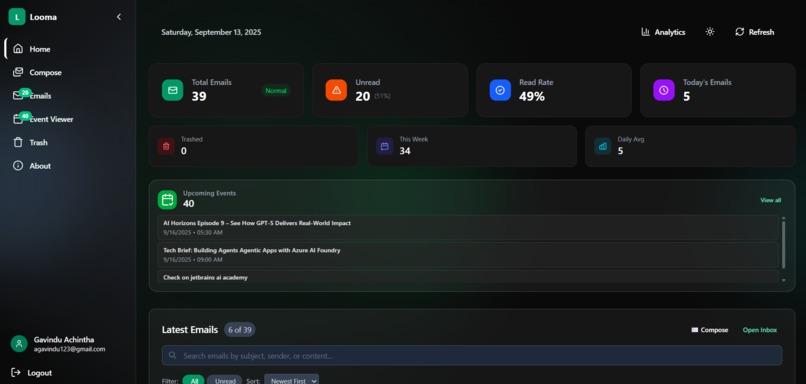
Dashboard of the project. This shows the stats about emails , the upcoming events and the latest emails

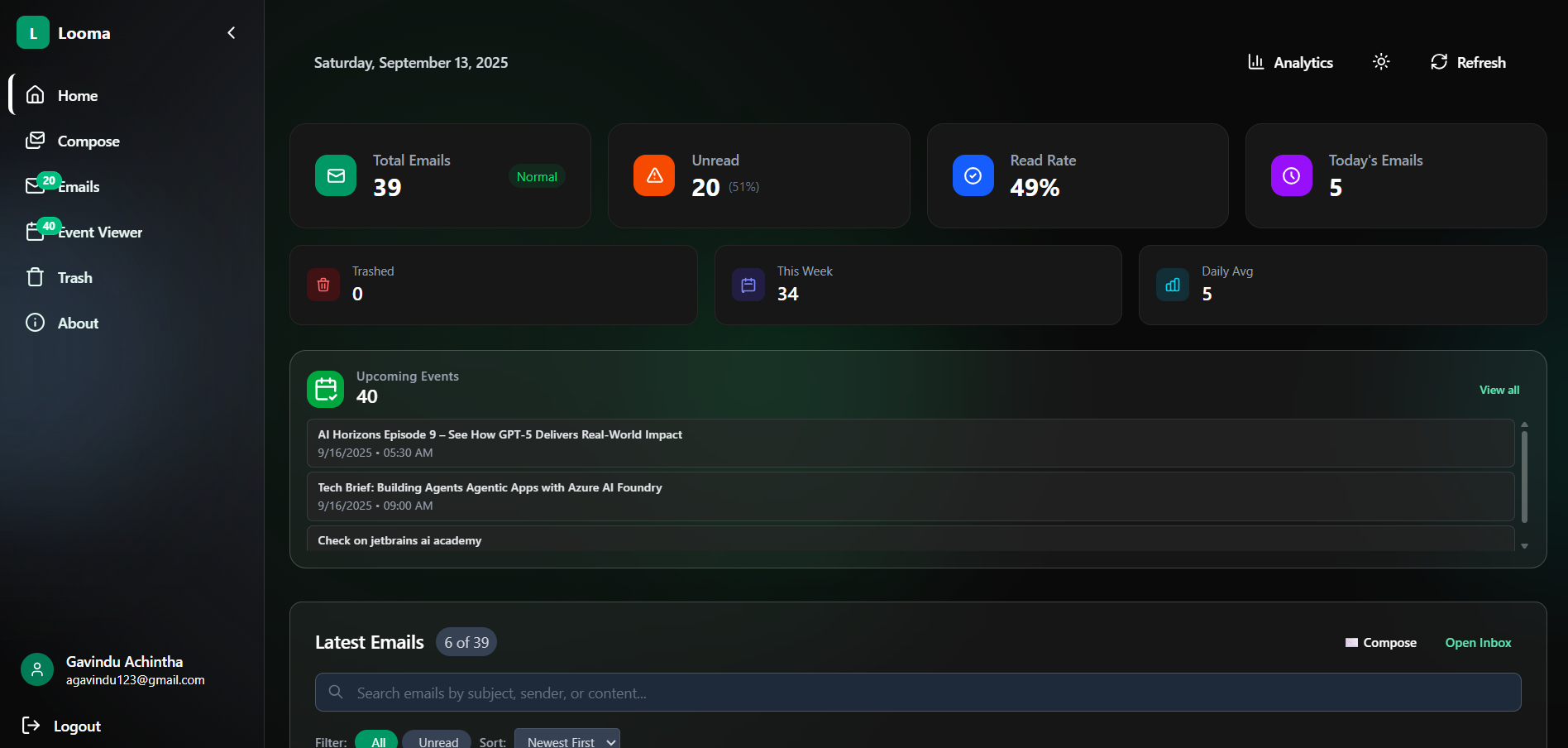
Looma: AI-Powered Email Dashboard with Event Planning
🌟 What Inspired This Project
Email overload is real. Between work communications, newsletters, and personal messages, managing emails efficiently has become a daily struggle. I wanted to build something that not only organizes emails but provides intelligent insights and seamlessly integrates with calendar planning.
The inspiration struck when I realized most email clients focus on reading and sending, but lack comprehensive analytics and smart event integration. Why not build a dashboard that treats email as data to be analyzed and leveraged for better productivity?
🚀 What I Built
Looma is a full-stack email management dashboard that transforms how users interact with their Gmail inbox:
Core Features
- Gmail Integration: Real-time email fetching and display using Google Gmail API
- Smart Analytics: Email statistics, sender analysis, and productivity insights
- Calendar Integration: Google Calendar events displayed alongside email context
- Modern UI: Responsive design with dark/light themes and smooth animations
- Bulk Operations: Mark as read, delete, and organize emails efficiently
- Search & Filter: Advanced email filtering and search capabilities
Technical Architecture
- Frontend: React 19.1.1 + Vite, Tailwind CSS, Framer Motion
- Backend: Node.js + Express 5.1.0, PostgreSQL database
- Authentication: JWT tokens + Google OAuth2 flow
- APIs: Google Gmail API, Google Calendar API
- Deployment: Production-ready build system
Development Approach with Kiro
The most transformative aspect was using Kiro AI as my development partner. Instead of traditional coding workflows, I approached this conversationally:
- Project Foundation: "Build me a full-stack email dashboard with React and Node.js"
- Kiro generated the entire project structure, package configurations, and folder organization
- Backend Architecture: "Set up Express server with PostgreSQL and Gmail API integration"
- Complete server setup with middleware, authentication, and database schemas
- Frontend Components: "Create a modern dashboard with responsive design and theme switching"
- Generated React components following best practices with proper hooks patterns
- API Integration: "Connect to Gmail API with proper OAuth2 flow"
- The most impressive generation - complete authentication system with token management
Code Quality Acceleration
Kiro maintained consistency through steering files that enforced:
- ES6+ JavaScript features and React best practices
- Proper error handling and validation
- Clean code structure with separation of concerns
- Accessibility compliance and semantic HTML
Technical Insights
- Google API Complexity: Gmail API has intricate data structures and rate limiting that require careful handling
- OAuth2 Flow: Implementing secure token refresh and error recovery is more nuanced than expected
- Real-time Data: Balancing API calls with user experience requires smart caching strategies
- Responsive Design: Modern CSS Grid and Flexbox make complex layouts surprisingly manageable
AI-Assisted Development
- Context Awareness: Kiro's ability to maintain project context across conversations was game-changing
- Pattern Recognition: It understood our coding standards and applied them consistently
- Problem Solving: Instead of debugging alone, I had an AI pair programmer suggesting solutions
Where optimization included memoization, virtualization, and efficient state management.
🎯 Challenges Faced
1. Gmail API Rate Limits
Challenge: Google's API has strict rate limiting (250 quota units per user per 100 seconds) Solution: Implemented intelligent batching and caching with exponential backoff:
const batchSize = Math.min(emails.length, 10);
const delay = Math.pow(2, retryCount) * 1000;

###2. Handling hundreds of code lines in frontend
Kiro helped to reduce the code lines by separating them to custom code block and hooks. Creating a maintainable and readable code.
Built With
- express.js
- javascript
- node.js
- openrouterai
- postgresql
- react


Log in or sign up for Devpost to join the conversation.