-
-
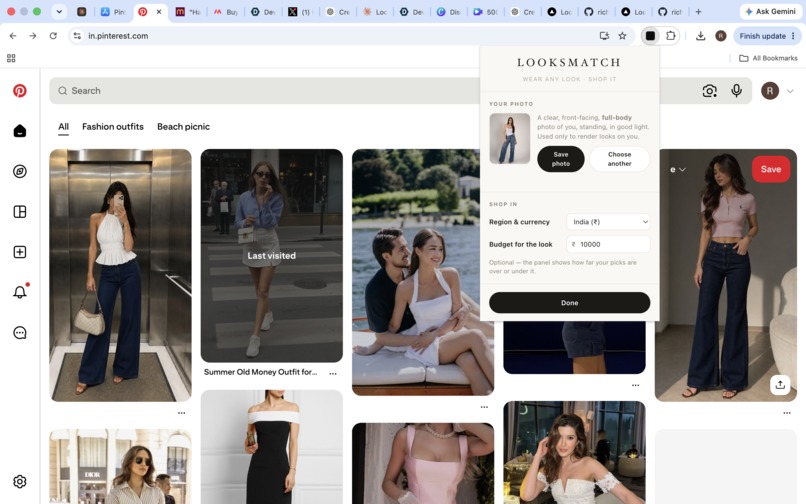
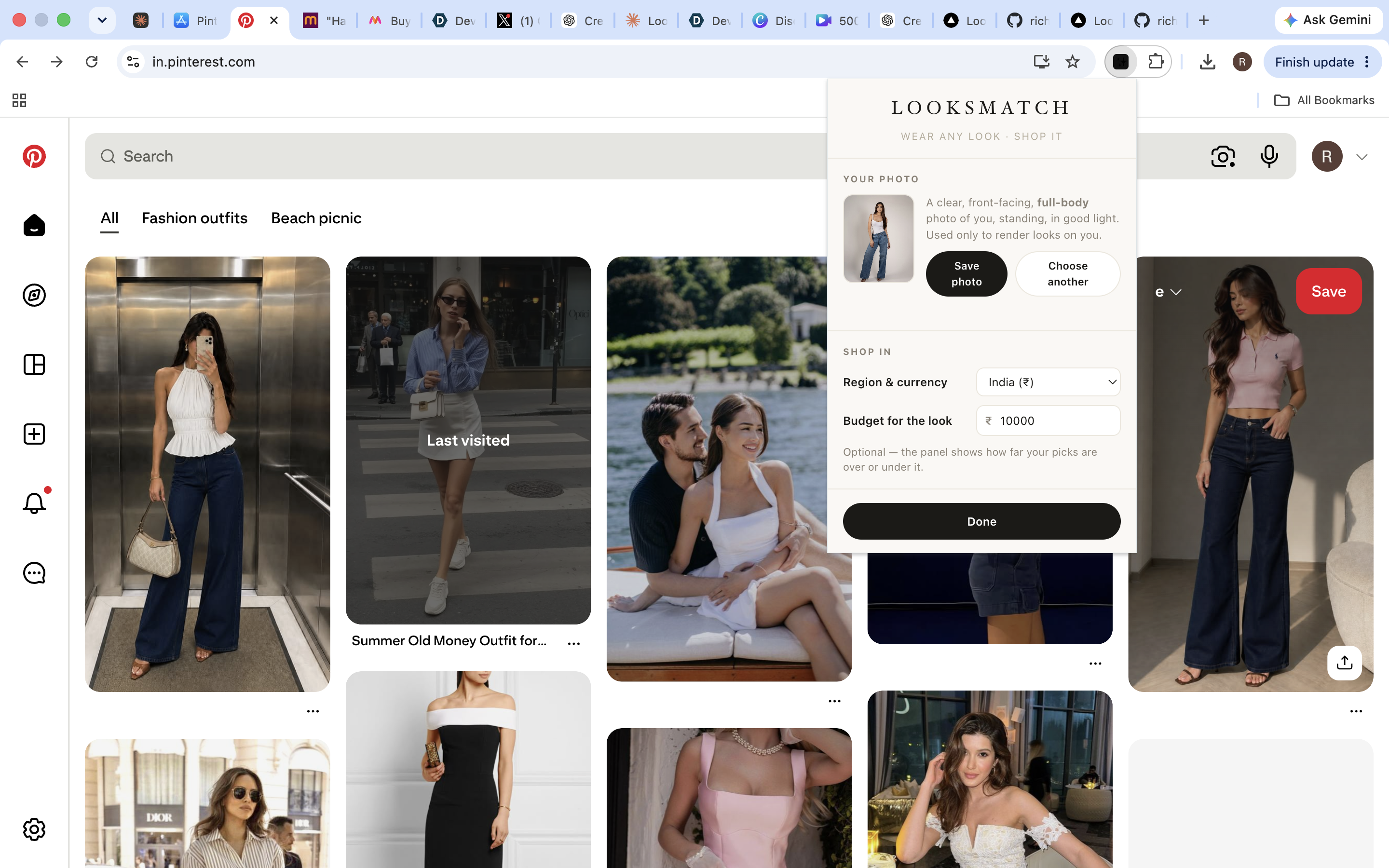
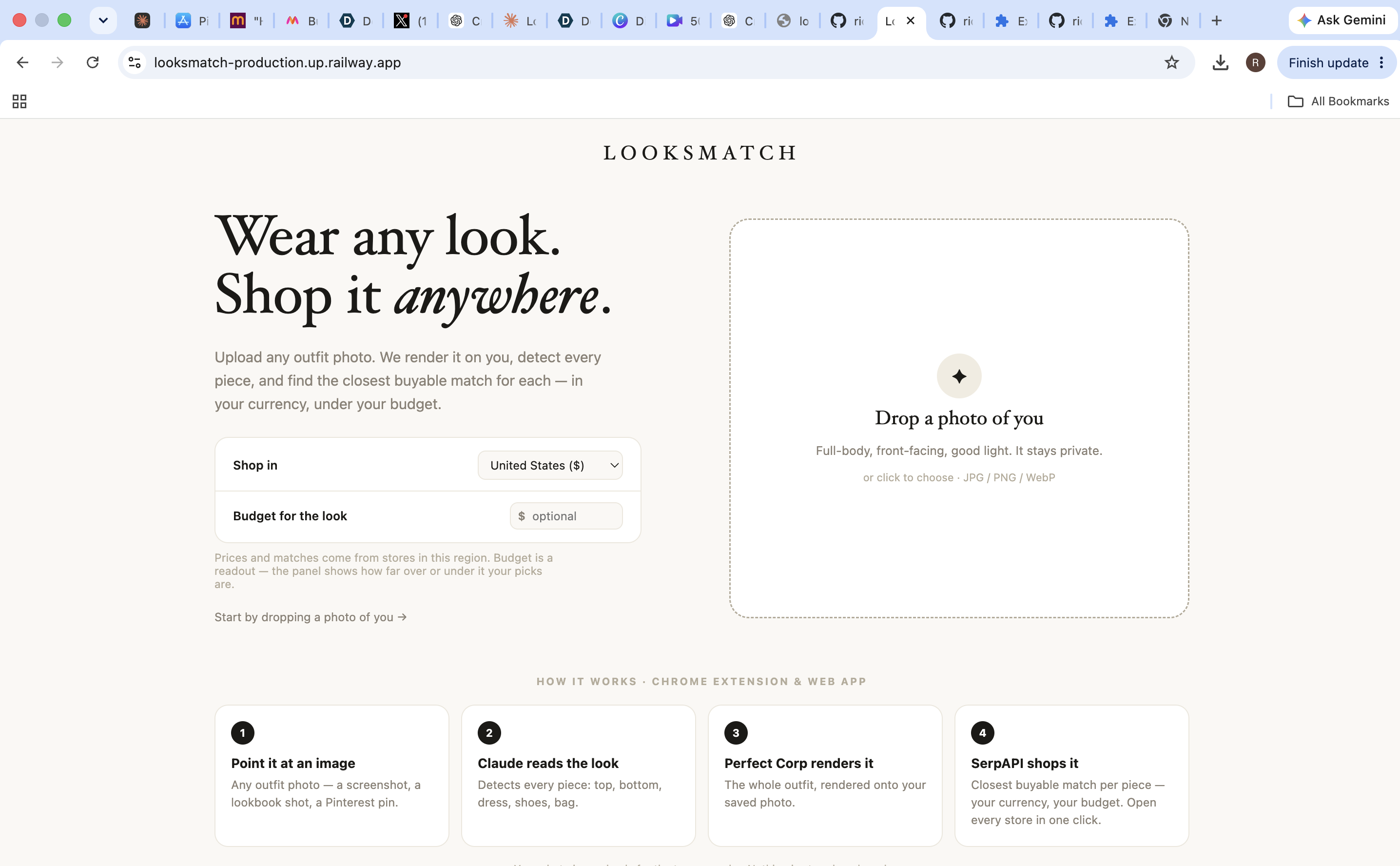
upload image and set budget
-
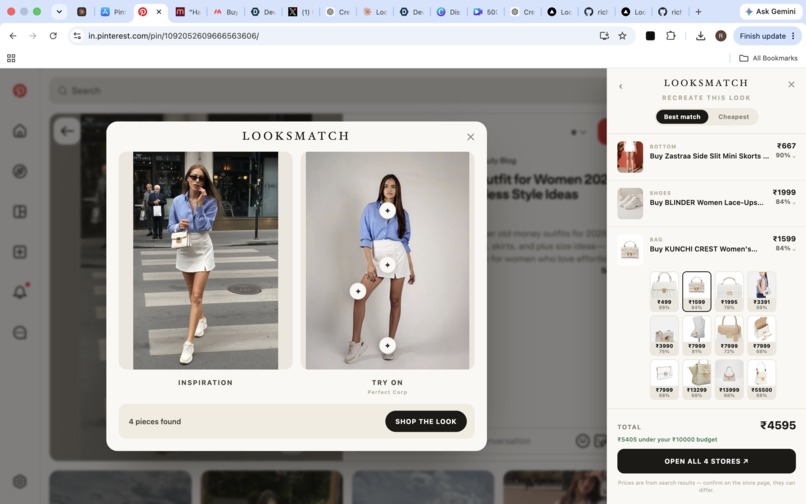
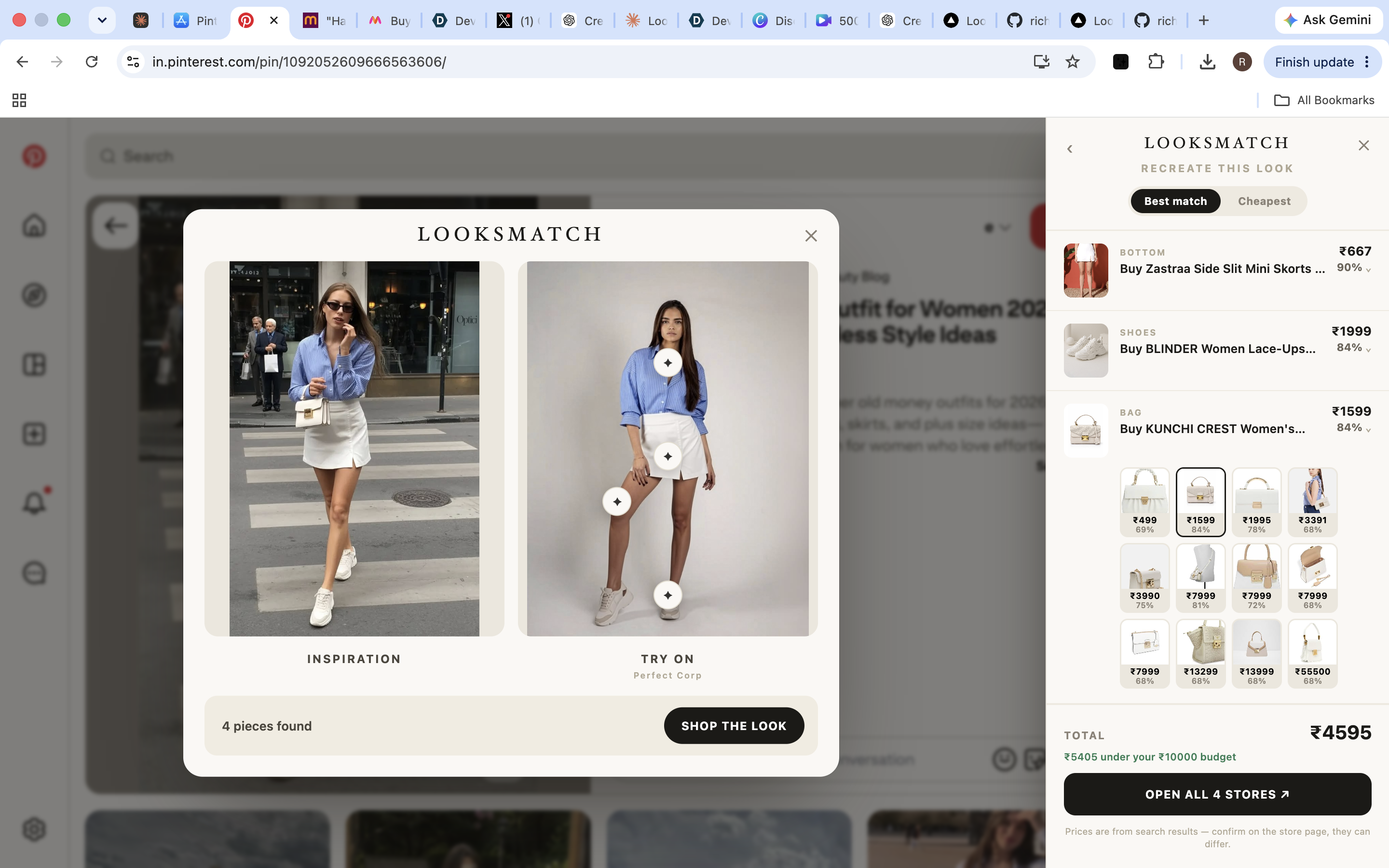
find your fit
-
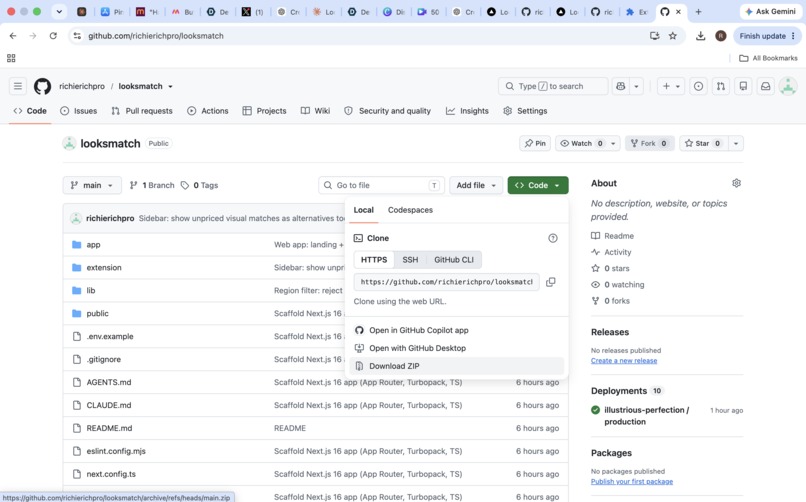
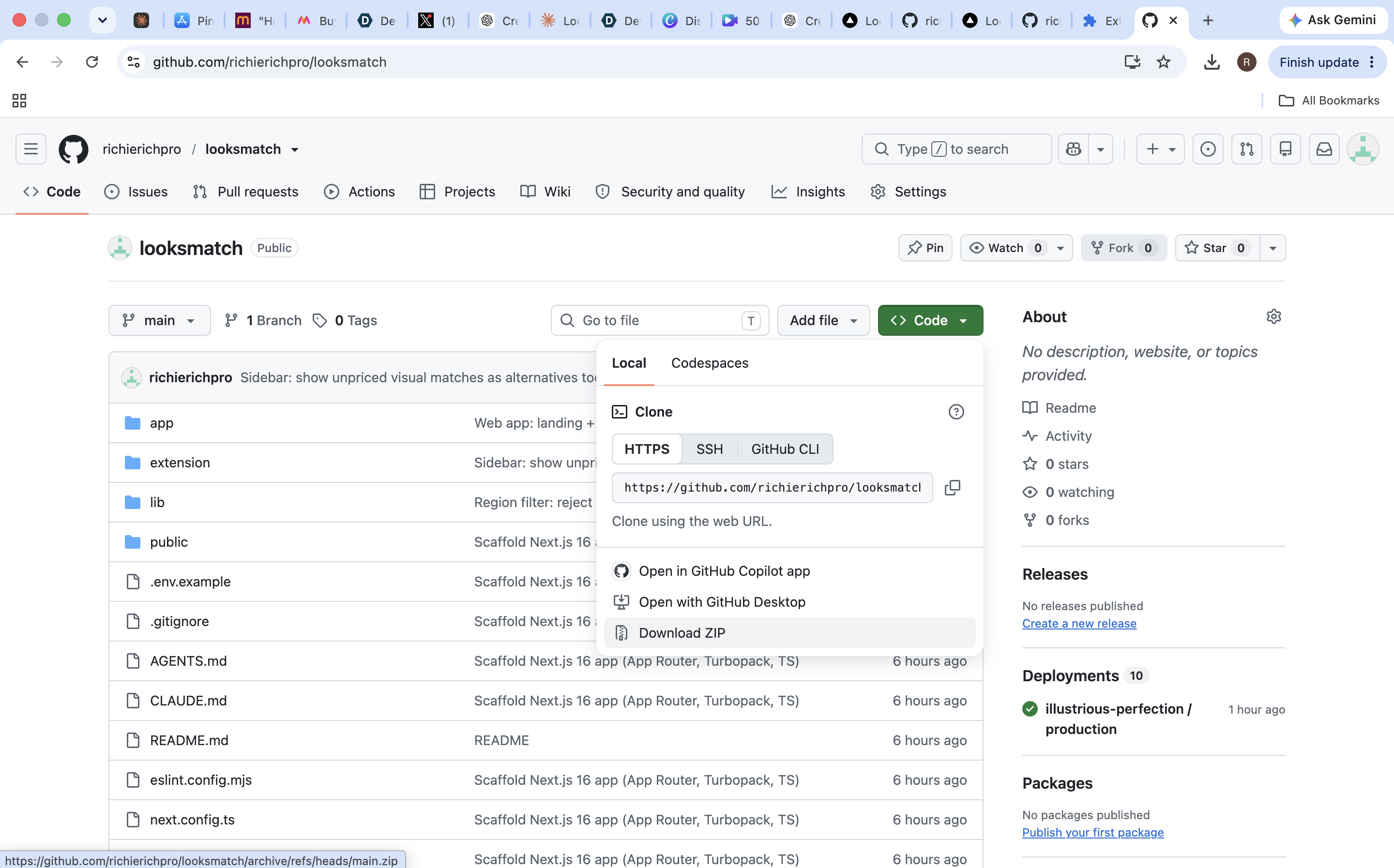
download zip
-
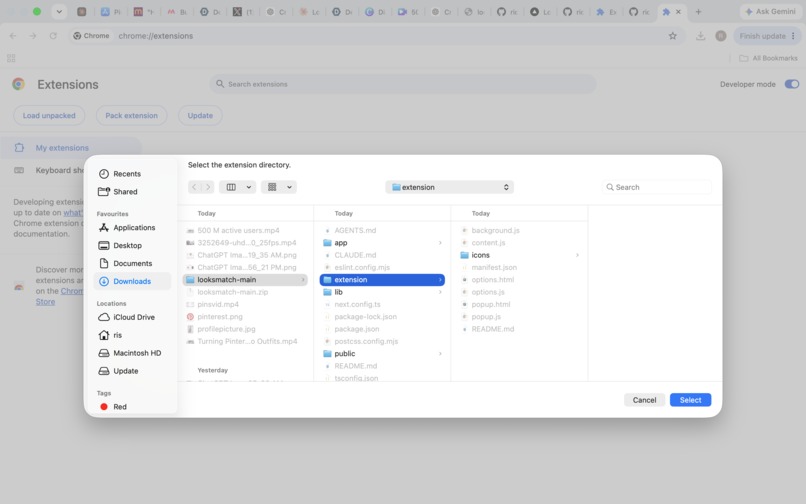
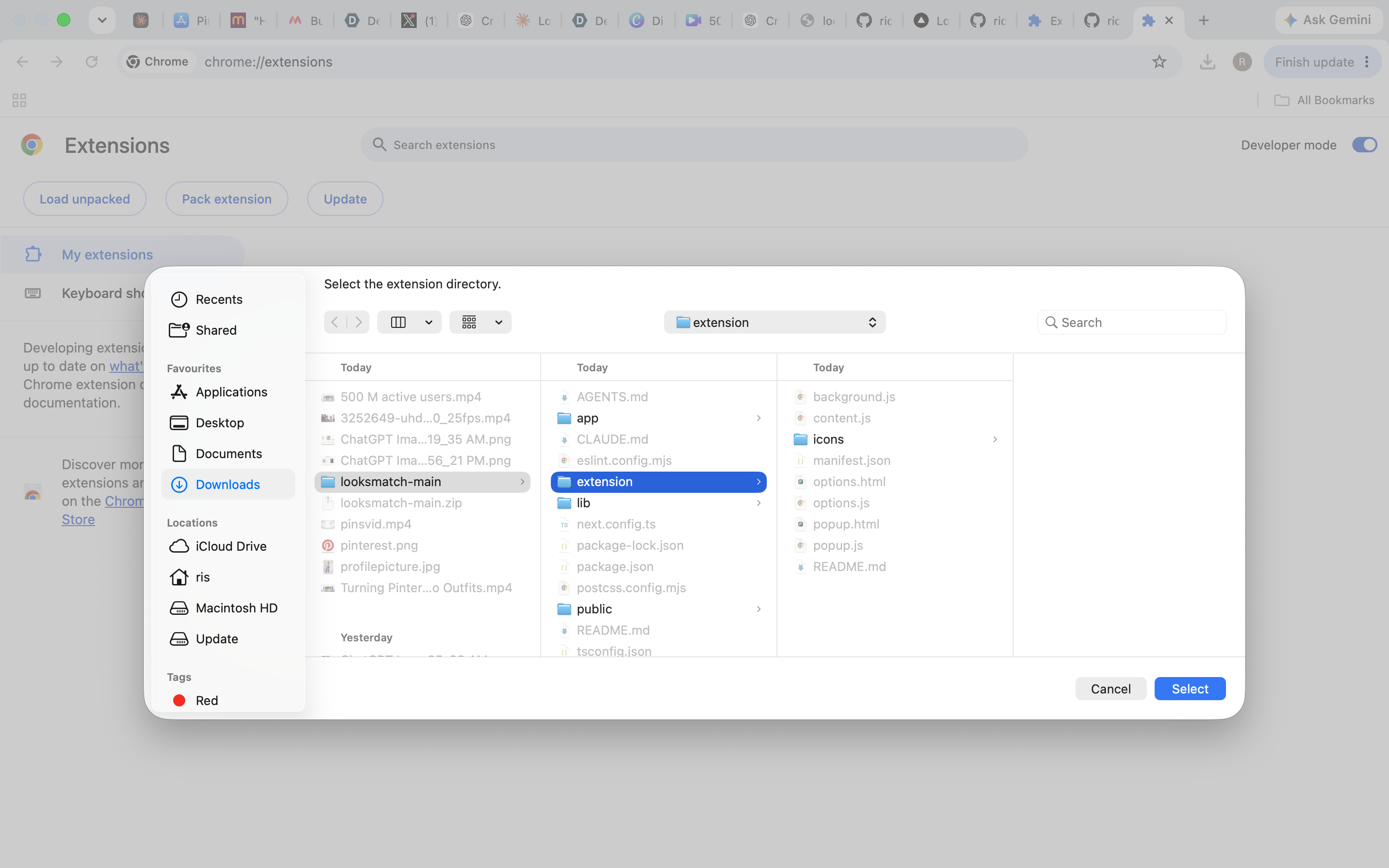
load unpack and select
-
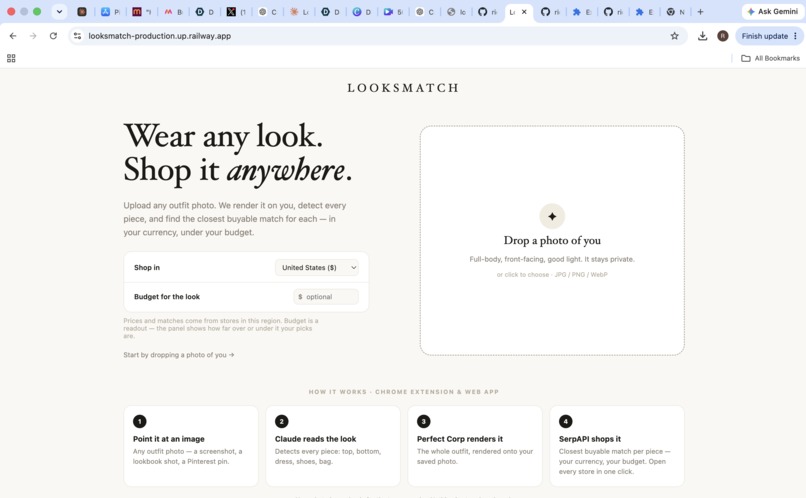
not limited to chrome extention or pinterest . try website
About the Project
The Inspiration
We noticed something simple but frustrating about fashion discovery on Pinterest.
You see an outfit you love. You save it. You imagine yourself wearing it.
But there are two questions Pinterest doesn't answer:
“What would this look like on me?”
and
“Where can I actually get these pieces?”
That creates a gap between saving an outfit and actually wearing it.
We built LooksMatch to close that gap.
LooksMatch is a Chrome extension that takes any outfit you discover on Pinterest and helps you go from inspiration → visualization → products → purchase.
What We Built
When a user finds an outfit they love on Pinterest, LooksMatch adds a simple:
✨ Try this look on me
button.
From there, LooksMatch does two important things:
1. See Yourself in the Look
LooksMatch uses AI-powered virtual try-on to let users visualize the Pinterest outfit on themselves.
Instead of looking at an outfit on a model and wondering whether it would work for them, users can actually see the look translated onto themselves.
This helps answer the question:
“Do I actually want to wear this?”
2. Find the Pieces
LooksMatch also analyzes the outfit and identifies its individual components.
For example:
- Top
- Pants / skirt
- Shoes
- Bag
- Accessories
The user can then explore shoppable alternatives for each piece, rather than manually searching the internet for every item in the Pinterest image.
This answers the second question:
“Where can I get this look?”
Together, these two capabilities turn a static Pinterest image into an actionable shopping experience.
The LooksMatch Flow
The product is designed around a simple journey:
Discover → Try On → Explore → Shop
Discover Find an outfit on Pinterest.
↓
Try On See the outfit on yourself using virtual try-on.
↓
Explore Break the outfit into individual pieces and discover similar products.
↓
Shop Choose the pieces you want and recreate the look.
We also incorporate budget awareness, so users can make decisions based not only on whether they like the look, but whether they can realistically afford to recreate it.
How We Built It
LooksMatch is built as a Chrome extension, so users don't have to leave the environment where they are already discovering fashion.
The core pipeline combines:
Pinterest image → AI outfit analysis → Virtual try-on + product discovery → Budget-aware shopping
When the user activates LooksMatch, the system first understands the visual outfit and identifies its individual components.
Those components serve two purposes:
- They help reconstruct the outfit for the virtual try-on experience.
- They provide the basis for finding similar products that the user can actually purchase.
This creates a connection between inspiration, personalization, and commerce that normally requires several different tools and websites.
Why These Two Pieces Matter
We didn't want to build just another product-search engine.
Finding a similar shirt isn't enough.
You also want to know:
“Will this entire look actually work on me?”
And we didn't want to build just another virtual try-on tool either.
Seeing yourself in an outfit is exciting, but if you can't figure out what to buy afterward, the experience stops there.
That's why LooksMatch combines both.
Virtual try-on answers: “Do I want to wear this?”
Product discovery answers: “How do I get it?”
The two experiences reinforce each other.
The Budget Layer
Once users know they like the look and can find the individual pieces, price becomes the next consideration.
LooksMatch incorporates a budgeting layer to help users understand and control the cost of recreating an outfit.
Instead of treating the Pinterest outfit as one fixed purchase, users can explore different products and price points for the individual pieces.
This makes the experience more practical:
See it. Try it. Find it. Afford it.
What We Learned
Our biggest learning was that fashion inspiration alone isn't the problem.
People already have endless sources of inspiration.
The real friction happens after they find something they love.
They have to answer multiple questions:
Will this look good on me? What pieces am I actually looking at? Where can I find them? How much will the outfit cost?
We realized that solving just one of these problems wasn't enough.
LooksMatch became much more powerful when visualization and product discovery were connected in the same experience.
Challenges We Faced
One of our biggest challenges was turning an unstructured Pinterest image into something that could be acted upon.
A single image can contain multiple clothing items, accessories, different poses, complex backgrounds, and products that aren't directly identifiable.
We needed to make the system understand the outfit before we could both recreate it visually and search for its individual pieces.
Another challenge was keeping the experience simple.
There is a lot happening behind the scenes, but the user shouldn't have to think about any of it.
The interaction should feel as simple as:
“I like this outfit. Show me what it looks like on me and help me find it.”
Why LooksMatch?
Pinterest is incredibly good at creating fashion inspiration.
But inspiration alone doesn't get an outfit into your wardrobe.
LooksMatch connects the two missing steps:
See yourself in it.
Find the pieces.
And then makes the final step easier:
Buy it within your budget.
That's the gap we're trying to close.
Pinterest helps you discover what you want to wear. LooksMatch helps you see it, find it, and actually wear it.
What's Next
We're starting with Pinterest because it is already where millions of people discover and save fashion inspiration.
As LooksMatch evolves, we see opportunities to improve the accuracy and realism of virtual try-on, make product matching smarter, expand budget optimization, and eventually bring the experience to more sources of fashion inspiration.
Our goal is simple:
Turn every saved outfit into something you can actually see yourself wearing and realistically buy.
Built With
- claudeapi
- perfectcorpapi
- serpapi
- typescript

Log in or sign up for Devpost to join the conversation.