-
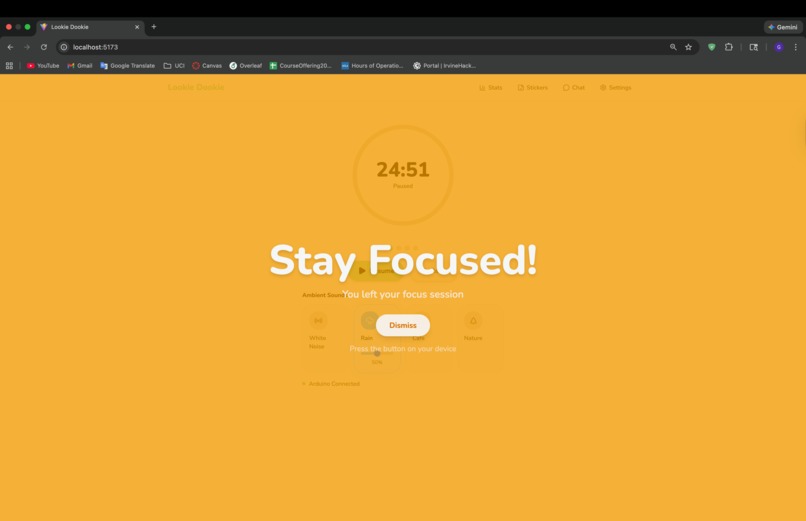
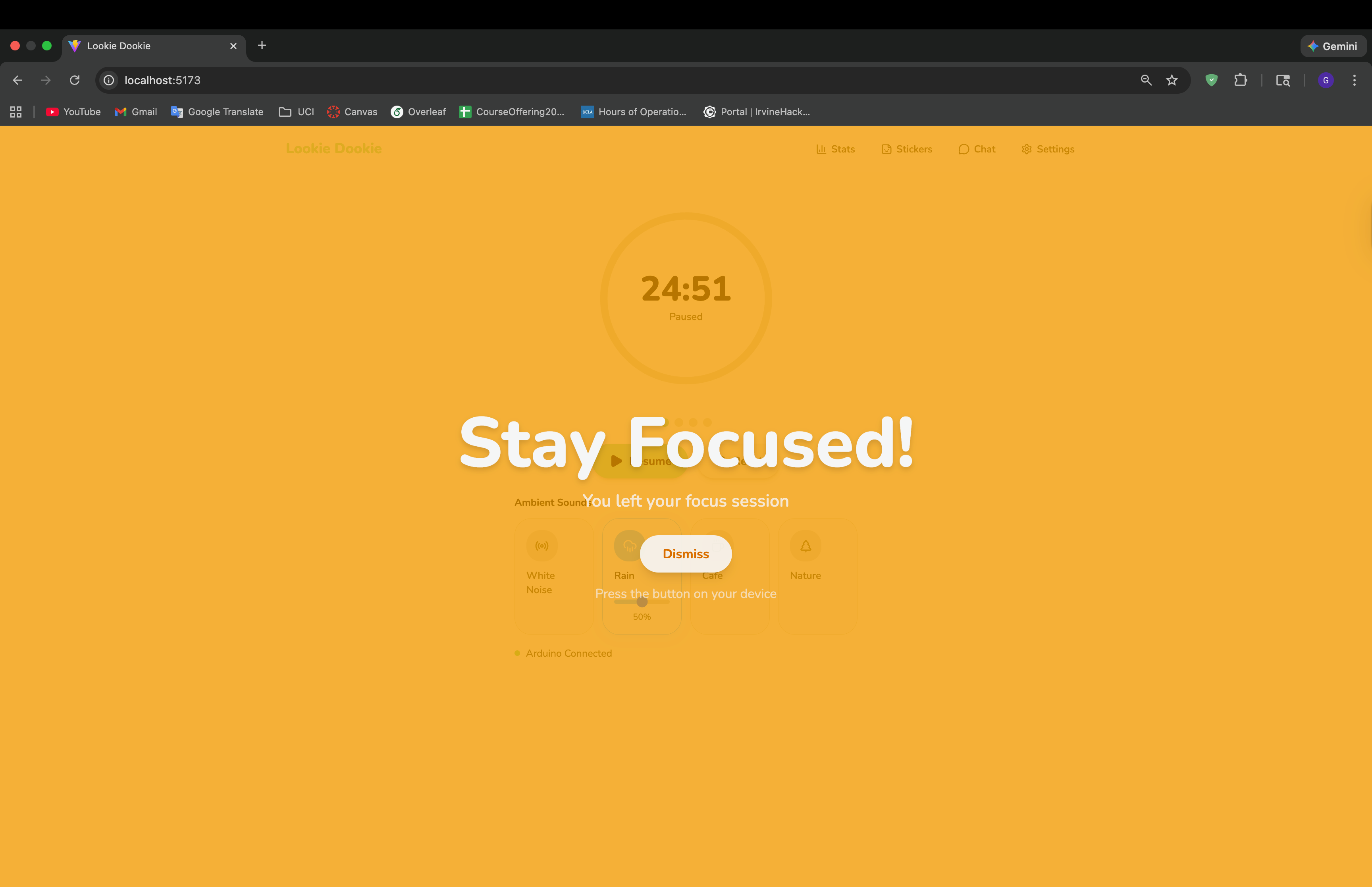
Stay Focused Alert Page
-
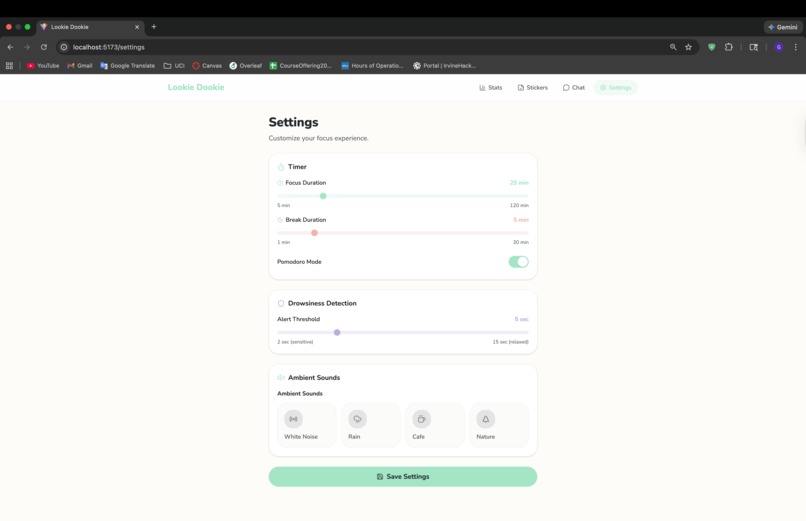
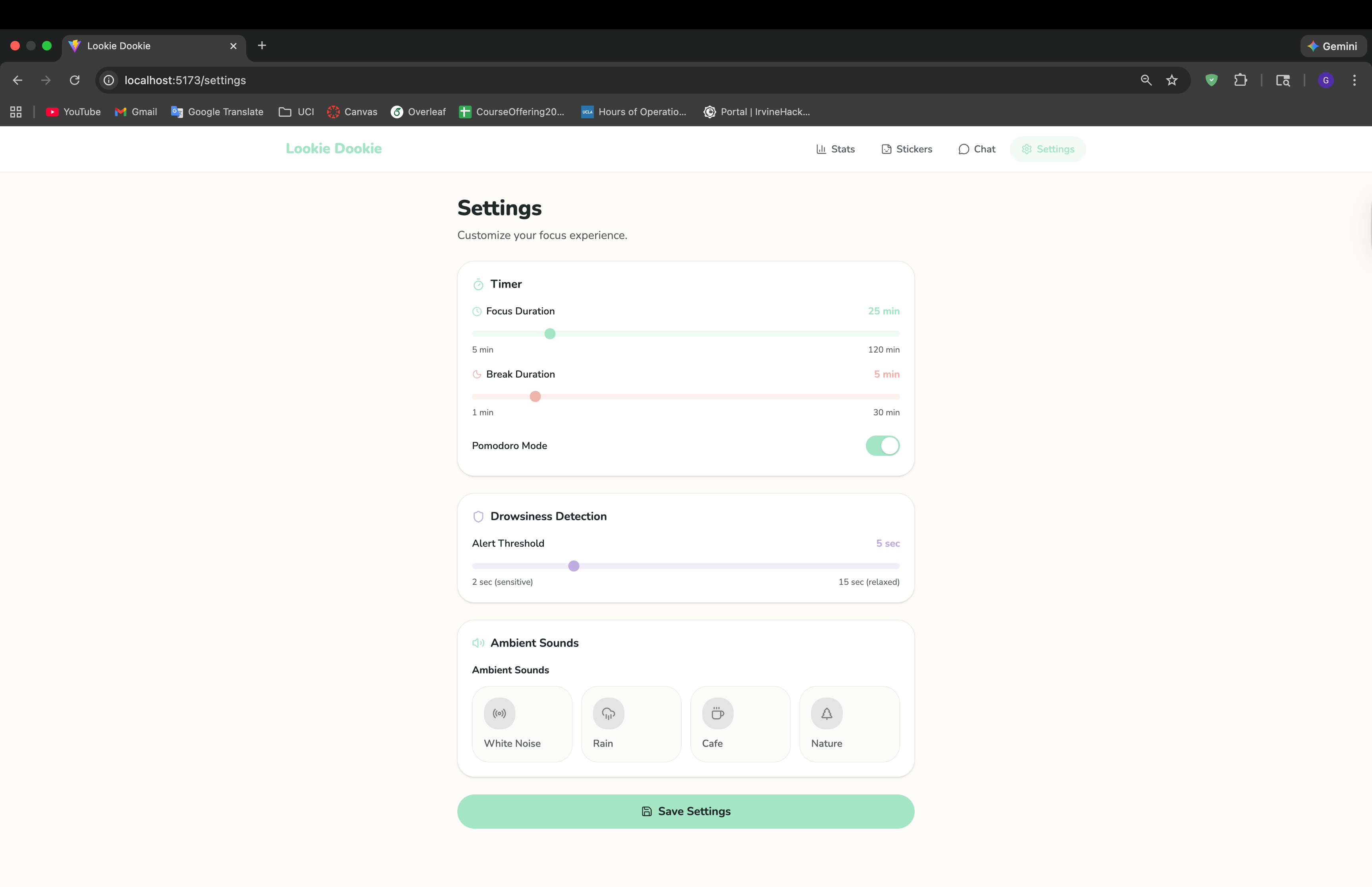
Settings Page
-
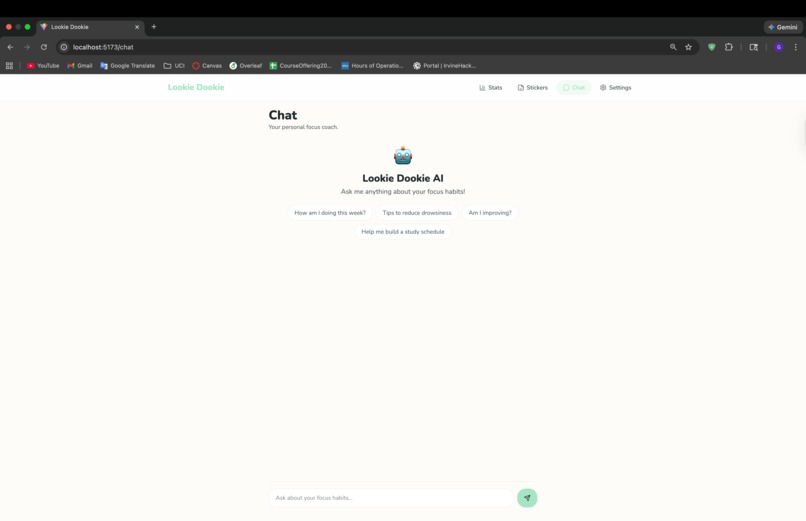
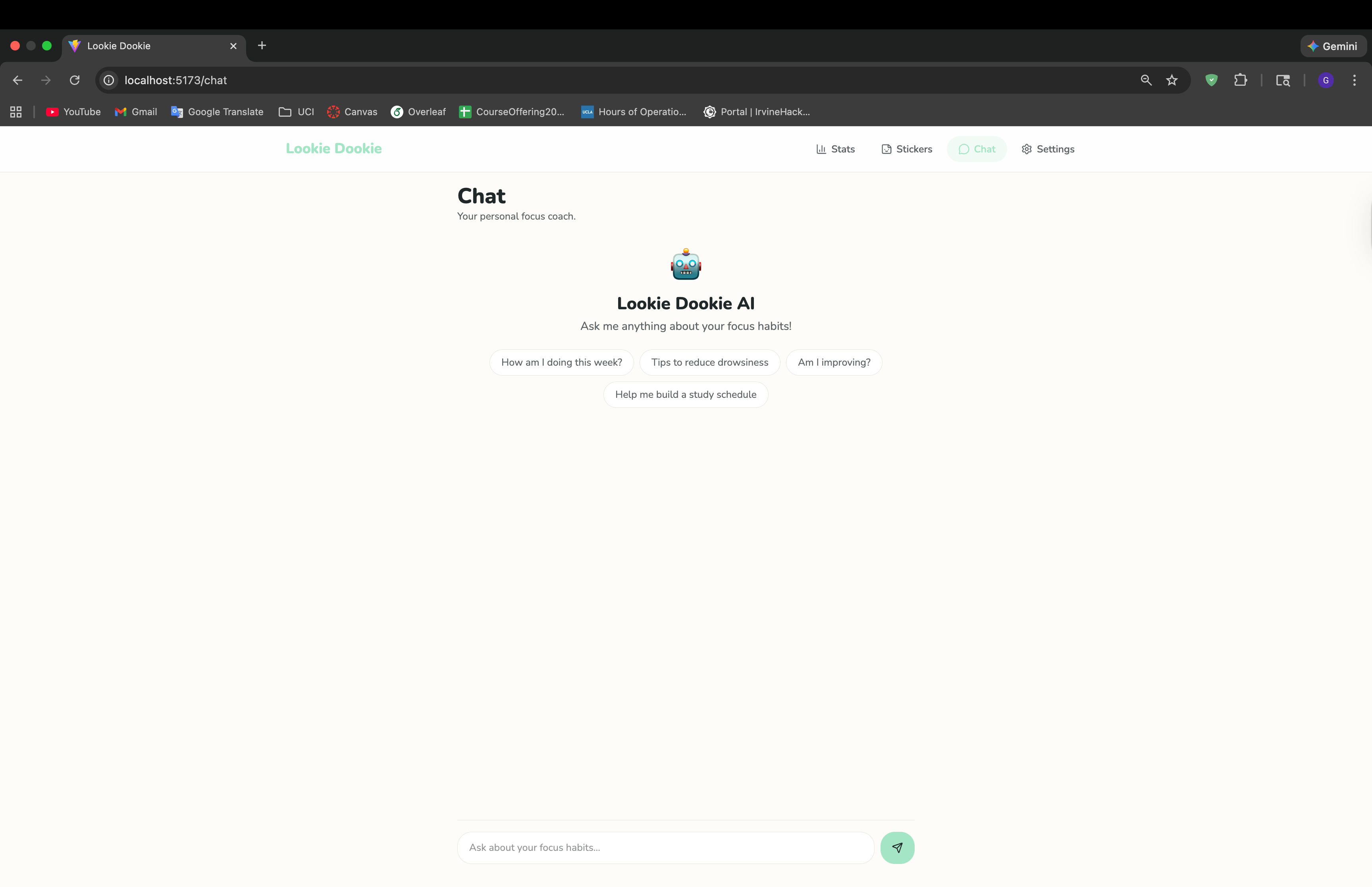
Chatbot
-
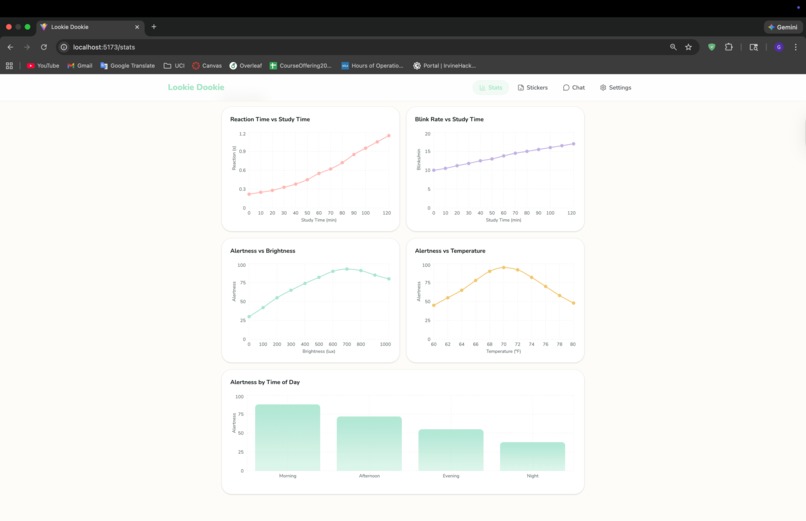
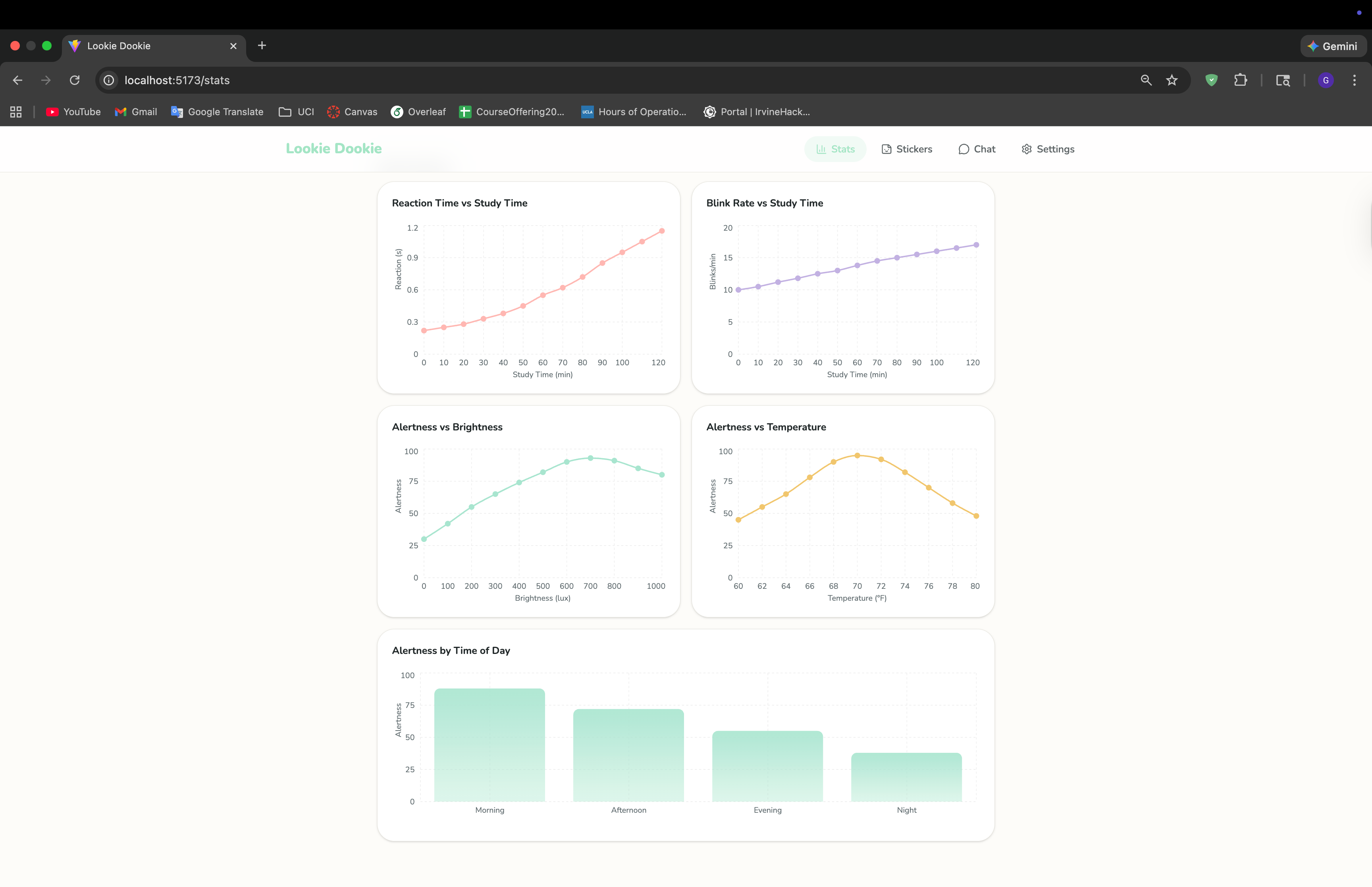
StatsPage Longterm
-
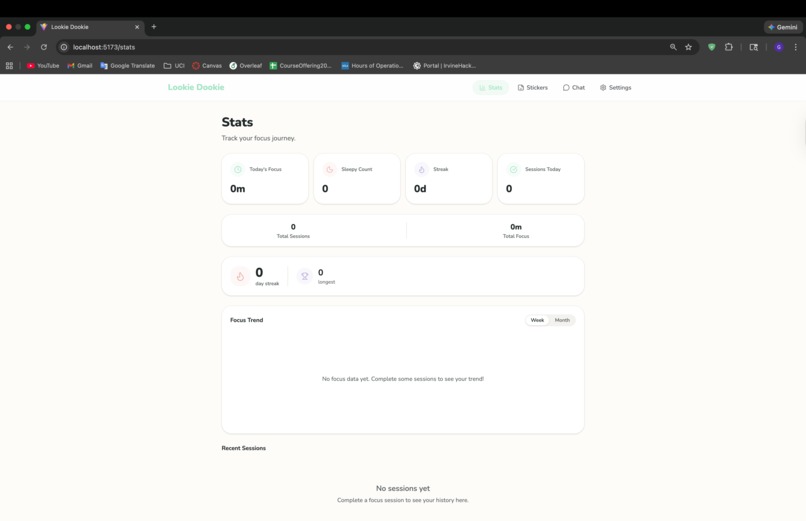
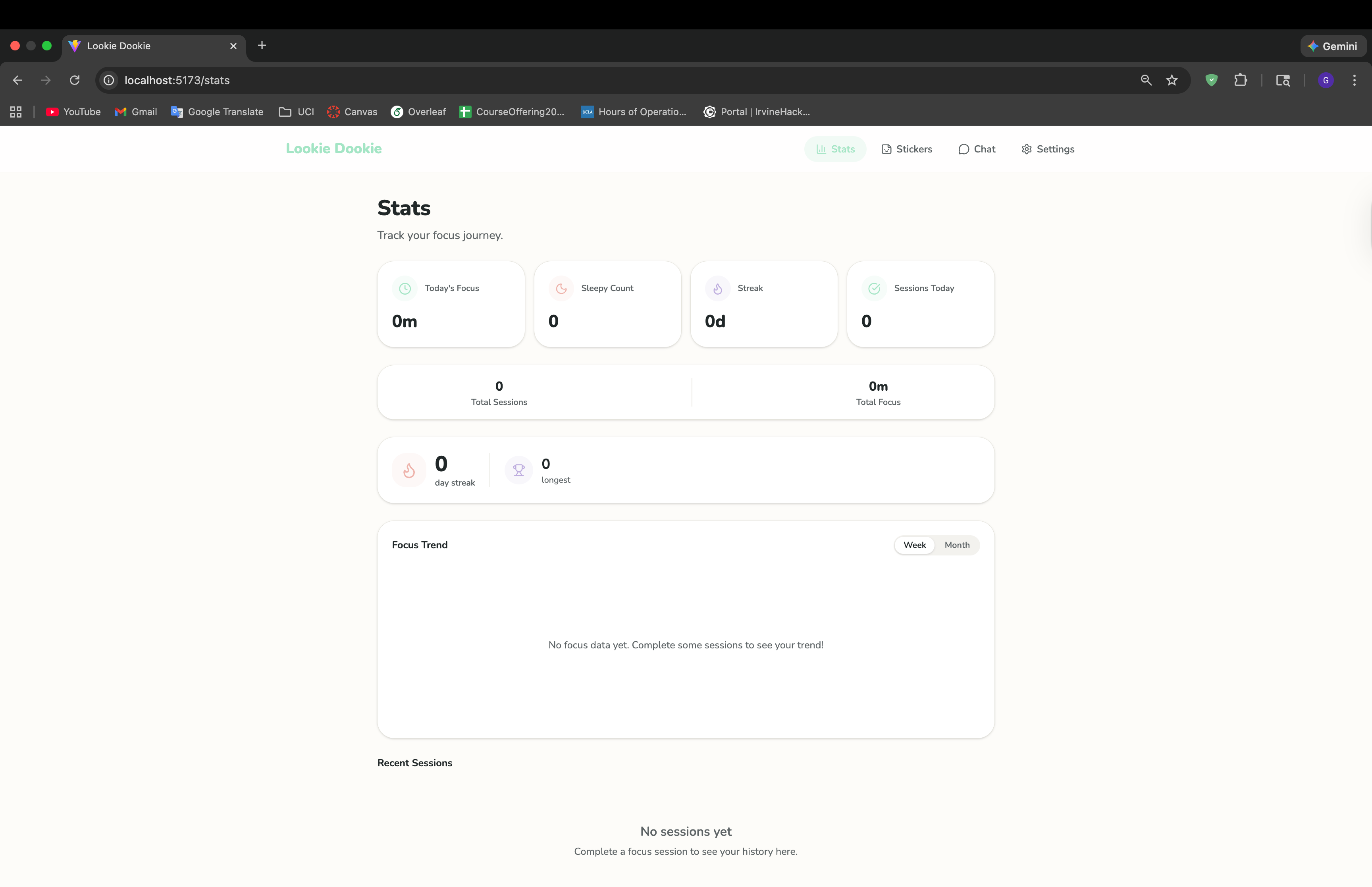
StatsPage Milestones
-
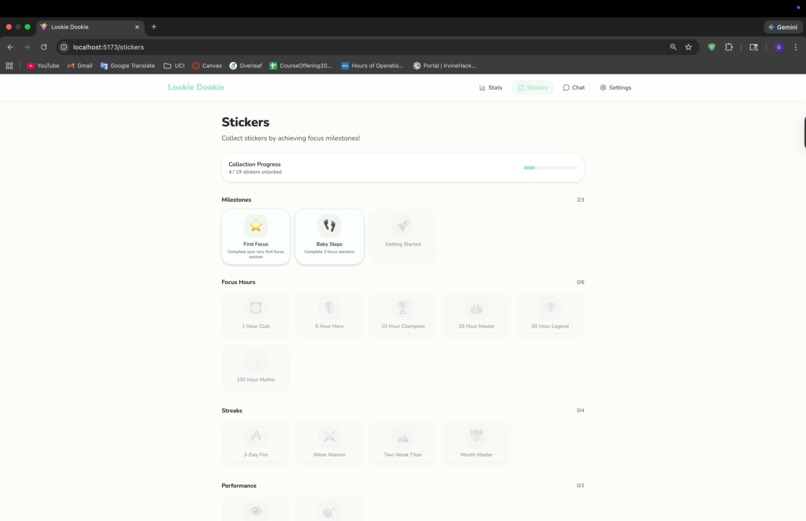
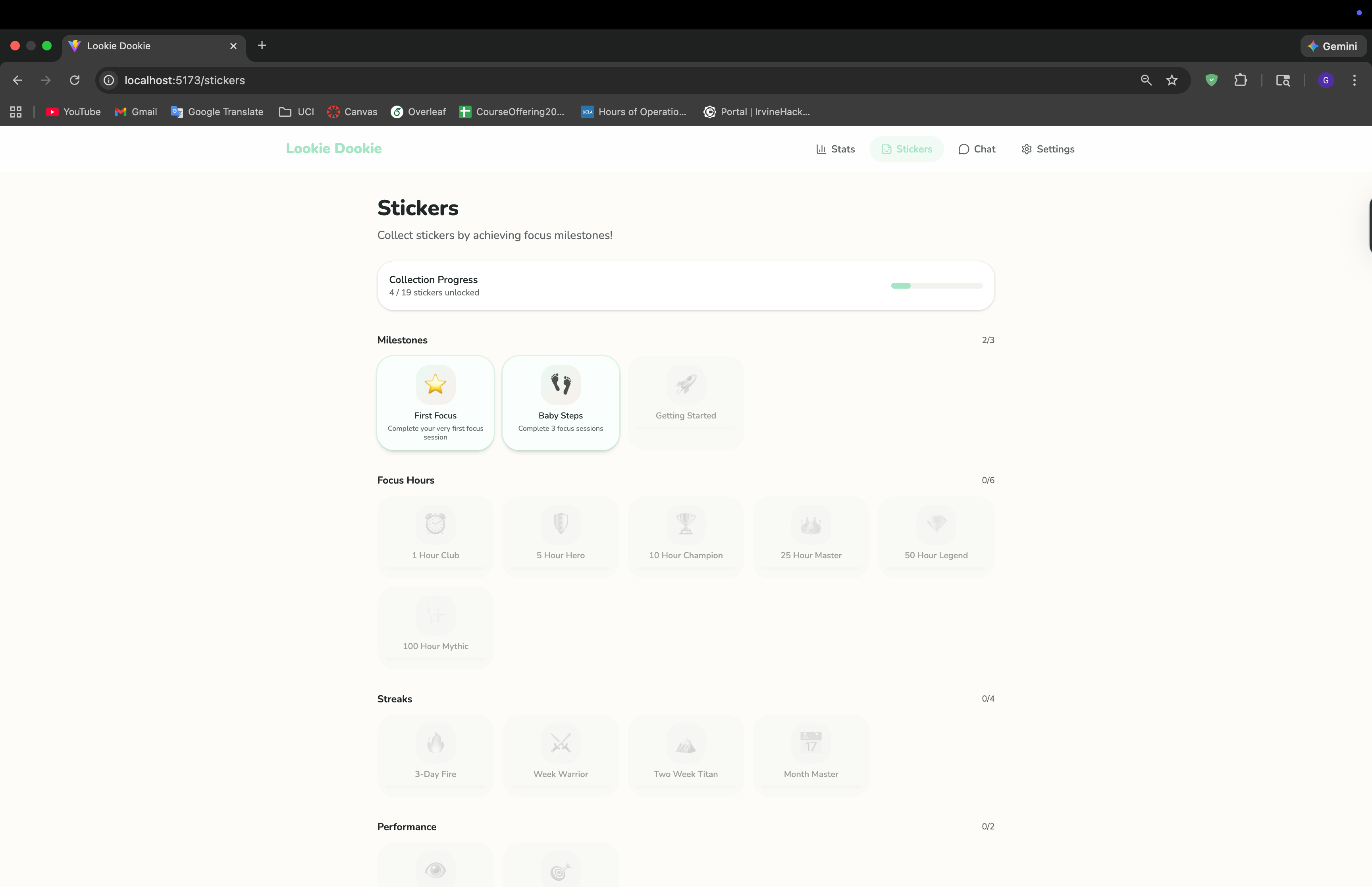
Sticker Achievements
-
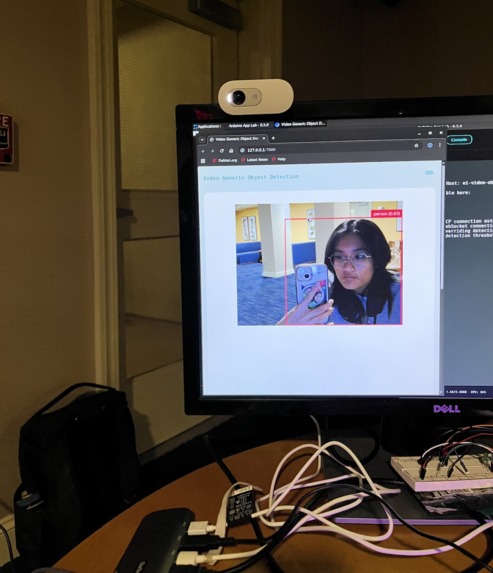
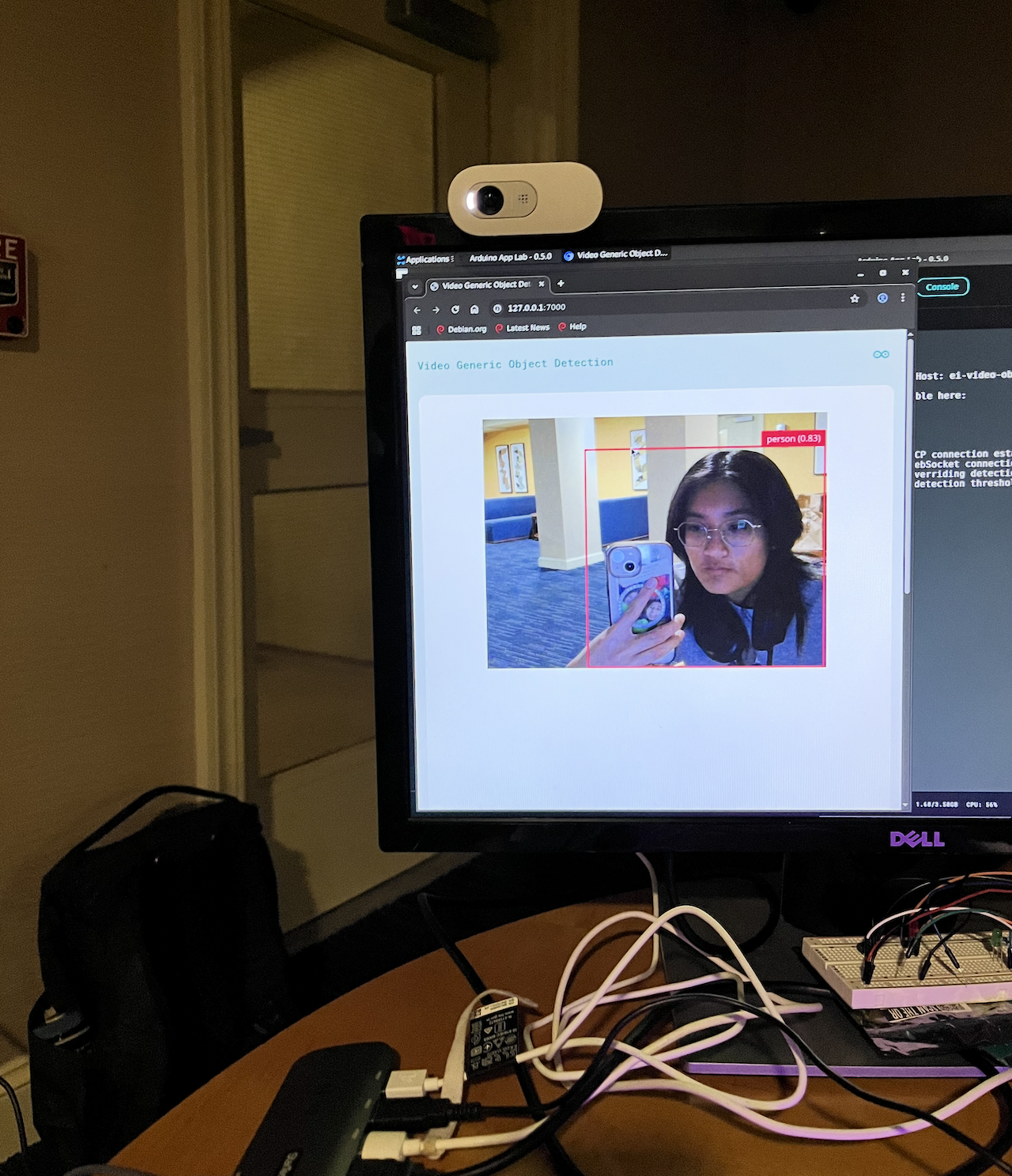
person detection mini demo
-
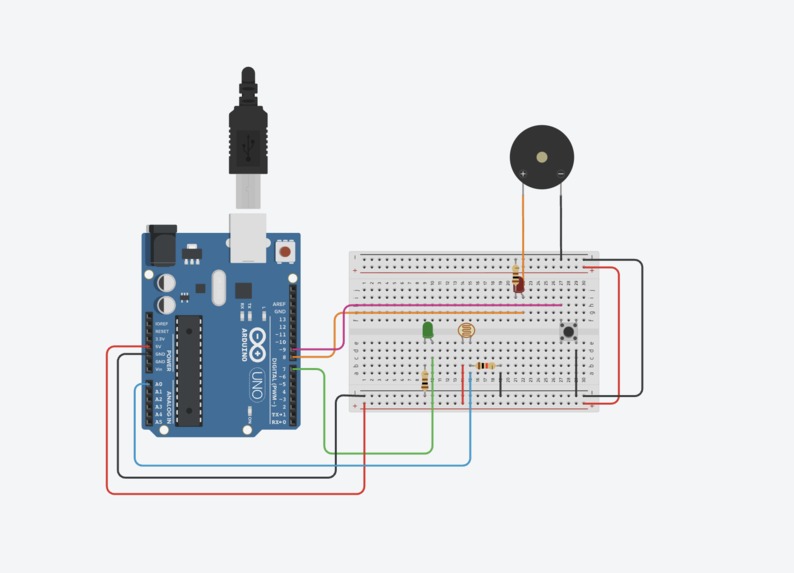
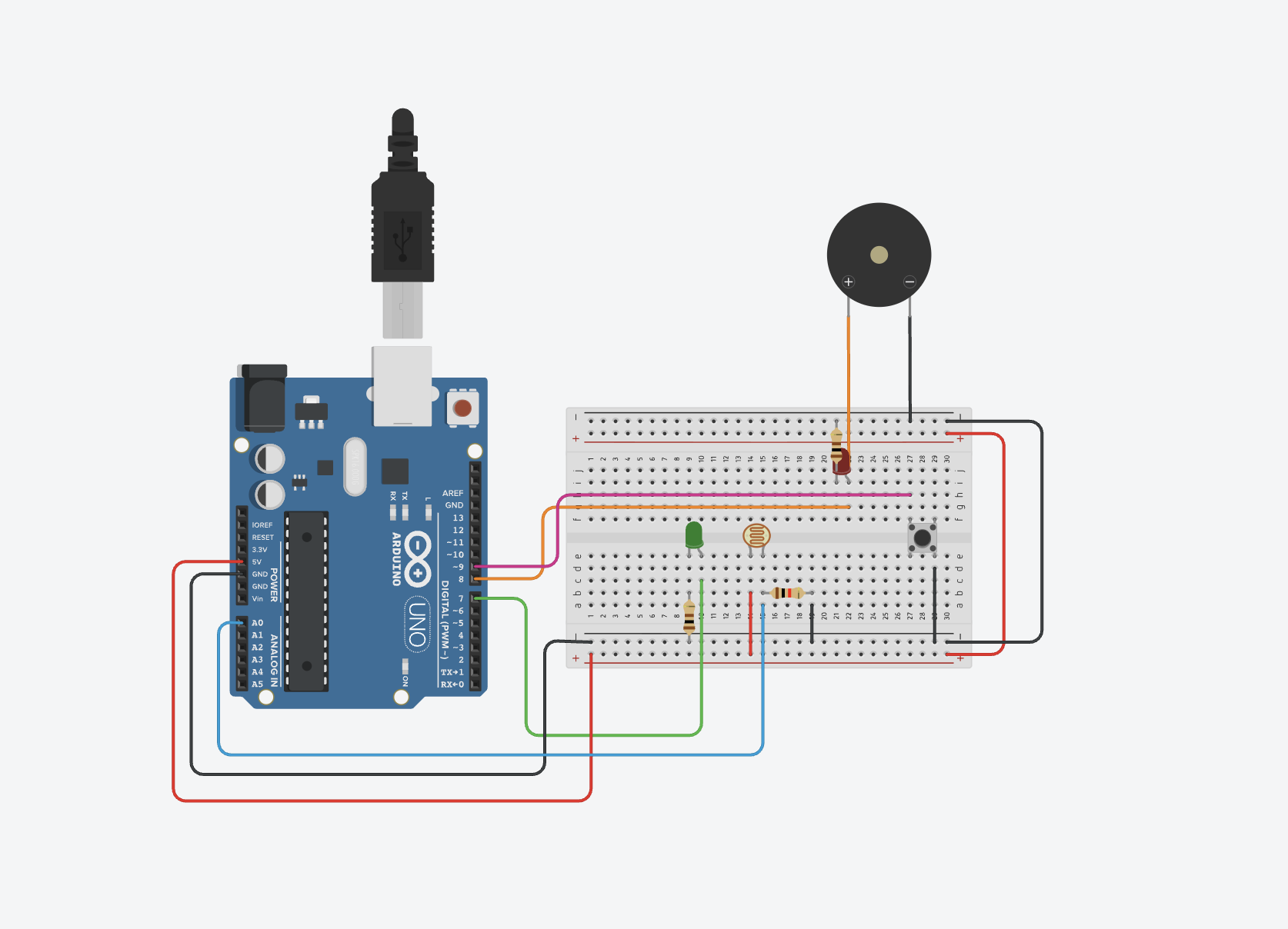
Sensor Circuit (photoreceptor and passive buzzer)
-
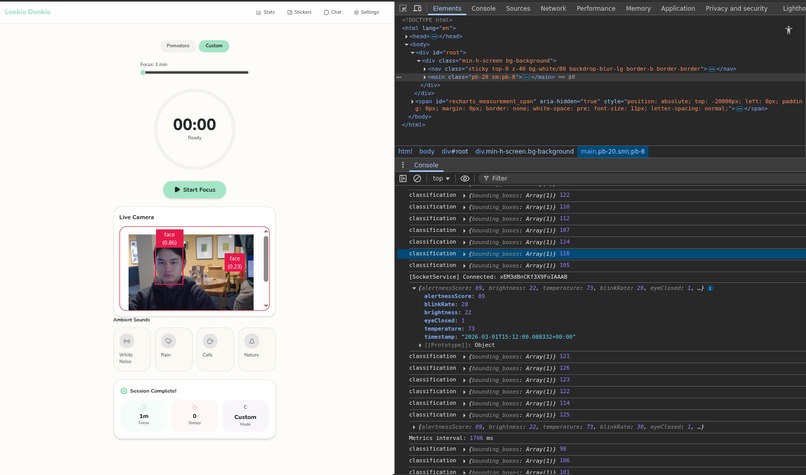
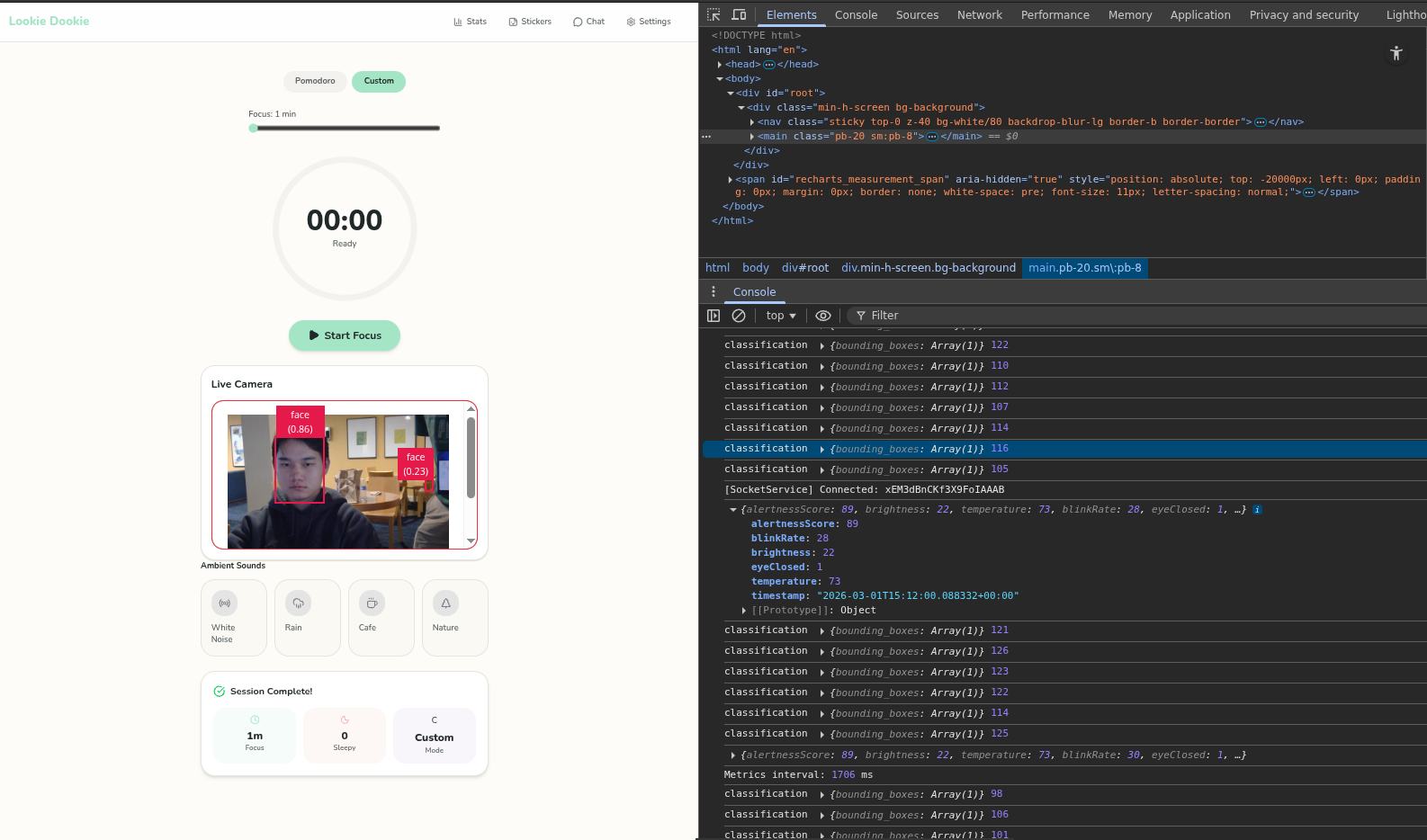
Study Timer and Backend Communication with Arduino
Inspiration
We were interested in benchmarks and tests (testing reaction time, monitoring posture, etc.) within the cognitive field, specifically measuring alertness and assessing one's cognitive space, and were inspired to integrate that into a more longterm study and work helper.
What it does
The Lookie Dookie web app is the user's trusty productivity companion! As the user begins their study session, Lookie Dookie will track the user's posture, reaction time, blink rate, and eye gaze among others to measure how focused they and give them alerts to stay on track! In addition, it summarizes the measured parameters into a one-dimensional "alertness" score; this quantification will be used to track long term alertness data to evaluate what environmental and habitual parameters correlate with a user's focus score (time of day, ambient lighting conditions, temperature/weather data, sleep data, etc.) In effect, Lookie Dookie is your very own personalized productivity assistant, guiding you toward leveraging the most out of your study sessions.
How we built it
Using the Arduino Uno Q we gathered data from the various sensors to monitor ambient environment conditions and track the user, with a camera, photoresistors, and the thermo modulino. Extending the built in apps and integrating Edge Impulse, we applied data analysis and ML models to analyze the sensor data and estimate the user's "alertness" state.
On the front end, we built a clean and responsive web interface that visualizes the user’s alertness score and study metrics in real time. The dashboard includes a session timer, live alertness indicator, and simple visual feedback states (focused, distracted, sleepy) to keep interactions intuitive and non-intrusive. It translates backend ML outputs and sensor data into a single, easy-to-understand alertness score while still logging detailed parameters for long-term tracking. We also implemented alert prompts that trigger when focus drops, encouraging the user to refocus without overwhelming them. While the UI and analytics display are functional, we are continuing to refine the real-time synchronization logic between backend model outputs and frontend status updates.
Tracks
UI/UX We took care to make sure our hack always keeps our users in mind, both on the digital side and the hardware side. Our web app interface is minimalistic to make sure there is no visual clutter that distracts the user. We made sure that all the cognitive benchmarking feeding the "focus/alertness score" were all "silent tests." Many official cognitive tests used within the field are typically active tests, but we found that too distracting and clunky for what we wanted to be a "focus-centered helper." So we kept to hidden tests (i.e. measure reaction time whenever the focus alert comes on vs the button press/refocus required to dismiss it; "posture rating" over time to measure unaware fidgeting, etc.)
Neuro Track We framed our focus/study helper from a "Cognitive Awareness" angle, measuring focus based on smaller cognitive benchmarking test known within the field. The two main tests we consider is measuring "reaction time," the time it takes for a user to refocus, and the movements one isn't aware of over time (fidgeting, unfocused posture, looking away, etc.). We also try to integrate sensory data from the Arduino to correlate ambient environment data (i.e. light intensity) with a focused state to see how human behavior is influenced by the environment.
Qualcomm (Arduino Uno Q) Track We used a lot of what the Arduino Uno Q had to offer, from the dedicated trained modules (Edge Impulse!) to the sensor inputs (camera, photoresistors, etc.) It was a challenge as some of us had never done a hardware hack before, but found the Arduino App Lab, the existing modules, and online tools like TinkerCad extra helpful.
Challenges we ran into
Working with hardware was new to our devs on that side of the project, so there was a steep learning curve. Difficulties with the Arduino Uno Q were the main bottleneck (python version limiting our planned use of TensorFlowLite, etc.).
Accomplishments that we're proud of
We're proud that we were able to have a very detailed front-end with intuitive and fun UI. We are also proud of the sensor input side of things, as it some of our members' first time with a hardware hack.
What we learned
We learned a lot more about hardware in general and a lot of insight on integration between the different backend and frontend parts.
What's next for LOOKIE DOOKIE
(1) To refine the current alertness tracking model to more comprehensively integrate our eye-tracking and posture-tracking models; (2) To collect user data over time and build recommender systems that identify personalized optimal conditions (ambience, sleep requirement, time of day, etc.) for productive work sessions.

Log in or sign up for Devpost to join the conversation.