-
-
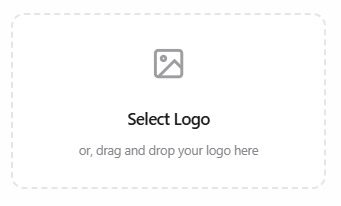
Space to insert Logo
-
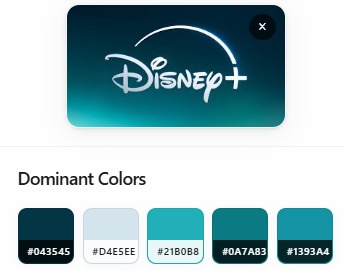
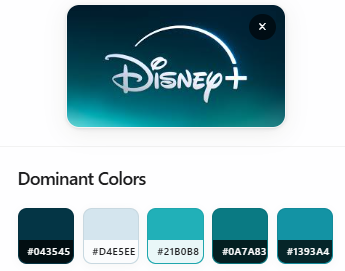
Showcase Dominant Colors
-
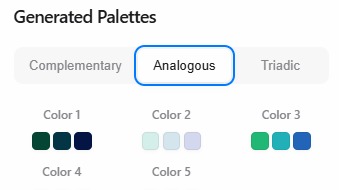
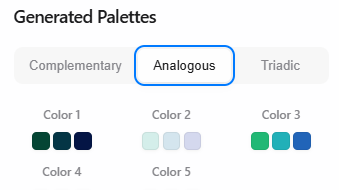
Different Palette Options
💡 Inspiration
Designers often start with a logo but then spend too much time manually building color palettes that match the brand. This process can be tedious, error-prone, and repetitive. I wanted to streamline it—why not let the logo generate the palette automatically?
Adobe Express seemed like the perfect environment, where speed and visual clarity matter. My goal was to build an add-on that takes in a logo and outputs a complete, harmonious color palette, all from inside the editor.
⚙️ What it does
- Lets users upload a logo image
- Extracts the dominant colors using canvas-based pixel analysis
- Generates a visually balanced palette using color theory
- Gives users the option to insert color swatches directly onto the Adobe Express canvas
In short: it transforms a static logo into a living brand palette—in seconds.
🛠️ How I built it
I built the add-on using four main files:
index.html: The user-facing interfacestyle.css: Styling for a clean, responsive layoutiframe.js: Handles image upload, canvas color extraction, palette generationdocument.js: Communicates with Adobe Express via its Add-on SDK to insert swatches
I used JavaScript, HTML/CSS, and ColorThief Library to extract color palettes. The logic used is color theory rules in HSL space - Complementary = H + 180°; Analogous = H ± 30°.
🧱 Challenges I ran into
- Inconsistent logo formats: Transparency, shadows, and gradients affected accuracy.
- Color harmony: Raw RGB extraction doesn’t always result in visually pleasing palettes.
- SDK quirks: Adobe Express SDK documentation had gaps and required workarounds for iframe communication and document editing.
- Performance: I had to optimize color extraction to keep the UI fast and responsive.
🏆 Accomplishments I’m proud of
- Built a fully working add-on within the Adobe Express environment
- Designed a smooth UI/UX for non-technical users
- Created a unique value proposition: turning logos into palettes with one click
- Learned and leveraged Adobe’s SDK in a practical, user-facing project
📚 What I learned
- How to use the Adobe Express Add-on SDK effectively
- JavaScript-based image processing with canvas
- The basics of color theory and palette design
- How to architect modular frontend tools that play nicely inside external platforms
🔮 What's next for Logo to Palette
- Add palette style options: monochromatic, complementary, triadic
- Enable exporting palettes in formats like HEX, CSS, or ASE
- Add drag-and-drop logo upload for better UX
- Improve color harmony using color clustering or ML-based enhancement
- Collect user feedback and iterate the UI for mobile support
Right now, Logo to Palette is running inside the Adobe Express Code Playground, where I rapidly prototyped and validated the core idea. The next step is to move it to a full development server, test it across real-world projects, and then prepare for deployment on the Adobe Express Add-on Marketplace.
Built With
- add-on-sdk
- colorthief
- css
- html
- javascript

Log in or sign up for Devpost to join the conversation.