-
-
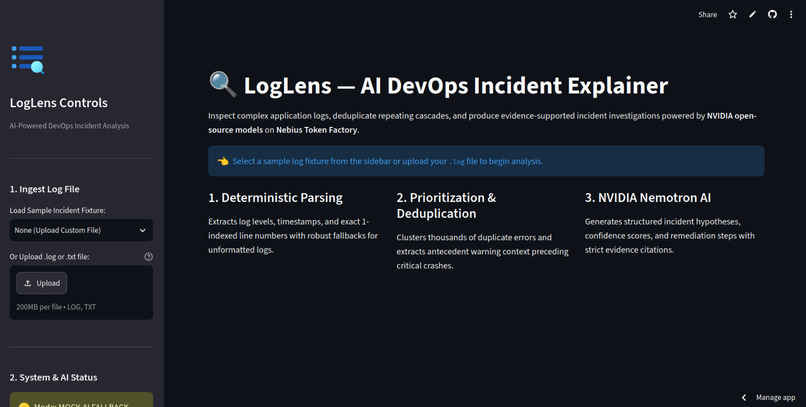
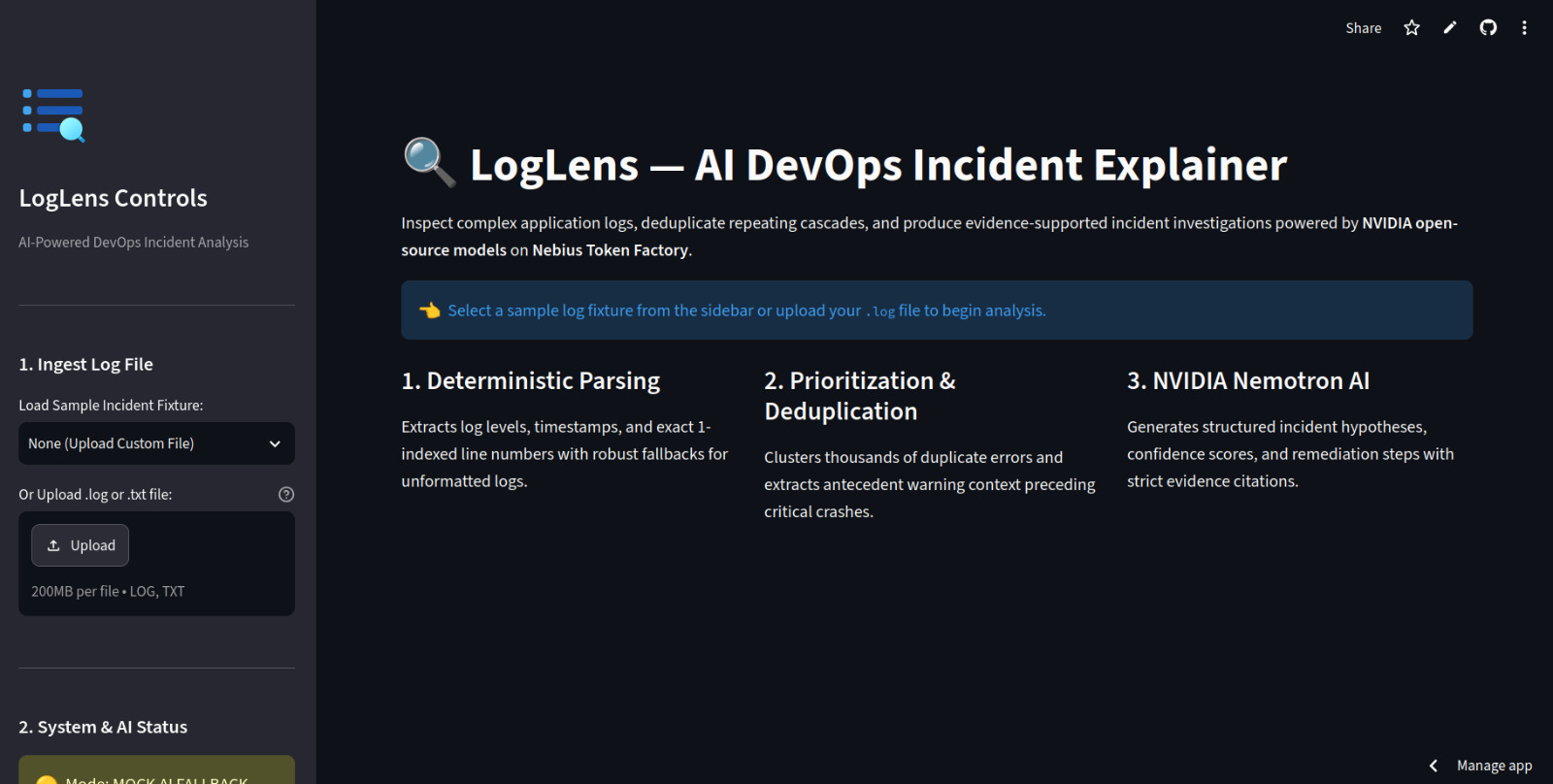
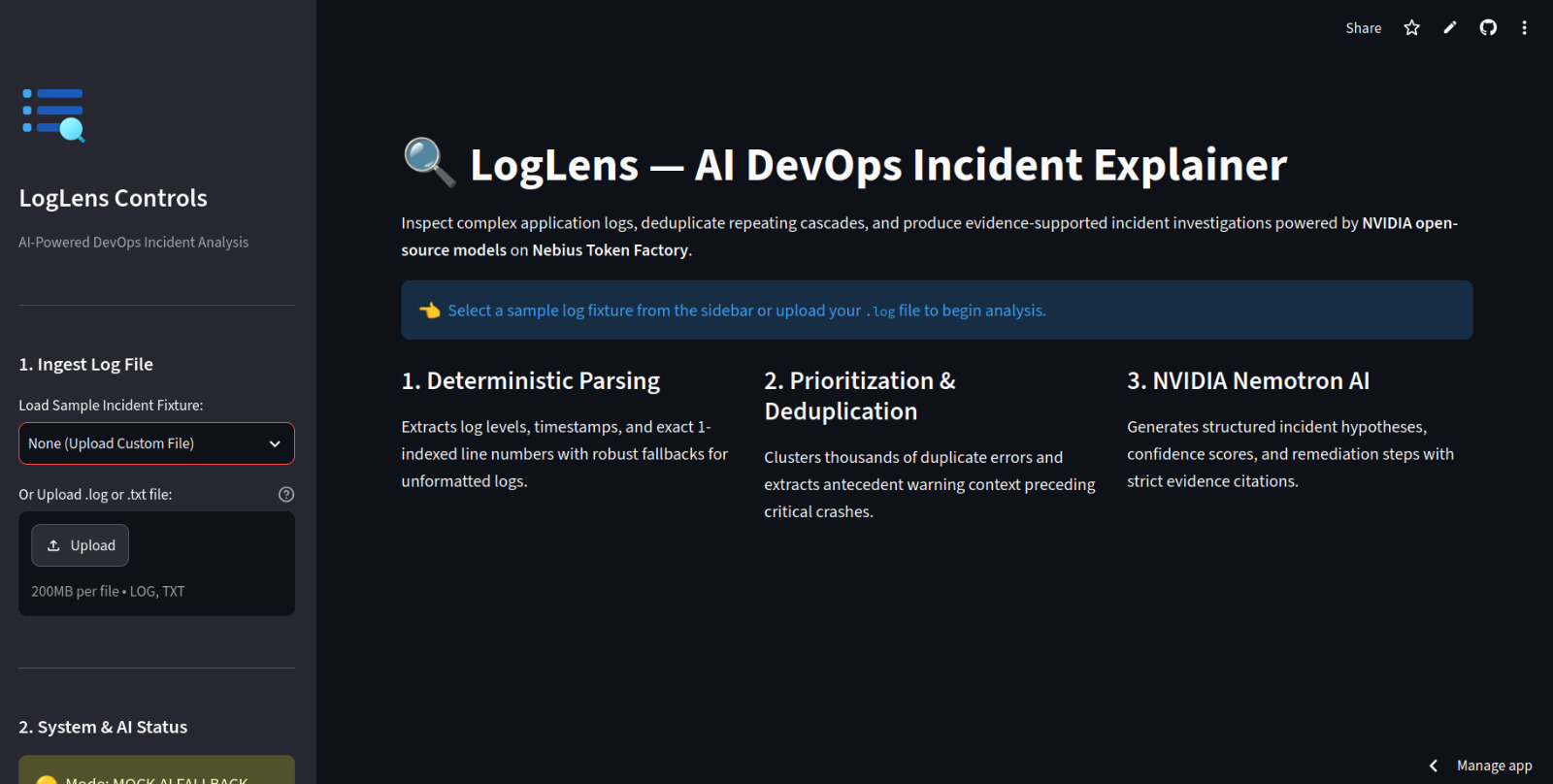
LogLens AI Dashboard
-
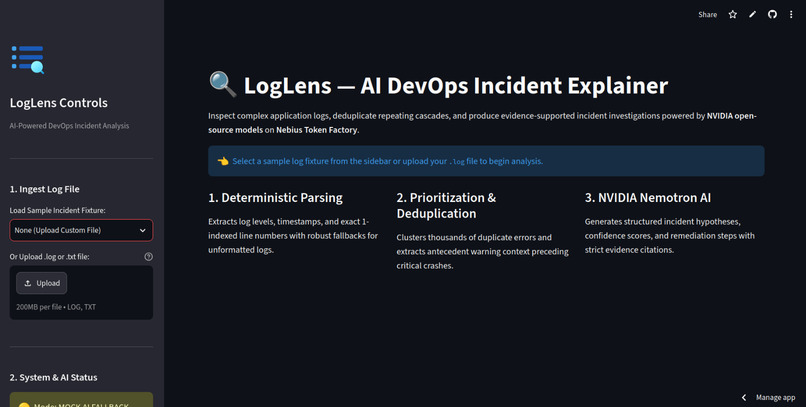
Analyze DevOps Logs
-
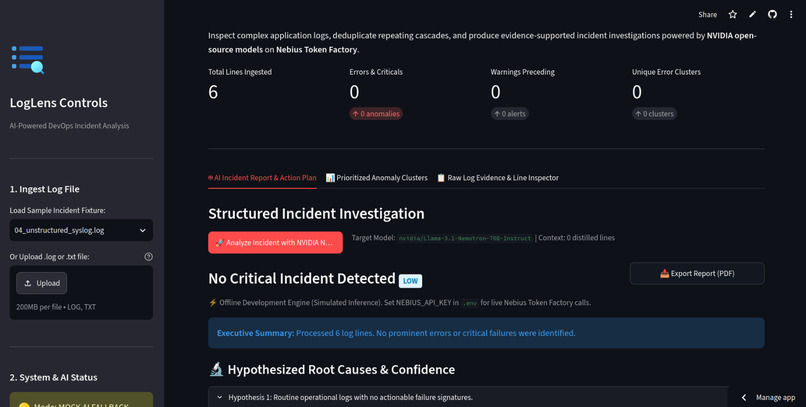
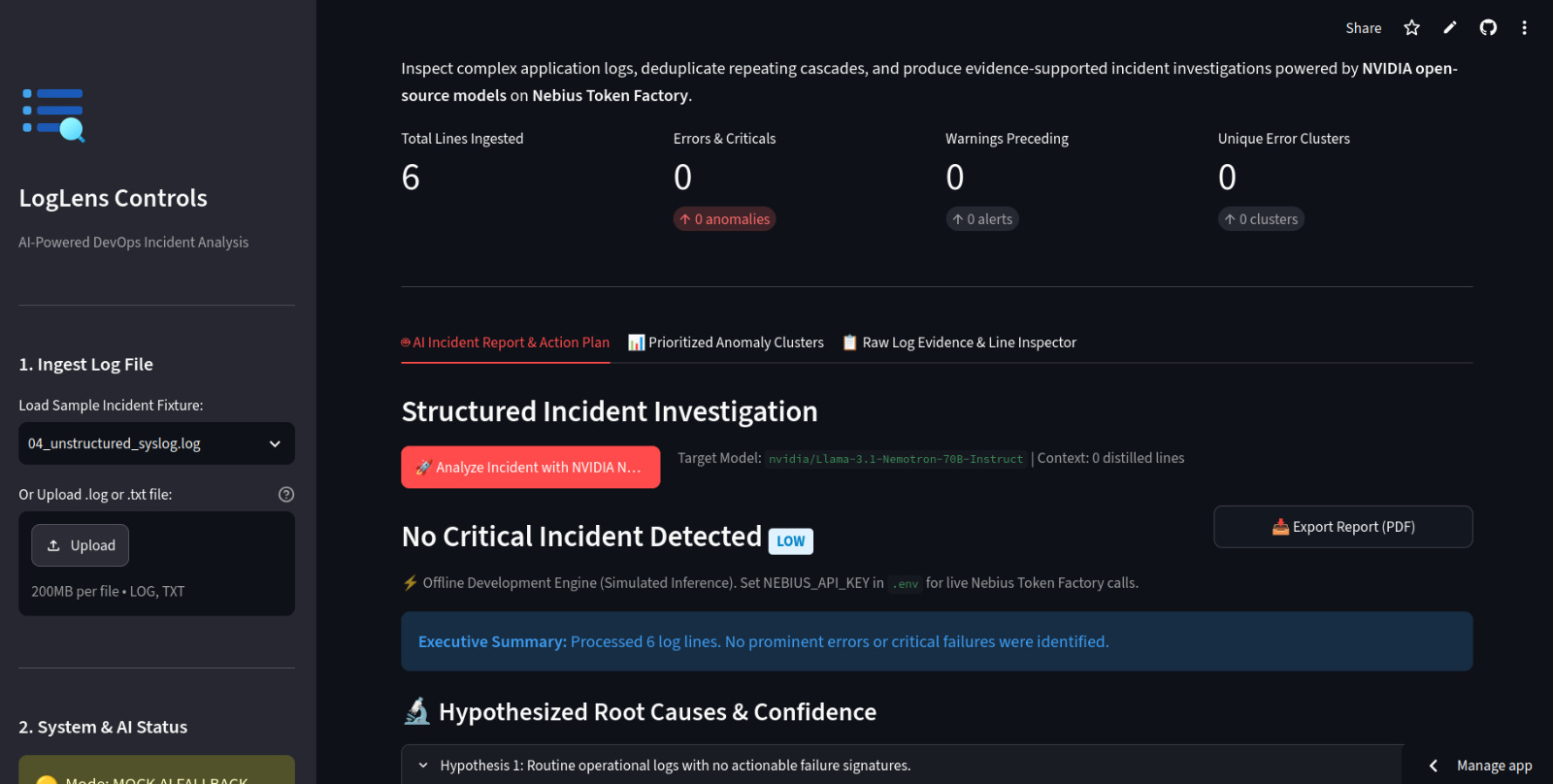
AI-Powered Incident Analysis
-
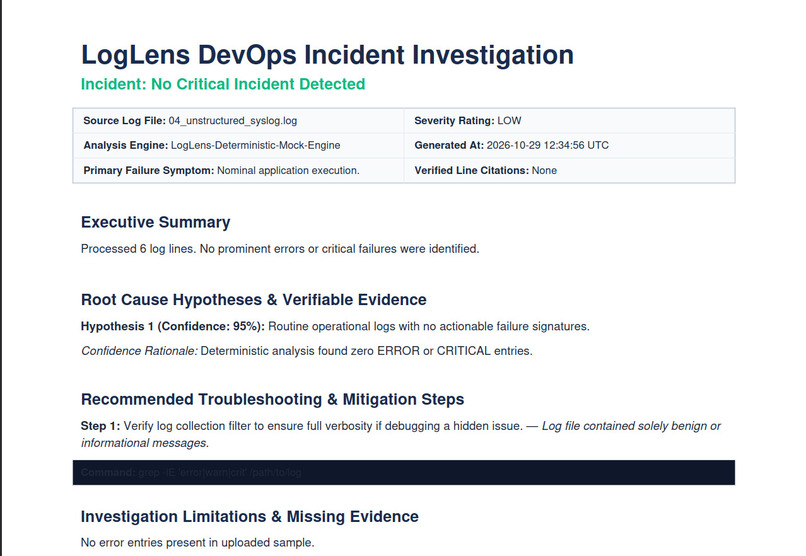
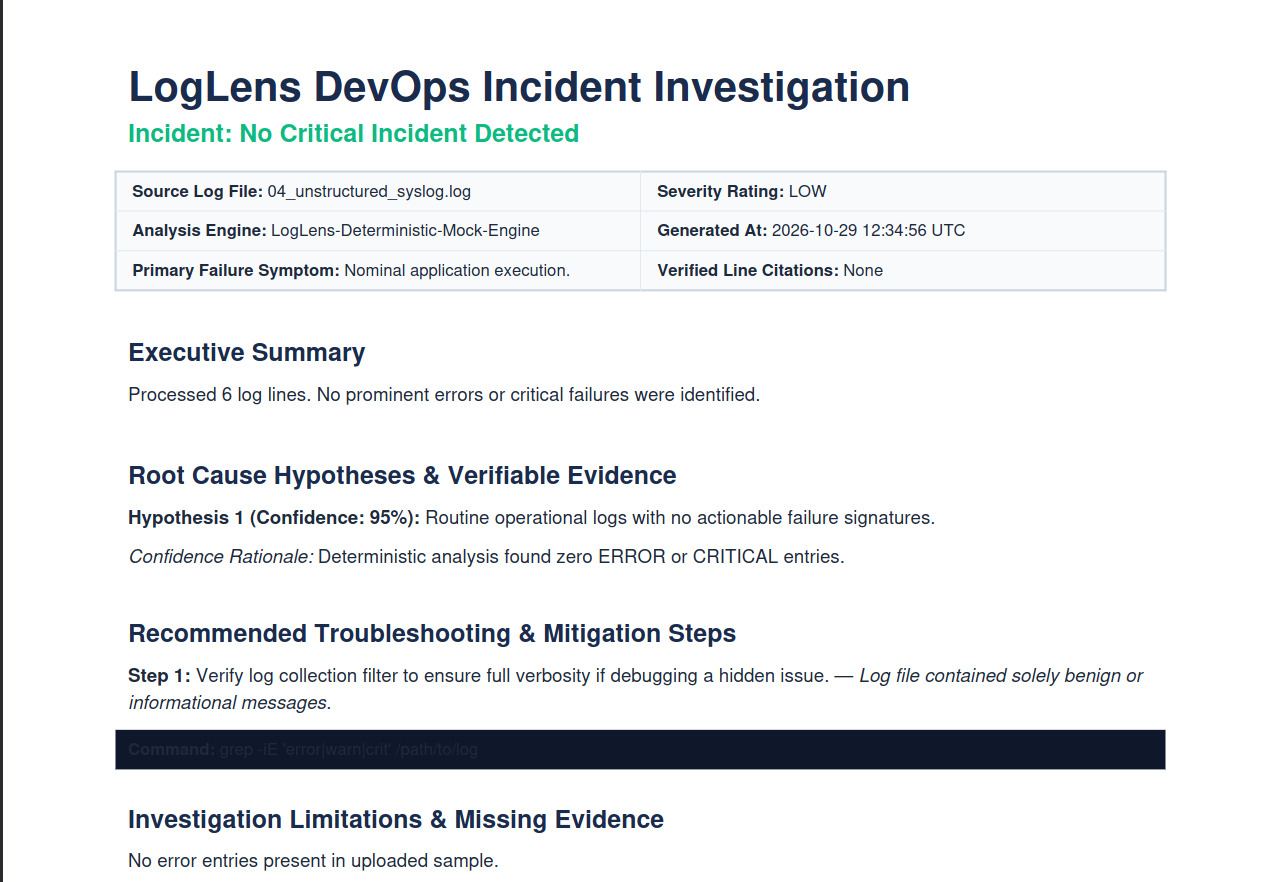
Export Incident Reports
LogLens AI — DevOps Incident Explainer
Inspiration
Every app produces a mountain of logs. And when something breaks, you're usually left scrolling through walls of errors, warnings, and timestamps, trying to work out what actually went wrong. I've been in that spot, and it's frustrating. The clue you need is somewhere in there, but finding it takes far longer than it should.
That's why I built LogLens AI. I wanted a tool that reads the messy logs for you, tells you what's going on in plain language, and points you toward what to check next.
The goal was simple: make log analysis less painful and get people from "what is this error?" to "okay, I know where to look" a lot faster.
What Is LogLens AI?
LogLens AI is a web-based DevOps assistant. You give it your application logs, and it helps you make sense of them. Instead of reading every line yourself, you get the important errors surfaced, the likely causes explained, and practical troubleshooting steps to follow.
Here's what it does:
- Log Analysis: Picks out the errors, warnings, and events that matter.
- AI-Powered Explanations: Explains technical problems in plain, readable language.
- Root Cause Insights: Points to the most likely causes based on what's in the logs.
- Suggested Fixes: Gives you concrete next steps to investigate and fix the problem.
- Interactive Dashboard: Shows everything in a clean web interface, so you're not stuck in the terminal.
- Report Generation: Exports PDF reports you can save or send to teammates.
- Fallback Mode: A mock mode lets the app demo its full workflow even when live AI access isn't available.
One honest note: LogLens AI is built to assist an investigation, not replace your judgment. Always check its suggestions against your actual system, configuration, and the rest of the evidence.
How I Built It
I built LogLens AI with Python and Streamlit. I split the project into separate modules for the dashboard, the AI processing, configuration, and core logic. That kept things easier to understand, test, and maintain as it grew.
- Building the Dashboard
Streamlit handled the interface. It let me put together a dashboard where you can interact with the app and review results without living in the command line.
- Integrating AI
This was the heart of the project. I connected the app to NVIDIA Nemotron through Nebius Token Factory so it could interpret log data, explain likely causes, and suggest fixes. The whole point was to turn raw, cryptic output into something a developer can actually act on.
3. Processing and Explaining Logs
I wanted everything in one flow: look at the relevant events, understand the issue, and read the troubleshooting suggestions without jumping between tools. Since the quality of a diagnosis depends on the logs you feed in, the results are meant to guide your next step, not hand you a guaranteed answer.
- Generating Reports
I added PDF export because findings are only useful if you can keep them and share them. Reports let you save what you found, revisit the recommendations later, and explain an issue to your team.
- Containerization and Deployment
I used Docker for containerization and included the deployment files. The code is on GitHub, and a live version runs on Streamlit Community Cloud, so anyone (judges included) can try it right away without setting anything up locally.
Technologies Used
- Python: Core logic and AI integration
- Streamlit: The interactive dashboard
- NVIDIA Nemotron: Interprets logs and generates explanations
- Nebius Token Factory: API access to the model
- Docker: Containerization
- Git and GitHub: Version control and hosting the source
- PDF Generation: Exporting analysis into reports
- Streamlit Community Cloud: Hosting the live app
Challenges I Faced
The biggest challenge was getting all the pieces to work together. A useful log assistant needs more than a model. It needs a usable interface, a dependable processing flow, results that make sense, and a way to share them.
Working with AI explanations was tricky too. Logs can be incomplete, vague, or tied closely to a specific environment, and an answer that sounds confident isn't always correct. So I designed LogLens AI as an investigation partner that offers likely causes and recommendations, not one that claims to be right every time.
API setup and availability were another concern, which is why I added mock mode. If live AI access isn't available, the workflow can still be demonstrated. Splitting the code into modules and keeping configuration and deployment files organized also made testing much easier.
And then there was deployment. It taught me that shipping is its own kind of work: sorting out dependencies, managing environment variables, preparing the repo, and getting the app live at a public URL.
What I Learned
This project showed me what it really takes to bring AI into a practical engineering workflow. I got hands-on experience connecting a model to a Python app, building an interactive Streamlit dashboard, structuring code into clean modules, and preparing a project for deployment.
I also learned that a good AI app is about more than plugging in a model. User experience, clear explanations, sensible fallback behavior, configuration management, and realistic expectations about AI output all matter just as much.
Most of all, it reminded me that "it works on my machine" isn't the finish line. You only really know an app works once you've tested it in a real deployment.
What's Next?
I've got plenty of ideas for where to take LogLens AI:
- Support more log formats and sources
- Better log filtering and event correlation
- Structured incident timelines
- Stronger links between explanations and the exact log entries behind them
- More testing with realistic incident scenarios
- Customizable reports and better incident documentation
- Integrations with monitoring and observability tools
- Extra safeguards for sensitive information inside logs
I'd love for it to become genuinely useful to developers, students, sysadmins, and DevOps teams.
Final Thoughts
LogLens AI is my attempt to make DevOps troubleshooting less intimidating. By combining log analysis, AI explanations, fix suggestions, a web dashboard, and PDF reports, I wanted to take some of the pain out of understanding technical incidents.
My hope is that developers spend less time fighting confusing logs and more time solving problems and building reliable systems.

Log in or sign up for Devpost to join the conversation.