-
-
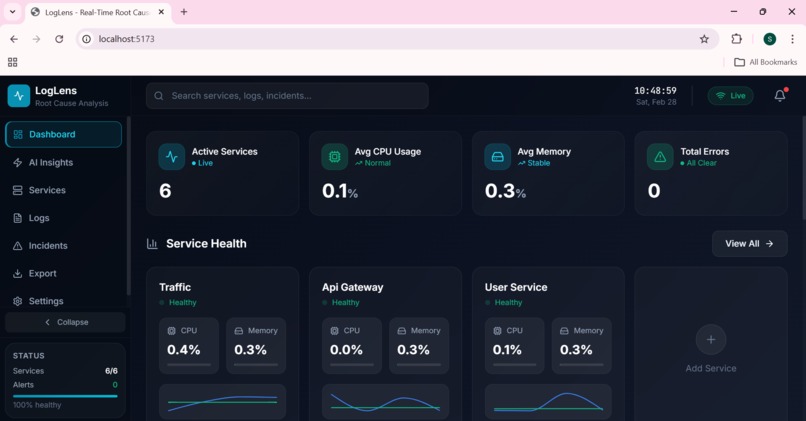
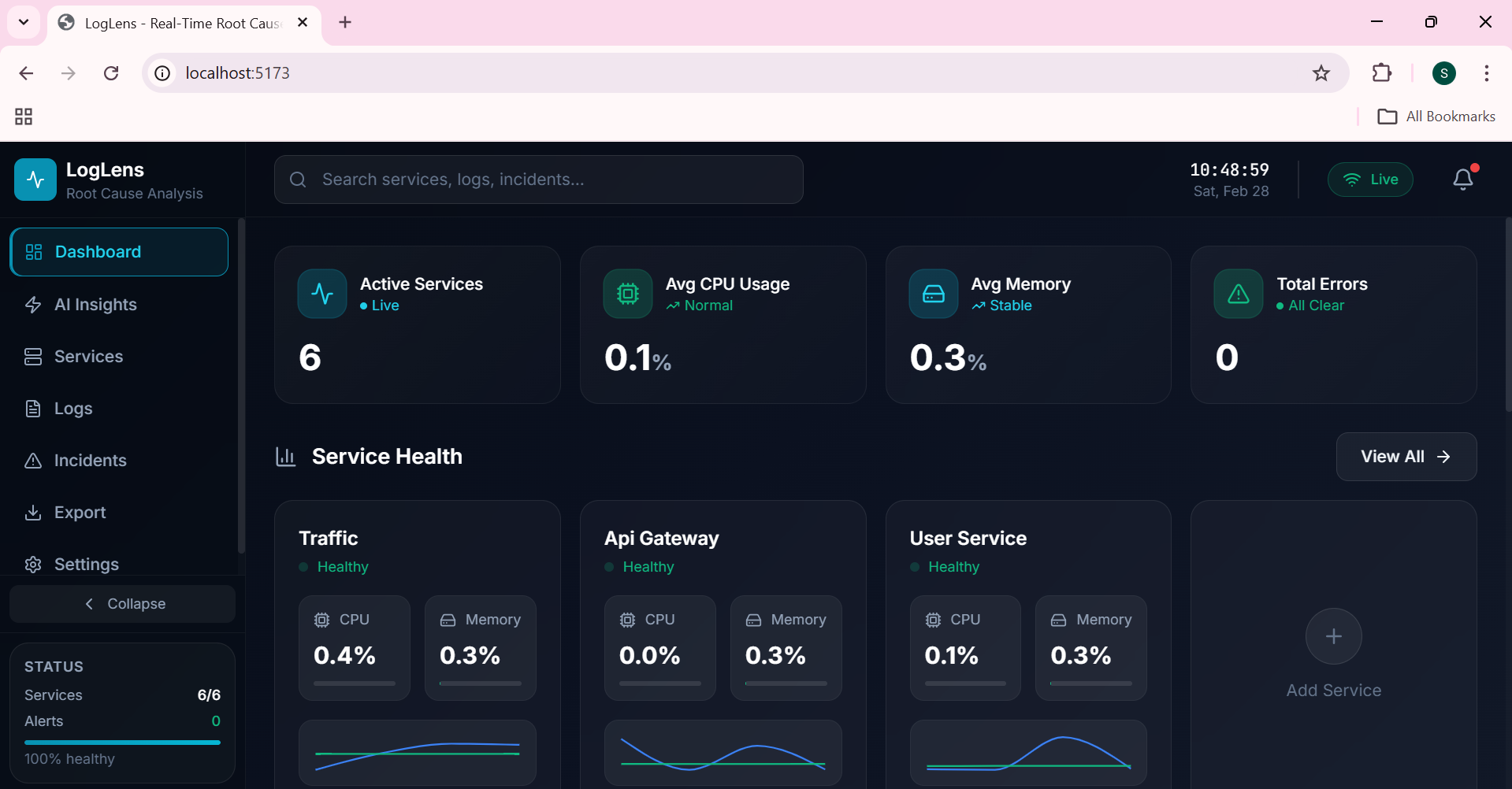
1. Dashboard : Visualizing the Docker Containers
-
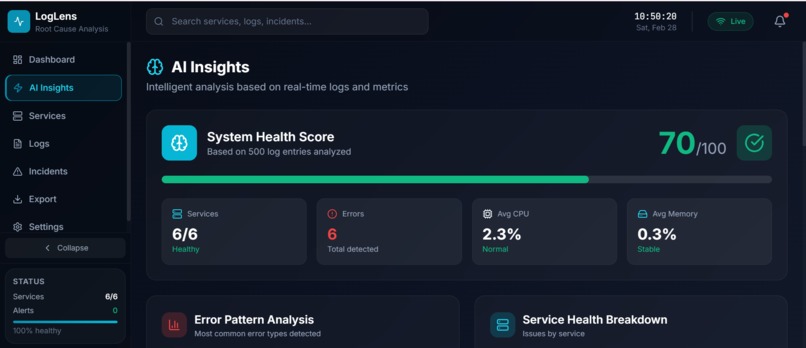
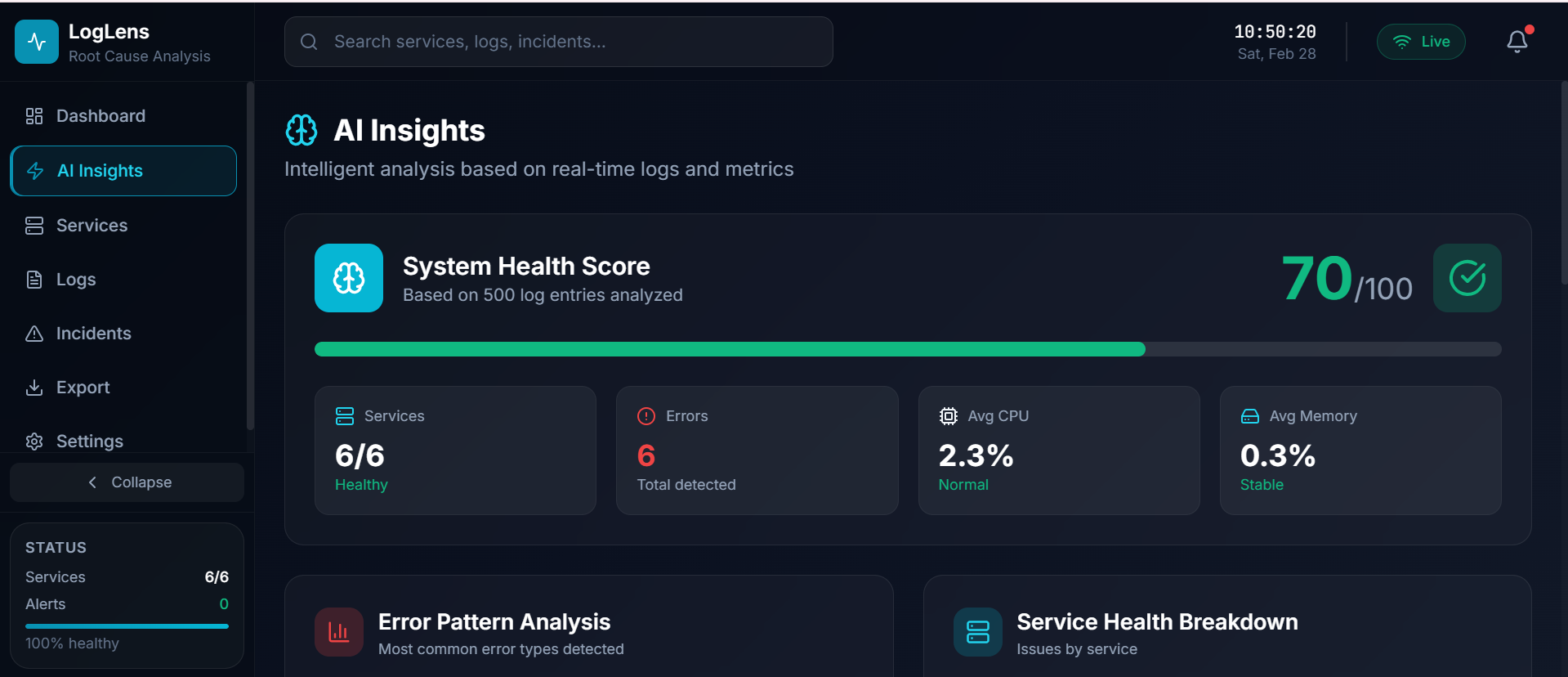
2.1 AI Insights: System Health Score
-
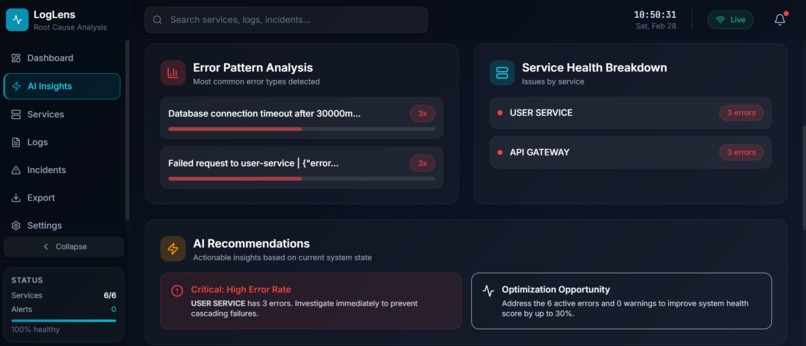
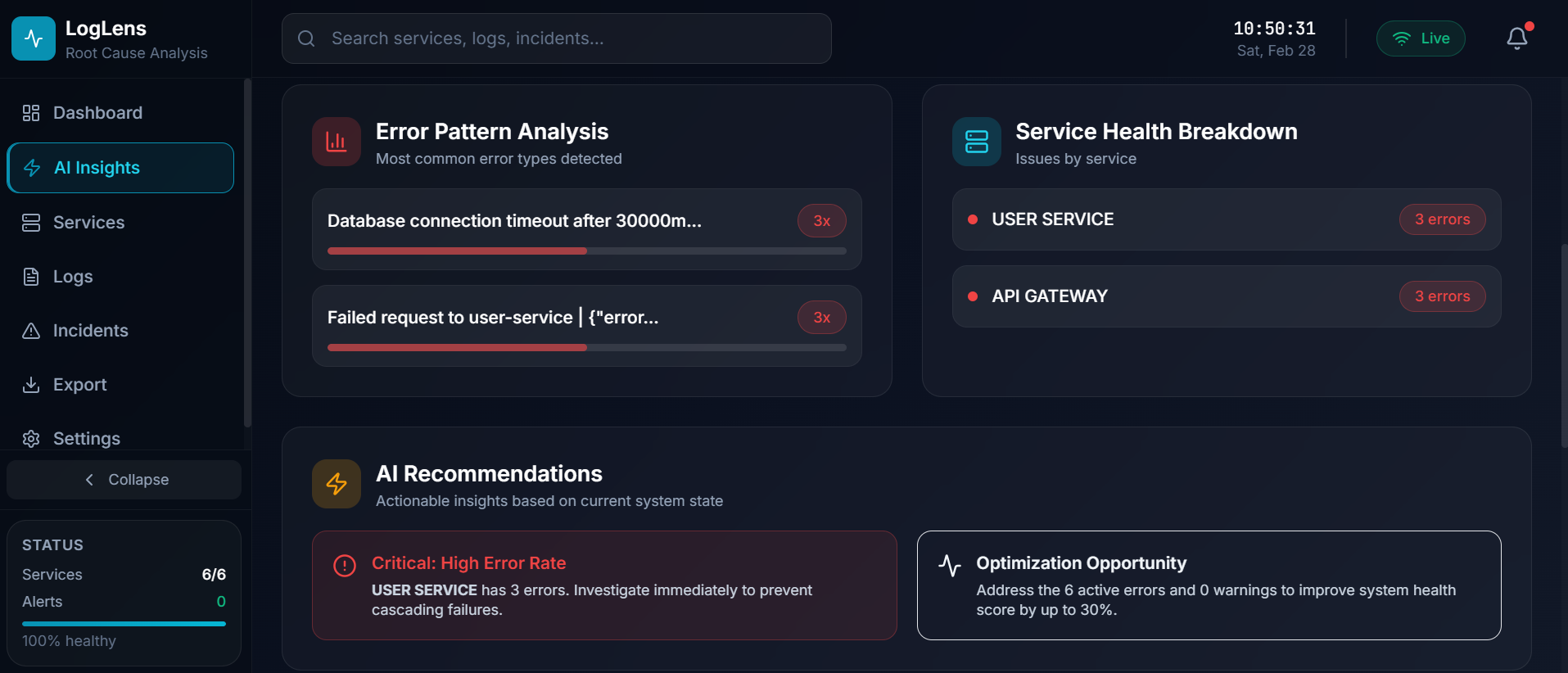
2.2 AI Insights: Error Pattern Analysis, Recommendation and Health Breakdown
-
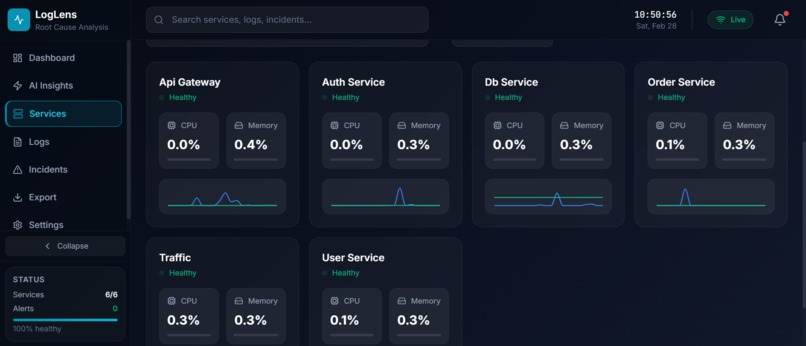
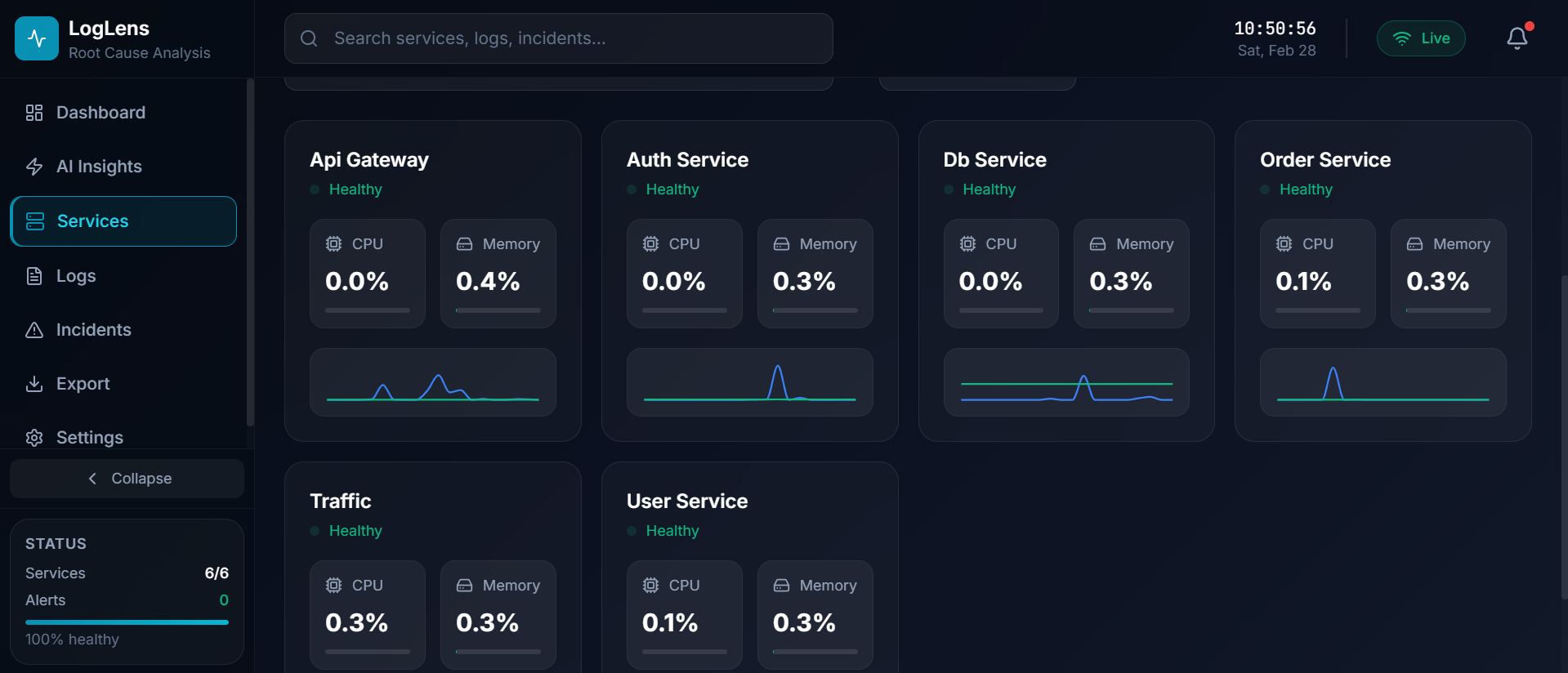
3. Services: CPU and Memory Consumption Visualization
-
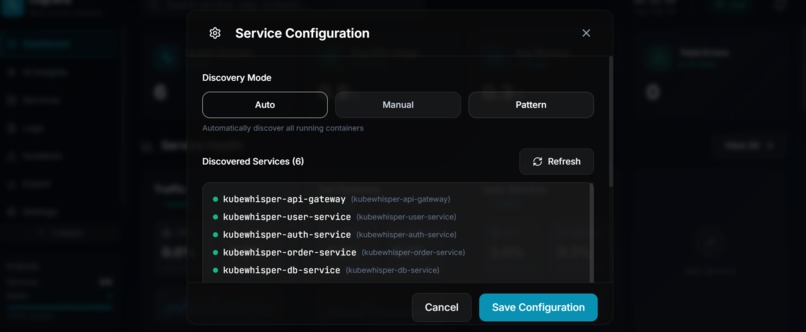
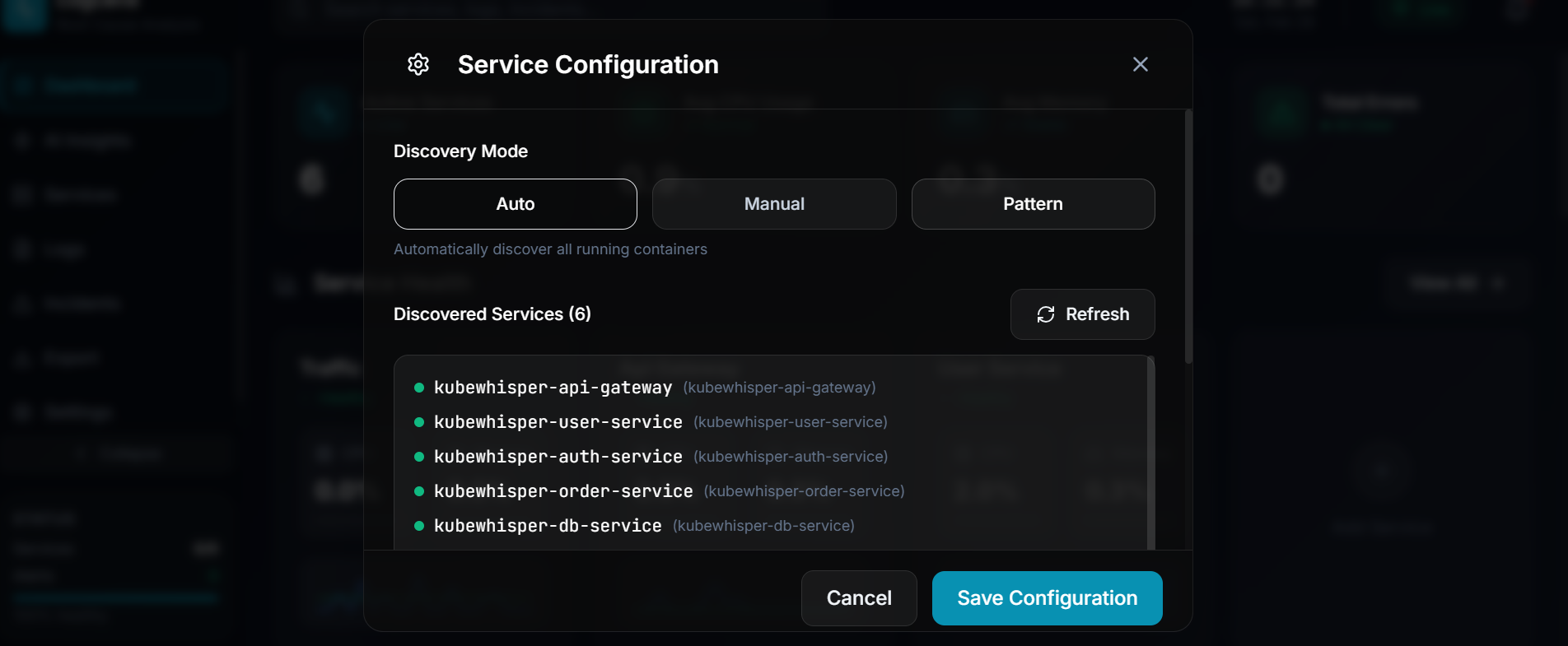
4.1 Service Configuration Modes: Auto
-
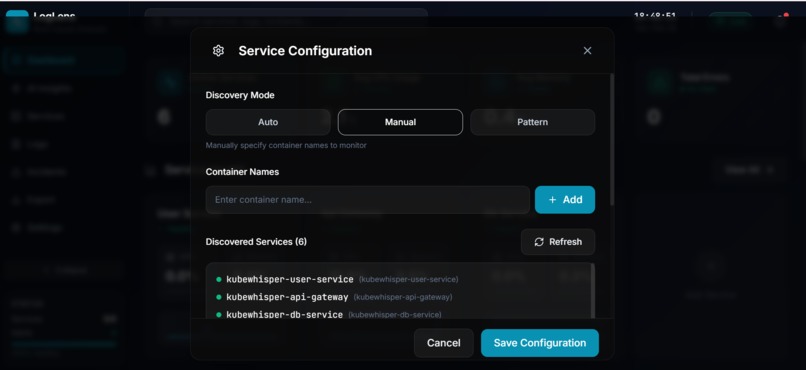
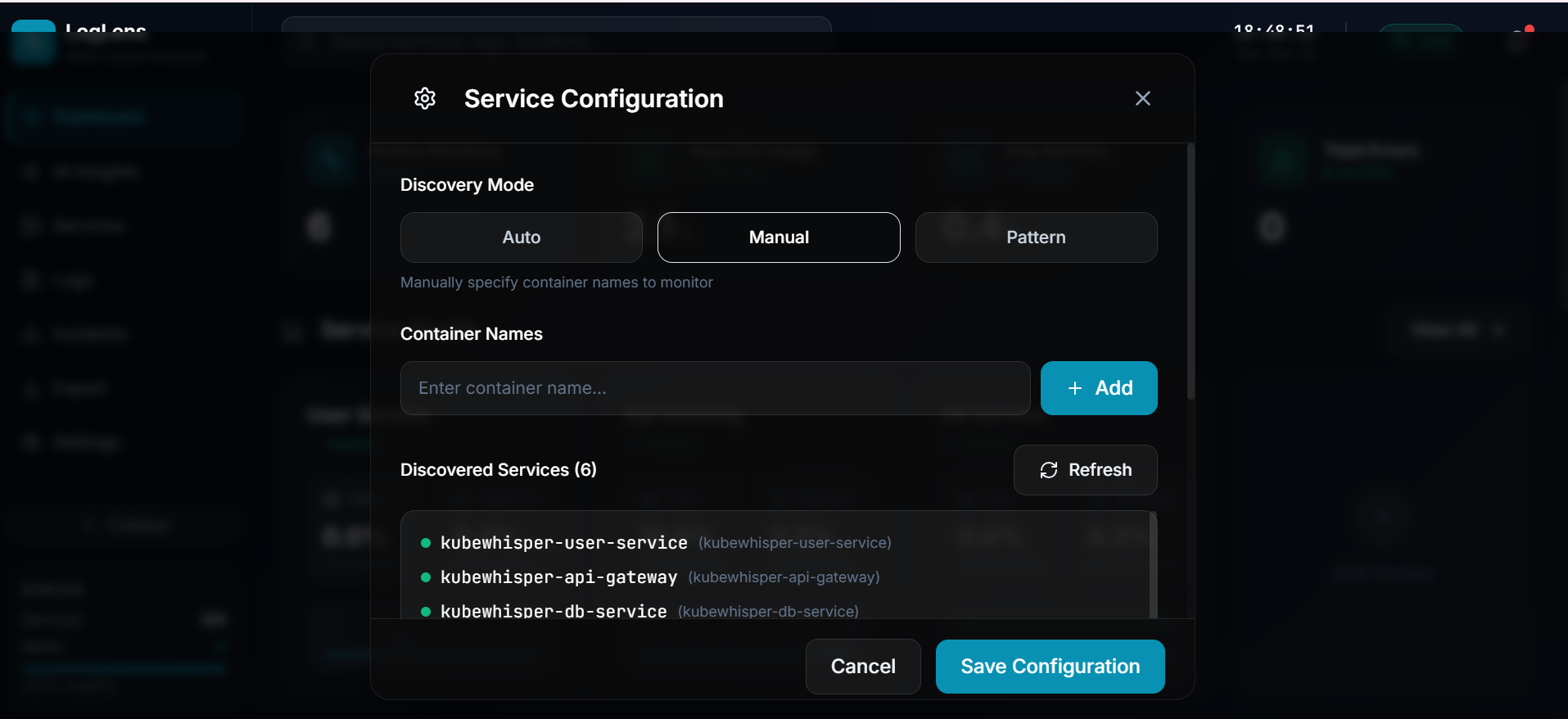
4.2 Service Configuration Modes: Manual
-
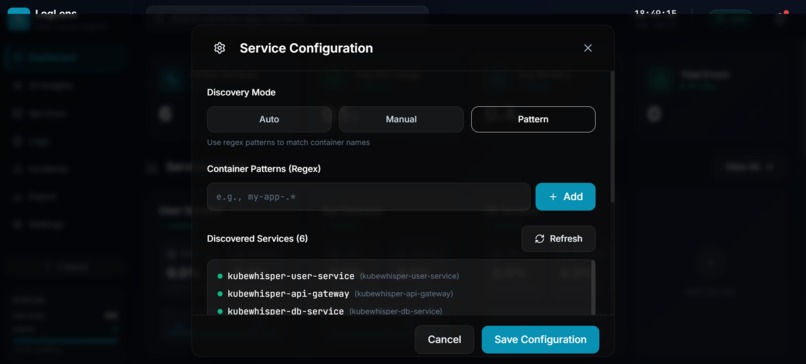
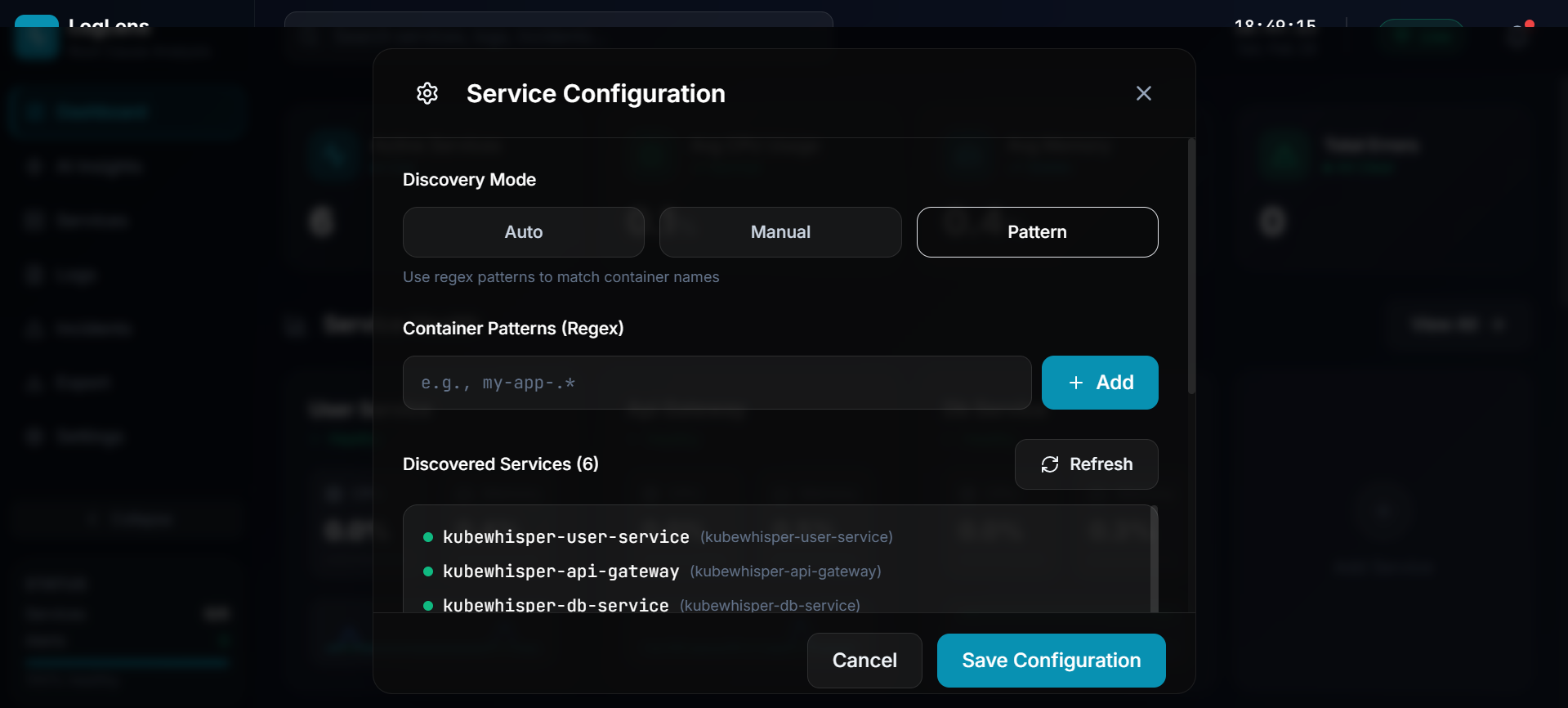
4.3 Service Configuration Modes: Pattern
-
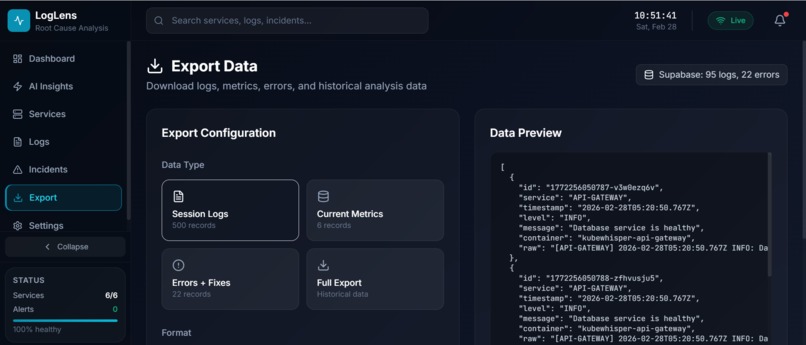
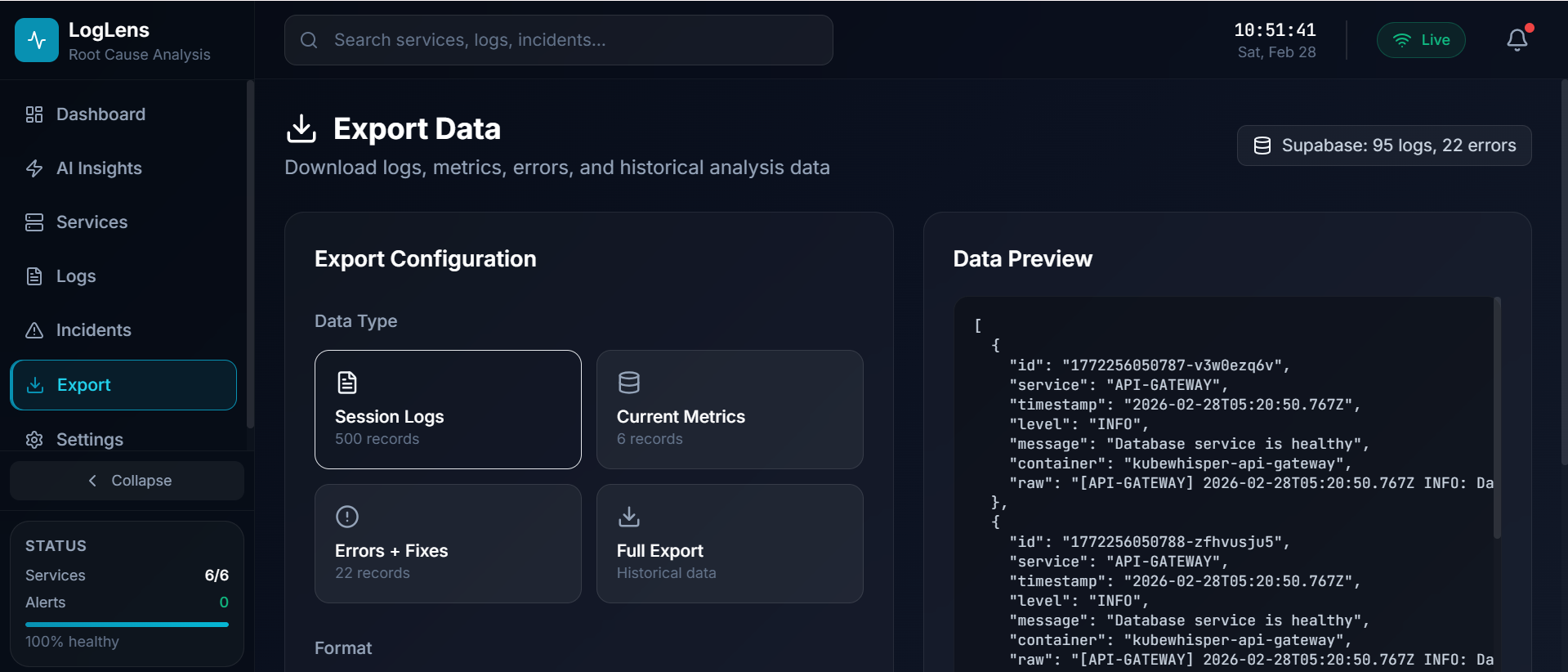
5.1 Export Logs
-
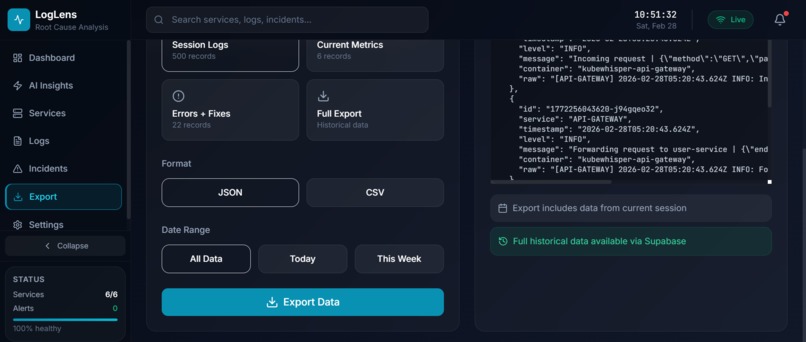
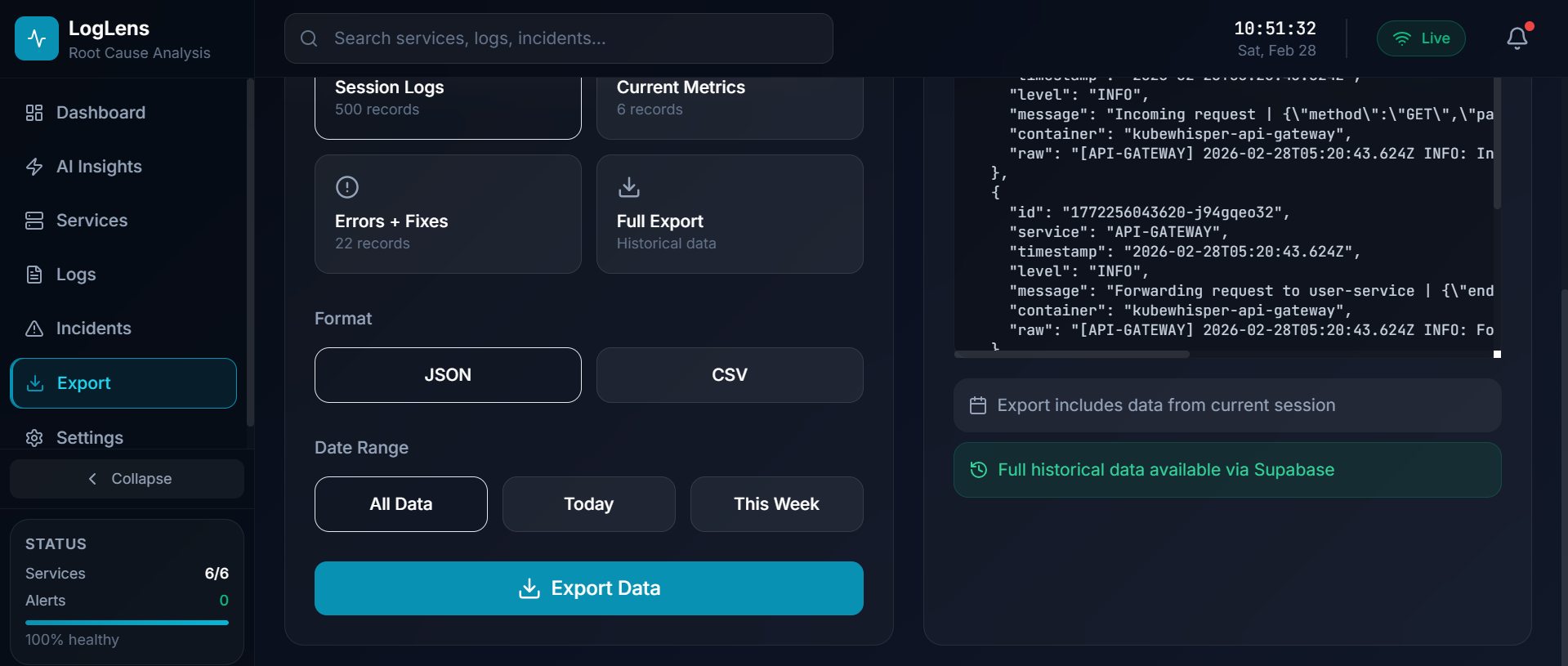
5.2 Export logs
-
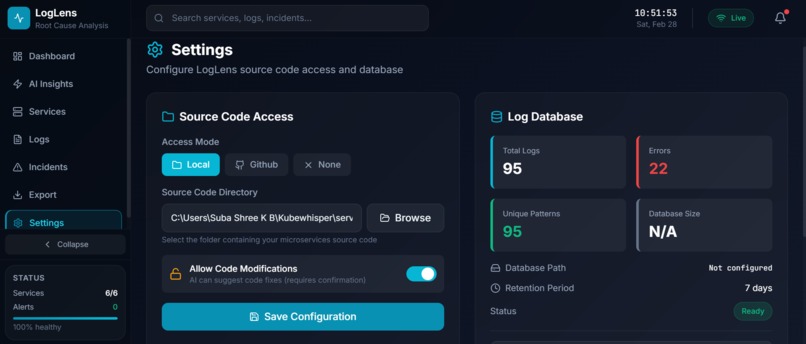
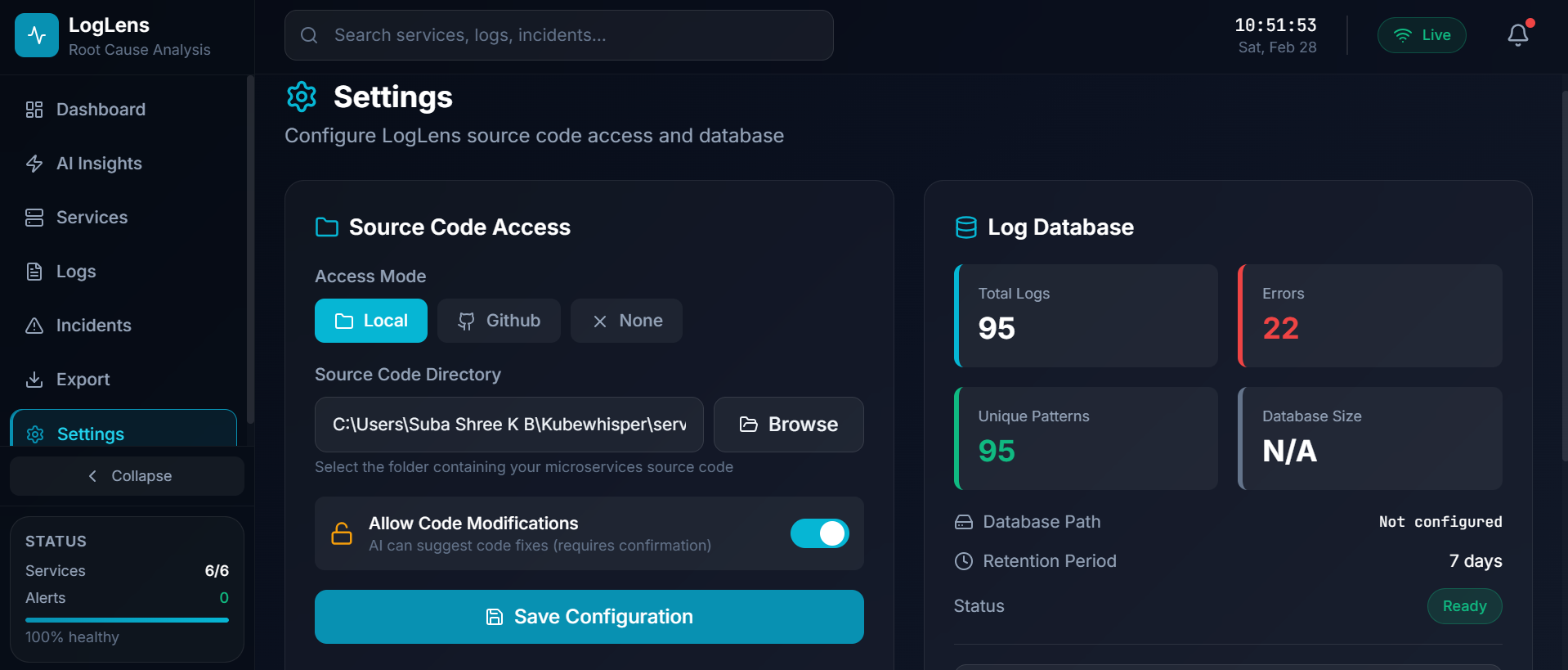
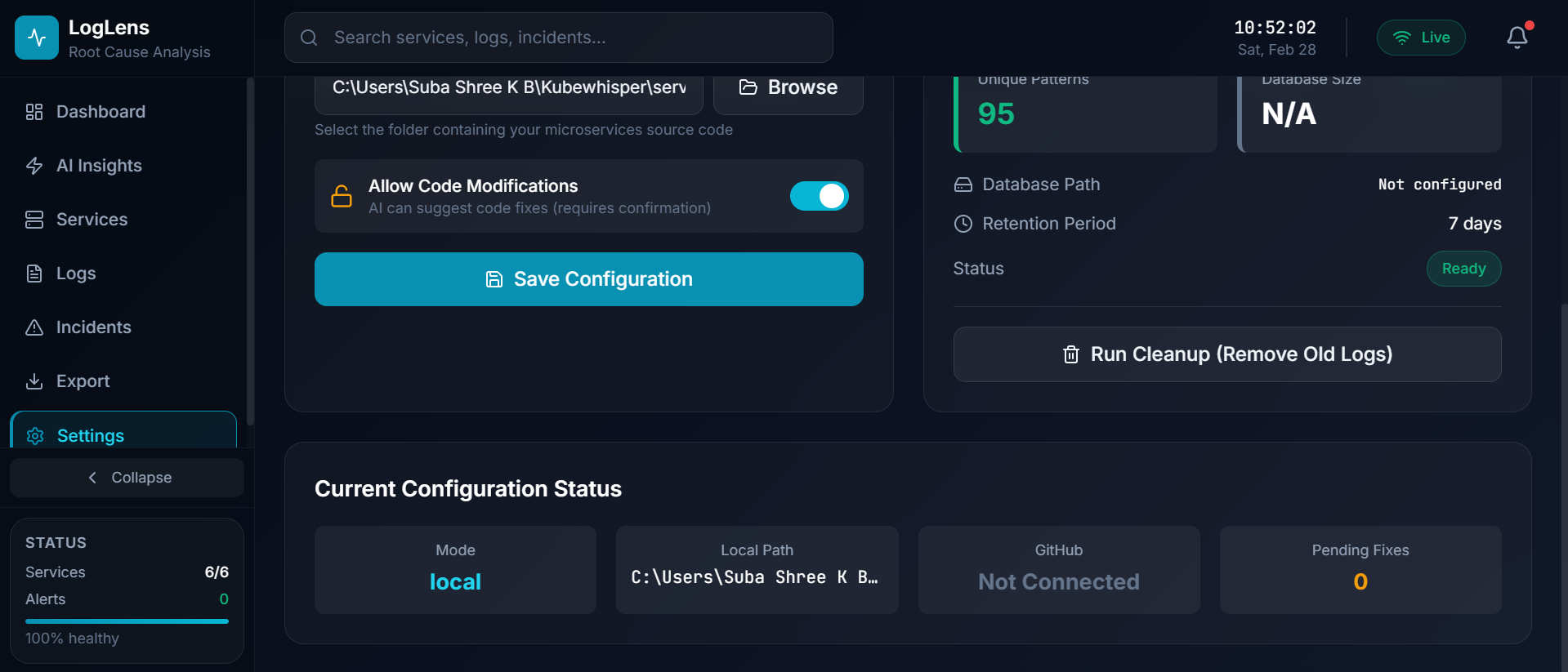
6.1 Settings: Source Code Configuration for Fix
-
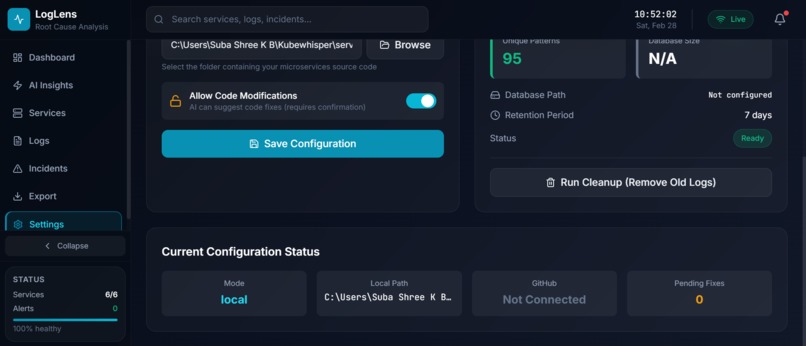
6.2 Settings: Source Code Configuration for Fix
-
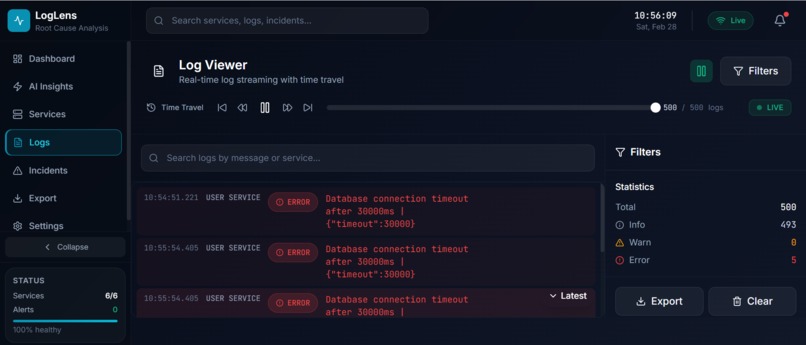
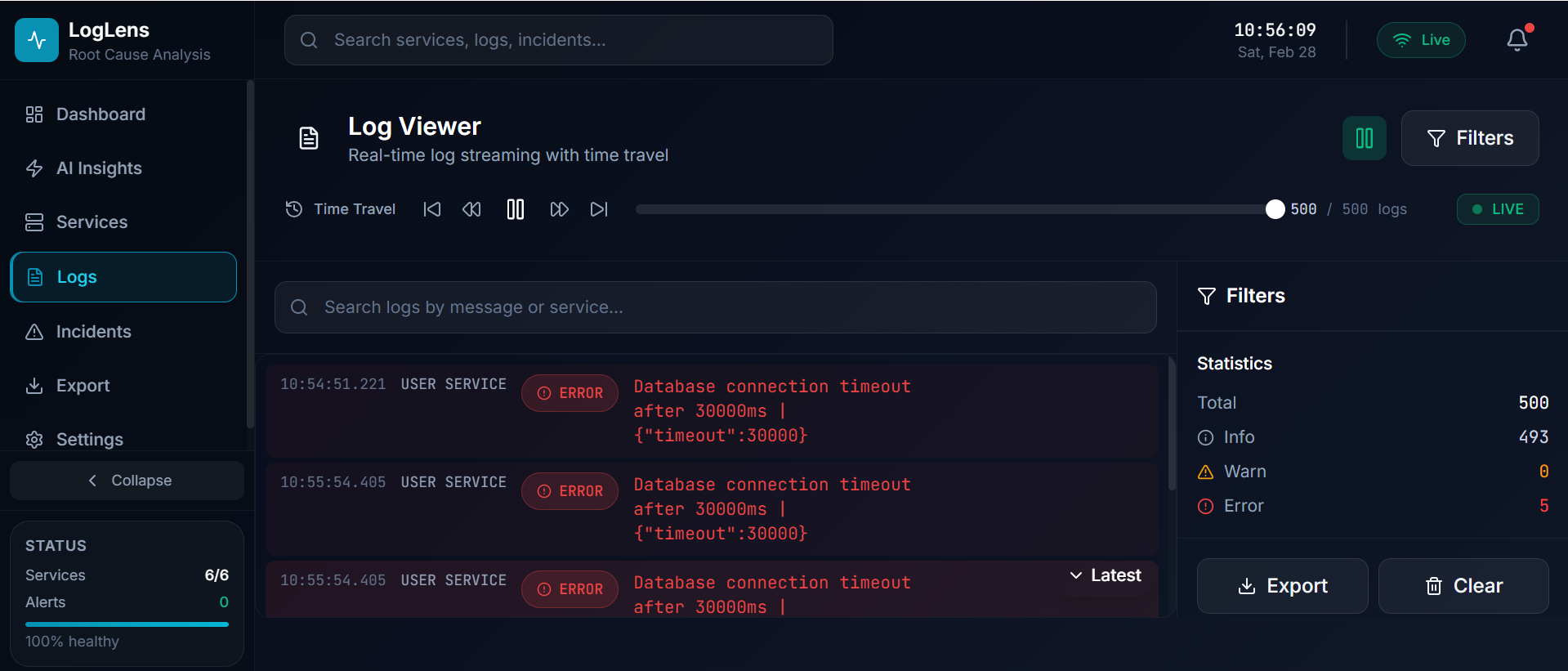
7.1 Logs Section
-
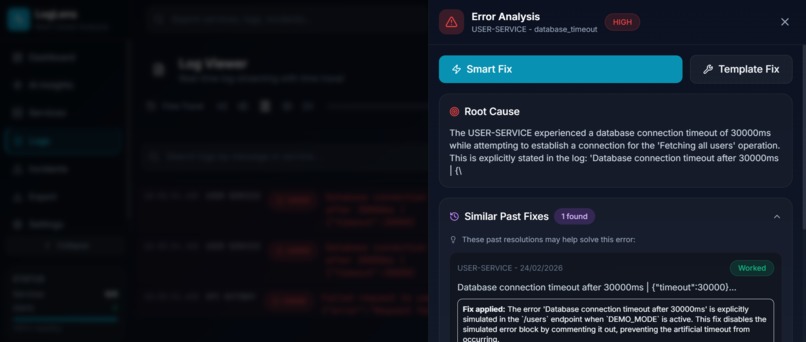
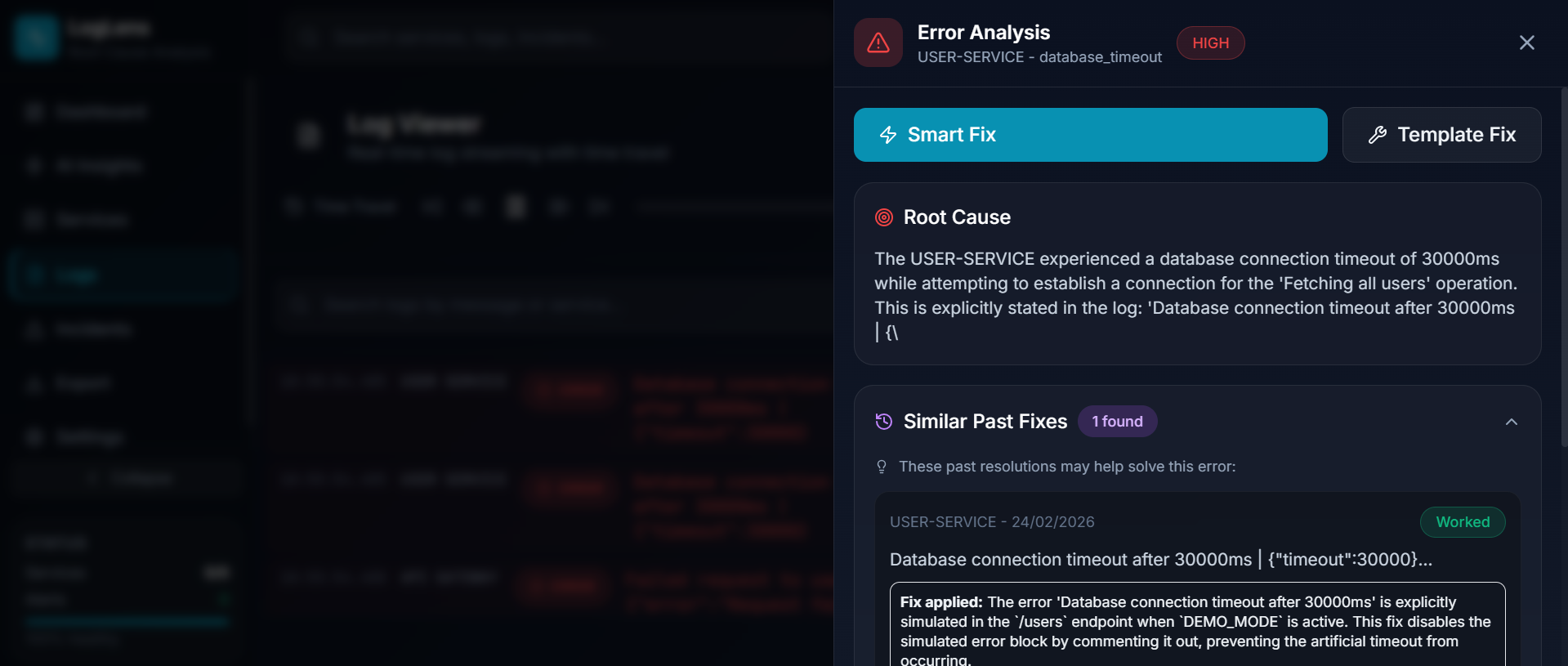
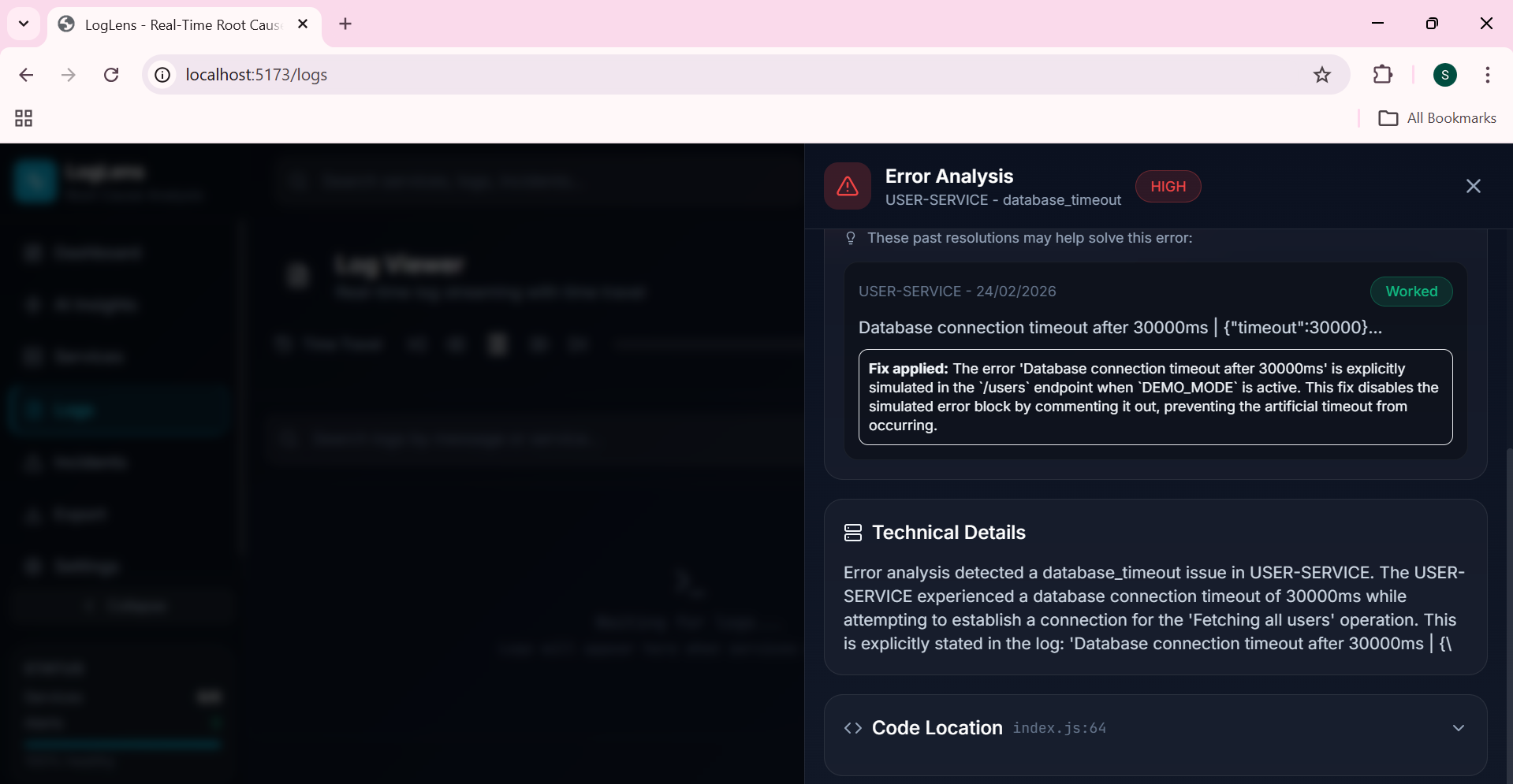
7.2 Analyze Log: Root Cause Analysis
-
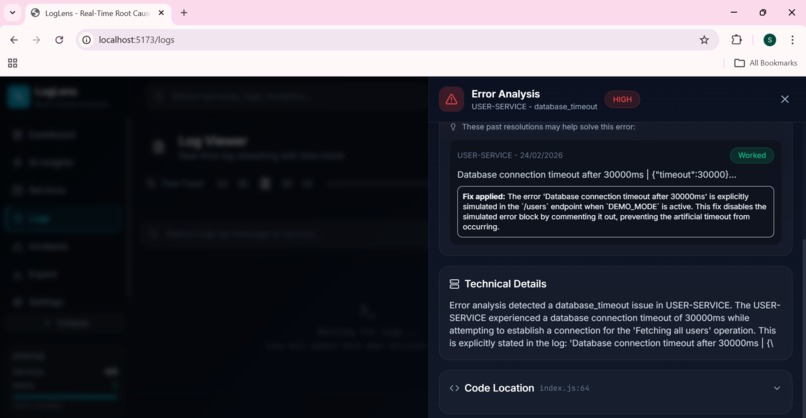
7.3 Analyze Log: Root Cause Analysis
-
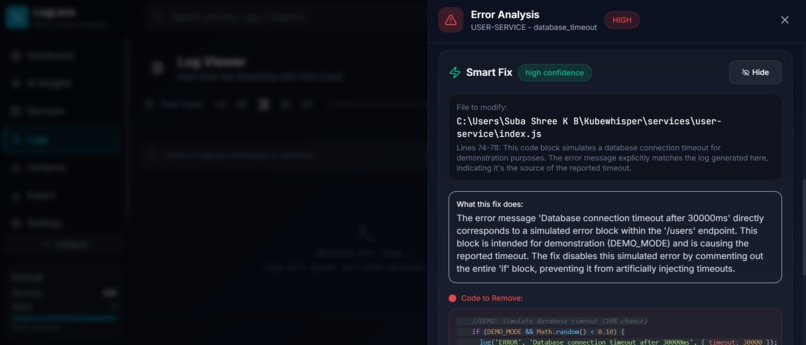
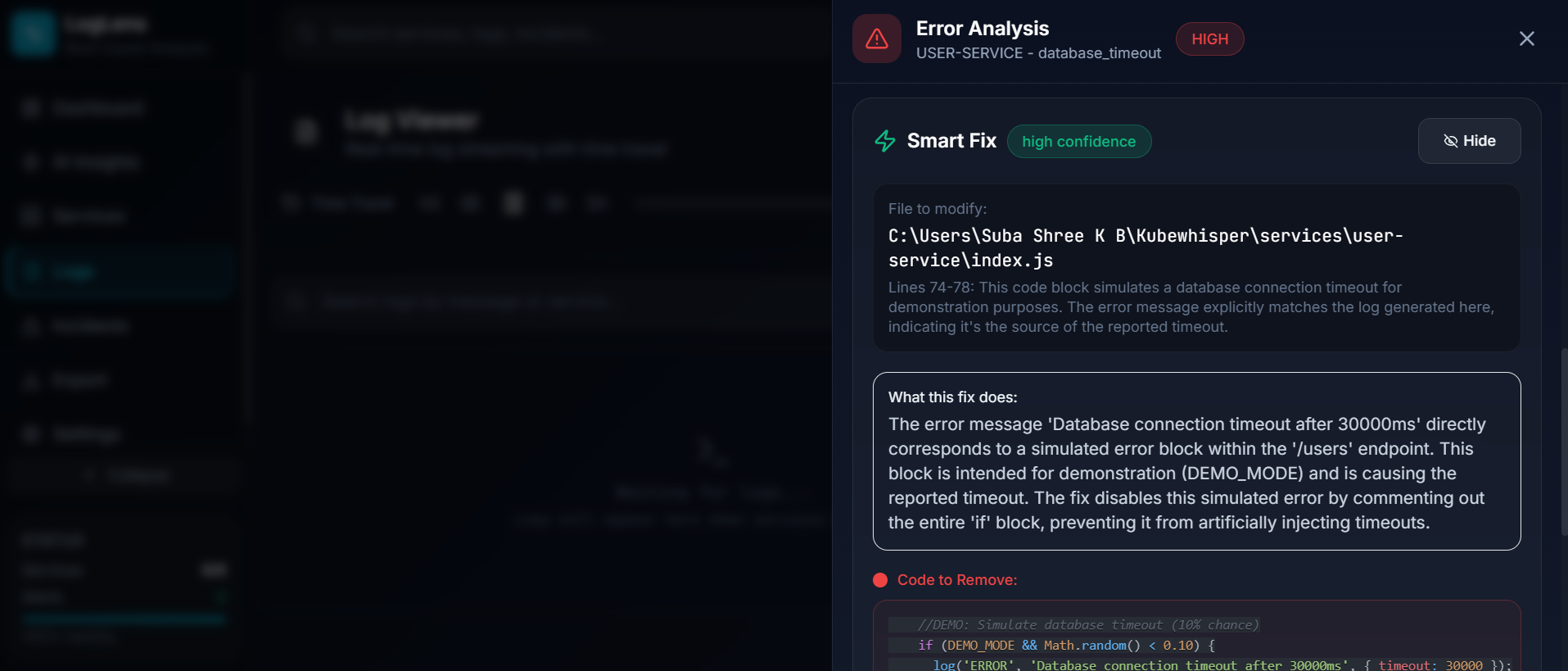
7.4 Generate Code Fix
-
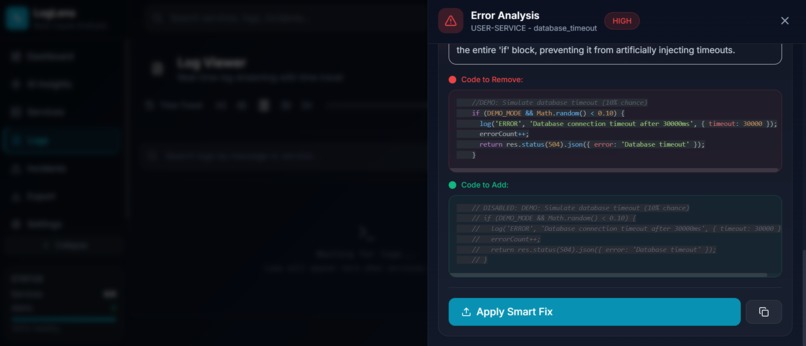
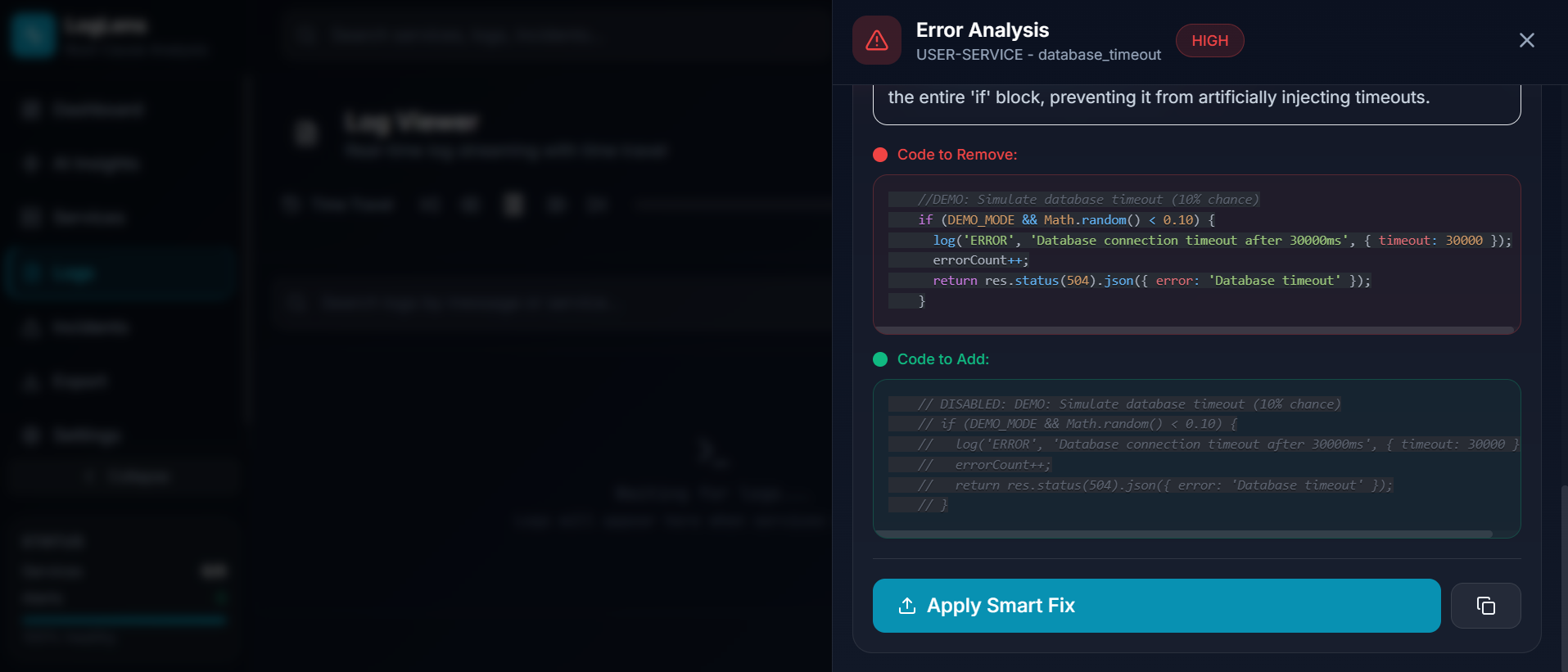
7.5 Code Fix with Code Difference
-
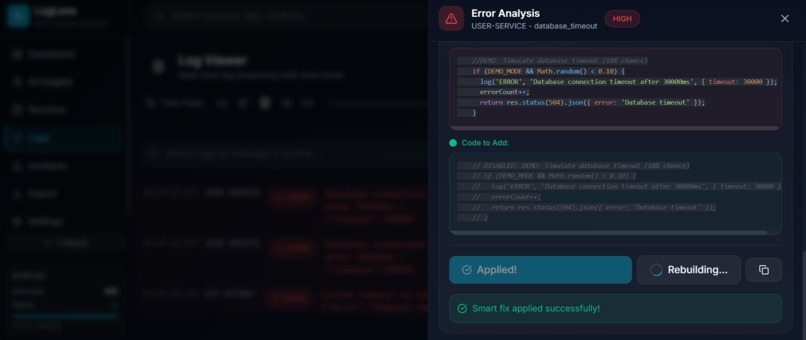
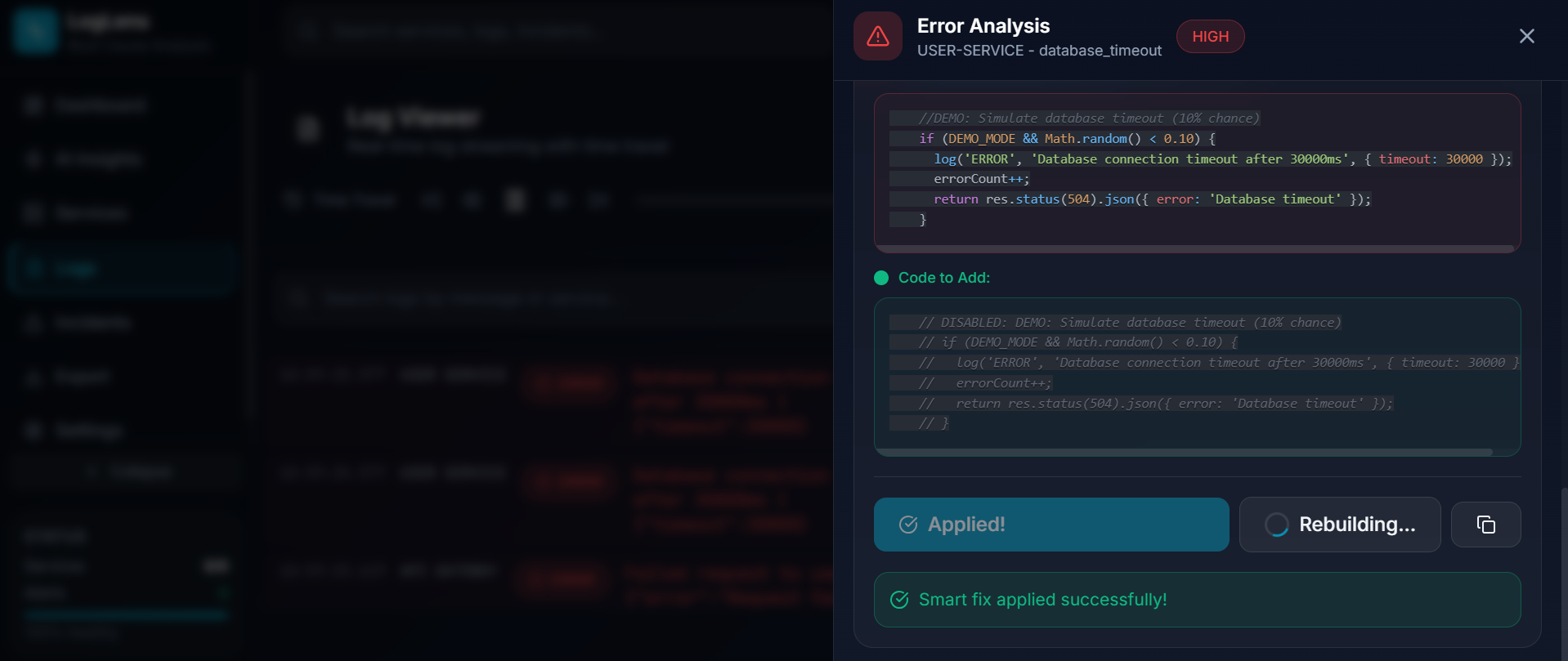
7.6 Apply Fix: Direct modification to Source code
-
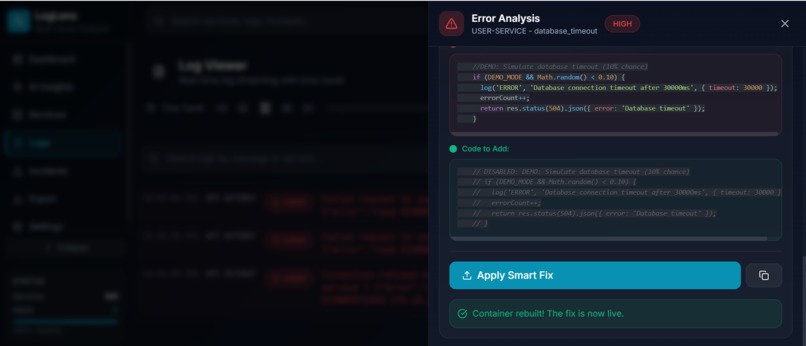
7.7 Rebuild container
-
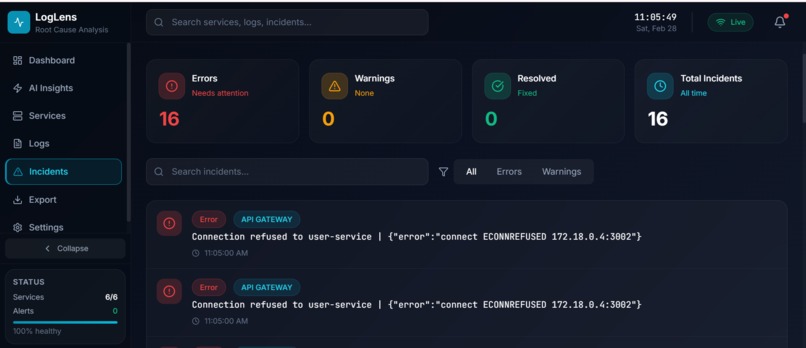
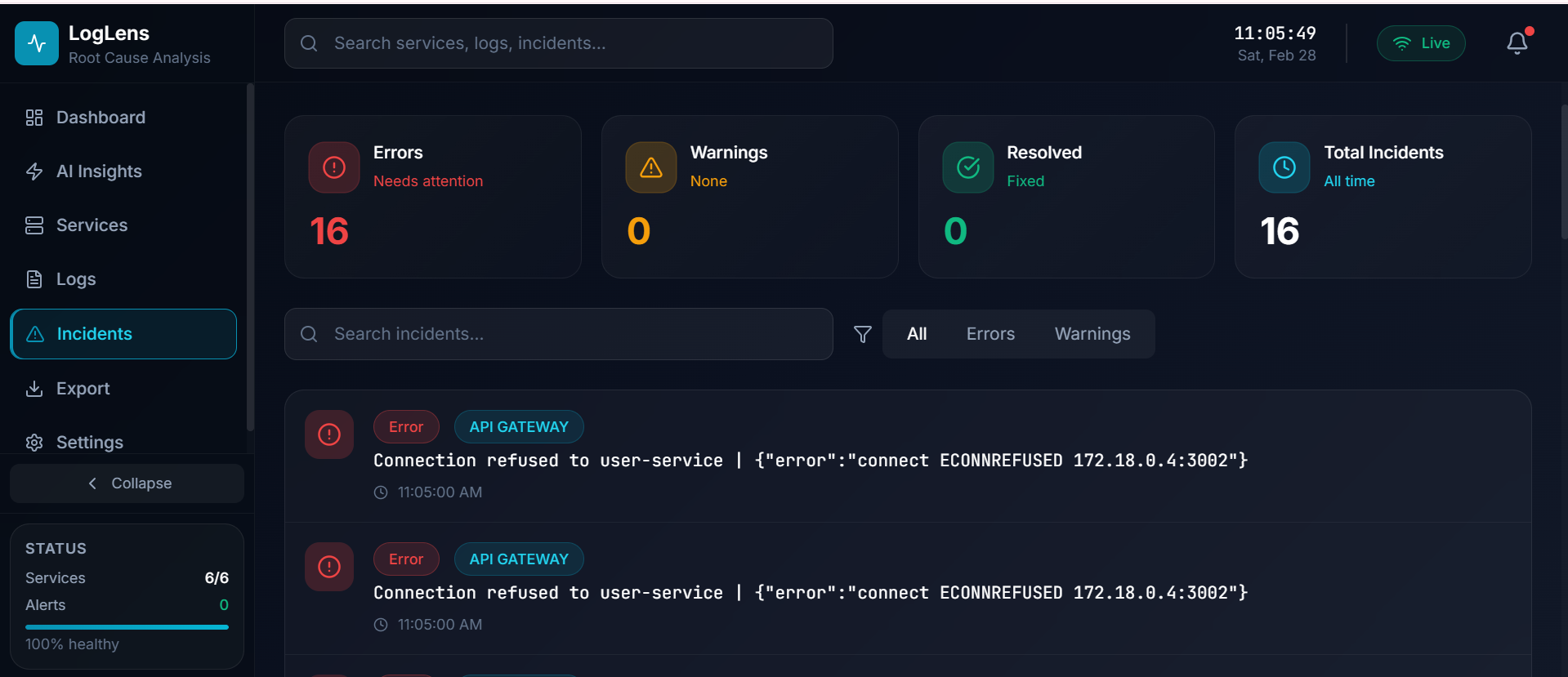
8. Incident Page
Inspiration
It was 3 AM when the alert hit. A critical microservice had failed, and users were seeing errors. What followed was 4 hours of grep-ing through logs, correlating timestamps across multiple services, and guessing at root causes. By the time we found the issue, a simple timeout configuration, the damage was done: frustrated users, lost revenue, and an exhausted engineering team.
That night, we asked ourselves: Why does debugging distributed systems still feel like archaeology?
We have AI that can write code, generate images, and hold conversations. Yet when production breaks, engineers still manually search through thousands of log lines, trying to correlate events across services, figure out which service failed first, and understand why it happened.
The existing tools like ELK and Datadog are great at collecting data. But they still require humans to analyze it. There is no tool that connects to your Docker environment, watches your microservices, understands when something goes wrong, tells you exactly why, shows you the code causing the problem, and generates a fix.
That gap inspired LogLens.
What It Does
LogLens is an AI-powered observability platform built specifically for microservices running in Docker containers. It transforms debugging from hours of manual investigation into seconds of automated analysis.
How it connects to your environment:
- LogLens connects directly to your local Docker Desktop
- It automatically discovers all running containers with zero configuration
- You can customize monitoring using Auto, Manual, or Pattern-based discovery modes
- Reads source code from a local directory or any GitHub repository
The analysis workflow:
- Monitor - streams logs from all your Docker containers in real-time using
docker logs --follow - Detect - identifies ERROR and CRITICAL log entries the moment they arrive
- Correlate - groups related logs within ±30 seconds across all services simultaneously
- Analyze - Google Gemini identifies root cause, error type, severity, and cascade path
- Locate - reads your actual source code and pinpoints the exact file, function, and line number
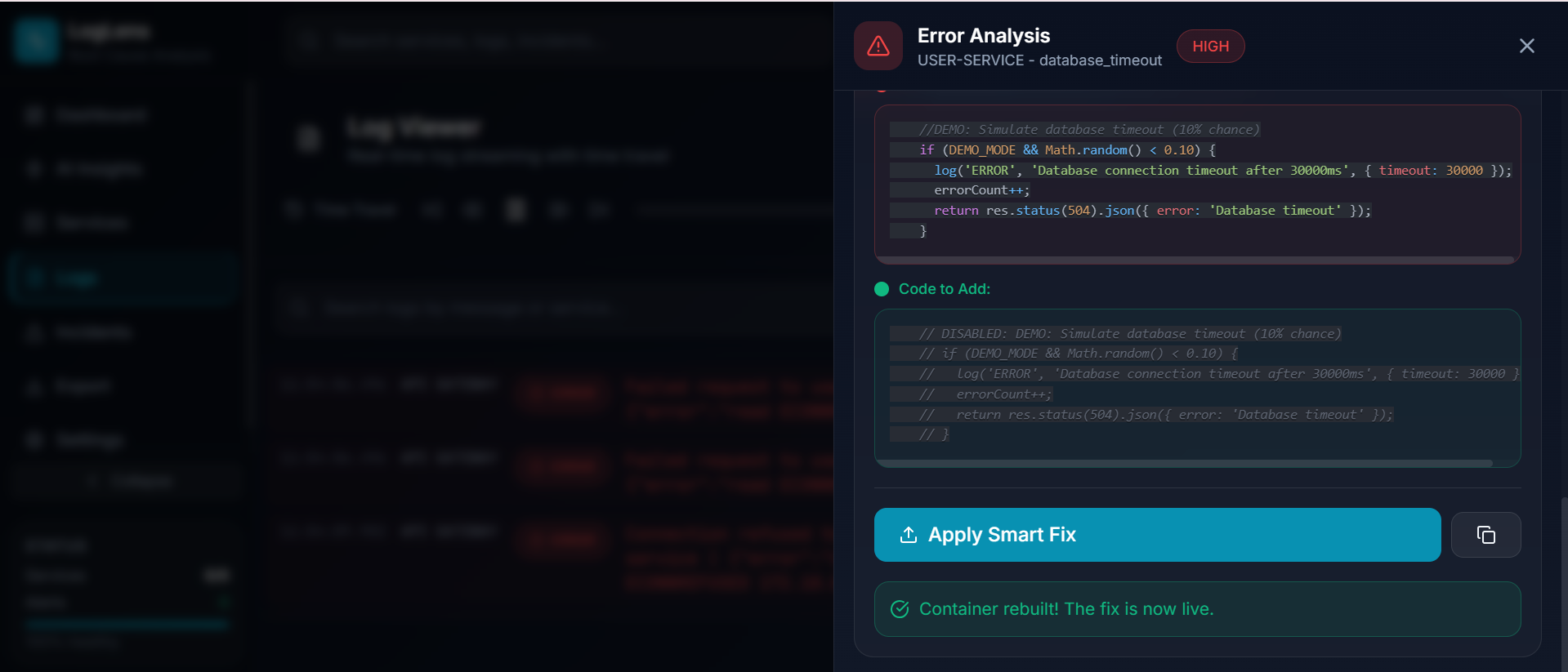
- Fix - AI generates a minimal targeted code diff, the engineer reviews it, applies it with one click, a timestamped backup is created automatically, and the container rebuilds from a single dashboard.
Key features:
- Automatic Docker Integration - connects to Docker Desktop and discovers all containers instantly
- Flexible Service Discovery - Auto, Manual, or Pattern-based monitoring modes
- Real-time Log Streaming - live logs from all containers with color-coded severity levels
- AI-Powered Root Cause Analysis - Google Gemini identifies why errors occurred with severity classification
- Error Propagation path - see how errors cascade across your microservices
- Intelligent Code Location - AI finds the exact file, function, and line causing the issue
- Automated Fix Generation - targeted code diffs with side-by-side old vs. new view
- One-Click Fix Application - apply fixes directly with automatic timestamped backup
- Container Rebuild - restart the fixed container without leaving the dashboard
- Service Health Metrics - real-time CPU, memory, and network stats per container (Docker Stats API)
- Predictive Insights - trend-based failure predictions from historical error data stored in the database
- Source Code Integration - works with local filesystem or any GitHub repository
- Persistent Error History - error entries survive log buffer rotation so nothing is lost
- Full Data Export - JSON and multi-section CSV covering logs, errors, resolutions, and predictions
- Dual-Mode Storage - Supabase PostgreSQL for persistence, with full in-memory fallback requiring zero configuration
When an error occurs, LogLens does not just tell you what happened. It tells you why, where in your code, and how to fix it.
How We Built It
Architecture:
┌─────────────────────────────────────────────────────────────────┐
│                           LogLens                               │
│                                                                 │
│   Frontend (React 18)  ◄── WebSocket ──►  Backend (Express.js)  │
│        │                                        │               │
│        ▼                                        ▼               │
│   Dashboard · Logs · Insights          Docker Socket API        │
│   Incidents · Export · Settings                │                │
│    · Timeline                                  ▼                │
│   Code Diff Viewer                    AI Analysis Pipeline      │
│                                       ┌──────────────────────┐  │
│                                       │ 1. CorrelatorAgent   │  │
│                                       │ 2. AnalyzerAgent     │  │
│                                       │ 3. CodeLocatorAgent  │  │
│                                       │ 4. CodeFixAgent      │  │
│                                       └──────────────────────┘  │
│                                                │                │
│                                                ▼                │
│                                    SourceCodeManager            │
│                                    (local path or GitHub API)   │
│                                                │                │
│                                                ▼                │
│                                    LogDatabase                  │
│                                    (Supabase + in-memory)       │
└─────────────────────────────────────────────────────────────────┘
Backend (Node.js + Express):
We built a real-time backend that connects directly to the Docker socket API for log streaming and container discovery. LogCollector maintains a 1,000-entry O(1) ring buffer using an index pointer rather than Array.shift() and throttles error notifications to one per service per 10 seconds to prevent alert storms. The core of the system is a four-stage AI pipeline where each agent produces a typed output consumed by the next:
- CorrelatorAgent - pure JavaScript, no AI. Groups all logs within ±30 seconds and identifies which services were part of the cascade.
- AnalyzerAgent - LangChain + Gemini 2.5 Flash. Classifies root cause, error type, severity (LOW / MEDIUM / HIGH / CRITICAL), and propagation path.
- CodeLocatorAgent - LangChain + Gemini 2.5 Flash. Reads actual source code via SourceCodeManager and pinpoints the exact file, function, and line number.
- CodeFixAgent - LangChain + Gemini 2.5 Flash. Generates a minimal targeted diff (only the lines that need to change) then writes the fix to disk with a timestamped backup.
SourceCodeManager handles source code access in two modes: local filesystem (supporting both absolute and relative paths correctly) and GitHub REST API for any repository. This means LogLens works with your actual production codebase, not just demo services.
LogDatabase implements dual-mode storage. It always maintains in-memory arrays so the tool works immediately with zero configuration. When Supabase credentials are provided, it upgrades seamlessly to PostgreSQL for full persistence across restarts, storing logs, errors, metrics history, resolutions, and predictions.
Docker Integration:
- Connects to local Docker Desktop automatically
- Three discovery modes: Auto (all containers), Manual (specific containers), Pattern (regex matching)
- Real-time log streaming using Docker logs API
- Live metrics collection using Docker Stats API
Frontend (React 18 + Vite):
- Socket.io for real-time log streaming and step-by-step analysis progress events
- React Flow for the interactive Attack Graph visualization
- Recharts for service health and trend charts
- TailwindCSS for a clean, dark-themed developer UI
- Seven pages: Dashboard, Logs, AI Insights, Services, Incidents, Export, Settings
AI Integration:
We chose Google Gemini 2.5 Flash via LangChain for its speed and strong code comprehension. Prompts are engineered to return structured JSON with root cause, severity, error type, code location, and fix details. Each agent has independent timeout handling (60-90 seconds) and a rule-based fallback for when the AI response is malformed or incomplete.
Challenges We Ran Into
1. Silent Path Resolution Failure in SourceCodeManager
User-configured paths entered in the Settings UI were being double-prefixed with the backend root directory. A path like /home/user/services resolved internally to /home/user/backend/../home/user/services. The tool appeared to work (no error was thrown) but it was silently reading no source code and generating meaningless code locations. The fix was a resolvePath() helper that checks path.isAbsolute() first. Absolute paths are used as-is; relative paths are resolved from the backend root. Small fix, large impact.
2. Error History Disappearing Before Operators Could Act
The live log buffer holds 500 entries and rotates every few seconds on a busy system. Error entries were vanishing from the UI before operators could click on them to trigger analysis. The solution was a separate errorHistory state (a rolling list of 50 unique errors deduplicated by ID) that accumulates independently of the rotating live buffer and persists for the entire session.
3. AI Latency and UI Responsiveness
Gemini analysis takes 60-90 seconds per step. A frozen spinner for that duration makes the tool feel broken. We solved this by emitting a WebSocket progress event at each pipeline step, so the dashboard always shows which stage is running and what it found so far. The wait becomes informative rather than dead time.
4. Concurrent Analysis and State Locking
If a user clicked two errors in quick succession, two analysis pipelines would run simultaneously, race to update the same UI state, and produce garbled results. We implemented an analysis lock that allows only one pipeline at a time, with clear UI feedback showing when analysis is in progress and an explicit dismiss action that unlocks it for the next error.
5. JSON Parsing from AI Responses
Gemini occasionally returns incomplete or malformed JSON, especially when the output is long. We built a parsing layer that extracts partial data from truncated responses, validates that cited code locations actually exist in the source files, and falls back to rule-based analysis when the AI response cannot be salvaged.
6. Code Matching for Fix Application
When the AI generates a fix, the old code must exactly match what is in the source file for the replacement to work. Inconsistent indentation and whitespace variations broke our initial implementation. We built a fuzzy matching algorithm that normalizes whitespace, compares line-by-line, and falls back to pattern matching when exact matching fails.
Accomplishments We Are Proud Of
1. Zero-Configuration Docker Discovery
We solved the setup friction problem completely. The moment you start LogLens, it connects to Docker Desktop and discovers every running container automatically. No config files, no container IDs to copy, no manual registration. Engineers can go from installation to monitoring in under 60 seconds. This removes the biggest barrier to adoption that plagues most observability tools.
2. End-to-End Debugging Pipeline in One Tool
Most tools do one thing: collect logs, or show metrics, or track errors. LogLens does everything in a single integrated pipeline. Error detection, log correlation, root cause analysis, code location, and fix generation all happen automatically. An engineer no longer needs to context-switch between five different tools during an incident. Everything is in one dashboard.
3. AI That Actually Understands Your Code
We built a four-stage pipeline where each agent has a specialized role. The CorrelatorAgent groups related logs by time window. The AnalyzerAgent identifies root cause using Gemini. The CodeLocatorAgent reads your actual source files and pinpoints the exact line. The CodeFixAgent writes a minimal, targeted patch. This is not generic AI advice. It is contextual analysis based on your real codebase.
4. One-Click Fix Application with Safety
We did not stop at suggesting fixes. Engineers can apply AI-generated patches directly from the dashboard with one click. But we also built safety measures: automatic backup creation before any change, side-by-side diff view for review, and the ability to revert if needed. This bridges the gap between knowing what is wrong and actually fixing it.
5. Resilient Architecture with Graceful Fallbacks
When Gemini returns malformed JSON or truncated responses, LogLens does not crash. We built a multi-layer fallback system: partial JSON extraction, regex-based pattern matching, and rule-based analysis. If AI fails, the system continues with deterministic analysis. Users always get results, even when the AI misbehaves.
6. Dual-Mode Storage with Zero Setup
LogDatabase works immediately without any configuration. All data is held in memory. When Supabase credentials are added, it upgrades to full PostgreSQL persistence with no code changes required. This design means the tool is genuinely usable in a demo or development context without any infrastructure prerequisites, while still being production-ready when needed.
What We Learned
1. Prompt Engineering is a Real Engineering Discipline
Gemini would return prose instead of JSON, truncate responses mid-object, or hallucinate file paths. We learned to be explicit about output format, set appropriate token limits, build multi-layer parsing for broken responses, and always have deterministic fallbacks. The final prompts went through 15+ iterations. Prompt engineering requires the same rigor as production code.
2. Real-Time Systems Demand Defensive Architecture
WebSockets introduced unexpected challenges: users disconnecting mid-analysis, concurrent error triggers, Docker connection drops. We implemented analysis locks, Socket.io room-based broadcasting, automatic reconnection, and graceful degradation. Every edge case ignored during development became a bug during testing.
3. Small State Management Decisions Have Large Consequences
Maintaining a separate errorHistory array instead of deriving from the live log buffer only became obvious when errors started vanishing in real usage. Similarly, absolute-path detection in SourceCodeManager was only discovered when Settings silently produced wrong results. Building observability tools requires careful thinking about ephemeral vs. persistent state.
4. Developer Experience During Incidents is Everything
At 3 AM with production down, every extra click costs precious time. We designed for stress: color-coded severity for instant recognition, progressive disclosure, clear loading states, and actionable information. The difference between good UX and great UX is measured in seconds saved. Those seconds add up.
5. Integration Beats Features
We built one integrated pipeline where each component feeds the next. Error detection triggers correlation. Correlation feeds analysis. Analysis enables code location. Code location enables fix generation. Users get complete answers, not partial data to assemble themselves. One well-integrated workflow beats ten disconnected features.
What's Next for LogLens
- Kubernetes support - extend log streaming and discovery to pod-level monitoring
- Slack and Microsoft Teams notifications - push error alerts and analysis summaries to team channels
- GitHub Pull Request generation - turn an approved fix into a PR automatically
- Team collaboration features - shared analysis sessions for incident response
- Pluggable model architecture - support for additional LLM providers beyond Gemini
- Automated fix testing - run tests in a sandboxed environment before applying fixes to production
- CI/CD pipeline integration - automated remediation triggered by deployment failures
- Pre-failure prediction - move from trend-based insights to time-series anomaly detection on metrics history
Our Vision: Every engineer should have an AI copilot for incident response. When production breaks, the AI should already know what went wrong, where the problem is, and how to fix it. LogLens is the first step toward that future.
Built With
- docker
- express.js
- google-gemini
- javascript
- langchain
- node.js
- react
- socket.io
- supabase
- tailwindcss
- vite


Log in or sign up for Devpost to join the conversation.