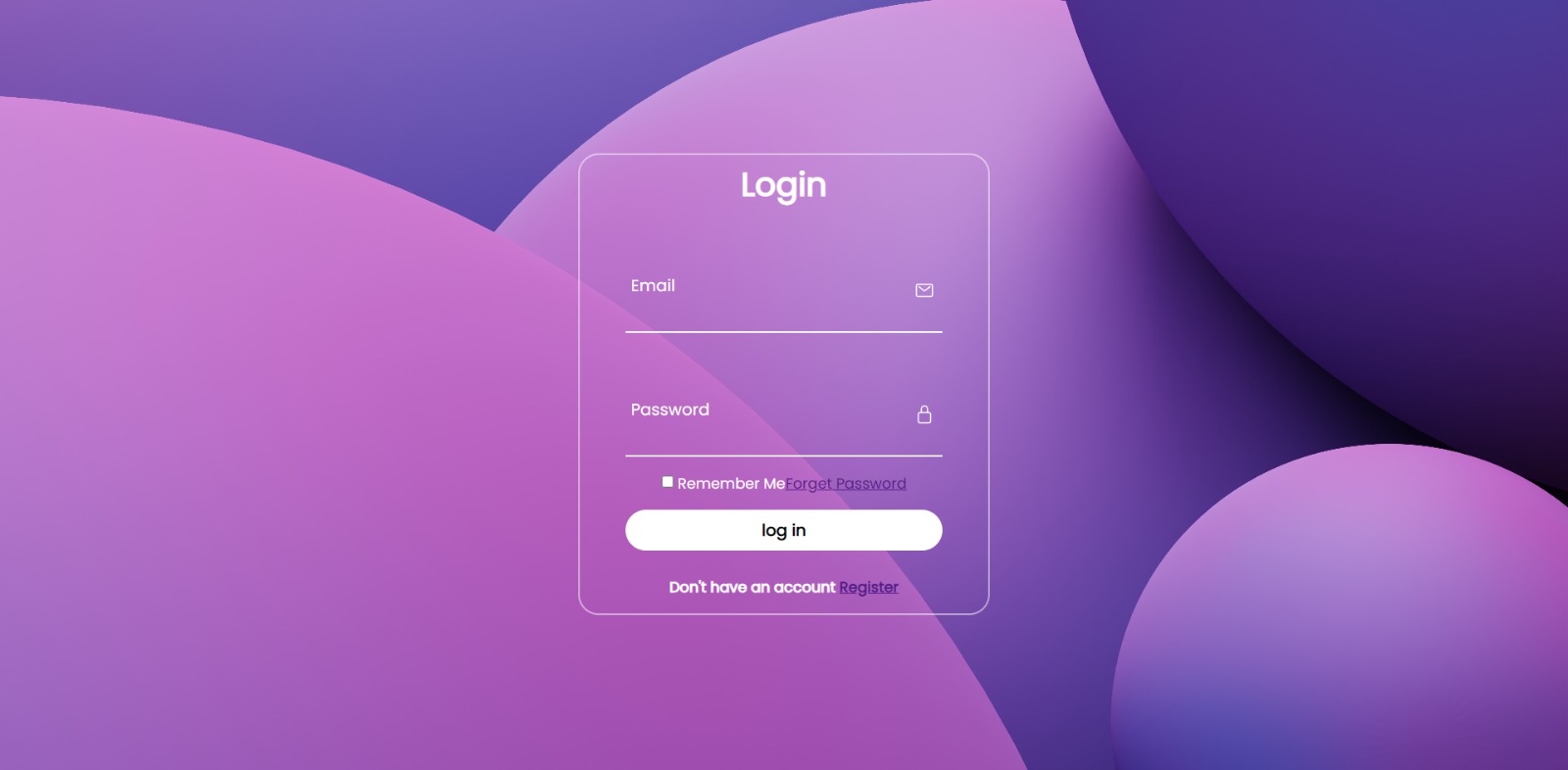
Project Journey: Designing a Login Page
Inspiration
The inspiration for designing this login page came from my desire to create a seamless and user-friendly experience for website visitors. I wanted to design a login page that not only captured attention but also conveyed a sense of trust and efficiency.
Learning Experience
Throughout the project, I gained valuable insights into user interface (UI) design principles and the importance of a well-crafted login page. I delved into research on user psychology, studying how visual elements, color schemes, and typography can impact user perception and engagement. I also explored best practices for form design and validation, ensuring a smooth user experience.
Building Process
To build the login page, I followed a structured approach:
Defining Goals: I outlined the main objectives of the login page, such as emphasizing security, simplicity, and accessibility.
Wireframing: Using design tools like Sketch or Figma, I created wireframes to visualize the layout, placement of elements, and overall user flow. This step allowed me to iterate and refine the design before moving to the next stage.
Color Scheme and Typography: I carefully selected a color palette that evoked trust and professionalism, opting for shades of blue and gray. For typography, I aimed for a balance between readability and aesthetics, choosing clean and modern fonts.
Visual Elements: To create visual interest, I incorporated a captivating background image or an eye-catching illustration that was relevant to the website's theme. I also added subtle animations to enhance user engagement without overwhelming the page.
Form Design and Validation: The login form was designed to be intuitive and user-friendly. I focused on clear labeling, proper input fields, and helpful validation messages to guide users through the login process smoothly.
Responsive Design: Ensuring a seamless experience across devices was crucial. I employed responsive design techniques, adapting the layout and elements to fit various screen sizes and orientations.
Testing and Iteration: I conducted user testing sessions to gather feedback on the login page's usability, clarity, and visual appeal. Based on the feedback received, I made necessary adjustments and refinements.
Challenges Faced
While designing the login page, I encountered a few challenges:
Balancing Security and Usability: Striking the right balance between stringent security measures and a frictionless login experience was a challenge. I had to implement robust authentication protocols while avoiding overwhelming users with complex requirements.
Ensuring Accessibility: Meeting accessibility standards, such as providing alternative text for images and using proper color contrast, posed a challenge. I had to ensure that the login page was usable for users with disabilities or impairments.
Cross-Browser Compatibility: Achieving consistent visual rendering and functionality across different web browsers was a challenge. I dedicated time to rigorous testing and optimization to address any compatibility issues.
Conclusion
Designing a login page was an enriching experience that allowed me to dive deep into UI design principles, user psychology, and the importance of a well-crafted user login experience. Overcoming challenges and iterating based on user feedback helped me refine the design and create a login page that seamlessly combines aesthetics, usability, and security. I am excited to continue applying these learnings to future design projects.

Log in or sign up for Devpost to join the conversation.