-
-
-
WORKFLOW
-
-
-
-
-
-
-
-
-
-
-
-
-
-
-
-
The Problem That Kept Us Up at Night
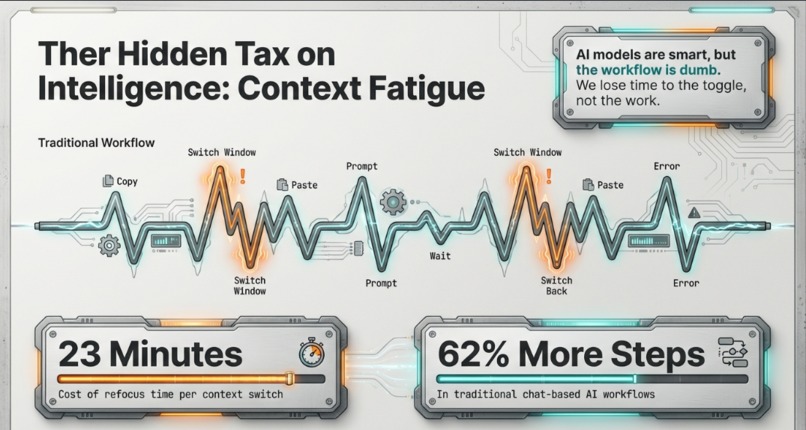
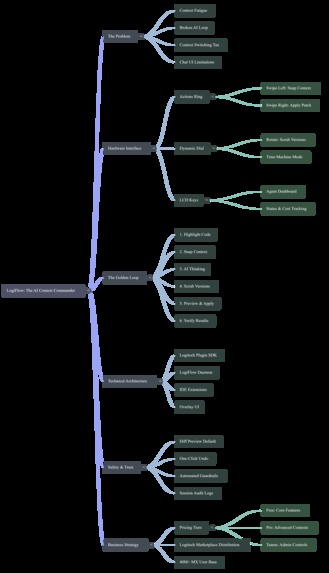
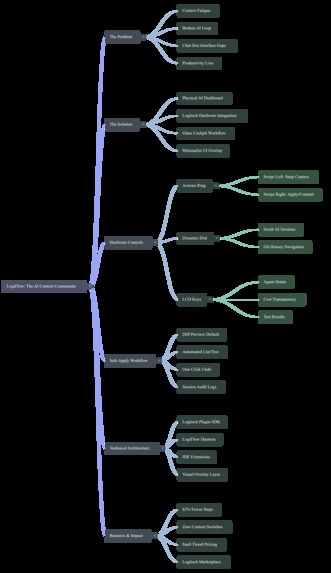
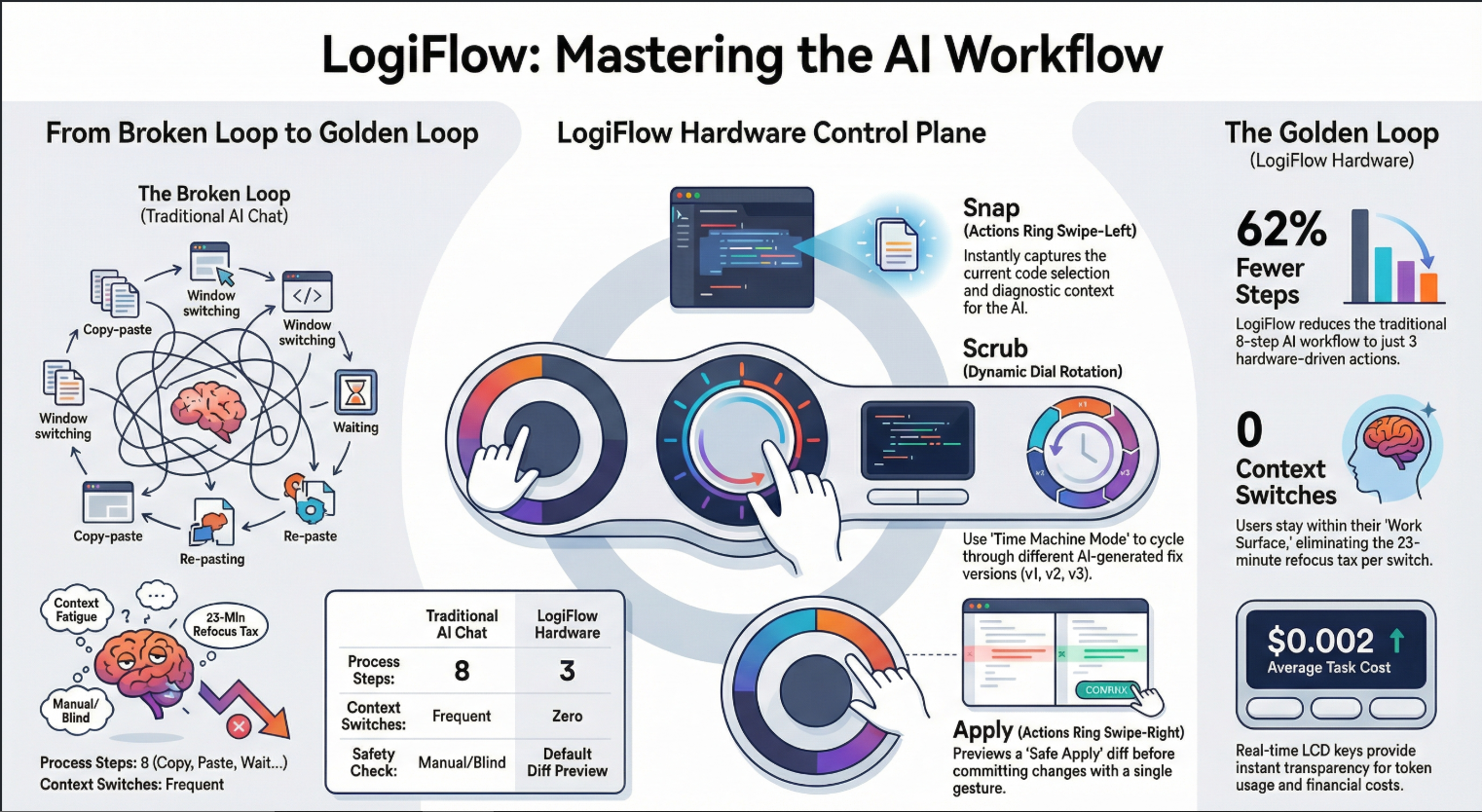
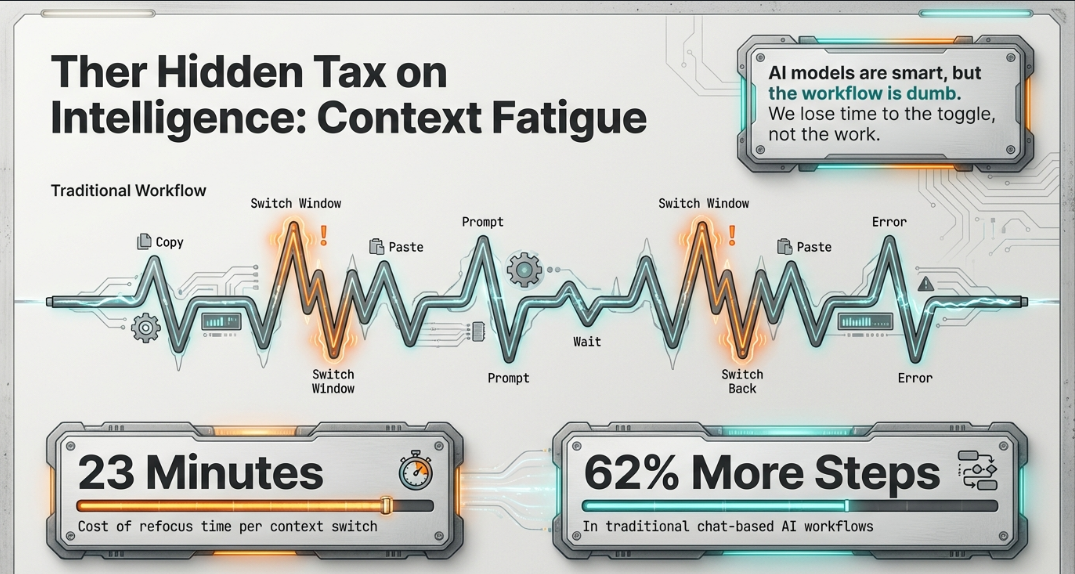
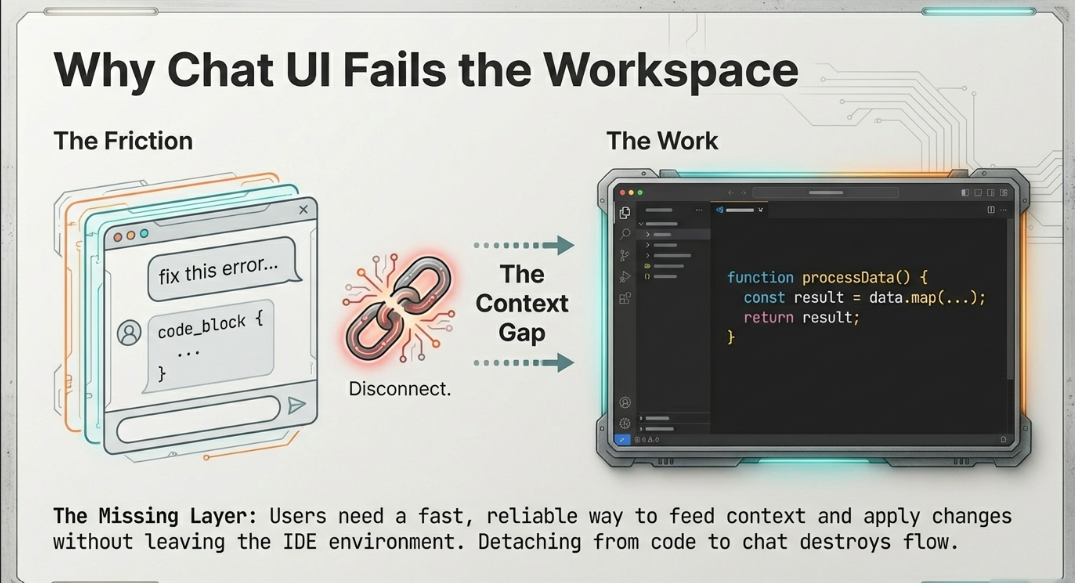
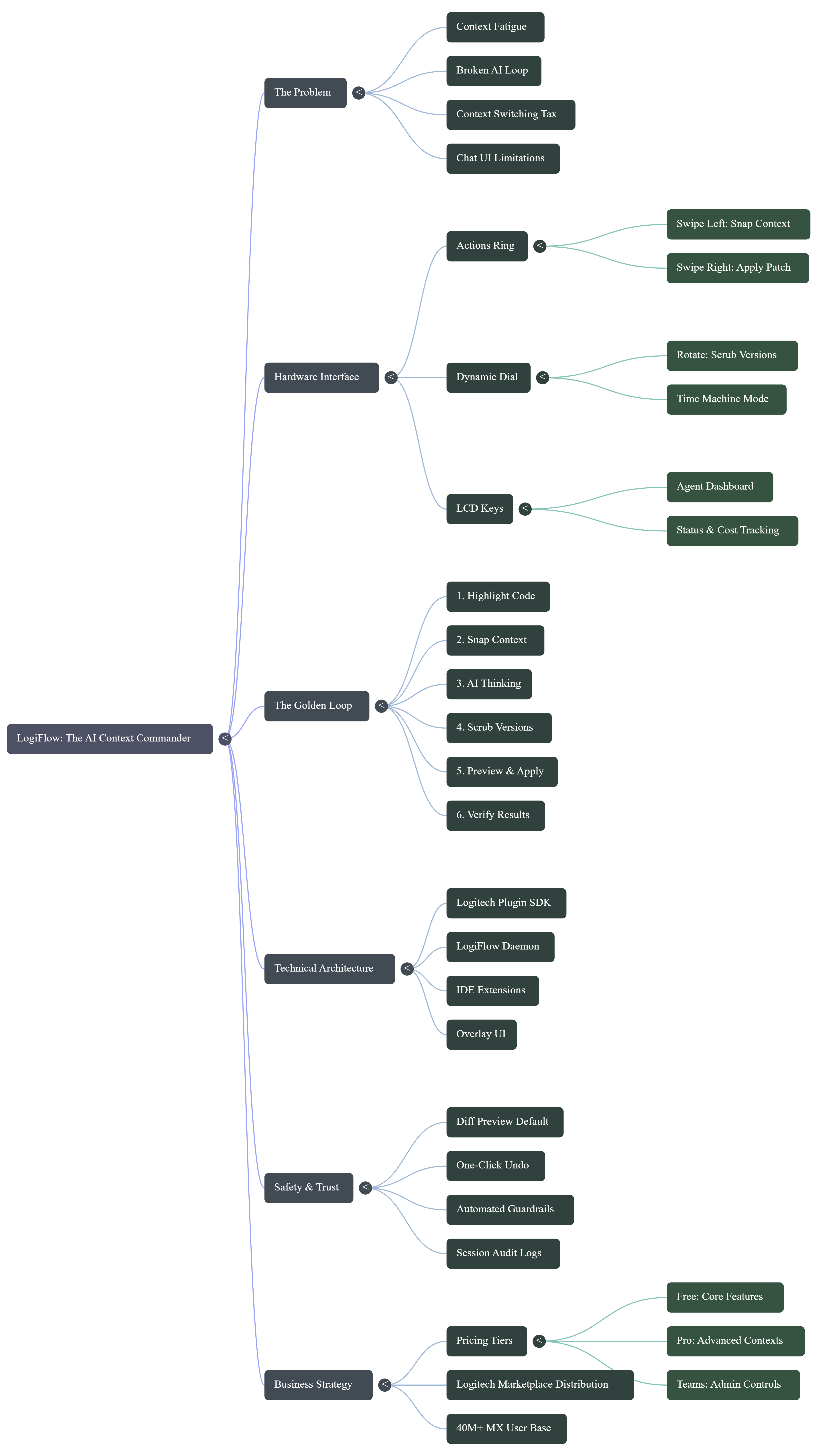
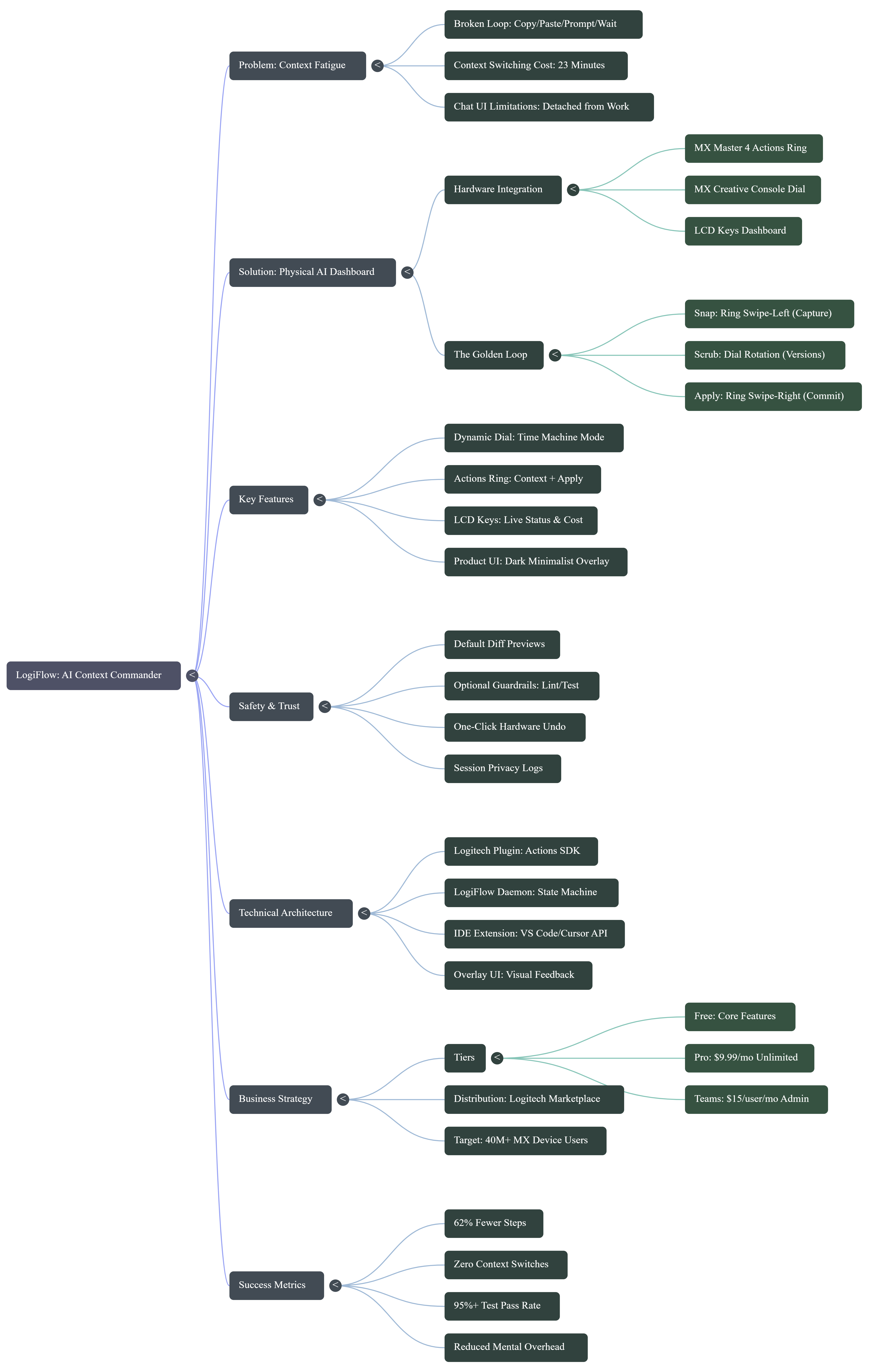
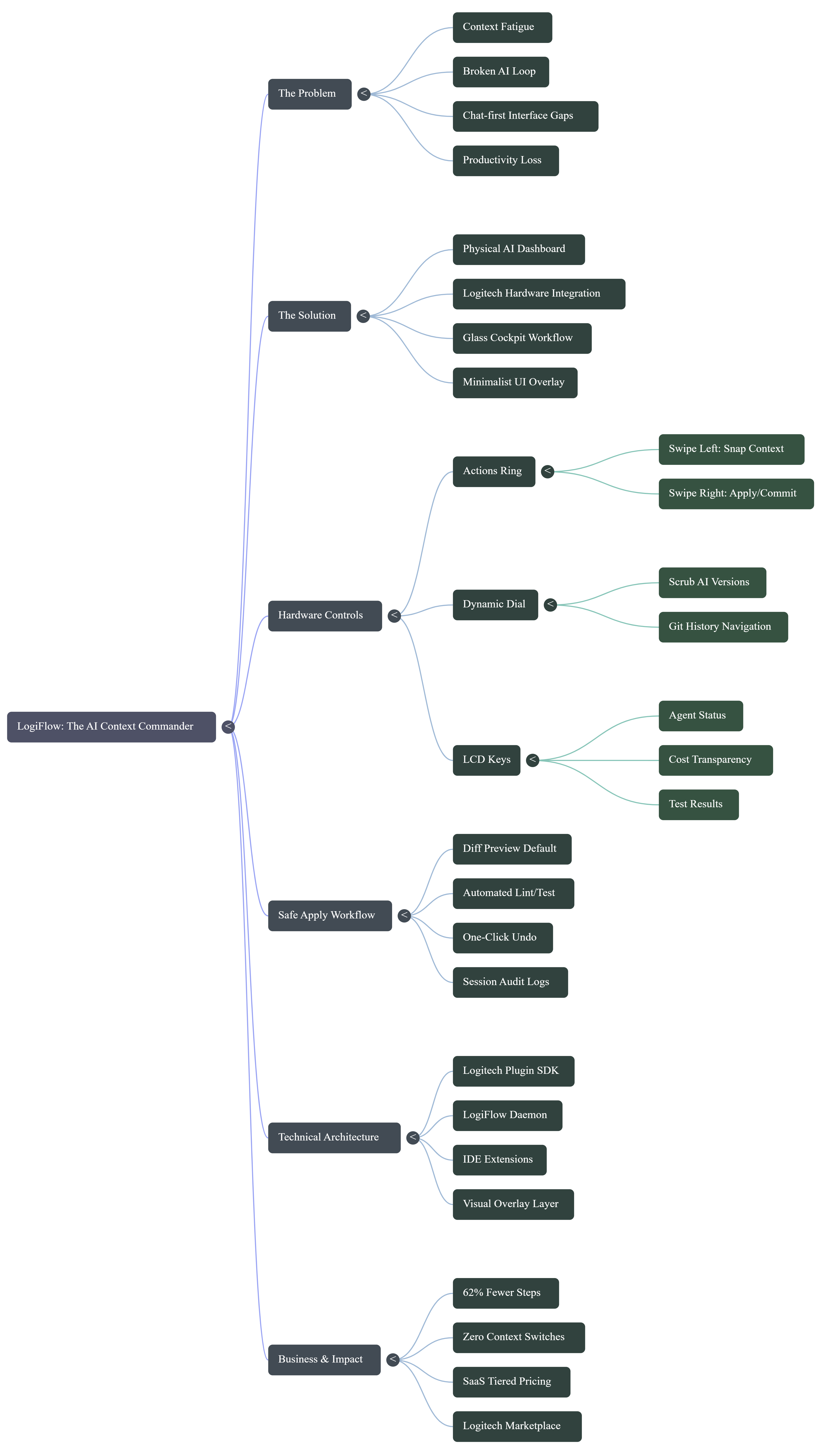
Every developer using AI today lives in a broken loop: copy → paste → prompt → wait → interpret → apply → pray it doesn't break anything. Each context switch out of your IDE costs 23 minutes of refocus time. We weren't building slower we were spending all our energy managing AI instead of building with it.
The worst part? The hardware on our desks was already powerful enough to fix this. We just weren't using it right.
The Insight
Logitech's MX devices aren't peripherals. They're an untapped control plane
a physical layer between human intent and machine action. What if your hands never
had to leave your hardware to use AI? What if you could feel how confident the AI
was in its suggestion?
That's LogiFlow.
What We Built
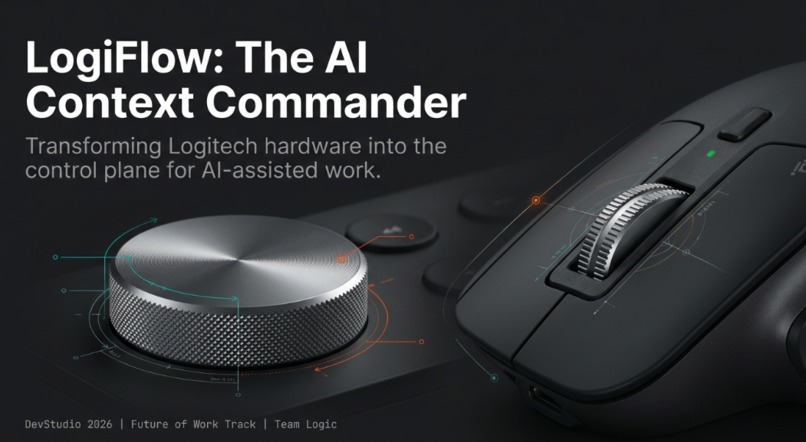
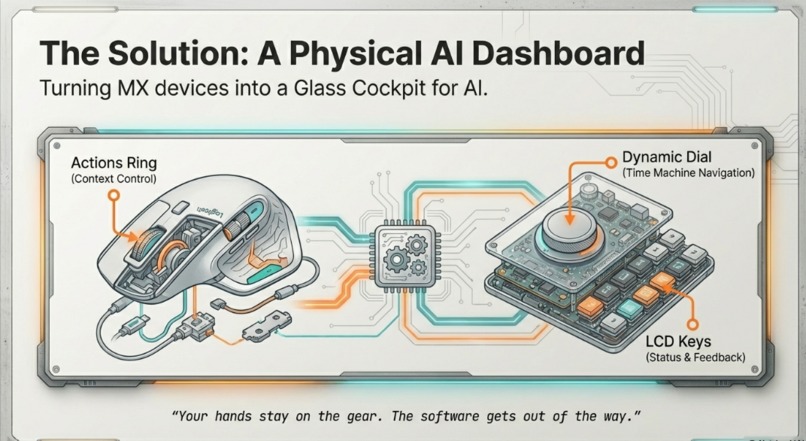
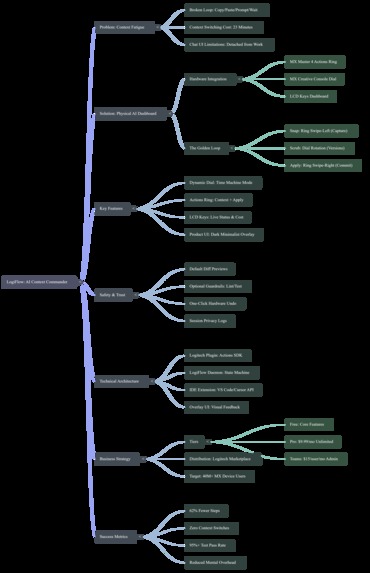
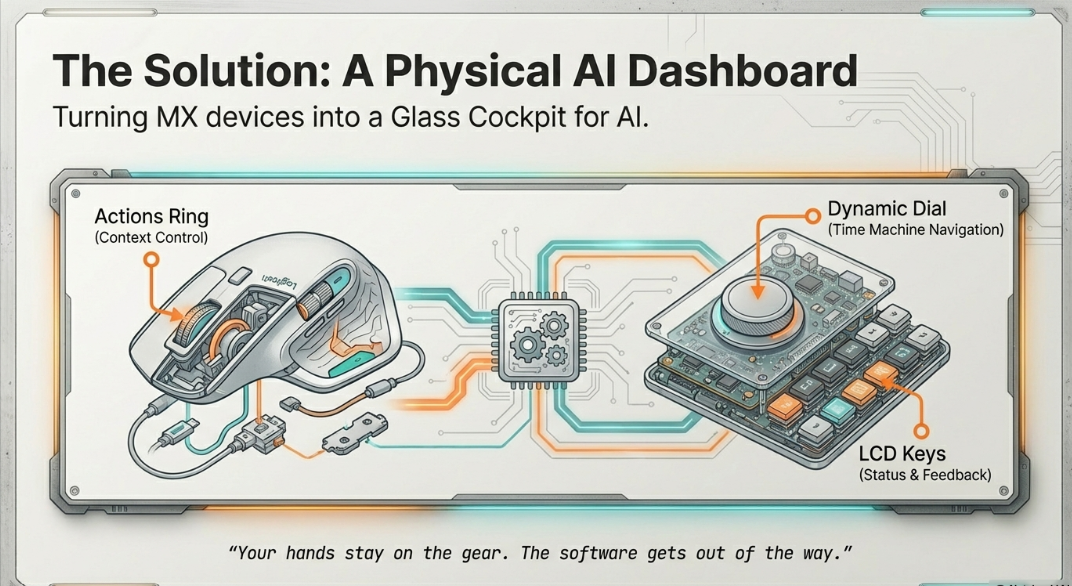
LogiFlow transforms your MX Master 4 + MX Creative Console into a physical AI dashboard a "glass cockpit" for AI assisted development.
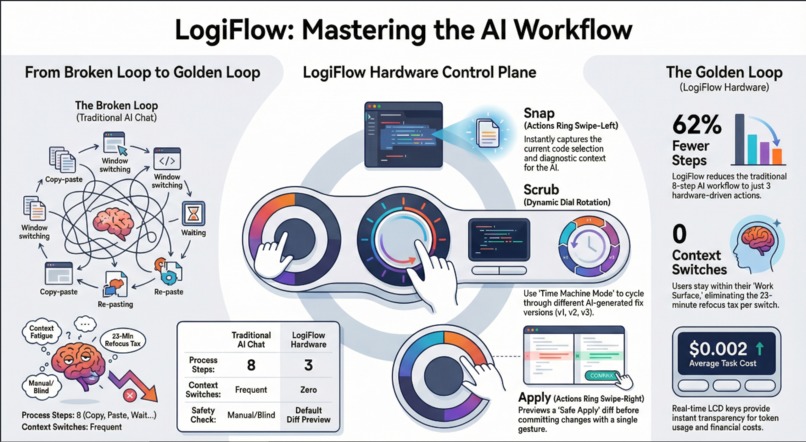
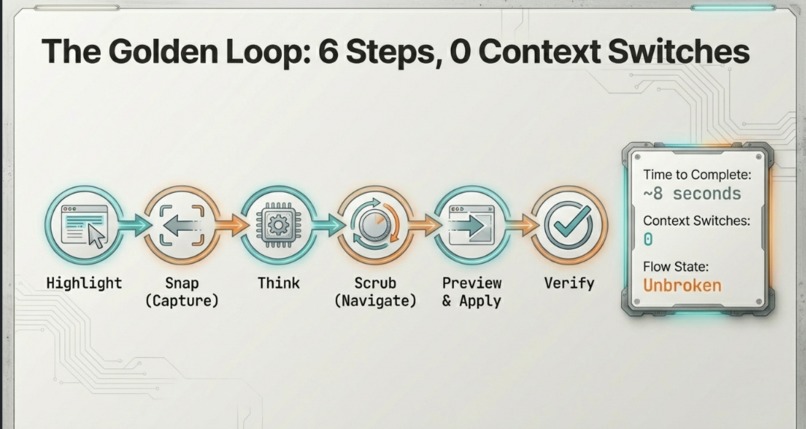
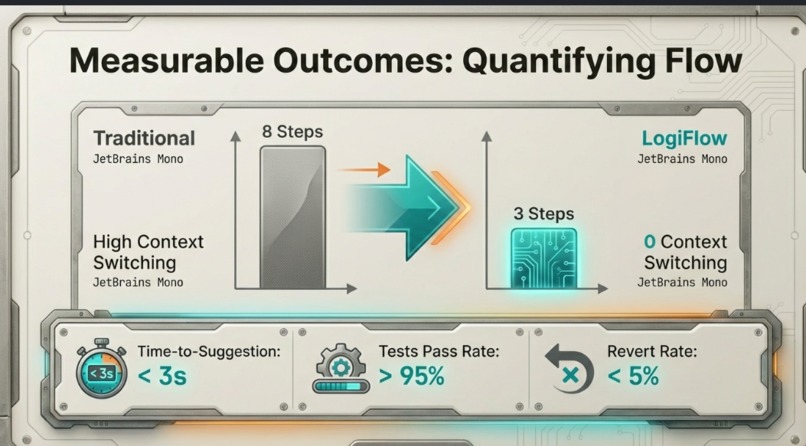
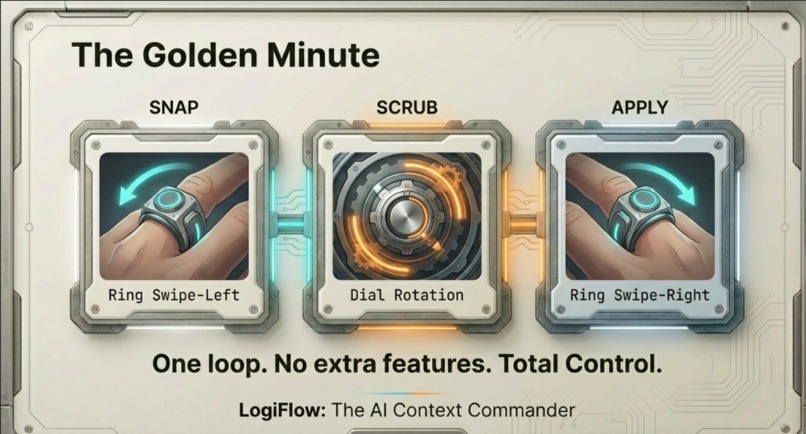
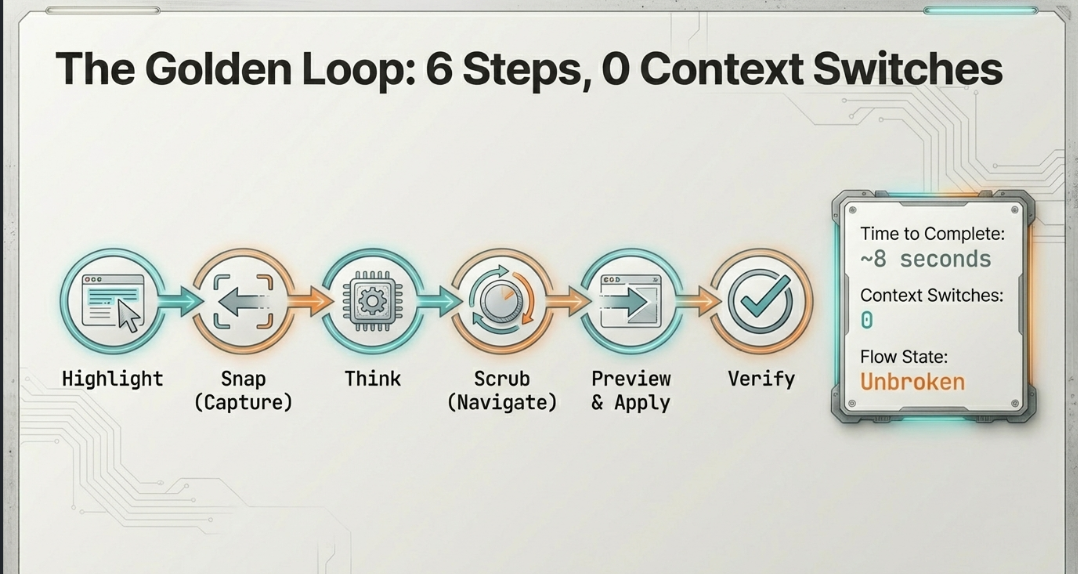
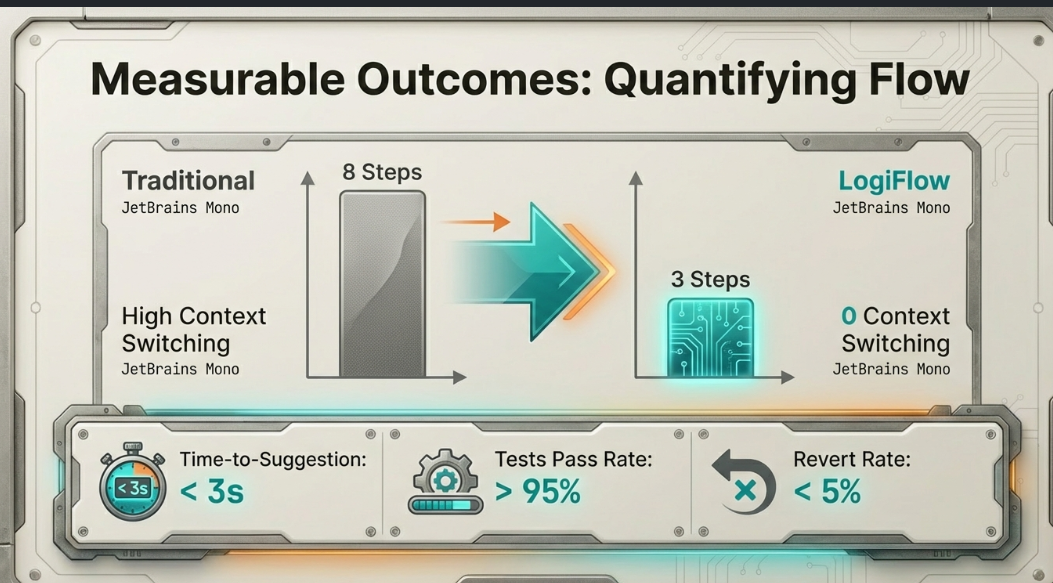
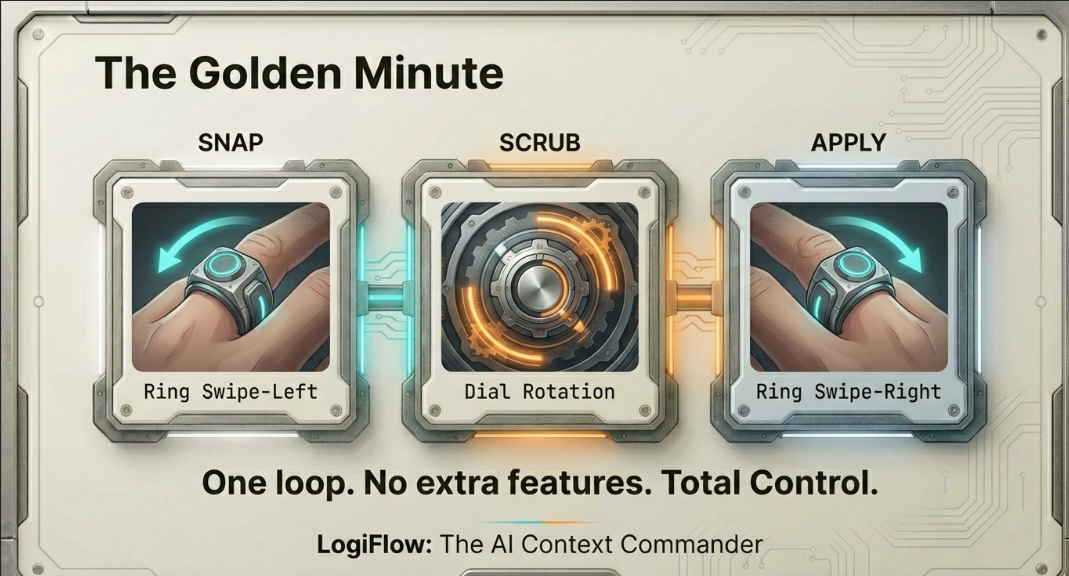
The Golden Loop (8 seconds, 0 context switches)
- Highlight failing code or an error message
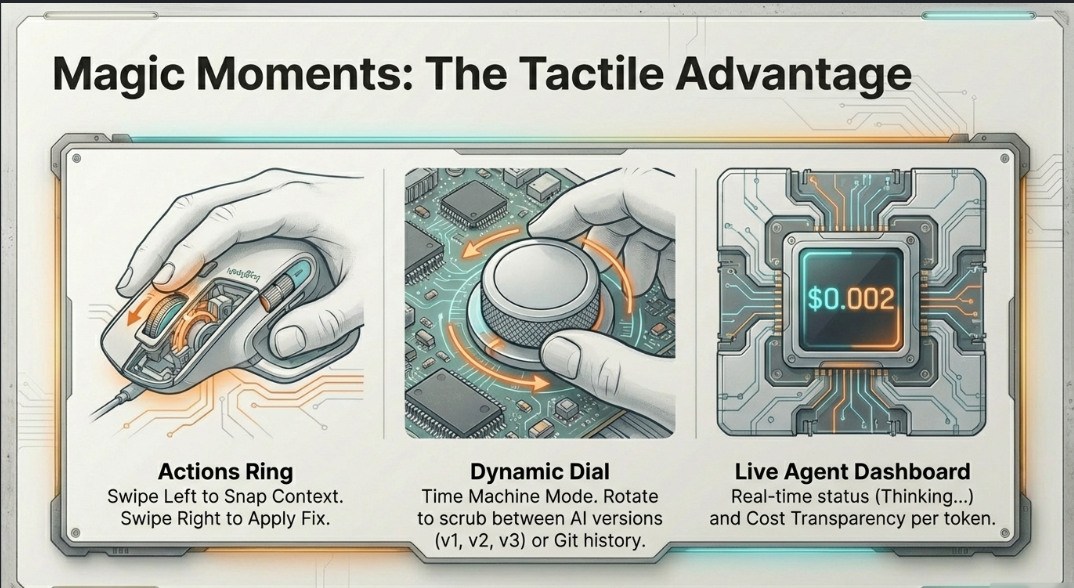
- Ring swipe-left → Context Snap captures selection + diagnostics + stack trace
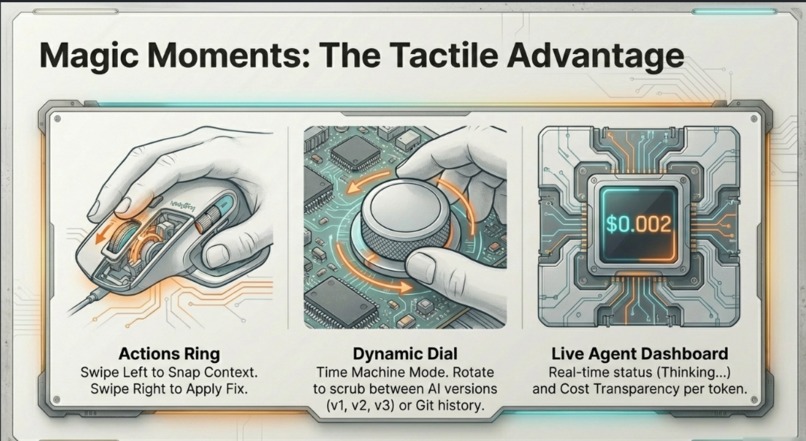
- LCD keys show live AI status, token count, and cost in real time
- Dial rotation → Scrub between AI fix versions (v1 → v2 → v3) like a timeline
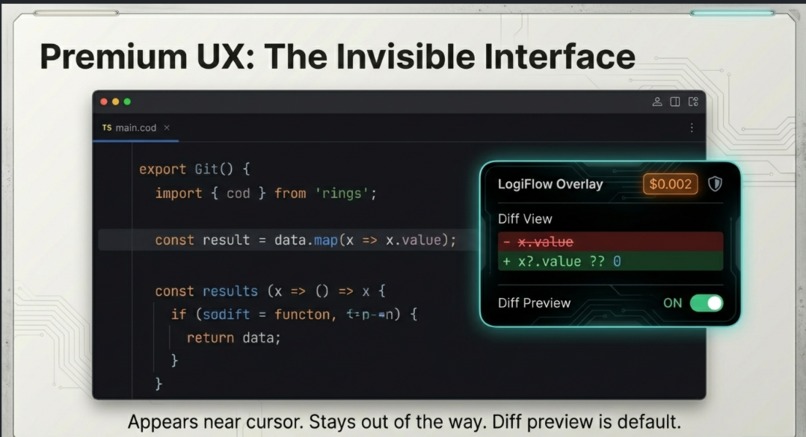
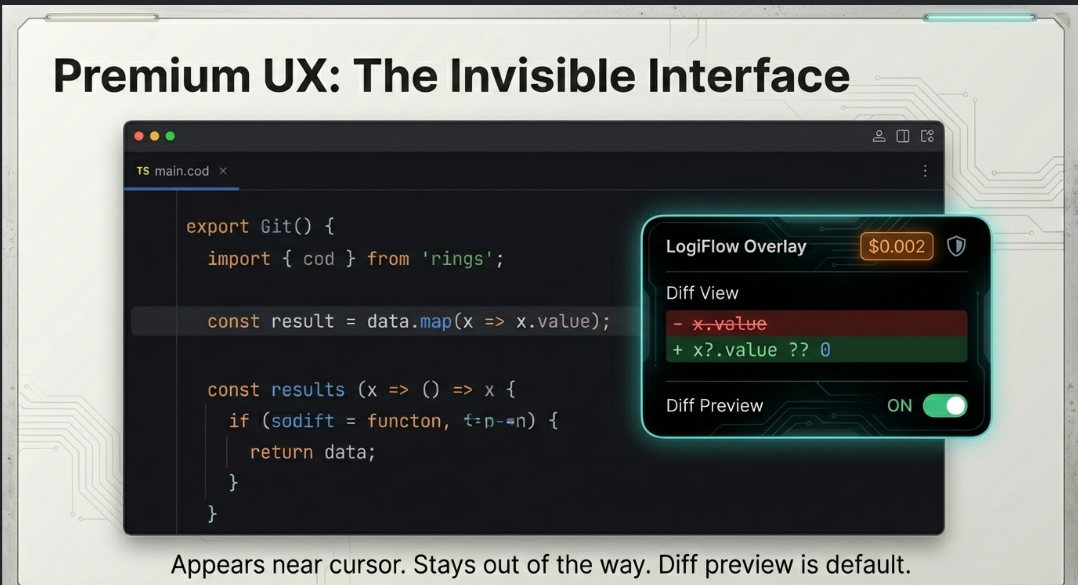
- Ring swipe-right → Diff preview appears near your cursor
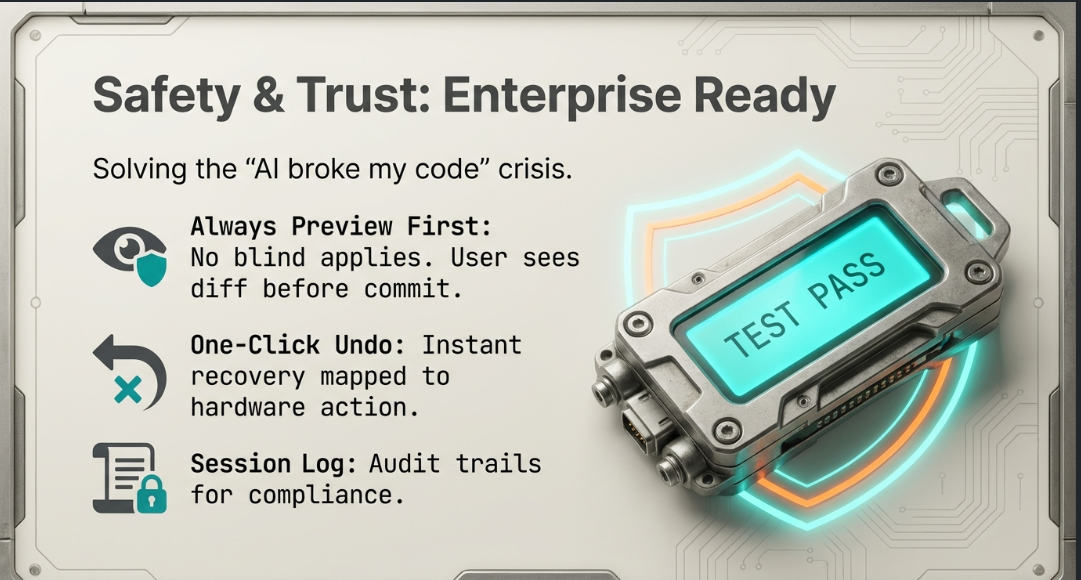
- Confirm → patch applied; LCD shows PASS/FAIL from your test runner
The Feature That Changes Everything: Haptic Confidence
We mapped MX Master 4's SmartShift scroll resistance to AI confidence scores. A high-confidence fix = smooth, light wheel. A low-confidence guess = stiff resistance. You feel the quality of a suggestion in your hand before you read it.
No chat UI, no keyboard shortcut, no other tool in the world can do this without Logitech hardware. It's physically impossible to copy.
Safe Apply :) Trust-First by Default
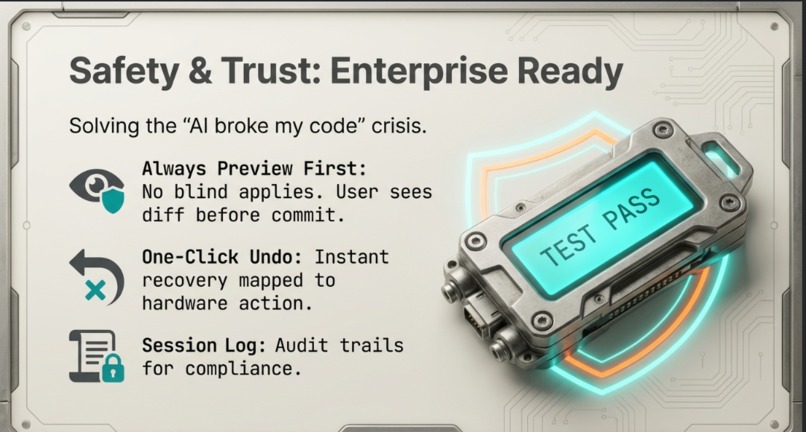
AI tools that apply changes blindly destroy developer trust. LogiFlow never applies anything without showing a diff preview first. Every action is reversible with a single hardware button. A session log tracks every context used and every change made privacy-respecting, always auditable.
The Control Scheme
- Actions Ring swipe-left → Snap Context (captures selection + diagnostics)
- Actions Ring swipe-right → Apply selected fix with diff preview
- Actions Ring hold → Bookmark context for later
- Dynamic Dial rotate → Scrub AI versions or Git history
- Dynamic Dial press → Toggle preview ↔ apply mode
- 9 LCD Keys → Live Mission Control: Focus file, Risk level, Cost tracker, Undo, Explain, Run Tests, and a RIVAL key (swap AI models mid-session)
How We Built It
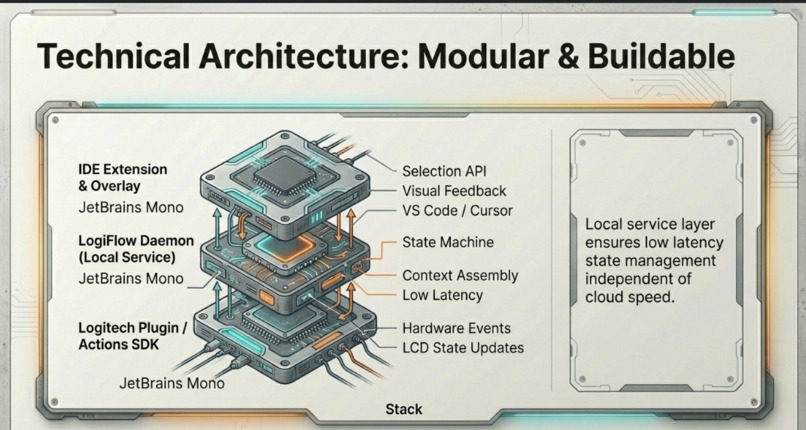
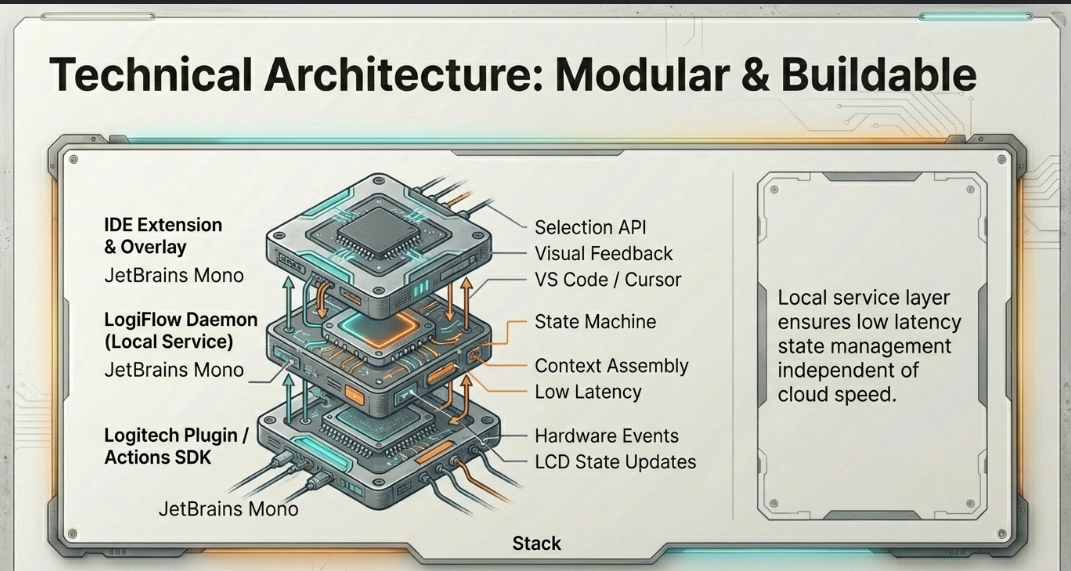
The architecture is intentionally simple and modular:
[Logitech Plugin] ←→ [LogiFlow Daemon] ←→ [IDE Extension] ←→ [Overlay UI]
  Actions SDK           Local service        VS Code / Cursor    Diff preview
  LCD state             State machine        Selection API        Iteration list
  Hardware events       AI calls             Diagnostics          LCD updates
The daemon runs locally your code never leaves your machine unless you explicitly send it to an AI API. The IDE extension hooks into VS Code's Selection and Diagnostics APIs. The overlay renders near the cursor using an Electron shell, not a separate window you have to manage.
The Challenges We Faced
LCD latency was brutal early on. Pushing state updates to the LCD fast enough
to feel real-time required aggressive debouncing and a dedicated render queue
the naive approach introduced a 400ms lag that broke immersion completely.
Diff application safety was harder than expected. Applying AI-generated patches to live files without corrupting unsaved changes required us to build a mini patch-conflict resolver on top of VS Code's workspace API.
Haptic calibration mapping a 0-1 confidence float to meaningful wheel resistance levels took more iteration than any other feature. Too subtle and users miss it. Too aggressive and it feels broken. We ended up with a non-linear curve that front-loads the sensation at the extremes.
What We Learned
The interface layer matters as much as the AI layer. A slightly worse model with a dramatically better interaction model will win every time. LogiFlow isn't about making Claude or GPT smarter it's about making the loop between human and AI so fast and trustworthy that developers stop thinking of AI as a tool and start thinking of it as a collaborator that lives in their hands.
The Bigger Picture
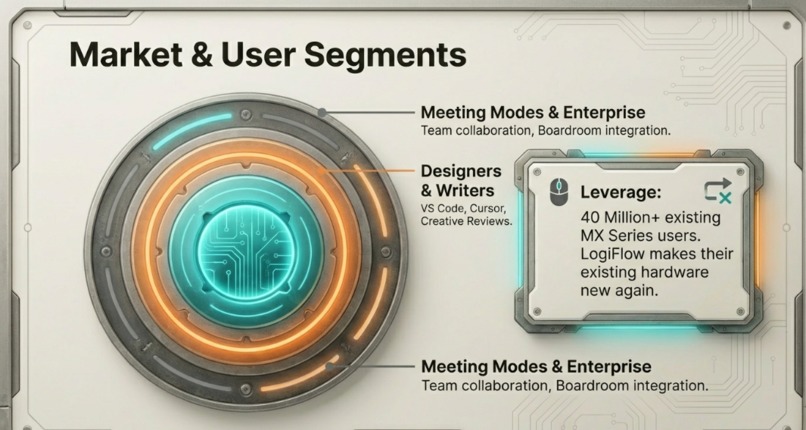
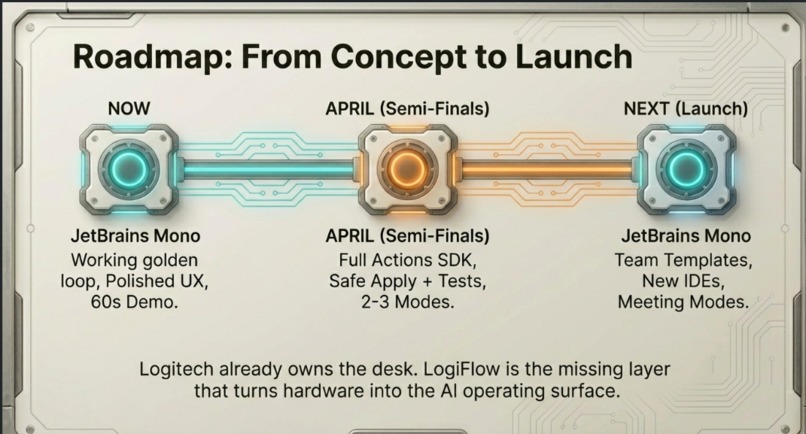
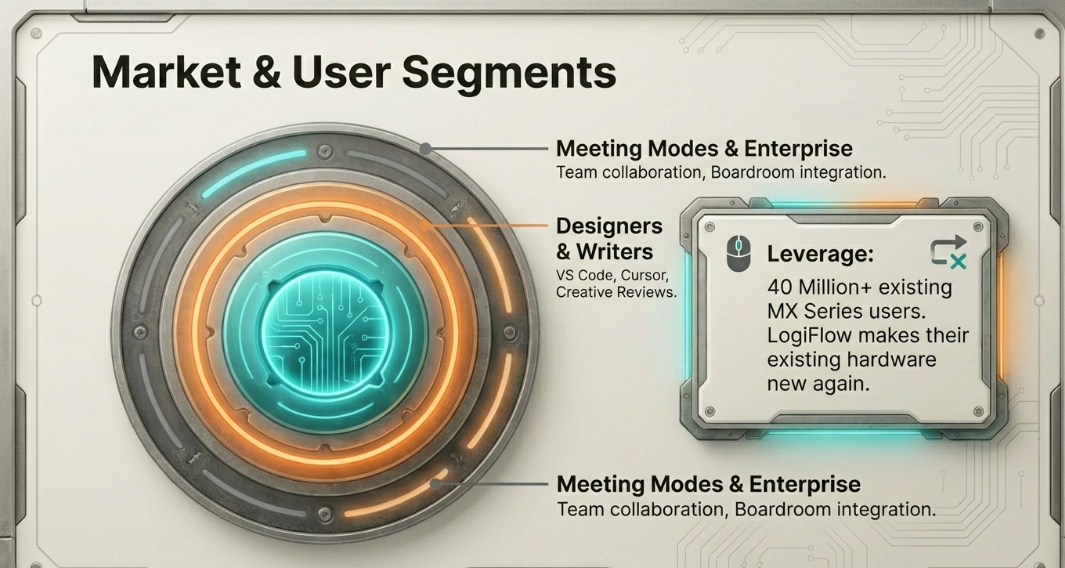
Logitech already owns the desk. 40M+ MX users. LogiFlow is the missing layer that turns that hardware into the AI operating surface for the next decade of work.
The roadmap goes far beyond code: meeting modes that snap the last 30 seconds of audio as context, writing assistants for docs and reviews, and a LogiFlow SDK that lets any application plug its own AI actions into the ring.
We built the golden loop. The platform follows.
"This is what your mouse was waiting to become."
Inspiration
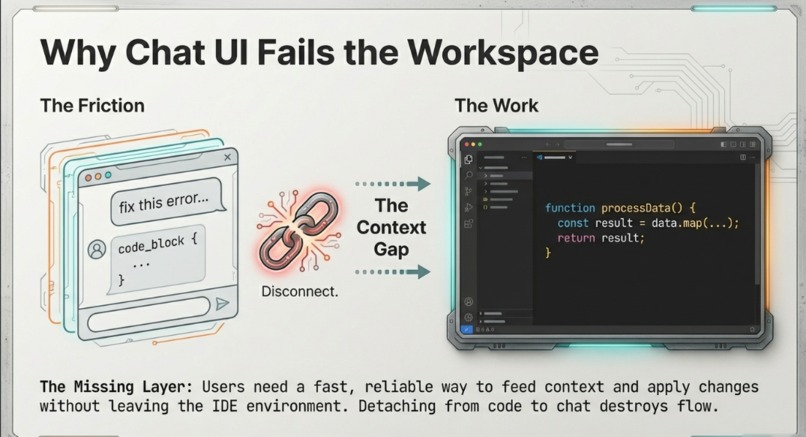
We were deep in a debugging session at 11pm when it hit us: we'd spent more time managing our AI tools than actually writing code. Copy the error. Switch to the chat window. Paste context. Wait. Read the response. Switch back. Apply manually. Pray it doesn't break anything. Repeat.
Every context switch cost us focus. Every paste lost nuance. The AI was powerful
but the interface to reach it was destroying our flow.
Then we looked at the MX Creative Console sitting right next to the keyboard, mostly being used to adjust volume. Nine LCD keys. A dial. An actions ring. A mouse with programmable resistance in the scroll wheel.
We thought: what if the hardware already on our desks could become the AI interface we actually needed? Not another chat window. Not another sidebar. A physical control plane that lets you feel, scrub, and commit AI actions without ever leaving your work.
That question became LogiFlow.
What It Does
LogiFlow turns your Logitech MX Master 4 and MX Creative Console into a physical AI dashboard for developers a "glass cockpit" that eliminates the context-switching tax of AI-assisted work.
The Golden Loop 8 seconds, zero context switches:
- Highlight failing code or an error in your IDE
- Ring swipe-left → "Context Snap" captures your selection, diagnostics, and stack trace automatically
- LCD Mission Control displays live AI status, token count, and running cost
- Dial rotation → Scrub between AI fix versions (v1 → v2 → v3) like scrubbing a video timeline
- Ring swipe-right → A diff preview appears near your cursor see exactly what changes
- Confirm → patch is applied; LCD shows PASS/FAIL from your test runner
The Feature Nobody Else Can Build
We mapped MX Master 4's SmartShift scroll resistance to AI confidence scores. A high-confidence suggestion = smooth, light wheel. A low-confidence guess = stiff resistance. You feel the quality of a fix in your hand before you read a single line.
Safe Apply Trust by Default
Every change shows a diff preview before committing. One hardware button undoes the last apply instantly. A session log tracks every context and change — auditable, private, always reversible.
Mission Control LCD Keys
Nine live keys showing: active file focus, risk level (red/yellow/green), cost tracker, undo, explain mode, test runner, and a RIVAL key one press to get a second opinion from a different AI model, scrubbed with the same dial.
How I Built It
LogiFlow is built in four modular layers that talk to each other over local WebSockets:
1. Logitech Plugin (Actions SDK + LCD SDK) Listens for hardware events ring gestures, dial rotation, key presses and pushes state updates back to the LCD keys in real time. Written in TypeScript.
2. LogiFlow Daemon (Node.js, local service) The brain. Manages a state machine (Idle → Snapping → Thinking → Ready → Previewing → Applied), assembles context from IDE selections and diagnostics, makes API calls to Claude/OpenAI, and coordinates the patch lifecycle.
3. IDE Extension (VS Code Extension API) Hooks into VS Code's Selection API and Diagnostics API to capture the right context on snap. Applies patches safely using a custom conflict resolver built on top of VS Code's workspace edit API. Renders the diff overlay near the cursor using an Electron shell no separate window to manage.
4. Overlay UI (Electron + Tailwind CSS) A minimal dark overlay that appears near the cursor, not as a separate app. Shows the diff, iteration list, and apply/reject controls. Disappears the moment you commit or dismiss.
AI Layer: Claude API (Anthropic) as primary, OpenAI API as RIVAL mode alternate. Confidence scores from the API response metadata feed directly into the haptic resistance calculation.
Local-first: Your code never leaves your machine unless you explicitly trigger an AI call. Session logs are stored in SQLite locally.
Accomplishments I'm Proud Of
The haptic confidence layer. This is the moment in every demo where people go quiet. Feeling a stiff scroll wheel on a low-confidence AI suggestion without reading a single word is genuinely new. We don't know of any other tool that expresses AI uncertainty through physical resistance.
Zero context switches in the golden loop. From broken code to verified fix in 8 seconds, hands never leaving Logitech hardware, IDE never losing focus. We measured it obsessively and it holds up.
Safe Apply working reliably. Getting patch application right handling unsaved edits, conflicting changes, multi-file diffs without ever corrupting a user's work was the hardest engineering problem we solved. It works. Cleanly.
The RIVAL key. One button to get a second opinion from a different AI model, scrubbed with the same dial using the same gesture vocabulary. This emerged late in development and immediately became everyone's favourite feature.
Building something that feels inevitable. Multiple people who saw early demos said some version of "why doesn't this already exist?" That reaction is the accomplishment we're most proud of.
What I Learned
The interface layer matters more than the model. A slightly weaker AI with a dramatically better interaction model wins every time. We spent as much time on gesture vocabulary and LCD state design as on the AI integration itself and that investment showed in every demo.
Hardware constraints are creative fuel. Every Logitech SDK limitation forced us to find a simpler, more elegant solution. The LCD's small resolution pushed us toward information hierarchy we wouldn't have found otherwise. Constraints make better design.
Trust is a feature you have to build explicitly. Every "AI broke my code" horror story exists because tools apply changes without asking. Building Safe Apply as the default not an option changed how testers talked about the tool within minutes. They stopped hedging and started committing.
Physical feedback changes the emotional experience of AI. This surprised us. The haptic confidence layer didn't just make LogiFlow faster it made users feel in control. That psychological shift from "the AI is doing something to my code" to "I'm directing the AI with my hands" is the real product.
What's Next for LogiFlow
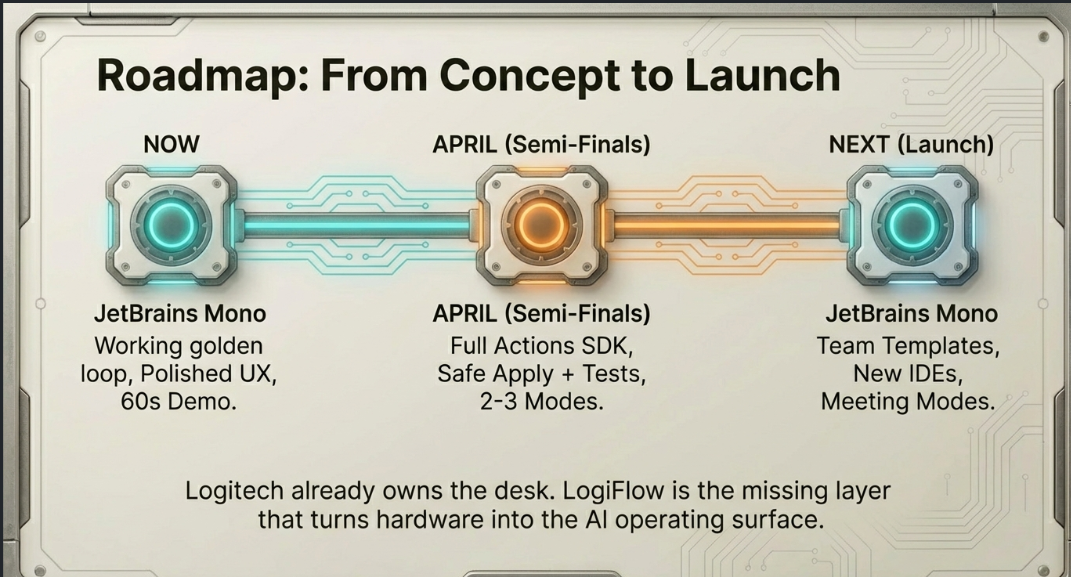
By April Semi-Finals Ready
- Full Actions SDK integration across all MX device variants
- Safe Apply extended to multi-file diffs and refactor operations
- 2–3 additional modes beyond code fixing (explain mode, architect mode, review mode)
- Expanded IDE support: Cursor, JetBrains
Near-term Launch
- Meeting Mode: Ring swipe captures last 30 seconds of audio + current doc as context; surfaces suggested reply or action item on LCD during live calls
- Writing Mode: For docs, PRDs, and reviews same snap/scrub/apply loop, adapted for prose and structured documents
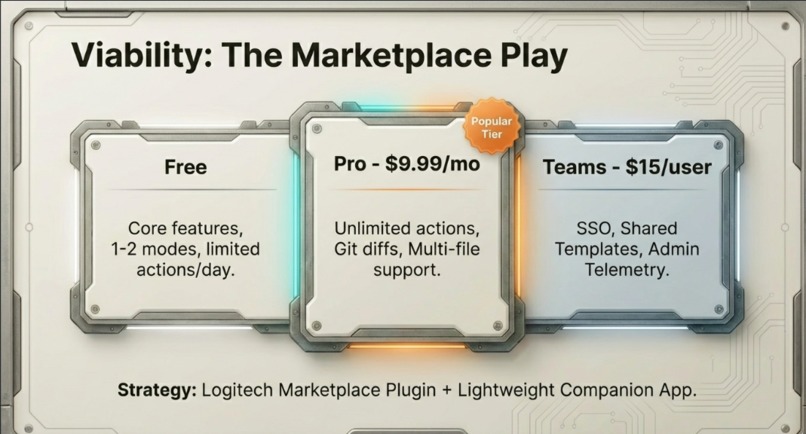
- Team Templates: Shared snap configurations and apply policies across engineering teams, with admin controls and telemetry
The Platform Vision
- LogiFlow SDK: Let any application not just IDEs plug its own AI actions into the ring, dial, and LCD. Turn LogiFlow from a developer plugin into an open AI interaction platform for any MX workflow.
Logitech already owns the desk. 40M+ MX users. LogiFlow is the missing layer that turns that hardware into the AI operating surface for the next decade of work.
The golden loop is just the beginning.
Built With
- claude-api-(anthropic)
- cursor-ide-api
- electron-(overlay-ui)
- git-cli
- logitech-actions-sdk
- logitech-lcd-sdk
- node.js
- openai-api
- python-(daemon-service)
- session
- sqlite
- tailwind-css
- typescript
- vs-code-extension-api
- websockets


Log in or sign up for Devpost to join the conversation.