-
-
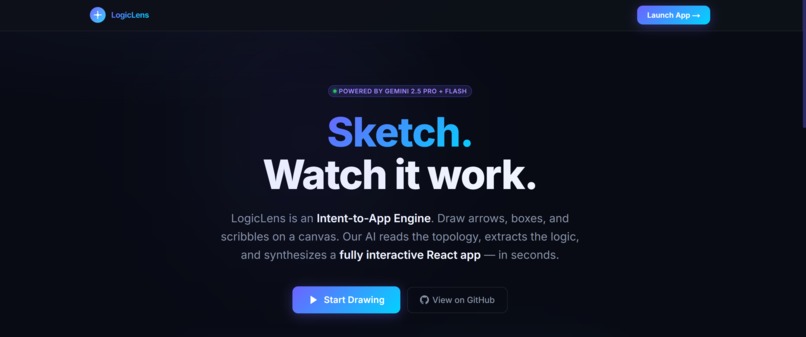
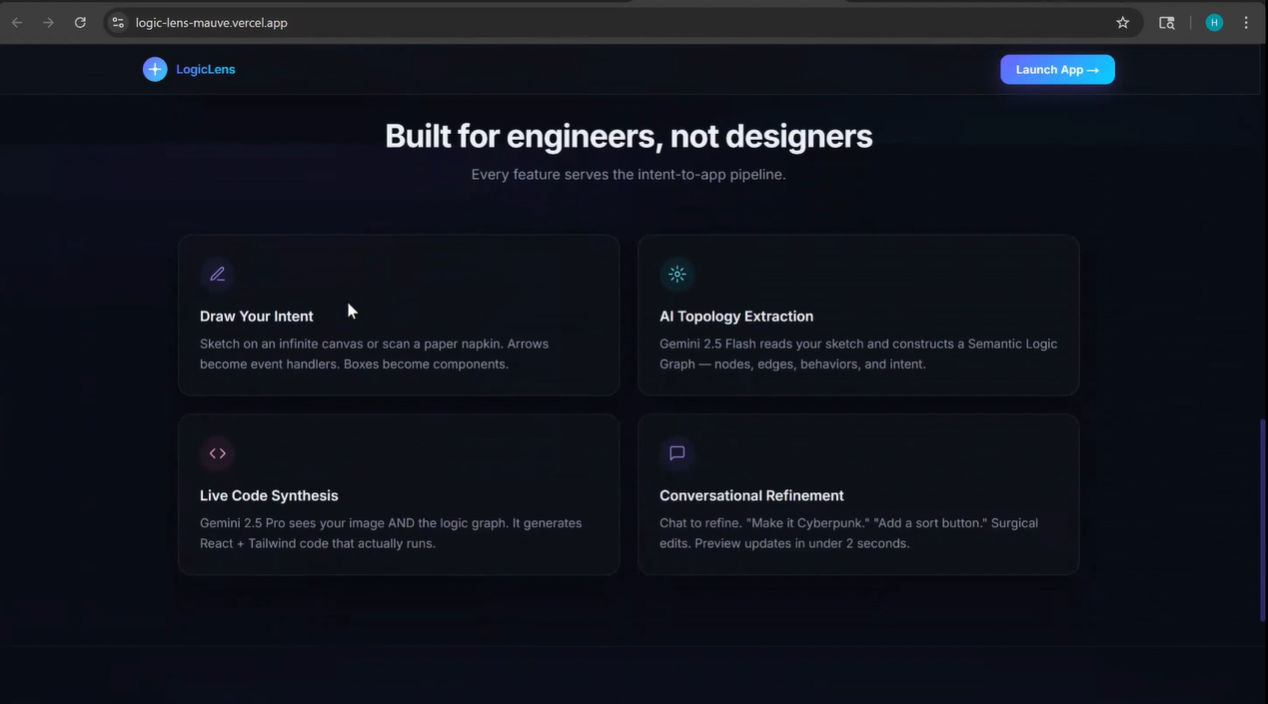
Landing Page
-
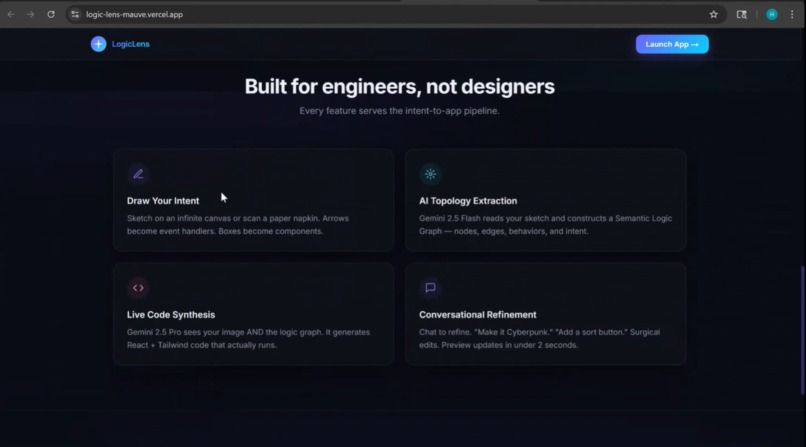
Feature Description
-
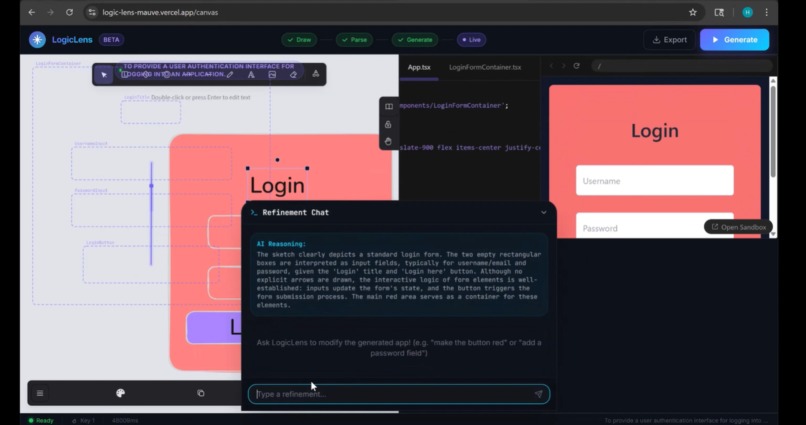
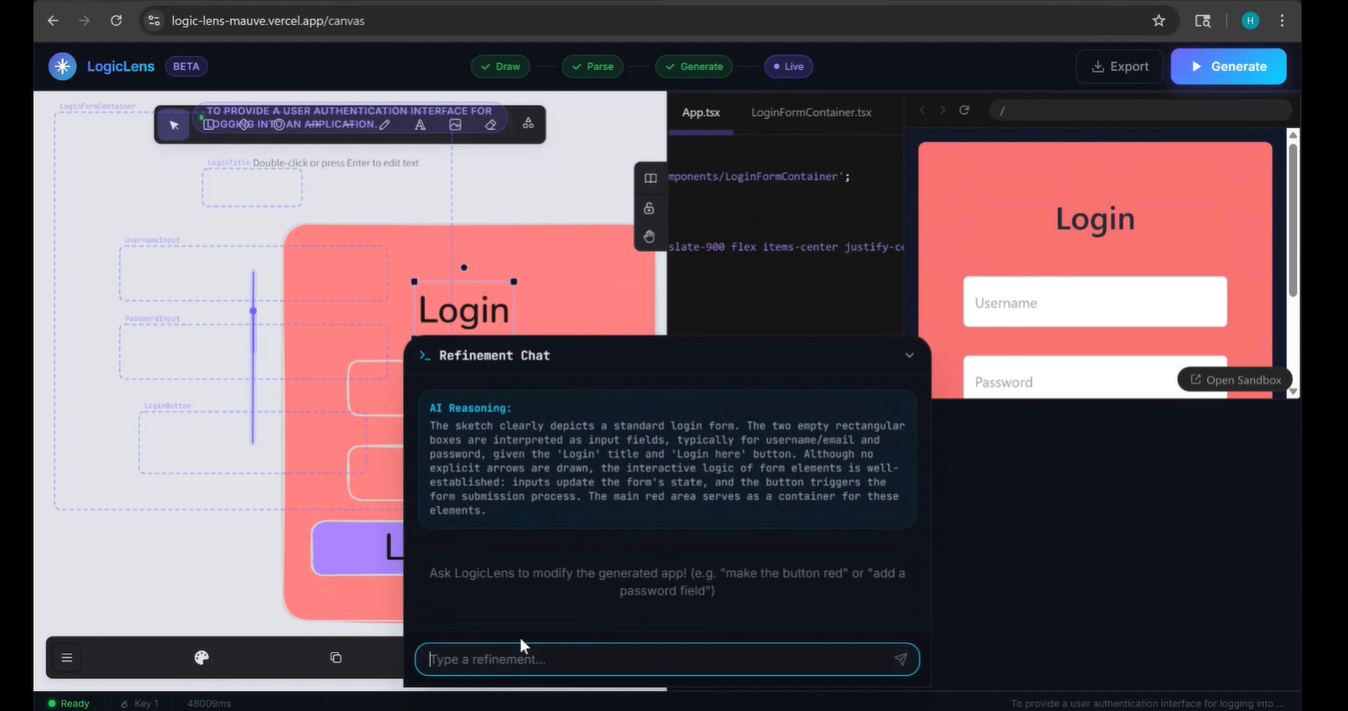
Refinement Chat
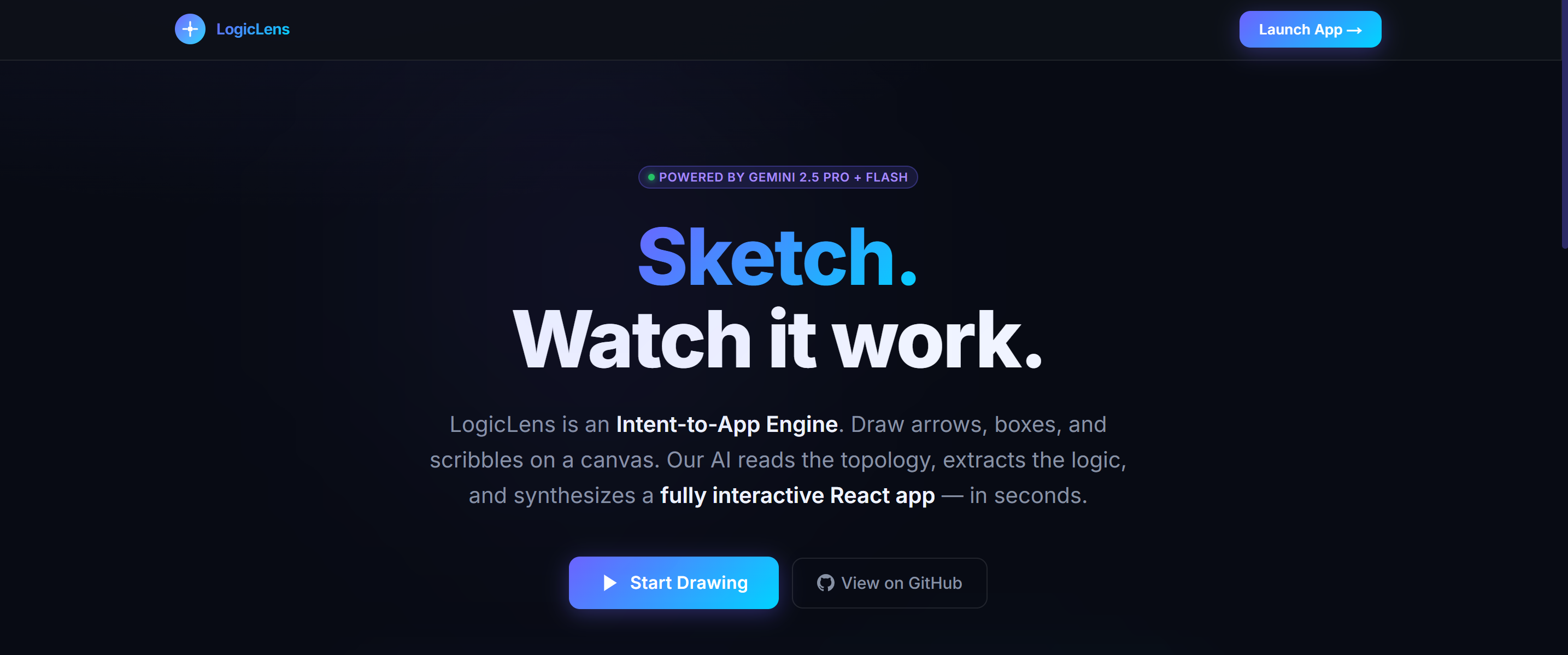

LogicLens — Sketch to App, Instantly
An AI-powered visual development environment that instantly converts your rough whiteboard sketches and architectural diagrams into functional, production-ready React applications.
▶️ Watch Demo Video · 🌐 View Live Project





🚀 Demo & Live Deployment
- ▶️ Demo Video: https://youtu.be/AGeLCxv_Vjs
- 🌐 Live Application: https://logic-lens-mauve.vercel.app/
(Note: If testing locally, please ensure you supply your own Gemini API keys in .env.local)
💡 What LogicLens Does
LogicLens bridge the gap between ideation and implementation.
Traditional software development requires translating visual intent (whiteboards, wireframes, flowcharts) into code manually. LogicLens automates this by providing an integrated whiteboard where you can draw your UI wireframes or logic flowcharts. With a single click, it uses an advanced multi-modal AI pipeline to "see" your intent, understand the logical structure, and instantly synthesize a fully functional, multi-file React application.
Key Features
- Integrated Excalidraw Canvas: Draw wireframes, logic flows, and UI layouts natively in the browser.
- Real-Time Code Streaming: Watch your application code write itself line-by-line via SSE (Server-Sent Events).
- Live Interactive Sandbox: The generated code is instantly mounted in a live, in-browser Sandpack (CodeSandbox) environment where you can interact with your new app.
- Surgical Refinement Chat: Not quite right? Open the AI Refinement Chat and give natural language feedback (e.g., "make it dark themed" or "add a sort button"). The AI surgically patches the specific files in milliseconds.
- Export to ZIP: Download your generated project with one click, ready to run locally.
🧠 How We Used the Gemini API
LogicLens leverages the multimodal capabilities of Google Gemini through a sophisticated, multi-phase Edge pipeline to guarantee structural integrity and visual accuracy.
Phase 1: Semantic Parsing (gemini-2.5-flash)
When you hit "Generate", the canvas snapshot is sent to Gemini Flash. Instead of asking for code immediately, we ask Flash to act as a Systems Architect. It analyzes the raw image and extracts a structured JSON LogicGraph. This graph defines the component hierarchy, state requirements, data flow, and styling intentions extracted from the drawing. We enforce a strict Zod schema on this response.
Phase 2: Code Synthesis (gemini-2.5-pro)
The extracted LogicGraph JSON and the original sketch image are then passed to Gemini Pro. Gemini Pro acts as the Senior Frontend Engineer. By feeding it both the semantic intent (JSON) and the spatial layout (Image), Gemini Pro synthesizes highly accurate, production-ready React code. The response is streamed back to the client via Edge Functions (Server-Sent Events) to provide instant feedback.
Phase 3: Surgical Refinement (gemini-2.5-pro)
When a user requests a change via the chat, we don't regenerate the whole app. We send the current state of the code, the user's prompt, and the original context to Gemini Pro, instructing it to act as a Code Reviewer. It streams back targeted [NEW], [MODIFY], and [DELETE] file patches, drastically reducing latency and token usage.
Resilience: Dual-Key Failover
To handle rate limits and 429 Resource Exhausted errors seamlessly during hackathon testing, we implemented a custom dual-key proxy wrapper. If GEMINI_API_KEY_1 hits a quota error mid-stream, the system transparently intercepts the error, switches the streaming context to GEMINI_API_KEY_2, and resumes generation without the user ever noticing.
🛠️ Tech Stack
- Framework: Next.js 15 (App Router, Edge Functions)
- Language: TypeScript
- Styling & UI: Tailwind CSS v4, Framer Motion
- AI Models: Google Gemini 2.5 Flash & 2.5 Pro
- Canvas Engine: Excalidraw
- Live Preview: Sandpack (CodeSandbox)
- State Management: Zustand
- Validation: Zod
- File Export: JSZip
💡 Inspiration
The inspiration for LogicLens was born out of a common developer frustration: the gap between ideation and implementation. Often, the fastest way to map out a complex architecture or UI flow is by scribbling boxes and arrows on a whiteboard. However, translating those brilliant, messy sketches into functional, boilerplate React code takes hours of tedious typing. We wanted to build a tool that made the transition from "idea" to "live app" entirely frictionless. We asked ourselves: What if the whiteboard itself could write the code? That question led us to combine the spatial freedom of Excalidraw with the multimodal reasoning of Gemini AI.
🚧 Challenges Faced
Building a real-time, AI-driven code synthesizer came with several significant architectural hurdles:
- Taming Hallucinations: We initially struggled to get the AI to accurately respect the relationships between UI elements. We solved this by inventing a "Dual-Model Pipeline." We first use Gemini Flash to extract a strict, structured JSON
LogicGraphfrom the image, and then feed both the image and the JSON into Gemini Pro. This grounded the code generation in structural reality. - Streaming Latency: Generating full React applications takes time. To prevent terrible UX, we had to implement Server-Sent Events (SSE) to stream the code line-by-line. However, Vercel's standard serverless functions time out after 10 seconds, which abruptly killed our streams. We overcame this by migrating our entire API layer to Next.js Edge Functions.
- API Rate Limits: During intense testing, we frequently hit Gemini's rate limits (429 Resource Exhausted). To ensure a smooth presentation, we engineered a custom, transparent "Dual-Key Failover" system that automatically intercepts quota errors and seamlessly switches the streaming context to a fallback API key without the user ever noticing.
📚 Learning Outcomes
Building LogicLens was a massive technical leveling-up experience. Key takeaways included:
- Multi-Modal Chaining: We learned how to effectively chain different LLMs together based on their strengths (using Gemini Flash for rapid, cheap structured extraction, and Gemini Pro for deep, creative code synthesis).
- Edge Computing & SSE: We mastered the intricacies of Node.js Streams, Server-Sent Events, and deploying Edge Functions to handle long-lived connections.
- Client-Side Sandboxing: We gained deep experience integrating Sandpack (CodeSandbox) to securely evaluate and render unverified, AI-generated React code entirely within the user's browser, bypassing the need for expensive backend compute containers. ``` ---
⚙️ How to Install and Run Locally
1. Prerequisites
- Node.js (v18 or higher)
- At least one Google Gemini API Key (Free tier works perfectly).
2. Clone and Install
Clone the repository and install the dependencies:
git clone https://github.com/hmcommits/LogicLens.git
cd LogicLens
npm install
3. Configure Environment Variables
Copy the example environment file:
cp .env.example .env.local
Open .env.local and add your Gemini API keys:
GEMINI_API_KEY_1=your_first_key_here
GEMINI_API_KEY_2=your_second_key_here
(If you only have one key, simply paste it into both variables).
4. Run the Development Server
npm run dev
Open http://localhost:3000 in your browser.
🎨 User Workflow
- Draw: Navigate to the Canvas and sketch a UI layout or flowchart.
- Generate: Click the big blue button. LogicLens will parse the image and stream the code.
- Interact: Play with your fully functional web app in the live Sandpack preview window.
- Refine: Open the Refinement Chat at the bottom and ask the AI to change colors, add logic, or swap components.
- Export: Click the "Export" button in the top bar to download your generated React app as a
.zipfile.
Built for the Gemini.exe Hackathon
Built With
- gemini
- gemini2.5
- geminipro
- next.js
- tailwindcss
- typescript
- zustand


Log in or sign up for Devpost to join the conversation.