-
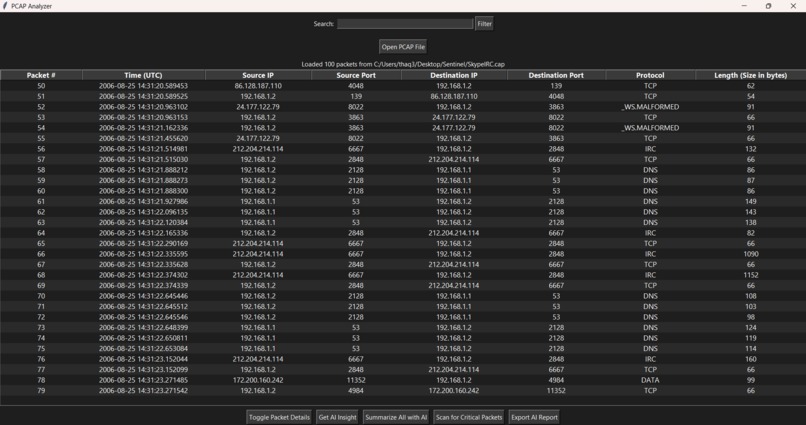
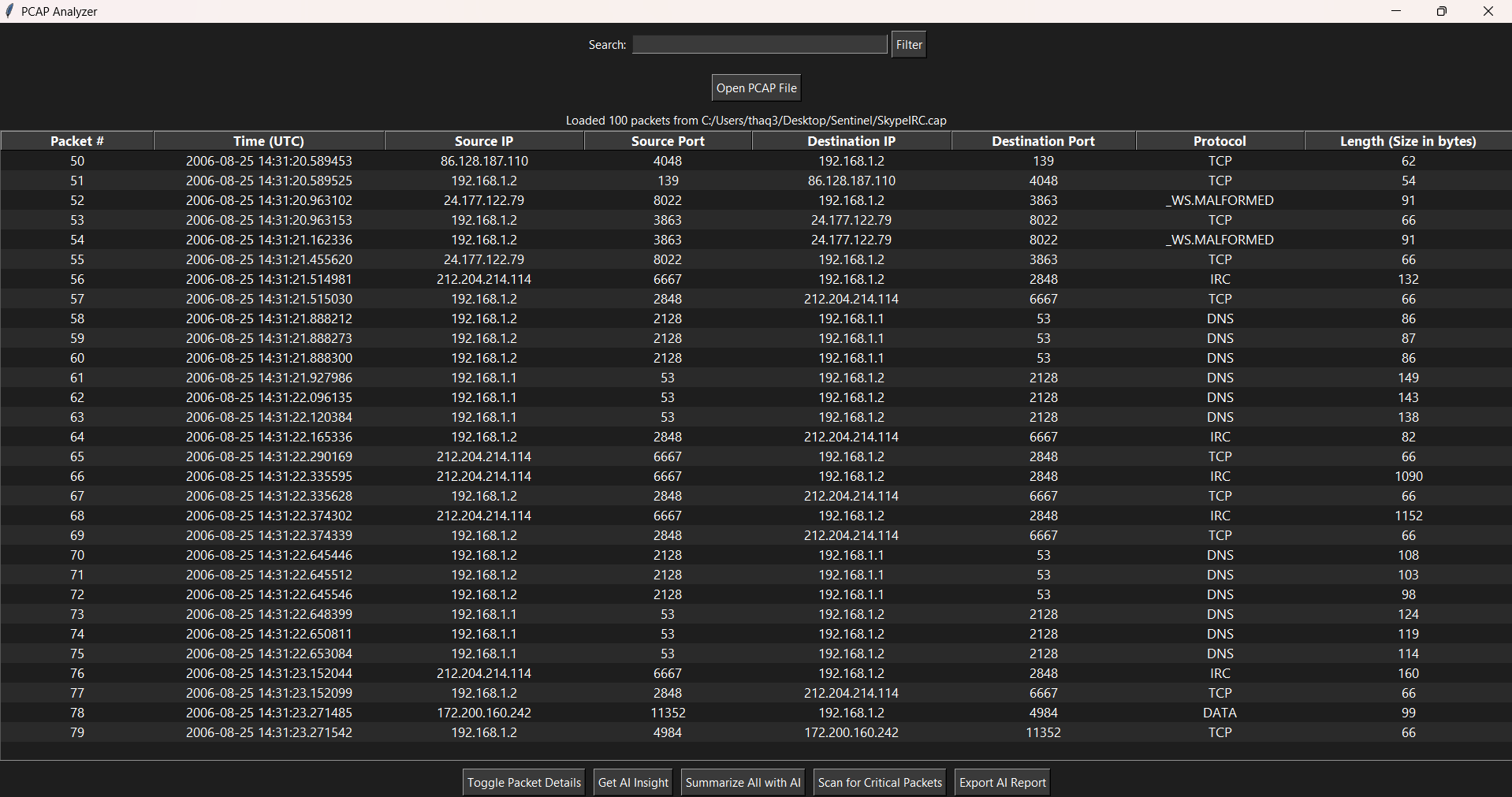
Packet headers displayed after entering a .pcap file.
-
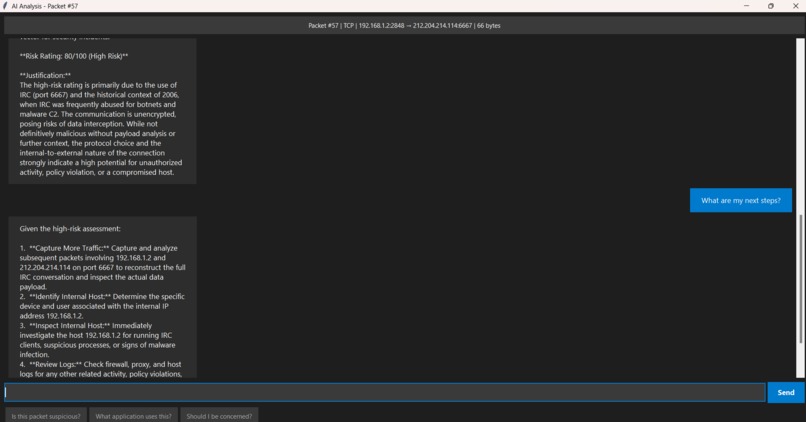
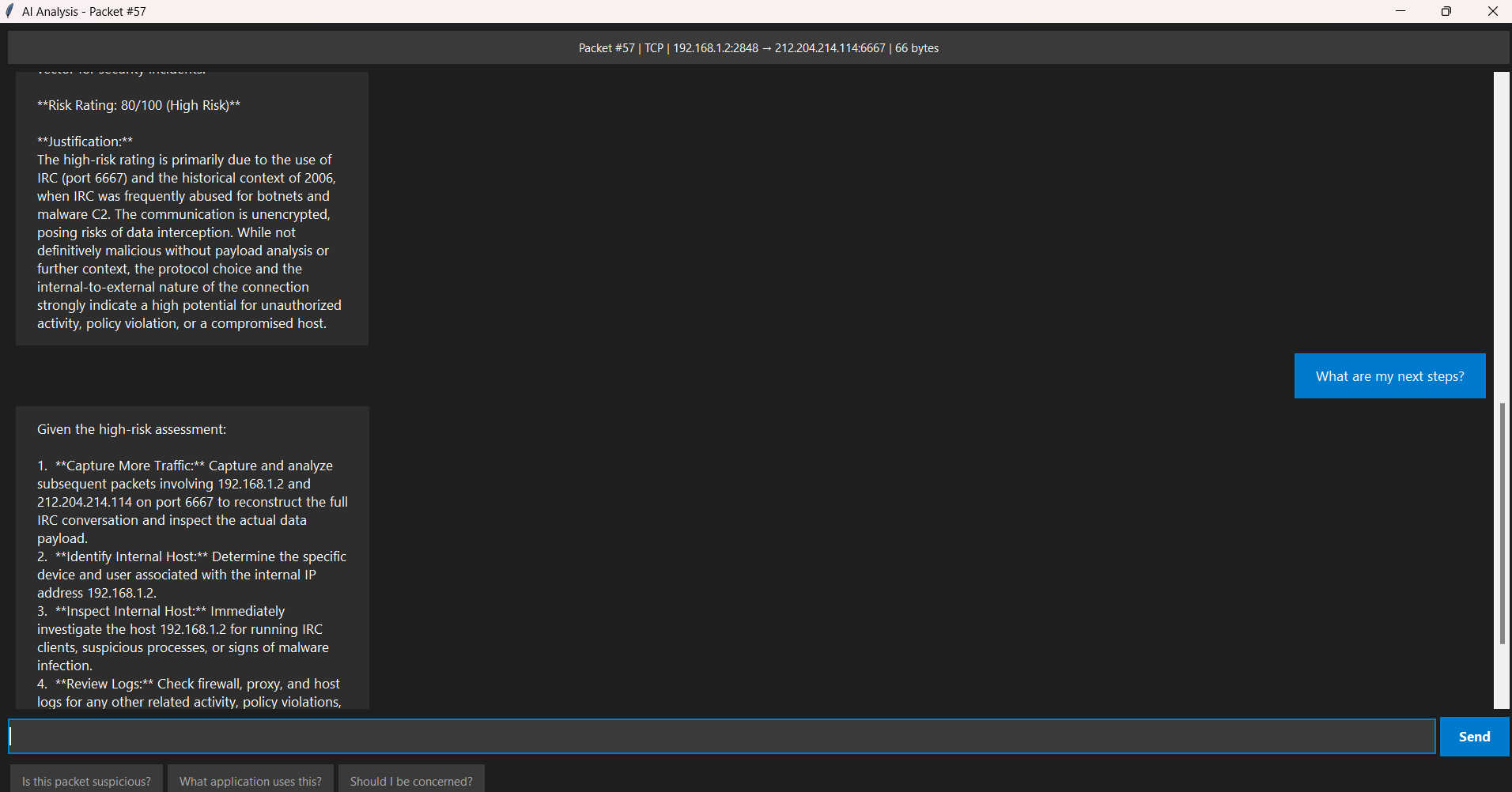
Functionality of AI chatbot for a single packet.
Inspiration
I recently competed in TracerFIRE 13, a log analysis competition designed to have participants illustrate how attackers gained access to a network and find out exactly what they did by analyzing system logs. The attacks were very sophisticated, utilizing a mix of lateral movement paired with having access to verified user credentials. This inspired me to create a tool that could better help me internalize what exactly was going on within the network. Back then, I didn't understand the importance of port numbers or could differentiate between public and private IP addresses, so having a quick and accessible way to internalize these concepts would have helped me greatly.
What it does
Log Sentinel acts a lot like typical log analysis tools, giving you information from a pcap file to interpret. However, when dealing with hundreds or more packets, it can become overwhelming, if not intimidating, to try to understand what is going on. Log Sentinel uses AI to help summarize a general idea of what activity is occurring within the pcap file, and offers a chatbot feature to help explain specific metrics within one or more packets. It highlights critical packets based on its evaluation of the packet's risk and suggests next steps of action to take in order to mitigate any potential vulnerabilities.
How we built it
To parse .pcap files, I used Pyshark, which reads network traffic and converts it to formattable text. I used Python's TKinter framework to create the GUI. This provides me a fast, simple, but effective UI catalog to work with, which is perfect for displaying packets in a list format with columns to differentiate various packet headers. To utilize AI functionality, I created an API key from Google's AI Studio and chose their Gemini 2.5-Flash model. This model specializes in quick responses to large volumes of data, which is perfect for this project's specifications. To make it all work together, I made the buttons on the GUI pass a prompt into Gemini with all necessary packet information to return back to the user in a chat format.
Challenges we ran into
While this project does work fine when using a cloud service LLM, this project would be flawless if it could be ran on a local LLM. For one, a local LLM would have access to the network's topology, applications, and any proprietary hardware in use, which would greatly contextualize its answers. Because we used a cloud LLM, it was able to provide a quick, deep-level analysis of packets, but that's about it. It is unable to know exactly what our network is comprised of, so its advice is general and at times, vague. I initially did try to create this project with a small language model, however my laptop does not have nearly enough computing power to provide quick responses, thus I had to make the move over to the cloud. With this said, I firmly believe that a company with a sizable data center could make great use of local LLMs to provide quick, knowledgeable answers about its network while also being able to be used offline, assuming they're experiencing network downtime.
I'd also like to discuss how to deal with false positives. It is important that I state that this tool is more of an advisor than anything. As previously mentioned, because I use a cloud service LLM, the suggestions provided are generally reasonable, but should be provided with context to get a general idea. Otherwise, traffic that may be completely fine on your network but looks weird to anyone outside your organization, the AI will flag it as risky. Thus, it is important that in order to prevent false positives, it is up to the user to provide context
Accomplishments that we're proud of
I am especially proud of how effective this tool is at teaching you concepts very quickly with the context of all the packets in mind. Gemini has a deep, comprehensive understanding of network logs, and is perfectly capable of explaining any aspect of any packet to the user. The chatbot feature is accessible, quick, and simple. Overall, I am glad that this project works as intended in a simple, clutter-free format. Also, the feature to export log reports is great for quickly sending out information to other teams/people, allowing for collaboration and making sure everyone is on the same page regarding security.
What we learned
In this project, I learned to think like a software designer and as a security professional. I knew what features would best be adaptable to the workplace, and worked to cleanly implement these features here. During my downtime, I found myself learning a lot about networking with packets via the chatbot.
What's next for Log Sentinel
If Log Sentinel could have access to a fast, local, and knowledgeable local LLM, this project would be secure, fully contextualized, and could be run offline. This would render Log Sentinel practically flawless. Also, I think adding a visualization tab indicating a timeline of network traffic would be especially helpful in illustrating the kind of network traffic that was being passed.


Log in or sign up for Devpost to join the conversation.