-
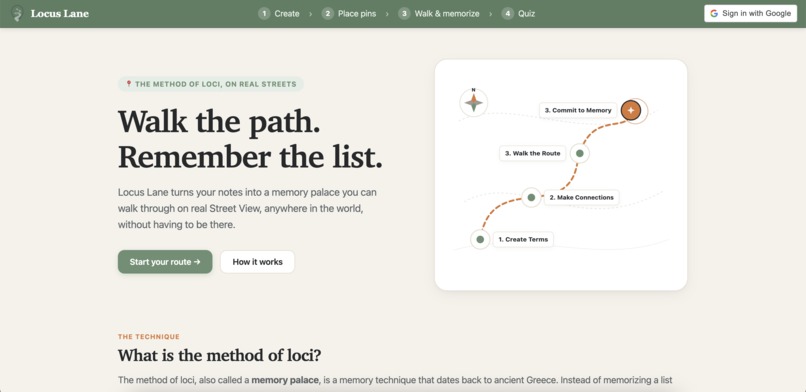
Front Page
-
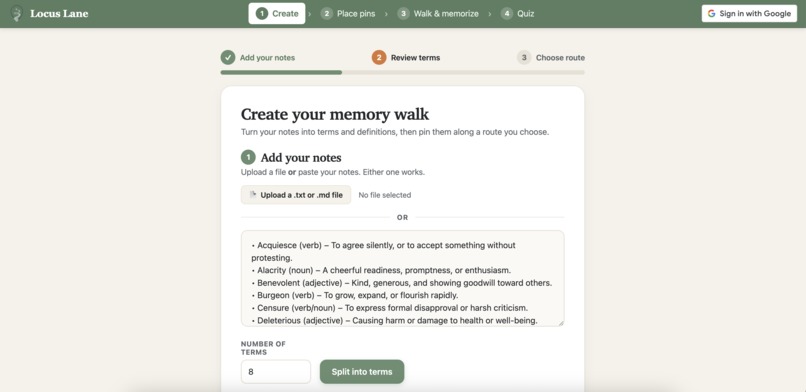
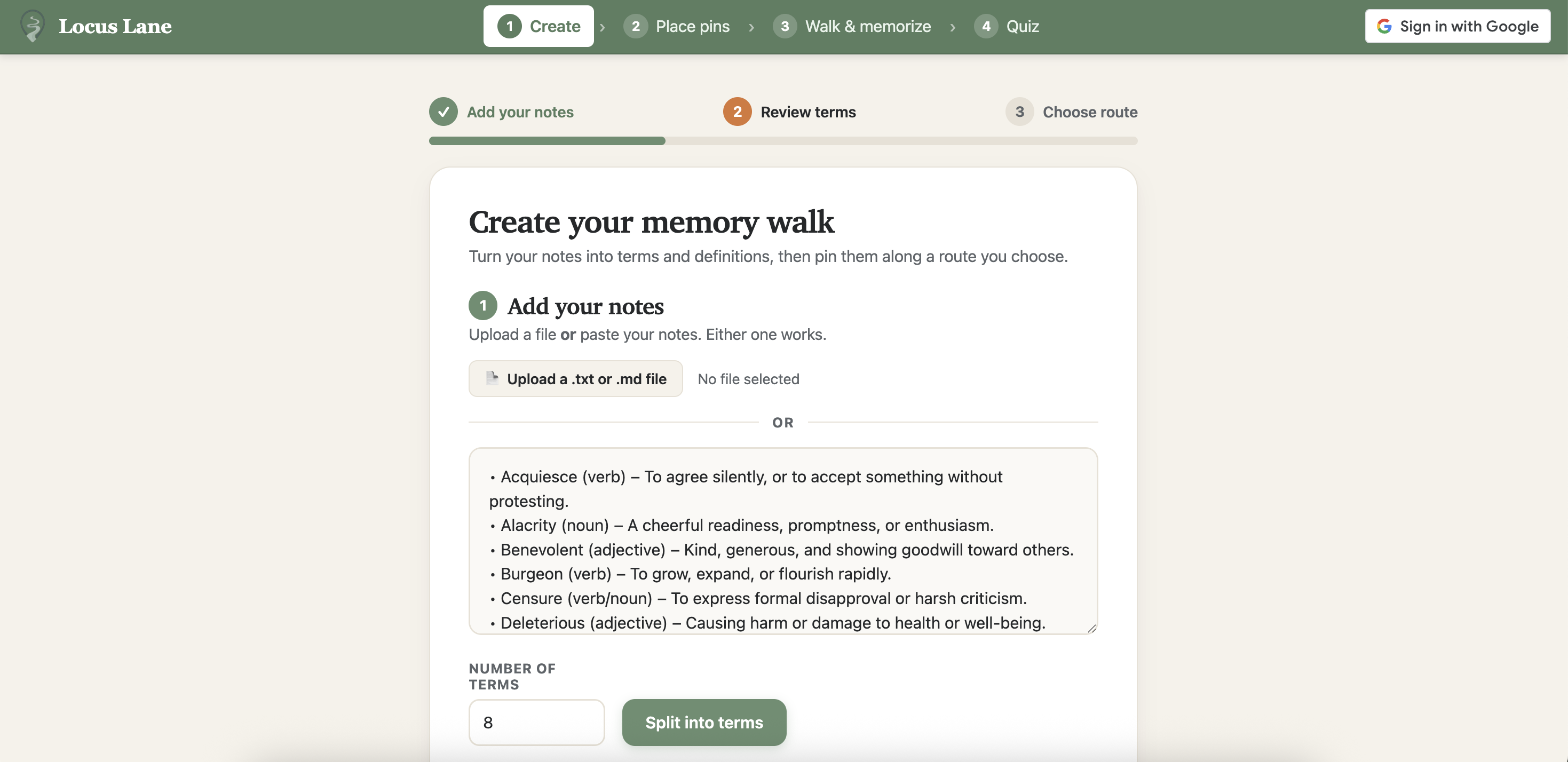
Create Page
-
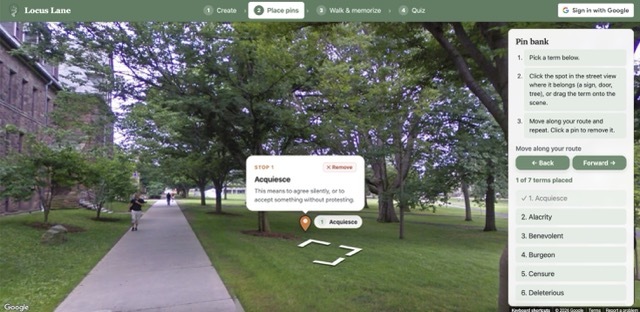
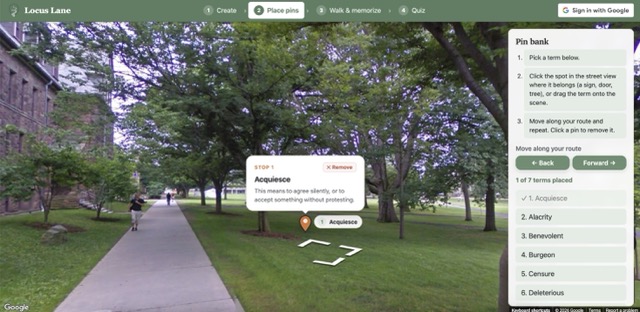
Study Mode
-
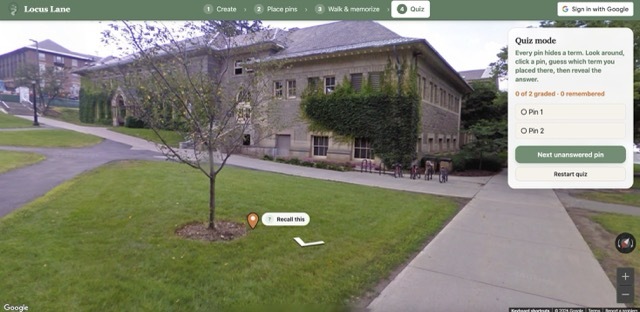
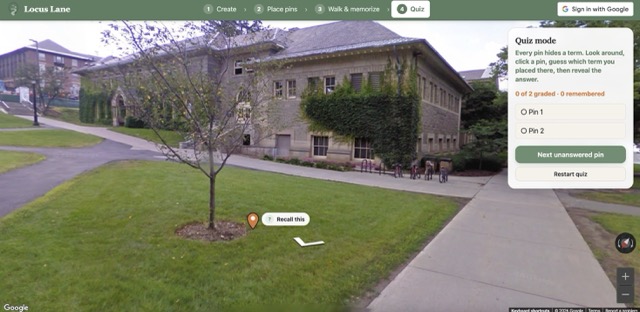
Quiz Mode
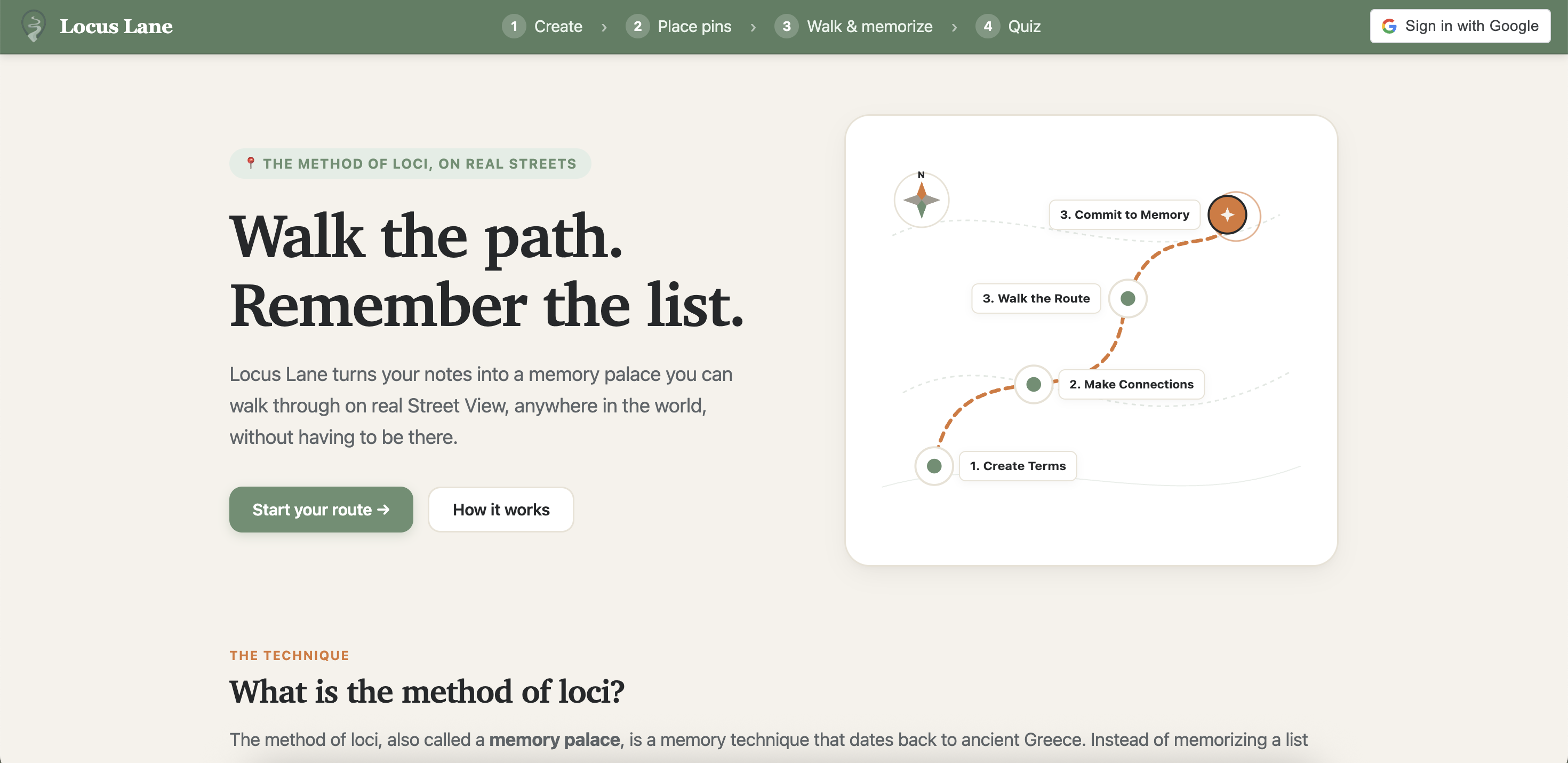
Inspiration: In our intro psych class, we learned about cognitive mapping and the ancient Method of Loci—a mnemonic strategy where Roman orators memorized complex speeches by mentally anchoring ideas to physical landmarks along a real-world route. Cognitive science shows that our brains retain information far more effectively through spatial navigation than through flat, isolated flashcards. When we saw that the hackathon theme was Navigation, we realized classic navigation tools like Google Maps don't have to exist solely for transit and directions. By embedding Google Street View directly into the learning process, we can use actual physical terrain—familiar campus quads, streets, and architectural landmarks—as the navigational framework for our minds, turning real geographic paths into immersive, walkable digital memory palaces.
What it does: Locus Lane turns passive study notes into an interactive, 360-degree memory walk using Google Street View. Students upload or paste their lecture notes, and the platform extracts core concepts into concise visual cues and explanations. Users then navigate real physical terrain, such as familiar campus quads and city streets of their choosing, to anchor custom study pins onto recognizable pathway landmarks. To lock in retention, students can either take a guided spatial walkthrough or test themselves in quiz mode. In quiz mode, the platform navigates from landmark to landmark, challenging students to recall the concept tied to each physical location before revealing the answer. By merging real-world terrain navigation with active recall, Locus Lane transforms static memorization into an intuitive mental journey. How we built it: Locus Lane is built as a single, lightweight web application using HTML, CSS, and JavaScript. We integrated the Google Maps JavaScript API and Street View to serve as our terrain for projecting screen clicks into 360-degree camera angles so notes remain anchored to landmarks as you look around. When you input your study materials, the app calls the Gemini API to extract key concepts into visual cues and facts. All route progress, placed pins, and custom memory palaces are saved directly in the browser using local storage, keeping the app instant and accessible without extra setup. Throughout the sprint, we used Gemini and Claude as AI programming partners to help us design our code base, structure our API calls, and polish the user interface.
Challenges we ran into As first-time hackathoners, our biggest challenge was managing rapid product development under a tight deadline. We started with an ambitious vision, but quickly realized we had to aggressively fight scope to deliver a working MVP. That meant making tough calls on which features to prioritize, constantly trimming nice-to-haves, and keeping our focus entirely on a smooth user journey from uploading raw notes to walking the psychology inspired memory route. We also faced significant UX hurdles. Balancing 360-degree street views, note cards, and quiz prompts within a single screen without feeling cluttered took constant iteration. When initial camera angles left users disoriented on open lawns, we had to rethink the entire study flow from a student's perspective so navigation felt effortless rather than frustrating. Learning to rapidly communicate trade-offs and stay aligned under time pressure pushed our product-thinking and teamwork forward.
Accomplishments that we're proud of We are proud of taking an ambitious idea from our psychology class and shipping a working, fully interactive product in our very first hackathon. Getting our custom math to accurately anchor notes to real-world panoramic landmarks without using heavy external 3D libraries felt like a massive win. We also managed to keep the entire application fast, clean, and responsive using lightweight vanilla web technologies, pairing modern geospatial tools with a focused, calming visual design.
What we learned Building this project taught us how to rapidly read documentation, debug unfamiliar APIs, and transform theoretical cognitive science concepts into an intuitive user experience. We learned how to effectively pair programs with Claude and Gemini. Above all, we learned how to collaborate efficiently under time pressure, break down complex engineering ideations into solvable steps, and make smart scoping trade-offs during our first hackathon!
What's next Moving forward, our top priority is introducing user accounts so students can save, organize, and manage a personal library of memory palaces across different courses and semesters. Creating accounts will unlock cross-device synchronization, letting users design a custom campus route on their laptop and walk it seamlessly on their phone before class. We have the beginnings of authentication created, but we weren’t able to finish implementing a database in time. With accounts in place, we also plan to build collaborative cohort features where classmates can publish, share, and study curated review paths together, as well as an automated review scheduler that prompts students to re-walk their routes right before exam day.


Log in or sign up for Devpost to join the conversation.