LocoMate – Move Without Stress
🚀 Inspiration
Moving to a new place is overwhelming. Finding a gym, grocery store, or even a café that feels right takes time. As international students, we’ve experienced this anxiety firsthand—relocating for studies, internships, or jobs.
With LocoMate, we wanted to create a personalized, privacy-focused guide to help people feel at home instantly in a new city. No more spending hours scrolling through Google and Yelp—LocoMate simplifies everything.
🌍 What It Does
LocoMate is your one-stop personalized moving companion that helps you:
✅ Find essential services – Gyms, grocery stores, salons, restaurants, and more.
✅ Get recommendations tailored to your lifestyle – Based on your past habits.
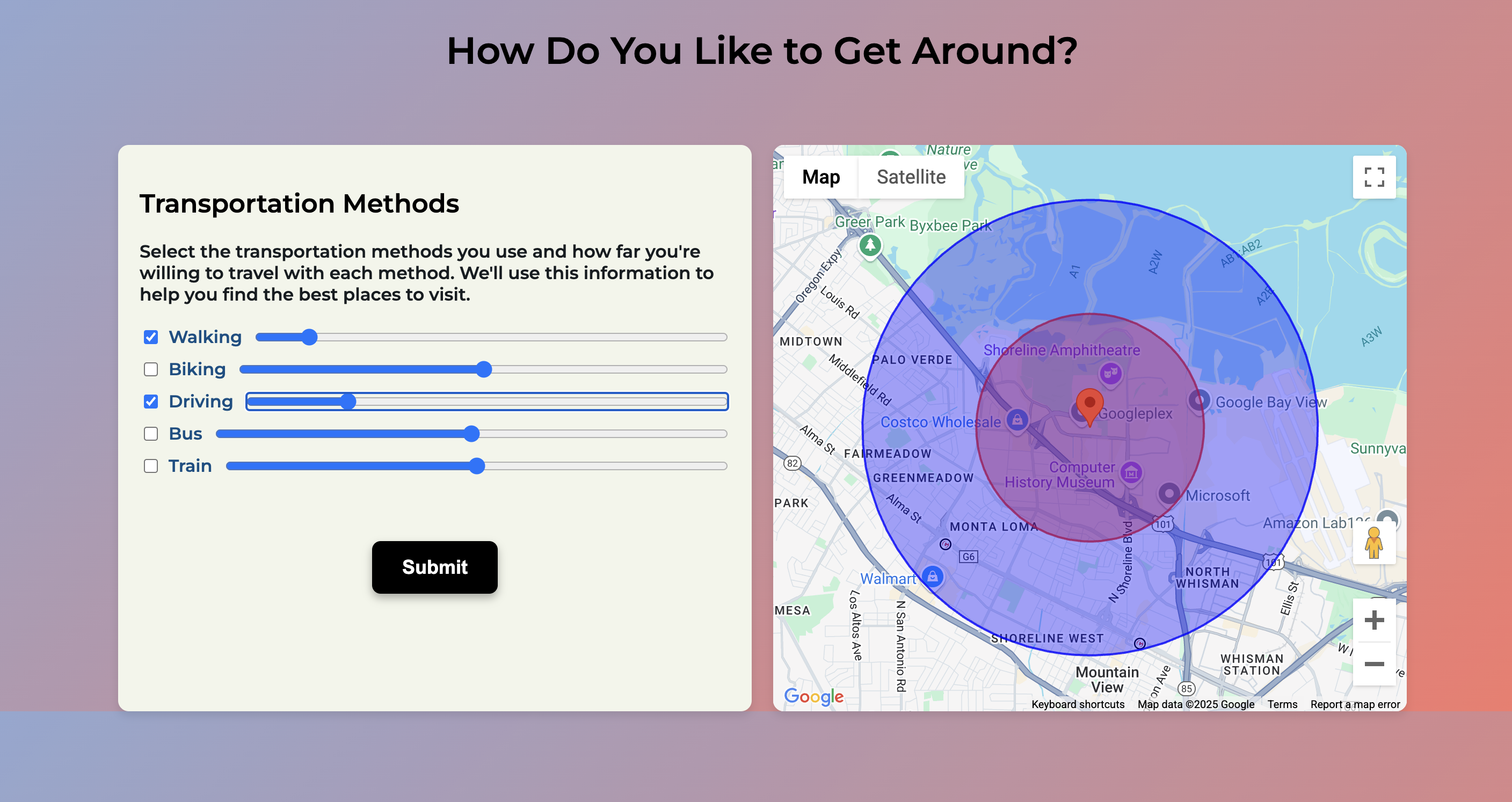
✅ Visualize places on an interactive map – See what’s near you based on your preferred transportation method.
✅ Stay private – We process Google Takeout data but never store it.
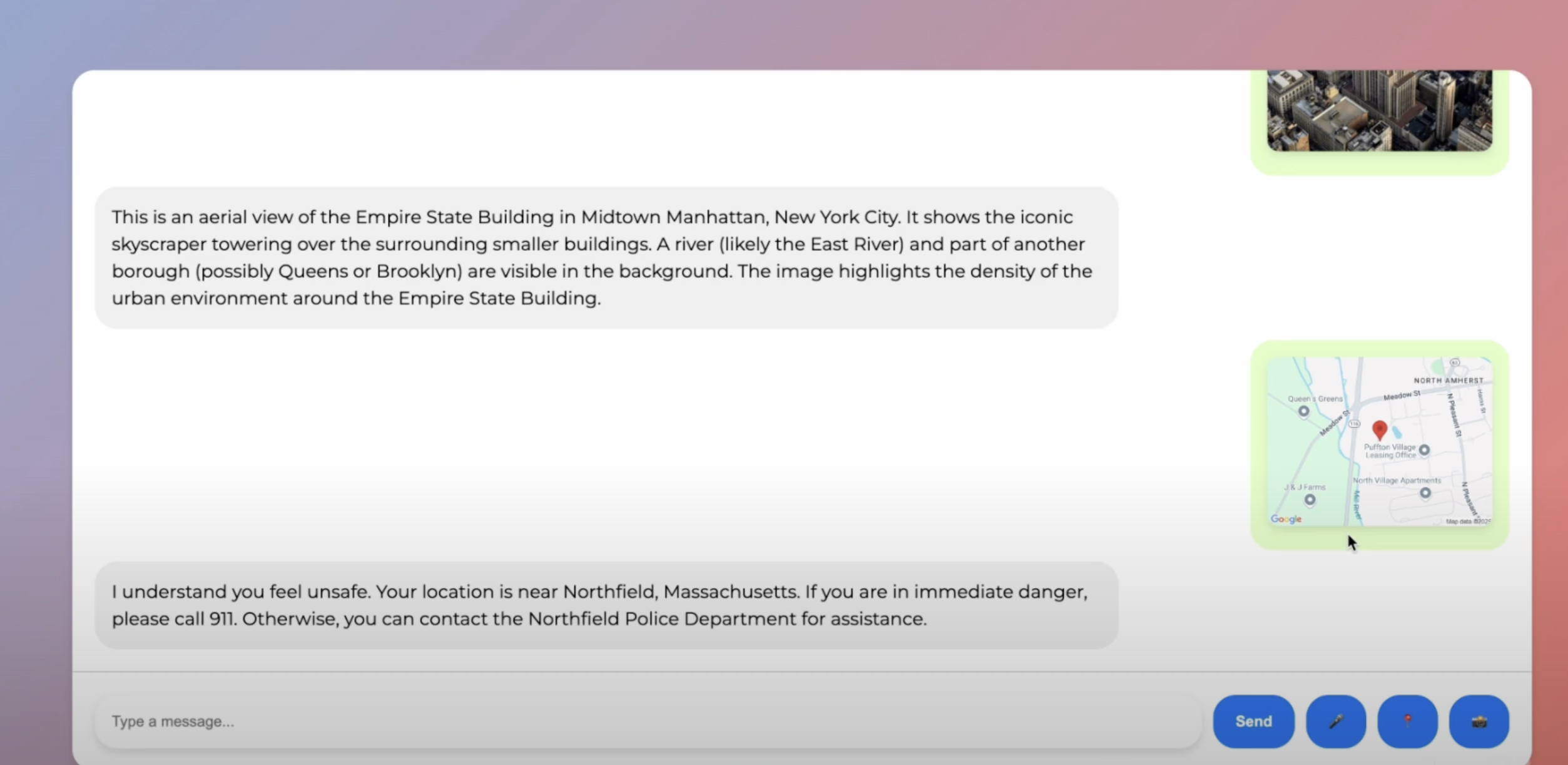
✅ Chat with our AI assistant – Ask questions, get real-time recommendations, or even share your location for safety.
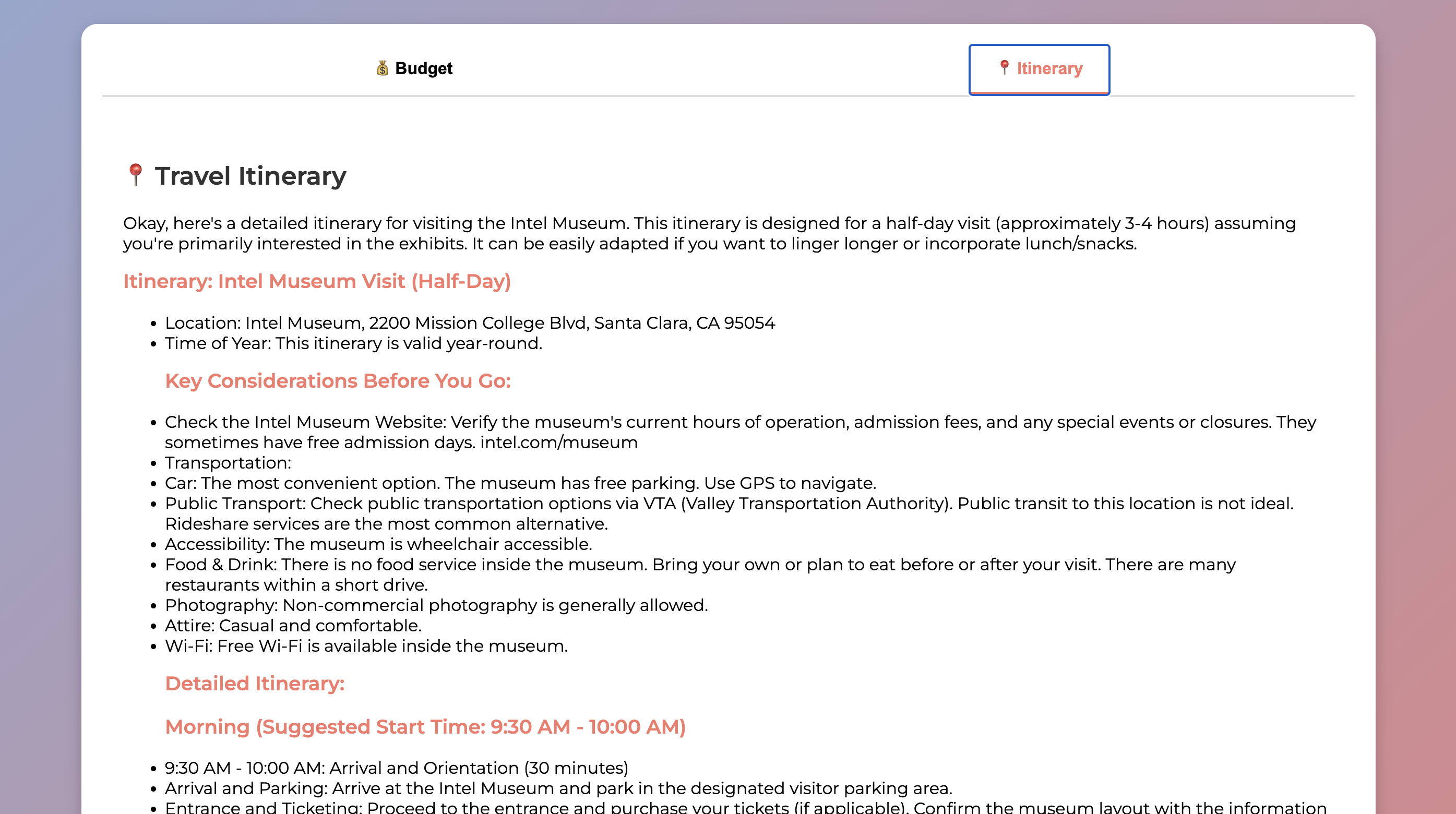
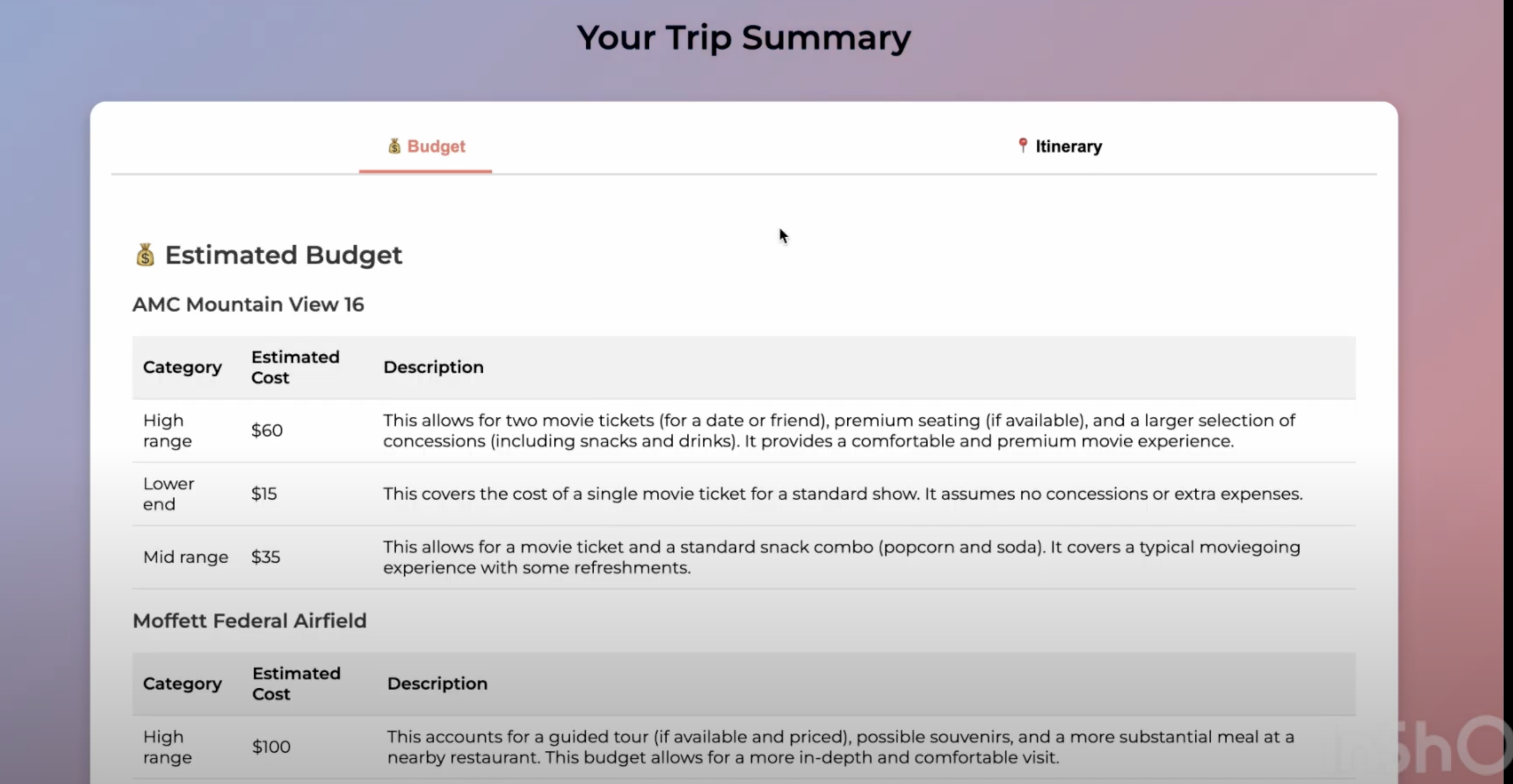
✅ Plan your day easily – Create an itinerary and get a budget estimate for your trips.
🛠 How It Works
Step 1: Getting Started
- Open LocoMate and go through a quick tutorial.
- Learn how to export your Google Takeout data (we guide you step by step).
Step 2: Upload Your Data
- Browse and upload your Google Takeout location history file.
- Enter the new city/state you’ve moved to.
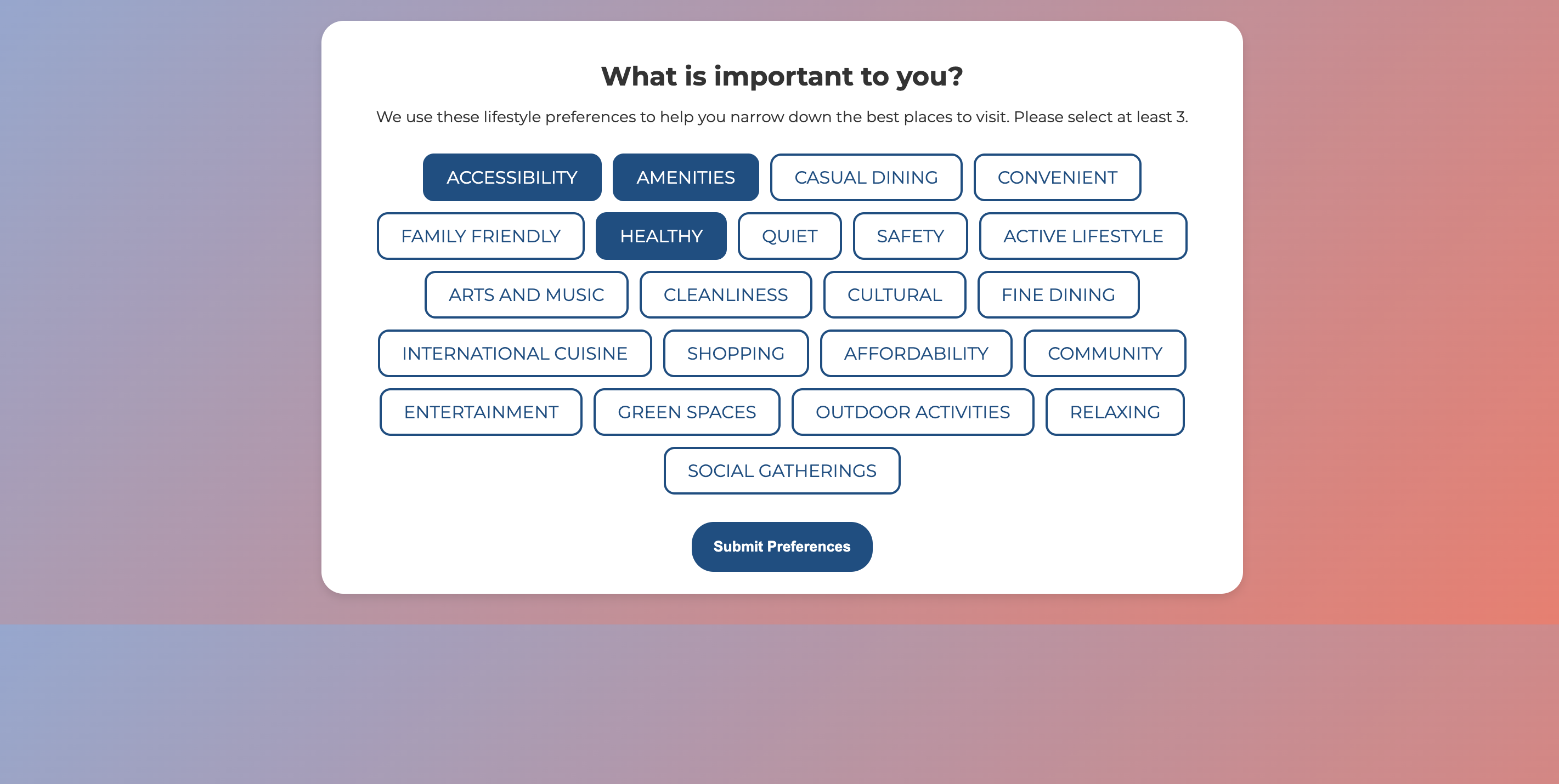
- Add optional preferences (e.g., quiet study spots, fine dining, shopping, budget limits).
Step 3: Choose Your Transportation Mode
- Select how you plan to get around (walking, biking, public transport, or car).
- Define the area you want to explore based on your commute.
- See a visual map of your reachability.
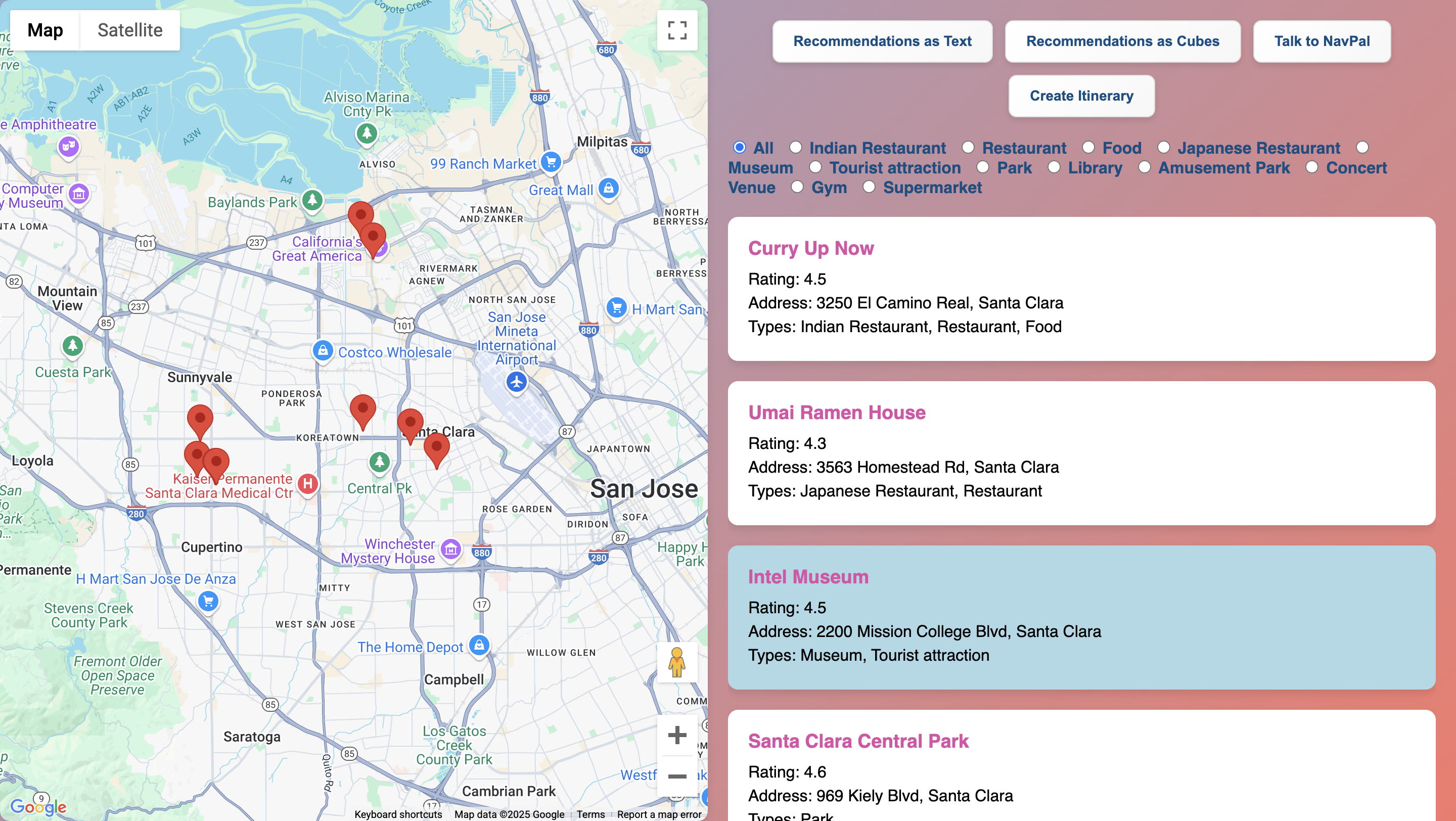
Step 4: Get Personalized Suggestions
- LocoMate analyzes your preferences and past habits to recommend places.
- You can filter locations (restaurants, tourist attractions, gyms, libraries, etc.).
- View results on an interactive city map—pin places and plan visits.
- Choose to read recommendations in list form or visual cubes.
Step 5: Talk to Our AI Chatbot
- Ask for real-time recommendations and hear responses.
- Live location sharing for safety if you ever feel unsafe.
- Image upload for real-time explanations—get instant insights.
Step 6: Create an Itinerary & Budget Plan
- Select places to visit and add them to your itinerary.
- Get an estimated budget based on high, mid, or low spending preferences.
- Our AI auto-generates a schedule so your travel doesn’t feel overwhelming.
⚡ Challenges We Ran Into
- Balancing personalization & privacy – Tailoring recommendations without storing user data.
- Simplifying Google Takeout data – Making it easy for users to upload and extract meaningful insights.
- Designing an intuitive UI/UX – Ensuring a stress-free experience for non-technical users.
🎉 Accomplishments That We're Proud Of
✅ Successfully built a privacy-first recommendation system.
✅ Created a seamless UI/UX that makes moving less stressful.
✅ Integrated real-time AI assistance and itinerary planning to enhance user experience.
📚 What We Learned
- Privacy matters – Users want personalization without sacrificing security.
- Recommendation algorithms need balance – Too much information overwhelms people; simplicity is key.
- User onboarding is crucial – Making Google Takeout easy to use improves adoption.
🚀 What's Next for LocoMate
🔹 Expand recommendations – Add doctors, co-working spaces, and local community groups.
🔹 Collaborative filtering – Suggest places based on similar users’ preferences.
🔹 Develop a mobile app – For easier access on the go.
🔹 AI-powered smart recommendations – Refine our algorithm to make even better suggestions.
🔧 Tech Stack
- Frontend: HTML, CSS, JavaScript for an intuitive UI.
- Backend: Flask for data processing.
- APIs Used: Gemini AI, Google Maps API for accurate recommendations.
- ML: Sentence Transformers for embedding-based similarity search to match user preferences with nearby places.
LocoMate – Making Every Move Stress-Free 🌍✨
Feeling lost in a new city? LocoMate helps you feel at home instantly.
🚀 Try it now!

Log in or sign up for Devpost to join the conversation.