Inspiration
As WordPress plugin developers, we know how time consuming it can be to translate thousands of strings manually. Most of us use Loco Translate, but it still means doing each translation one by one. That’s why we created LocoAI – Chrome AI Auto Translator. It uses Chrome’s built-in AI to translate all plugins and themes strings instantly — no setup, no API keys, and no extra cost. Just one click, and everything’s translated automatically.
What it does
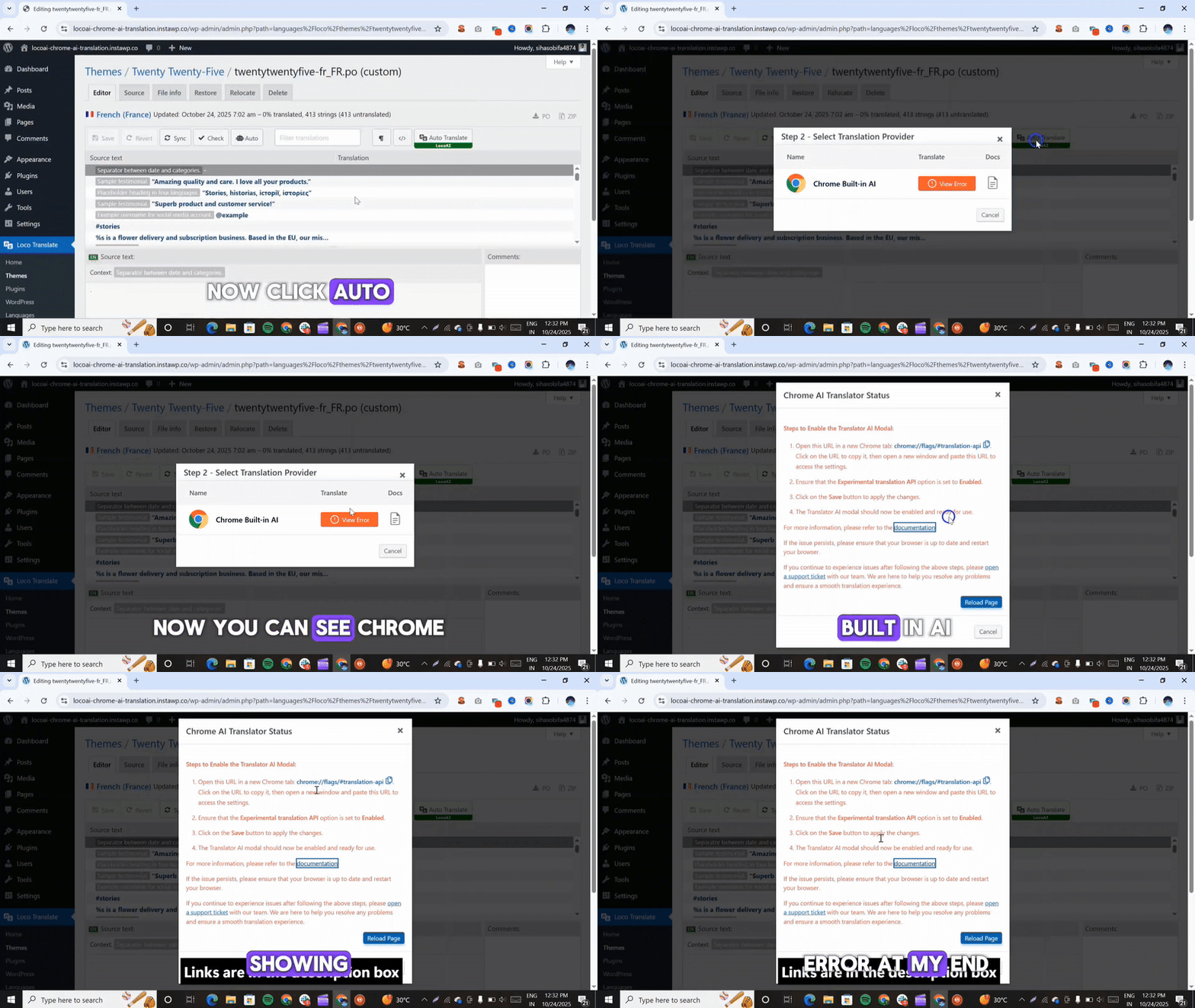
LocoAI – Chrome AI Auto Translator for WordPress Plugins is an addon for the Loco Translate plugin that uses Chrome’s built-in AI to translate all strings in any WordPress plugin or theme with just one click.
- Select the plugin or theme you want to translate.
- Choose your target language.
- Click Auto Translate to translate everything instantly.
Your translations are applied right away, saving you hours of work and making WordPress localization faster and easier than ever.
How I built it
Choosing a Base Plugin:
We started with the Loco Translate plugin as our foundation. It’s trusted by millions of WordPress users for translating plugins and themes, which allowed us to save time and focus on building new, smarter features on top of it.Developing the Addon:
We built a custom plugin that adds a new Auto Translate button inside the Loco Translate interface. With one click, it connects to Chrome’s built-in AI and instantly translates all strings — no setup or API keys required.Easy Workflow & Chrome AI Integration:
We designed the addon to be simple for everyone to use. Users just need to enable Chrome’s Translator and install their preferred language pack.
The addon can handle large translation files smoothly and offers an intuitive, beginner-friendly interface that makes translations faster and easier than ever.
Challenges I ran into
Working with Chrome’s new AI Translator API was a completely new experience for me. I had to experiment and test different approaches to integrate it with WordPress.
It took a lot of trial and error to get the browser-based AI running smoothly inside Loco Translate. But through that process, I gained valuable insights into how on-device AI can power real-world web applications.
Accomplishments that I am proud of
I’m proud that I managed to connect Chrome’s on-device AI directly with WordPress, something I hadn’t seen done before. Bringing instant, private translations right into Loco Translate felt like a big achievement. Seeing it translate hundreds of strings in seconds — all locally, without servers or keys — was the most satisfying moment of the whole project.
What I learned
While building LocoAI, I learned how to create a smooth and user-friendly experience for AI-powered translations in WordPress. I explored Chrome’s Translator API to see how on-device AI handles translations quickly and efficiently. Along the way, I also improved my understanding of WordPress plugin integration, making the whole translation process faster, seamless, and easy to use.
What's next for LocoAI – Chrome AI Auto Translator
Glossary & Translation Memory:
We plan to let users save and reuse common words or phrases (like “Plugin”, “Settings”, or “Dashboard”). This will help make translations more accurate and consistent across different projects.Better Compatibility:
We’re testing LocoAI with more popular plugins and themes to make sure it works smoothly everywhere, no matter what setup you’re using.Improved Handling of Dynamic Words & HTML:
Some plugins and themes use.pofiles that include HTML tags or special characters. We’re working on making sure these are translated correctly while keeping the formatting clean and accurate.
Built With
- chrome
- html
- javascript
- php
- translator
- wordpress


Log in or sign up for Devpost to join the conversation.