Inspiration
Many people still use short, common, or predictable passwords like 123456, password123, or repeated patterns. I wanted to build a simple cybersecurity tool that helps users understand why a password is weak and how they can make it stronger.
What it does
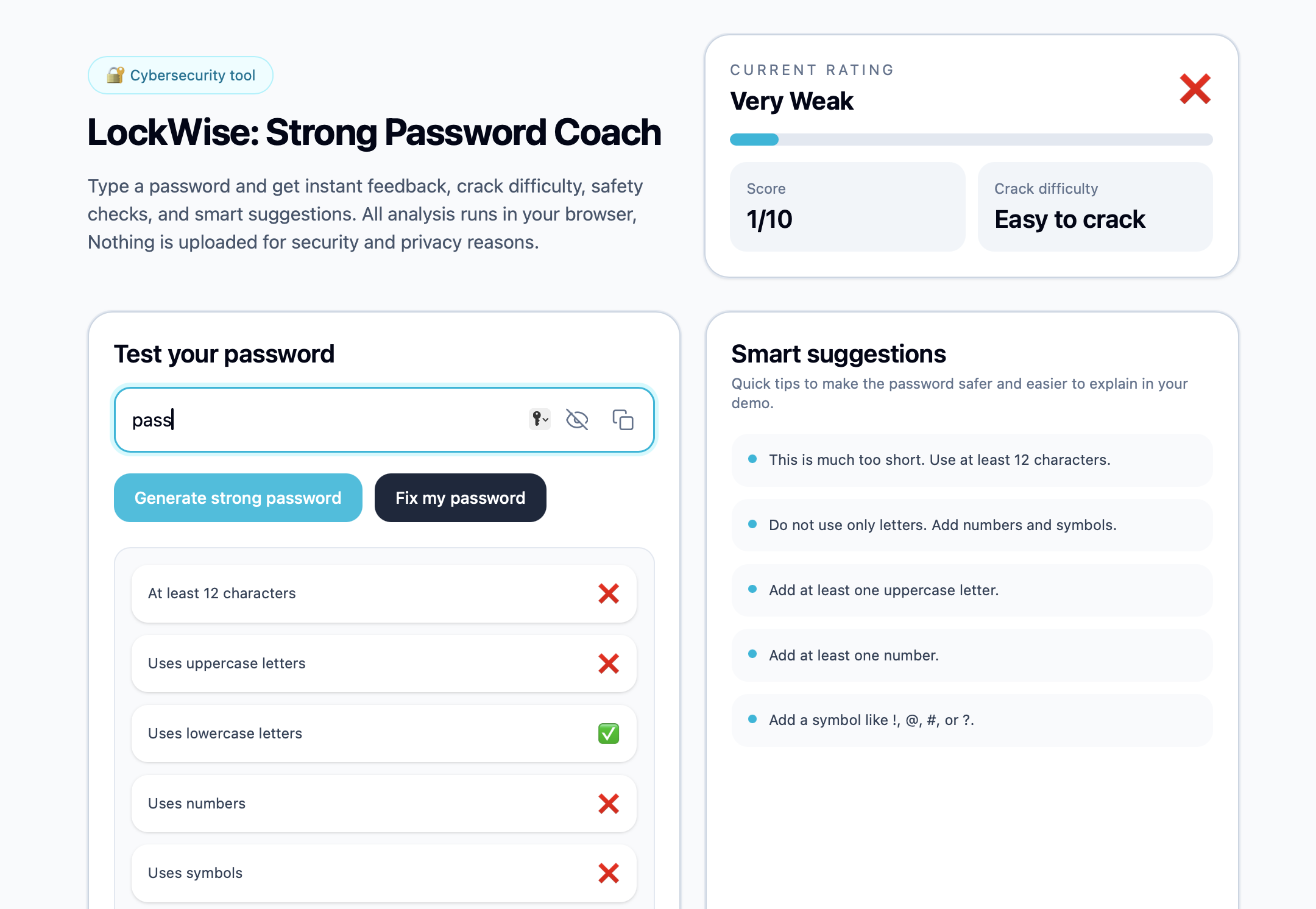
LockWise is a password coach that checks a password in real time and gives clear feedback. It shows whether the password is weak, medium, or strong, explains the crack difficulty, gives a security checklist, and provides smart suggestions for improvement. It also includes a strong password generator and a “Fix my password” option that turns a weak password into a stronger, more readable one.
How I built it
I built the project as a React web app with a clean interface. The password analysis runs fully in the browser, so the password is never uploaded or stored. The scoring logic checks password length, uppercase and lowercase letters, numbers, symbols, common passwords, simple sequences, and repeated character patterns.
Challenges I ran into
One challenge was making the password score feel realistic. For example, very short passwords like 123 should always be weak, while long complex passwords should not be marked weak just because they contain a repeated character. I improved the logic to handle common edge cases better.
Another challenge was balancing the UI so the checklist and suggestions were helpful without feeling repetitive.
What I learned
I learned how password strength depends on more than just length. A good checker also needs to consider patterns, common passwords, character variety, and repeated characters. I also learned how important UI clarity is for security tools, because users need feedback that is easy to understand.
What's next
I would like to add more common password detection, better pattern recognition, a password history warning, and optional educational tips explaining why each rule matters.
Built With
- css
- html
- javascript
- react
- tailwind-css
- vite


Log in or sign up for Devpost to join the conversation.