-
-
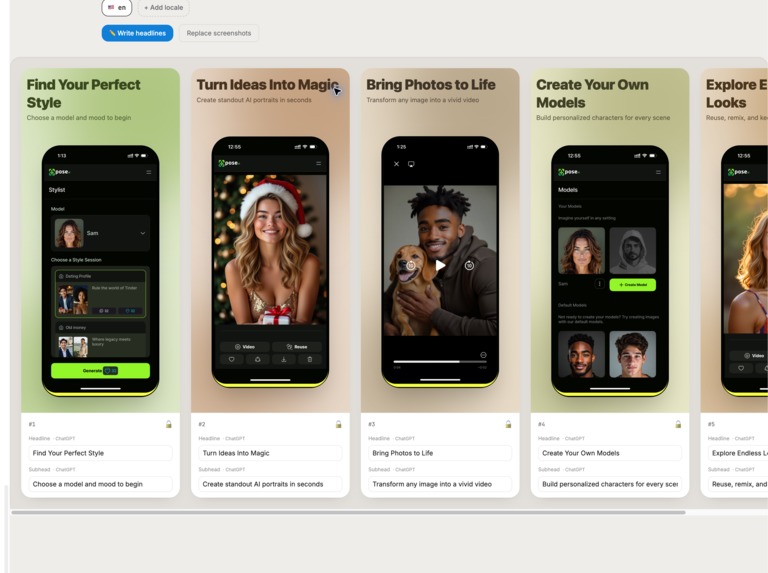
Studio template: ChatGPT-written headline and subhead overlays on iOS screenshots.
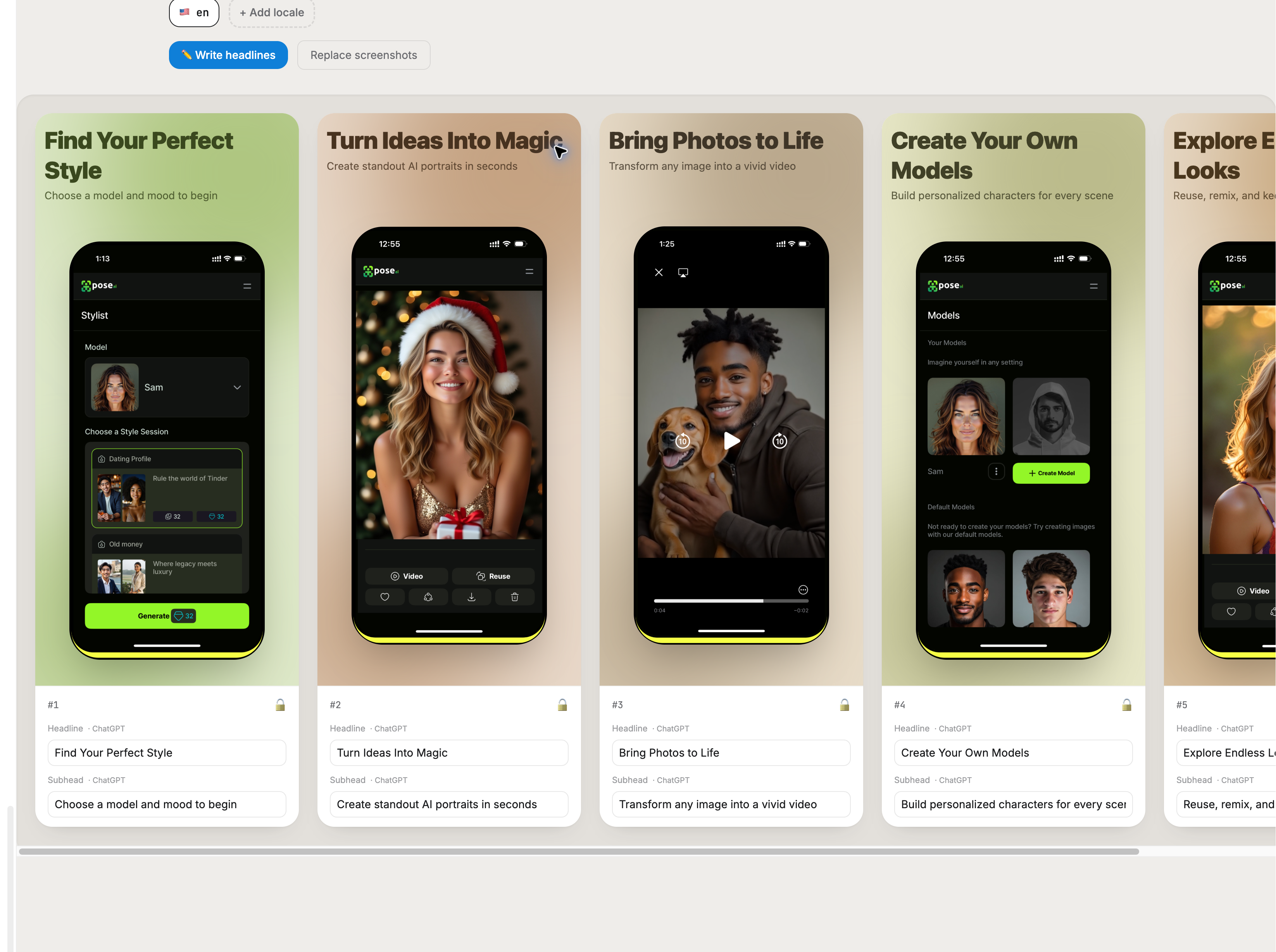
Lockshot is an App Store screenshot localization desk. Open the live demo and the desk is already loaded with 3 sample iOS screens (sc1-sc3), so ChatGPT can call the tools on the very first visit with no login and no setup. ChatGPT writes headline and subhead overlay copy, switches locales, measures overflow against the real 1320x2868 export, and exports a ZIP of production PNGs. Templates are Studio, Campaign, and Poster. The Campaign template can generate a 9:16 marketing graphic whose type is inferred from the product-slide copy. Click "Add yours" any time to swap the samples for your own screenshots.
Why WebMCP
Localization is a two-player job. The human owns pixels, lock, and ship. The agent owns copy, translation, and overflow. WebMCP lets ChatGPT call real tools on the live page (get_page_state, set_overlay, set_template, add_locale, check_overflow, export_zip) instead of guessing at the UI. There is no extra API key and no backend agent loop.
Better UX
One desk, one ChatGPT chat. Because samples are already on the canvas, the agent can write headlines, add German, fix overflow, and export immediately. Locked slides return an explicit error so the agent cannot overwrite a frame you approved.
What humans and agents can do together
Humans: click "Add yours" to add or replace screenshots, pick a template, lock the slides they approve, and download the ZIP. Agents: read the desk with get_page_state, write copy with set_overlay, switch templates, add locales and translate, check overflow against the real export canvas, and export_zip - respecting every human lock.
What was hard before
People paste screenshots into Figma, rewrite copy by hand for every language, and find out text overflows only after App Store Connect rejects the asset. Agents that only see pixels cannot measure type against the real export canvas or respect a human lock.
How we implemented WebMCP
@mcp-b/webmcp-polyfill plus document.modelContext.registerTool on the top-level page (no iframes). ChatGPT Desktop and Chrome with WebMCP testing can call the tools. Image upload is intentionally human-only because WebMCP cannot attach files, which is why the desk ships with sample screens so agents are never blocked.
Links
Live demo: https://lockshot-nu.vercel.app/
Repo (MIT): https://github.com/adkandari/lockshot
Built With
- chatgpt
- next.js
- tailwind
- typescript
- vercel
- webmcp