-
-
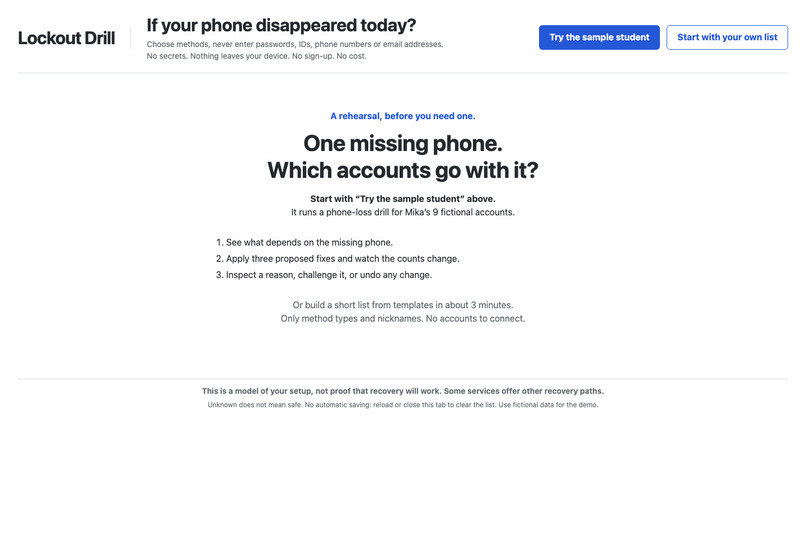
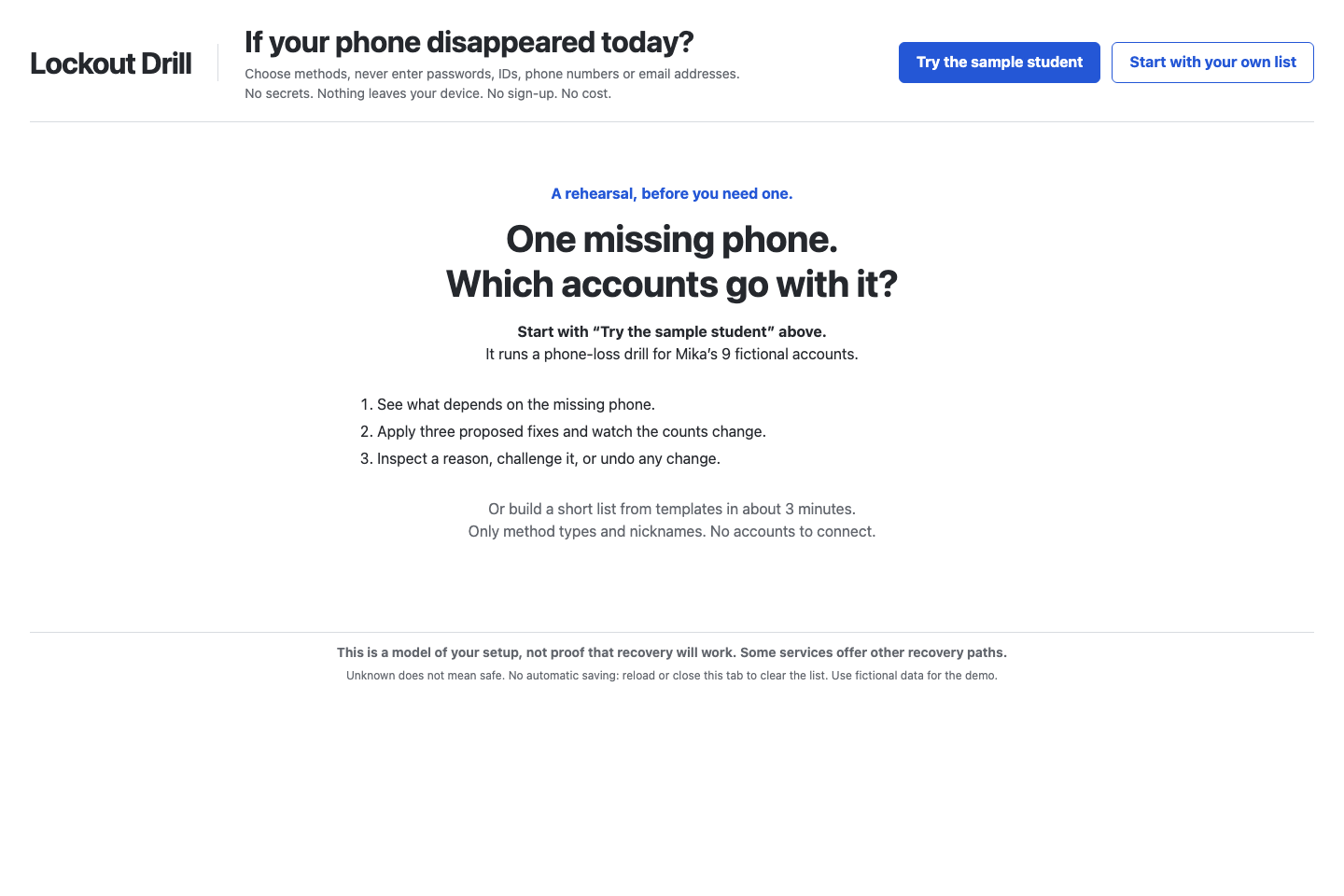
Describe each account only by recovery method. Lockout Drill never asks for passwords, IDs, phone numbers or email addresses.
-
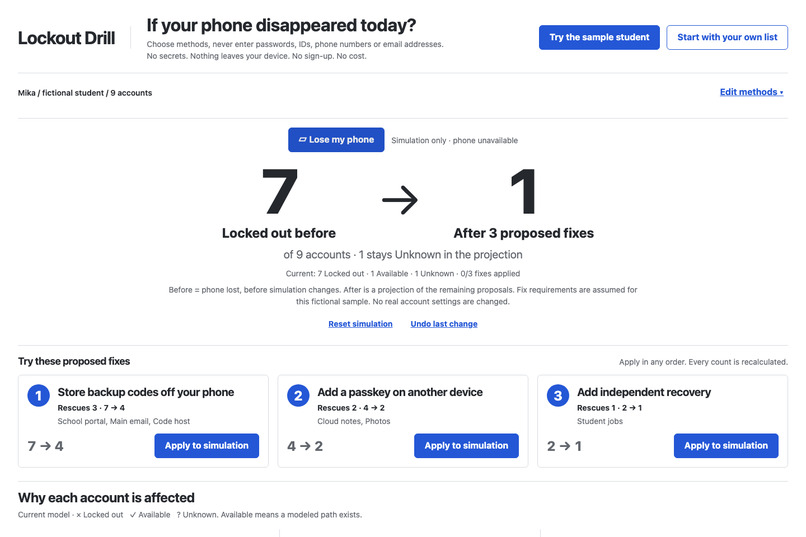
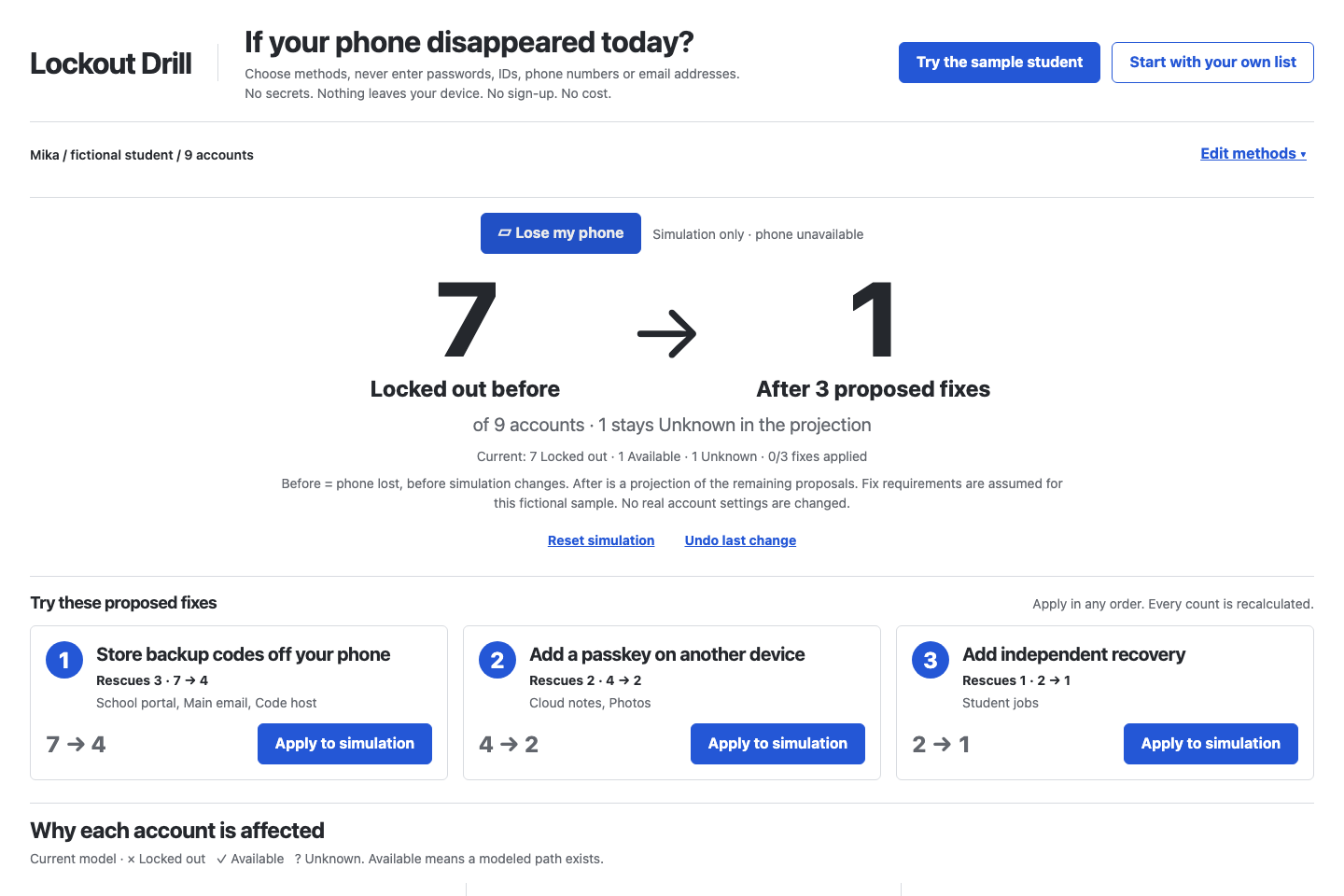
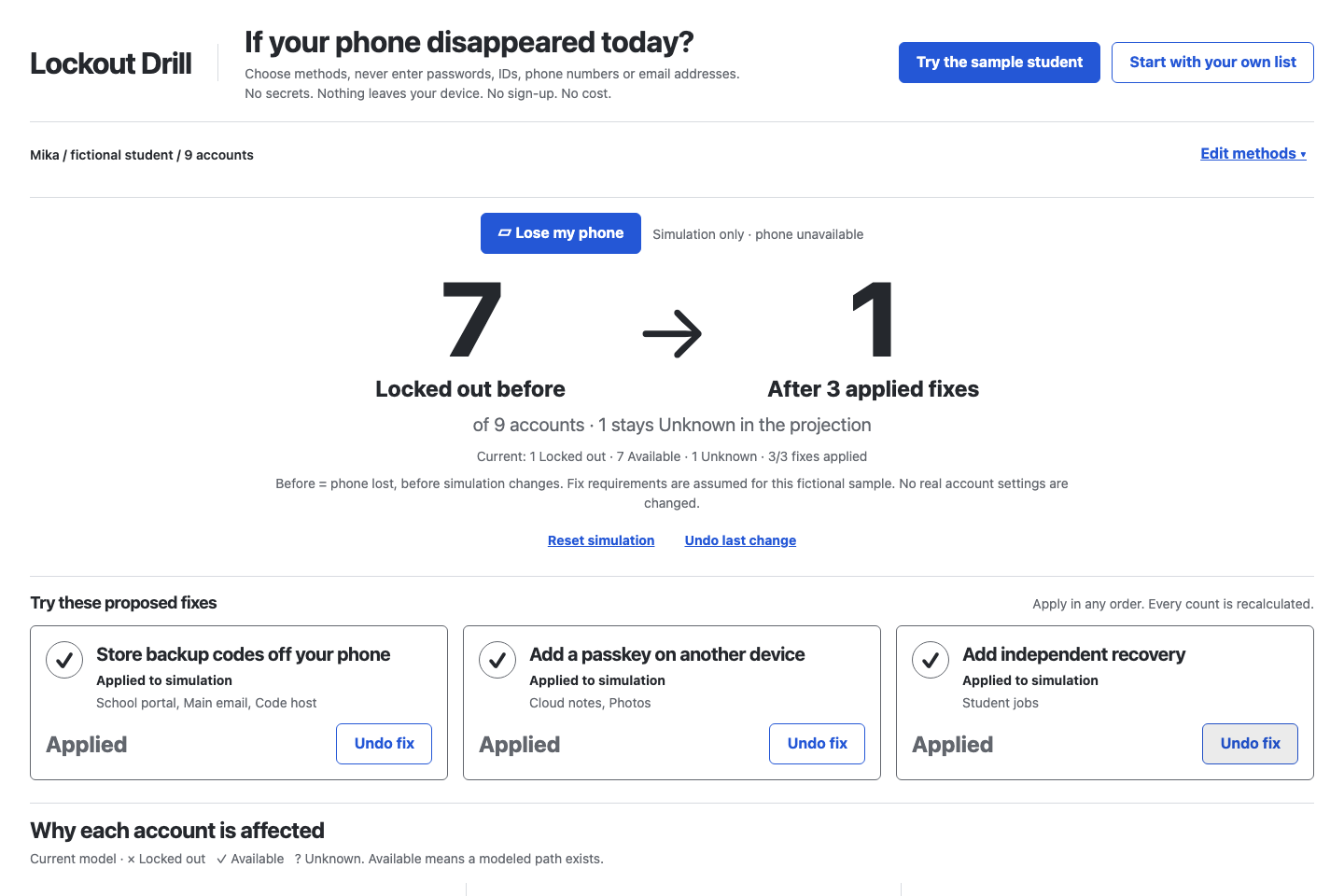
Losing the phone for nine fictional student accounts: 7 Locked out, 1 Available, 1 Unknown. The large 7 → 1 previews all three fixes.
-
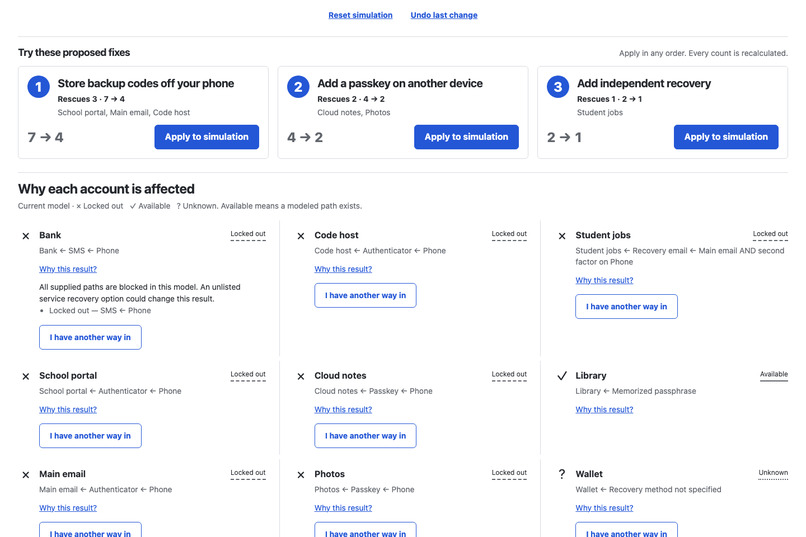
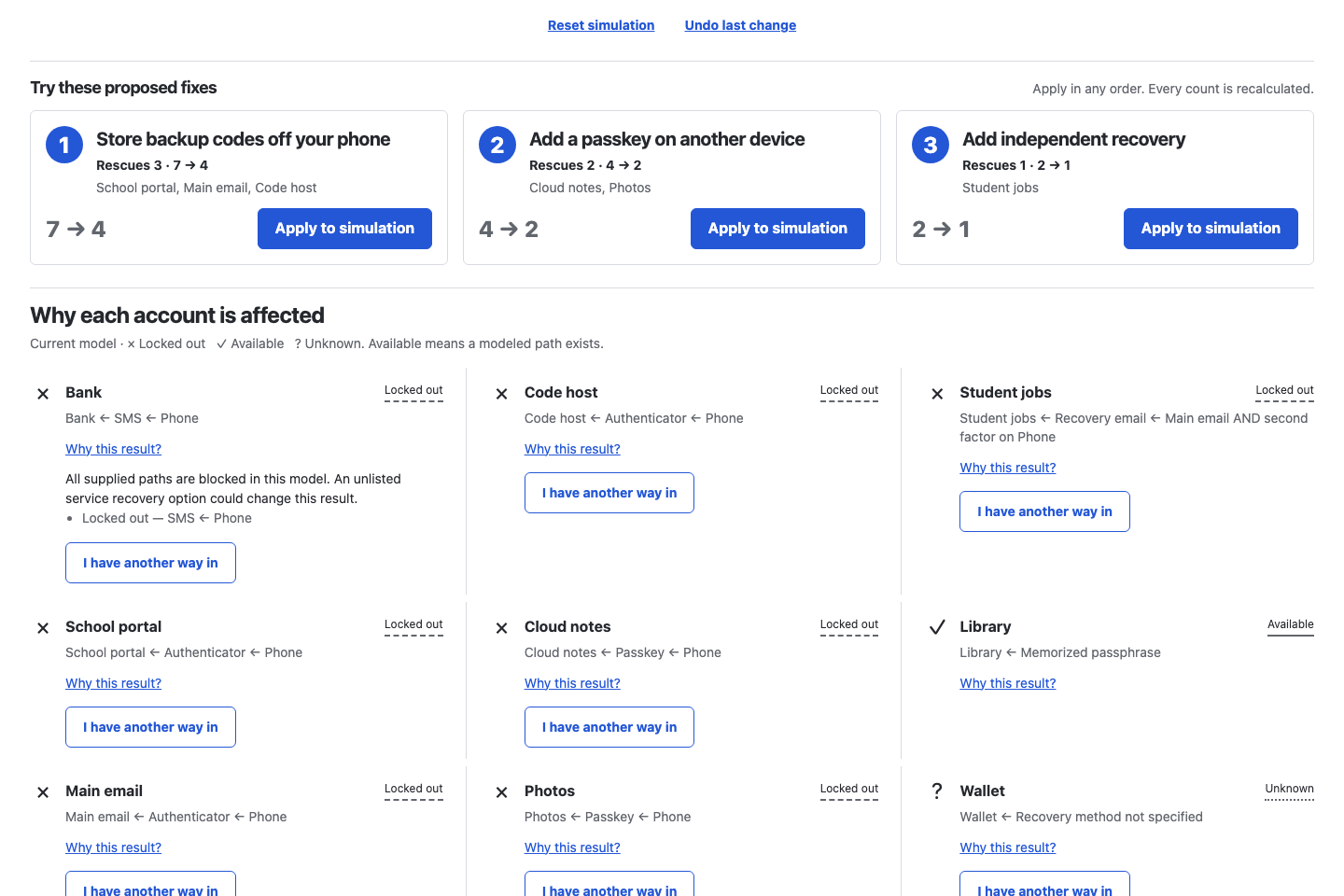
Each account shows its dependency chain, such as Bank ← SMS ← Phone, and each proposed fix shows how many accounts it rescues.
-
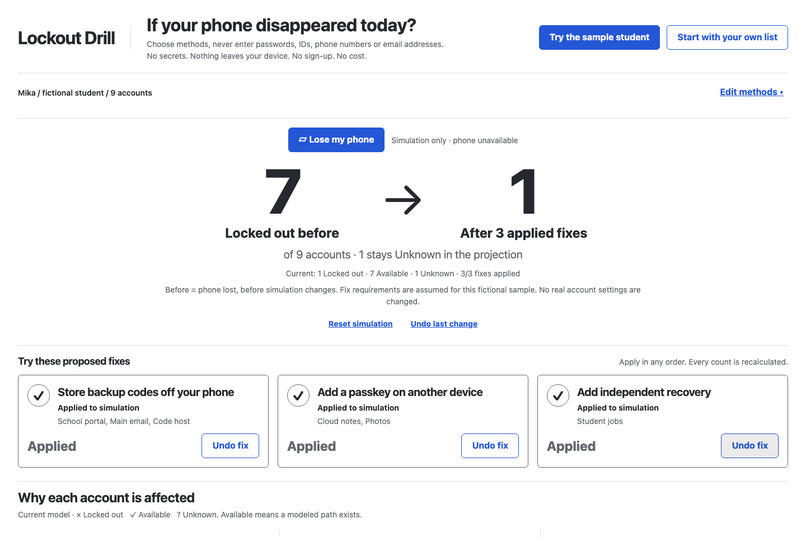
After three applied fixes: 1 Locked out, 7 Available, 1 Unknown. Fix requirements are assumed; no real account is changed.
-
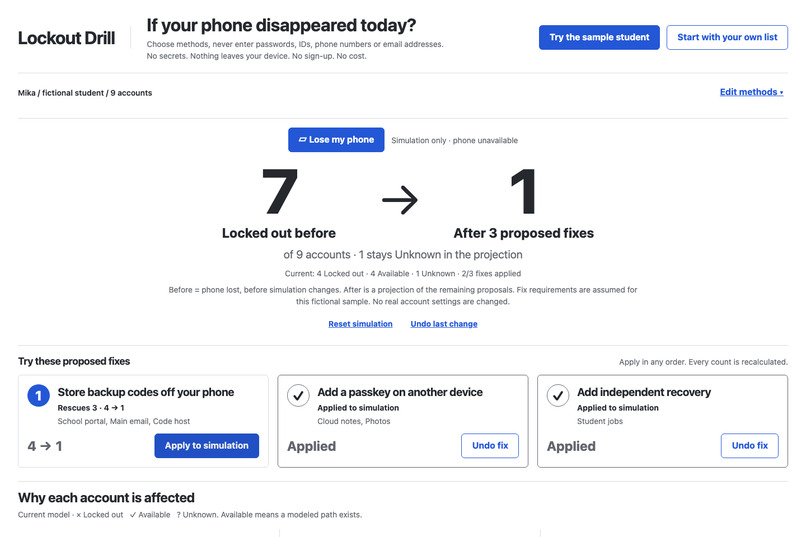
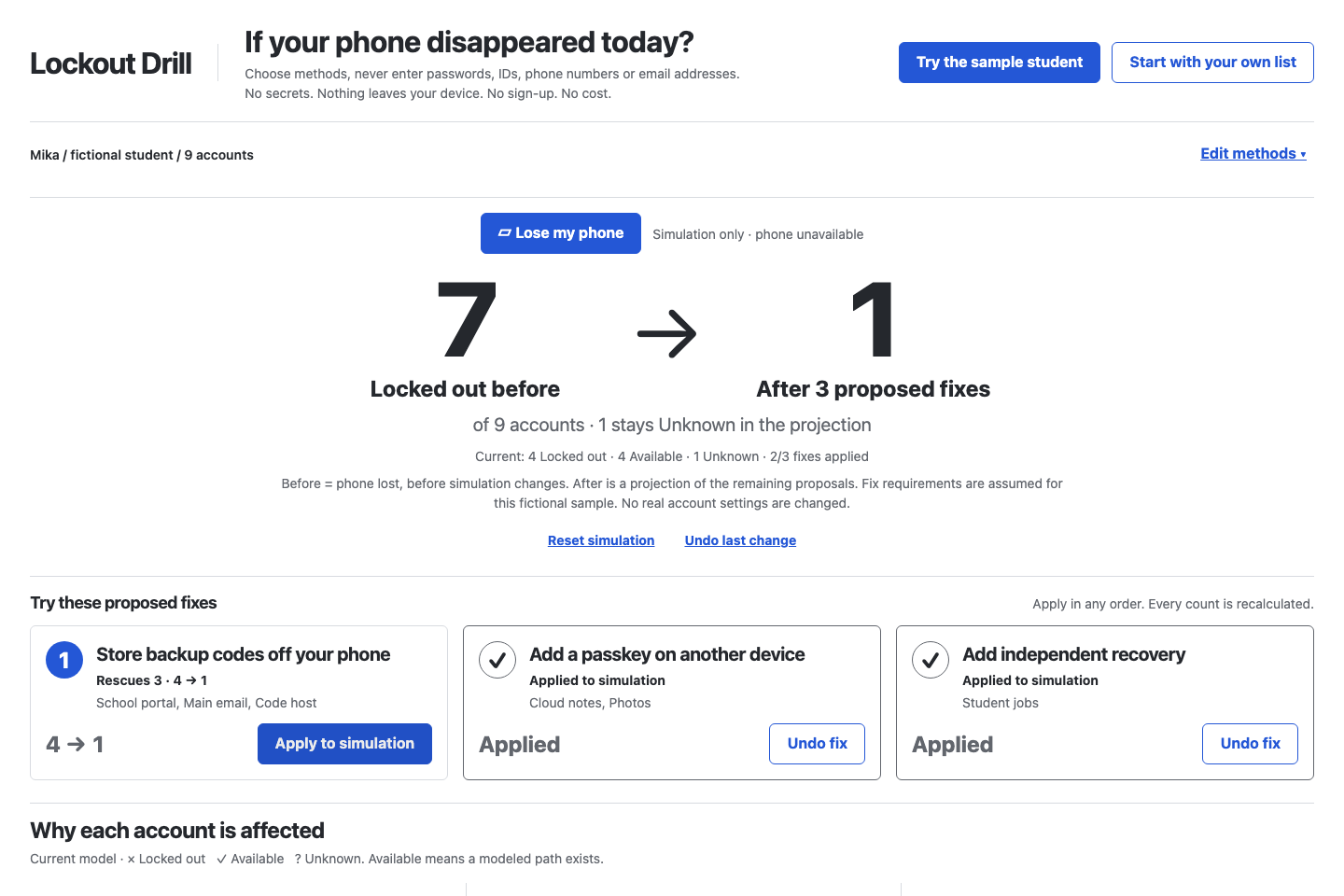
Applied fixes can be undone. Undoing the first fix returns the simulation to 4 Locked out, 4 Available and 1 Unknown.
Inspiration
When SMS codes, an authenticator app and backup codes all depend on one phone, losing that phone can remove several recovery routes at the same time. Lockout Drill lets a student rehearse that moment with a model of their setup, before they need to rely on it.
What it does
Lockout Drill evaluates the recovery methods described in an account list and gives each account one of three results: Available, Locked out or Unknown. Each result comes with an explanation and the dependency chain behind it: Bank ← SMS ← Phone means the bank account is recovered by SMS, and SMS needs the phone. Applying a suggested fix changes the simulation, not real account settings. It never asks for passwords, codes, phone numbers or email addresses.
A safer outcome, using fictional data
The built-in sample is Mika, a fictional student with nine accounts. Applying the fixes one after another gives these counts (Locked out / Available / Unknown):
- Simulate losing the phone: 7 / 1 / 1.
- Apply "Store backup codes off your phone": 4 / 4 / 1.
- Apply "Add a passkey on another device": 2 / 6 / 1.
- Apply "Add independent recovery": 1 / 7 / 1.
In the model, three fixes move six accounts from Locked out to Available. Bank stays Locked out because its only listed route is SMS on the lost phone, and Wallet stays Unknown because its recovery method is recorded as unknown. These are conditional simulations: they assume the off-phone backup codes work, the passkey device is independently accessible, and the independent recovery route is supported by the service. Lockout Drill does not check any real service.
Try the demo
- Open https://driedsandwich.github.io/lockout-drill/ (or download the source from https://github.com/Driedsandwich/lockout-drill and open
index.html). - Select "Try the sample student". The phone-loss scenario runs automatically.
- Open "Why this result?" on an account to see its recovery paths.
- Select "Apply to simulation" on the three fix cards in this order: "Store backup codes off your phone", "Add a passkey on another device", "Add independent recovery". Locked out drops from 7 to 4, 2 and then 1. The large 7 → 1 at the top previews that end point; the "Current:" line shows what you have applied so far.
- Use "Undo fix", "Undo last change" or "Reset simulation" to go back, and "Clear list & start over" to clear everything.
You can also select "Start with your own list", give each account a nickname, pick its recovery methods by type (authenticator app, SMS, passkey, backup codes and where they are stored, recovery email, memorized passphrase) and select "Save methods & run drill". Use nicknames, never real contact details or secret values.
Privacy and limits
The page makes no network requests (its Content Security Policy forbids network connections) and keeps its state only in memory; reloading or closing the tab clears it. There are no fields for secret values. Nicknames that look like contact details are rejected, but a secret typed into a nickname cannot always be detected.
This is a model of the stated setup, not proof that real recovery will work. Only three fix patterns are implemented and phone loss is the only scenario, so an empty suggestion list does not mean the setup is safe, and Unknown never means safe.
How I built it
The browser page is plain HTML, CSS and JavaScript in one file. A shared module, core.mjs, evaluates recovery paths and follows dependencies to calculate each account's status; suggested changes are applied to a copy of the list. A build step embeds the same core into index.html. Development needs Node.js 22 or later (npm test, npm run build); no third-party packages are installed.
CLI and MCP for AI agents
The same core also runs as a command-line tool (CLI) and as a local server for the Model Context Protocol (MCP), which lets an AI assistant call this tool on the same computer, so scripts and AI assistants get the same 7 / 1 / 1 result as the page. Bad input returns an explicit error without echoing it, and the MCP server has no network listener. Example: node cli.mjs analyze examples/mika.json --lose phone --json.
Built during the event
The work listed below was done within the build window (October 17–November 22, 2026), as the README and the Git history show. Dates are in Japan time:
- November 12: first single-page prototype.
- November 13: first commit; shared core, reproducible embedded build, CLI, local MCP server, schema, JSON sample and tests added; browser review at 1440 px and 390 px.
- November 17: test files and the README updated.
Pre-existing / third-party
No pre-existing third-party code, data or assets are included. The project relies only on existing platforms and standards: web browsers, Node.js, JSON Schema 2020-12 and the Model Context Protocol specification.
Credits
- Runtime and standards: HTML, CSS and JavaScript (no external libraries or fonts); Node.js for the CLI, tests and build; JSON Schema 2020-12; MCP
2025-11-25. - Data: all sample data is fictional.
examples/mika.json(Mika's nine accounts) is generated fromsample()incore.mjs. - AI assistance: I used OpenAI Codex to generate code and tests, and Anthropic Claude for planning, review and browser checks. I selected the project and its design direction from options explored with AI assistance.
Challenges I ran into
The main modeling problem was telling a route that is blocked apart from one whose outcome cannot be determined. Accounts that can only be recovered through each other (a dependency loop) stay Unknown, and dismissing a warning without adding a complete alternate path is not counted as a rescue. The CLI and MCP server also had to fail safely: malformed JSON, duplicate IDs, secret-looking fields and oversized input return explicit errors without echoing the input, and the MCP server keeps working after a bad message.
Accomplishments that I'm proud of
All 54 tests pass across the core, build, CLI, MCP and UI logic, and tests check that the page, CLI and MCP server give the same result. In the browser, each applied fix can be undone and the whole simulation can be reset. The UI tests use an in-memory stand-in for the page, so rendering was checked separately in a headless browser at desktop and mobile widths.
What I learned
An account with only one recovery route can stay locked out even after several fixes: in Mika's sample, Bank is still Locked out after all three, because its only route is SMS on the lost phone.
What's next
Not yet covered: use from an external MCP client and checks with assistive technology such as screen readers.
Built With
- anthropic-claude
- css
- html
- javascript
- json-schema
- mcp
- node.js
- openai-codex
