-
-

-
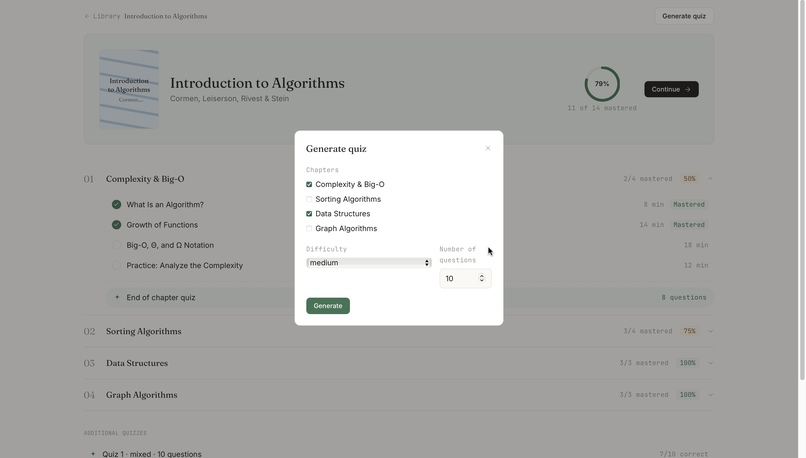
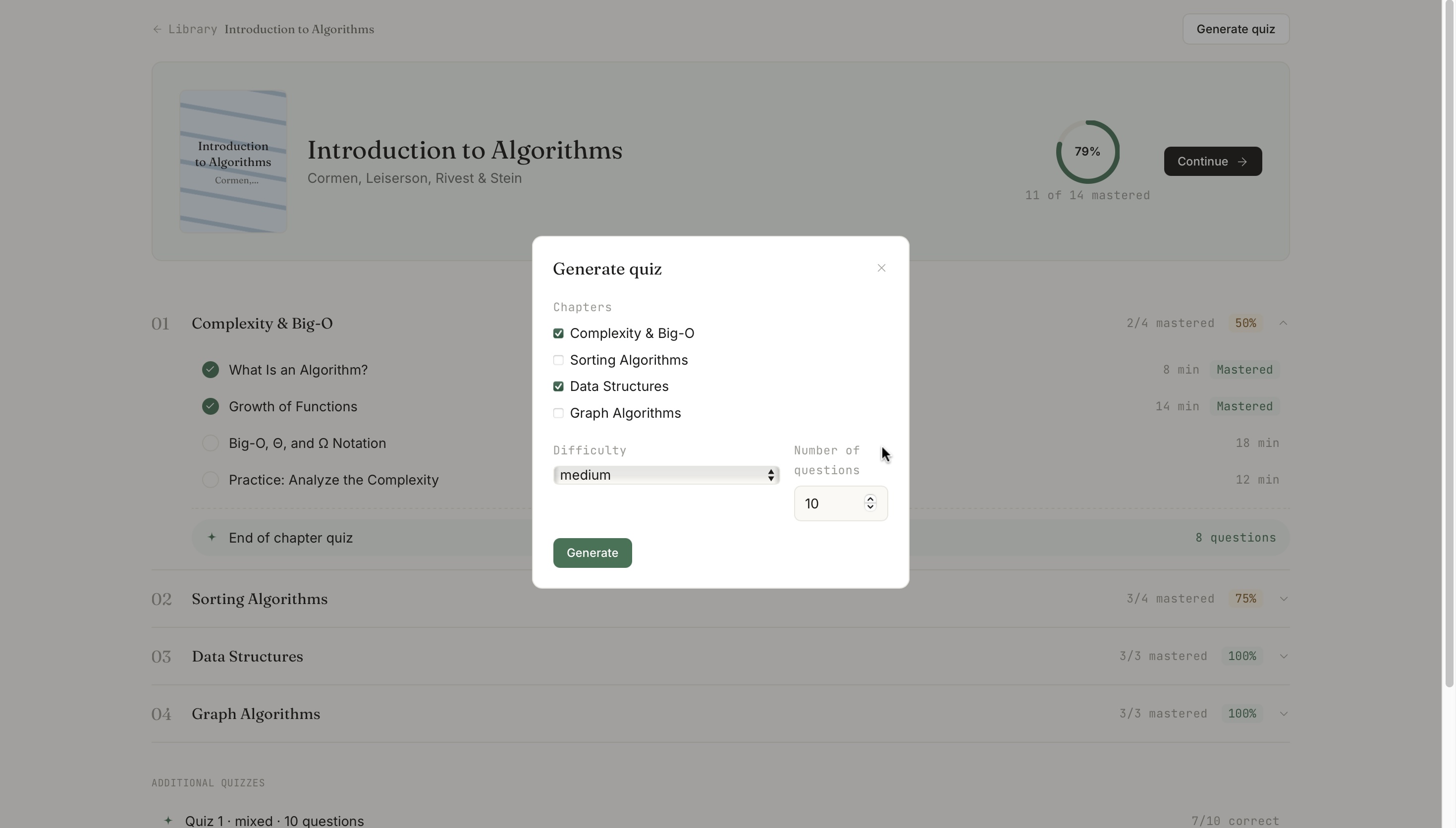
Custom quiz generation
-
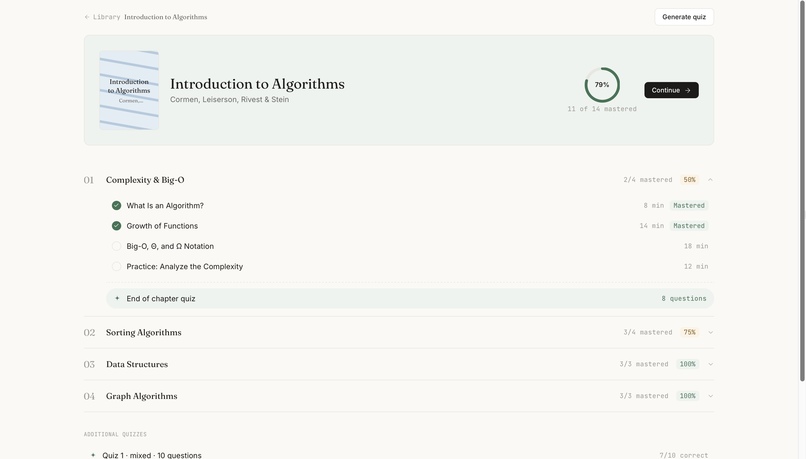
Chapters
-
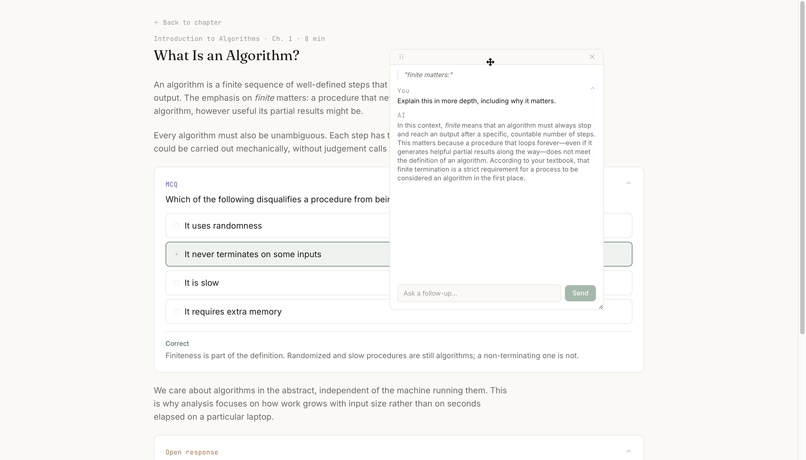
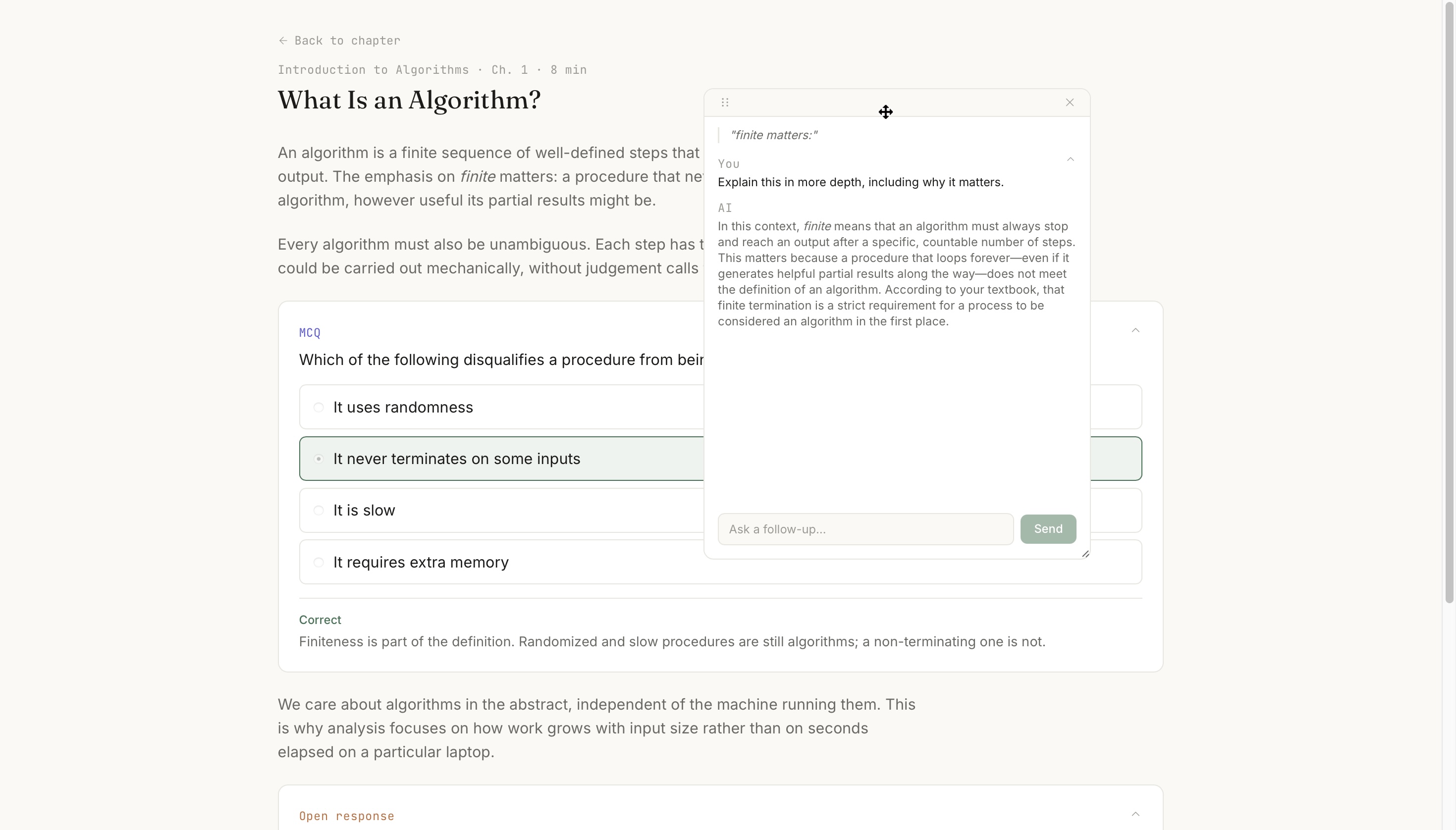
AI assistance feature
Inspiration
As students, we often find ourselves reading long, confusing textbooks late at night, rereading the same paragraph without knowing whether we actually understand it. When we want to practice a concept or ask a question, we have to switch between tools, search through the textbook for exercises, or wait until an exam to find out what we missed. Even returning to a PDF can mean losing our place or having to remember where we left off.
All that friction makes it easy to get discouraged and reach for our phones instead. We wanted to make studying more interactive, keep everything in one place, and give students immediate feedback while they’re still learning.
What it does
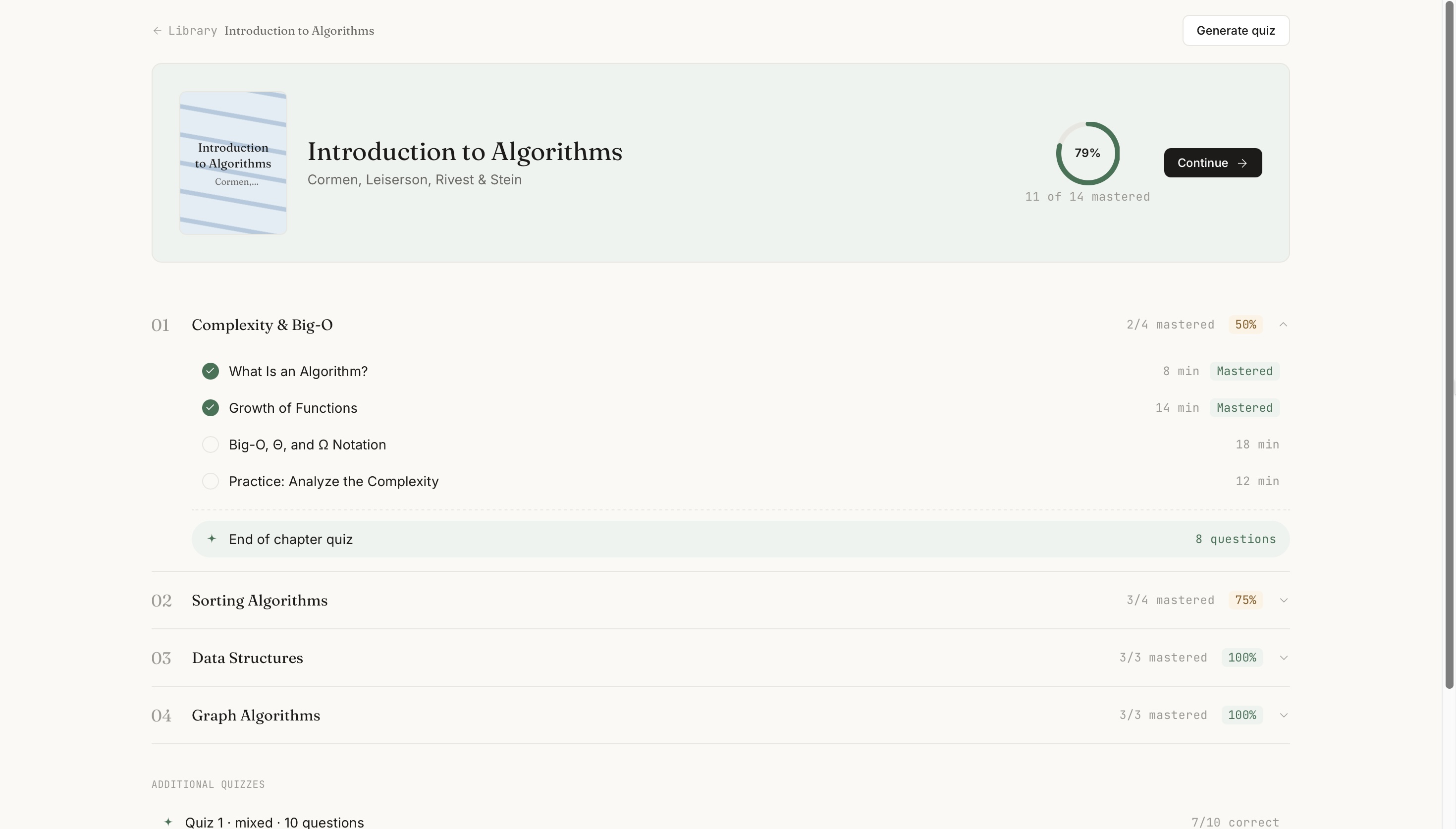
LockedIn turns a PDF textbook into an actual course. Upload a chapter, and it gets organized into lessons using the textbook’s original material. Comprehension questions appear alongside the concepts they test, giving you immediate feedback as you read. If you get stuck, you can highlight any sentence and ask for an explanation, clarification, or example. You can generate quizzes based on selected chapters, difficulty, and question count. These prioritize exercises from the textbook when possible, while adding new questions when needed. Progress is tracked through your understanding and mastery, not just pages completed.
How we built it
We used FastAPI and SQLite for the backend, with React and Tailwind on the frontend. PyMuPDF extracts the text from uploaded PDFs, and Gemini then identifies chapter boundaries, breaks the material into lessons, and generates lesson content with questions woven throughout. Whenever possible, those questions are sourced from the textbook’s own exercises. Features like the highlight-and-ask panel and quiz generation also use Gemini live, allowing users to keep interacting with their textbook even after the course has been created.
Challenges we ran into
One of our biggest challenges was dealing with Gemini’s rate limits. We initially used the free tier without realizing that quotas varied significantly between models. After using up a model’s daily allowance while testing chapter detection on a large textbook, we discovered that other models using the same API key had much higher quotas. This taught us to be more intentional about choosing models for different tasks and testing with individual chapters instead of entire books.
We also had to manage scope creep. We had ideas for features like audio lessons, note-taking, and more question types, but with limited time, we had to focus on the core learning experience. Choosing what not to build was just as important as choosing what to build.
Accomplishments that we're proud of
One of the things we’re most proud of is making textbook-grounded practice actually work. Instead of generating generic AI questions, LockedIn prioritizes real exercises from the textbook and only creates new ones when necessary. That makes the learning experience feel connected to the material students are actually studying.
We’re also proud of getting the full pipeline working on a real textbook chapter. A user can upload the material, have it organized into lessons, answer questions, generate a quiz, and ask follow-up questions through the live chat - all using the same underlying course content. Seeing those pieces work together end to end, beyond a simple prototype or toy example, was a major accomplishment for us.
What we learned
We learned that reliable AI requires careful prompt design, testing, and iteration - not just a good initial instruction. We also learned to use AI-assisted coding responsibly by breaking tasks into smaller pieces, reviewing the generated code, and testing everything ourselves.
What's next for LockedIn
We want to make LockedIn more adaptive by identifying the concepts students struggle with, bringing them back through spaced review, and eventually predicting knowledge gaps before they become problems. We’d also like to add audio lessons for more flexible studying.

Log in or sign up for Devpost to join the conversation.