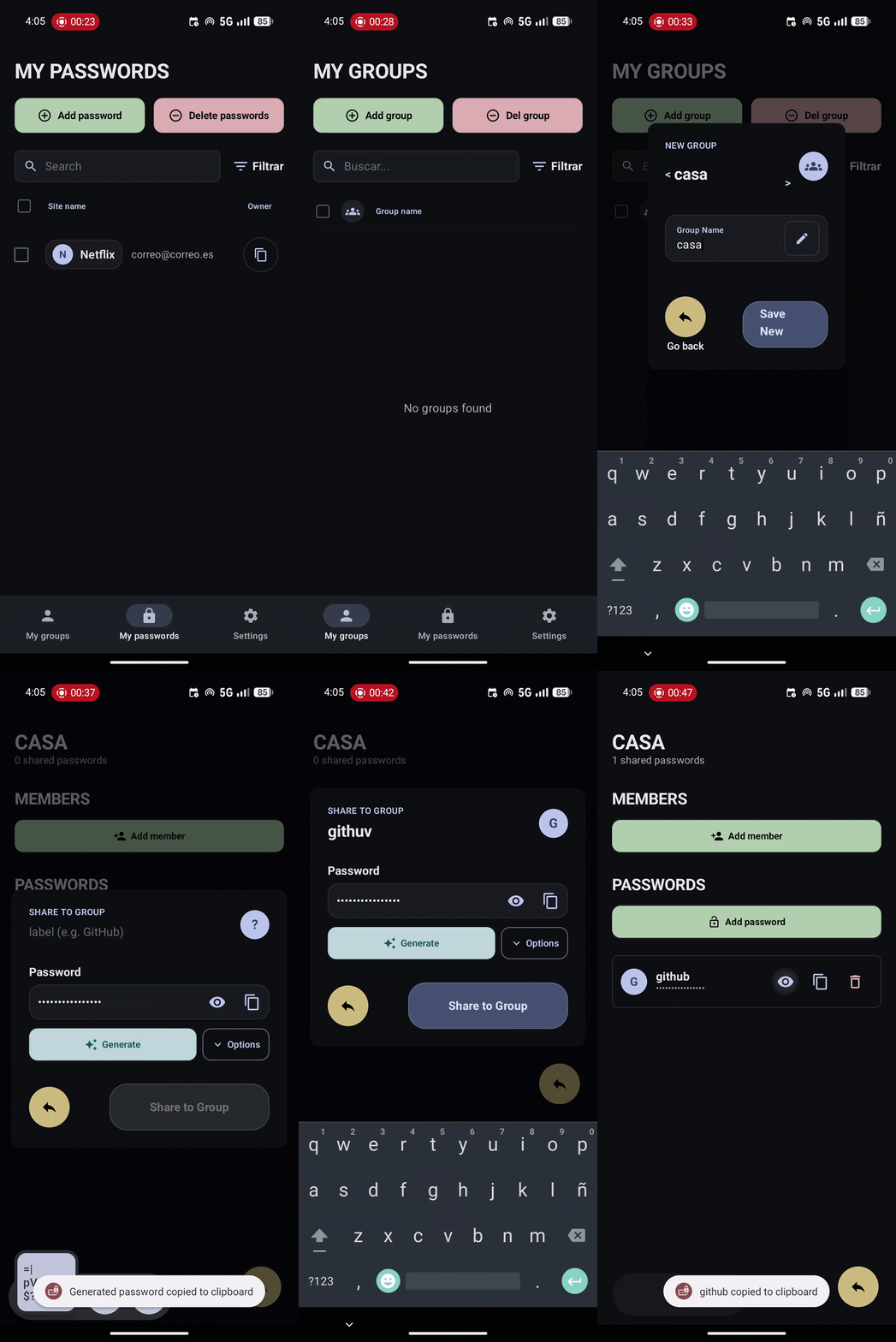
LockedIn is an offline-first password manager developed during HackUDC 2026 that makes advanced encryption accessible through a seamless and intuitive user experience. It automates complex asymmetric cryptography for secure group sharing, keeping your data protected without any technical friction.
Inspiration
Gradiant presented this challenge as a way to develop an easy solution to secure passwords. We immediately thought about our loved ones: parents, grandparents, uncles—non-technical people whom we want to keep safe in their everyday lives, even if they don’t know what encryption is.
From there, we defined the core principles of our project:
- An easy and efficient solution that anyone can use.
- A secure and robust solution to truly protect users.
- A people-focused solution, implementing useful and meaningful features instead of just fancy ones.
With this in mind, we developed a secure-first, easy-to-use mobile app to keep what is private truly private.
Features
- Offline Password Vault — Store passwords locally with AES-256-GCM encryption and a device-side master key.
- Auto Complete — Prompts an option to complete on username or password fields.
- End-to-End Encrypted Sharing — Share passwords between users using asymmetric cryptography (ECDH) and a Symmetric Group Key (SGK).
- Zero-Knowledge Backend — The server stores only hashed identifiers and encrypted blobs; it never has access to plaintext secrets.
- Group Management — Create groups, invite members by phone number, and share credentials securely.
- Password Generator — Generate strong, customizable passwords on-device.
- Modern UI — Clean and familiar Jetpack Compose interface with dark/light theme support.
- Full Dockerized — One-command deployment with Docker Compose (FastAPI + PostgreSQL).
How we built it
- Encryption: As our top priority, we carefully studied the security requirements of a password manager, implementing an asymmetric key system to secure communications.
- Design: Providing a transparent and simple user experience was essential. For this reason, we used Jetpack Compose with Kotlin to create an intuitive and seamless UI, including biometric authentication and Material Icons for familiarity.
- Server: Once the offline password manager was ready, we developed secure password sharing. This allows users to share credentials (such as Netflix, HBO, or Amazon Prime) with friends and family. To achieve this, we built a zero-trust server that enables secure sharing using only a phone number.
Challenges we faced
- Security Protocols: With limited prior knowledge of cybersecurity beyond what we learned in class, choosing the right encryption protocol was a major challenge. Nevertheless, we arrived at an elegant and secure solution we are very proud of.
- Balancing Security and Simplicity: Implementing strong security while keeping the app easy to use was not always straightforward. Maintaining this balance required continuous testing and iteration.
- Working with Kotlin: Developing in Kotlin with limited experience was challenging. We faced issues with setup, dependency management, and productivity. Despite this, we successfully delivered a working app with its core features and strong potential for future development.
What we learned
- Secure Encryption Methods: To ensure privacy and security, we explored encryption methods in depth to achieve true end-to-end encryption.
- Android Development: To improve efficiency, we built our app using native Android technologies, strengthening our Kotlin skills with Jetpack Compose.
- FastAPI: To quickly build the backend, we learned FastAPI with Python, which fit our server needs perfectly.
What's next for LockedIn
Some of the next things to do in this proyect would be:
- Synchronize mobile contacts: make an easy way to add known people to your passwords group.
- 2FA to verify the user: receive an SMS on the number that you introduce to verify that is your number.
- Recovery cases: a method to backup and recover all your cloud information (local is unrecoverable for security reasons).


Log in or sign up for Devpost to join the conversation.