-
-
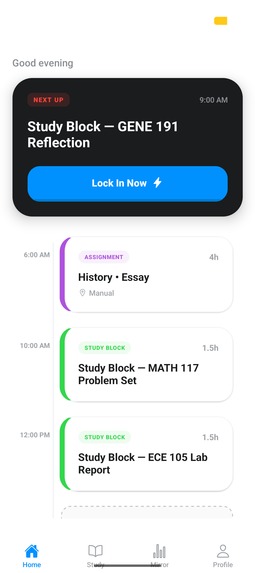
Home
-
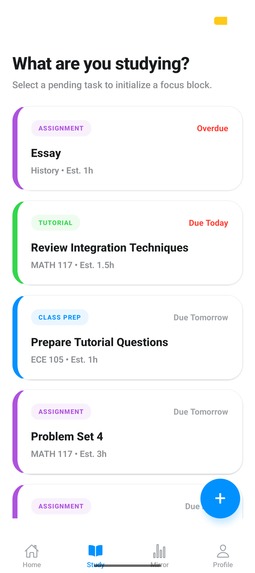
Study
-
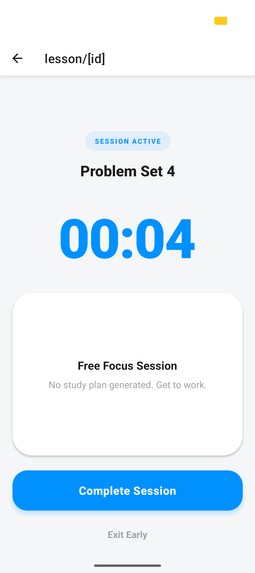
Focus
-
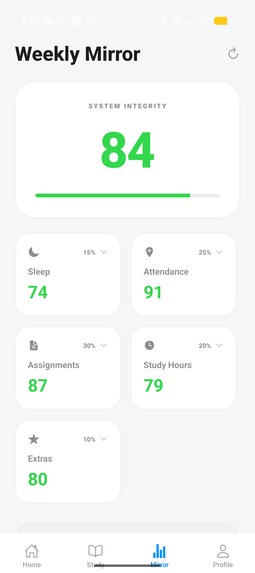
Mirror
-
Profile
Inspiration
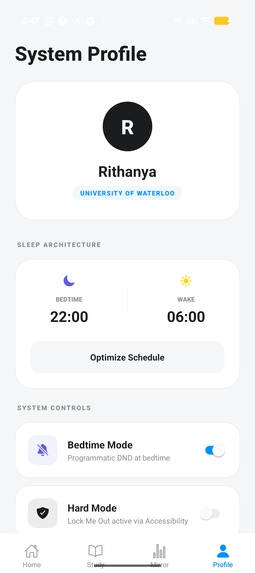
As a first-year Mechatronics Engineering student at the University of Waterloo, I noticed a recurring problem among my peers. We did not lack planners or to-do lists; we lacked the discipline to actually start the work. I realized that most productivity software is too passive. It asks you to stay organized but doesn't help you stay disciplined. I wanted to build a behavioral intervention system disguised as an OS. Locked In is built for the student who knows what they should be doing but simply cannot start.
How I Built It
I built Locked In using React Native and Expo to create a system-level experience specifically for Android. The backend is powered by Supabase, utilizing Row Level Security (RLS) to ensure every byte of student data is private and secure.
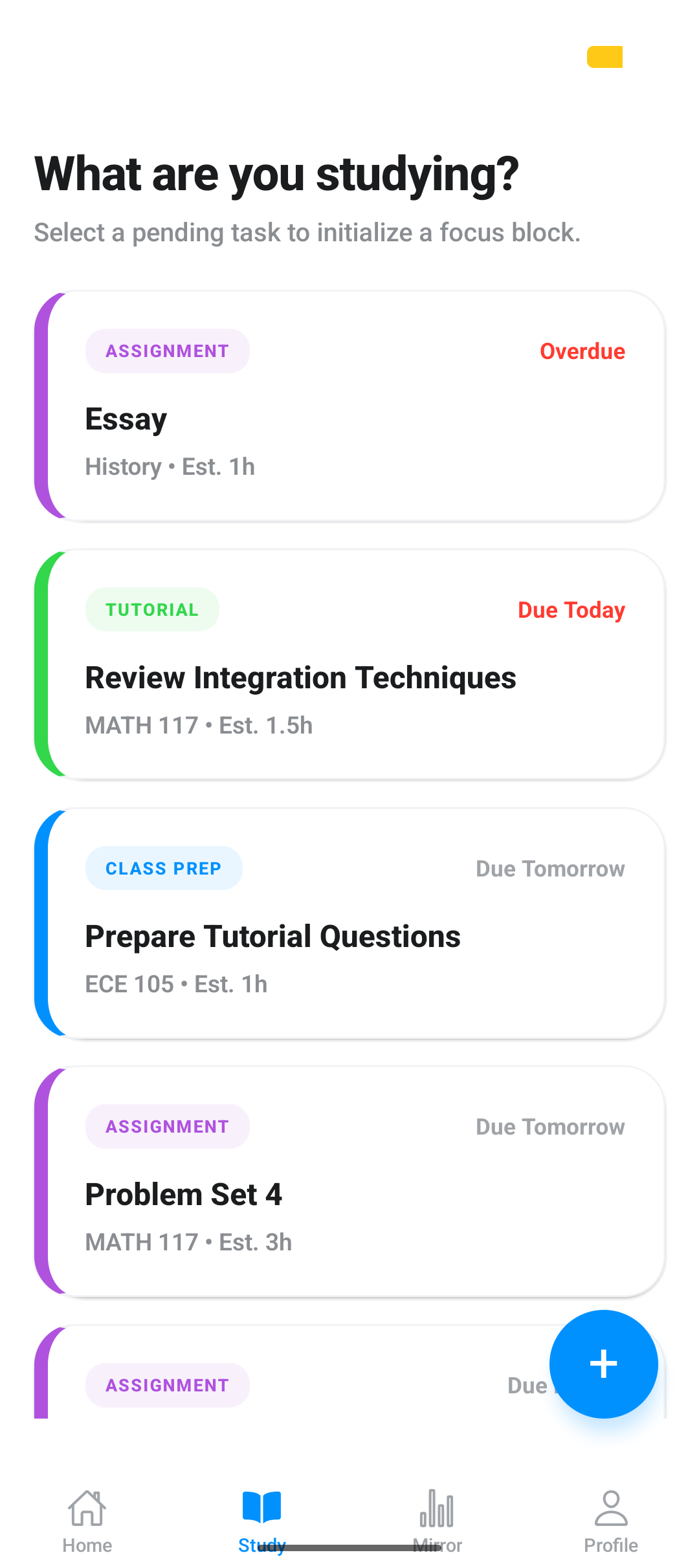
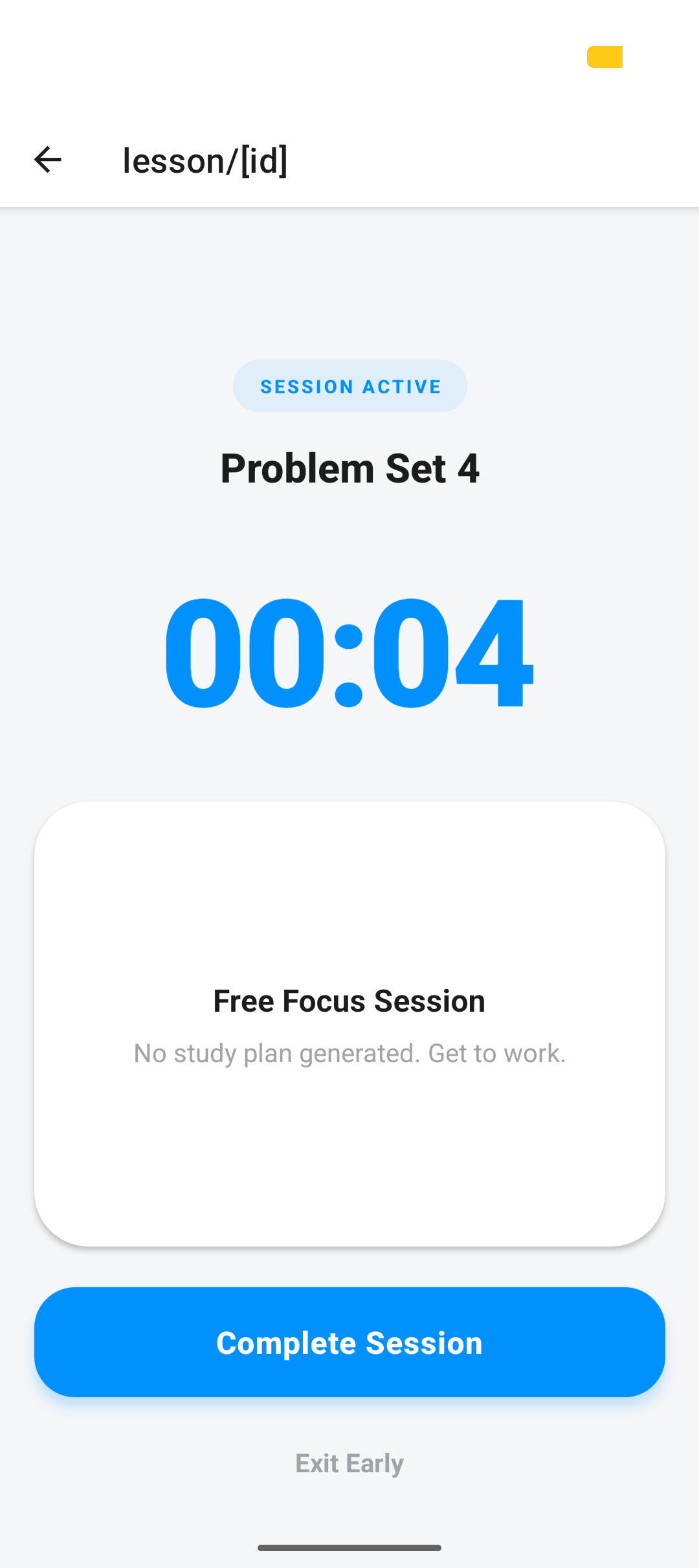
For the AI component, I integrated the Gemini API as a tactical tool rather than a general chatbot. Locked In calls Gemini only when a student starts a study session to generate a 4-to-7 step tactical checklist based on the task type, such as an assignment, tutorial, or class prep. The UI follows the Azure Drift design system, which uses a soft color palette and 16px border radii to create a focused, calm environment.
The Science of Integrity
Every feature maps to a peer-reviewed behavioral science concept:
- Commitment Devices: We use the Android
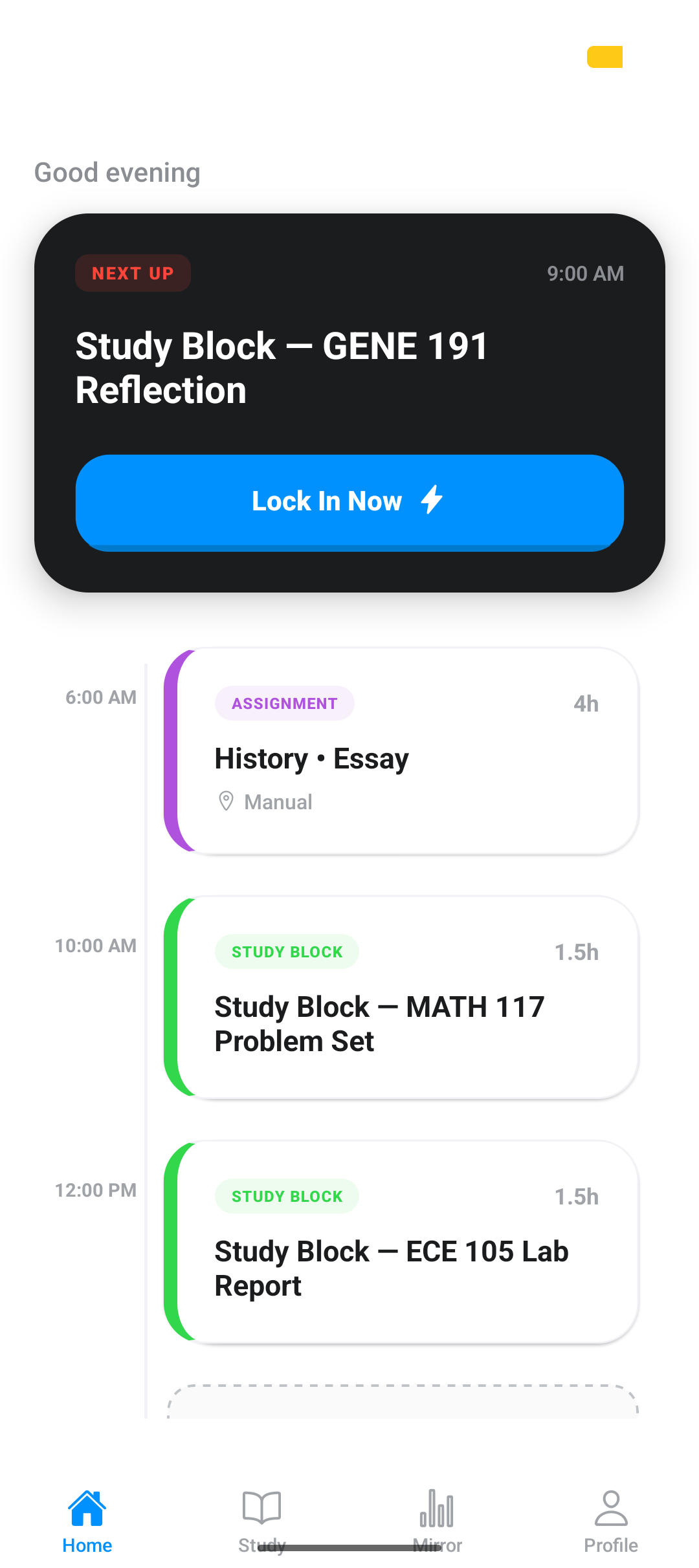
startLockTask()API to pin the screen during focus sessions, preventing digital distractions. - Implementation Intentions: Our Morning and Evening planners prepare the brain for upcoming transitions and reduce decision fatigue.
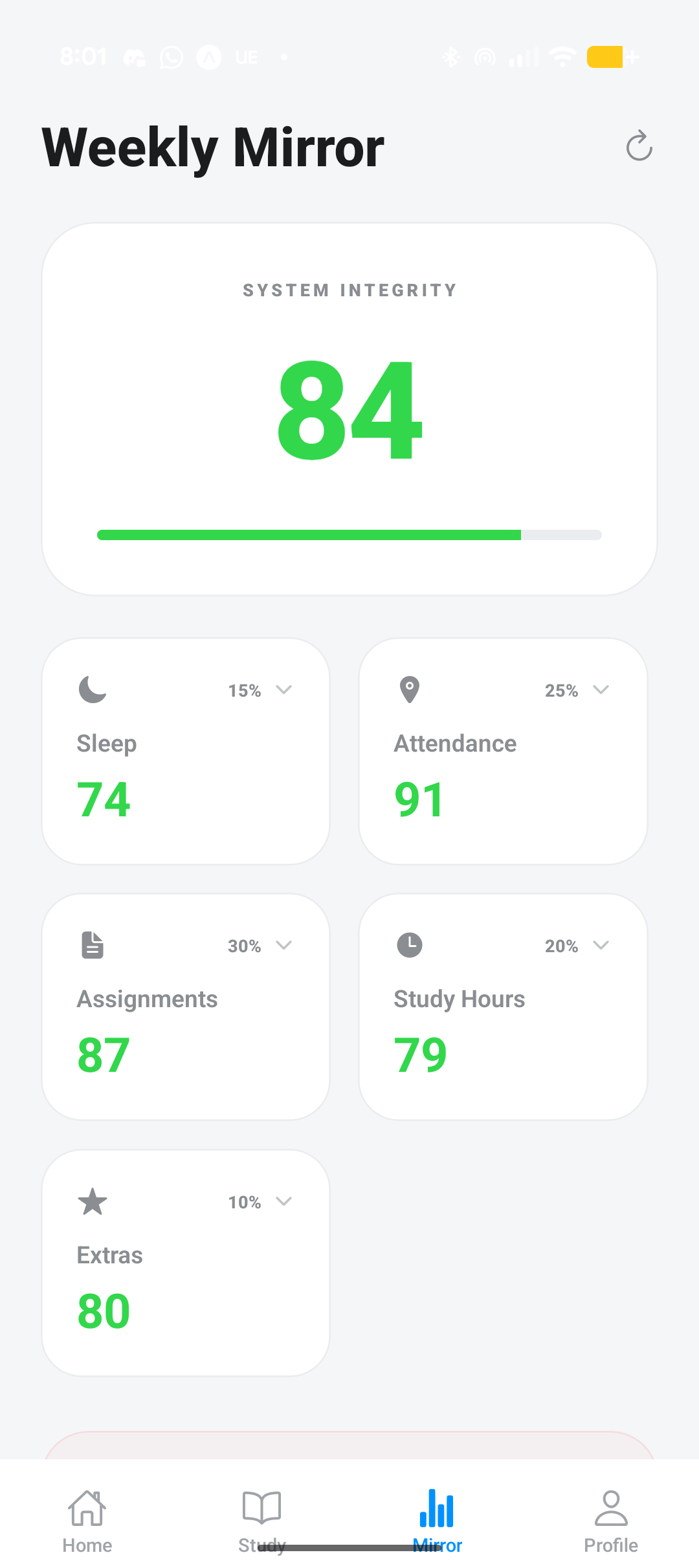
- Honest Feedback: The Weekly Mirror calculates a System Integrity Score ($S$) based on a weighted average of real behaviors:
$$S = 0.25A + 0.30G + 0.20H + 0.15L + 0.10E$$
Where A is Attendance, G is Assignments, H is Study Hours, L is Sleep, and E is Extras.
Challenges Faced
The biggest challenge was handling high-sensitivity Android APIs within the Expo ecosystem. Features like background geofencing for attendance and programmatic Do Not Disturb (DND) required moving beyond Expo Go into custom EAS builds to access native modules.
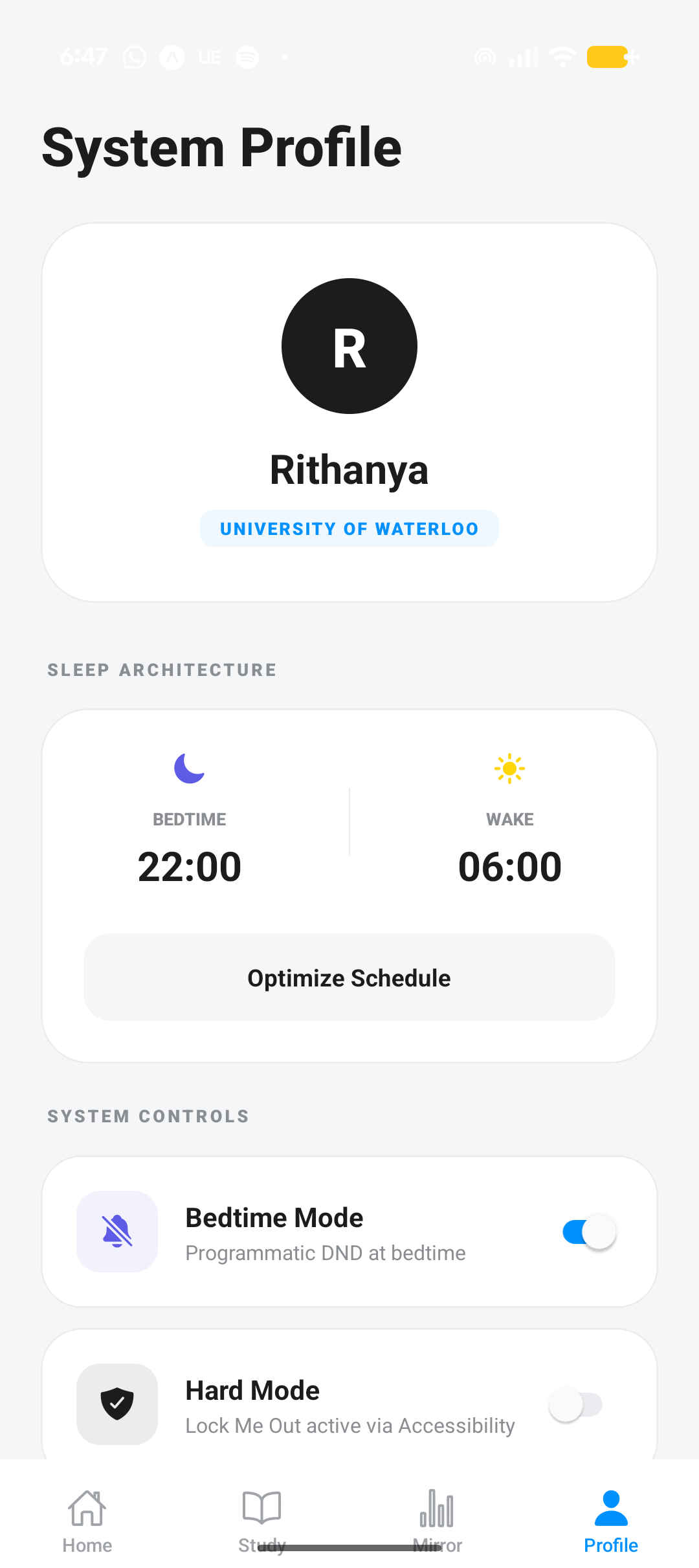
Additionally, I had to architect a privacy-first Sleep Architecture. Raw screen time data is processed entirely on the device using PACKAGE_USAGE_STATS, and only the final count of minutes used after bedtime is sent to the database to protect user privacy.
What I Learned
I learned that the most effective AI is often the most invisible. By restricting Gemini to a single, high-impact trigger, I kept the app fast and focused while avoiding "AI bloat." I also learned how to build for integrity rather than guilt, providing a factual mirror for student behavior encourages growth without the negative pressure of traditional productivity systems.
What's Next for Locked In
While the MVP provides the core behavioral loop, the roadmap focuses on deepening the system integration:
- Native Module Hardening: Transitioning from simulated DND to true system-level Do Not Disturb and fully implementing the
PACKAGE_USAGE_STATSlistener for granular sleep tracking. - Schedule Intelligence: Moving the "Schedule Suggestions" algorithm to production to automatically distribute study sessions into free calendar windows weighted by deadline urgency.
- Avoidance Pattern Detection: Fully implementing the subject-specific avoidance algorithm to flag high-friction courses and provide automated, non-AI behavioral suggestions.
- Cross-Platform Expansion: Researching iOS Device Activity and Managed Settings frameworks to bring focus-locking capabilities to the Apple ecosystem.
- Third-Party Sync: Enabling Google Calendar OAuth to factor in extracurricular commitments and personal events.
Built With
- android
- expo-location
- expo-router
- expo.io
- gemini
- ical
- react-native
- supabase

Log in or sign up for Devpost to join the conversation.