Inspiration
It's getting increasingly difficult to have a productive deep work session or do any focused work at all these days. Anything and everything around us is highly optimized to claim our most valuable asset: time.
I often find myself having mindlessly scrolled the internet for hours on end without realizing how it happened. Even though I am supposed to be working on my goals, it is difficult to consistently avoid all distractions. Well, the key is not to avoid the distractions. That's impossible. The key is to be mindful when you are distracted, and using that realization to get on track with your goal, instead of getting lost.
Mindfulness is an extremely valuable skill these days. It improves everything from focus to emotional control, and it is something every individual would benefit from training. It is quite hard to get better at it to improve your focus though. Thankfully, Locked In is here to change that.
What it does
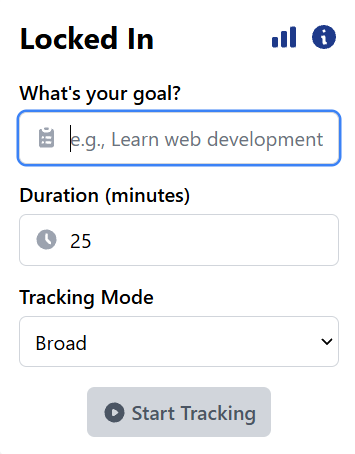
Locked In is a Chrome extension designed to keep you on track with your focus goals. It periodically scans the visible area on the active tab, extracts the core content, and checks if it aligns with your goal. If not, you will be alerted, keeping you mindful of any distractions before you get lost.
How we built it
We developed Locked-In using the following technologies and methodologies:
- Chrome Extension APIs:
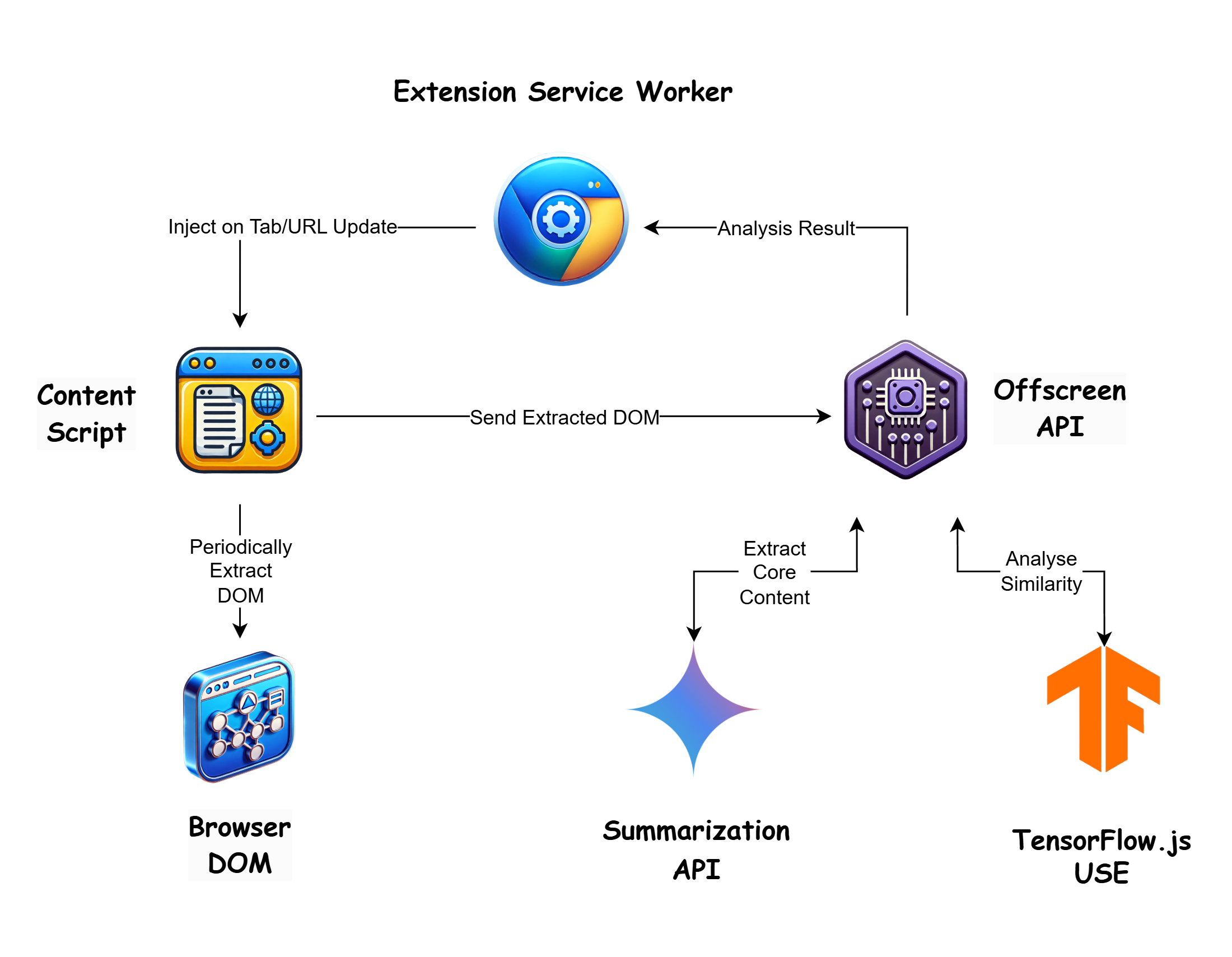
- Extension Service Worker: It is at the center of it all. Communicates with all the other components. Injects the content scripts on tab/URL changes. Handles the tracking actions, alarms, and distraction notifications.
- Content Scripts: Periodically scans the visible content of the active browser tab. Sends the extracted content to Offscreen.
- Offscreen API: Handles the heavy computational work. Designed to work separately from the main thread. Runs the summarization and analysis with minimal user experience distruption.
- Gemini Nano Summarization API: Extracts the core content of the page for the most accurate and efficient similarity analysis. Filters out any irrelevant elements that would skew the results (e.g. navigation bar or ads)
- TensorFlow.js Universal Sentence Encoder (USE): Used for running a similarity analysis between the user's goal and the summarized core content of the page.
- React & TypeScript: Used to build a good user interface. Easy to understand and stylish.
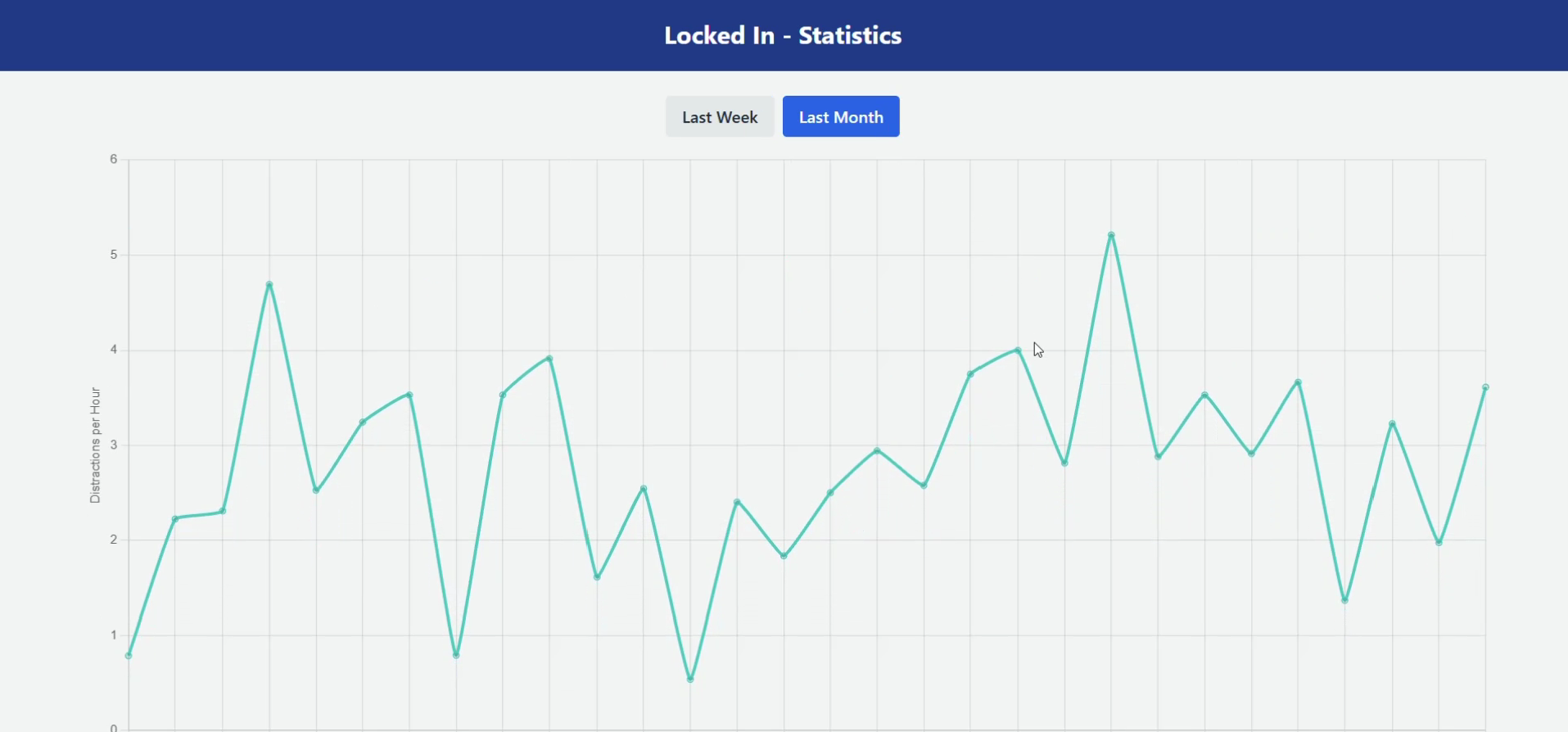
- Chart.js: Used for visualizing the user progress on the statistics page

Challenges we ran into
- Managing Content Scripts and Scan Scheduling: At any point, there had to be at most 1 active content script and only 1 scheduled scan & analysis. I had to manage all the tab & URL updates. I needed to properly destroy the scheduled scans, deactivate the content scripts, and make sure the new scans are scheduled properly on new tabs.
- DOM Extraction: Even though the Offscreen API is able to use the DOMParser, I couldn't make it extract only the elements currently visible to the user. I had to move the DOM extraction to content scripts and that is not ideal.
What we learned
- Extension APIs and Best Practices: I was fairly new to extension development and Chromium. I managed to learn a ton about some of the extension APIs, Manifest V3 and the best practices of building a browser extension.
- Prompt Engineering: Both good and bad. I have learned how to prompt the LLMs for code and idea generation. Struggled with their mistakes and hallucinations, but also fascinated by the improved efficiency while using them.
What's next for Locked In
- Video Tracking: Access and analyze parts of the video transcription to check if the user is distracted or not by playing the video.
- Multi Language Support: Expand the extension's capabilities to track focus on multiple languages. Possibly with the Gemini Nano Language Detector API.
- Analysis Accuracy Improvements: Incorporate better/heavier AI models and techniques to improve the accuracy of the analyses.
Built With
- gemini
- react
- tailwind
- tensorflow.js
- typescript


Log in or sign up for Devpost to join the conversation.